



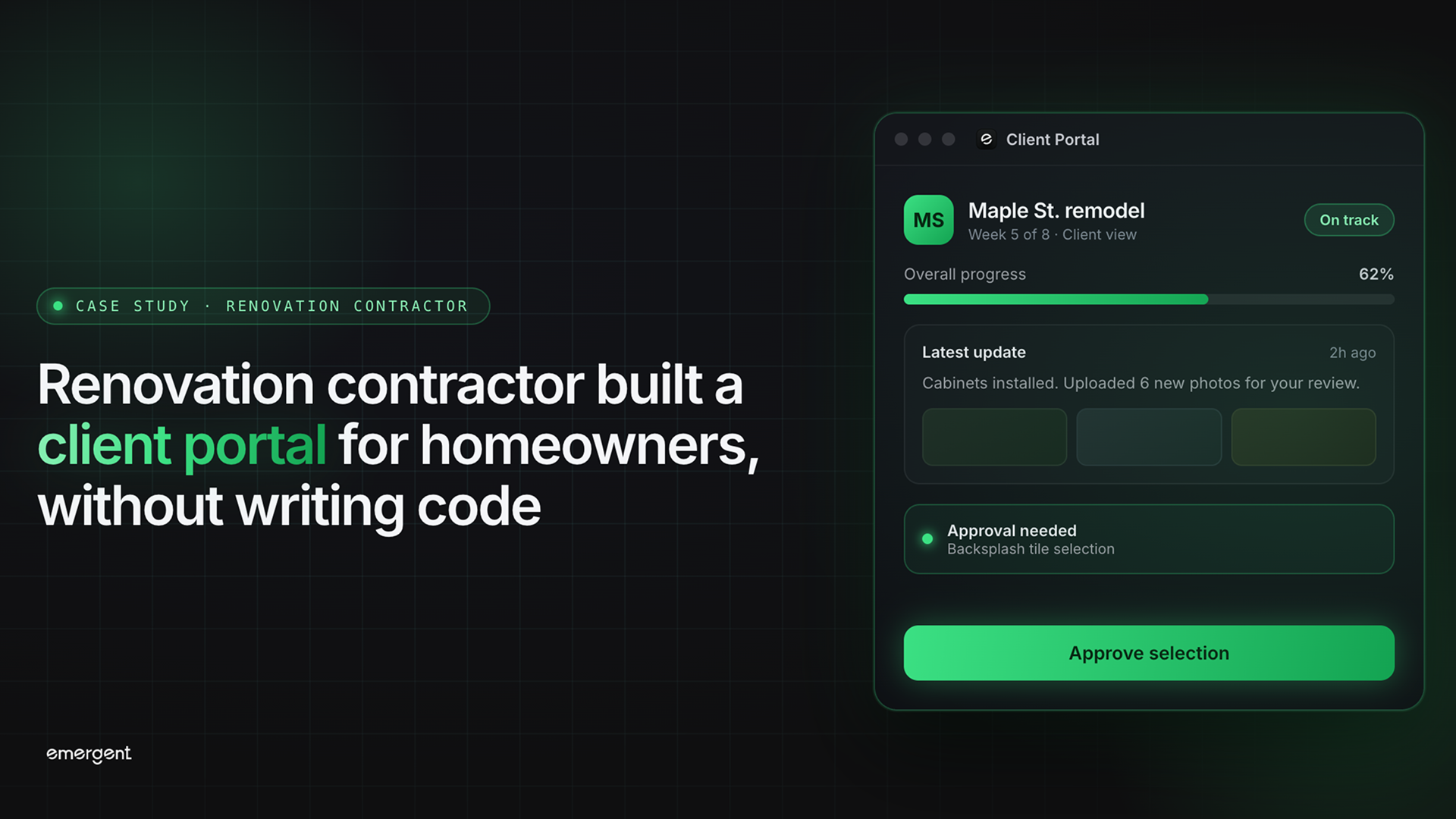
A renovation contractor used Emergent to build Homestead, a client portal that lets homeowners check their job status, view project timelines, and download shared documents.
Homestead was built by a renovation contracting business with no developers on staff. When homeowners spend tens of thousands on a kitchen remodel or bathroom renovation, they expect to know where their project stands without having to chase the contractor for updates.
Most small renovation firms have no good way to provide that visibility. Using Emergent's construction job app builder, the team built Homestead, a web application with separate views for the contractor and the homeowner, a five-stage job timeline, and built-in document sharing. The entire product went from idea to a live application in a single session.
Challenges
Homeowners have no way to check on their project without calling or texting
A homeowner mid-renovation wants to know whether work has been scheduled and when it will start. The only option is to call or text the contractor and wait. The contractor loses time answering status questions, and the homeowner feels left in the dark about a project happening inside their own home.
Project documents get buried in email and text threads
Quotes, invoices, contracts, and progress photos get sent as email attachments or text messages, then disappear into crowded inboxes. When the homeowner needs a document weeks later, they cannot find it and ask the contractor to resend it. Neither side has one reliable place where all project files live.
Existing construction software is not built for small renovation crews
Most project management tools on the market are designed for commercial general contractors with office staff. Small renovation firms doing kitchens, bathrooms, and additions need something they can update in a few clicks and have the homeowner see the change right away, without an IT department to set it up or maintain it.
Solution
Separate logins for the contractor and the homeowner
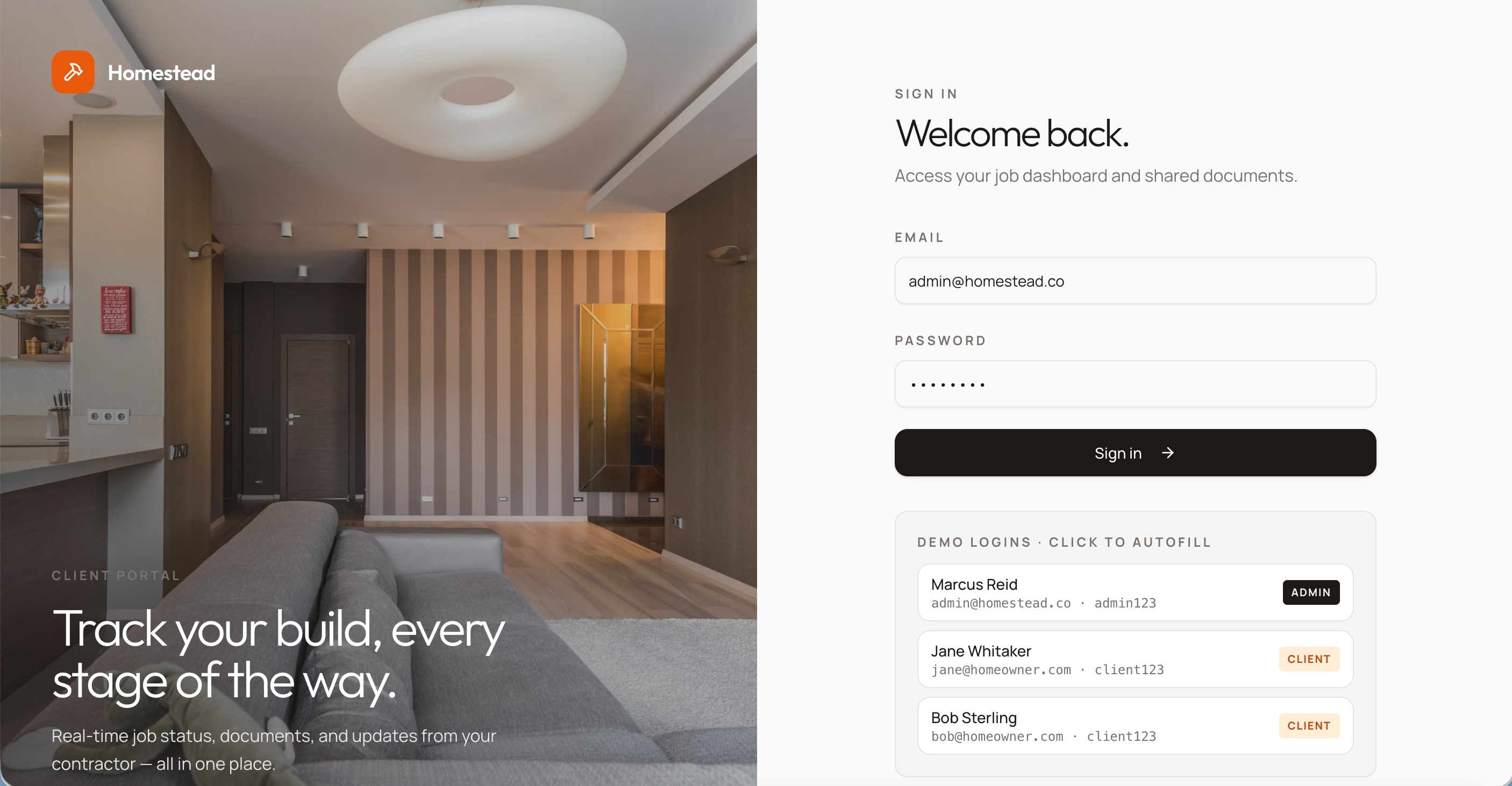
Homestead has two views behind one login screen. Homeowners log in and see only their own jobs in a read-only dashboard. The contractor logs in and sees every job across every client, with each project listed by name, homeowner, and status.
A five-stage job timeline from quote to completion
Each job shows the project name, site address, and scope of work, with a status badge indicating the current stage.

Below that is a vertical timeline with five stages that follow how a renovation actually moves: Quote Sent, Approved, Scheduled, In Progress, and Completed. Completed stages show a checkmark with a date and a note the homeowner can read. The current stage is highlighted in orange.
A contractor admin panel for managing jobs, stages, and documents
The admin panel gives the contractor three core actions.
Create a new job
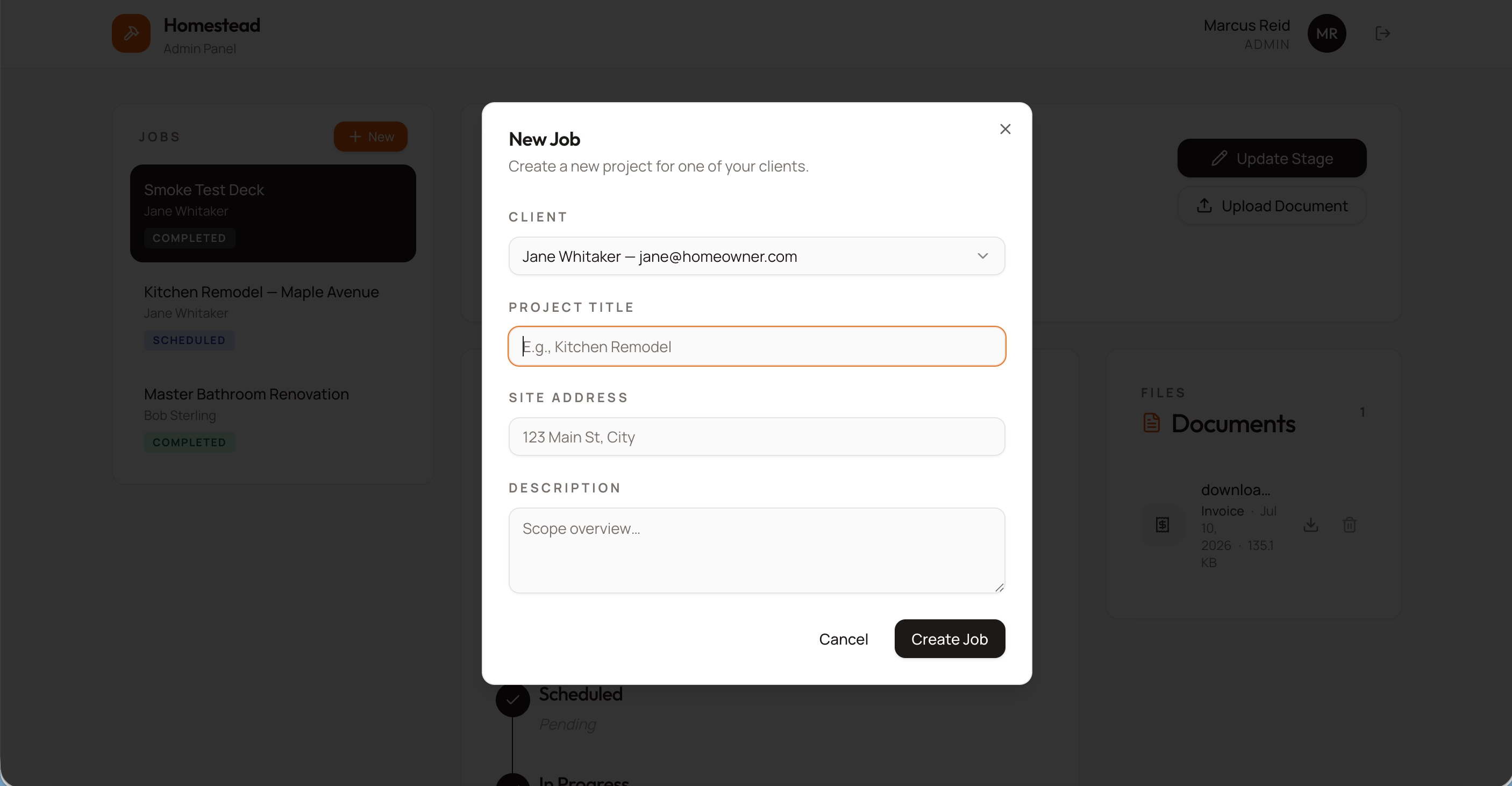
Select a client, enter the project title, site address, and scope, and the job appears on both the contractor's sidebar and the homeowner's dashboard.
Update a job's stage
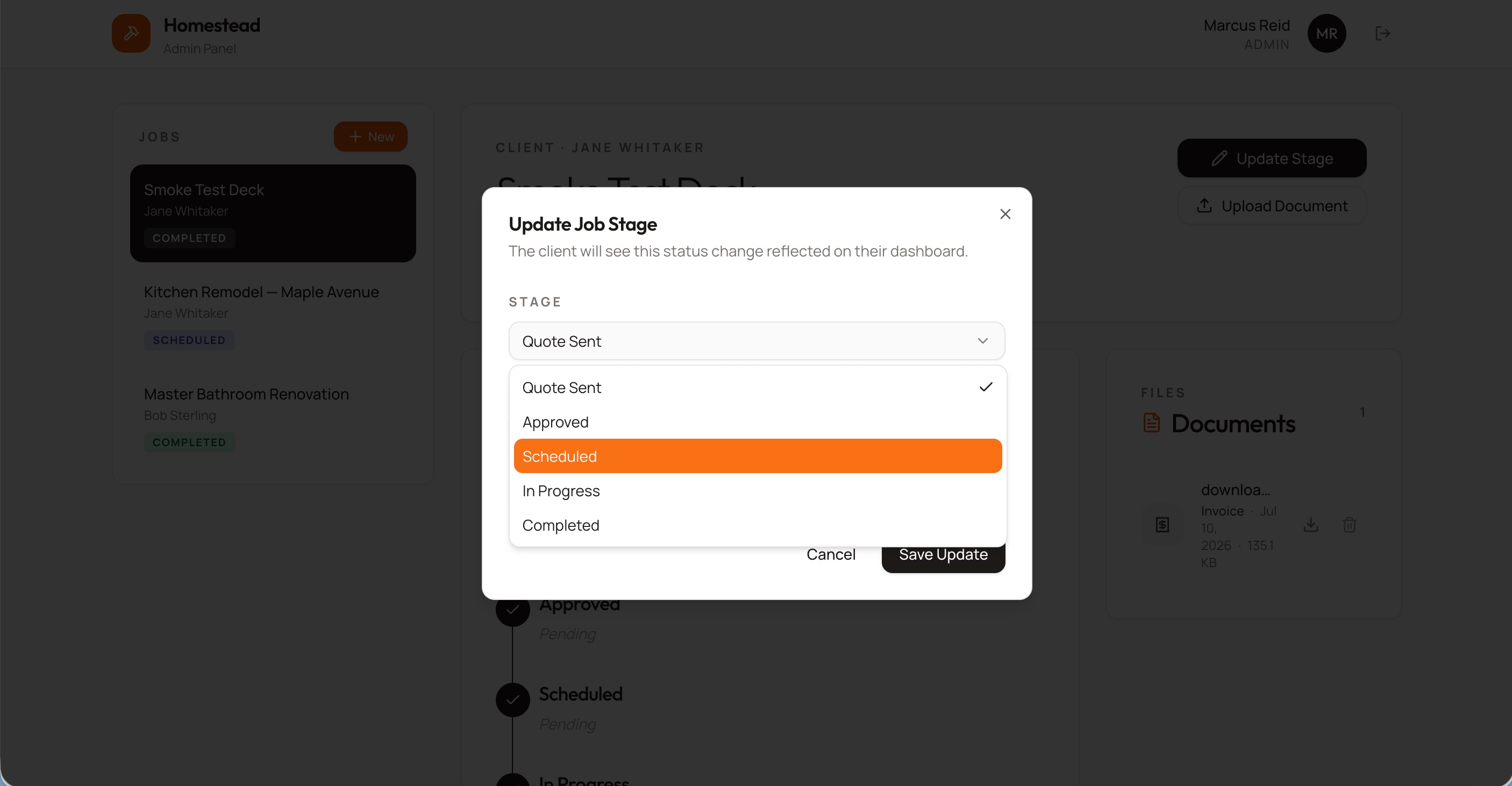
Pick the new stage from the timeline, save, and the homeowner sees the change on their end immediately.
Upload documents
Upload files tagged as Quote, Invoice, Contract, Photo, or Other. The file shows up in the homeowner's Documents panel with a download button.
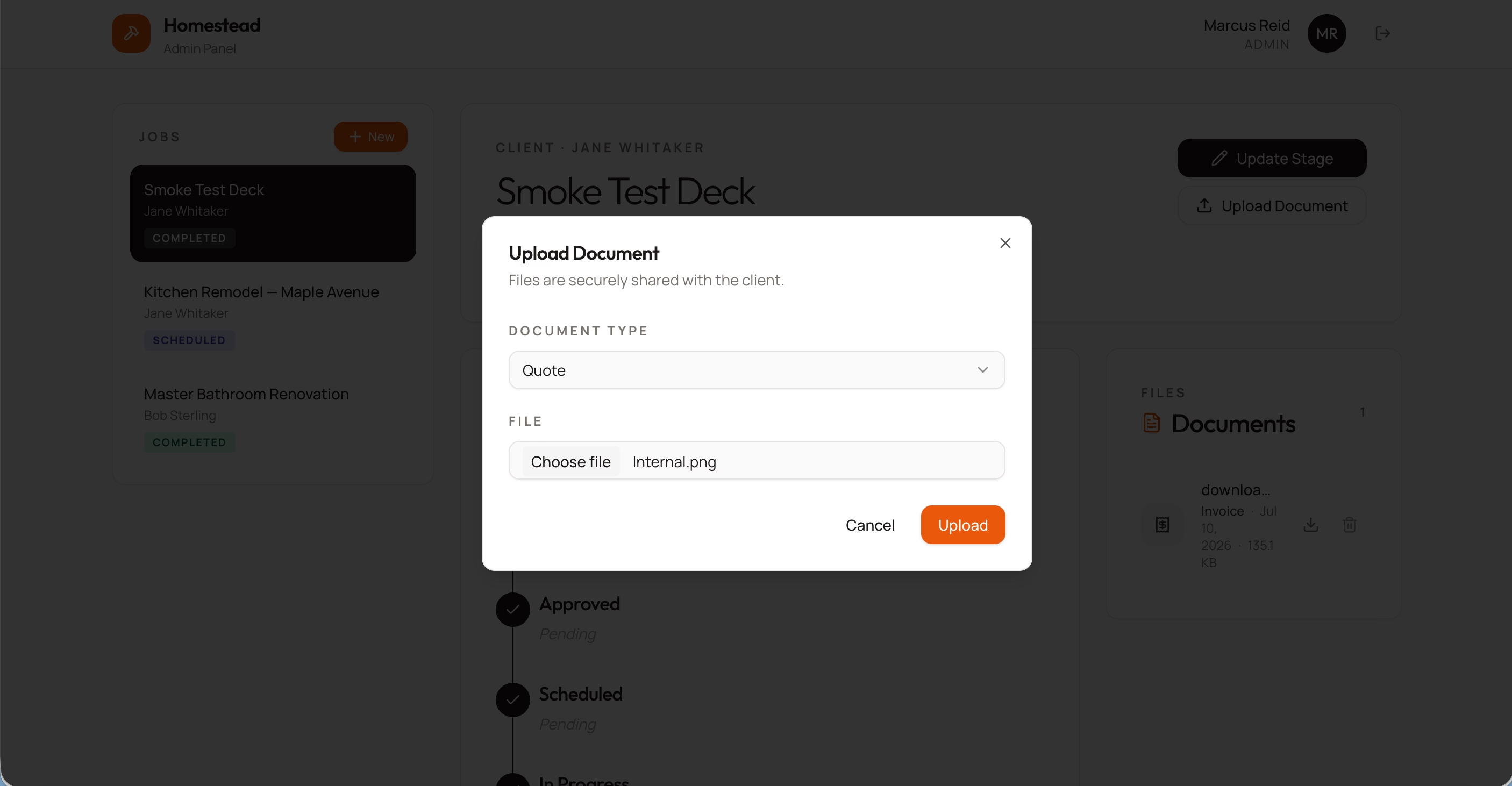
Each job keeps its own folder, so homeowners with multiple renovations in progress only see files for the project they are viewing.
Outcomes
40% fewer inbound status calls and texts
With a timeline that homeowners can check on their own, the contractor no longer fields daily calls asking whether work has been scheduled or when the crew is coming. The information is already there. The contractor updates the stage once, and every homeowner on that job sees it.
6 hours per week saved on document management
Instead of digging through months of text threads to find a quote PDF or resending an invoice the homeowner lost, both sides have a single documents panel tied to each job. The contractor uploads it once; the homeowner downloads it whenever they need it. Across 50 active jobs, that adds up to roughly 6 hours per week no longer spent tracking down and resending files.
Live in hours, not months, at a fraction of the typical cost
A comparable custom-built client portal typically costs $20,000 to $50,000 and takes 4 to 12 weeks to develop. Homestead was live in under a few hours on Emergent, with no developer hired and no ongoing subscription fees.
Conclusion
A renovation contractor with no technical background built a fully functional client portal in a single session on Emergent. The result is a tool that homeowners can log into to check their project status, download documents, and stay informed without a single phone call. It replaced a workflow that ran on texts, emails, and callbacks with something that looks and feels like it came from a company ten times the size. That is the key takeaway: you do not need a development team to build software that solves a real problem in your business.
If you are a contractor or trades business owner with a product idea that solves a real problem in your industry, Emergent can take you from description to deployment in the same session. Start building on Emergent.
Emergent turns your idea into a full-stack web or mobile app, no coding required.
 No coding required
- Web & mobile apps
- Deploys instantly


on Emergent today




