



I spent a week running the same dental-clinic support bot through 12 chatbot builders, testing each on patient questions, lead capture, and a clean handoff to a human. Six held a real conversation. The rest stalled at answering FAQs. Here's how the six that made the cut ranked.
The 6 Best AI Chatbot Builders: Quick Comparison
The best AI chatbot builders are the ones that match the job you're hiring the bot to do. Pin down whether you need support, lead-gen, social DMs, or a full support stack before you compare features.
For this piece, I stayed with public-facing chatbot builders I could test against the same support brief. Native CRM bots, internal-only assistants, and custom GPT-style tools fall outside that scope because they are harder to deploy as a real front-door support experience.
I also tracked setup speed. Some tools gave me a usable bot in minutes, while others needed real configuration before they behaved the way I wanted. Here is how the six stack up by the job each one is built for.
| Tool | Best for | Standout strength | Free plan? | Starting price |
|---|---|---|---|---|
| Chatbase | AI support agent trained on your content | Docs to a working bot in minutes | Yes (50 messages/mo) | $40/month (Hobby) |
| Voiceflow | Designing and testing advanced agents | The most control over multi-step flows | Yes | $60/month (Pro) |
| Botpress | Technical, custom AI agent building | Visual flow plus custom logic | Yes (100 convos/mo) | $189/month |
| Manychat | Social DM automation | Owns Instagram and Messenger capture | Yes (25 contacts) | $17/month (Essential) |
| Tidio | AI live chat plus support and ticketing | Support stack in one box | Yes (50 conversations/mo) | $29/month (Starter) |
| Lindy | An assistant you text for support and lead-gen | Handles a conversation, then hands off | No (7-day trial) | $49.99/month (Plus) |
This table does not show where each bot fits best once deployed. Different tools are strongest on website widgets or social DMs, while others only get interesting once you connect them to the rest of your stack.
How I Tested These AI Chatbot Builders as Conversation Systems
I started with a dozen chatbot builders and put each one through the same dental-clinic support brief. Six made the cut.
The rest dropped out because they couldn't run a real front door: some were internal-only assistants, some were CRM-native bots that never faced a customer, and some were custom GPT-style tools that stopped at answering questions.
What earned a spot in the final six was simple: each one could stand up a public-facing support bot I could point real patient questions at.
The brief itself was fixed. Each builder had to answer common patient questions from the FAQ and policy PDFs, collect new-patient details, handle appointment and booking requests, and pass anything medical to a human.
I judged each one on how it performed in that test setup as a conversation system. A static FAQ page only answers when asked, so I looked for builders that move the conversation forward, capture the right details, take action when needed, and know when to hand the thread to a person.
The six checks below were the core of my test.
I also tracked how fast each tool became usable, what it could connect to beyond its own docs, and where I could deploy it. I also checked whether pricing or compliance details would become a problem once the bot moved from a test to real customer traffic.
- Knowledge and accuracy: Its answers are grounded in your own docs and site.
- Lead qualification: It captures a new lead and gathers the details that matter.
- Workflow and actions: It replies and can also trigger a booking or another action.
- Human handoff: It passes clinical or edge cases to a person without dropping the thread.
- Multi-channel: It works where customers already are, like web, Messenger, and WhatsApp.
- Price predictability: It holds its cost as your contacts and usage scale.
A tool that nails the first one but fails the last three can answer questions, but it can't run your front desk. That gap is where these six separate.
Also read our guide on the best chatbot use cases for business to see how these builders perform across real workflows.
1. Chatbase: Best AI Chatbot Builder Trained on Your Own Content
What it does:
An AI support agent that trains on your site, docs, and PDFs, then deploys across channels.
Best for: Teams whose support answers already live in documents and pages and who want a working, content-trained agent fast.
I uploaded the clinic's FAQ and policy PDFs to Chatbase and had a support agent answering insurance questions accurately within a few minutes. It was the fastest path from "here's our content" to "here's a working bot" of the whole group.
The appeal is speed: If your support answers already live in docs and pages, Chatbase turns them into an agent without you scripting a single branch.
Key Features
- Train on your content: Point it at your site, upload PDFs, and it answers from your material.
- AI actions: Higher plans let the agent reply and take actions.
- Multi-channel deployment: Put the same agent on your site and connected channels.
- Analytics: See what people ask and where the agent struggles.
Pros and Cons
Pros:
- No tool I tested went from uploaded docs to a live support bot as fast.
- Accuracy on document-based questions was strong out of the box.
- The free tier lets you prove it works before paying.
Cons:
- Message credits cap quickly, so a busy bot moves up tiers fast.
- Pricing and features have shifted over time, which complicates budgeting.
- Support and refund friction shows up in user reviews when things go wrong.
What Users Say
“Chatbase has been a wonderful service for us and their support team is the icing on the cake.” - Sheli Monacchio, Trustpilot.
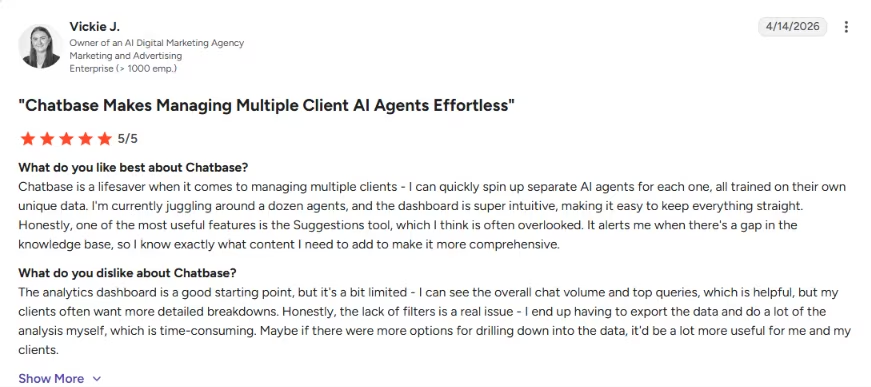
“The analytics dashboard is a good starting point, but it's a bit limited.” - Vickie J., G2.
Pricing
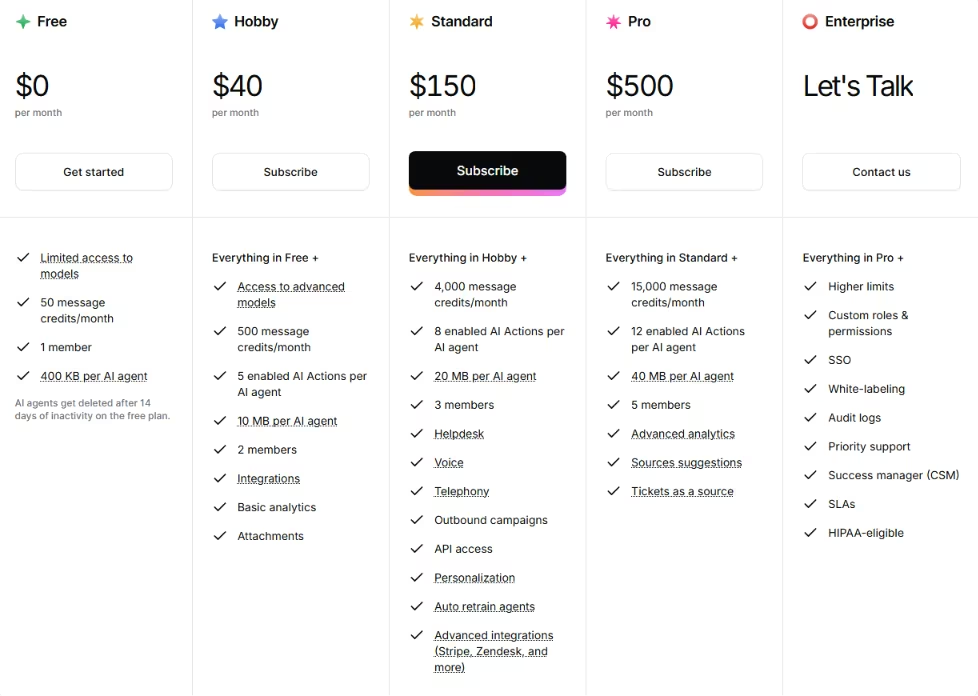
The free plan covers 50 messages a month with one AI agent and limited models. Hobby is $40/month ($32/month, billed annually) for 500 messages and 5 AI actions, Standard is $150/month ($120/month, billed annually) for 4,000, and Pro is $500/month ($400/month, billed annually) for 15,000.
Enterprise is custom, adding SSO, audit logs, and HIPAA eligibility.
Bottom Line
Chatbase turned our docs into an accurate support bot quicker than any other tool here, and the free tier lets you prove it before paying. Just watch the message credits, since they cap quickly and the pricing has moved around over time.
2. Voiceflow: Best AI Chatbot Builder for Designing Advanced Agents
What it does:
A visual agent-design canvas for building and testing advanced, multi-step conversations.
Best for: Teams and agencies that need deep control over how a multi-step agent behaves and will invest the setup time to get it.
I built the booking flow on Voiceflow's canvas and hit test. The agent ignored my Start node and free-formed a greeting until I forced it back to the script. That trade-off fits Voiceflow. It was the most powerful builder of the six, but it needed the most hands-on configuration.
Voiceflow gives you a visual canvas to design multi-step conversations in detail. You get control the other five don't offer, and configuring that control is where the setup time goes.
Key Features
- Visual canvas: Drag-and-drop nodes to design exactly how a conversation should run.
- Conversation testing: Test flows before they ship, which catches breaks early.
- Chat and voice: Build for text or voice agents on the same platform.
- Collaboration: Teams and clients can work in the same project.
Pros and Cons
Pros:
- It offers the deepest control over multi-step flows of any tool here.
- The testing tools let you catch agent behavior before customers do.
- It scales from a simple bot to an advanced multi-step agent that other tools can't match.
Cons:
- The agent layer can override your scripted flow unless you configure it down.
- The default AI welcome message is awkward to remove.
- There's a steep learning curve, plus seat and usage limits to plan around.
What Users Say
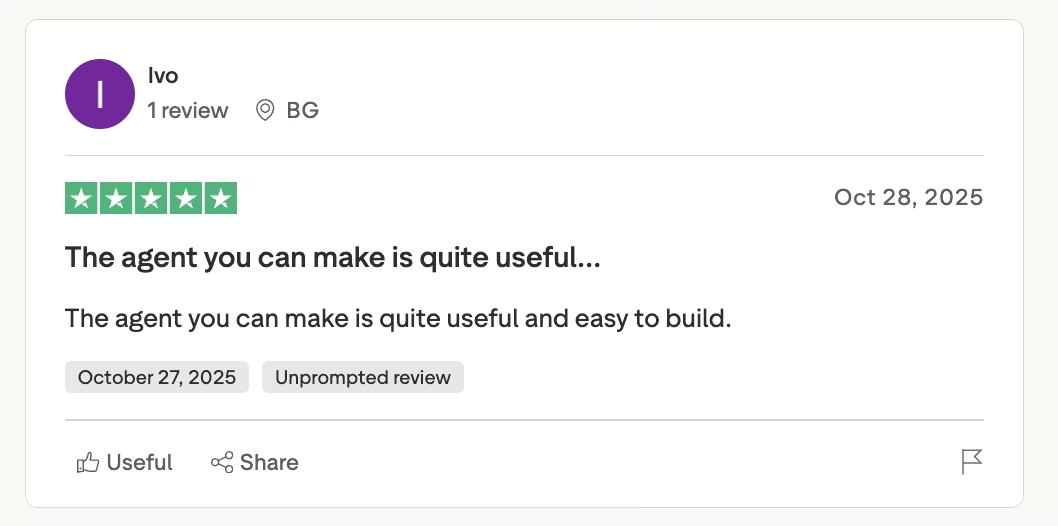
“The agent you can make is quite useful and easy to build.” - Ivo, Trustpilot.
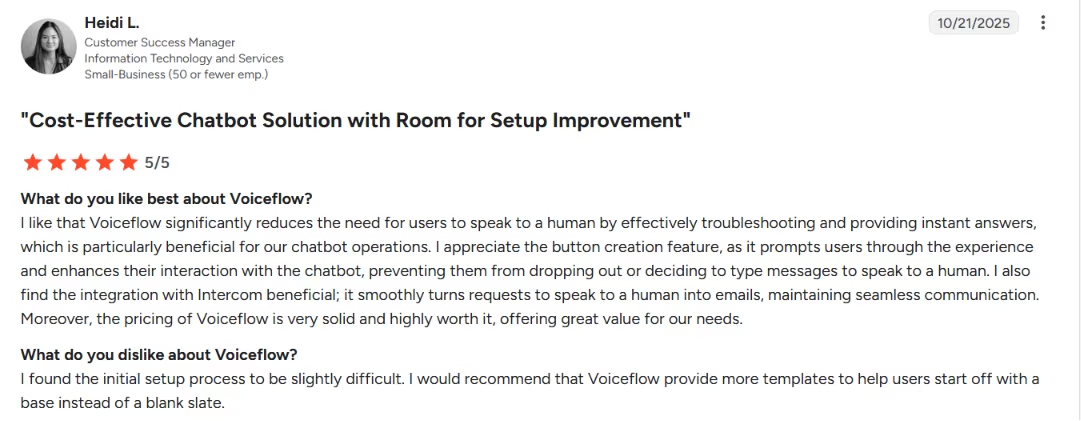
“The initial setup process to be slightly difficult.” - Heidi L., G2.
Pricing
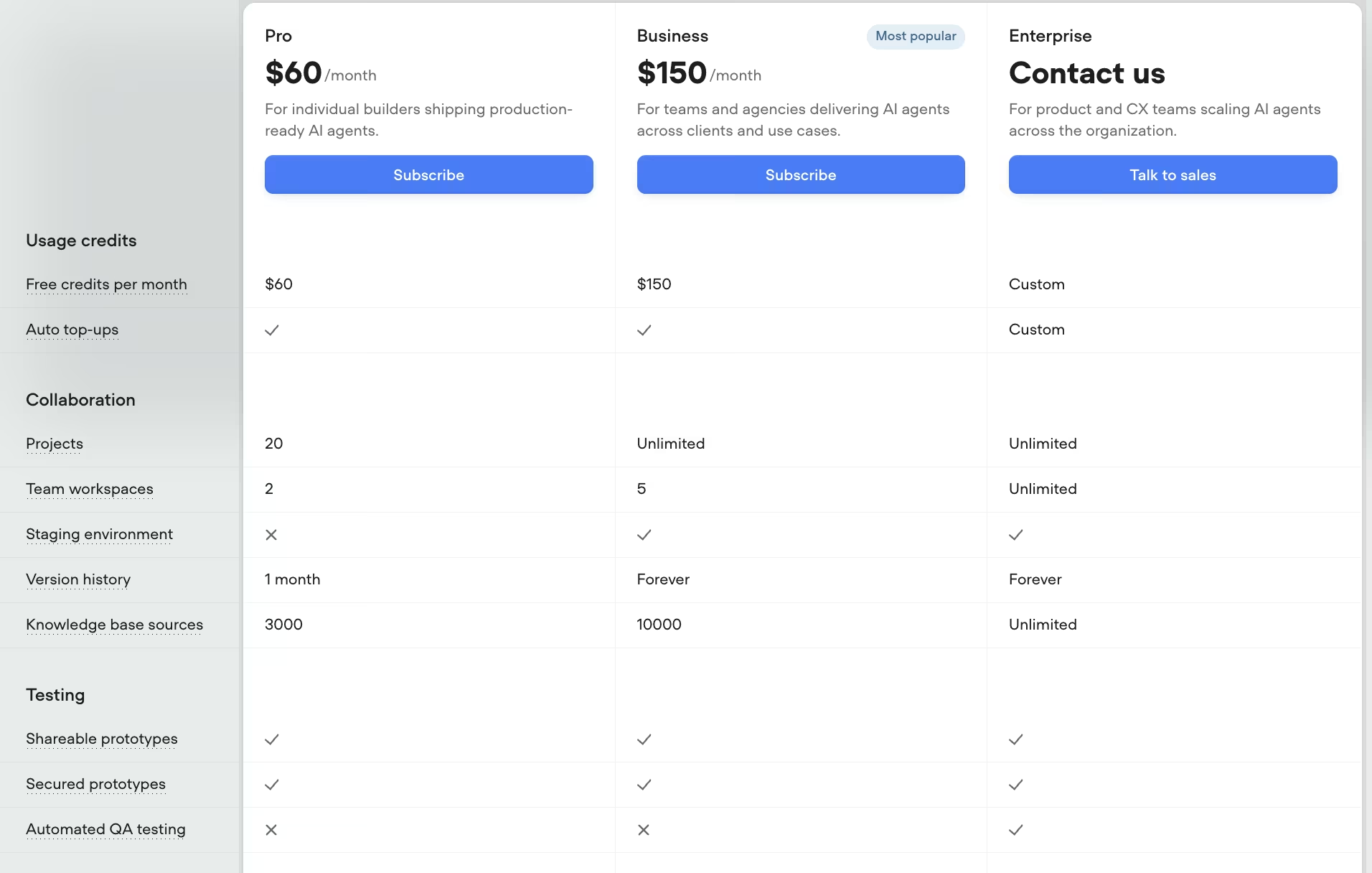
The Sandbox tier is free for building and sharing prototypes. Pro is $60/month for solo builders shipping production agents, and Business is $150/month for teams and agencies working across clients. Enterprise is custom.
Bottom Line
Reach for Voiceflow when you need to design and test a multi-step agent in real detail, because nothing else here gives you that much control. Just budget for the learning curve, and expect to rein in the agent layer before it stops overriding your script.
3. Botpress: Best AI Chatbot Builder for Technical, Custom Builds
What it does:
A developer-friendly platform that combines visual flows, custom logic, and knowledge bases.
Best for: Technical teams that want to engineer a bot with custom logic and precise handoff rules beyond what prebuilt templates offer.
I rebuilt the same bot in Botpress with a knowledge base and a custom handoff rule. It took hours of setup, but it gave me control over exactly when it pulled in a human. Nothing else let me define the handoff logic that precisely.
Botpress pairs a visual flow builder with custom logic and LLM behavior. It suits people who want to engineer the bot beyond what prebuilt templates allow, and it rewards that effort.
Key Features
- Visual flow plus logic: Build flows visually, then layer in custom code and LLM behavior.
- Knowledge bases: Feed it your content so it answers from your material.
- Custom logic: Define precise rules, like exactly when to hand off to a human.
- Multi-channel: Deploy across web, WhatsApp, and other channels.
Pros and Cons
Pros:
- It gives technical teams the deepest custom control of the group.
- Custom handoff and routing rules let you decide exactly when a human steps in.
- Knowledge bases plus custom logic handle complex builds a simple FAQ tool can't.
Cons:
- It's more technical than the rest, so it's overkill for a plain FAQ bot.
- Pay-as-you-go AI spend makes costs harder to predict at scale.
- Setup time is the entry fee, even for a basic build.
What Users Say
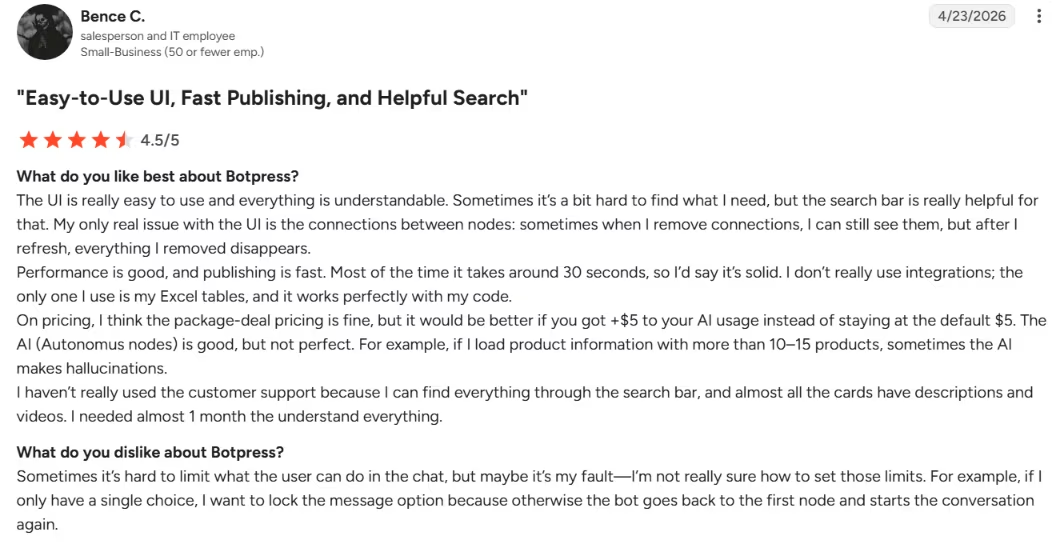
“It's a great tool because it's easy to deploy chatbots with no hard work.” - Bence C., G2.
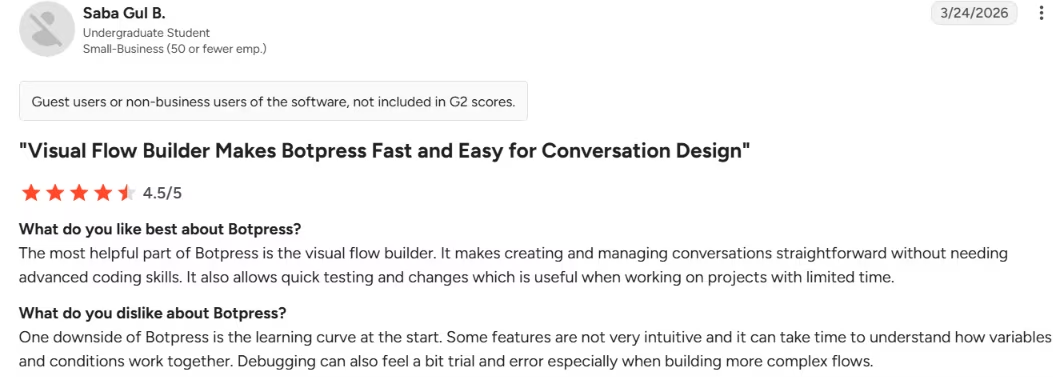
“Some features are not very intuitive and it can take time to understand how variables and conditions work together.” - Saba Gul B., G2.
Pricing
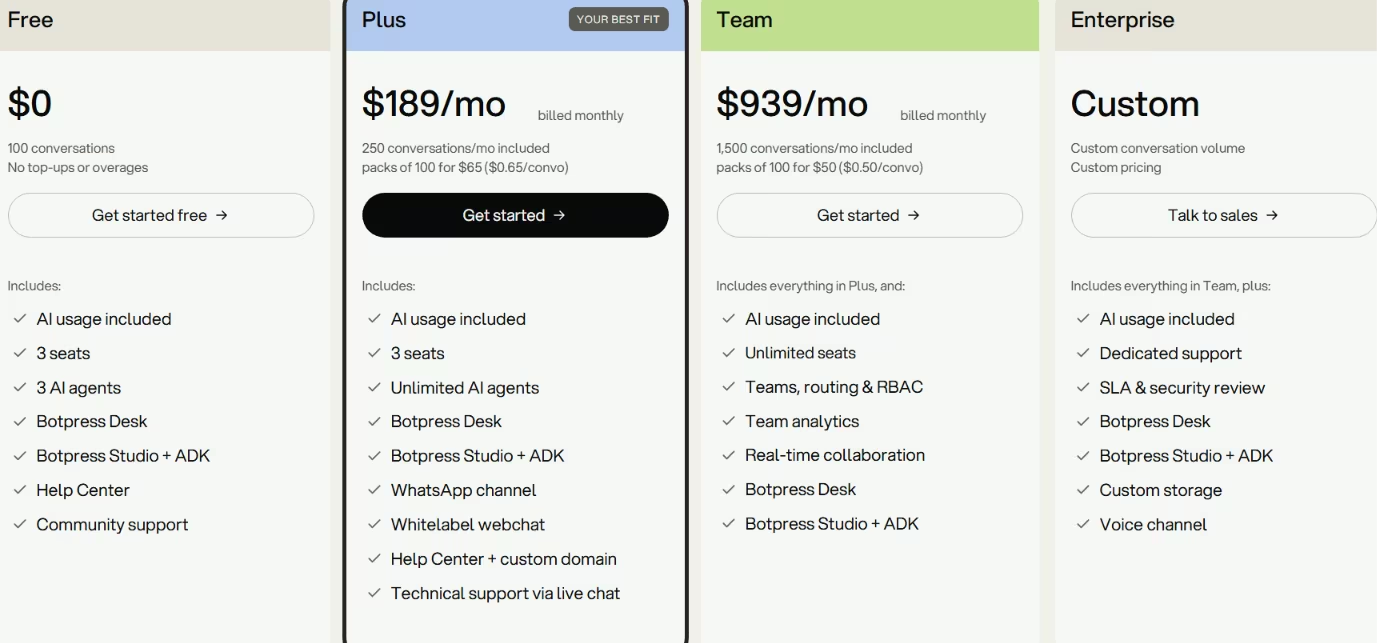
The free plan includes 100 conversations a month, 3 seats, and 3 AI agents. Plus is $189/month ($150/month, billed annually) for 250 conversations with WhatsApp and whitelabel webchat, and Team is $939/month ($750/month, billed annually) for 1,500 conversations with RBAC and routing. Enterprise is custom.
Bottom Line
If you have a technical team and want to define exactly when a human steps in, Botpress gives you the deepest control of the group. It's overkill for a plain FAQ bot, and setup time is the price of entry even on a basic build.
4. Manychat: Best AI Chatbot Builder for Social DM Automation

What it does:
DM automation across Instagram, Messenger, WhatsApp, and TikTok, built for social lead capture.
Best for: Marketers and social teams whose customers find them on Instagram, Messenger, or WhatsApp and who want to turn a comment into a captured lead.
I rebuilt the lead-capture step in Manychat as an Instagram comment-to-DM flow, and it captured patient details in seconds. Then I checked what it would cost as contacts piled up. The capture worked smoothly, but the billing math needs close attention.
Manychat is strongest for social DMs. For customers who find you on Instagram, Messenger, or WhatsApp, Manychat turns a comment into a conversation that captures the lead.
Key Features
- Comment-to-DM: A public comment triggers a private DM that captures the lead.
- Multi-channel DMs: Automate Instagram, Messenger, WhatsApp, and TikTok in one place.
- Funnels and follow-ups: Build sequences that nurture a lead after first contact.
Pros and Cons
Pros:
- It saves time on Instagram and Messenger DMs that you'd otherwise answer by hand.
- Comment-to-DM capture is fast and useful for lead gen on a busy account.
- Setup is quick, so a non-technical marketer can launch a flow.
Cons:
- Contact-based billing can surprise people as costs climb with audience growth.
- It depends on Meta's platforms, so account restrictions and bans are a real risk.
What Users Say
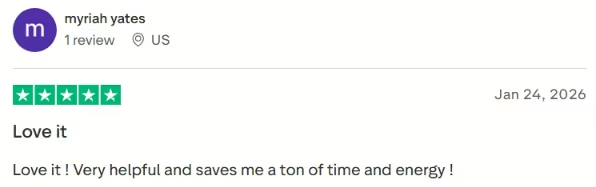
“Love it! Very helpful and saves me a ton of time and energy!” Myriah Yates, Trustpilot.
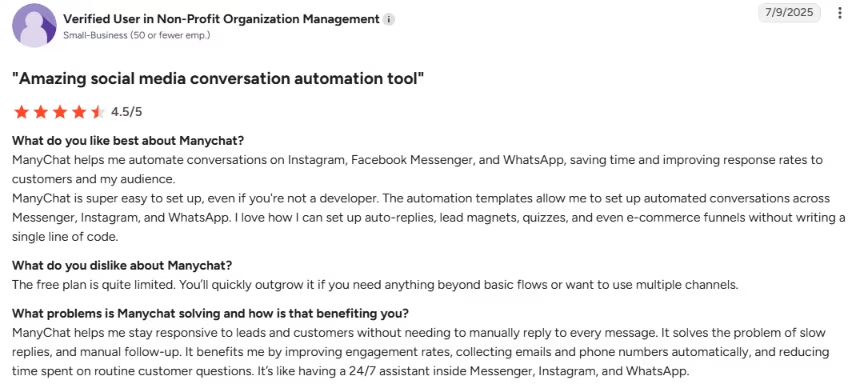
“The free plan is quite limited. You’ll quickly outgrow it if you need anything beyond basic flows or want to use multiple channels.” - Anonymous, G2.
Pricing
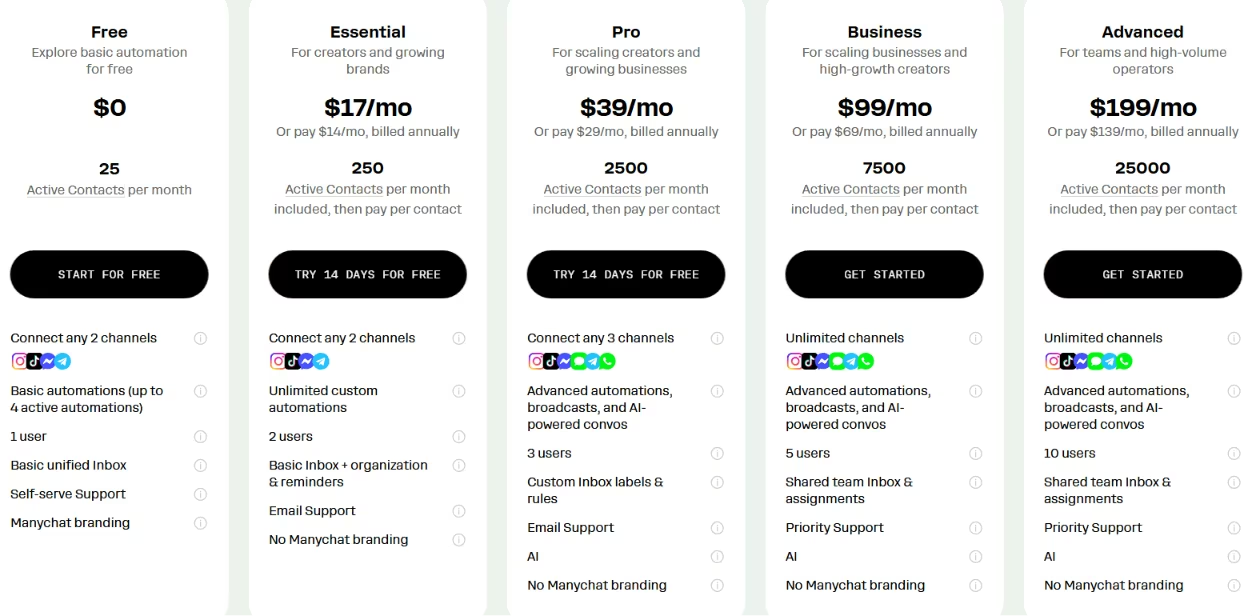
The free plan gives you 25 active contacts across 2 channels. Essential is $17/month for 250 contacts, Pro is $39/month for 2,500 contacts with AI conversations, and Business is $99/month for 7,500 contacts.
Bottom Line
Manychat is the pick when your leads come from Instagram comments and Messenger replies, and it turned a social comment into a captured lead faster than anything else in the group. Keep an eye on the bill, since contact-based pricing climbs as your audience grows.
5. Tidio: Best AI Chatbot Builder for Live Chat and Support
What it does:
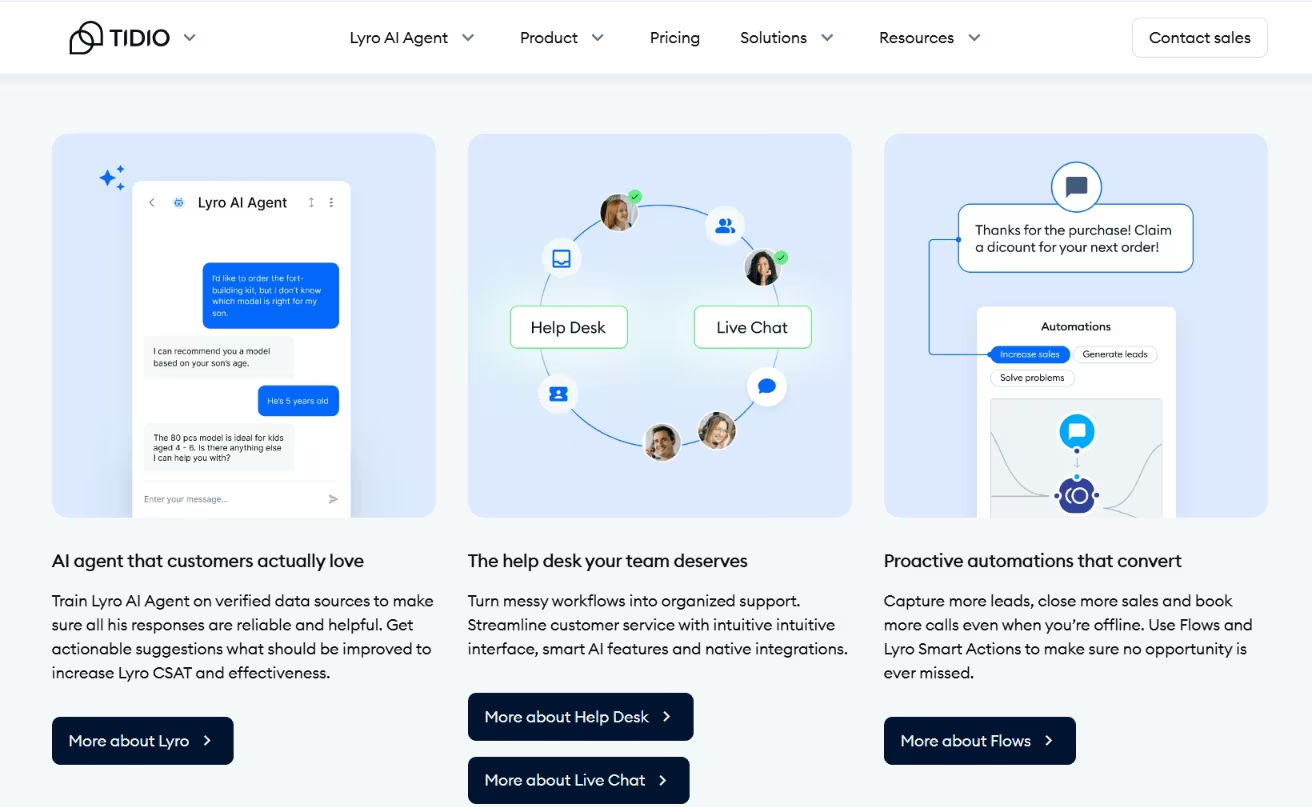
An all-in-one support stack with AI agents, live chat, chatbots, and ticketing.
Best for: Support teams that want AI to field the easy questions and a human to catch the rest, with a ticket trail behind it all.
I dropped Tidio on the clinic's test site and had it running within minutes. There were AI answers, a one-click handoff to a live agent, and a ticket trail for everything the bot couldn't close. It was the closest thing to a full support stack in the group.
Tidio bundles AI agents, live chat, chatbots, and help desk ticketing into one place. It fits teams that want AI to handle routine questions and a human to take over when needed. A ticket trail keeps a record behind it all.
Key Features
- AI plus live chat: AI answers the routine questions; a human takes the rest.
- One-click handoff: Pass a conversation to a live agent without losing the thread.
- Help desk ticketing: Everything the bot can't close becomes a tracked ticket.
- Multi-channel: Handle conversations from your site and connected channels.
Pros and Cons
Pros:
- The install is smooth and fast, and it gives you a full support stack.
- The AI-to-human handoff and ticket trail keep nothing from falling through.
- It suits a support team that wants AI and live agents in one tool.
Cons:
- Support quality draws complaints when issues come up.
- Account suspension and blocking show up in user reviews.
- Pricing and the downgrade process frustrate some users.
What Users Say
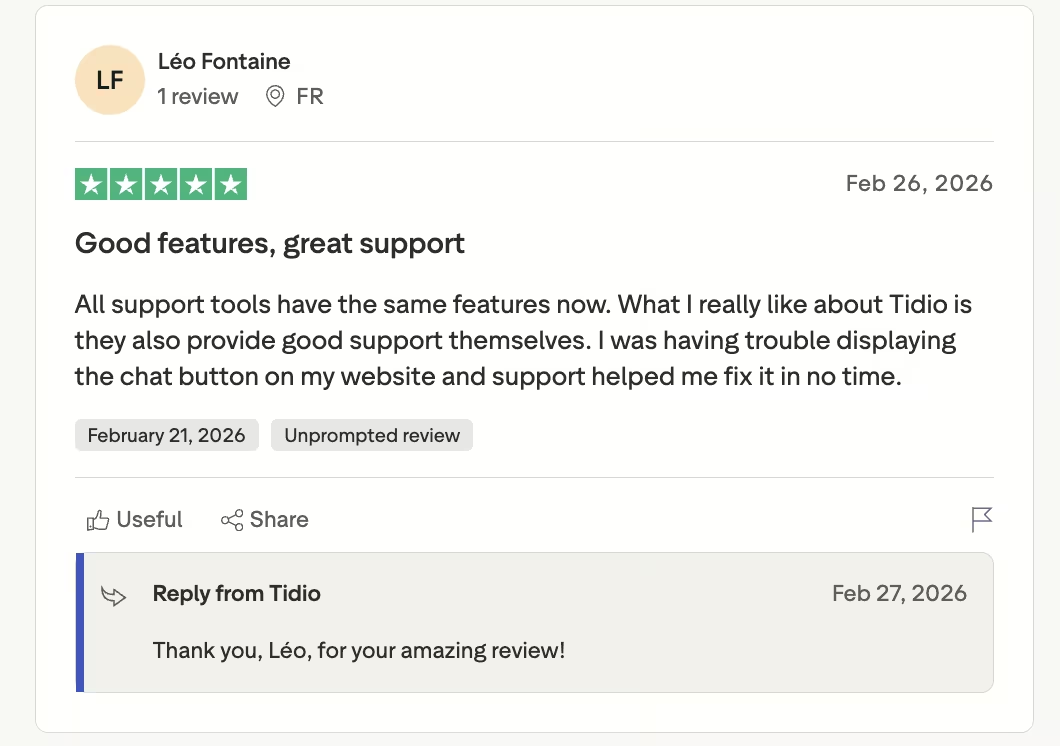
"What I really like about Tidio is they also provide good support themselves. I was having trouble displaying the chat button on my website and support helped me fix it in no time." - Léo Fontaine, Trustpilot.
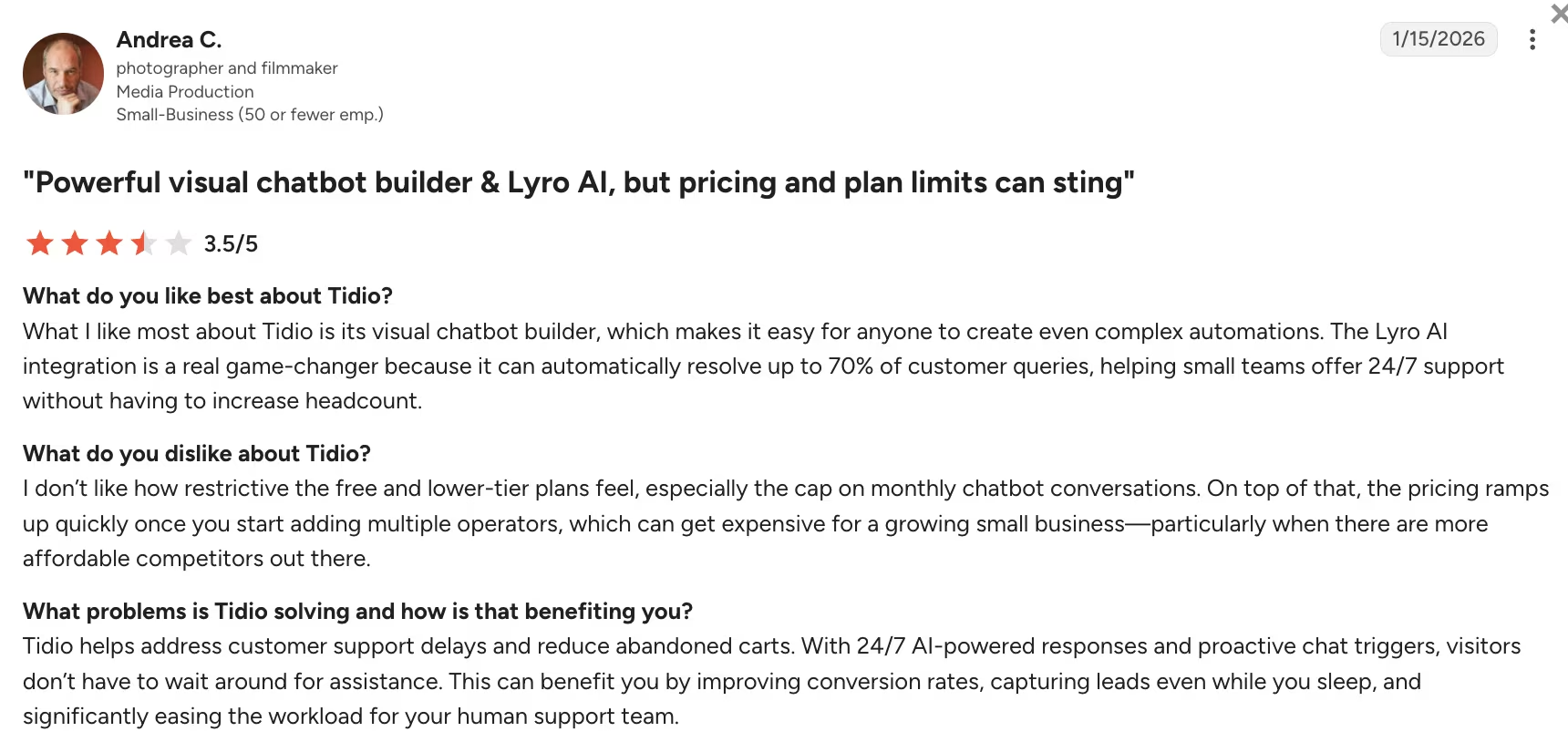
"I don’t like how restrictive the free and lower-tier plans feel, especially the cap on monthly chatbot conversations." - Andrea C., G2.
Pricing
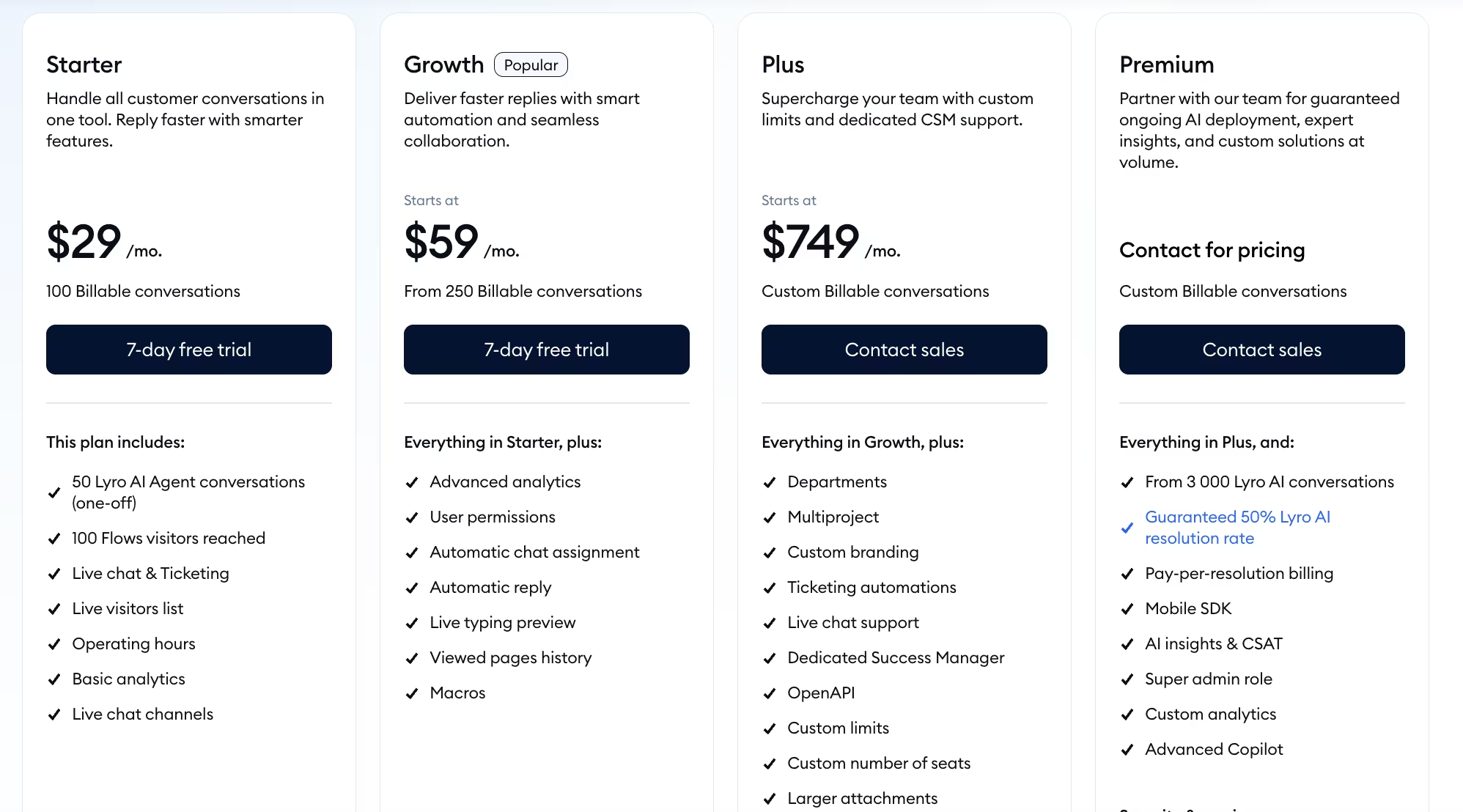
The free plan covers 50 billable conversations a month with live chat and ticketing. Starter is $29/month ($24.17/month, billed annually) for 100 conversations, Growth starts at $59/month ($49.17/month, billed annually) for 250 and up, and Plus starts at $749/month for custom volume.
Bottom Line
Tidio bundles AI, live chat, and ticketing into one box that installed in minutes and handed off cleanly. Test the downgrade path before you commit, because pricing and support draw the loudest complaints.
6. Lindy: Best AI Chatbot Builder for Support and Lead-Gen You Can Text
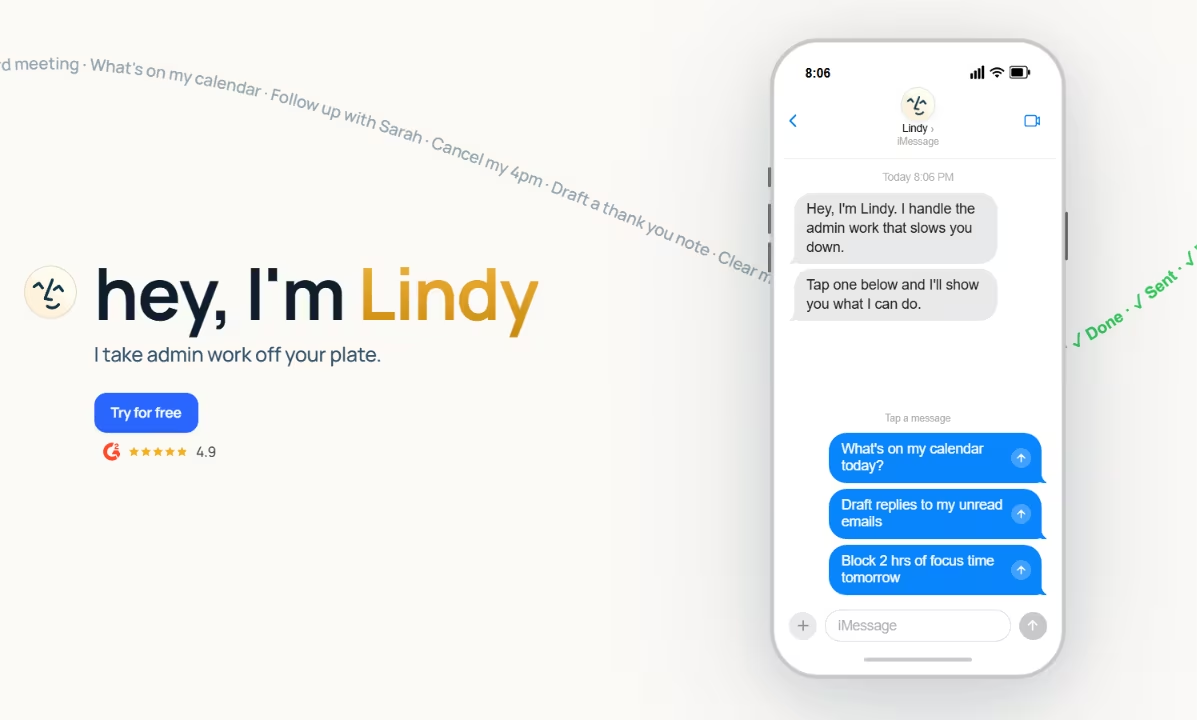
What it does: An assistant you text that handles support and lead generation conversations, then routes the rest to a person.
Best for: Small teams that want to run support and lead capture from a texting interface, with a clean handoff to a human on anything sensitive.
I set Lindy up as an assistant I could text and pointed it at the clinic's FAQ. It answered a patient's question and captured the lead, then handed the clinical bit to a human.
There was no flow to configure. I just described the job and let it run. You brief Lindy the way you'd brief a coworker, and it answers across the channels you already use, from chat and email to voice and web.
Key Features
- Texting interface: You delegate by message, including iMessage and SMS, instead of opening another dashboard.
- Support answers: It replies from your knowledge base and learns from past tickets, across chat, email, voice, and web.
- Lead capture: It qualifies, routes, and follows up on leads inside the conversation.
- Human handoff: It knows when to pass a thread to a person, which matters for anything clinical or sensitive.
- Integrations: It connects to common work apps like Gmail, Slack, and HubSpot to act on what it learns.
Pros and Cons
Pros:
- It feels like messaging a capable assistant, so setup has almost no learning curve.
- It captures a lead and answers support in the same thread, then hands off cleanly.
- You manage it from your phone, which suits a small team without a dedicated bot owner.
Cons:
- It's newer than the incumbents, so the template library and community resources are thinner.
- Unlike most tools here, there's no free tier, only a 7-day trial, so you can't keep a bot running for free.
- Pricing scales by usage, so a high-volume support load can burn through a tier fast.
What Users Say
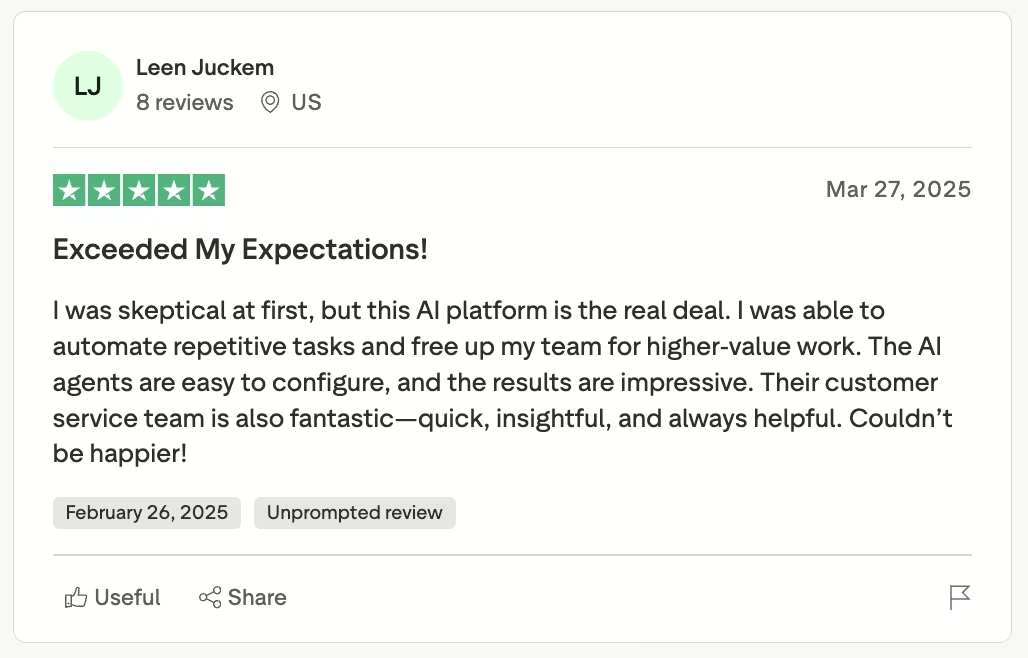
“The AI agents are easy to configure, and the results are impressive. Their customer service team is also fantastic—quick, insightful, and always helpful.” - Leen Juckem, Trustpilot.
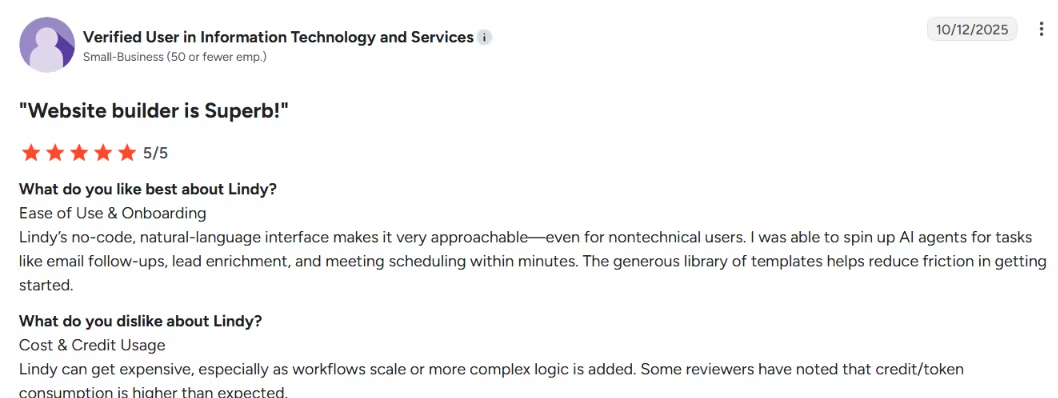
“Lindy can get expensive, especially as workflows scale or more complex logic is added.” - Anonymous, G2.
Pricing
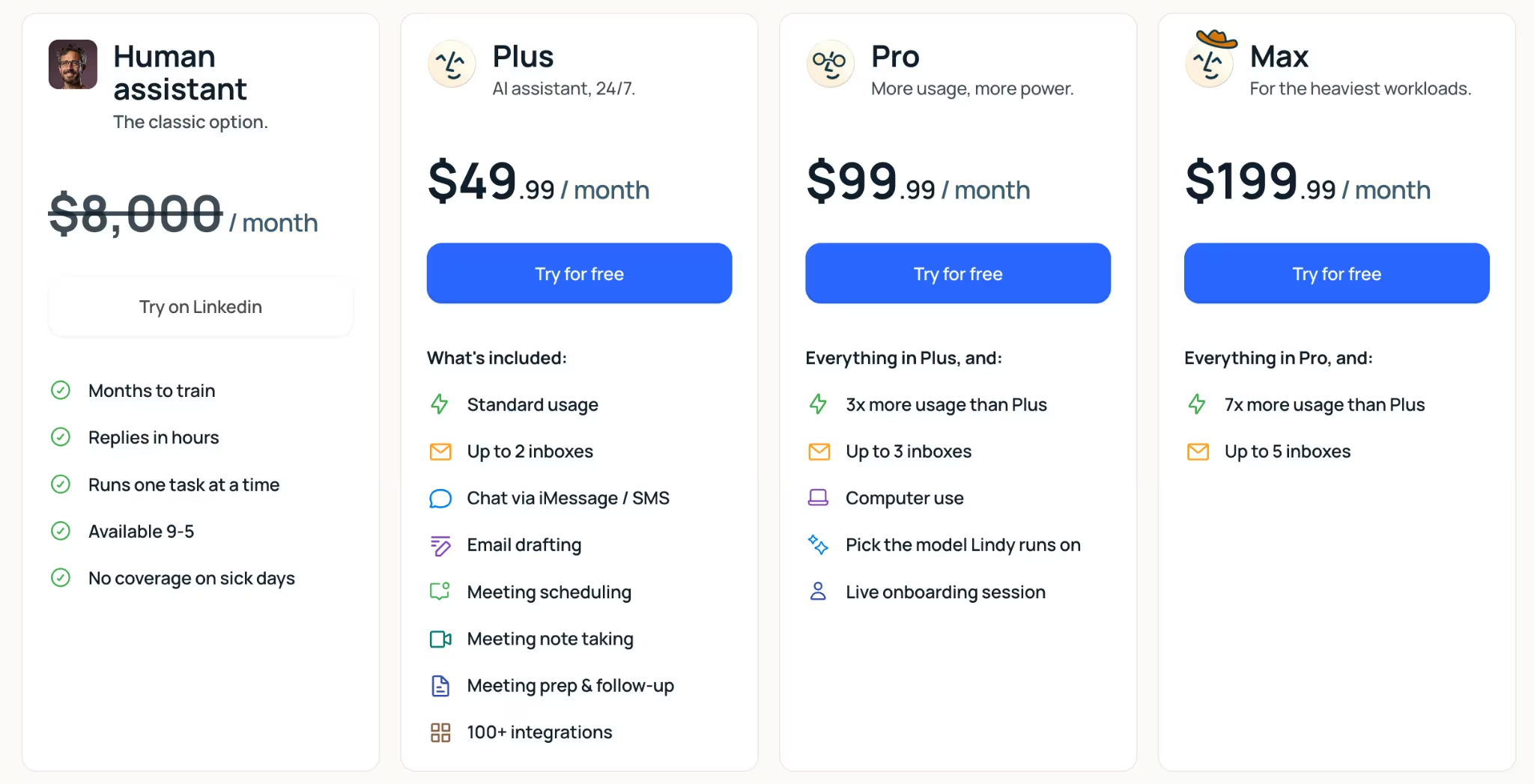
Lindy has no free tier, but every plan includes a 7-day trial with no card required. Plus is $49.99/month with up to 2 inboxes and 100-plus integrations, Pro is $99.99/month with 3x the usage and 3 inboxes, and Max is $199.99/month with 7x the usage and 5 inboxes. Enterprise is custom, adding SSO and HIPAA compliance.
The usage allowance climbs with each tier, so a heavy support load can burn through Plus fast.
Bottom Line
Lindy suits a small team without a dedicated bot owner, since you can run the whole thing from your phone. There's no free plan, so use the 7-day trial to test it against a heavy FAQ load first.
Which AI Chatbot Builder Should You Choose?
Your best pick comes down to where your customers reach you and what you need the bot to do once they get there. My six test builds landed on a different answer in each case.
- Choose Chatbase if you want a support agent trained on your own content and you want it fast.
- Choose Voiceflow if you need precise control over a multi-step agent and will invest setup time.
- Choose Botpress if you have a technical team and want custom logic over prebuilt templates.
- Choose Manychat if your leads come from Instagram comments and Messenger replies.
- Choose Tidio if you want AI plus human live chat plus ticketing in one support stack.
- Choose Lindy if you want an assistant you text for support and lead-gen, with a clean handoff to a human.
- Skip this category entirely if you only need a static FAQ page and never a real conversation.
- Look outside this list if you need an internal-only assistant, a CRM-native chatbot, or a developer stack where custom APIs and databases matter more than fast public deployment.
I left out the big all-in-one suites like Intercom, HubSpot, and Zendesk on purpose, since you're buying a whole CRM or help desk to get the bot. I also skipped form-first tools like Jotform, which lead with form-building rather than the conversation.
I scored these tools mainly on the support brief, while enterprise compliance still matters if customer conversations touch sensitive data. If that is your use case, check handoff rules, access controls, logs, and compliance support before you trust a polished demo.
Also read our guide on the best free AI tools to see what else is worth trying across chat, code, and beyond.
Final Verdict: The Best AI Chatbot Builders Are Conversation Systems
Running one support-bot brief through a dozen builders, then living with the six that held up showed the differences clearly. The best AI chatbot builders answer from your content and qualify a lead. They can also take action and know when to hand off.
Chatbase won on speed from docs to a working agent. Voiceflow gave me the most control, while Botpress gave me the most custom logic. Manychat fit the social-DM job, and Tidio covered the all-in-one support stack. Lindy fit when I wanted an assistant to text.
The winner changes by use case, so start from the conversations you actually need to handle. Cost predictability shaped every one of these builds, because contact-based and usage-based billing are where the bill quietly creeps up on you. Whichever tool you pick, model your scale before you sign.
How Emergent Helps Small Teams Build the Support System Around a Chatbot
The tools above can hold the conversation, but the booking, sign-in, and follow-up around it still have to work.
When a patient books, the next steps still have to work. They need to sign in, confirm the booking, and see their request in one place.
That is worth sorting out before you pick a tool. A bot can answer questions, but it is only one part of the experience if people also need a portal, saved requests, and clear follow-up steps.
Emergent is one option when you need that full system around the bot. You can also start the build inside ChatGPT through Emergent’s MCP connector, then receive a working preview without leaving the conversation. You describe the outcome you want, like a support portal where patients log in, book, and track their requests.
A system of specialized agents builds it. Some agents shape the interface, while others handle the logic and integrations. Testing agents check the build before it ships.
Try building your support system on Emergent. Need to build the bot itself first? Try our AI chatbot builder to get the conversation layer in place before you add the system around it.

Emergent designs, writes, and publishes your whole site from one prompt. No templates, no drag-and-drop.
- Full site from one prompt
- Custom design, real pages
- Publish in minutes







