



The best Claude Code alternatives are OpenAI Codex for delegated engineering tasks, Cursor for AI-native editor work, and Cline for open-source control. Our comparison breaks down each tool by workflow, pricing, tradeoffs, and best fit so you can choose the right coding agent or decide when Emergent makes more sense.
8 Best Claude Code Alternatives: At a Glance
Where each tool fits:
| Platform | Best For | Starting Price |
|---|---|---|
| OpenAI Codex | Delegated coding tasks | Free, Go $8/month |
| Cursor | AI coding workspace | Free, Pro $20/month |
| GitHub Copilot | GitHub pull requests | Free, Pro $10/month |
| Devin Desktop | Agent command center | Free, Pro $20/month |
| Cline | Open-source VS Code agents | Free, pay inference |
| OpenCode | Open-source terminal agents | Free, Go $10/month |
| Aider | Git-native terminal edits | Free, pay model usage |
| Replit Agent | Browser app builds | Free, Core $20/month ($18/month billed annually) |
Pricing correct as of June 2026. Verify with the vendor before buying. Pricing sources include official pages for Codex, Cursor, GitHub Copilot, Devin, Cline, OpenCode Go, Replit, and Aider documentation.
Also read our best AI app builders guide for a broader look at what's available in 2026.
Why Look for Claude Code Alternatives?
Claude Code is strong for agentic coding inside real repositories. Anthropic describes it as a coding system that can read your codebase, make changes across files, run tests, and deliver committed code.
- You may want a different work surface. Claude Code is a natural fit if you like command-line interface (CLI) workflows. If you prefer a visual coding workspace, GitHub issue flow, or browser-based app builder, tools like Cursor, GitHub Copilot, Devin Desktop, and Replit may feel easier day to day.
- Usage limits can shape the real cost. Claude Pro is $20/month, while Claude Max 5x and Max 20x are $100/month and $200/month. Anthropic also updates usage limits over time, so heavy Claude Code users should check the current plan page before budgeting.
- Model flexibility may matter. Claude Code keeps you close to Anthropic’s models and tooling. Cline, OpenCode, and Aider are better fits if you want to connect multiple model providers, use local models, or control inference costs more directly.
- Agent output still needs review. Claude Code and its alternatives can write files, run commands, and prepare changes, but generated code is still draft code until a human reviews it. That matters most for payments, private data, user permissions, production systems, and anything that can change real business records.
TL;DR: Which Claude Code Alternative Should You Choose?
- Choose OpenAI Codex if you want the closest mainstream alternative for delegated coding tasks, code review, local CLI work, and cloud-based coding sessions. Skip it if your team wants to stay fully inside Anthropic's models and tooling.
- Choose Cursor if you want the agent inside your coding workspace instead of running beside it. It is less appealing if you prefer a clean terminal-only flow.
- Choose Cline if you want open-source control, Visual Studio Code support, and a bring-your-own-key model choice. It isn't the simplest option if you want one bundled subscription.
Stick with Claude Code if you like terminal-first coding, trust Anthropic's models, and need deep multi-file work inside existing codebases.
Other tools worth knowing include OpenHands, Goose, Continue.dev, Gemini CLI, and Tabby. I left them outside the main eight because this list prioritizes the strongest Claude Code replacements across delegated coding, editor-native agents, terminal agents, GitHub workflows, and browser-based app building.
The 8 Best Claude Code Alternatives
1. OpenAI Codex
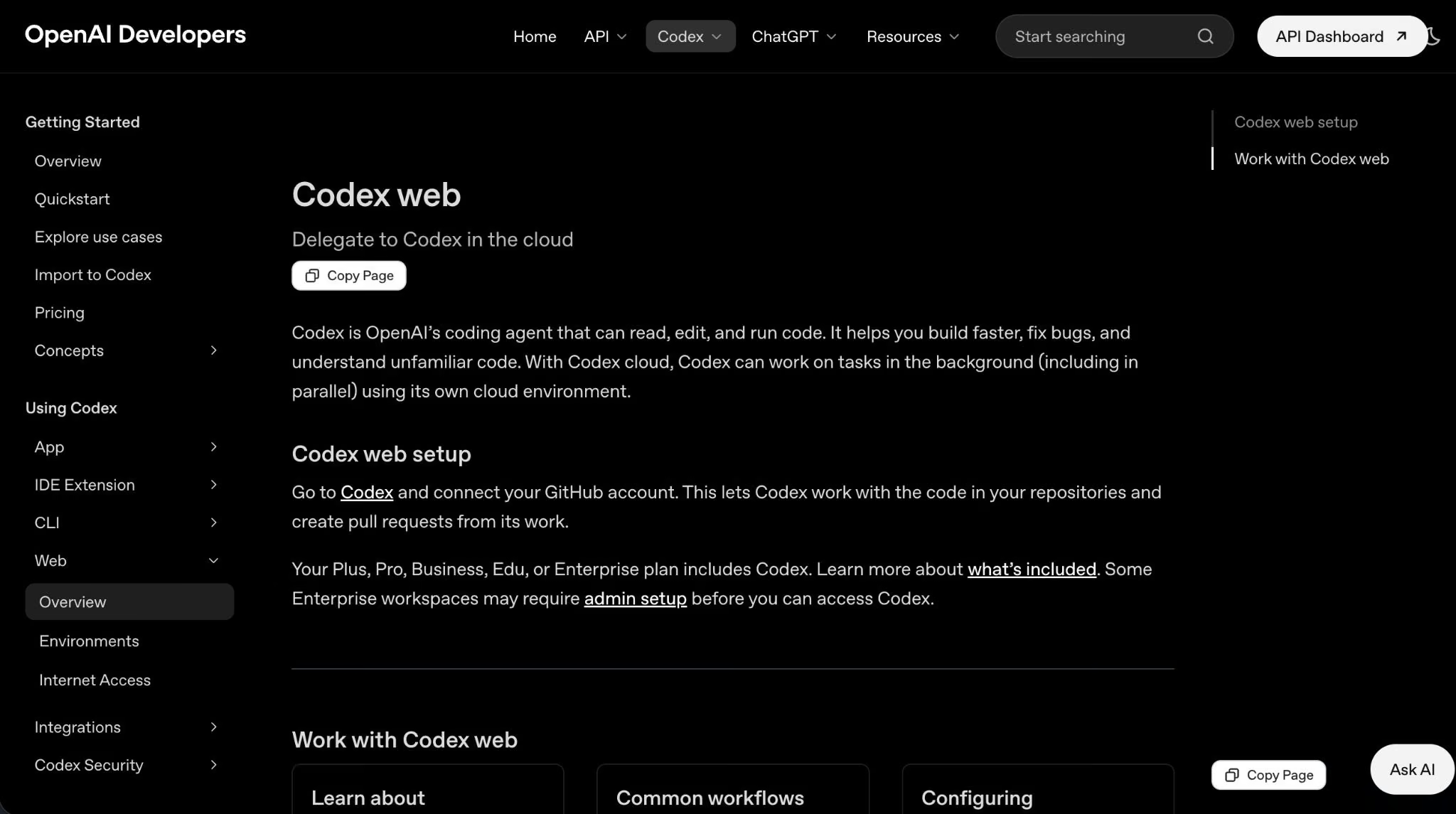
OpenAI Codex is the best Claude Code alternative for delegated coding tasks across ChatGPT, CLI, coding workspace extensions, and cloud tasks. Codex is available across several ChatGPT plans, including Free, Go, Plus, Pro, Business, Edu, and Enterprise, but Business access now needs an extra note.
Starting June 24, 2026, OpenAI says usage-based Codex-only seats are no longer available to new ChatGPT Business workspaces or to Business workspaces that had not added a Codex seat before that date.
Existing Business workspaces that had added Codex seats before June 24, 2026, can continue to manage and add usage-based Codex seats. Standard ChatGPT Business seats still include access to ChatGPT and Codex.
Plus includes Codex on the web, in the CLI, in the integrated development environment (IDE) extension, and on iOS, plus cloud-based integrations like automatic code review and Slack integration.
Codex is strongest when the work is scoped clearly, such as fixing a failing test, reviewing a diff, or adding an endpoint. The main caveat is that application programming interface (API) key usage is separate and doesn’t include cloud features like GitHub code review or Slack.
Key Features
- Cloud tasks: Delegate repository work and review the output before merging.
- CLI and coding workspace support: Work locally when you need hands-on control.
- ChatGPT plan access: Use Codex through Free, Go, Plus, Pro, Business, Edu, or Enterprise plans, but check the current Business seat rules before buying for a team.
Pros
- Strong fit for delegated coding tasks.
- Included across several ChatGPT plans.
- Works across web, CLI, IDE extension, and iOS on eligible plans.
Cons
- Cloud features aren’t included with API-key-only usage.
- Usage limits vary by model, task size, and plan.
- Teams outside OpenAI’s stack may prefer model-flexible tools.
Best For
- Developers who already pay for ChatGPT.
- Teams that want automatic code review and task delegation.
- Scoped coding tasks with clear requirements and tests.
Pricing
Free is $0/month. Go is $8/month. Plus is $20/month. Pro starts at $100/month. Business is $20/user/month billed annually, or $25/user/month billed monthly. Enterprise and Edu are custom. API-key usage is billed by token usage.
2. Cursor

Cursor is a Claude Code alternative for developers who want the agent inside an AI-native coding workspace. Its Pro plan starts at $20/month and includes extended Agent limits, frontier models, Model Context Protocol (MCP) tools, skills, hooks, cloud agents, and usage-based Bugbot access.
Cursor is easier to adopt if your day already happens in an editor. You can ask questions, edit files, review diffs, and call agents without jumping between a terminal and another product.
Key Features
- Agent inside the editor: Make multi-file changes without leaving your coding workspace.
- Cloud agents: Hand off work when a local session isn’t enough.
- MCPs, skills, and hooks: Add more structured context and workflow automation.
Pros
- Strong daily coding experience.
- Good for codebase navigation and multi-file edits.
- Useful team controls on paid plans.
Cons
- Power users may outgrow the entry plan.
- Less appealing if you prefer terminal-only coding.
- Some workflows depend on Cursor-specific habits.
Best For
- Developers who live in a coding workspace.
- Teams moving beyond autocomplete.
- Multi-file changes that need steady review.
Pricing
Hobby is free. Individual Pro starts at $20/month. Teams starts at $40/user/month. Enterprise is custom.
3. GitHub Copilot

GitHub Copilot is a good option for teams that want AI coding inside GitHub workflows. Copilot Pro costs $10/month, Pro+ costs $39/month, and Max costs $100/month. Chat, agent mode, code review, Copilot Cloud Agent, Copilot CLI, and Copilot Apps use GitHub AI Credits.
Copilot makes the most sense when work starts with a GitHub issue and ends with a pull request. It isn’t the most flexible option for model choice, but it fits teams that want fewer tools around review, branches, and code suggestions.
Key Features
- Agent mode: Use Copilot for coding tasks in supported environments.
- Code review: Review changes inside the GitHub workflow.
- AI Credits: Track chat, agent, CLI, review, and cloud-agent usage through credits.
Pros
- Strong fit for GitHub-heavy teams.
- Clear plans for individuals and power users.
- Supports agent mode, code review, cloud agent, and CLI usage.
Cons
- Advanced usage depends on credits.
- Less flexible than bring-your-own-model tools.
- Best value appears when your team already works in GitHub.
Best For
- Teams already standardized on GitHub.
- Issue-to-pull-request workflows.
- Developers who want code review and agent work in one platform.
Pricing
Free plan available. Pro is $10/month. Pro+ is $39/month. Max is $100/month. GitHub says one AI Credit equals $0.01, and paid users can add a budget for extra usage after their included allowances run out.
4. Devin Desktop
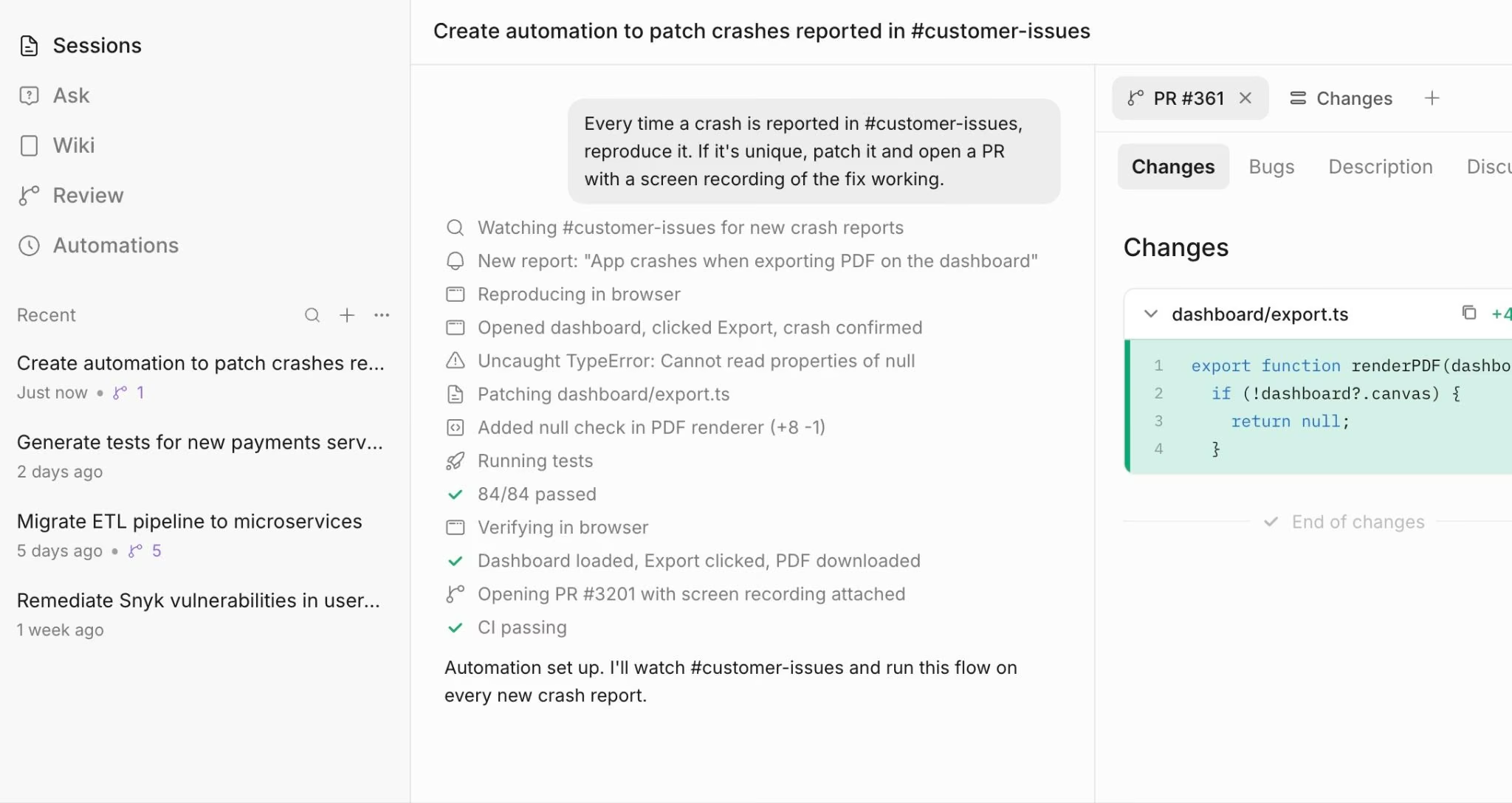
Devin Desktop, formerly Windsurf, is the best Claude Code alternative for developers who want an agent command center. Devin’s own site now says Windsurf is Devin Desktop, and the product has Free, Pro, Max, Teams, and Enterprise plan paths.
This tool sits between a coding workspace and an agent manager. It is a better fit when you want to coordinate local edits, cloud agents, and model access from one product instead of running a terminal agent alone.
Key Features
- Agent command center: Manage coding agents and sessions from one place.
- Devin Cloud: Use cloud agents on paid plans.
- Frontier model access: Pro includes access to OpenAI, Claude, and Gemini frontier models.
Pros
- Good fit for agent-heavy coding workflows.
- Free plan includes unlimited inline edits and Tab completions.
- Pro includes increased quotas and full model availability.
Cons
- The Windsurf-to-Devin change may confuse existing evaluators.
- Team pricing has a base plan cost plus full developer seats.
- It may be more product than you need for simple code edits.
Best For
- Developers managing several agent sessions.
- Teams comparing local and cloud coding agents.
- Former Windsurf users deciding whether to move to Devin Desktop.
Pricing
For its pricing package, there is a free plan available. Pro is $20/month. Max is $200/month. Devin’s pricing page lists Free, Pro, Max, Teams, and Enterprise plans, with paid usage varying by model and task complexity.
5. Cline
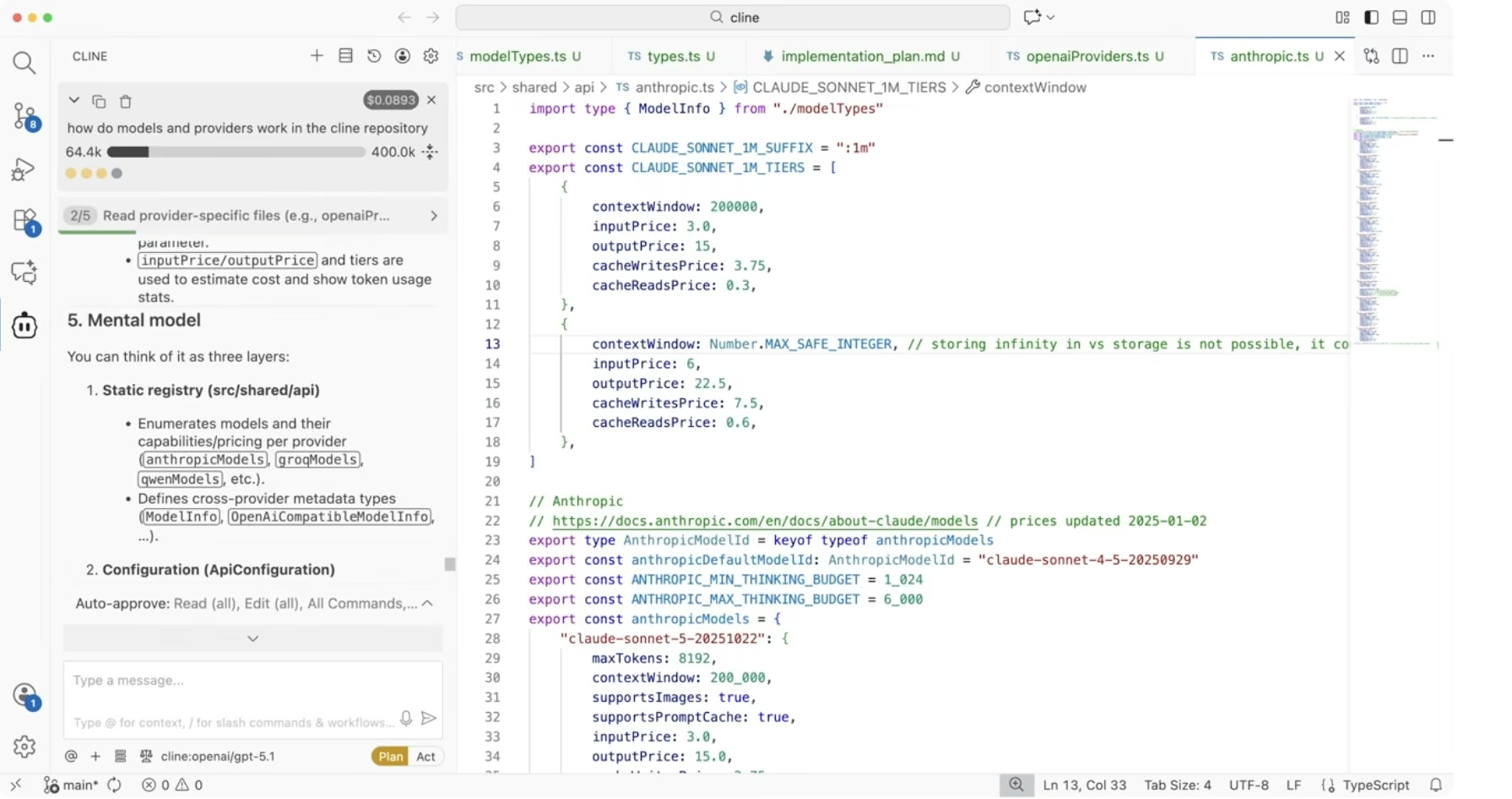
Cline is useful for open-source Visual Studio Code users who want control over model choice and execution. The Cline extension is free for individual developers, and you pay for AI inference on a usage basis through your own keys or Cline’s provider.
Cline is a practical pick if you want the agent close to your code, but you don’t want another fixed subscription. Its Plan and Act workflow is useful because you can explore a codebase and agree on a plan before the agent modifies files or runs commands.
Key Features
- Plan and Act modes: Review the plan before the files change.
- Bring your own key (BYOK): Connect your own model provider when you want cost or data control.
- MCP Marketplace: Add connected tools and context to the agent.
Pros
- Free open-source core for individual developers.
- Strong control over model providers.
- Good fit for review-heavy workflows.
Cons
- You still pay for model inference.
- Usage costs can be hard to predict.
- Enterprise controls require a custom plan.
Best For
- Visual Studio Code users.
- Developers who want open-source tooling.
- Teams that want explicit control over model providers.
Pricing
Cline is free for individual developers. You pay for AI inference on a usage basis. Enterprise pricing is custom and can include single sign-on, centralized billing, role-based access control, audit logs, and provider limits.
6. OpenCode

OpenCode is the best Claude Code alternative for open-source, terminal-first agent work. OpenCode describes itself as an open-source agent that helps you write code in your terminal, IDE, or desktop. It also supports 75+ providers through Models.dev and local models.
OpenCode makes sense when you want to switch models, run agent sessions, and stay close to the terminal. It is less packaged than some commercial tools, but that control is the point for many developers.
Key Features
- Model flexibility: Use 75+ providers through Models.dev, including local models.
- Multiple surfaces: Work in the terminal, desktop app, or coding workspace.
- Optional Go plan: Add access to selected open-source coding models.
Pros
- Open-source and model-flexible.
- Good fit for terminal-first work.
- Supports local models and many external providers.
Cons
- Setup choices can slow down new users.
- It may feel less guided than commercial coding workspaces.
- Teams may need their own rules for access and usage.
Best For
- Terminal-first developers.
- Teams avoiding single-vendor lock-in.
- Power users testing several coding models.
Pricing
OpenCode is free to use. OpenCode Go costs $5 for the first month, then $10/month, and provides access to selected open-source coding models.
7. Aider
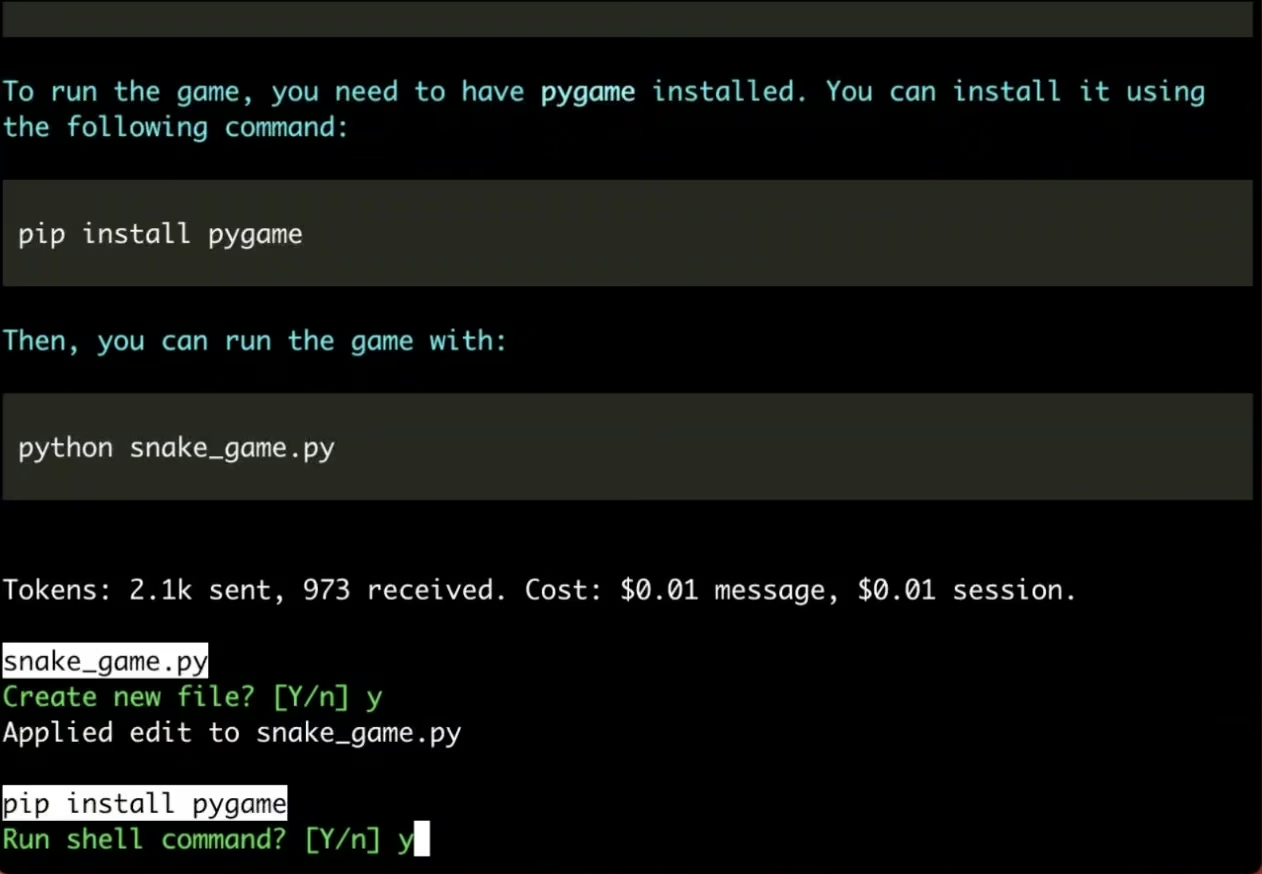
Aider is the best Claude Code alternative for Git-native terminal edits. It is tightly integrated with Git, supports most popular programming languages, and uses a repository map to help the model understand the code it is editing.
Aider is built for developers who prefer terminal work, small commits, diffs, and review through Git.
Key Features
- Terminal pair programming: Ask for changes from the command line.
- Repository map: Give the model a useful structure from the codebase.
- Git workflow: Review, commit, and roll back changes through normal Git habits.
Pros
- Lightweight and terminal-native.
- Works well with normal Git review habits.
- Free open-source tool.
Cons
- Less friendly for non-CLI users.
- You manage model keys and usage costs.
- Not built for visual app-building workflows.
Best For
- Developers who prefer the terminal.
- Small commits and targeted refactors.
- Teams that already review through Git diffs.
Pricing
Aider is free and open source. You pay for the model provider, API usage, or local model setup you choose.
8. Replit Agent

Replit Agent is a good alternative for browser-based app builds. It gives you a coding environment, Agent credits, a built-in database, publishing, and collaboration features in one browser workspace.
Replit is less of a direct terminal replacement than Codex, Cline, OpenCode, or Aider. It belongs here because many Claude Code searchers are trying to ship apps, while also editing files in an existing repository.
Key Features
- Prompt-to-app workflow: Describe an app or site and build a working version from the browser.
- Built-in database: Add data-backed features without leaving the workspace.
- Parallel agents: Core and Pro plans support multiple agents at once.
Pros
- Good fit for browser-based building.
- Free Starter plan includes daily Agent credits.
- Core and Pro include monthly credits and collaboration limits.
Cons
- Less direct for terminal-first repo maintenance.
- Credit usage can change the real cost.
- AI-generated app code still needs human review before serious launch.
Best For
- Non-technical founders building early app drafts.
- Builders who want a browser workspace.
- Teams that want coding, data, and publishing in one product.
Pricing
Starter is free and includes daily Agent credits. Replit Core is $20/month, or $18/month billed annually, and includes $20 of monthly credits. Replit Pro is $100/month, or $90/month billed annually, and includes $100 of monthly credits. Enterprise is custom.
How to Evaluate Claude Code Alternatives
- Choose the right work surface. A terminal agent works well if you like command-line workflows and Git diffs. A coding workspace like Cursor works better if you want chat, file edits, and review in one visual place. A browser app builder like Replit fits when you want to start with an app idea, not a local repo.
- Check how much control you want. Codex, Copilot, Cursor, and Devin Desktop give you polished product flows. Cline, OpenCode, and Aider give you more choice over models, keys, local setup, and review habits.
- Compare their real pricing, aside from the monthly plan. Subscriptions, AI credits, model inference, token billing, and pay-as-you-go usage can all change the final cost. A $20/month plan may work for light edits, while daily agent work can push you into higher tiers.
- Look at the reviews and safety controls. Any Claude Code alternative should make it easy to inspect diffs, run tests, undo changes, and review generated code before shipping. This matters more when the app handles payments, private data, user roles, or admin panels.
- Match the tool to your skill level. Developers may prefer Claude Code, Codex, Cursor, Cline, OpenCode, or Aider. Non-technical founders and operators may do better with a prompt-to-app workflow, especially if they don’t want to manage a local development setup.
- Plan for launch and maintenance. The first working version is only part of the job. Ask how each tool handles hosting, updates, tests, team access, connected tools, GitHub handoff, and production review.
Also read our guide on how to deploy your app on Emergent to see what launch and maintenance looks like in practice.
Pick the Claude Code Alternative That Matches the Work
The best Claude Code alternatives solve different problems.
Codex is the closest mainstream pick for delegated coding. Cursor is the better fit if you want an AI coding workspace. Cline, OpenCode, and Aider make sense when you want open-source control. GitHub Copilot fits GitHub teams. Devin Desktop fits agent-heavy workflows. Replit fits browser-based app building.
If your real goal is to build a working app, not manage another coding agent, Emergent is the more natural next step for non-technical founders. Emergent helps you describe what you want, then uses a coordinated agent system to help design, build, test, integrate, and launch web and mobile apps through conversation.
Ready to turn an app idea into something you can test? Start building with Emergent.

Every alternative has trade-offs. Emergent just builds production-ready apps from one prompt.
- Production-ready apps
- Web & mobile apps
- Deploy in minutes







