




Blackbox is widely known as an AI-powered coding assistant that helps developers autocomplete code, generate snippets, and understand unfamiliar codebases faster. Its promise of speeding up development through AI makes it especially attractive to engineers working under tight timelines or maintaining large repositories.
However, as more teams attempt to use Blackbox for real product development, many start realizing that code-level assistance alone does not solve deeper problems around system design, backend workflows, collaboration, and long-term scalability. This is where the search for Blackbox alternatives begins, not because Blackbox is ineffective, but because it cannot support the full lifecycle of modern software.
What is Blackbox?
Blackbox is an AI-powered coding tool designed to help developers write and understand code faster by providing autocomplete, code generation, and code explanation features. It integrates into popular IDEs and works across multiple programming languages.
Blackbox is primarily built to assist with individual coding tasks rather than generating complete systems or managing full application architecture.
What to look for in a Blackbox alternative
System-level AI reasoning across the entire product
A strong alternative should understand how features, workflows, data models, and services interact, rather than generating code in isolation. This enables safer automation and meaningful system-level changes.
Reduction of backend and infrastructure burden
Instead of only accelerating code writing, the ideal platform should remove the need to manually manage servers, databases, authentication, and deployment pipelines.
Support for collaboration across technical and non-technical roles
Modern product development requires input from founders, designers, and product teams. Look for tools that allow all stakeholders to shape the system, not just developers in an IDE.
End-to-end product generation, not just faster coding
The best Blackbox alternatives focus on building complete, working systems rather than improving individual coding tasks. This shifts productivity gains to the entire product lifecycle.
Predictable, maintainable evolution over time
AI-powered development should make systems easier to maintain, not more fragile. A strong alternative supports safe iteration, architectural consistency, and long-term scalability.
List of TOP 6 Blackbox Alternatives and Competitors
Blackbox is effective for accelerating individual coding tasks, but it does not address the full scope of challenges involved in building and scaling modern applications. Several platforms now focus on system-level AI, full-stack generation, and production readiness, offering a more complete solution than code assistants alone.
Here’s the list of 6 best Blackbox alternatives and competitors to overcome the above challenges.
1. Emergent
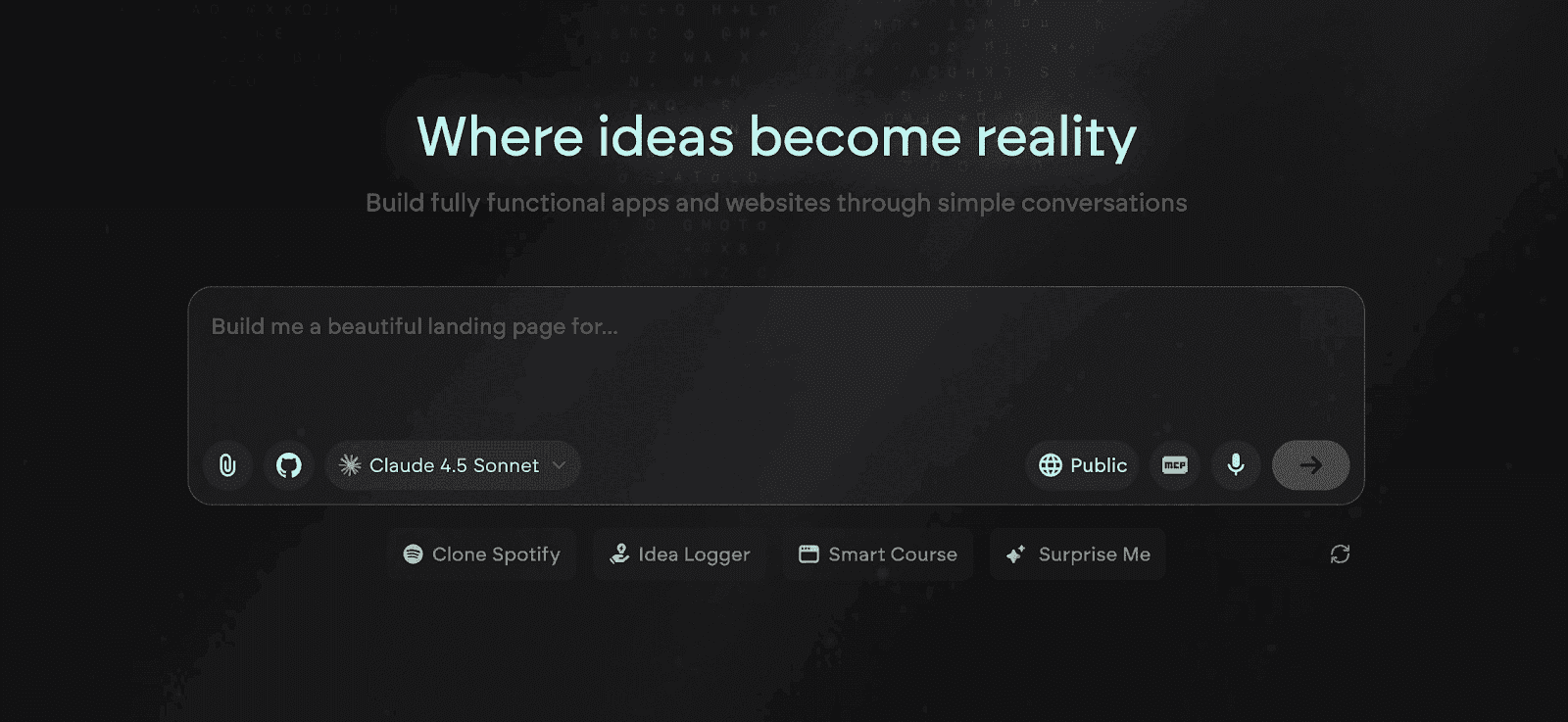
Emergent is one of the best, full-stack, AI-powered vibe coding and no code platforms for building complete, production-grade applications from natural language. Unlike Blackbox, which improves how developers write code inside an IDE, Emergent replaces the need to write and manage code at all by generating entire systems that include UI, backend logic, data models, authentication, integrations, and deployment.
Where Blackbox accelerates isolated coding tasks, Emergent accelerates the entire product lifecycle. Teams design features and workflows at the product level, while Emergent’s AI constructs the underlying architecture as a coherent, scalable system that can be deployed and evolved without manual engineering overhead.
Key Features of Emergent
System-Level Full-Stack Generation From Product Intent
Emergent converts high-level product descriptions into a complete application stack, including frontend interfaces, backend services, databases, and APIs, all as a single architecture. This directly resolves Blackbox’s file-level limitation by reasoning across the entire system instead of generating disconnected code fragments.
Automated Backend Logic and Workflow Orchestration
Emergent creates business rules, permissions, data flows, and multi-step workflows automatically, removing the need for developers to manually design and wire backend services. This eliminates the architectural and operational work that Blackbox users still must handle after writing code.
Unified Data Modeling and Relationship Management
The platform generates normalized data schemas, relationships, and constraints that remain consistent as features evolve. This replaces the fragile, ad-hoc data handling that often emerges when Blackbox-generated code is stitched into larger systems.
Native Authentication, Roles, and Access Control
Emergent includes built-in user management, roles, and secure authentication flows that integrate directly with application logic. This removes the need to design and maintain custom auth layers, which Blackbox does not address at all.
Production-Ready APIs and Integration Layer
Emergent automatically exposes scalable APIs and supports real third-party integrations, enabling applications to connect with external systems from day one. This solves the extensibility gap that Blackbox leaves to manual engineering.
One-Click Deployment and Managed Hosting
Applications are deployed instantly with hosting, scaling, and environment configuration handled by the platform. This removes DevOps, pipelines, and cloud setup, which remain a major bottleneck for teams using Blackbox.
Context-Aware System Evolution
Emergent preserves system-wide context across UI, logic, data, and integrations, so changes remain consistent as the product grows. This prevents the brittle, error-prone refactoring cycles common when Blackbox suggestions are applied at scale.
Unique Features of Emergent
Intent-to-Architecture Translation Engine
Emergent interprets product goals and user outcomes, then derives the appropriate technical architecture automatically. This moves development from code authoring to outcome design, something Blackbox’s code-level AI cannot replicate.
Product-State Memory Across Iterations
The platform maintains a persistent understanding of how the product is structured and why decisions were made, enabling safe, contextual updates. This avoids the stateless, regenerate-and-fix loop that Blackbox users experience.
Architecture-Aware Refactoring Without Code Edits
Emergent updates system behavior by modifying architectural models rather than raw files, which reduces regressions and dependency breakage. This provides a safer evolution path than editing code suggested by an IDE assistant.
Cross-Role Building Interface
Founders, designers, and engineers can all shape the same product using natural language and visual system logic. This removes the developer-only barrier created by Blackbox’s IDE-centric workflow.
Living System Graph (UI–Logic–Data Linkage)
Emergent internally maps how screens, actions, data, and services relate, so changes propagate predictably. This structural graph prevents the hidden coupling and side effects common in large Blackbox-assisted codebases.
Lifecycle Continuity Without Tool Switching
Emergent supports ideation, building, deployment, and scaling in one environment, so teams never need to migrate when requirements grow. Blackbox users often must switch tools as soon as complexity increases.
Natural Language as the Primary Development Surface
Language becomes the interface for defining features, rules, and behavior, not just comments or prompts. This fundamentally changes how software is created, beyond anything a code assistant can provide.
Advantages of Emergent
- Automates the entire development lifecycle from design to deployment
- Produces transparent, production-grade code ready for export or scaling
- No DevOps or local environment setup required
- Adaptive AI learns team style, boosting long-term productivity
- Built for both rapid prototyping and enterprise-grade scalability
- Secure, cloud-native environment with isolated projects
Limitations of Emergent
- Complex enterprise integrations may still need developer oversight
- Cloud-only interface, offline mode not yet supported
- Credit-based pricing can increase with large-scale builds
- Limited plugin ecosystem compared to legacy platforms
- Requires some understanding of software architecture for optimal results
Emergent Pricing and Plans
2. Replit
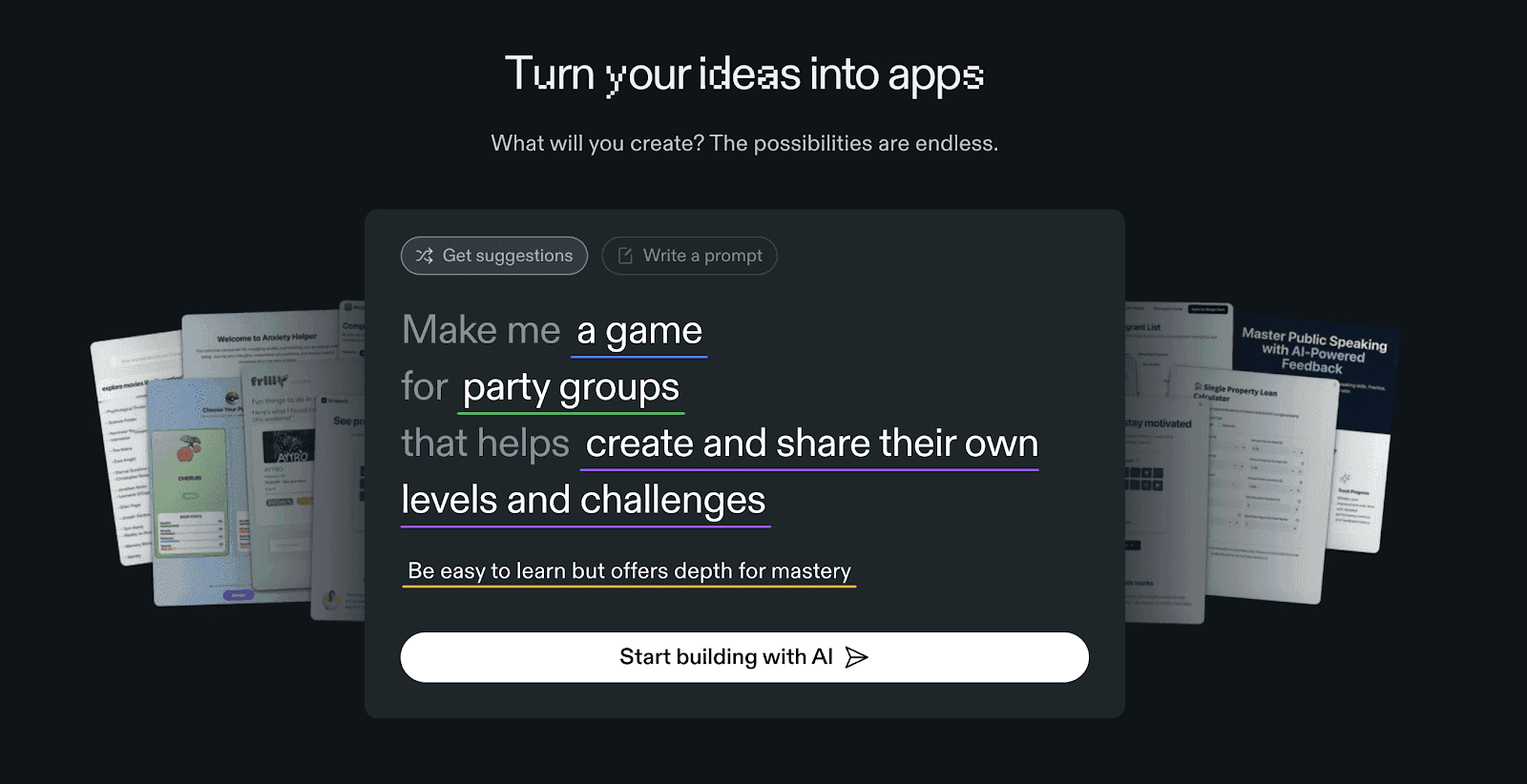
Replit is a cloud-based development platform that enables users to write, run, and collaborate on code directly from the browser. Supporting more than 50 programming languages, Replit caters to developers of all levels, from beginners to professionals. Its AI-powered tools like Ghostwriter and Deployments streamline coding tasks, automate repetitive work, and simplify the process of turning prototypes into production-ready applications.
With built-in hosting, package management, and multiplayer coding, Replit removes the barriers of local setup, allowing teams to work together seamlessly from anywhere.
Read More About: 6 Best Replit Alternatives and Competitors
Key Features of Replit
Collaborative Cloud-Based IDE for Real-Time Coding
Replit allows multiple users to collaborate within the same workspace, viewing updates in real time and sharing project links instantly. This creates an efficient workflow for pair programming, code reviews, and classroom learning.
AI Assistance with Ghostwriter and Auto-Completion
Ghostwriter acts as a real-time AI coding assistant that suggests code snippets, completes functions, and explains errors. It improves both speed and understanding, particularly for developers still learning new languages.
One-Click Deployments for Hosting and Publishing
Developers can instantly deploy applications with integrated SSL, live hosting, and CDN support. This simplifies launching MVPs, web apps, and APIs without configuring1 servers or CI/CD pipelines
Extensive Language and Framework Support
Replit supports over 50 programming languages and frameworks, allowing flexible development across frontend, backend, and scripting needs within a single environment.
Built-In Package Management and Databases
Each Replit project includes package management and lightweight data storage through Replit Database, making backend setup easier for small projects and prototypes.
Always-On Execution for Persistent Apps
Replit enables users to keep scripts, bots, or lightweight apps running 24/7, ideal for automation tools or long-running background tasks.
Unique Features of Replit
Multiplayer Coding Mode for Instant Collaboration
Developers can code together with real-time cursors and live chat. This fosters interactive learning and collaborative debugging for remote teams.
AI Code Repair and Debugging Assistance
Replit’s Ghostwriter helps fix syntax errors, explain logic flaws, and provide repair suggestions directly within the editor, reducing debugging time.
Bounties Marketplace to Hire and Earn Through Coding
Users can post or complete micro-projects for pay, connecting developers with freelance opportunities directly inside Replit’s ecosystem.
Replit Deploy + Autoscale for Growing Projects
Deployed apps can automatically scale resources based on traffic. This gives users a seamless way to grow their projects without reconfiguring hosting.
Seamless Forking and Code Sharing
Replit enables developers to fork and modify public projects easily, encouraging open collaboration and faster experimentation.
Advantages of Replit
- User-friendly learning curve and strong educational community
- Eliminates local setup with a fully browser-based IDE
- Real-time collaboration supports team and classroom environments
- AI-powered coding assistance improves productivity and reduces errors
- Quick deployments with built-in hosting and scaling
- Wide language support for multi-purpose development
Limitations of Replit
- Performance can degrade for larger or resource-intensive applications
- Limited backend and database scalability for enterprise workloads
- Code export and self-hosting are less streamlined
- Requires paid plans for higher compute and persistent resources
- Security and compliance features are basic compared to enterprise tools
Replit Pricing and Plans
3. GitHub Copilot
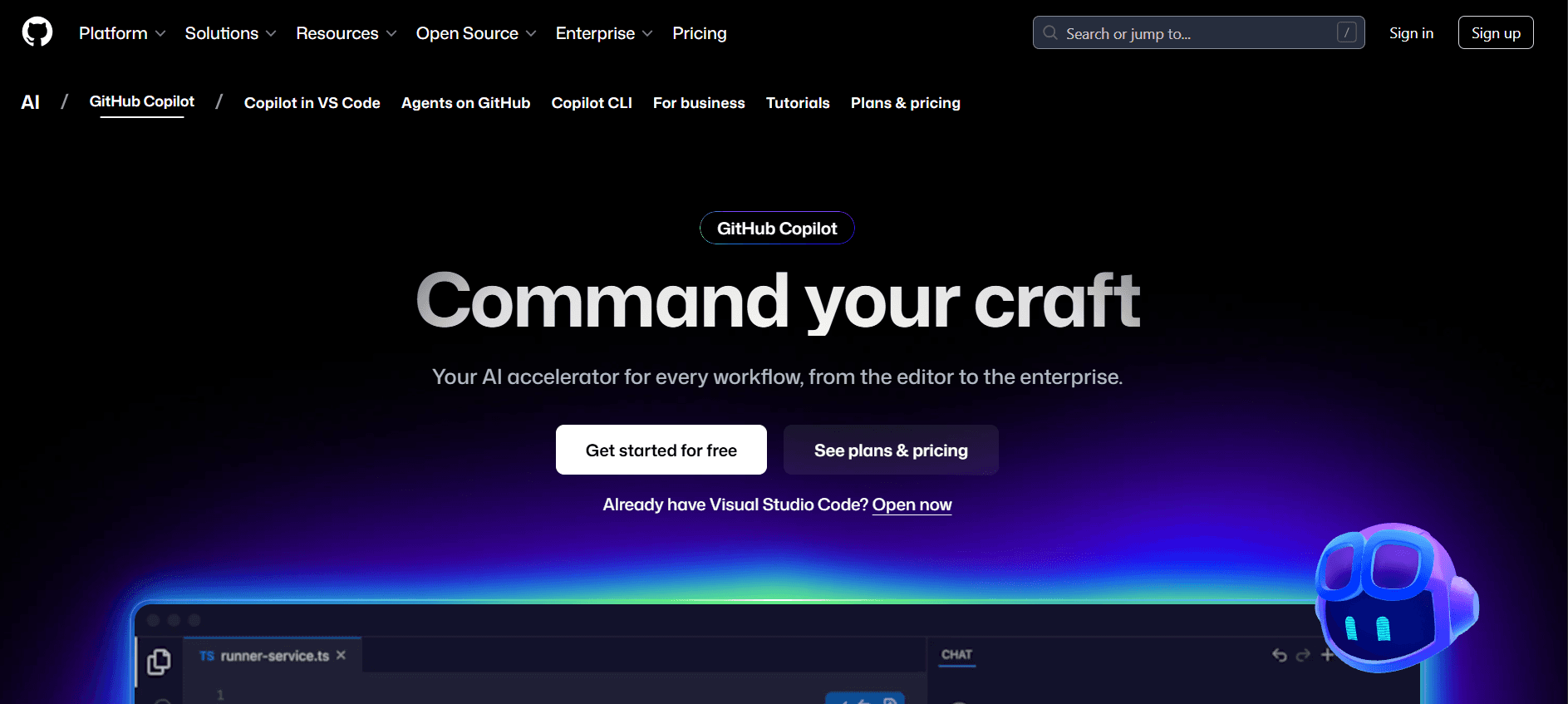
GitHub Copilot is an AI-powered code completion assistant developed by GitHub in collaboration with OpenAI. It integrates directly into popular IDEs like Visual Studio Code, JetBrains, and Neovim, helping developers write code faster and with fewer errors. Copilot analyzes context from comments and existing code to generate entire functions, unit tests, and boilerplate code suggestions in real time.
It is designed for professional developers who want to enhance their productivity while maintaining full control of their codebase. By learning from billions of lines of open-source code, Copilot adapts to user intent, offering intelligent, context-aware completions across multiple languages and frameworks.
Key Features of GitHub Copilot
AI-Powered Code Suggestions in Real Time
Copilot generates line-by-line or full-function code suggestions directly within the IDE. It understands context, naming conventions, and dependencies, allowing developers to build faster without sacrificing quality.
Context-Aware Assistance for Multiple Languages
It supports over a dozen programming languages including Python, JavaScript, TypeScript, Go, Ruby, and C++. Copilot adapts suggestions to the syntax and conventions of each language, improving accuracy and readability.
Comment-Driven Code Generation
Developers can describe functionality in plain English comments, and Copilot will write relevant code blocks automatically. This feature bridges the gap between planning and coding, making development more intuitive.
Seamless IDE Integration
Copilot works directly within Visual Studio Code, JetBrains IDEs, and Neovim, providing inline suggestions and shortcuts without requiring external tools or browser-based interfaces.
Test and Documentation Assistance
The assistant can help generate unit tests and even write inline documentation for complex functions, saving developers time during quality assurance and maintenance.
Regular Updates and Model Improvements
GitHub continuously improves Copilot’s models with user feedback and new data, ensuring higher code accuracy and reduced hallucinations over time.
Unique Features of GitHub Copilot
Contextual Debugging and Queries
An interactive AI chat interface allows developers to ask technical questions, get explanations for code segments, and debug issues within the same IDE window.
Copilot for Pull Requests and Documentation
Integrated with GitHub workflows, it helps generate pull request summaries, commit messages, and inline documentation automatically, streamlining code reviews.
Copilot Workspace for AI-Generated Projects
In beta, this feature enables users to describe an entire project in natural language and receive a complete, ready-to-edit codebase scaffolded automatically.
Organization-Level Controls for Teams
Enterprise plans offer policy settings, data privacy controls, and audit logs, allowing teams to adopt AI assistance securely across development pipelines.
Continuous Learning from Developer Feedback
Copilot adapts based on user preferences and manual edits, learning preferred coding patterns over time for better personalized assistance.
Advantages of GitHub Copilot
- Accelerates coding speed with intelligent AI suggestions
- Reduces repetitive coding tasks and boilerplate writing
- Enhances productivity without leaving the IDE
- Supports numerous programming languages and frameworks
- Helps beginners learn best practices through guided suggestions
- Integrated chat and documentation tools improve workflow efficiency
Limitations of GitHub Copilot
- Can generate incorrect or inefficient code requiring review
- Dependent on internet connectivity for AI inference
- May produce suggestions that conflict with project-specific logic
- Limited customization for company-specific style guides
- Enterprise security and compliance settings available only on higher plans
- Does not replace deep understanding of programming fundamentals
Github Copilot Pricing and Plans
4. Qodo
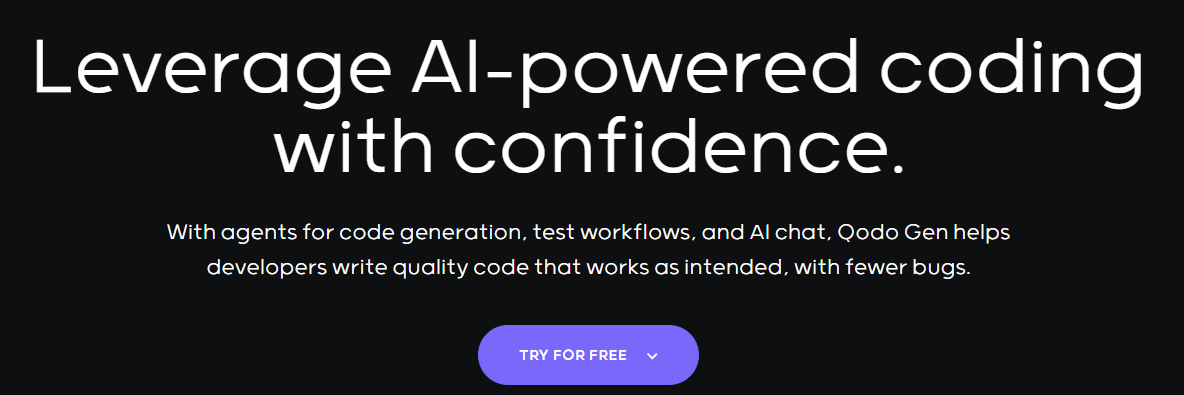
Qodo is an AI-powered software development platform designed to help startups, developers, and teams build full-stack web applications faster using natural language prompts. It merges AI-assisted coding with a collaborative cloud IDE, offering developers the speed of AI automation without sacrificing control or code quality. Qodo’s goal is to bridge the gap between traditional coding and low-code tools by generating editable, production-grade code that integrates seamlessly with existing tech stacks.
By combining prompt-based development, smart debugging, and instant deployment, Qodo allows teams to move from concept to launch significantly faster while maintaining full code ownership and flexibility.
Key Features of Qodo
AI-Assisted Code Generation and Refactoring
Developers can describe the desired functionality in natural language, and Qodo instantly generates structured, framework-compatible code. It also helps refactor legacy code, improving readability and performance while preserving logic.
Integrated Cloud IDE for Real-Time Collaboration
Qodo provides a browser-based workspace where teams can edit, test, and deploy code collaboratively. All tools, dependencies, and environments are preconfigured, eliminating setup hassles.
Smart Debugging and Error Resolution
The AI engine automatically detects bugs, suggests fixes, and explains underlying logic issues. This saves developers hours during testing and debugging cycles.
Full-Stack Support with Framework Flexibility
Qodo supports major frameworks like React, Next.js, Django, and Node.js, enabling teams to build across frontend, backend, and API layers without switching platforms.
Automated Deployment and CI/CD Integration
With built-in deployment pipelines, Qodo lets teams publish applications to the cloud in seconds, integrating easily with GitHub, AWS, and Vercel for versioning and hosting.
Version Control and Rollback System
Every project version is automatically saved, allowing developers to restore earlier builds and review code changes safely without losing progress.
Unique Features of Qodo
Prompt-to-Production Workflow
Unlike basic code generators, Qodo takes user prompts and transforms them into complete, deployable projects, covering both UI and backend configuration automatically.
Explainable AI for Code Transparency
Every AI-generated function comes with contextual explanations so developers can understand logic flow, dependencies, and security implications before deploying.
Adaptive Learning from Developer Behavior
Qodo’s AI adapts to a team’s coding style, naming patterns, and framework preferences over time, making suggestions more aligned with the developer’s habits.
Offline-Compatible Editing Mode
Developers can continue editing and testing locally even without internet access, syncing back to the cloud once online.
Plugin Ecosystem for Extended Functionality
Qodo supports third-party plugins and integrations, allowing developers to connect databases, APIs, analytics tools, and authentication systems effortlessly.
Advantages of Qodo
- Combines AI automation with developer control over final code
- Accelerates project delivery through prompt-based generation
- Reduces debugging and testing time with smart suggestions
- Offers seamless collaboration in a preconfigured IDE
- Produces readable, exportable, and maintainable code
- Integrates easily with popular cloud and version control tools
Limitations of Qodo
- AI-generated components may need manual optimization for complex logic
- Limited offline performance for projects requiring large builds
- Free plan includes restricted AI credit usage per month
- Plugin ecosystem still growing compared to established IDEs
- May require fine-tuning for large enterprise-scale projects
- Occasional compatibility issues with niche frameworks or libraries
Qodo Pricing and Plans
5. Lovable
Lovable is a low-code, AI-driven app builder that helps teams and founders create production-ready web applications without extensive coding knowledge. Its visual interface and natural language prompts allow users to design, develop, and deploy apps quickly, while AI agents automate repetitive tasks like component generation, database setup, and logic creation. Lovable is ideal for users who want fast prototyping with an emphasis on UI customization and live app previews.
The platform focuses on speed and accessibility, helping non-technical founders bring ideas to life while still offering enough flexibility for developers to extend functionality through custom code or integrations.
Read More About: 9 Best Lovable Alternatives and Competitors
Key Features of Lovable
AI-Powered App Generation
Users can describe app ideas in natural language, and Lovable automatically generates layouts, UI elements, and backend connections. This helps create working prototypes in minutes instead of hours.
Visual Editor with Drag-and-Drop Components
The platform’s intuitive editor allows users to build complex interfaces visually. Each component can be customized with advanced settings, styles, and real-time previews.
Integrated Database and Backend Setup
Lovable manages databases and backend logic automatically, allowing users to focus on user experience and workflows instead of managing infrastructure.
Built-In Hosting and Deployment
Apps can be deployed instantly with secure hosting and SSL certificates. Lovable handles scaling, domains, and updates behind the scenes with minimal setup.
Collaboration Tools for Teams
Multiple team members can work on the same app simultaneously, enabling real-time collaboration, version control, and workflow management.
Cross-Platform Compatibility
Lovable supports responsive web design, ensuring apps look and perform well across devices including mobile, tablet, and desktop.
Unique Features of Lovable
AI-Prompted UI Redesigns
Lovable’s AI can suggest or automatically apply UI improvements, optimizing visual hierarchy and user experience based on best design practices.
Pre-Built Logic Templates and Workflows
Instead of manually coding every function, users can use Lovable’s pre-built automation flows for authentication, payments, and data sync, saving time in app development.
Credit-Based Usage Model
The platform’s credit system lets users scale usage gradually, making it affordable for startups while still allowing access to premium AI features when needed.
Custom Code Blocks for Developers
Developers can inject custom JavaScript or API calls directly into the visual builder, bridging the gap between no-code and traditional development.
Integrated Marketplace for Plugins and Templates
Lovable offers an ecosystem of ready-made templates, UI kits, and plugins that help extend app functionality and reduce setup time for common use cases.
Advantages of Lovable
- Extremely beginner-friendly with visual editing and AI prompts
- Ideal for rapid prototyping and early MVP creation
- No setup or DevOps required for hosting or scaling
- Pre-built templates accelerate launch for non-technical users
- Smooth collaboration tools for multi-user teams
- Active AI guidance throughout app building process
Limitations of Lovable
- Limited backend control for developers needing full customization
- Performance may slow down with large datasets or complex apps
- Pricing increases sharply as app usage scales
- Lacks transparency in credit consumption and billing
- Exporting or migrating code to external environments is difficult
- Advanced integrations and plugins are still in early stages of maturity
Lovable Pricing and Plans
6. Rocket
Rocket is an AI-first web app development platform built for speed, collaboration, and production-grade deployment. It allows developers and product teams to build, test, and ship applications using natural language prompts, smart components, and automated workflows. The platform bridges the gap between low-code simplicity and full-stack power, enabling teams to go from idea to live app in record time.
Rocket.new focuses on real-time collaboration, flexible integrations, and efficient performance, making it a strong choice for startups and developers who want to prototype quickly while keeping complete control over their code and infrastructure.

Read More About: 5 Best Rocket.new Alternatives and Competitors
Key Features of Rocket.new
AI-Driven Full-Stack Development
Rocket.new converts plain language prompts into complete UI layouts, database structures, and backend logic. Developers can edit and customize generated code within the same workspace.
Real-Time Team Collaboration
Multiple team members can work on a single project simultaneously, view live changes, and track updates. This makes it ideal for distributed teams and agile sprints.
Instant Deployment and Hosting
Apps built on Rocket.new can be deployed to the cloud in seconds with secure SSL, version control, and automated scaling, removing the need for DevOps setup.
Built-In Integrations and APIs
Rocket.new supports integrations with popular tools like Stripe, Supabase, and Firebase. Developers can connect APIs directly into their workflows using a simple interface.
Smart Debugging and Error Tracking
The AI engine identifies errors, provides fix suggestions, and auto-corrects syntax or logic issues before deployment, improving stability and code quality.
Custom Components and Advanced Logic
Developers can extend apps with custom React or Node components, allowing full flexibility beyond the platform’s native blocks.
Unique Features of Rocket
Prompt-to-Deploy Pipeline
Rocket.new automates the entire software lifecycle, from feature ideation to deployment, through a single conversational interface. It minimizes context switching and manual setup.
Pre-Configured Cloud Environments
Each project runs inside an isolated, secure container, preloaded with dependencies and libraries. This ensures consistent builds without configuration errors.
AI Design Assistant for UI Enhancements
The platform’s AI assistant can suggest layout improvements, accessibility updates, and responsive design adjustments to ensure apps meet user experience standards.
Collaborative Branching and Code Review
Teams can review, comment, and merge code changes collaboratively, combining AI-generated logic with human review for quality assurance.
Live Performance Insights and Monitoring
Rocket.new includes built-in analytics and performance
dashboards that track load times, user activity, and deployment health across environments.
Advantages of Rocket.new
- Rapid development cycle from prompt to deployment
- Simplifies cloud setup and continuous delivery pipelines
- Encourages collaboration with real-time co-editing
- Strong AI debugging and auto-correction tools
- Enables full control over exported code
- Integrates with major APIs and third-party tools
- Ideal for early-stage startups and fast-moving dev teams
Limitations of Rocket.new
- Some advanced backend logic still requires manual coding
- Limited offline access for local development
- AI-generated designs may need refinement for production use
- Pricing scales quickly with higher API usage
- Plugin and extension ecosystem is still growing
- Limited enterprise-level compliance and governance features
Rocket Pricing and Plans
Why is Emergent the best Blackbox alternative?
Emergent replaces code-level assistance with system-level creation
Blackbox improves how developers write code, but it cannot design or understand entire systems. Emergent operates at the product architecture level, generating UI, logic, data, and integrations as one coherent system, which eliminates the fragmented and unsafe development patterns that emerge when relying on file-level AI suggestions.
Emergent removes backend and infrastructure complexity entirely
With Blackbox, teams still spend significant time designing backend services, managing databases, configuring authentication, and setting up deployments. Emergent automates all of these layers, allowing teams to focus on product outcomes instead of operational overhead.
Emergent enables cross-functional product development
Blackbox is restricted to developers inside an IDE, which excludes non-technical stakeholders from shaping the product. Emergent allows founders, designers, and engineers to collaborate using natural language and system logic, dramatically accelerating product iteration and alignment.
Emergent delivers true end-to-end product velocity
Speeding up code writing does not significantly reduce overall delivery timelines. Emergent shortens the entire lifecycle by generating, deploying, and scaling applications in one continuous workflow, moving teams from idea to live product faster than any code assistant.
Emergent is built to scale without rewrites or migrations
Most Blackbox users eventually outgrow code-level tools as systems become complex. Emergent is designed to support the full lifecycle of a product, ensuring teams never have to rebuild or change platforms as requirements evolve.
Conclusion
Blackbox is a powerful coding assistant that helps developers write and understand code faster, but it does not address the deeper challenges of building and scaling modern applications. Teams still face architectural design, backend complexity, collaboration barriers, and operational overhead that slow real product development.
Emergent stands out as the best Blackbox alternative because it replaces code-centric workflows with system-level, intent-driven creation. By generating complete, production-ready architectures and handling deployment automatically, Emergent enables teams to build, launch, and scale products without the limitations of traditional coding tools.
Emergent turns your idea into a full-stack web or mobile app, no coding required.
 No coding required
- Web & mobile apps
- Deploys instantly
Frequently Asked Questions
Your Questions, Answered
Yes, Emergent is designed for startups that want to build scalable, production-ready products, while Blackbox focuses on improving individual coding tasks.
Emergent can replace Blackbox by eliminating the need for manual coding, backend setup, and infrastructure management across the entire product lifecycle.
No, Emergent allows users to build complete applications using natural language without writing or managing code.
Most competitors focus on AI code completion, while Emergent focuses on generating complete, scalable systems from product intent.
You should switch when writing code faster is no longer enough and you need to build and scale real products efficiently.


on emergent today



