



I spent weeks testing the legal AI tools lawyers shortlist most, then grouped the 2026 picks by job so you can match a tool to your work without risking a hallucinated citation.
Quick answer: CoCounsel and Lexis+ AI are the best AI tools for legal research, Spellbook for contract drafting, Harvey for enterprise firms, and Lindy for intake and scheduling.
9 Best AI Tools for Lawyers: Quick Comparison
| Tool | Category | Best For | Standout | Free Trial? | Starting Price |
|---|---|---|---|---|---|
| Harvey | Enterprise legal AI | BigLaw and firm-wide rollouts | Firm-wide AI workflows | No | No public price; contact sales |
| CoCounsel | Legal research | Litigation and document review | Westlaw-backed research | Demo | No public price; contact sales |
| Lexis+ AI | Legal research | Lexis-native research | Shepard's-backed citations | Demo | Quote-based; contact sales |
| Spellbook | Contract drafting | Drafting and redlining in Word | Native Word redlines | Demo | No public price; contact sales |
| LegalOn | Contract review | In-house playbook review | Playbook-based redlining | Demo | No public price; contact sales |
| Ironclad | Contract lifecycle (CLM) | Intake, approvals, and legal ops | Workflow automation | Demo | No public price; contact sales |
| Lindy | Admin and scheduling | Intake, scheduling, email triage | Delegating admin by text | 7 days | From $49.99/month |
| Clio | Practice management | Firms already on Clio | Practice-management AI | 7 days | From $49/user/month |
| Claude / ChatGPT | Budget assistant | Solos drafting on a budget | General reasoning and drafting | Free tier | Free tiers; Claude Pro $20/month, ChatGPT Plus $20/month |
Most legal AI pricing is quote-based and changes often, so confirm current numbers on each vendor's page before you buy.
How I Tested These Legal AI Tools
These tools don't do the same job, so I grouped them by the legal work they're built for. A solo lawyer leaning on ChatGPT, a BigLaw team rolling out Harvey, and an in-house team running LegalOn aren't buying the same thing.
That meant a different test for each kind of tool:
- Research tools: I looked at citation accuracy, source quality, and how fast I could verify an answer.
- Contract tools: I looked at redline quality, clause review, and how much of a first draft they could carry.
- Admin tools: I looked at intake, scheduling, email triage, and chasing follow-ups.
- Practice-management tools: I looked at whether the AI helped inside the systems lawyers already use.
Across all of them, I also checked the things every firm cares about, like whether the output is verifiable, how the tool handles client data, and whether a practice of your size can reach the price.
Then I cross-checked my own take against verified G2, Capterra, Trustpilot, and Reddit reviews, so the verdict isn't resting on one person's experience.
Before the list, remember that every tool here is a supervised assistant that needs lawyer review. The best ones speed up verification, but none of them remove it.
1. Harvey: Best for BigLaw and Enterprise Legal Teams
What it does: Harvey is an enterprise legal AI platform built around firm-wide workflows, agents, and document-management integrations.
Best for: Large firms and enterprise legal teams running secure AI programs across practice groups.
Harvey's whole pitch is scale and governance. It connects to the document systems firms already run on, like iManage, SharePoint, and Google Drive, enforces strict access controls, and says it doesn't train on customer data.
For a big firm standardizing AI, that institutional fit is the draw. Harvey now claims roughly 100,000 lawyers across 1,300 organizations, and reached an $11 billion valuation in early 2026.
From Harvey's documented workflows and public customer accounts, the value is less about the raw answer and more about keeping work inside the firm's templates and access rules from start to finish.
Its fastest-rising challenger is Legora, a Stockholm-born collaborative platform. It crossed $100 million in annual recurring revenue in roughly 18 months after launch. Clients already include firms like Linklaters and White & Case.
If you're cross-shopping enterprise platforms, put Legora on the same shortlist, especially for high-volume document review through its Tabular Review grid. Public user reviews for it are still thin, so you'll lean on demos and references rather than a crowd of reviewers.
Key Features
- DMS integrations: Connects to the document systems firms already use.
- Agentic workflows: Carries multi-step legal tasks, not just single prompts.
- Governance controls: Access management and security built for firm-wide rollout.
Pros and Cons
Pros:
- Strong fit for enterprise security and integration needs.
- Built for team workflows, not solo prompting.
- Real, deep BigLaw adoption.
Cons:
- Opaque, sales-led pricing that small firms rarely reach.
- Outputs still need verification. It isn't immune to hallucinations.
What Users Say
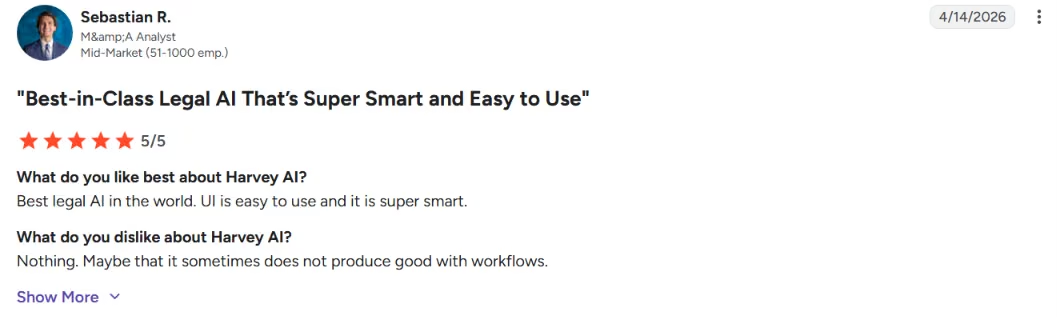
“UI is easy to use and it is super smart.” - Sebastian R., G2
Pricing
Harvey doesn't publish pricing. It's enterprise and sales-led, so the only way to a number is a demo and a quote. Budget accordingly.
Bottom Line
I'd point Harvey at large firms that need secure, firm-wide AI and have the budget to match. If you're a solo or small firm, keep reading down this list.
2. Thomson Reuters CoCounsel: Best for Legal Research and Litigation
What it does: CoCounsel is Thomson Reuters' AI legal assistant for research, document review, and litigation prep, built on Westlaw and Practical Law.
Best for: Litigators and research-heavy lawyers already inside the Thomson Reuters world.
If you already trust Westlaw, CoCounsel is the natural AI layer to sit on top of it. It's one of the most-reviewed purpose-built legal assistants out there, and the praise lands on research speed and ease of use.
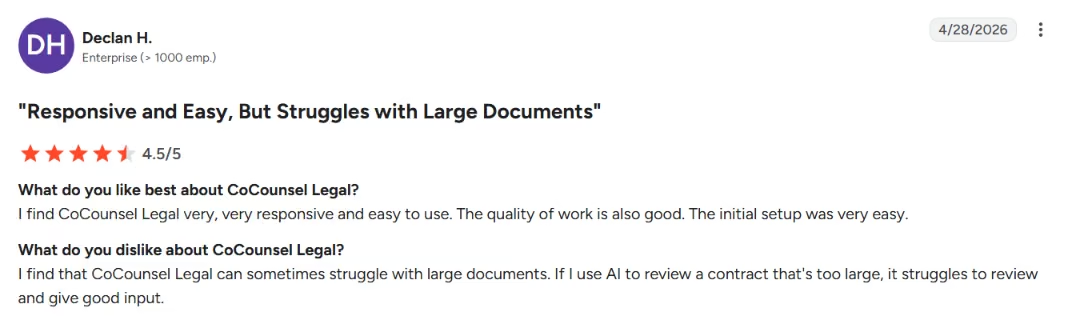
CoCounsel's research value is that it returns Westlaw citations you can open and check, which is where many tools stumble. The caveat is scale: reviewers still flag that it can struggle with very large documents.
Key Features
- Westlaw-backed research: Answers grounded in a trusted legal database.
- Document review: Summarizes and analyzes records at volume.
- Litigation prep: Pulls the groundwork for a matter together faster.
Pros and Cons
Pros:
- Research depth from a source lawyers already rely on.
- Strong, well-documented review sentiment.
- Familiar if you live in Westlaw.
Cons:
- Can struggle with very large documents.
- Best value assumes you already pay for Thomson Reuters tools.
What Users Say
“I find CoCounsel Legal very, very responsive and easy to use.” - Declan H., G2
Pricing
Thomson Reuters doesn't publish public pricing. It's sales-led and often bundled with Westlaw or Practical Law, so request a quote.
Bottom Line
I'd point CoCounsel at research-heavy lawyers already living in Westlaw. If you're not, the value gets harder to justify on its own.
3. Lexis+ AI (with Protégé): Best for Lexis-Native Research
What it does: Lexis+ AI layers generative AI over LexisNexis content, Shepard's, and Practical Guidance, with the Protégé assistant working over your sources when enabled.
Best for: Research-first lawyers and firms already paying for Lexis.
The selling point is citations you can run down. Lexis+ AI is built on verified legal sources and Shepard's, which is what you want when you need to confirm a case is still good law.
There's data behind that pitch. A 2024 Stanford study, with a 2025 follow-up, put Lexis+ AI's research error rate around 17%, against roughly 34% for Westlaw's AI-Assisted Research. Lower, not zero.
Lexis+ AI's practical value is citation-backed research you can check against Shepard's, plus long case histories compressed into something faster to review.
Key Features
- Shepard's-backed citations: Validation built into the research flow.
- Practical Guidance: Task-level help alongside primary law.
- Firm-document support: Works over your own materials when enabled.
Pros and Cons
Pros:
- Citation-backed research from a trusted source.
- Measurably lower error rate than the Westlaw AI benchmark.
- Strong for litigators who live in Lexis.
Cons:
- Weaker for Word-native redlines than dedicated contract tools.
- Even leading research platforms still hallucinate sometimes.
What Users Say
“Thousands of relevant judgement[s] can be found here.” - Vaidehi K., G2

Pricing
LexisNexis doesn't publish public pricing. It's quote-based and typically tied to a Lexis subscription, so contact LexisNexis directly.
Bottom Line
I'd point Lexis+ AI at lawyers already on Lexis who want citation-backed research. For contract drafting, pair it with a Word-native tool.
4. Spellbook: Best for Contract Drafting Inside Microsoft Word
What it does: Spellbook is an AI contract drafting and review assistant that lives inside Microsoft Word.
Best for: Transactional lawyers who draft and redline in Word all day.
Spellbook's whole appeal is that it meets you where you already are. It suggests language, flags risky or missing provisions, and burns through boilerplate without making you leave the document. A newer Library feature even learns from your firm's own precedents, so the output sounds like your house style.
I dropped a real contract into Word and let Spellbook redline it. Staying in the document I was already in, instead of a separate app, was the whole point. The clause suggestions made a solid first pass, though I still rewrote the ones that mattered.
Key Features
- Native Word add-in: No new app to live in.
- Clause suggestions: Drafting help and boilerplate on tap.
- Review flags: Surfaces risky or missing terms.
Pros and Cons
Pros:
- Fits the Word workflow transactional lawyers already use.
- Cuts drafting and boilerplate time.
- Strong G2 sentiment on time saved.
Cons:
- Formatting consistency can wobble.
- External sentiment is more mixed than its G2 score suggests.
What Users Say
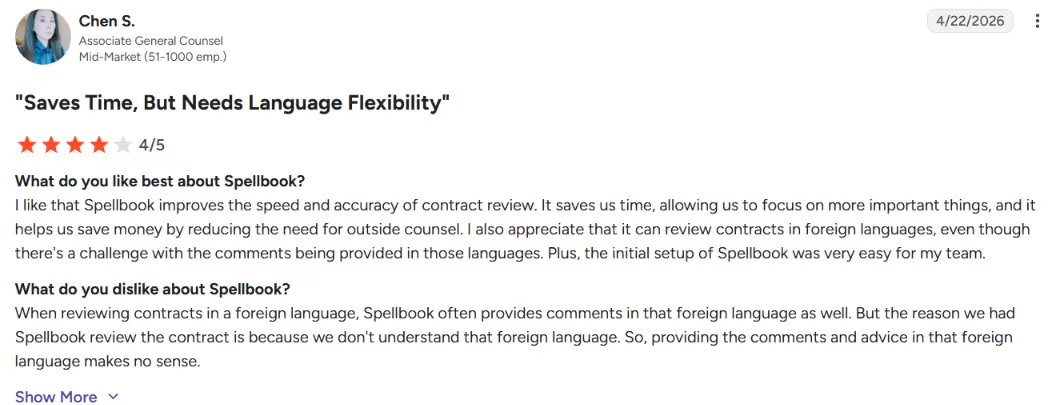
“Spellbook improves the speed and accuracy of contract review.” - Chen S., G2
Pro Tip
Test Spellbook on a messy, heavily marked-up agreement, not a clean template. The formatting wobble shows up on the messy ones, which is where you'll actually use it.
Pricing
Spellbook doesn't list public pricing. It runs on demos and quotes, so request one to see numbers for your team size.
Bottom Line
I'd point Spellbook at contract lawyers who want AI inside Word. If your work is research rather than drafting, start elsewhere.
5. LegalOn: Best for Lean In-House Contract Review
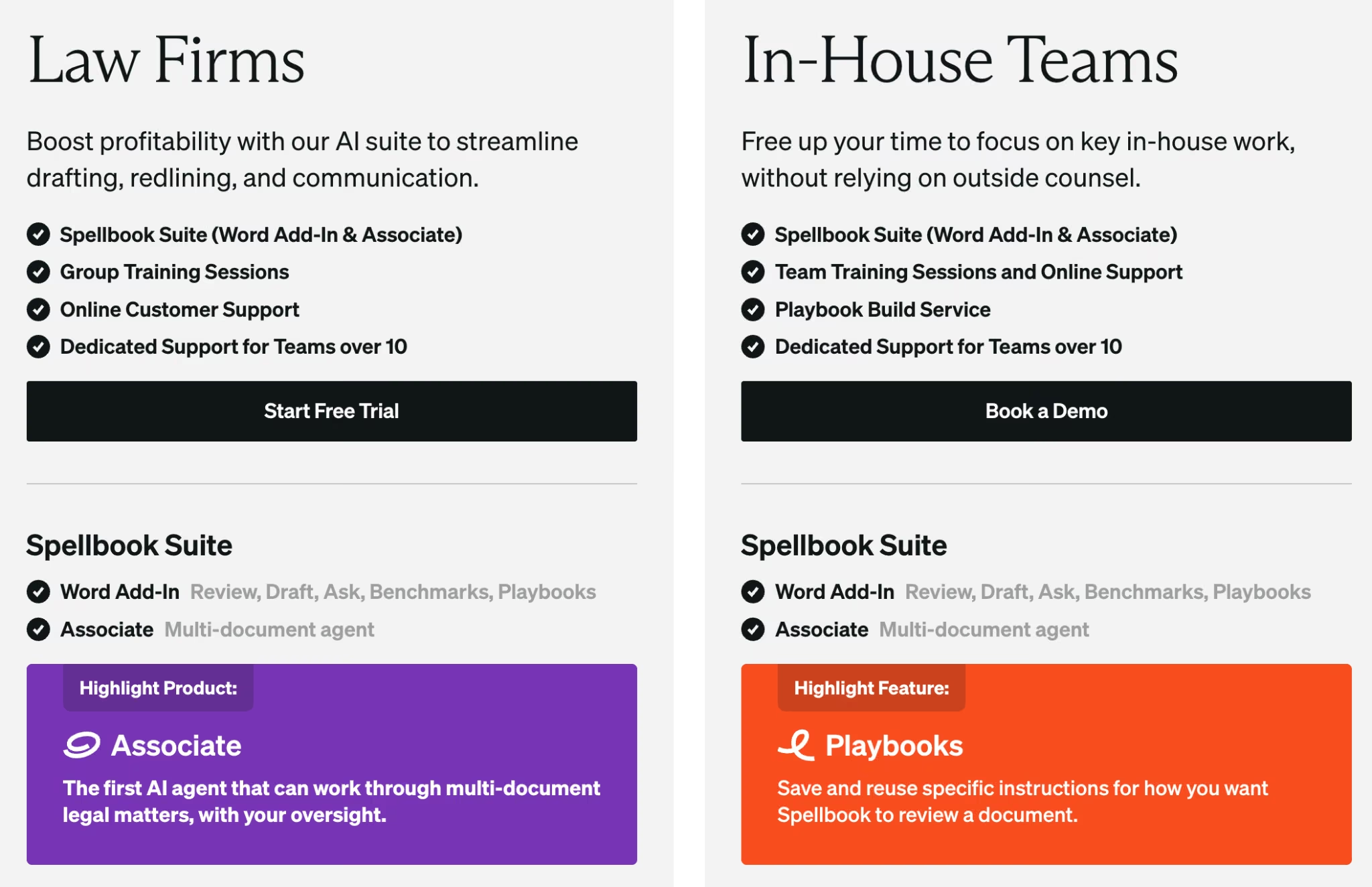
What it does: LegalOn is an AI contract review platform built around playbooks and redlining for in-house teams.
Best for: Lean in-house legal teams reviewing a steady stream of contracts.
LegalOn works like a second reviewer who never gets bored with contract boilerplate. It applies your playbook, flags the clauses that drift from your positions, and helps a lean team get through more contracts without another hire.
I tested LegalOn on an NDA against a playbook. It flagged the off-market and missing clauses I'd want a junior associate to catch, which is exactly the extra pair of eyes reviewers describe.
Key Features
- Playbook-based review: Applies your standards consistently.
- Redlining: Suggests edits aligned to your positions.
- Issue identification: Catches risk a rushed human might miss.
Pros and Cons
Pros:
- Helps lean teams avoid another hire.
- Consistent, playbook-driven review.
- Very positive early review sentiment.
Cons:
- Users want broader integrations.
- Focused on review, so it's not a research tool.
What Users Say
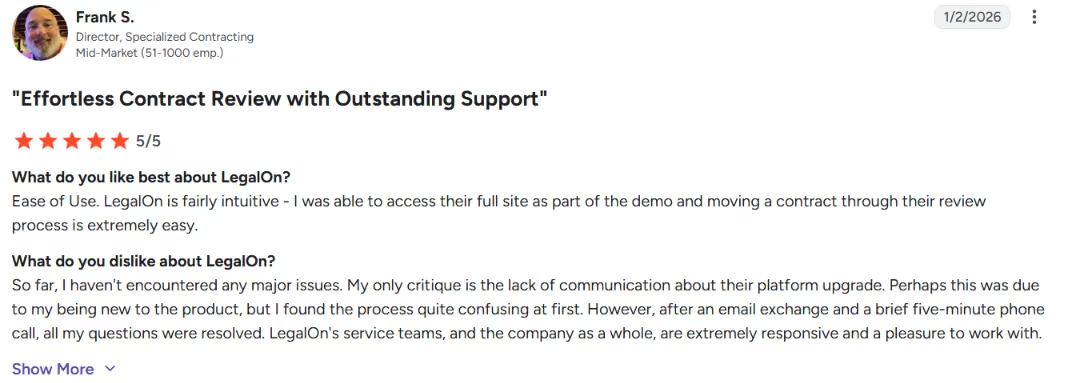
“LegalOn is fairly intuitive.” - Frank S., G2
Pricing
LegalOn doesn't publish public pricing. Request a quote for your team.
Bottom Line
I'd point LegalOn at small in-house teams drowning in contract review. For litigation or research, it's the wrong tool.
6. Ironclad: Best AI-Enabled CLM for Contract-Heavy Legal Ops
What it does: Ironclad is a contract lifecycle management (CLM) platform with AI built into its workflows.
Best for: Legal operations teams managing contracts across Sales and Legal at scale.
Ironclad answers the questions that stall contract approvals, like who has it, where it's stuck, and what's blocking it. It's the most heavily reviewed tool on this list, with a deep bench of legal-ops users behind it.
I walked a contract through Ironclad from request to signature. For me, the value was always knowing who had the contract and what was holding it up, instead of chasing it through email.
Key Features
- Workflow automation: Routes contracts through approval cleanly.
- Integrations: Connects to Salesforce, DocuSign, and more.
- Collaboration: Gives Sales and Legal one source of truth.
Pros and Cons
Pros:
- Strong for contract-heavy operations.
- Deep integrations into the sales stack.
- Large, established user base.
Cons:
- Search can feel like a scavenger hunt if metadata is messy.
- Real learning curve to set up well.
What Users Say
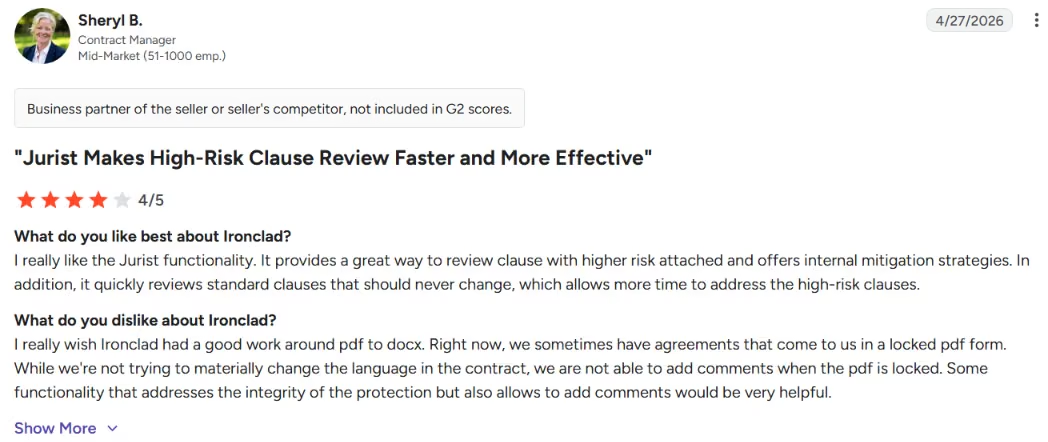
“It provides a great way to review clause[s] with higher risk attached and offers internal mitigation strategies.” - Sheryl B., G2
Pricing
Ironclad doesn't publish public pricing. It's enterprise CLM pricing, quote-based, so contact sales.

Bottom Line
I'd point Ironclad at legal-ops teams that need contract lifecycle management plus AI. A solo lawyer doesn't need this much machine.
7. Lindy: Best AI Assistant for Intake, Scheduling, and Email Triage
What it does: Lindy is an AI assistant that runs over text. You connect your number and your inbox, then text it to triage email, schedule calls, prep for meetings, and chase follow-ups.
Best for: Solo lawyers, small firms, and busy partners who need help with the admin around the practice, not the legal work itself.
Lindy is the odd one out on this list, on purpose. Lindy handles the operational layer around legal work instead of the research, redlining, or drafting that the other tools do.
That covers the parts of the day that don't need legal judgment but still eat hours, like intake follow-ups, scheduling consultations, triaging the inbox, sending reminders, and prepping for the next call.
The standout is that you delegate by text. Instead of opening another dashboard, you text Lindy to book a consultation, find a client email, or draft a follow-up. Lawyers don't need more software to manage. They need fewer loose ends.
I connected Lindy to a test inbox and calendar and ran a week of admin through it by text. It booked calls, drafted follow-ups, and cleared the routine inbox triage I usually do by hand. Anything that needed legal judgment, I kept for myself.
Key Features
- Delegate by text: Runs over iMessage and SMS, so there's no new app to learn.
- Email triage and drafting: Sorts the inbox, surfaces what matters, and drafts replies in your voice for you to approve.
- Smart scheduling and meeting prep: Handles availability and time zones, and pulls context before a call.
Pros and Cons
Pros:
- Lives in your text thread, so there's almost nothing to set up.
- Clears the admin that slows down intake and client communication.
- Nothing sends without your sign-off, and it's SOC 2 Type II, HIPAA, and GDPR compliant.
Cons:
- Not built for legal research, citations, or complex drafting.
- Integration breadth is narrower than a dedicated automation platform.
What Users Say
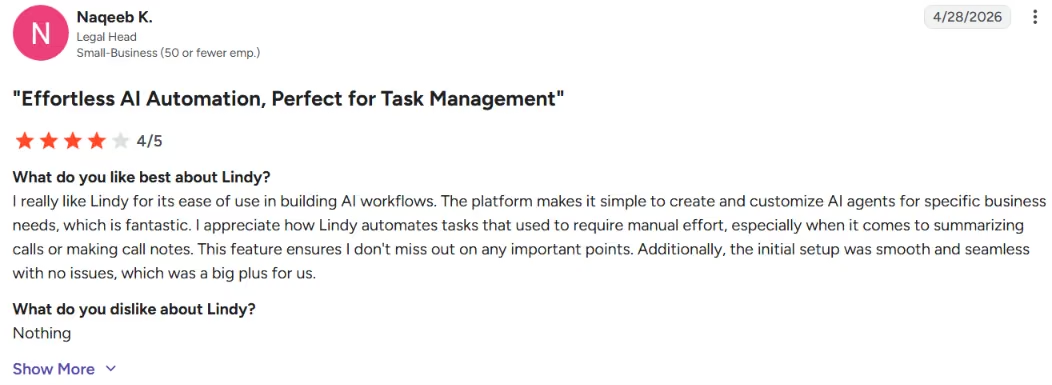
“What stands out is how natural and easy it is to interact with — it doesn't feel robotic or clunky. It's like having a reliable assistant” - Salvador B., G2
Need automation that goes deeper than intake and scheduling? Our best AI workflow builders breakdown covers what else is worth trying in 2026.
Pricing
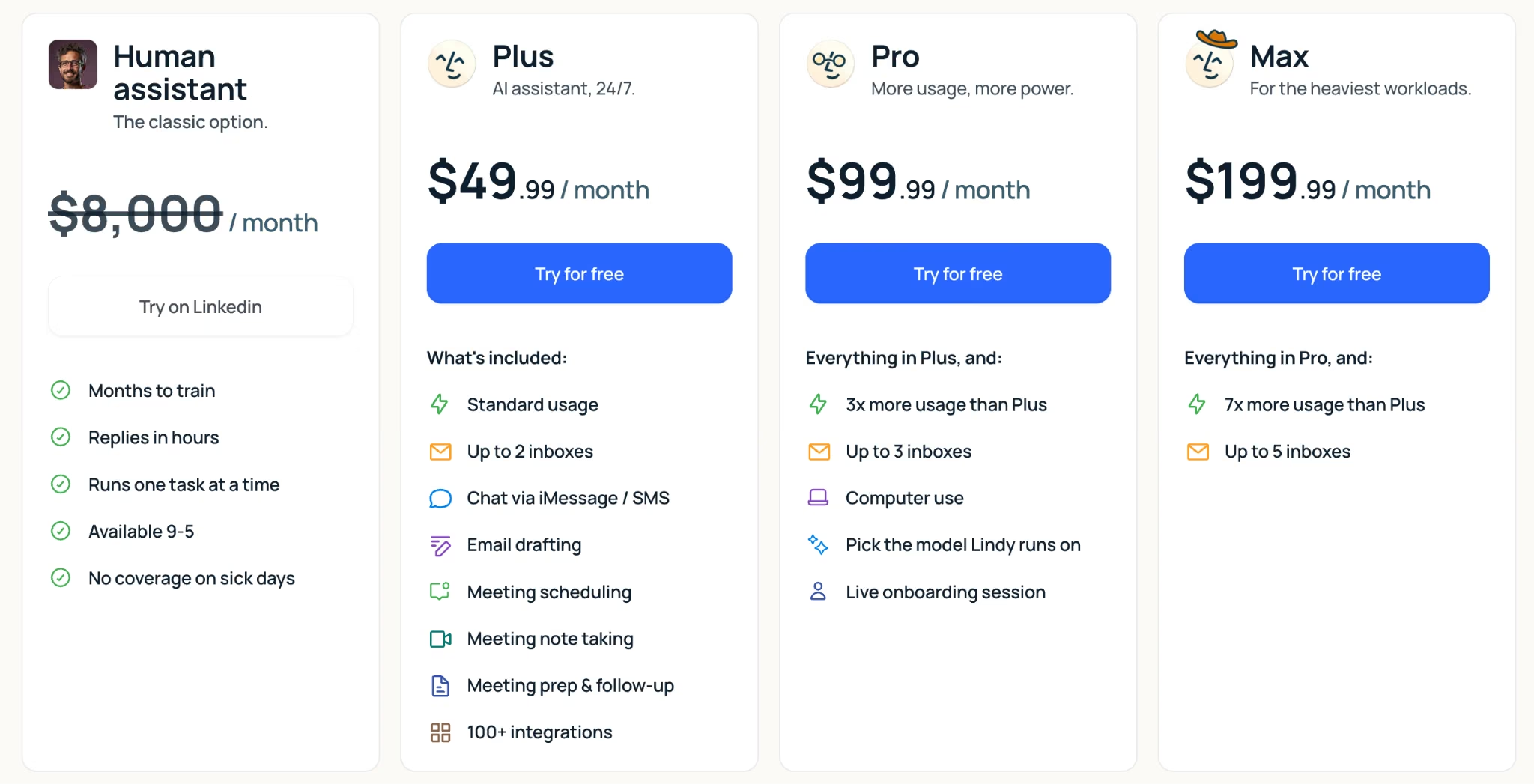
A seven-day free trial, then Plus at $49.99 per month, Pro at $99.99 per month, and Max at $199.99 per month, with custom Enterprise pricing for teams.
Bottom Line
I'd point Lindy at solos and small firms losing time to admin, not legal work. Use it when the bottleneck is keeping up with intake, email, and the calendar. For research or drafting, it isn't the category.
8. Clio: Best If You Already Run on Clio
What it does: Clio brings AI into its practice-management platform through Manage AI (formerly Duo). It works alongside your matters, drafts client communications, summarizes matters, and extracts deadlines into your calendar.
Best for: Solo and small firms already running their practice on Clio.
The value here is context. If your matters, contacts, and documents already live in Clio, an AI that works inside that system spares you the copy-paste tax. For a firm already committed to the platform, it's the lowest-friction pick on the list.
I tested Manage AI inside a Clio account. Pulling answers straight from my own matters and time entries, without exporting anything, is the appeal. It works as an assistant on the practice data you already keep.
Key Features
- In-platform AI: Works where your practice data already lives.
- Deadline extraction: Turns court documents into calendar events.
- Drafting and summaries: Generates client updates and matter summaries in context.
Pros and Cons
Pros:
- Lowest friction if you already use Clio.
- Context from your existing matters.
- Accessible to solo and small firms.
Cons:
- Most valuable only inside the Clio ecosystem.
- The AI features are a paid add-on, and the assistant is still maturing.
What Users Say
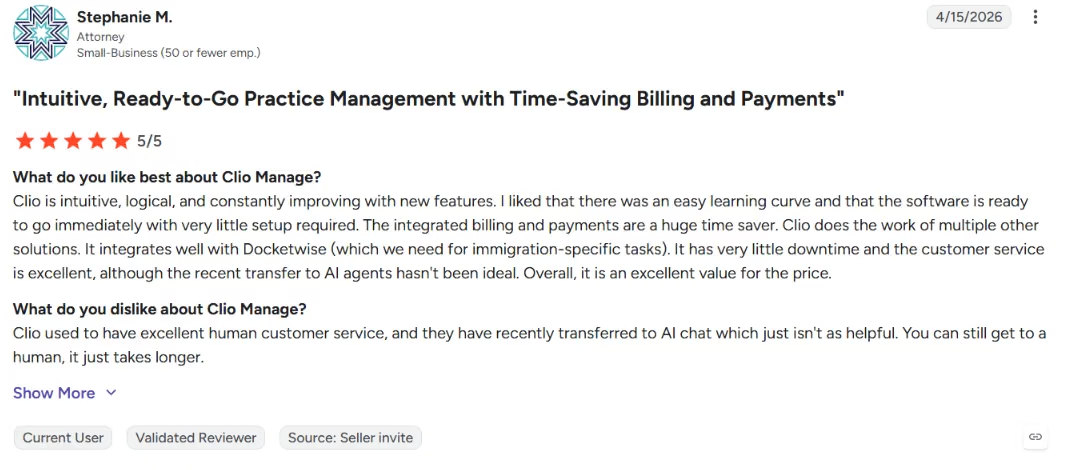
“Clio is intuitive, logical, and constantly improving with new features.” - Stephanie M., G2
Pricing
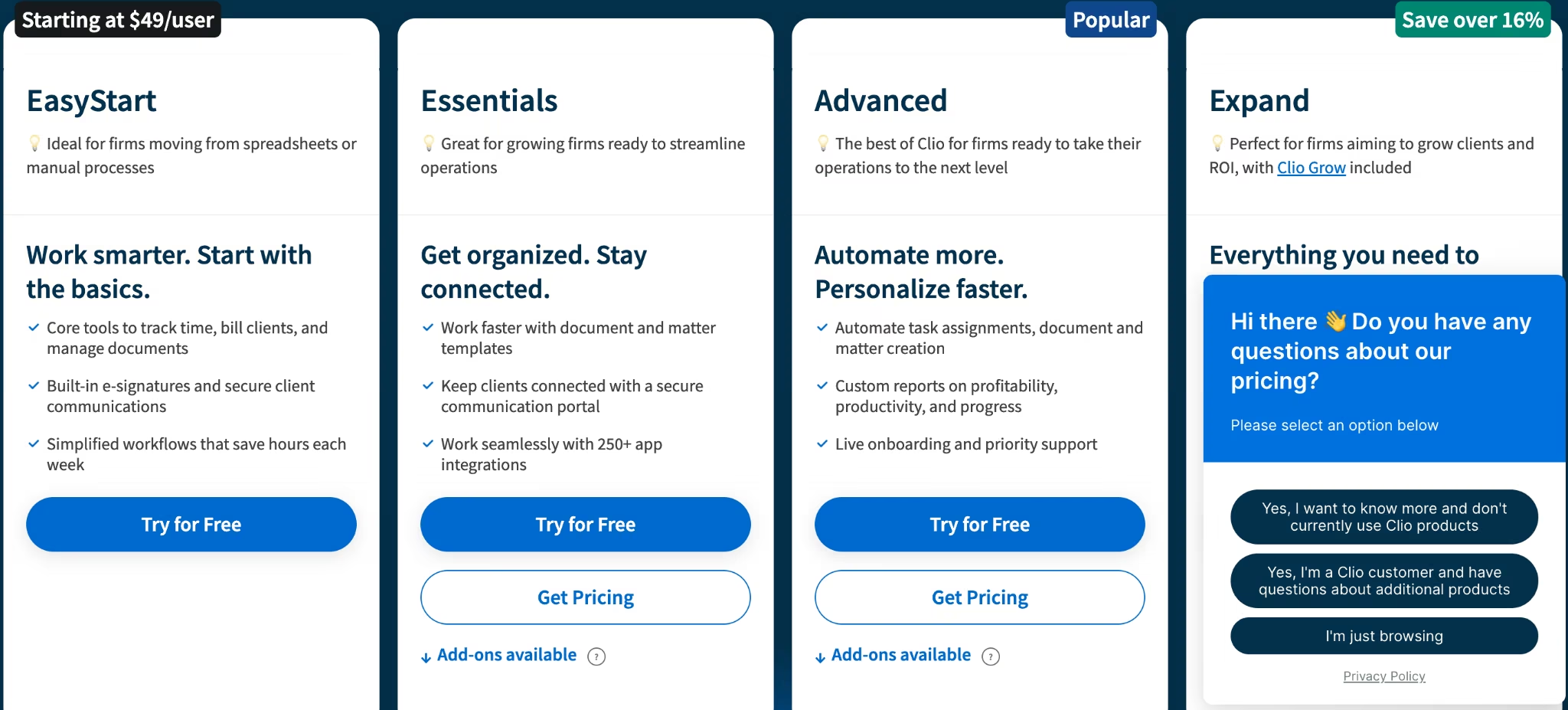
Clio Manage starts at $49 per user per month on the EasyStart plan, and the higher tiers (Essentials, Advanced, and Expand) are quote-based. Clio's AI assistant, Manage AI, is a paid add-on, so confirm the current cost with Clio directly. There's a seven-day free trial.
Bottom Line
I'd point Clio's AI at firms already on Clio. If you're not, the case for switching just for the AI is weak.
9. Claude or ChatGPT (With Strict Verification): Best Budget Option for Solos
What it does: Claude and ChatGPT are general-purpose AI assistants that handle drafting, summarizing, and reasoning across legal tasks.
Best for: Solo lawyers on a budget who can supply their own verification discipline.
For a lot of solo work, a general AI plus strict verification covers more ground than people admit, at a fraction of the price. What you give up is the legal scaffolding, meaning matter memory, citation discipline, and governance built for client data.
I ran the same drafting and summarizing tasks through both Claude and ChatGPT on the cheap plans. For first drafts and plain-English explanations, they kept up with the specialized tools. The moment I needed a real citation, I had to verify every one myself.
Key Features
- Strong general reasoning: Drafts, summarizes, and explains well.
- Low cost: Accessible monthly pricing, with usable free tiers.
- Flexibility: Useful across many tasks, legal and not.
Pros and Cons
Pros:
- By far the cheapest entry point.
- Capable for first drafts and summaries.
- No procurement process to start.
Cons:
- No legal guardrails, citation discipline, or matter memory.
- Verify everything, and confidentiality is entirely on you.
What Users Say
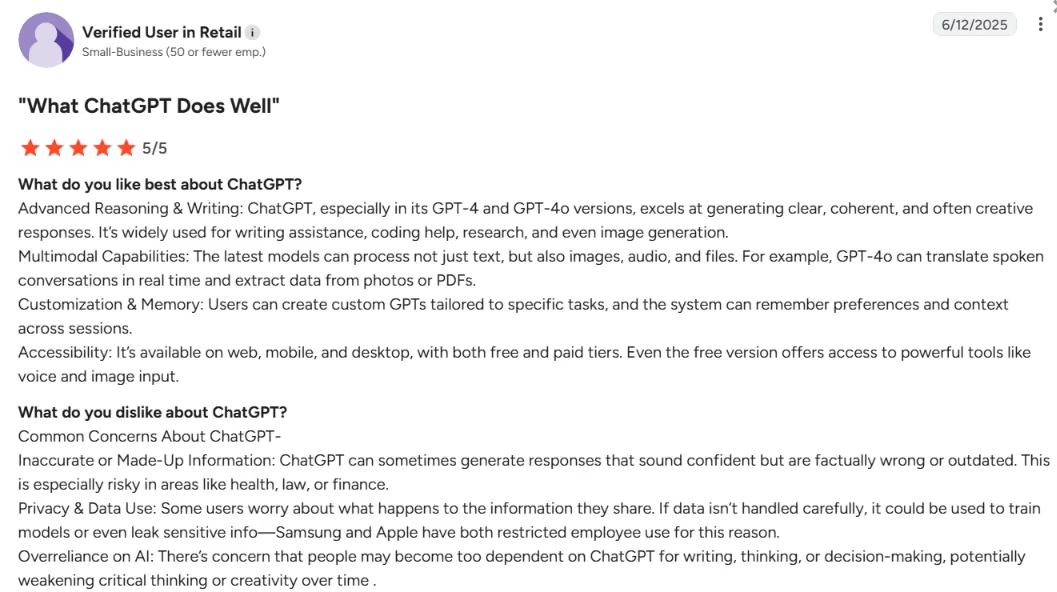
The public record here is less about glowing reviews and more about cautionary tales, and they're worth taking seriously.
“ChatGPT can sometimes generate responses that sound confident but are factually wrong or outdated.” - G2
Using both and not sure which handles legal work better? Our Claude vs ChatGPT breakdown covers exactly where each one pulls ahead.
Pricing
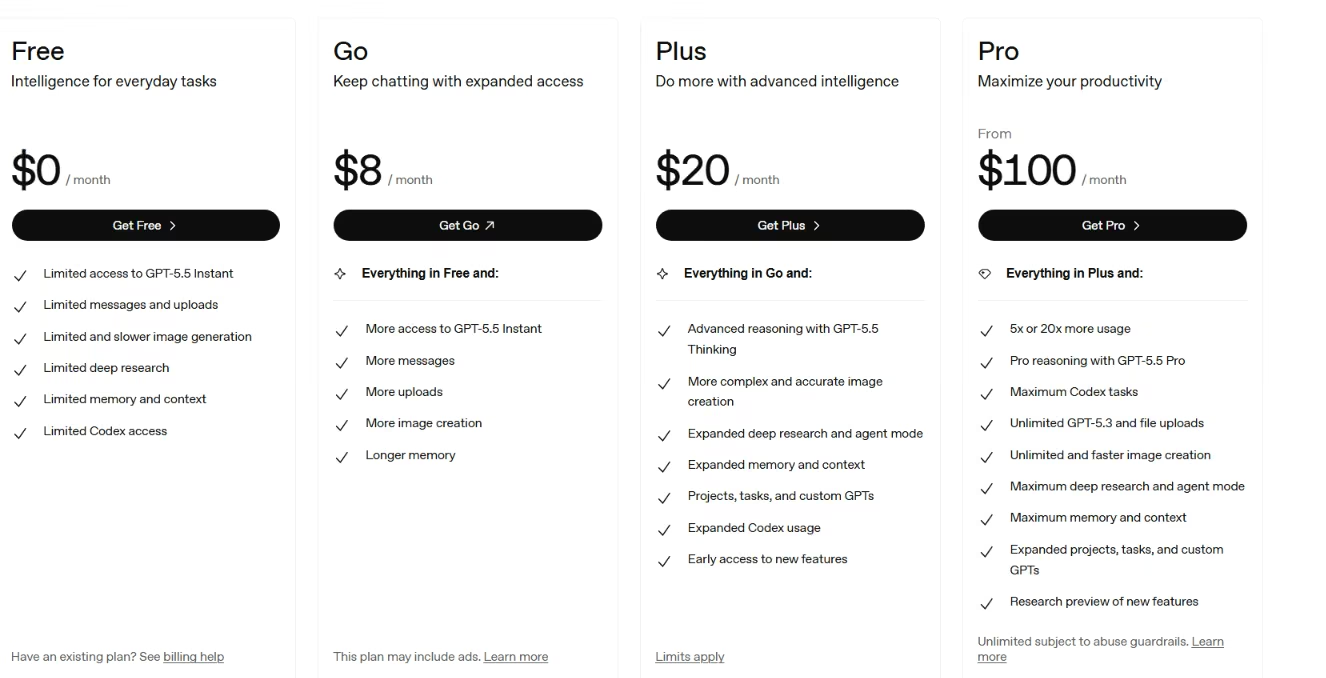
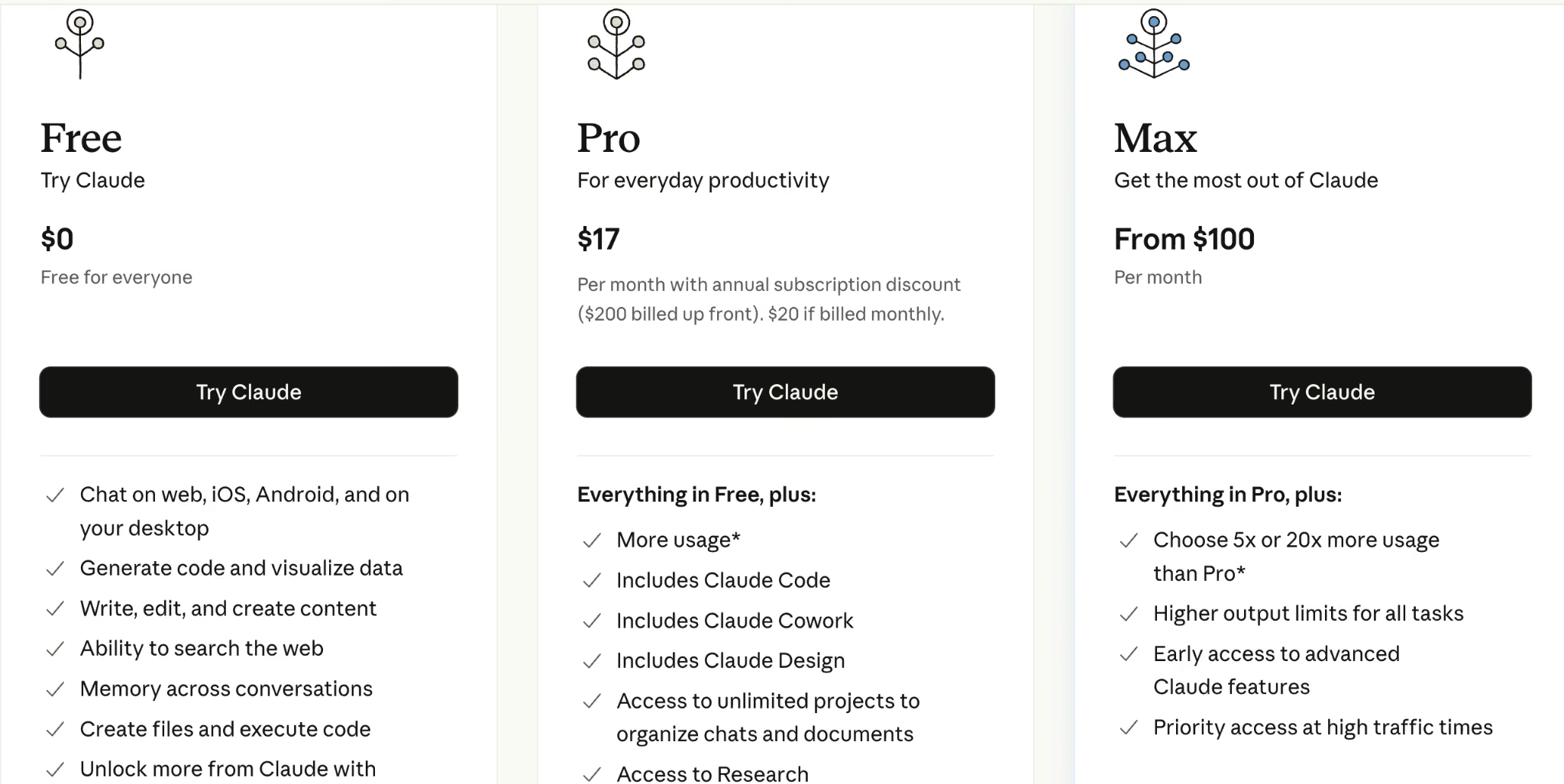
Both have free tiers. Paid plans are $20 per month each: Claude Pro and ChatGPT Plus. Heavier tiers (Claude Max, ChatGPT Pro) run higher, but the $20 plan covers most solo work.
ChatGPT
Claude
Bottom Line
I'd point Claude or ChatGPT at budget-conscious solos who'll verify every output. For research at scale or firm-wide rollout, you'll outgrow it.
Why Not Just Use ChatGPT or Claude?
This is the question buyers ask first, and it deserves a straight answer. General AI is cheap and capable, so for a solo doing first drafts and summaries with careful verification, it can be enough.
The real question is whether you need the structure that a legal tool wraps around the model. That structure is what your subscription buys:
- Workflow: It turns a prompt into a finished legal format, instead of a wall of text you have to shape yourself.
- Governance and security: Data terms and access controls built for client data, not consumer chat.
- Matter context: It knows your case and documents, so you stop re-pasting the same background.
- Legal databases and integrations: It reaches Westlaw, Lexis, or Word, where a general model can't.
- Citation discipline and audit trails: It points to checkable sources and leaves a record.
Your subscription pays for the structure that makes the model safe and fast inside a law practice.
The math flips toward a legal-specific tool once you're handling client matters at volume, billing the time you'd lose to re-pasting context, or accountable for citations in a filing. Until then, a general AI plus disciplined verification is defensible. If you don't need that structure yet, don't buy it yet.
Legal AI Risks: Hallucinations, Confidentiality, and Verification
Every tool here can be wrong with total confidence, so treat them all as supervised assistants.
Hallucinations hit purpose-built legal tools too, not just consumer chatbots. In a 2025 sanctions case, attorneys at Ellis George and K&L Gates used CoCounsel and Westlaw Precision and still submitted fabricated citations.
The lesson is that the signature on the brief is always human. Before you adopt anything, check the basics:
- Confidentiality and privilege: Don't paste client data into a tool without the right terms.
- Data handling: Confirm it doesn't train on your data and that there's a real data-processing agreement. AI data privacy is worth checking in any tool you adopt.
- Citations: Prefer tools that link to checkable sources, and check them anyway.
- Human in the loop: Keep a lawyer reviewing the output, every time.
Which AI Tool Should You Choose?
Picking by raw model quality is the wrong instinct. The tool that wins for you comes down to the work you do, your budget, and how much you trust the output before a human signs off.
Choose Harvey (or Legora) if you:
- Run a large firm or enterprise legal team.
- Need secure, firm-wide AI across practice groups.
- Have the budget and a procurement process (Legora is the fast-rising alternative worth cross-shopping).
Choose CoCounsel or Lexis+ AI if you:
- Do research-heavy or litigation work.
- Already pay for Westlaw (CoCounsel) or Lexis (Lexis+ AI).
- Want citation-backed answers you can verify.
Choose Spellbook, LegalOn, or Ironclad if you:
- Live in contracts (Spellbook for Word drafting, LegalOn for in-house review, Ironclad for CLM and legal ops).
- Want AI that produces redlines and finished formats.
Choose Lindy or Clio if you:
- Are a solo or small firm losing time to admin (Lindy) or already on Clio (Clio Duo).
- Want help with intake, scheduling, and inbox rather than legal analysis.
Choose Claude or ChatGPT if you:
- Are a solo practitioner on a tight budget.
- Will verify every citation and protect client data yourself.
Skip a legal-specific tool entirely if: Your needs are light and occasional, where a general AI plus disciplined verification will do.
Final Verdict
The best AI tool for a lawyer fits your workflow and makes verification easy.
CoCounsel and Lexis+ AI win on research. Spellbook and LegalOn win on contracts. Ironclad wins on legal ops, Harvey wins on enterprise scale (with Legora close behind), and Lindy wins on the admin layer most legal tools ignore. Claude and ChatGPT stay the budget pick for solos who'll check the work.
Match the tool to the job, keep a human in the loop, and you'll get the speed without betting your license on it.
How Emergent Helps Lawyers Build the Tools This List Can't
Sometimes what your practice needs is the oddly specific thing none of the tools above sell, like a client intake form wired to your inbox, a matter tracker, or a deadline dashboard. Emergent helps lawyers build those. You describe the tool you want in plain English, and its AI designs, builds, tests, and deploys it, with no engineering team required.
Use Harvey or CoCounsel for the legal thinking, Lindy for the admin, and Emergent when you need a custom workflow your firm controls. You can start free with a small credit allowance and move to paid plans from $20 per month, so it's low-risk to test whether building your own tool beats buying another subscription.
Building a custom tool for your practice is faster than you'd expect. Read our guide on how to create a business app in an afternoon to see how.

Most AI app builders stop at prototypes. Emergent creates production-ready apps you can actually launch.
- Production-ready apps
- Web & mobile apps
- Deploy in minutes







