



I spend most of my time digging into AI tools and how marketing agencies put them to work, so I wanted to see which ones earn a real spot in the stack. Over two months, I put 13 of the most-recommended tools through the kind of work agencies do every day, from drafting and SEO to design, video, and admin.
Below are the best AI tools for marketing agencies in 2026, sorted by the job you'd hire each one to do.
13 Best AI Tools for Marketing Agencies: Quick Comparison
| Tool | Best For | Free Plan? | Starting Price | Standout |
|---|---|---|---|---|
| ChatGPT | All-around marketing work | Yes | $20/month (Plus) | Versatile reasoning |
| Claude | Long-form research and writing | Yes | $20/month (Pro) | Careful long drafts |
| Jasper | Brand-consistent copy at scale | No | $69/seat/month | Brand voice controls |
| Surfer SEO | Content optimization | No | $119/month | Data-backed briefs |
| Semrush | SEO and competitor research | Limited | $139/month | Deep keyword data |
| Canva | Fast on-brand design | Yes | $18/month (Pro) | Templates plus AI |
| Runway | AI video generation | Limited | $15/month (Standard) | Text-to-video |
| Descript | Video and podcast editing | Yes | $24/seat/month | Edit by transcript |
| ElevenLabs | AI voiceover | Yes | $6/month (Starter) | Natural voices |
| Lindy | Inbox triage, scheduling, follow-up | Trial | $49.99/month (Plus) | An assistant you text |
| Zapier | Connecting and automating the stack | Yes | $29.99/month | Thousands of apps |
| HubSpot (Breeze) | Agencies already on HubSpot | Yes | $20/month (Starter) | AI inside your CRM |
| Grammarly | Editing and proofreading | Yes | $12/month (Pro) | On-brand editing |
Prices and free-plan limits change often, so confirm the current numbers on each tool's pricing page before you commit a client budget.
How I Researched and Tested These AI Tools
I ran every tool through one consistent scenario: a lead-generation campaign for a local service business, built end-to-end the way an agency would run it for a client, from the first brief to a ready-to-send deliverable. That meant briefs and copy, SEO, design, a short video, the follow-up admin, and a final edit.
Here's what I judged each tool on:
- Core job performance. How well it does the one thing you'd hire it for, under a deadline.
- Usability. Whether it's fast enough to use when a client is waiting.
- Integrations and stack fit. How cleanly it connects to the rest of your tools.
- Pricing and value. What you get from the free tier versus the paid plan, including credit costs.
- Agency use cases. Brand-voice consistency, client reporting, and scaling across accounts.
Running each tool through a full agency workflow showed me which ones hold up in real production work and which ones only look good in a demo.
1. ChatGPT: Best All-Around Marketing AI
What it does: ChatGPT is a general AI assistant for ideation, copywriting, briefs, and quick research.
Best for: Agencies that want one flexible tool for the daily mix of writing and thinking work.
ChatGPT is the tool most agencies reach for first. When I needed campaign angles, a rough first draft, or a quick reformat for three channels, it kept up with no learning curve. It won't beat a specialist tool for SEO or design, but as an everyday co-writer, it earns its seat.
Key Features
- Drafting and ideation: Turns a rough brief into usable copy in seconds.
- Reformatting: Reshapes one piece of content for different channels fast.
- Custom instructions: Hold a brand voice across a session.
Pros and Cons
Pros:
- Useful for almost any writing or thinking task.
- Low learning curve for the whole team.
- Generous free tier to start.
Cons:
- Generic without a strong prompt and brand context.
- Needs fact-checking before anything ships.
What Users Say
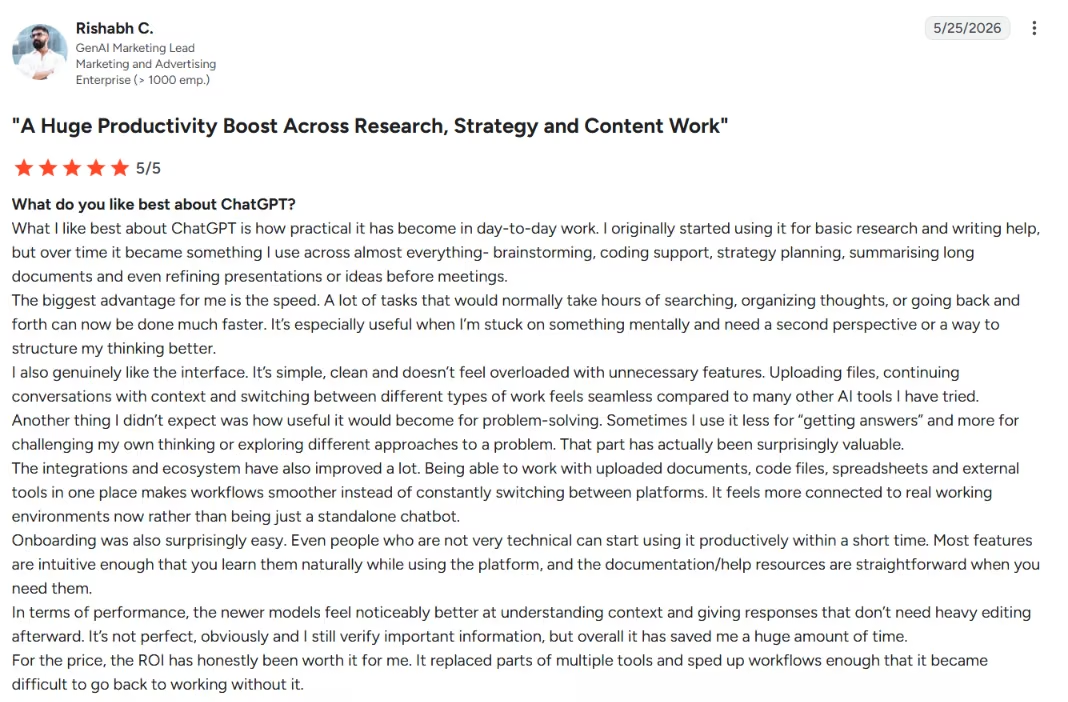
"It’s simple, clean and doesn’t feel overloaded with unnecessary features." –
Rishabh C., G2
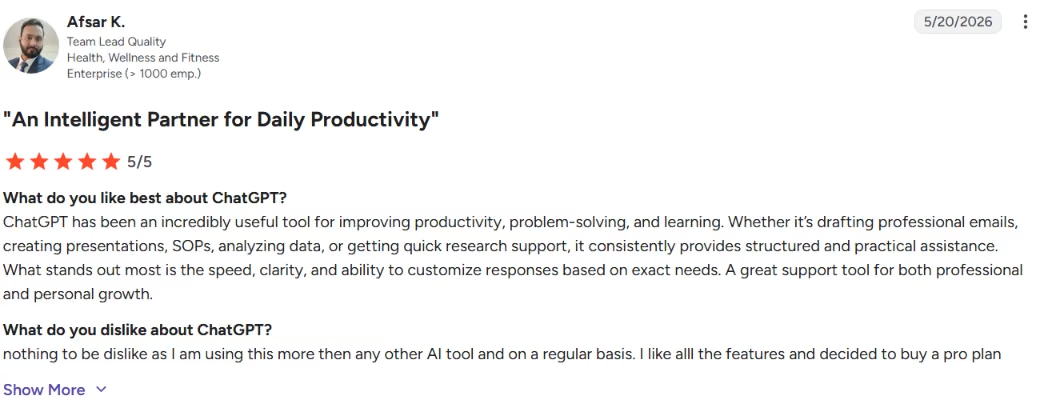
"ChatGPT has been an incredibly useful tool for improving productivity, problem-solving, and learning" – Afsar K., G2
Pricing
Free tier; ChatGPT Go around $8/month; Plus $20/month; Pro from $100/month; Business from $20/seat/month; Enterprise is custom.
Bottom Line
I'd hand ChatGPT to every agency as a baseline tool. For SEO, design, or video, pair it with one of the specialists below.
2. Claude: Best for Long-Form Research and Writing
What it does: Claude is an AI assistant known for careful long-form writing and handling big documents.
Best for: Agencies producing long-form content, research summaries, and detailed briefs.
When the job was a 2,000-word piece or a dense research synthesis, Claude held structure and tone where lighter tools started to fray. It's the one I reached for when the output needed to read like a person actually wrote it
Key Features
- Long-context handling: Works across long documents without losing the thread.
- Natural drafts: Strong at on-brand, readable long-form writing.
- Document analysis: Summarizes and reworks large inputs in one pass.
Pros and Cons
Pros:
- Excellent for long-form and research-heavy work.
- Keeps tone consistent across a long piece.
- Free tier to test it.
Cons:
- Fewer marketing-specific integrations than some tools.
- Usage limits can interrupt a long session.
What Users Say
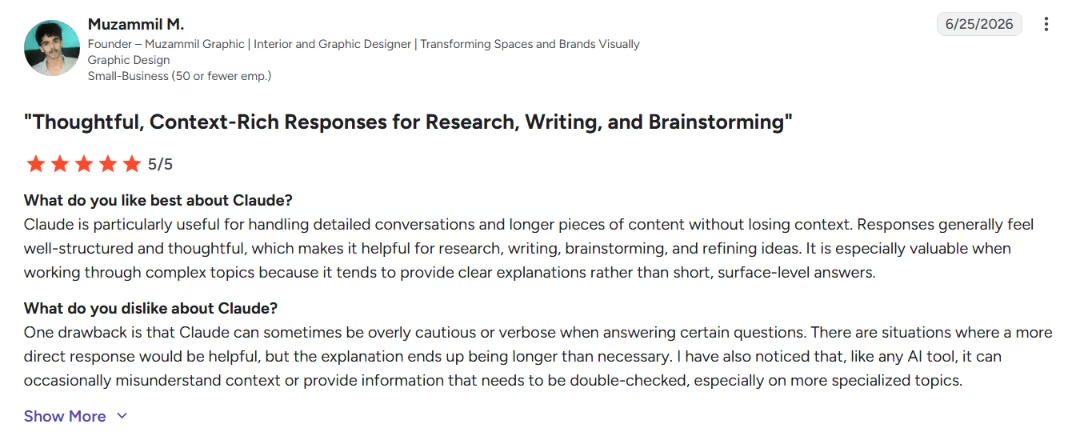
"Responses generally feel well-structured and thoughtful" – Muzammil M., G2
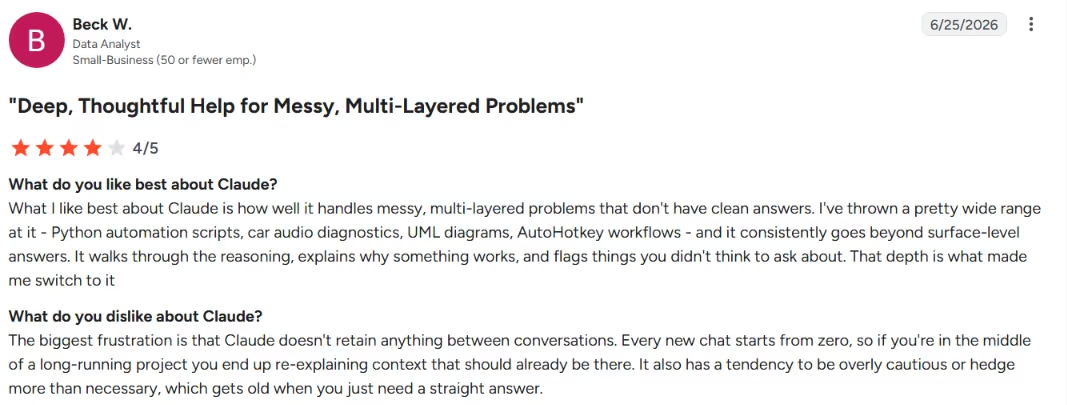
"The biggest frustration is that Claude doesn't retain anything between conversations." –
Beck W., G2
Pricing
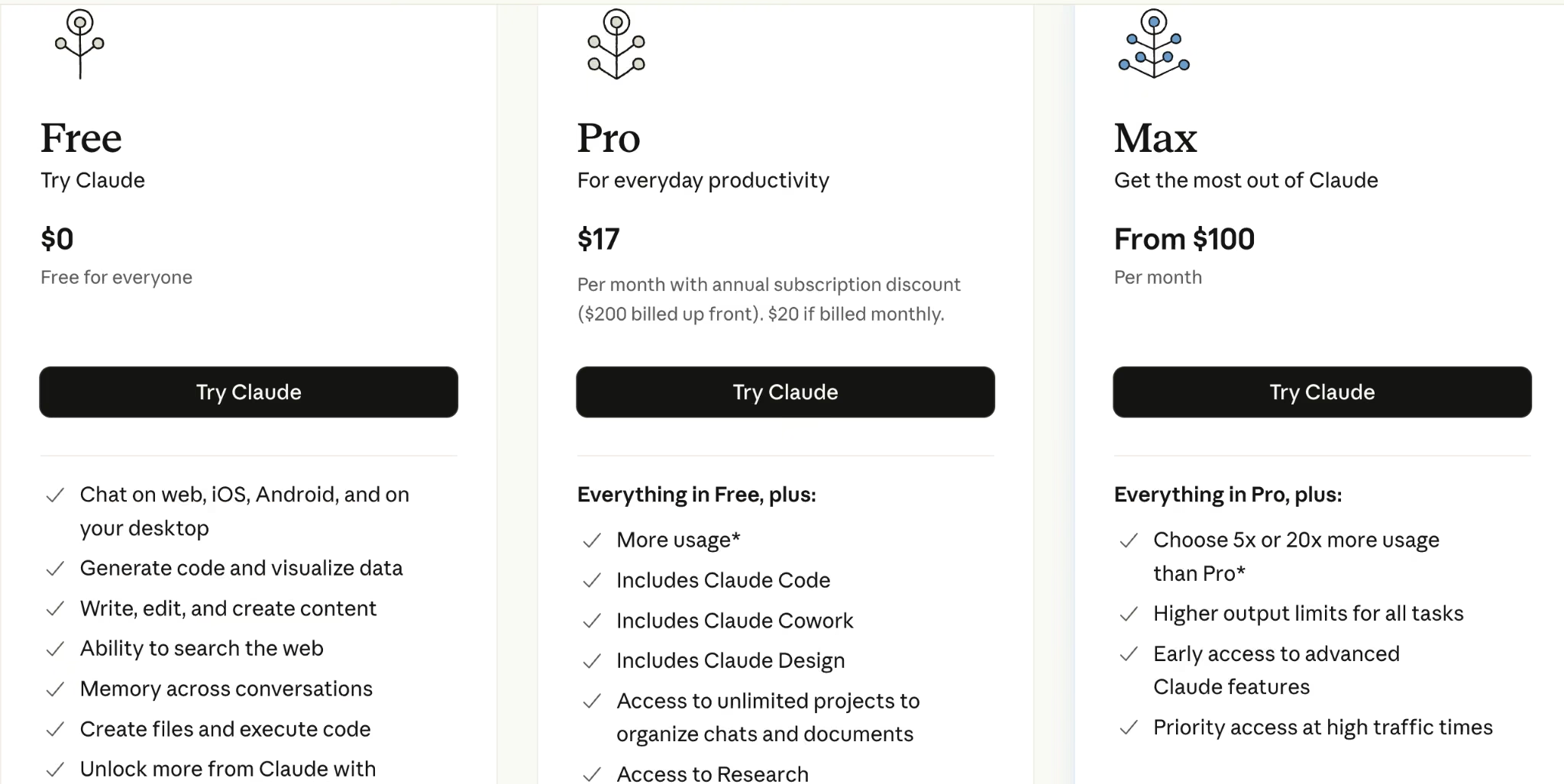
Free tier; Pro $20/month ($17/month billed annually); Max from $100/month; Team from $25/seat/month; Enterprise is custom.
Bottom Line
I'd point any content shop that lives in long-form straight at Claude. For short social copy at volume, a brand tool like Jasper may fit better.
3. Jasper: Best for Brand-Consistent Copy at Scale
What it does: Jasper is an AI writing platform built for marketing teams, with brand voice and campaign features.

Best for: Agencies producing high volumes of on-brand copy across many clients.
Jasper's edge over a general chatbot is brand control. You set a voice, store brand assets, and keep dozens of pieces sounding like the same client. That consistency is the wall agencies hit when they try to scale content across accounts with a plain chatbot.
Key Features
- Brand voice: Locks tone across writers and pieces.
- Campaign tools: Built for marketing workflows, not just chat.
- Templates: Speed up repeatable copy formats.
Pros and Cons
Pros:
- Strong brand-voice consistency at scale.
- Built specifically for marketing teams.
- Good for high-volume copy.
Cons:
- No real free plan, so the entry cost is higher.
- Overkill if you only write occasionally.
What Users Say
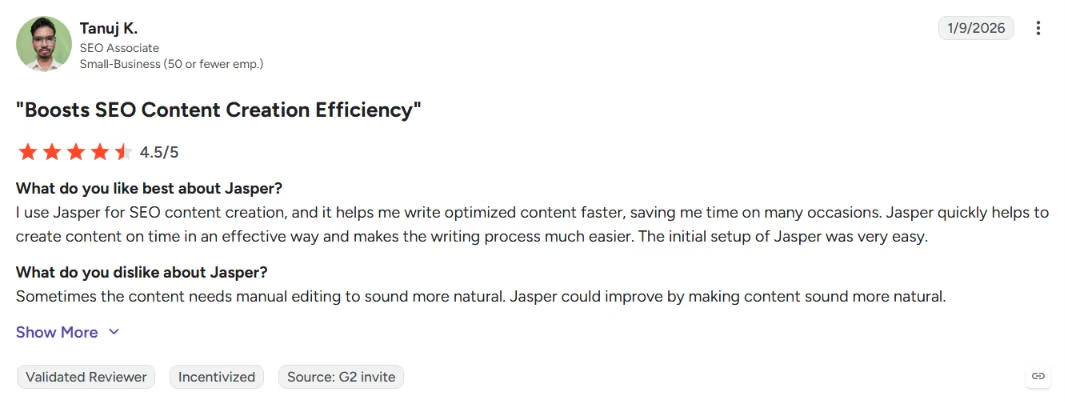
"Jasper quickly helps to create content on time in an effective way," – Tanuj K., G2
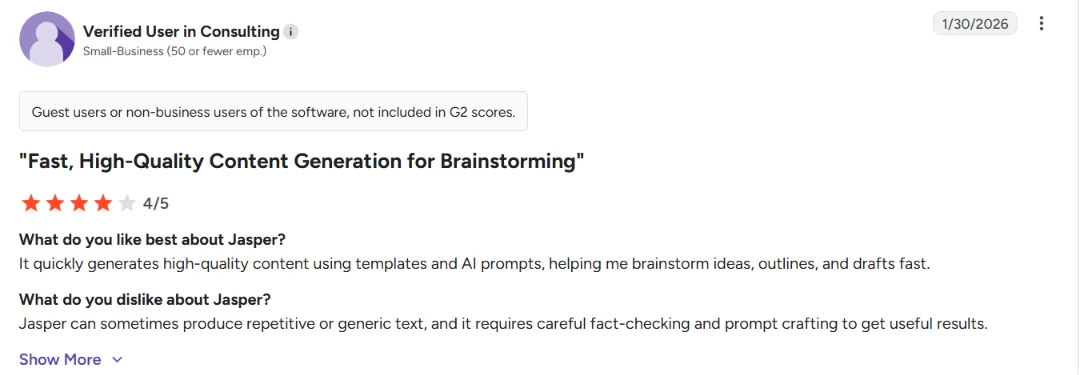
"Jasper can sometimes produce repetitive or generic text," – G2
Pricing
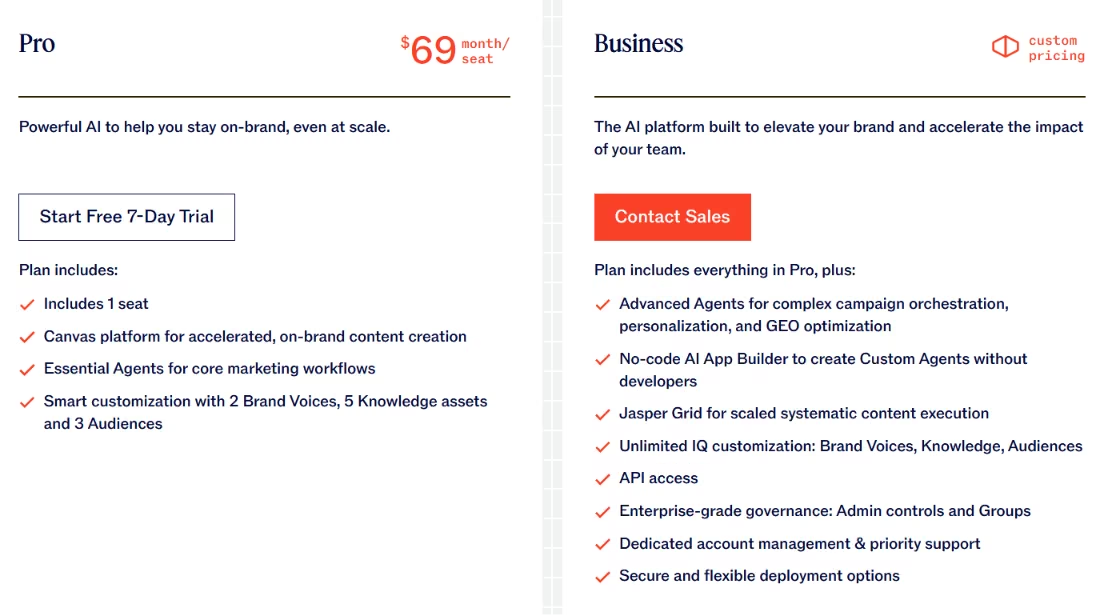
No free plan (seven-day free trial). Pro $69/seat/month ($59/seat/month billed annually); Business is custom.
Bottom Line
I'd recommend Jasper to agencies scaling branded copy across clients. If your volume is low, ChatGPT or Claude is the cheaper call.
4. Surfer SEO: Best for Content Optimization
What it does: Surfer SEO analyzes top-ranking pages and turns them into data-backed content briefs and on-page guidance.
Best for: Agencies that produce SEO content and need it to rank.
Surfer compares your draft with ranking pages so you can see what an article should cover. It scores your draft against what's already ranking and tells your writers which terms and structure to hit. Surfer made my briefs faster and easier to defend when a client asked why a piece was built that way.
Key Features
- Content briefs: Data-backed outlines your writers can follow.
- On-page scoring: Live optimization as you write.
- SERP analysis: Shows what the top pages have in common.
Pros and Cons
Pros:
- Turns SEO into a repeatable, briefable process.
- Speeds up content production.
Cons:
- The score can tempt writers to over-optimize.
- No free plan.
What Users Say
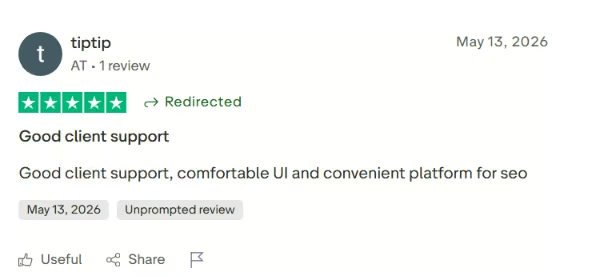
"Good client support, comfortable UI and convenient platform for seo." – Trustpilot
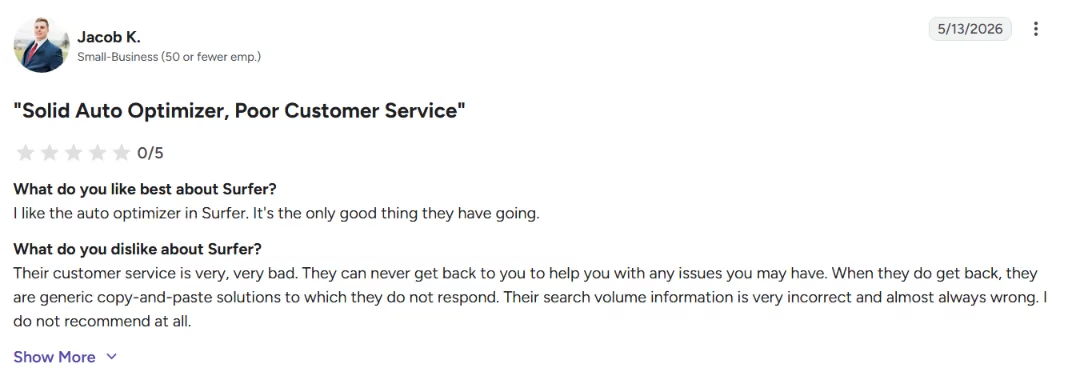
"Their customer service is very, very bad." – Jacob K., G2
Pricing
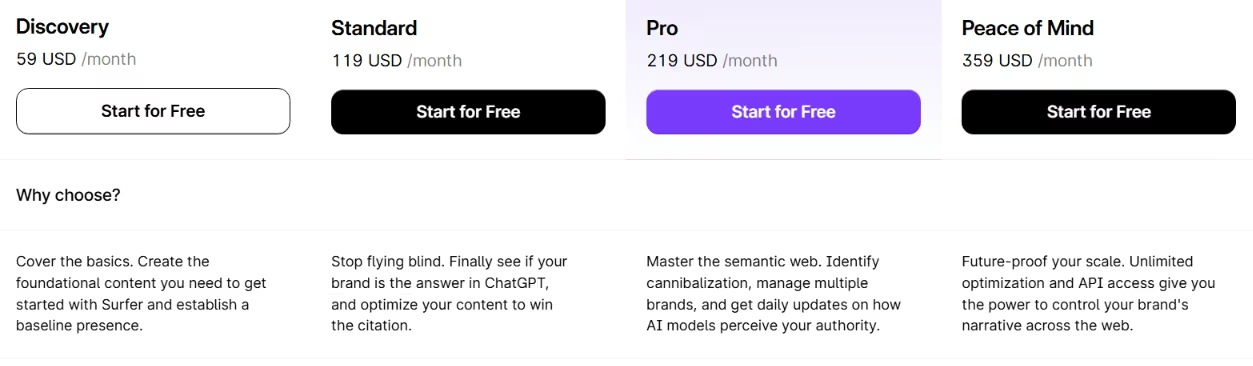
No free plan. Standard $119/month, Pro $219/month, Peace of Mind $359/month, and Enterprise $999/month.
Bottom Line
I'd recommend Surfer to any agency doing SEO content at volume. Pair it with a writer who knows when to ignore the score.
5. Semrush: Best for SEO and Competitor Research
What it does: Semrush is an SEO and competitive-research platform with keyword, backlink, and rank-tracking data, plus AI features.
Best for: Agencies running SEO and paid strategy across multiple clients.
Semrush is the research backbone. It's where you find the keywords, size the opportunity, and watch what competitors rank for. Think of it as the strategy layer above an execution tool like Surfer.
Key Features
- Keyword and competitor data: Deep research for strategy.
- Rank tracking: Reporting clients can actually see.
- Site audits: Technical SEO checks at scale.
Pros and Cons
Pros:
- Deep, trusted SEO data set.
- Strong for client reporting.
- Covers SEO and paid in one place.
Cons:
- Pricey, with a real learning curve.
- More than a small shop may need.
What Users Say
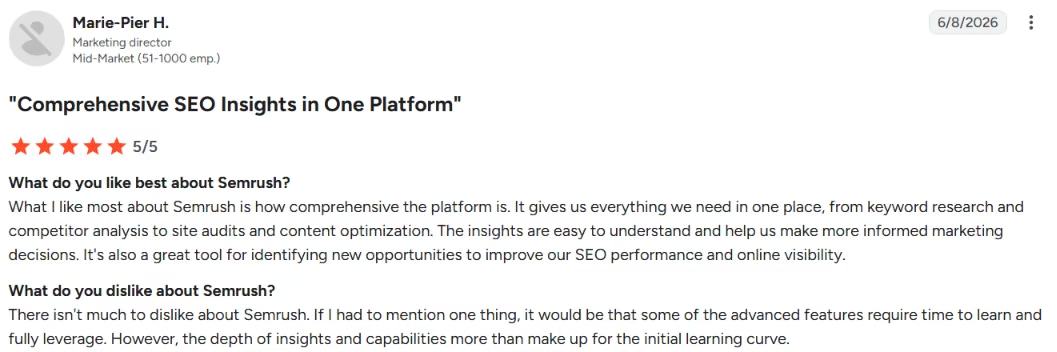
"It gives us everything we need in one place, from keyword research and competitor analysis to site audits and content optimization.” – Marie-Pier H., G2
Pricing
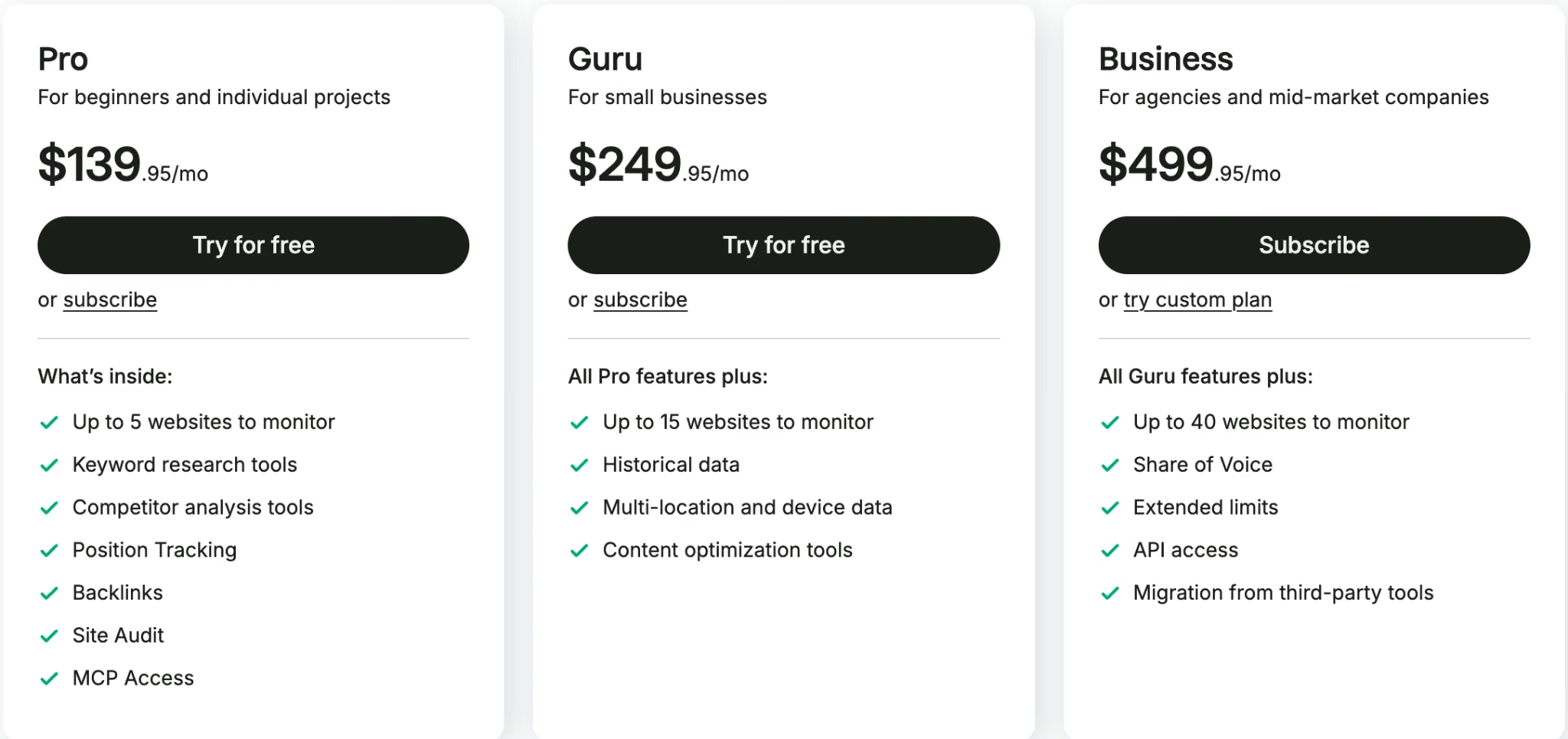
Limited free access. Pro from $139/month (less billed annually), Guru from $249/month, Business from $499/month.
Bottom Line
I'd recommend Semrush to agencies that need serious SEO data and reporting. A solo or tiny shop may find it heavier than necessary.
6. Canva: Best for Fast On-Brand Design
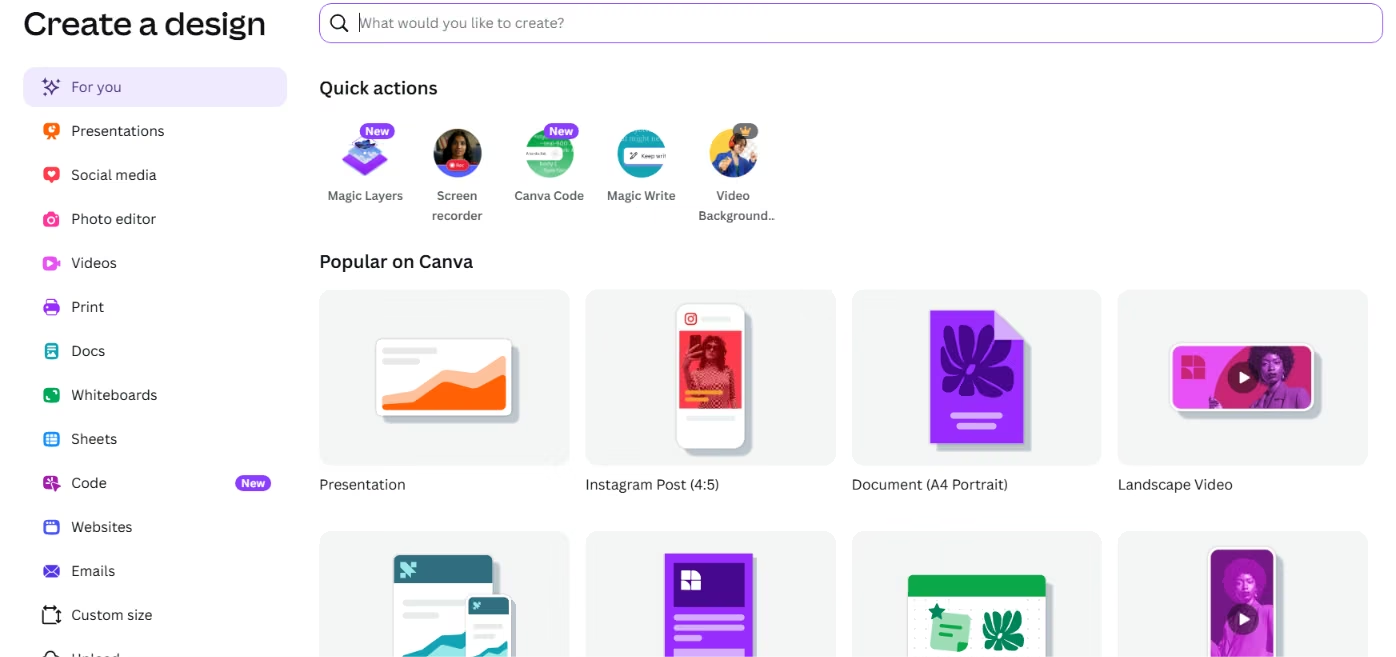
What it does: Canva is a design platform whose AI features add image, text, and layout generation on top of templates and brand kits.
Best for: Agencies that need fast, on-brand visuals without a full design team.
Canva is how non-designers ship decent design fast. Brand kits keep client visuals consistent, and the AI handles the boring parts, like resizing one campaign across ten formats. It saved me from the special tedium of rebuilding the same post for every platform.
Key Features
- Brand kits: Keep each client's visuals consistent.
- AI design tools: Generate and edit images and copy in place.
- Templates and resizing: One design, every format.
Pros and Cons
Pros:
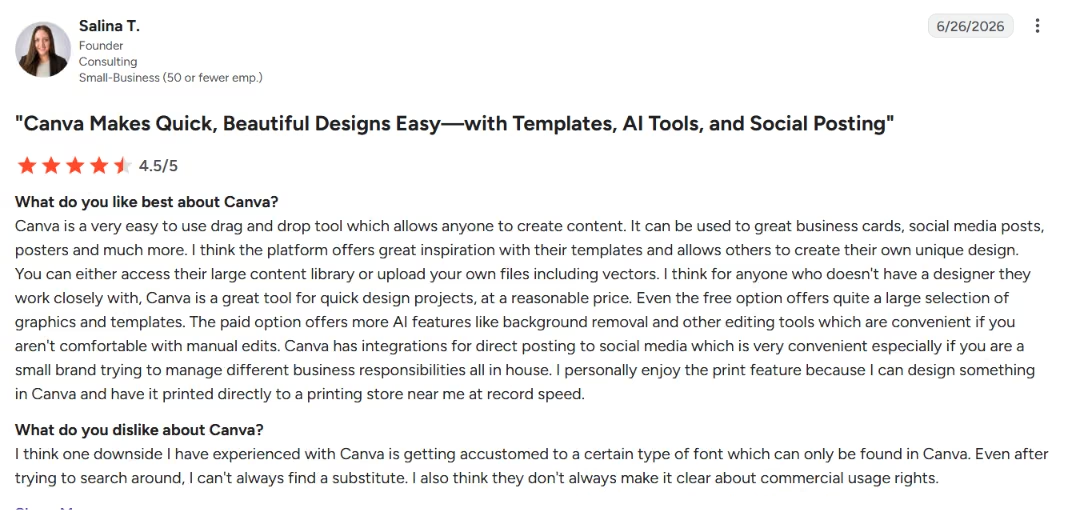
- Fast, accessible design for non-designers.
- Brand kits scale across clients.
- Strong free plan.
Cons:
- Templates can look generic without customization.
- Not a replacement for a real designer on big creative.
What Users Say
Pricing
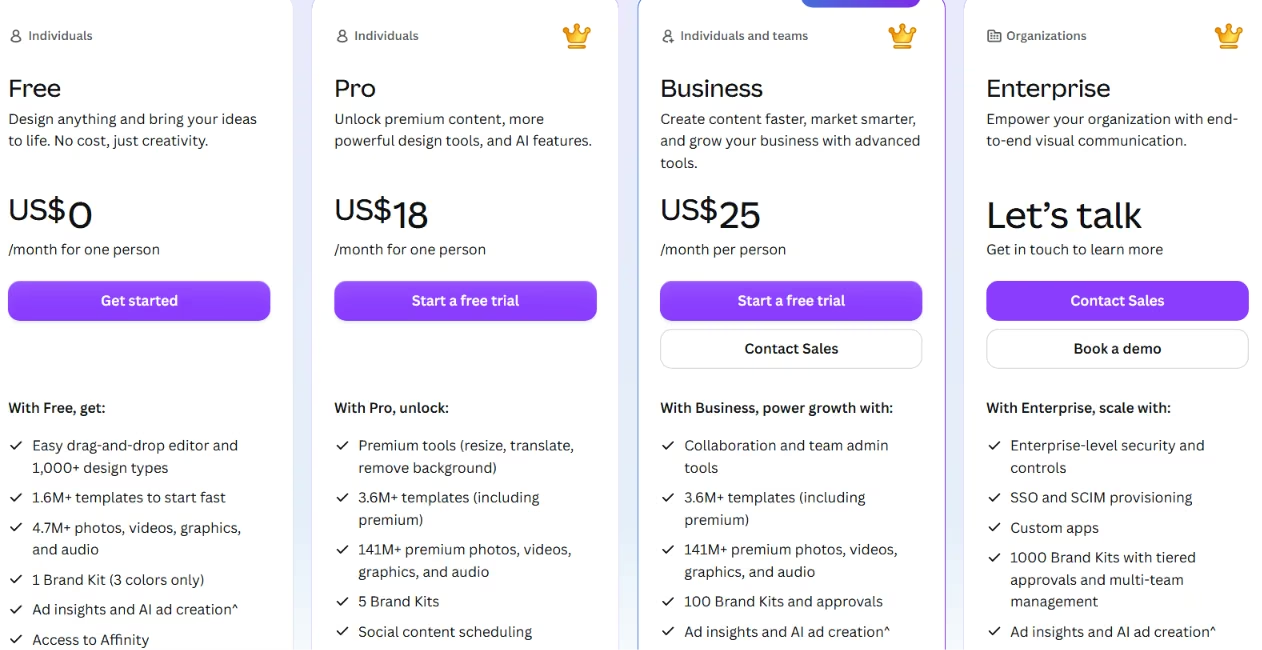
Free plan; Pro from about $15/month, Business from $25/month, Enterprise is custom.
Bottom Line
I'd recommend Canva to nearly every agency for day-to-day visuals. For high-end creative, keep a designer in the loop.
7. Runway: Best for AI Video Generation
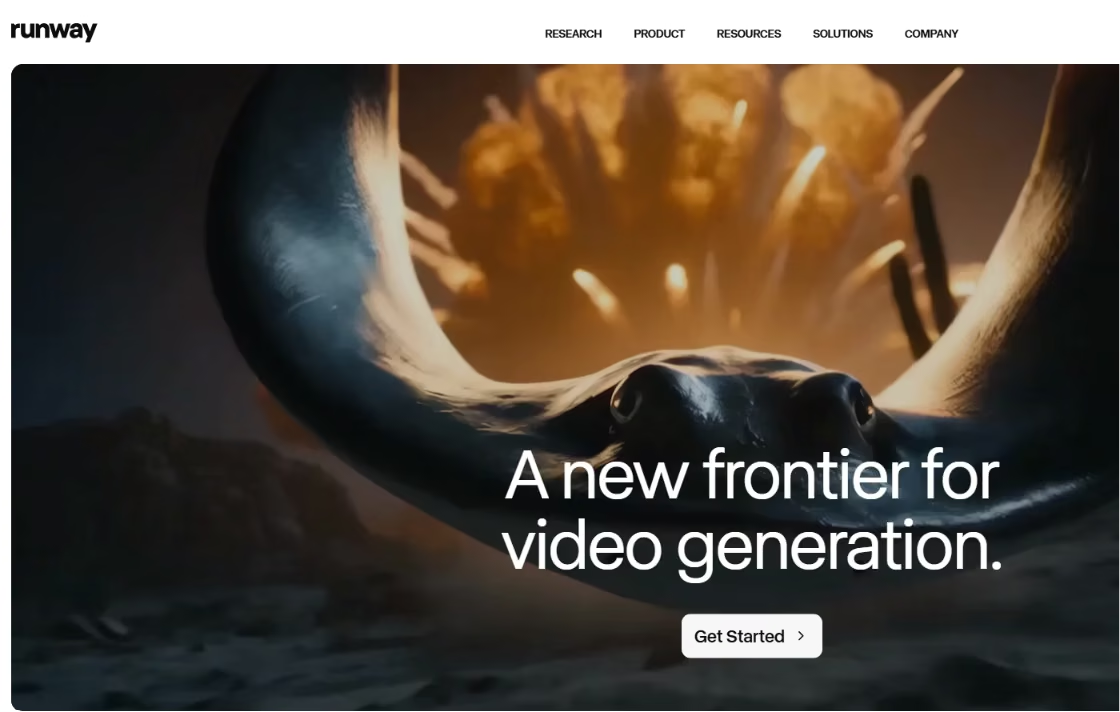
What it does: Runway generates and edits video with AI, including text-to-video and a suite of creative effects.
Best for: Agencies experimenting with AI video for social and ads.
Video is the format clients keep asking for and dreading the cost of. Runway puts short AI-generated clips within reach for concepting and social content, even when you'd still shoot the hero spot for real. The catch is that each render uses credits.
Key Features
- Text-to-video: Generate clips from a prompt.
- AI editing tools: Speed up creative edits like object removal and relighting.
- Fast iteration: Concept video ideas quickly.
Pros and Cons
Pros:
- Puts AI video within reach of a small team.
- Great for concepting and social.
- Broad model selection in one place.
Cons:
- Output quality varies and needs curation.
- Credits burn fast, even on failed renders.
What Users Say
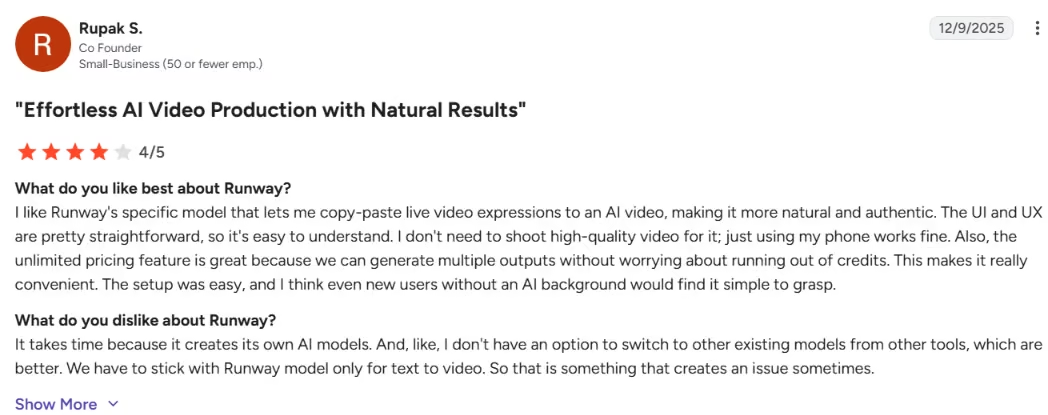
"The UI and UX are pretty straightforward, so it's easy to understand.” – Rupak S., G2
Pricing
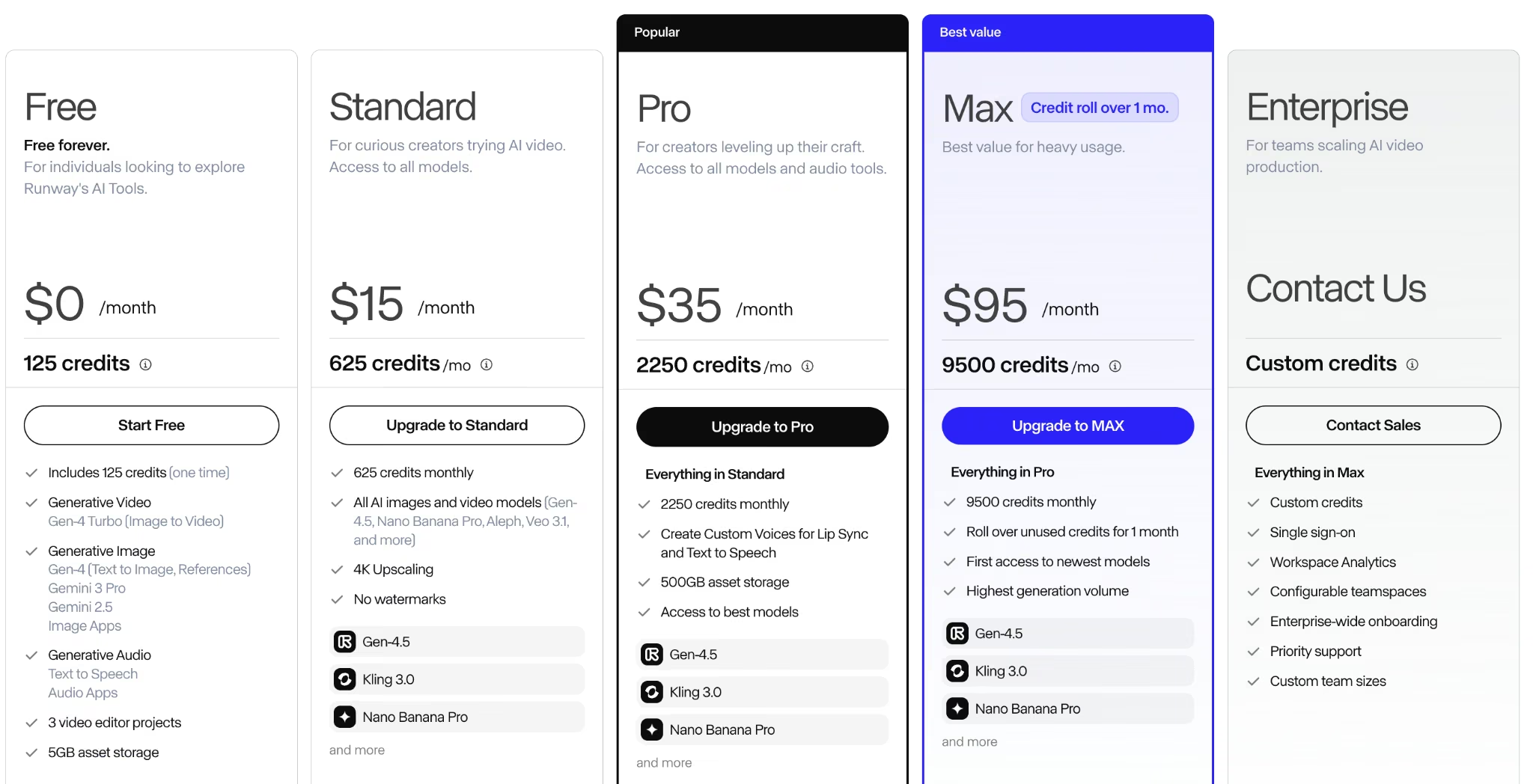
Free plan with 125 one-time credits. Standard: $15/month (625 credits); Pro: $35/month (2,250 credits); Max: $95/month (9,500 credits); Enterprise: custom. Annual billing is lower.
Bottom Line
I'd recommend Runway to agencies leaning into AI video, as a concepting tool rather than the final camera.
8. Descript: Best for Video and Podcast Editing
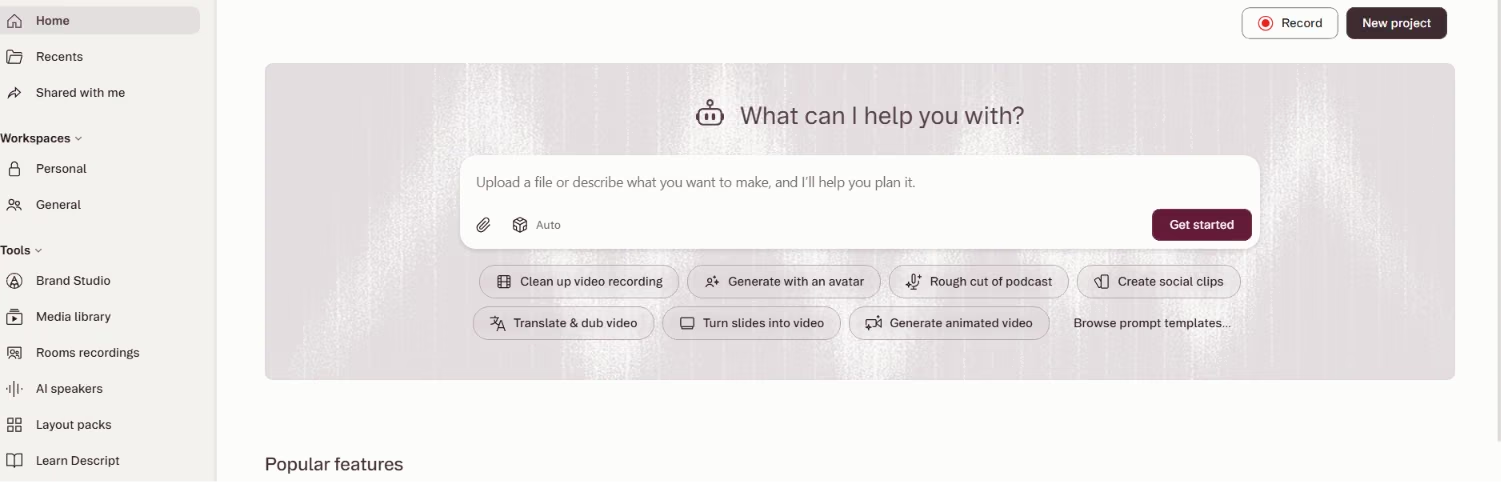
What it does: Descript edits video and audio by editing the transcript, with AI features for cleanup and filler-word removal.
Best for: Agencies producing podcasts, talking-head videos, and social clips.
Descript's trick is editing media like a doc. You cut the words, it cuts the video. Editing by transcript made chopping a client webinar into clips faster, even for people on the team who've never touched a timeline.
Key Features
- Edit by transcript: Cut media by cutting text.
- Filler removal: Clean up the "ums" automatically.
- Clip creation: Turn long video into short social cuts.
Pros and Cons
Pros:
- Makes editing accessible to non-editors.
- Fast podcast and repurposing workflows.
- Solid free tier to start.
Cons:
- Less control than a pro editing suite.
- Transcript accuracy varies with audio quality.
What Users Say
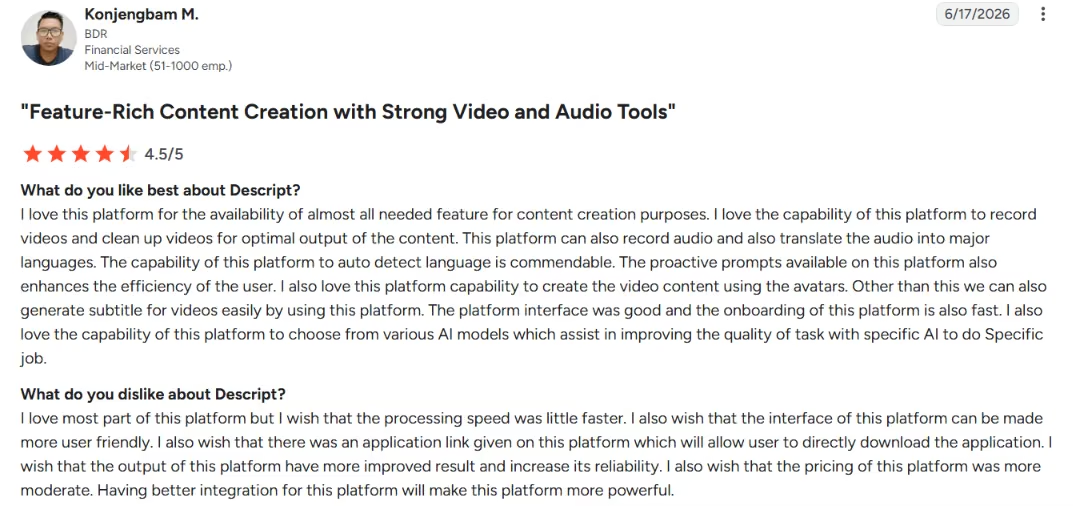
"I love the capability of this platform to record videos and clean up videos for optimal output of the content." – G2
Pricing
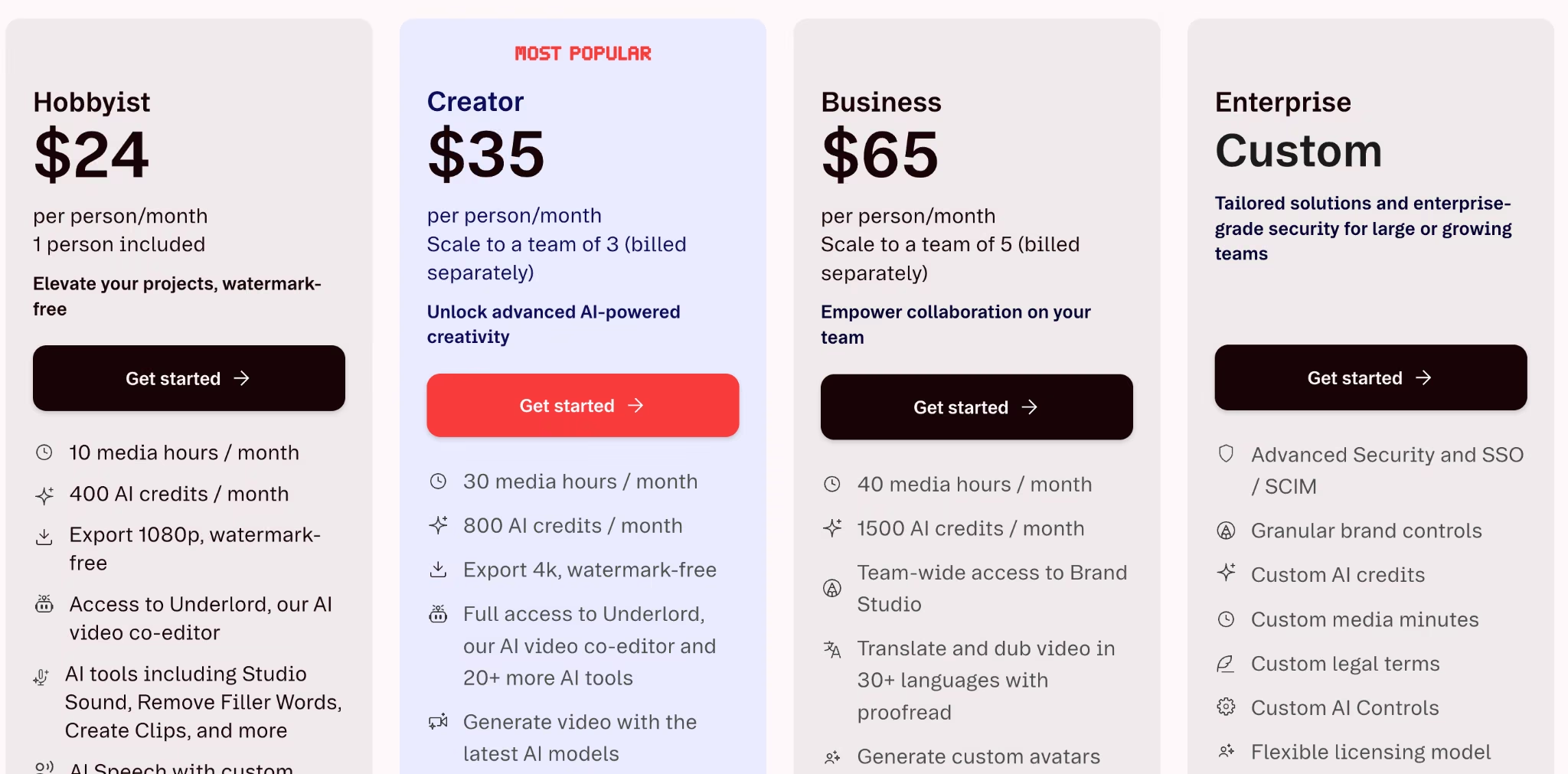
Free tier; paid plans from about $24/person/month, scaling by transcription hours and features.
Bottom Line
I'd recommend Descript to agencies producing audio and video at volume. For high-end edits, a pro editor still wins.
9. ElevenLabs: Best for AI Voiceover
What it does: ElevenLabs generates natural-sounding AI voiceover and voice cloning across many languages.
Best for: Agencies adding voiceover to video, ads, and explainers without a studio.
When a client needs a voiceover yesterday, ElevenLabs turns out a believable read in minutes, in multiple languages. It saves time on social video, explainers, and localized ad variants where hiring a voice actor for every version isn't realistic.
Key Features
- Natural voices: Believable AI narration.
- Multilingual: Localize a script fast.
- Voice library: Pick a tone that fits the brand.
Pros and Cons
Pros:
- High-quality, natural voiceover fast.
- Strong multilingual support.
- Free tier to test.
Cons:
- Voice cloning raises consent and disclosure questions.
- Credits run out fast on long scripts and retakes.
What Users Say
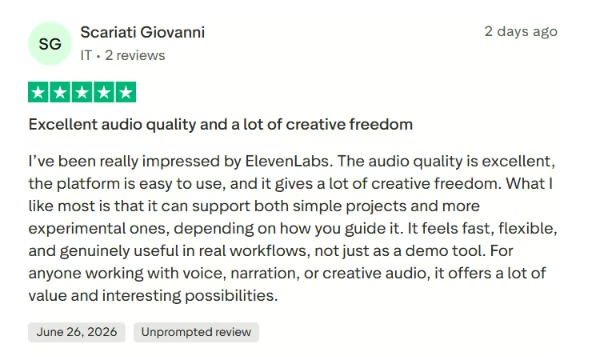
"the platform is easy to use, and it gives a lot of creative freedom." – Scariati Giovanni, Trustpilot
Pricing
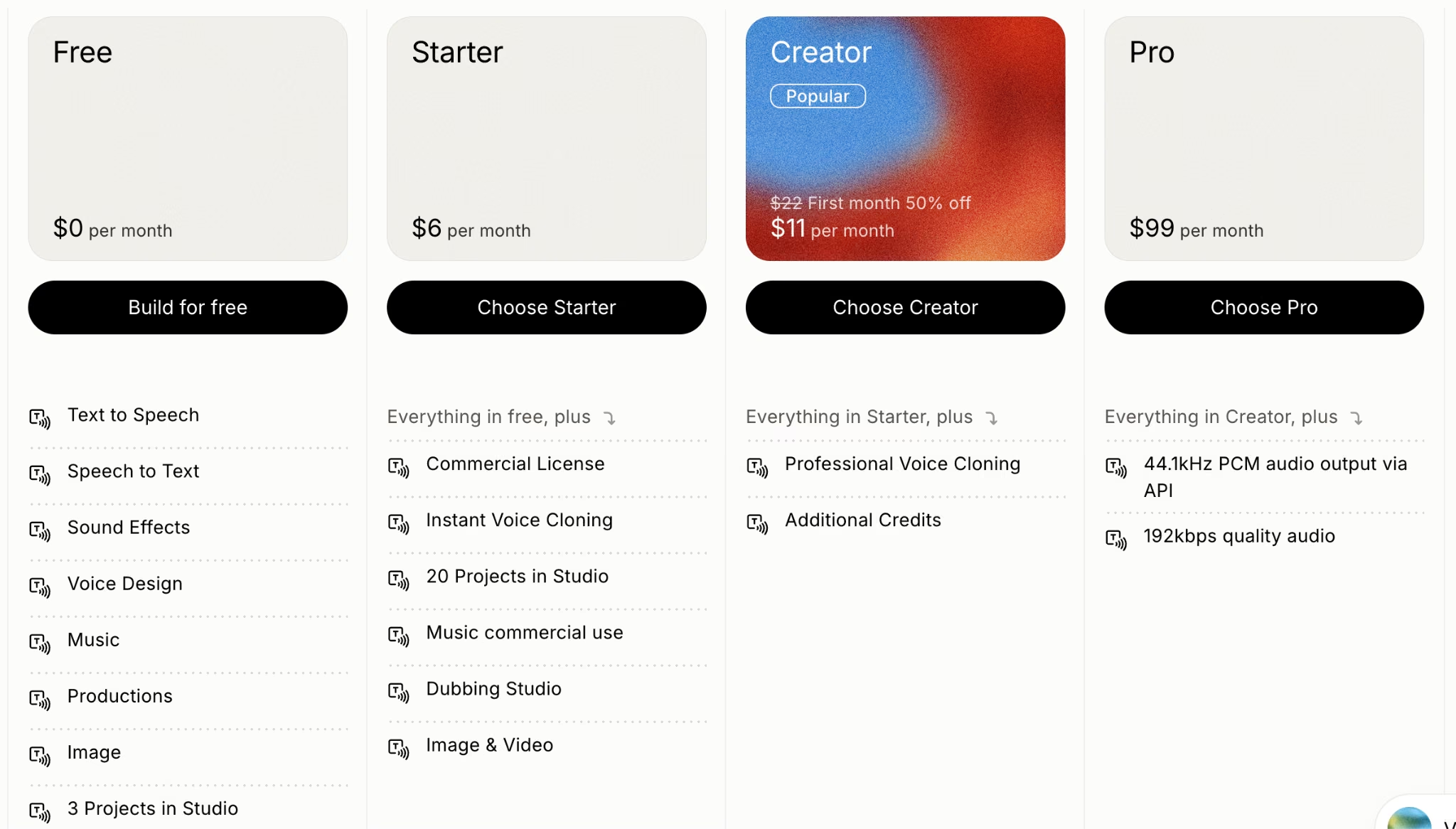
Free tier (10,000 credits/month); Starter $6/month; Creator $22/month; Pro $99/month; Scale $299/month; Business $990/month; Enterprise is custom.
Bottom Line
I'd recommend ElevenLabs to agencies adding voiceover at scale. Use it transparently, especially with cloned voices.
10. Lindy: Best for Inbox Triage, Scheduling, and Lead Follow-Up
What it does: Lindy is an AI assistant you can text to manage your inbox, schedule meetings, prep for calls, and chase follow-ups.

Best for: Agency founders, account managers, and small teams who need follow-through from a tool that does more than write drafts.
Lindy handles the doing. I treated it as an assistant I could text from iMessage when I needed to sort an inbox, book a meeting, or make sure a lead didn't slip through the cracks after a call. Inbox sorting, booking, and lead follow-up are the messy middle of agency work, where opportunities get lost because nobody replied in time.
Lindy moves that work into your email and calendar without a setup project to stand up first. You text it, it drafts and schedules, and it keeps the next step from getting lost while you focus on client work.
Key Features
- Inbox and calendar management: Triages email and books meetings in the background.
- Text-based control: Works over iMessage and SMS, so you can move work along from your phone.
- Meeting prep and follow-ups: Drafts replies and briefs you before calls, with your approval before anything sends.
Pros and Cons
Pros:
- Handles the follow-through other AI tools leave on your plate.
- Easy setup, with no technical know-how needed.
- Drafts wait for your approval before sending.
Cons:
- Usage-based pricing can climb fast and is hard to predict.
- Still needs human review for sensitive client emails and high-stakes follow-ups.
What Users Say
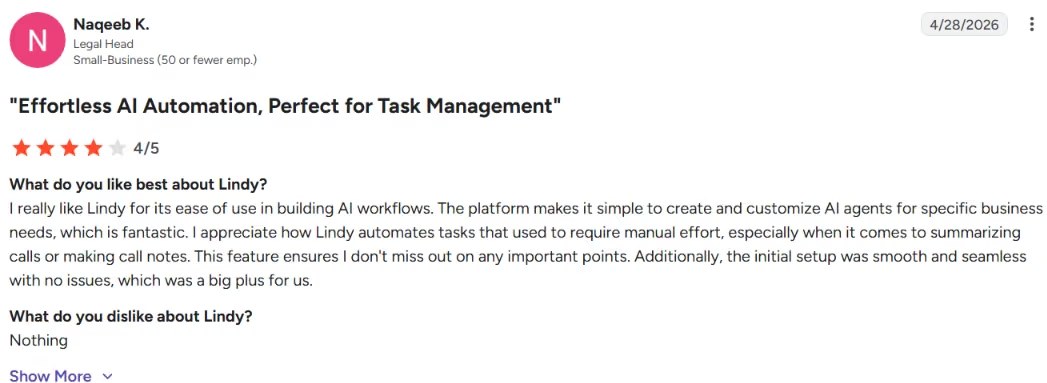
"I appreciate how Lindy automates tasks that used to require manual effort.” – Naqeeb K., G2
Pricing
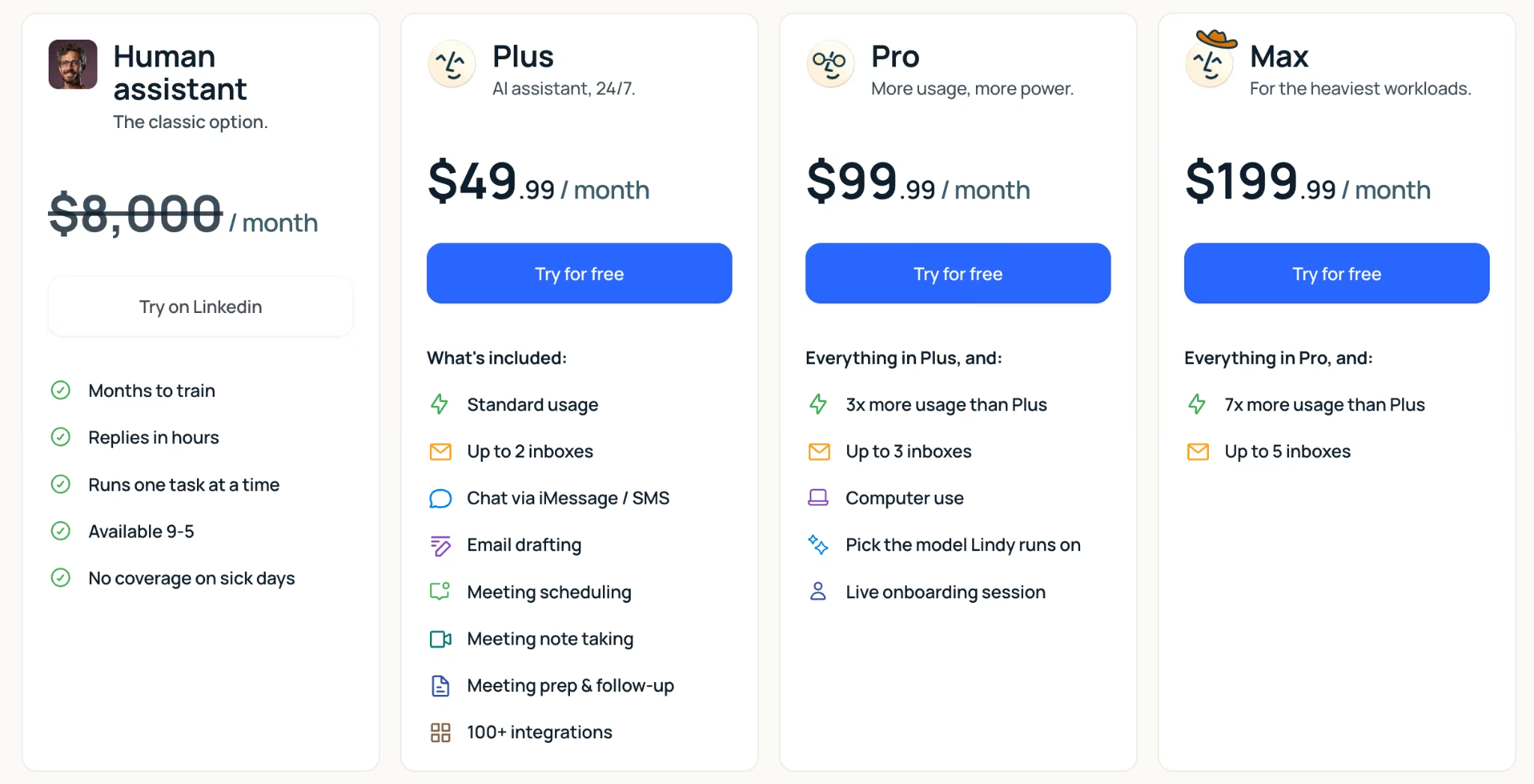
Seven-day free trial, no permanent free tier. Plus $49.99/month ($59.99/month billed monthly), Pro and Max above it, and Enterprise for security and support controls. Pricing is usage-based, so what you actually run each month drives the real cost.
Bottom Line
I'd recommend Lindy to agencies that need follow-through after the content is created. Start it on routine scheduling and triage, and keep client-sensitive email under human review.
11. Zapier: Best for Connecting the Stack and Automating Busywork
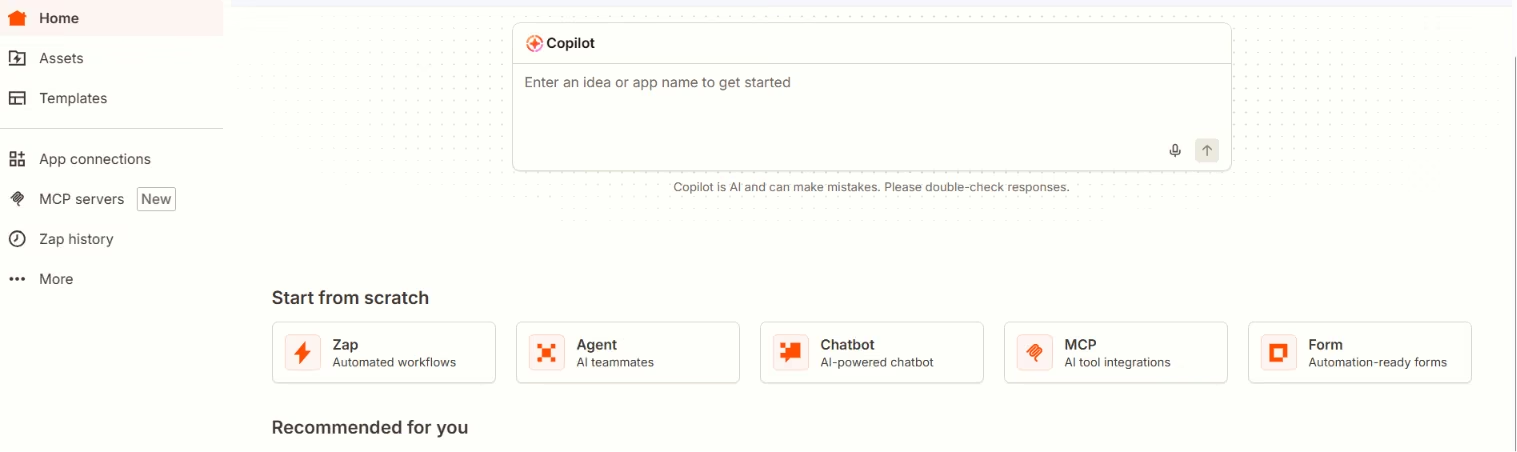
What it does: Zapier connects thousands of apps and automates workflows between them, with AI features layered in.
Best for: Agencies that want to stop doing repetitive busywork by hand.
Most agency time gets wasted shuttling data between tools, rather than doing creative work. Zapier is the plumbing that automates those handoffs, like pushing a new lead into your CRM, a sheet, and a Slack ping in one move. That frees the team for the work clients pay for.
Key Features
- App connections: Links thousands of tools.
- Multi-step workflows: Automate whole processes end to end.
- AI steps: Add AI actions inside an automation.
Pros and Cons
Pros:
- Removes repetitive manual handoffs.
- Connects almost anything to anything.
- Free tier to start small.
Cons:
- Complex workflows take time to build and maintain.
- Costs rise with task volume.
What Users Say
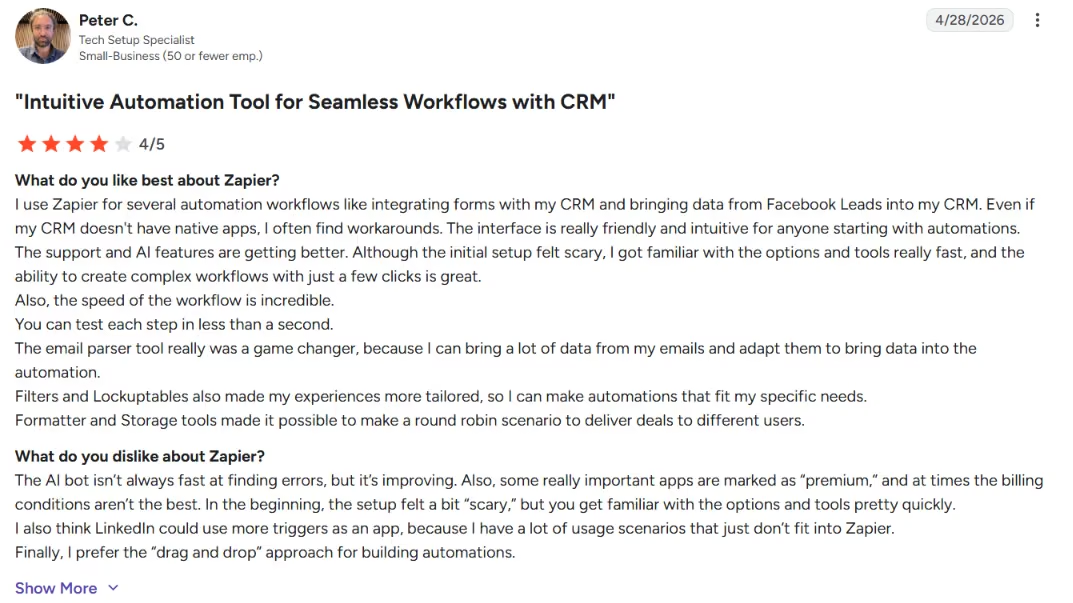
"The interface is really friendly and intuitive for anyone starting with automations." – Peter C., G2
Pricing
Free tier (100 tasks/month); paid plans from about $29.99/month, priced by tasks and steps; Team and Enterprise above.
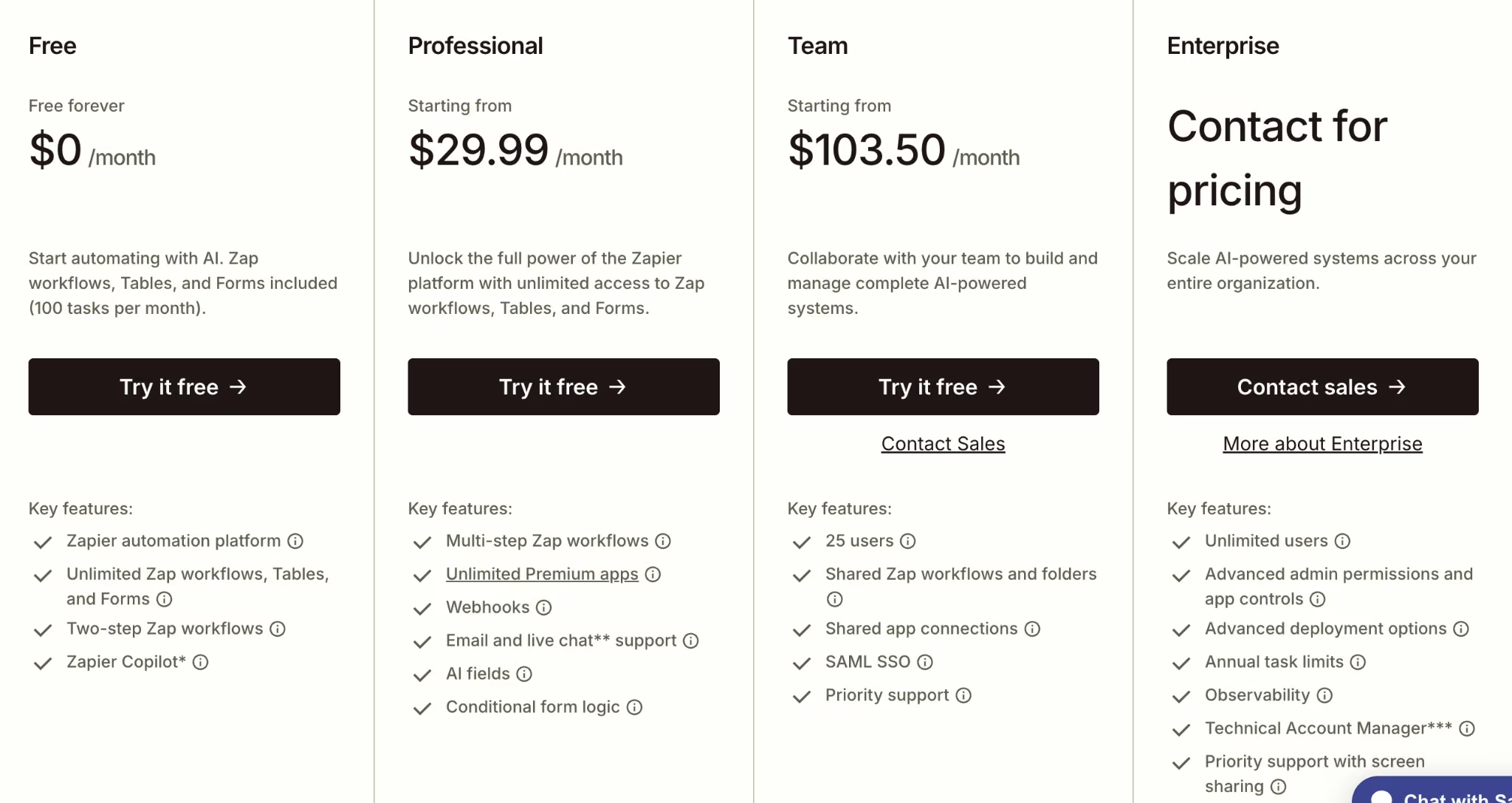
Want the full breakdown of what each plan actually covers? Read our Zapier pricing guide before you commit.
Bottom Line
I'd recommend Zapier to any agency spending too much time on manual handoffs. Start with one painful workflow and expand.
Also read our best Zapier alternatives for workflow automation guide if Zapier isn't the right fit for your agency workflows.
12. HubSpot (Breeze): Best for Agencies Already on HubSpot
What it does: HubSpot Breeze is HubSpot's built-in AI layer for content, email, lead scoring, and CRM tasks across marketing, sales, and service.

Best for: Agencies whose clients already run on HubSpot as their CRM.
Breeze's edge is context. Because HubSpot already holds the contacts, deals, and email history, its AI suggestions are grounded in your actual data instead of a blank prompt. When I tested it inside a HubSpot setup, the value was real for summaries, drafts, and meeting prep. Outside HubSpot, Breeze's value drops fast.
Key Features
- Breeze Assistant: Drafts content and summarizes CRM records, free on every plan.
- Breeze Agents: Handle prospecting, support, and data tasks, priced by outcome.
- CRM-grounded output: Pulls context from your contacts, companies, and deals.
Pros and Cons
Pros:
- AI works inside the CRM your client already uses.
- Assistant tier is free on every HubSpot plan.
- Outcome-based agent pricing, so you pay when a task succeeds.
Cons:
- Most value disappears if you're not already on HubSpot.
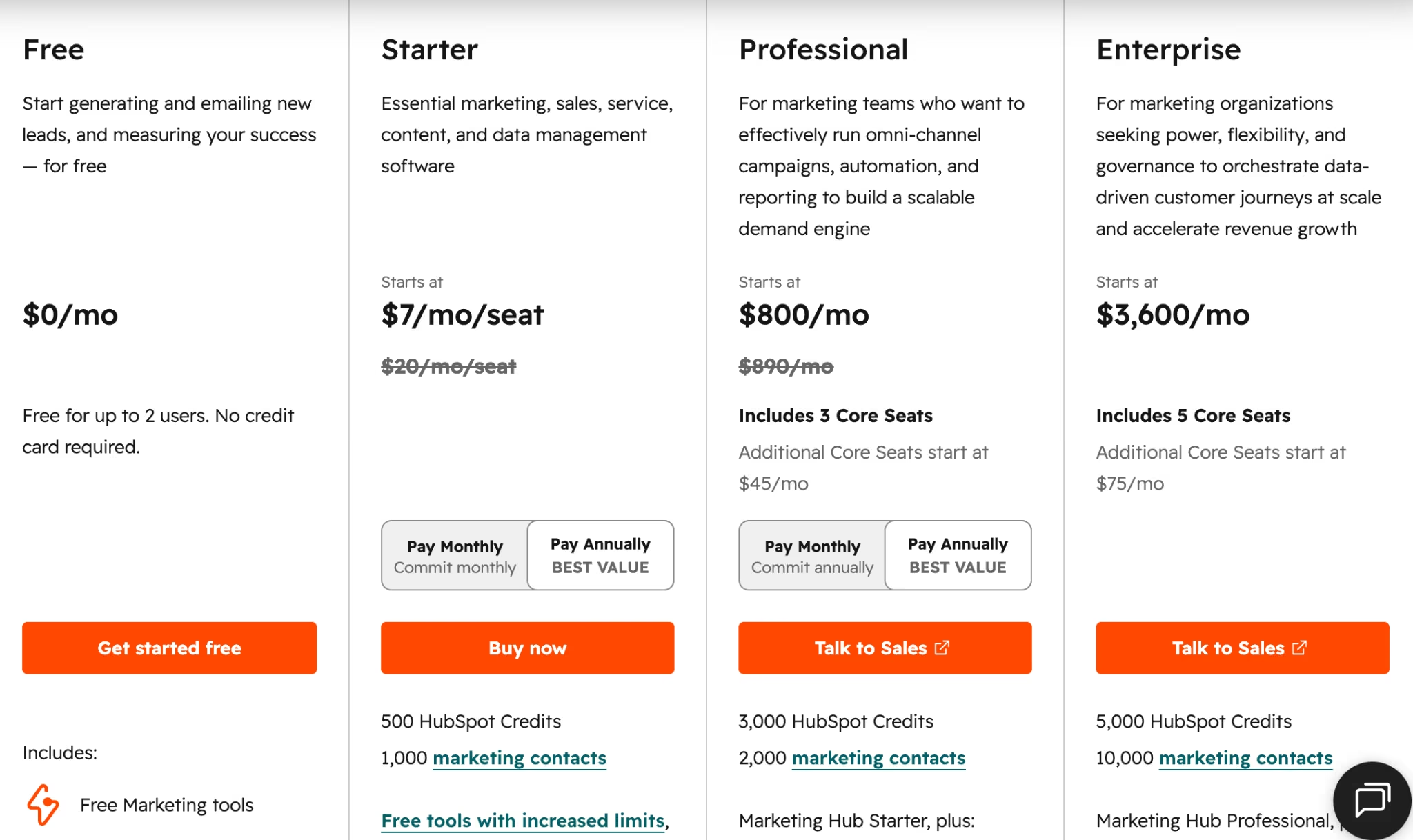
- The jump from Starter to Professional is steep, plus onboarding fees.
What Users Say
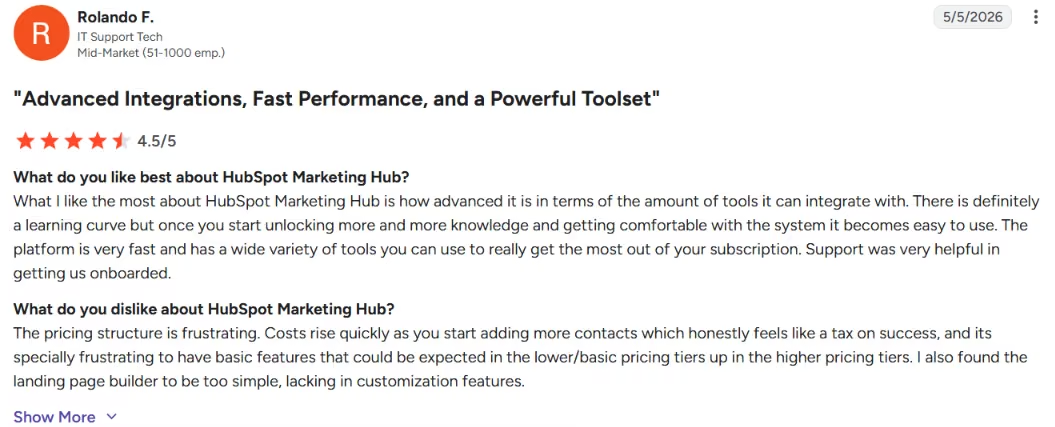
"very fast and has a wide variety of tools you can use to really get the most out of your subscription." –Rolando F., G2
Pricing
Free CRM with Breeze Assistant. Marketing Hub Starter from $20/month, Professional from $890/month, Enterprise from $3,600/month. Breeze Agents are outcome-priced (for example, around $0.50 per successful outcome), and Professional and Enterprise carry one-time onboarding fees.
Bottom Line
I'd recommend Breeze to agencies whose clients live in HubSpot already. If they don't, a standalone tool will give you more for less.
13. Grammarly: Best for Editing and On-Brand Proofreading
What it does: Grammarly checks grammar, clarity, and tone across the apps your team already writes in, with AI assistance.
Best for: Agencies that want a consistent quality bar on everything that ships.
Grammarly is the last line of defense before a copy reaches a client. It catches errors, smooths clarity, and can nudge tone toward a style guide. That keeps quality steadier across a team of writers with different skill levels.
Key Features
- Real-time editing: Catches errors as you write.
- Tone and clarity: Nudges copy toward your standard.
- Works everywhere: Lives in the apps you already use, from Gmail to Google Docs.
Pros and Cons
Pros:
- Consistent quality bar across the team.
- Works in nearly every writing app.
- Strong free plan.
Cons:
- Suggestions need judgment, not blind acceptance.
- Auto-renewal and refund terms catch people out.
What Users Say
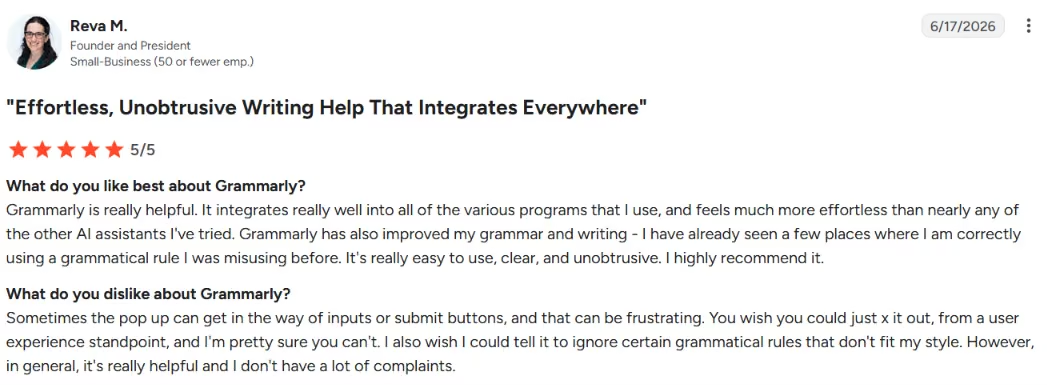
"Grammarly is really helpful. It integrates really well into all of the various programs," - Reva M., G2
Pricing
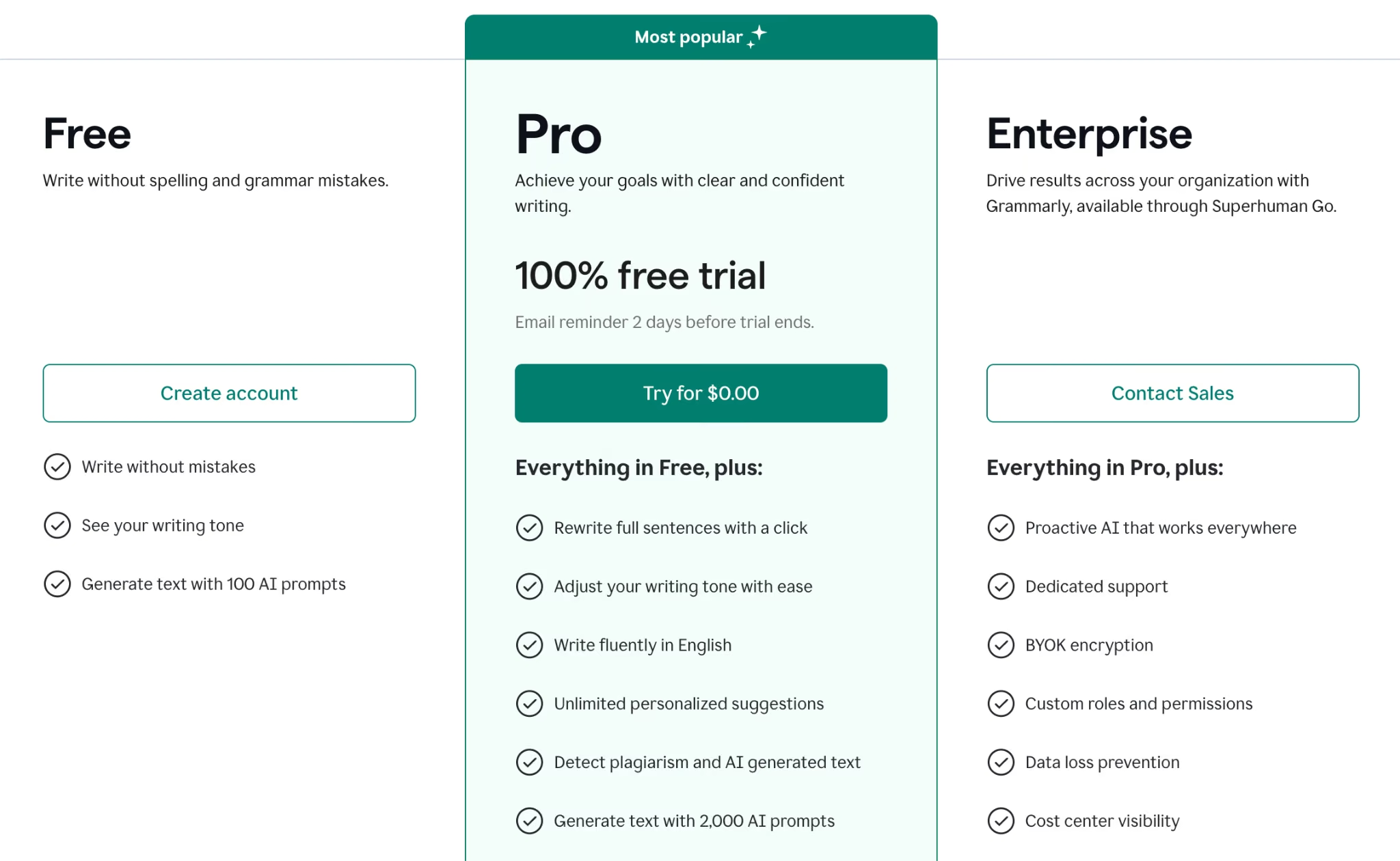
Free plan; Pro $12/month billed annually ($30/month monthly); Business and Enterprise tiers above.
Bottom Line
I'd recommend Grammarly to every agency as a final quality check. Keep an editor's judgment in charge of the suggestions.
Which AI Tool Should Your Agency Choose?
The mistake I watched agencies make most was buying tools by category instead of by workload. You don't need an SEO tool because SEO exists. You need one because you ship enough SEO content to pay it back. So look at where your billable hours went last quarter, then buy against that.
Choose a content and SEO stack if you:
- Publish often enough to amortize a subscription.
- Want ChatGPT or Claude for drafting, Surfer for on-page guidance, and Semrush for the keyword strategy above it.
- Need Grammarly as the quality floor across writers.
Choose a performance and paid stack if you:
- Run ad copy, briefs, and reporting at volume.
- Want ChatGPT for copy, Semrush for competitive research, Canva for fast creative, and Zapier to push leads and reports between tools.
- Are losing hours to data moving by hand.
Choose a social and video stack if you:
- Produce a lot of short-form content.
- Want Canva for posts, Runway and Descript for video, and ElevenLabs for voiceover.
- Use credit-based tools for experimentation lines rather than fixed-cost deliverables.
Choose an operations and follow-up stack if you:
- Keep losing leads because someone forgot to reply or book the next call.
- Want Lindy for inbox triage, scheduling, and follow-up, with Zapier connecting the rest.
- Already run on HubSpot, in which case Breeze adds AI where your client data lives.
Skip a tool entirely if:
- It solves a problem you don't have yet. A two-person shop rarely needs Semrush's full power on day one, and a content team that never touches video can ignore half this list without missing anything.
Also read our guide on the best website builders for marketing agencies to find the right platform for client work in 2026.
Final Verdict
The best AI setup for a marketing agency matches each tool to a specific job and fits into a workflow your team will actually follow. Start with a general assistant for writing. Add a specialist where you do the most work, like Surfer for SEO or Descript for video, then use Zapier to connect it all.
The job most agencies forget to staff is follow-through. Lindy fits that follow-through gap, as the assistant you text to keep inboxes, scheduling, and lead follow-up moving while the rest of the stack creates the work. Match the tools to the hours you bill, keep a human editing the output, and watch the per-client cost, especially on the credit-based tools.
The tools above do not solve every custom software need. When a client needs outgrow off-the-shelf software, such as a custom internal dashboard or a branded client portal with logins, an AI app builder fits better.
Emergent is one option here. You describe the working app you want, and a system of specialized agents handles the build. Some agents shape the interface, others connect the data and tools it needs to run, and a testing pass runs before it ships. If your agency keeps hitting custom software limits, that's the moment to build instead of subscribe.


Most AI app builders stop at prototypes. Emergent creates production-ready apps you can actually launch.
- Production-ready apps
- Web & mobile apps
- Deploy in minutes







