



Over a few weeks, I imported the same 40-lead follow-up pipeline into every CRM here and ran an identical week of activity through each. This guide ranks the best CRM for real estate agents by use case, so you can match a tool to how you work. Use-case fit decides the ranking.
7 Best CRM for Real Estate Agents: Quick Comparison
The best customer relationship management (CRM) systems for real estate agents fix follow-up and are the ones you open every morning. Match the tool to your use case, and start with Follow Up Boss if you mostly need daily follow-up.
| Tool | Best for / Category | Strengths | Starting price (monthly) | Watch out |
|---|---|---|---|---|
| Follow Up Boss | Daily follow-up (solo/small team) | Speed-to-lead, smart lists, daily call list | $69/user/month | Light transaction depth |
| Wise Agent | Budget | Simple, fast setup, does the basics | $49/month | Small public review base |
| Lofty | AI all-in-one (teams) | Smart Plans automation, lead gen | No public price, contact sales | Setup tax, learning curve |
| BoldTrail (kvCORE) | Brokerages / large teams | Consolidation, IDX, automation | No public price, contact sales | Contract and support risk |
| BoomTown | Lead generation | Lead capture, organization, follow-up | No public price, contact sales | Lead quality, high cost |
| GoHighLevel | Automation builders | Automation builder, multi-channel | $97/month | Not real estate-ready out of the box |
| Real Geeks | IDX lead capture (simpler) | IDX site, built-in dialer, drips | $599/month on a six-month commitment + $500 setup fee | Lead quality, support |
How I Tested These Real Estate CRMs
I gave every CRM the same brief and ran the same week of activity through each one, so the by-use-case calls below start from the same baseline.
The build was a buyer's agent pipeline with 40 cold and warm leads and a "New lead" through the "Closing" pipeline. It also included speed-to-lead for web inquiries, a six-touch follow-up cadence, and a daily view of who needed attention.
I judged each tool on the moments when deals slip. Feature count was not the basis of the ranking. Here's what each criterion looked like in the build:
- Speed-to-lead: Whether a fresh web lead triggered an instant text and pushed the lead in front of me, or logged a row I'd find later.
- Follow-up automation: Whether the tool pushed the next action to me, or quietly stored a reminder I had to go hunting for.
- Daily adoption: Whether I opened it cold the next morning and it told me who to call, or I had to dig.
- Communication in one place: Whether calls, texts, emails, and notes lived on one contact record.
- Pricing value: What the floor costs once you add the seats and lead-gen most agents need.
- Use-case fit: How each tool performed against its own job, since a budget pick and a brokerage platform do different jobs.
Use-case fit shapes everything below. I ranked these by use case because a solo agent and a 60-agent brokerage are shopping for different things.
Also read our guide on how to build and launch your real estate website faster with AI to get your online presence in place alongside your CRM.
1. Follow Up Boss: Best for Daily Follow-Up
I dropped my 40 leads into Follow Up Boss and fired a test web lead. It pinged me and texted the lead before I'd finished switching tabs. The next morning, its daily list told me exactly who to call without me digging.
What it does: Follow Up Boss is a focused follow-up CRM that routes leads, automates the next touch, and keeps every call, text, and email on one contact record.

Best for: Solo agents and small teams whose main problem is follow-up and who want a tool they'll open daily.
Follow Up Boss handled the first-response moment well. New leads stayed visible, and the next-morning list made the day's priorities obvious. Fast intake and a usable daily view make the tool easy to keep using.
Key Features
- Speed-to-lead routing: A new web lead triggers an instant text and email, and drops the contact in front of you fast.
- Smart lists and action plans: Automated follow-up sequences put the next task in front of you, so reminders are harder to miss.
- One inbox per contact: Calls, texts, emails, and notes sit on a single record, so nothing about a lead is scattered.
- Integrations: It connects to most lead sources and dialers, so your pipeline feeds in without manual entry.
Pros and Cons
Pros:
- Fastest speed-to-lead in my testing, with an instant text out of the box.
- A daily call list that tells you who needs attention without digging.
- It is reliable and focused, and I found it easy to open every day.
Cons:
- The mobile app can feel slow, and in-app search isn't its strength.
- Mass texting and deeper transaction management are thin.
What Users Say
“I find the tasks and smart lists particularly helpful, as they let me know exactly what to do each day and help me prioritize my follow-up calls.” - G2

Source: G2
Pricing
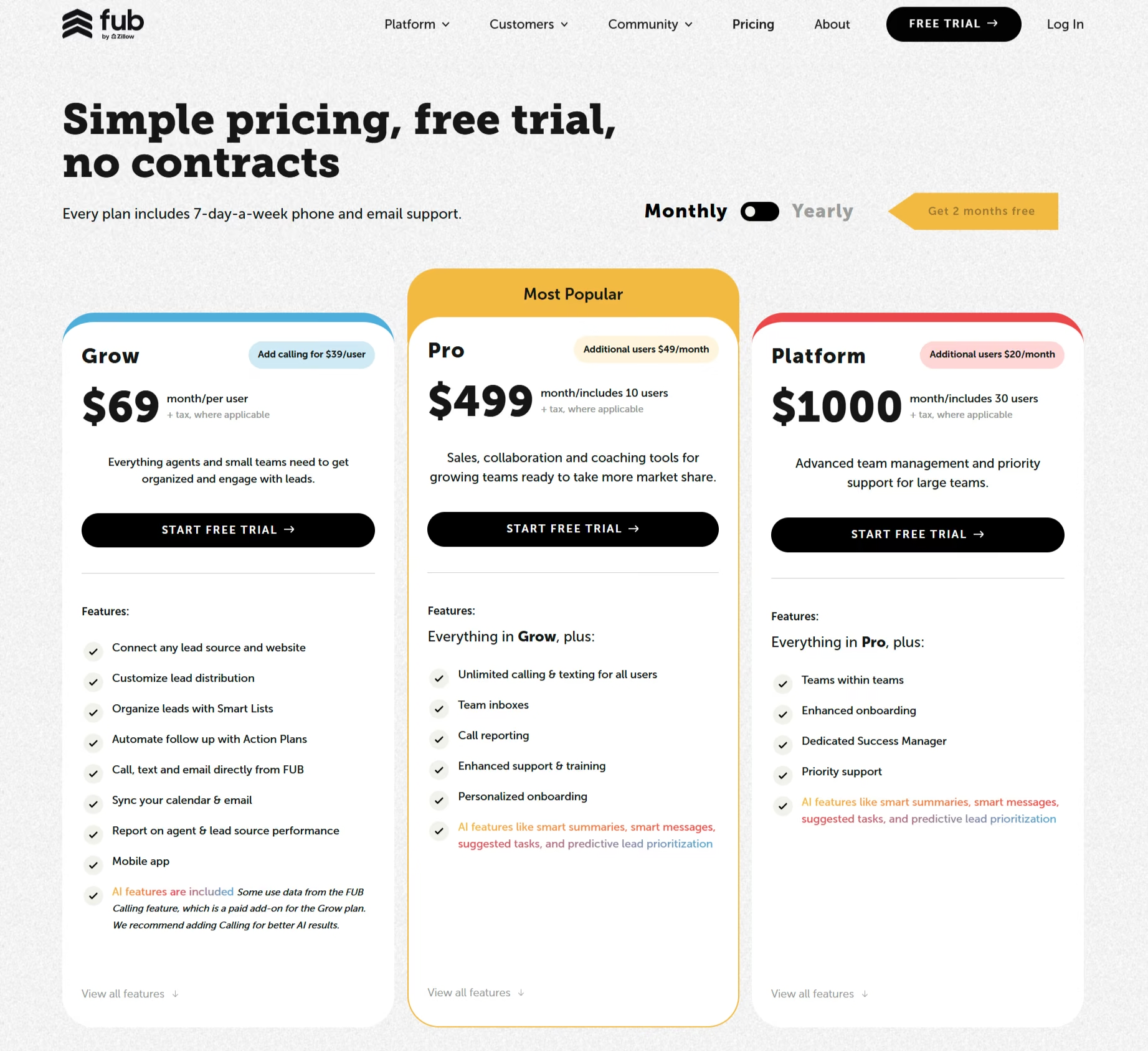
Follow Up Boss publishes its pricing, which is a nice change from the sales-gated tools. The Grow plan runs $69/user/month ($58/user/month, billed annually), and calling plus texting is an add-on at about $39/user/month ($33/user/month, billed annually).
Pro is $499/month ($416/month, billed annually) for 10 users, and Platform is $1,000/month ($833/month, billed annually) for 30 users, with a 14-day free trial on Grow. For a solo agent, Grow is the plan; just remember the calling add-on, so the true solo floor sits a little above the headline.
Bottom Line
Follow Up Boss fits solo agents and small teams whose main problem is faster follow-up, thanks to quick intake and a daily list that makes the next call obvious. If you also need built-in lead generation, an IDX website, or deeper transaction management, Lofty or Real Geeks does that job better.
2. Wise Agent: Best Budget CRM
I rebuilt the same pipeline in Wise Agent to see if the cheap option could still cover the basics. Contacts, reminders, and a follow-up drip were running in about ten minutes without heavy onboarding.
What it does: Wise Agent is an affordable all-in-one CRM that handles contacts, follow-up drips, transactions, and basic marketing in one place.
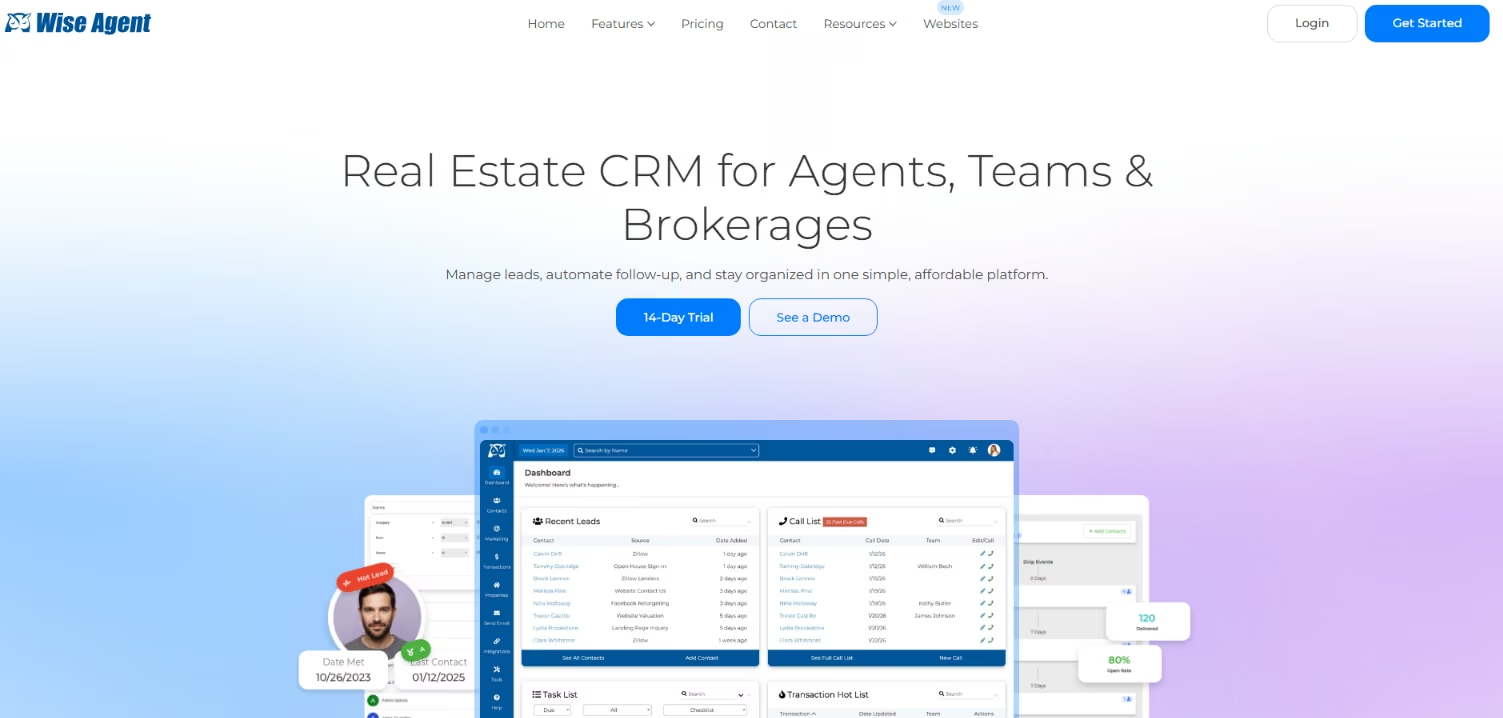
Best for: Budget-conscious solo agents who want the core CRM jobs done without paying for a platform.
Wise Agent was quick and straightforward to set up. For agents who mainly need contacts, follow-up, and transaction tracking in one place, simplicity is worth more than a longer feature list. Its limit is depth, especially once lead-gen and automation needs get heavier.
Key Features
- Contact management: A clean contact database with categories and reminders that's quick to set up.
- Follow-up drips: Automated email and task sequences keep leads warm without manual chasing.
- Transactions and checklists: Built-in transaction tracking and checklist triggers keep deals moving.
- Simple marketing: Landing pages and email tools cover light marketing without a separate suite.
Pros and Cons
Pros:
- One of the lowest entry prices for a full all-in-one CRM.
- Fast to set up, with no steep learning curve.
- Covers contacts, follow-up, and transactions in one tool.
Cons:
- A small public review base, so sentiment is thinner and harder to read.
- Lighter on lead generation and automation depth than the bigger platforms.
What Users Say
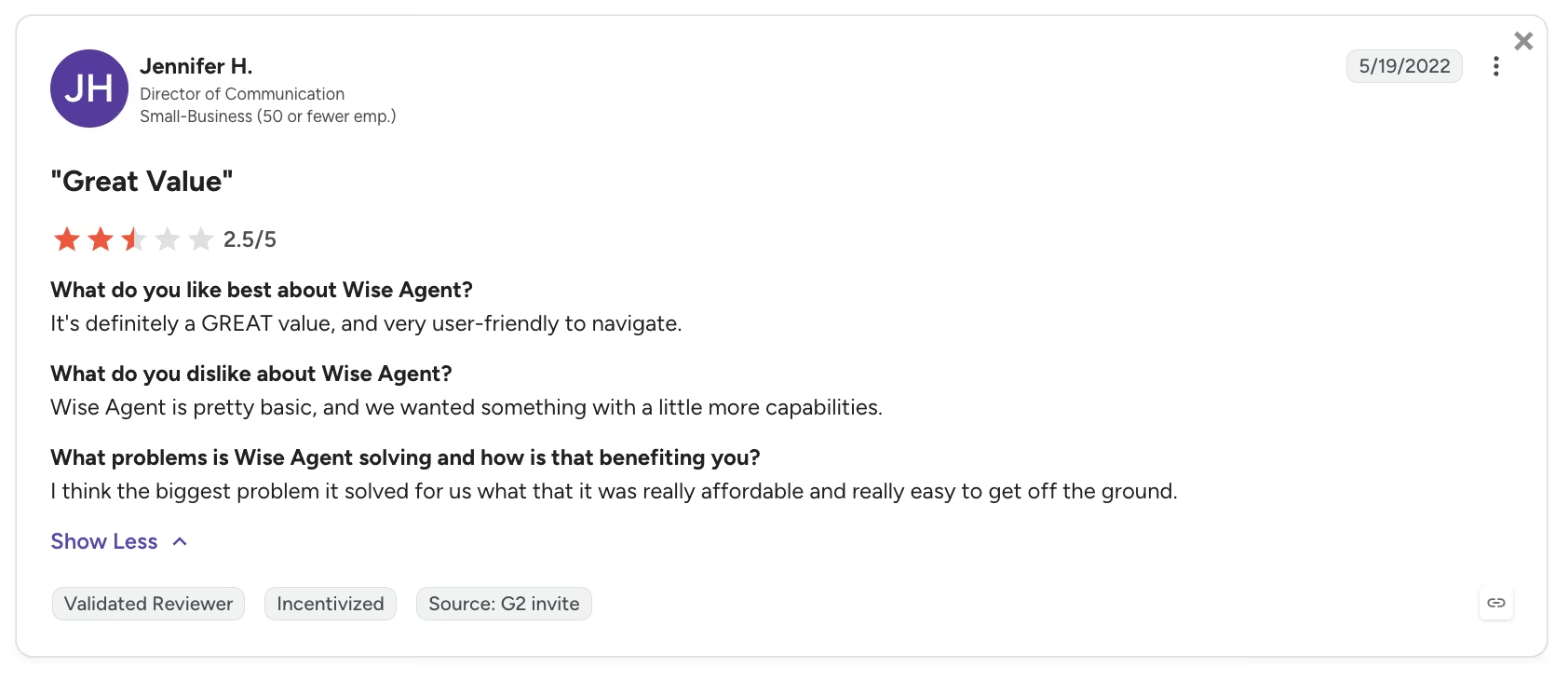
“It's definitely a GREAT value, and very user-friendly to navigate.” - G2
Source: G2
Pricing

Wise Agent keeps it simple. The CRM plan is $49/month ($42/month, billed annually) and covers up to five shared users, with a 14-day free trial. Adding WiseSocial for social posting bumps the price up, and teams of 15-plus get a custom Enterprise quote. The $49 CRM plan is the budget sweet spot, and annual billing saves about 15%.
Bottom Line
Wise Agent fits budget-conscious solo agents who want contacts, follow-up, and transaction tracking in one cheap, fast-to-set-up tool. If you expect to outgrow its lead-gen or automation depth, Follow Up Boss is the natural step up.
3. Lofty: Best AI-Driven All-in-One
I turned on only the Lofty Smart Plans I knew I'd use, then sent a dormant lead through to see if the automation resurfaced it. It did, but I spent the first hour untangling setup before any of it paid off.
What it does: Lofty is an all-in-one platform that pairs CRM and lead gen with Smart Plans automation and AI to resurface and nurture leads.
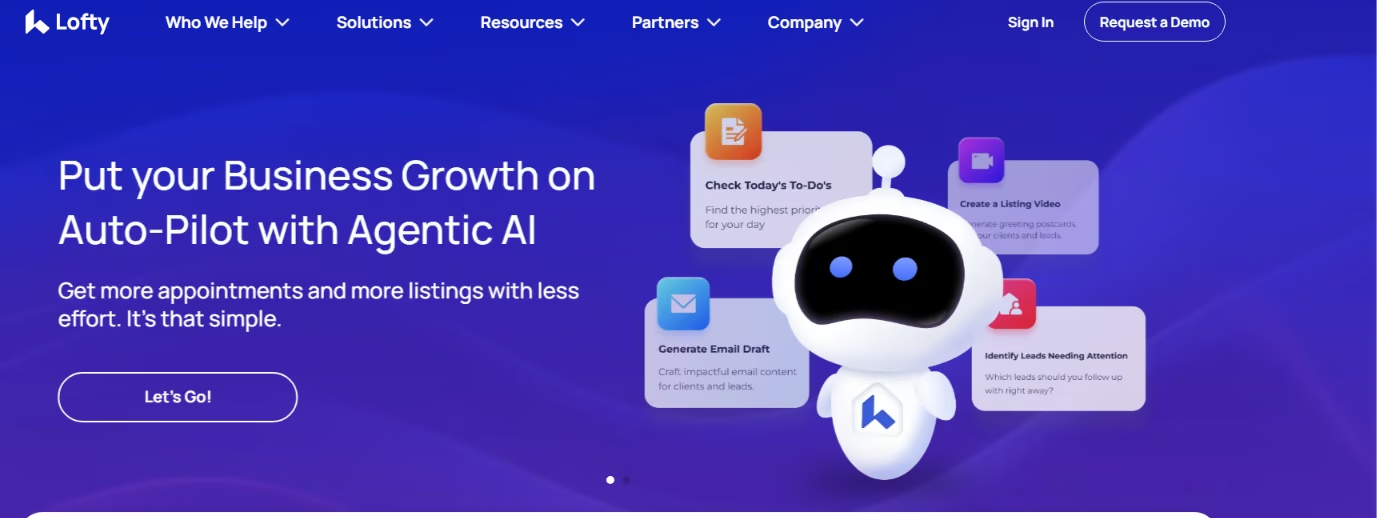
Best for: Teams that want automation and lead generation in one system and will invest the setup time to get the payoff.
Lofty paid off once the right automation was live. Dormant leads surfaced again, but only after setup. The tool works best when you turn on only the workflows you will use.
Key Features
- Smart Plans automation: Prebuilt and custom sequences nurture leads and resurface dormant ones automatically.
- Lead generation: Built-in ad and IDX tools feed the CRM, so capture and follow up live together.
- AI assistant: AI helps qualify and follow up with leads, cutting some of the manual touch work.
- Deep customization: Filters and views let teams shape the pipeline to how they work.
Pros and Cons
Pros:
- Strong automation that resurfaces leads once it's built.
- Lead gen and CRM in one place, so capture feeds follow-up.
- Flexible enough for a team to mold to its workflow.
Cons:
- A steep learning curve and setup tax before the payoff lands.
- Support gaps, and some post-migration bugs reported by users.
What Users Say
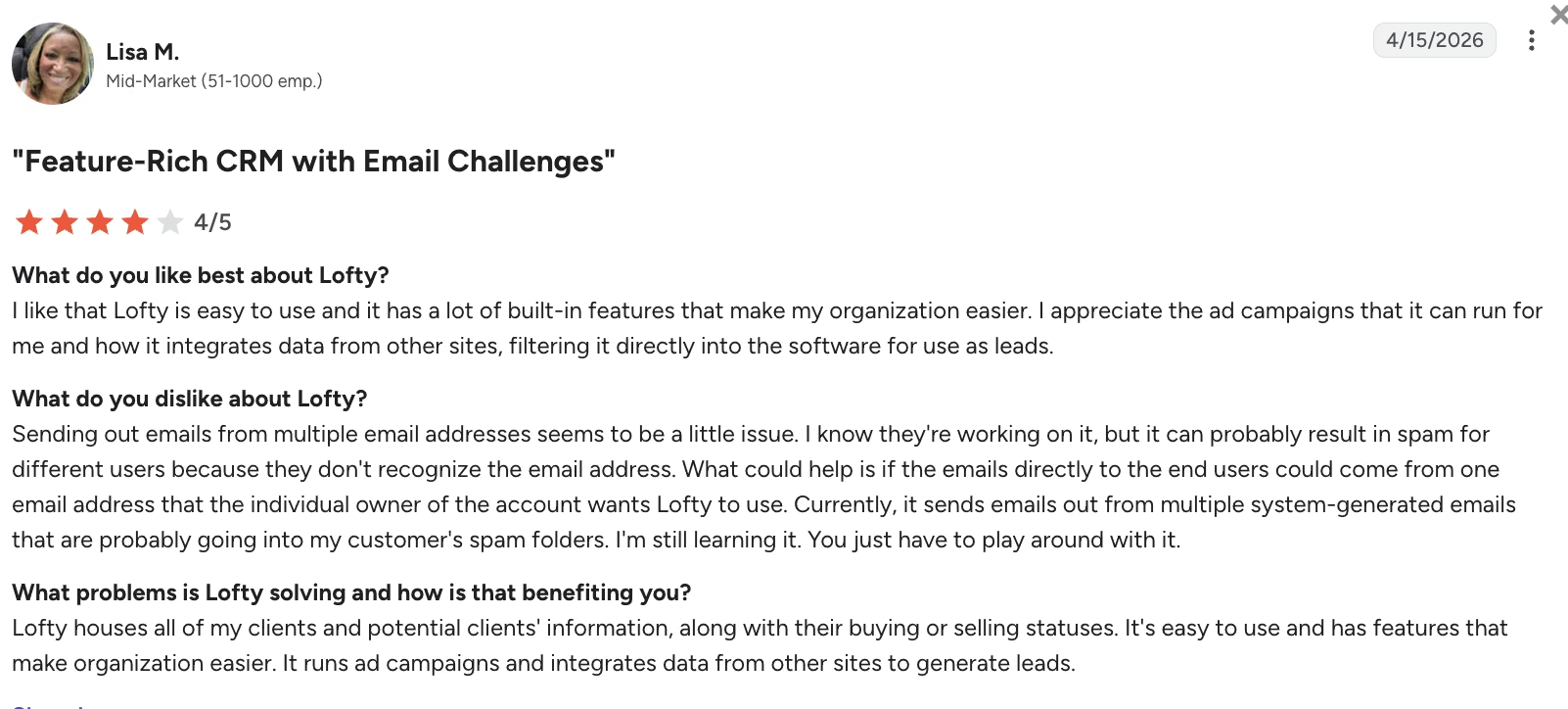
"Lofty is easy to use and it has a lot of built-in features that make my organization easier." G2
Source: G2
Pricing

Lofty's pricing is sales-gated, and every tier routes through a quote. Expect cost to scale with seats and any lead-gen programs you add on, so get a written quote before you commit.
Bottom Line
Lofty fits teams that want automation and lead generation in one system and are willing to spend time on setup. Smart Plans and lead capture work together once the workflows are in place. It makes less sense for solo agents who want something lighter, and pricing still has to be confirmed by quote.
4. BoldTrail: Best for Brokerages and Large Teams
I set up BoldTrail as a brokerage would. Then I spent as much time on support response, contract terms, and lead quality as on the features. Those factors determine whether a platform earns its price.
What it does: BoldTrail, the next generation of kvCORE, consolidates lead capture, IDX websites, marketing automation, and CRM into one brokerage platform.

Best for: Brokerages and large teams that need one system across many agents and have the resources to run it.
The feature set runs deep, and consolidating a dozen tools into one platform is the draw for a brokerage. I watched support response, contract length, billing, and lead quality most closely. On a platform this size, those factors decide whether it's worth the price. Check those details closely because the product's strengths and the ecosystem's risks don't always match.
Key Features
- Tool consolidation: Lead capture, IDX sites, marketing, and CRM sit in one platform, replacing a stitched-together stack.
- IDX websites: Branded search sites that capture and route leads into the CRM.
- Marketing automation: Behavioral automation nudges leads based on what they do on your sites.
- Team and brokerage tools: Accountability, reporting, and structure built for many agents at once.
Pros and Cons
Pros:
- Deep enough to replace several separate tools.
- IDX search sites capture and route leads straight into the CRM.
- Built for the scale and structure a brokerage needs.
Cons:
- Glitches and a steep time investment to master.
- Inside Real Estate, the vendor behind BoldTrail, draws serious complaints on contracts, billing, upsells, and support.
What Users Say
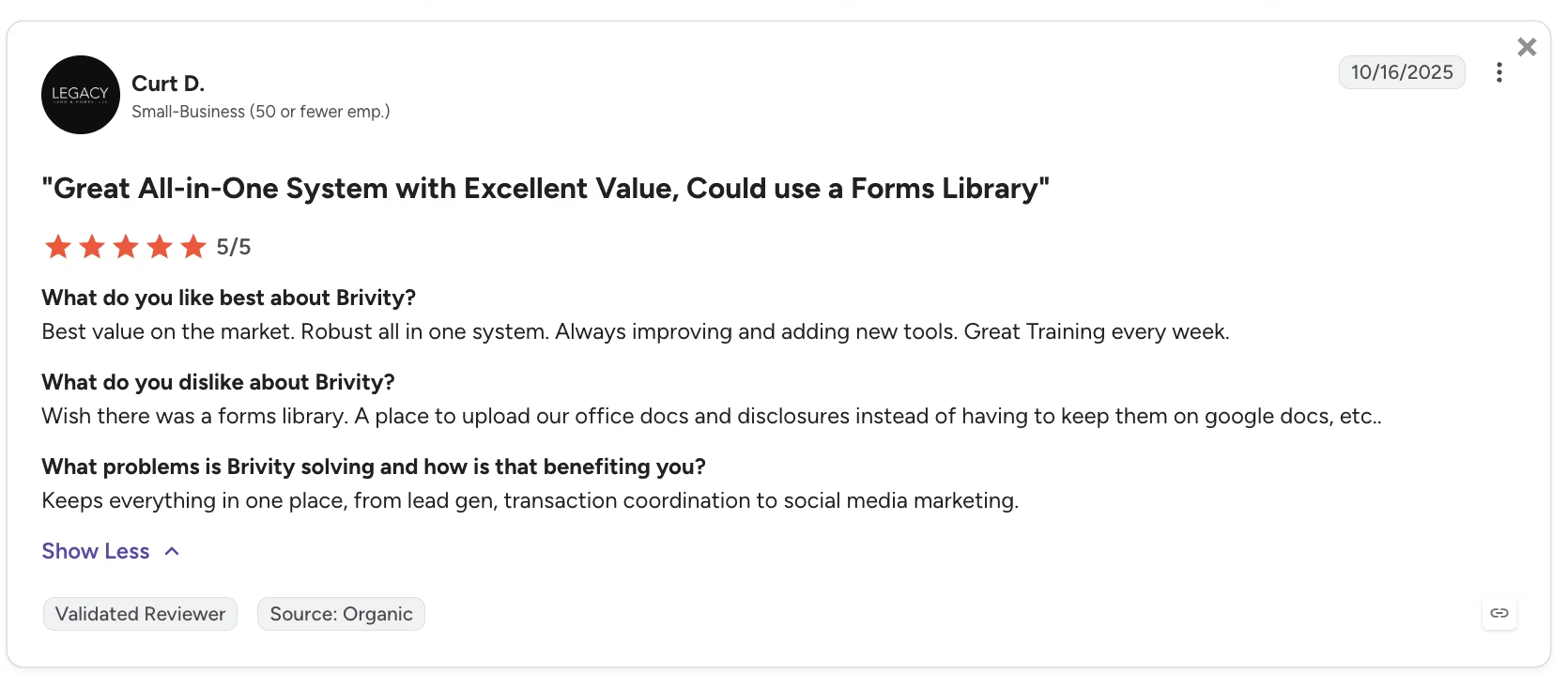
“Best value on the market. Robust all in one system. Always improving and adding new tools.” - G2
Source: G2
Pricing
BoldTrail is sales-gated, and pricing scales with team size and modules. Contract terms and billing are a recurring complaint.
Bottom Line
BoldTrail fits brokerages and large teams that want one platform across many agents. Its strength is consolidation. Lead capture, IDX, marketing, and CRM sit in one system. The contract, billing, and support terms matter as much as the software itself, so get those details in writing before you sign.
5. BoomTown: Best for Lead Generation
I treated BoomTown as a lead-gen engine and judged it on the output. I focused on whether the leads were usable and whether I could respond faster. Usable leads and response speed carried more weight than volume.
What it does: BoomTown is a lead-generation platform with a CRM attached, built to capture, organize, and follow up with prospects at volume.

Best for: Teams that want a lead-gen engine and the follow-up tools to work those leads.
Volume is easy to sell and hard to use. In testing, I judged it on usable leads and response speed. A flood of low-intent contacts doesn't help if you can't act on them. BoomTown's solid organization and follow-up tools make the leads it feeds you easier to work with. Judge the lead quality and your speed-to-lead first. The lead counter should not drive the decision.
Key Features
- Lead generation: Paid capture across search and social feeds the pipeline.
- Lead and client management: Organized records and pipelines keep prospects from slipping.
- Follow-up tools: Automated nurture keeps leads warm so you respond faster.
- Reporting: Team and lead reporting shows what's converting and what's stalling.
Pros and Cons
Pros:
- Strong lead organization and follow-up once leads are in.
- Built for teams working on volume, with solid pipeline tools.
- Paid lead generation across search and social feeds the pipeline.
Cons:
- Lead quality varies and is a recurring complaint.
- The mobile app and some design feel dated, and it is expensive to run.
What Users Say
“Very manageable CRM. Easy and engaging.” - G2

Source: G2
Pricing
BoomTown is sales-gated, and the cost runs high once you factor in the ad spend behind the leads. Pricing comes only by quote.
Bottom Line
BoomTown fits teams that want lead generation and follow-up in the same system. It organizes inbound leads once they land. Because cost is high and lead quality can vary by market, it only works when your area can support that spend.
6. GoHighLevel: Best for Automation Builders
GoHighLevel did almost nothing useful for real estate until I'd wired the automations myself. Once I built the speed-to-lead and follow-up workflows, GoHighLevel ran them well, but that building was most of the work.
What it does: GoHighLevel is an automation and marketing platform you configure into a CRM, with multi-channel messaging and a deep workflow builder.

Best for: Agencies and technical agents who will build their own automations and want full control.
Out of the box, GoHighLevel is a powerful automation platform that becomes a real estate CRM only after someone builds the workflows. Once I wired speed-to-lead and the follow-up cadence, it executed them well. The fit comes down to whether you or someone on your team will do that building. If yes, it flexes in ways prebuilt CRMs can't. If not, a plug-and-play tool wins.
Key Features
- Workflow builder: A deep automation engine that runs custom speed-to-lead and follow-up sequences.
- Multi-channel messaging: Text, email, and more from one platform once configured.
- Pipelines and CRM: Configurable pipelines turn the platform into a working CRM.
- Agency tools: Sub-accounts and white-label options for running multiple businesses.
Pros and Cons
Pros:
- Runs custom automations well once they're built.
- Multi-channel and highly configurable for technical users.
- Strong support reputation and enormous user base.
Cons:
- Not real estate-specific out of the box, so it needs building first.
- Onboarding, billing, and UI complaints at scale.
What Users Say
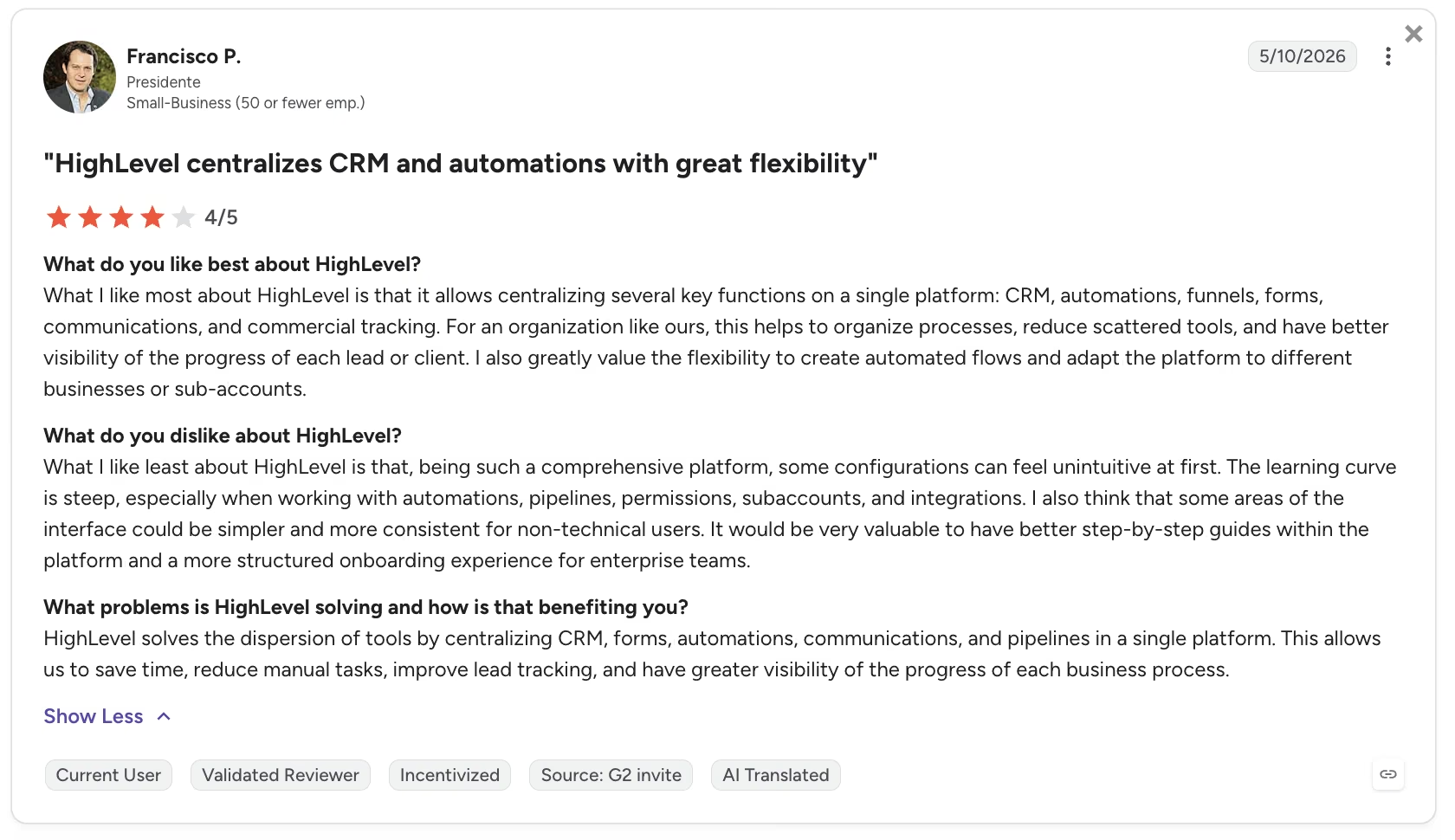
“It allows centralizing several key functions on a single platform: CRM, automations, funnels, forms, communications, and commercial tracking.” - G2
Source: G2
Pricing
GoHighLevel offers a 14-day free trial with no credit card. Starter is $97/month, Unlimited is $297/month, and the top SaaS Pro tier is $497/month, with annual billing saving about 17%. Watch the usage-based extras, though, since SMS, email, and the AI add-ons are billed on top, so your real monthly cost depends on how much you send.
Bottom Line
GoHighLevel is for agencies and technical agents who'll build their own automations and want full control. It's the pick because it executes custom speed-to-lead and follow-up workflows cleanly once they exist. If you'd rather not wire the system yourself, a day-one CRM will fit better.
7. Real Geeks: Best for IDX Lead Capture
I used Real Geeks for lead capture and follow-up, leaning on the built-in dialer to call and take notes in one place. I watched closely whether the leads coming in were worth working.
What it does: Real Geeks pairs an IDX lead-capture website with a simpler CRM, a built-in dialer, and drip campaigns.
Best for: Agents who want IDX lead capture and calling in one place without a heavy platform.
The built-in dialer stands out. Calling and note-taking on one screen kept follow-up tight without app-switching, and the lighter setup is the main appeal. Watch lead quality, since IDX and paid-capture leads vary a lot by market.
Key Features
- IDX website: A branded search site captures leads directly into the CRM.
- Built-in dialer: Calling and notes live in one place, so follow-up stays tight.
- Drip campaigns: Easy automated sequences keep leads warm.
- Clean interface: A simpler setup than the all-in-one platforms.
Pros and Cons
Pros:
- Built-in dialer keeps calling and notes in one place.
- Easy drip campaigns and a clean, simpler interface.
- IDX site and CRM together for lead capture.
Cons:
- Lead quality varies by market and draws complaints.
- Support and pricing or cancellation concerns come up in reviews.
What Users Say
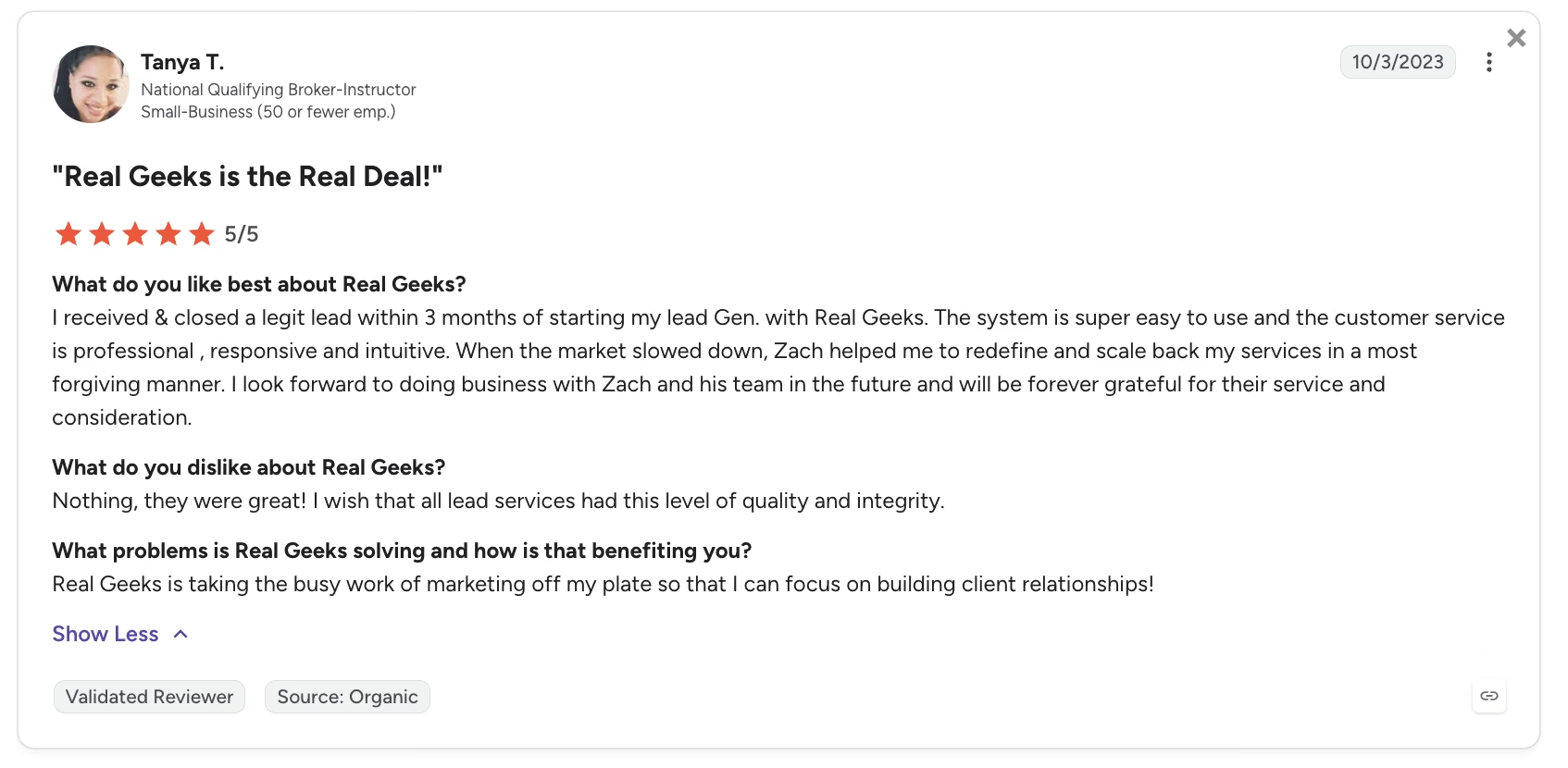
“The system is super easy to use, and the customer service is professional, responsive, and intuitive.” - G2
Source: G2
Pricing
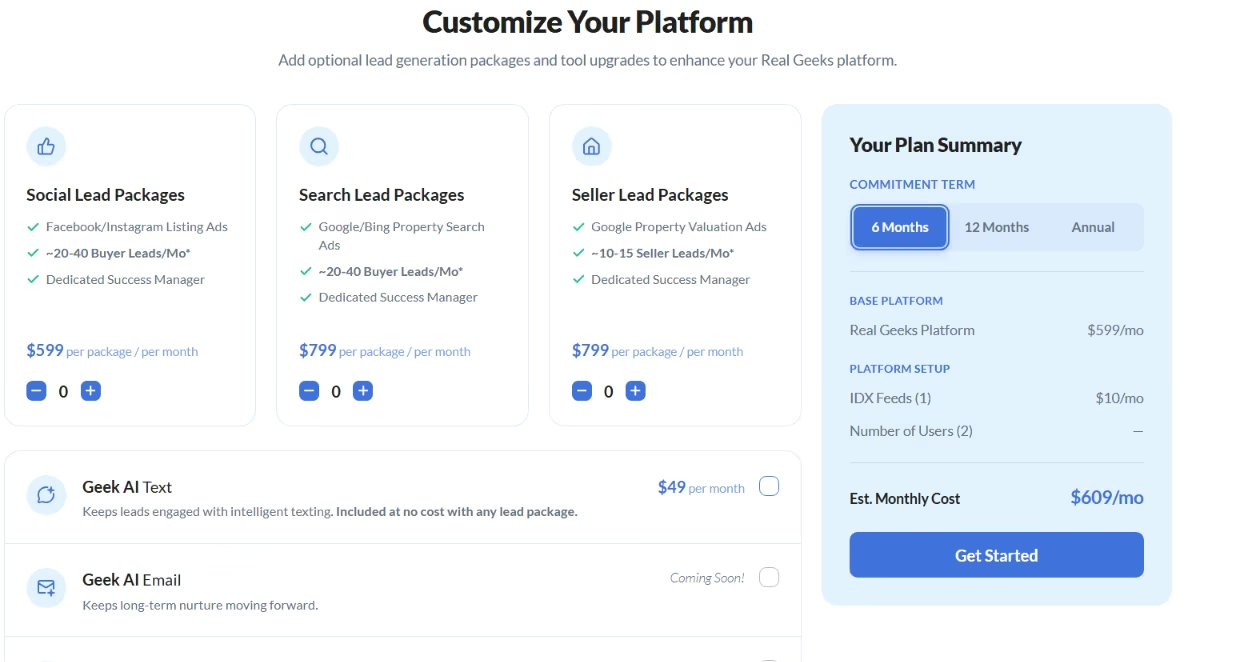
Real Geeks runs on one base platform: $599/month on a six-month commitment, plus a one-time $500 setup fee. That covers two users, the IDX website, the CRM, and 60-plus tools with no usage fees. Adding an MLS board feed costs $10/month each, and extra users are $25/month for seats three through 10, dropping at higher counts.
Bottom Line
Real Geeks fits agents who want IDX lead capture and a built-in dialer in a lighter setup, without a heavy platform. For a heavier all-in-one with more automation, Lofty is the step up, though it costs more and takes longer to configure.
Which Real Estate CRM Should You Choose?
A good CRM should show you which leads need action next and make that clear the moment you open it. The tool you keep using is usually the one that surfaces the next action without extra digging.
So match the tool to your use case, then run the morning test. Open it the next day and see if it tells you who to call.
- Choose Follow Up Boss if you: Are a solo agent or small team losing deals at follow-up and want speed-to-lead plus a daily call list you'll use.
- Choose Wise Agent if you: Want the core CRM jobs done cheaply and value a ten-minute setup over a deep feature shelf.
- Choose Lofty if you: Run a team and will invest setup time to get automation and lead gen working in one system.
- Choose BoldTrail if you: Are a brokerage or large team that needs one platform across many agents, and you'll vet the contract terms.
- Choose BoomTown if you: Want a lead-gen engine with follow-up tools, and your market has lead quality worth paying for.
- Choose GoHighLevel if you: Have someone who will build the automations, and you want full control over the workflows.
- Choose Real Geeks if you: Want IDX lead capture and a built-in dialer in a simpler, lighter setup.
Skip the heavy platforms when consistency is the problem. A focused follow-up tool fits that problem better. The tool you open every day will beat a broader platform you stop using after a month.
Notable Alternatives if Your Use Case Falls Outside My Main Seven
I built this as a follow-up-first roundup, weighing daily adoption, speed-to-lead, and whether the CRM tells you who to call next. That leaves some buyers with different priorities, and those alternatives are worth checking before you sign anything.
If integrations are your main need, look at Zoho CRM. If email marketing is at the center of your flow, Pipedrive is the better fit. And if document management and e-signatures are more important than speed-to-lead, Agile CRM is worth a look.
If social media marketing drives your lead flow, put IXACT Contact on the shortlist. And if you run a large brokerage and care more about end-to-end operations than simplicity, Lone Wolf is another name to price out.
Adjacent picks like Sierra Interactive, Brivity, and CINC serve similar buyers and are worth a look if none of the others fit.
What to Compare Before You Book Demos
Two CRMs can look similar in a sales call and still fail for completely different reasons once your leads hit the system. Before you book demos, compare these six things side by side:
- Whether the price you see is the real floor or just the base plan before add-ons
- Whether the CRM includes IDX, websites, calling, or social tools natively or pushes them into add-ons
- Whether there is a real free trial, a free plan, or only a demo
- Whether the tool keeps calls, texts, emails, and notes on one contact record
- Whether it supports the practical features that still matter, like landing pages, document handling, and e-signatures
- Whether support is easy to reach when setup breaks or lead routing goes sideways
The six-point list catches more bad-fit CRMs than feature-count comparisons do.
What to Look for in a Real Estate CRM in 2026
A CRM tool stores your contacts and tracks each interaction so you can follow up at the right time. For agents, a CRM proves itself by surfacing the next action and earning a daily open. Five factors counted most in my testing, and each gives you something to check before you buy:
- Speed-to-lead: A fresh web lead should trigger an instant text and push the contact in front of you within seconds, before it goes cold. Test it with a fake lead before you sign, and time how fast it reacts.
- Follow-up automation that pushes: The tool should surface the next action on its own, so today's follow-ups come to you instead of waiting to be dug up. Ask whether it surfaces who needs attention today on its own.
- Communication in one place: Calls, texts, emails, and notes belong on one contact record. Check that nothing about a lead lives in a separate app you'll forget to open.
- A clear daily view: Open the trial cold the next morning and see if it tells you who to call. If you have to dig, you won't use it, and an unused CRM helps no one.
- Lead quality you can trust: Some tools sell leads or run an Internet Data Exchange (IDX) site that feeds search-portal listings into your CRM. Judge whether those leads convert, and ask for concrete numbers for your market. Volume alone is not enough.
AI and automation matter only when they remove work. Smart Plans, AI assistants, and workflow builders help when they make the next step clearer or faster. When they add a setup you never finish, they become overhead.
Final Verdict: The Best CRM for Real Estate Agents
The best CRM for real estate agents fixes follow-up and matches how you work. Daily use is part of the fit. These tools do different jobs, so here are my by-use-case calls in one place.
Follow Up Boss is still the best fit for solo and small-team follow-up. Wise Agent is the budget option. Lofty works for teams that want AI and automation in one place and will do the setup. BoldTrail suits brokerages, BoomTown suits lead-gen-heavy teams, GoHighLevel suits builders, and Real Geeks is the lighter IDX lead-capture option.
Pick the tool whose daily view you will open, then let the use case decide the rest.
How Emergent Helps Agents Build the Follow-Up System
Off-the-shelf CRMs force you into someone else's fields, automation rules, and pipeline structure. If the same workflow keeps breaking across multiple tools, the problem may be a mismatch between the workflow and the software. More training may not solve it.
Emergent is the custom-build option when standard CRMs do not fit the workflow. It makes sense when you need a specific intake path, routing rule, or follow-up sequence tied to your own data model that standard CRMs can't handle cleanly. You'll want to name the exact workflow gap first, since IDX sites and paid lead engines remain separate needs.
For example, agents can use Emergent’s E-3 Agent to build a working real estate CRM with lead routing, deal tracking, reporting, and role-based access from a single prompt.
For teams starting from scratch, Emergent also offers a step-by-step guide to building your own CRM system around the workflows and follow-up rules you need.

Most AI app builders stop at prototypes. Emergent creates production-ready apps you can actually launch.
- Production-ready apps
- Web & mobile apps
- Deploy in minutes







