



A spare Mac mini in the corner, a model bill that moves with your usage, and software sitting between your inbox and the open internet. That last part is why people go looking for OpenClaw alternatives. OpenClaw is the biggest open-source personal agent around, and it earns the attention.
It also runs on your own machine with broad access, and it hands you the security homework.
I compared six of them against OpenClaw's own documentation, each project's live pricing page, and its public issue tracker, then sorted them by the question that decides this for most owners. How much of the running burden lands on you?
By the end, you'll know which one matches how much you're willing to manage and roughly how much it costs per month.
Why People Are Looking for OpenClaw Alternatives
People leave OpenClaw for three reasons: the security model, the setup work, and a bill that moves without warning.
Start with security, because it's the one that changes how you sleep. OpenClaw's README advises treating inbound messages as untrusted input.
It also says its tools run directly on your computer for the main session unless you set up sandboxing yourself, meaning a walled-off space the agent can't reach out of.
That's a fair warning from the maintainers, and it's also a lot of responsibility to hand to a non-technical owner. As of August 2026, the repository's issue tracker carried more than 3,400 open issues.
Developers have been blunt about it. On Hacker News, commenter lxgr argued that the project "cosplays security," which he considers more dangerous than telling people outright to sandbox it at a different layer.
Iolaum reads the same evidence more kindly, calling recent releases "much more secure than 2 months ago."
Then there's the setup. OpenClaw wants a supported Node.js runtime, an install script or package, an onboarding pass, and separate configuration for every chat app you want it to answer in.
None of those steps is hard on its own. Together they're an afternoon of work before the first useful reply, and every one of them is yours to redo when something breaks.
Cost is the quiet one. OpenClaw is free under the MIT license, so the software costs nothing, and the model provider costs whatever your agent asks it for. There's no built-in spending cap, and an agent that reads long email threads all day is a different bill from one that sends you a morning summary.
OpenClaw is a strong project built for someone who wants control and accepts the upkeep that comes with it. The six below split that upkeep differently, and where they put it is the whole decision.
How I Compared These Tools
I built the shortlist from the tools that keep appearing across the current search results, then checked each one against primary sources rather than roundups.
For every tool, I checked four sources: the official pricing page, the GitHub repository, the product documentation, and public developer discussion.
Pricing pages gave me the plan tiers and what each one costs. GitHub gave me the license and the star count for the open-source options. The docs showed where each agent runs and what it connects to. Forums and review sites turned up complaints from people already running them.
I ranked them on five things:
- Setup burden: What you install, configure, and maintain before the first useful task runs.
- Security model: Whether the agent runs on your machine, inside a container, or on somebody else's servers.
- Running cost: The figure from the vendor's own pricing page, plus whether you also owe a model provider.
- Where it reaches you: Which chat apps and business tools it plugs into.
- Who carries the upkeep: You, or the company you're paying.
Several tools got cut. PicoClaw, NullClaw, zclaw, and MimiClaw are impressive rewrites aimed at microcontrollers and decade-old phones, a narrower scope than most owners need.
Kimi Claw runs OpenClaw rather than replacing it. NemoClaw hardens an existing OpenClaw install, so it solves a different problem than the one this list answers.
One more thing worth saying once, so I don't repeat it seven times below. Only Manus and Lindy have real review profiles on G2 and Trustpilot. For everything else the honest signal is developer forums and, for Wingman, the parent company's page, so that's what I quote in each section.
That process sorted the six cleanly by who ends up holding the pager.
The Six Competitors: Quick Comparison
With the criteria set, this is how the six compare on setup, security, and price:
What an Always-On AI Agent Actually Costs
An always-on agent costs you either a flat subscription or a variable model bill, and that difference matters more than the sticker price.
The managed tools are the easy ones to budget. The number on the pricing page is what you pay, and the vendor absorbs the compute costs.
Claude Cowork, Manus, Wingman, and Hermes Agent's own Nous Portal subscription all start at $20/month, making them look identical on a spreadsheet but quite different in practice. Each one measures your usage in its own way.
Self-hosted tools work the other way round. The software is free, but you pay for hosting to keep it running, plus for every call it makes to a model.
Hermes Agent's own documentation points to a $5-a-month rented server as a realistic floor for one person. Add the model provider on top, and that second number is the one that moves.
Credits and tokens scale with how hard the task is, not how often you ask. A single deep research run can cost more than a week of one-line questions. Manus documents three drivers behind credit use: model tokens for planning and output, virtual machines for file and browser work, and third-party services the agent calls.
Wingman publishes something similar, noting that a light task like a daily brief uses one to two credits while deeper research runs three to five.
So the practical rule is that a subscription caps your downside and a self-hosted setup caps your control. Pick which one you'd rather protect before you compare feature lists.
1. Hermes Agent: Best for Replacing OpenClaw Without Giving Up Control
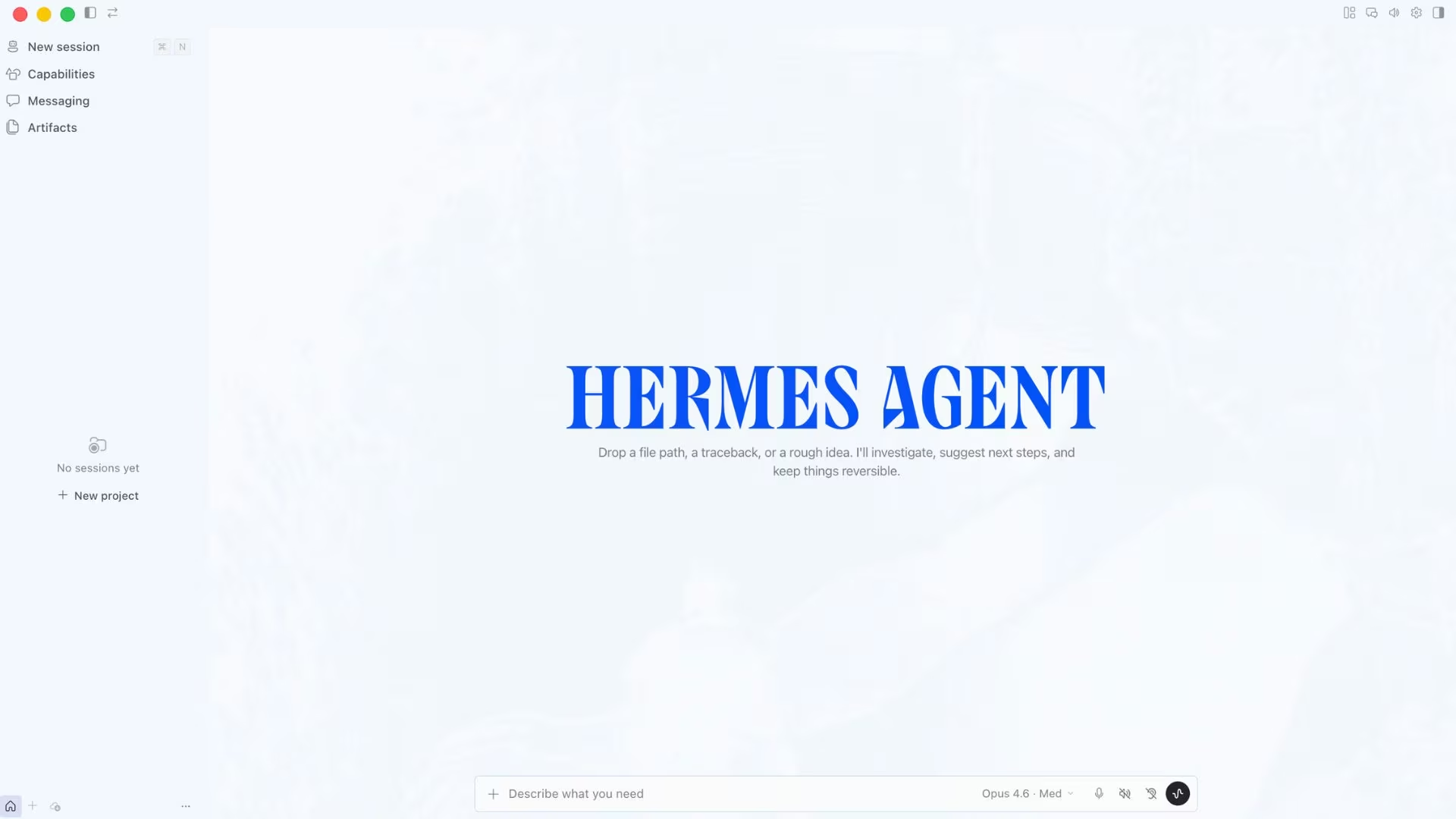
What it does: Hermes Agent is an open-source personal agent from Nous Research that runs on hardware you choose and answers you in the chat apps you already use.
Best for: People who want OpenClaw's flexibility and reach with a cleaner install and clearer boundaries around what the agent can touch.
Reading its docs against OpenClaw's, this is the one I'd hand a technical friend without a warning attached.
Hermes is the closest thing to a like-for-like swap here, and its adoption shows it. The repository has more than 230K stars under an MIT license, putting it well ahead of the other open-source options here.
The pitch that separates it is a learning loop. After finishing a complicated task, it writes that work back as a reusable skill, so the next time the same job runs, it costs less.
The security story is also more legible than OpenClaw's. Hermes gives you seven choices for where the agent's commands run, from your own computer to walled-off cloud environments like Modal and Vercel Sandbox.
Two of those hibernate when idle, which is a genuinely useful property for an assistant that spends most of the day waiting.
Key Features
- Self-writing skills: Repeated tasks turn into saved routines, so recurring work stops costing a fresh round of model calls every time.
- Seven places to run it: You choose how walled off the agent is instead of accepting one default.
- Eight chat channels: Telegram, Discord, Slack, WhatsApp, Signal, Email, Home Assistant, and Microsoft Teams, all running from one place, plus a separate terminal interface.
- Built-in scheduler: Nightly reports and weekly audits run unattended, described in plain language.
- Bring your own model: Point it at Nous Portal, OpenRouter, OpenAI, or your own endpoint and switch without touching code.
Pros and Cons
Pros:
- Closest match to what OpenClaw does, without giving it the same access to your machine.
- Genuinely portable, so it isn't tied to a laptop you have to leave open.
- MIT licensed, with no vendor able to change the terms underneath you.
Cons:
- Still a command-line install, so it assumes comfort with a terminal.
- Smaller library of community skills than OpenClaw's.
- You own every upgrade, outage, and security patch.
What Users Say
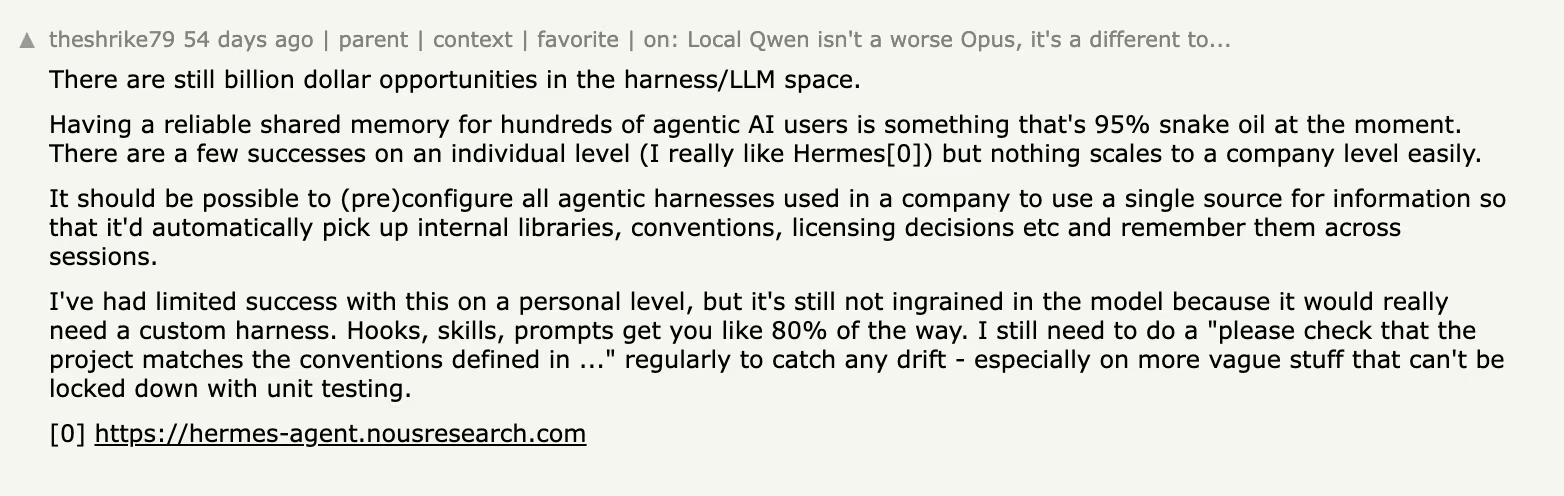
The praise comes with a caveat attached. Writing about how poorly shared agent memory works across teams, Hacker News commenter theshrike79 singled this one out anyway: "I really like Hermes."
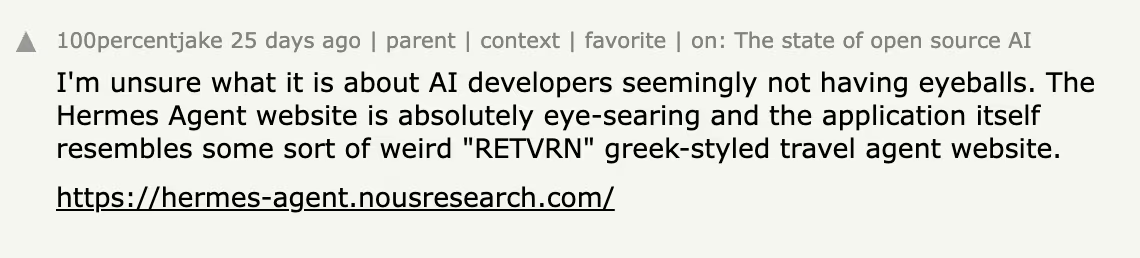
Nobody's arguing with what it does. They're arguing with how it looks. 100percentjake called the project's website "absolutely eye-searing," a small thing that still steers non-technical buyers away.
Where It Falls Short
Hermes still expects you at a terminal. The install is command-line only, the community skill library is a fraction of OpenClaw's, and keeping it patched and online is entirely your job. Seven runtime choices also means seven things to understand before you pick one, which is real work on day one.
Pricing
The software is free under the MIT license, and Nous Research charges for the parts around it. Nous Portal is the route Hermes's own documentation recommends, because one login replaces separate accounts and keys for every model and tool provider.
The free Portal tier covers the free-model catalog on a pay-as-you-go basis, without monthly credits or the Tool Gateway. Plus runs $20/month and adds $22 in monthly credits plus bundled tools, with Super at $100/month and Ultra at $200/month.
If you'd rather not run a server at all, Hermes Cloud deploys a hosted instance from $0.29/day while it's running and $0.03/day while it's stopped, billed daily from your credit balance.
Bottom Line
Take Hermes if you liked the idea of OpenClaw and disliked the exposure. It asks for the same level of technical comfort, imposes tighter limits on how far a mistake can go, and gives you a supported paid route if you'd rather not assemble the pieces yourself.
2. Claude Cowork: Best if You Already Pay for Claude
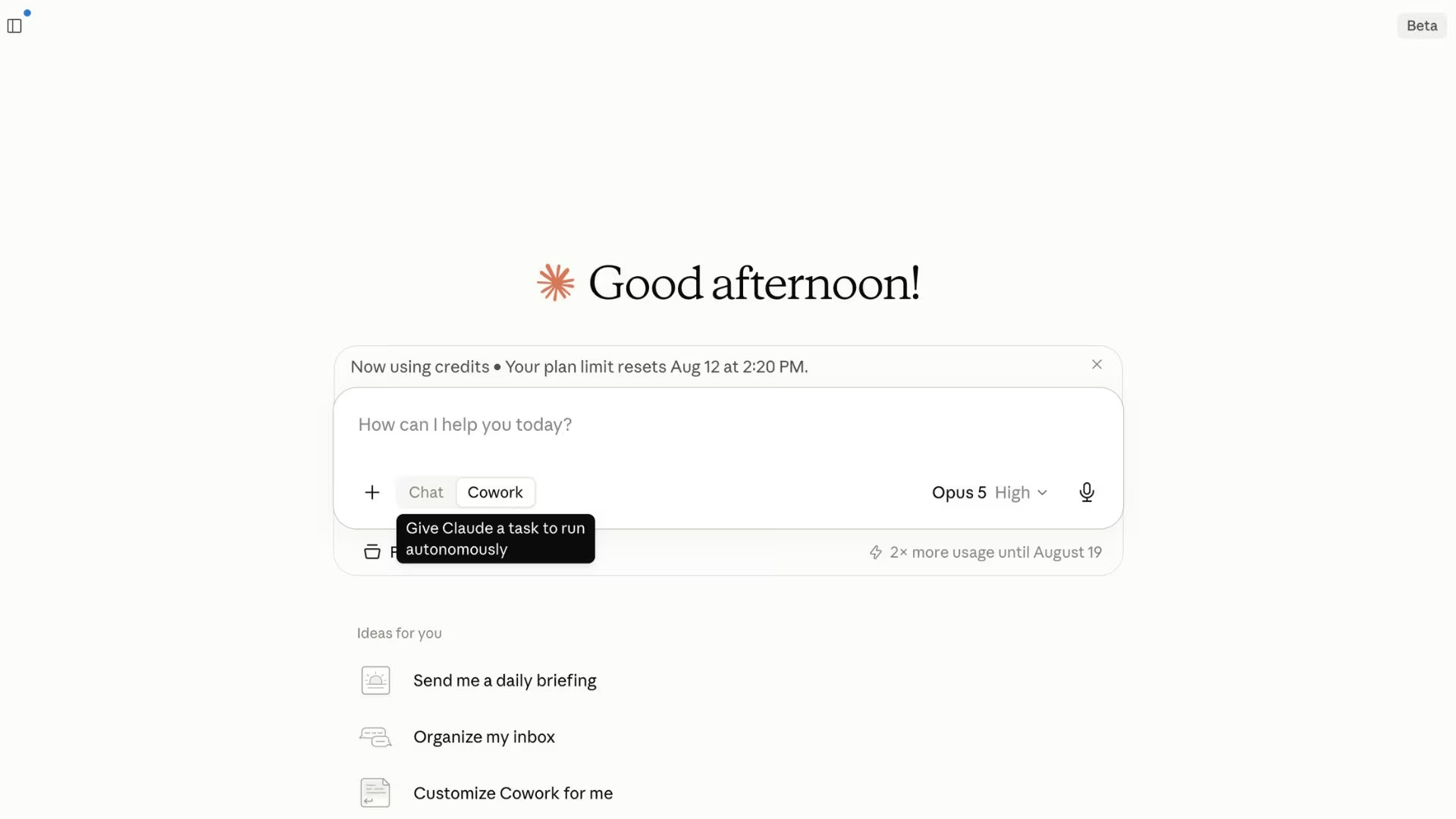
What it does: Claude Cowork is an agent mode within Claude that handles multi-step work across your files and apps and returns the finished output.
Best for: Anyone already paying for a Claude plan who wants agent behavior without installing or maintaining anything.
Of everything here, this is the one I'd stop recommending the moment somebody tells me they don't already pay for Claude.
Cowork asks less of you than anything else on this list, because for most of its audience the buying decision is already made. It's included with paid Claude plans, sessions run on Anthropic's own infrastructure, and there's no runtime to babysit.
You describe an outcome, and it works across your files and applications until there's something to review.
OpenClaw meets you on WhatsApp or Telegram, and Cowork lives inside Claude, on the web, desktop, and mobile apps.
For work involving files on your own machine, Anthropic's documentation says you need the desktop app open and connected, even though the session itself runs in the cloud.
Key Features
- No installation path: The agent runs on Anthropic's servers, so there's no server, container, or runtime for you to maintain.
- Projects with memory: Tasks are grouped into workspaces that retain their own files, instructions, and context.
- Isolated code execution: It runs code in a walled-off environment on Anthropic's servers rather than directly on your machine.
- Steerable mid-task: You can watch what it plans to do and redirect it, or let it finish on its own.
Pros and Cons
Pros:
- Zero setup burden, with the vendor carrying uptime and security.
- Costs nothing extra if you already subscribe to a paid Claude plan.
- Predictable monthly spend, because usage sits inside the plan rather than a separate meter.
- Included on every paid tier from Pro up to Enterprise, so it scales without a separate purchase.
Cons:
- No self-hosting and no way to inspect or modify how it works.
- It doesn't answer you on WhatsApp, Telegram, or iMessage the way the open-source options do.
- Agent work draws from the same usage pool as your normal chats, so a heavy week eats into both.
- What Claude remembers about you in chat doesn't carry into Cowork sessions.
What Users Say
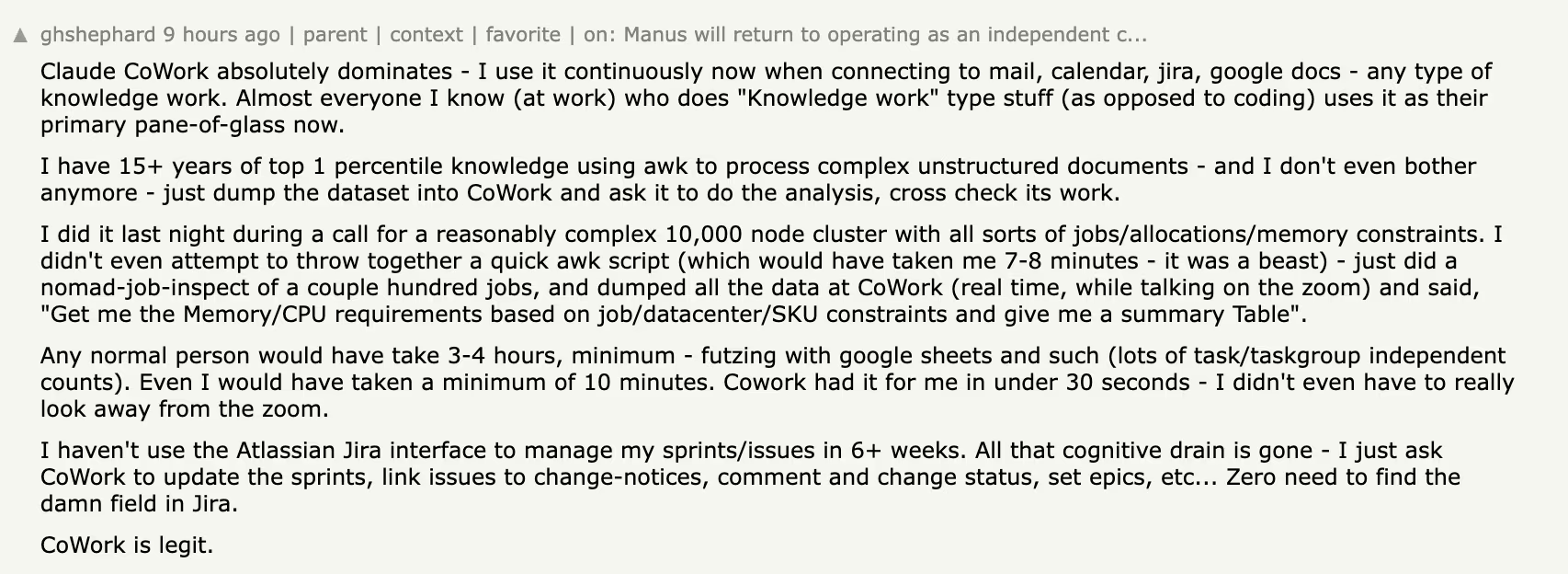
Heavy users are emphatic. Commenter ghshephard writes that "Claude CoWork absolutely dominates" for knowledge work, using it continuously across mail, calendar, Jira, and Google Docs, and says most of the non-coding knowledge workers he knows now treat it as their primary tool.
The most common complaint is about coverage. SeanAnderson is running an unofficial Linux build and would "greatly appreciate an official port," since the work that touches local files goes through a desktop app that doesn't ship for Linux.

Where It Falls Short
Anthropic's support material notes that Cowork sessions can't be shared with others, and that some features, including live artifacts and plugins with local servers, work only in the desktop app.
Memory also carries over within projects rather than across your chat history, so an assistant that knows you in chat starts cold in a Cowork session.
Pricing
Cowork is included with paid Claude plans rather than sold separately. Claude Pro runs $20/month, or $17/month billed annually. Max starts at $100/month, and Team standard seats are $25/month ($20 per seat billed annually). It isn't available on the free plan.
Bottom Line
If there's already a Claude subscription on the company card, this is the cheapest agent you'll ever switch on. If there isn't, the reach limits make it a weaker OpenClaw replacement than its polish suggests.
Also read our best Claude Code alternatives guide for what else is worth trying in 2026.
3. Manus: Best for Research and Documents That Run on Their Own
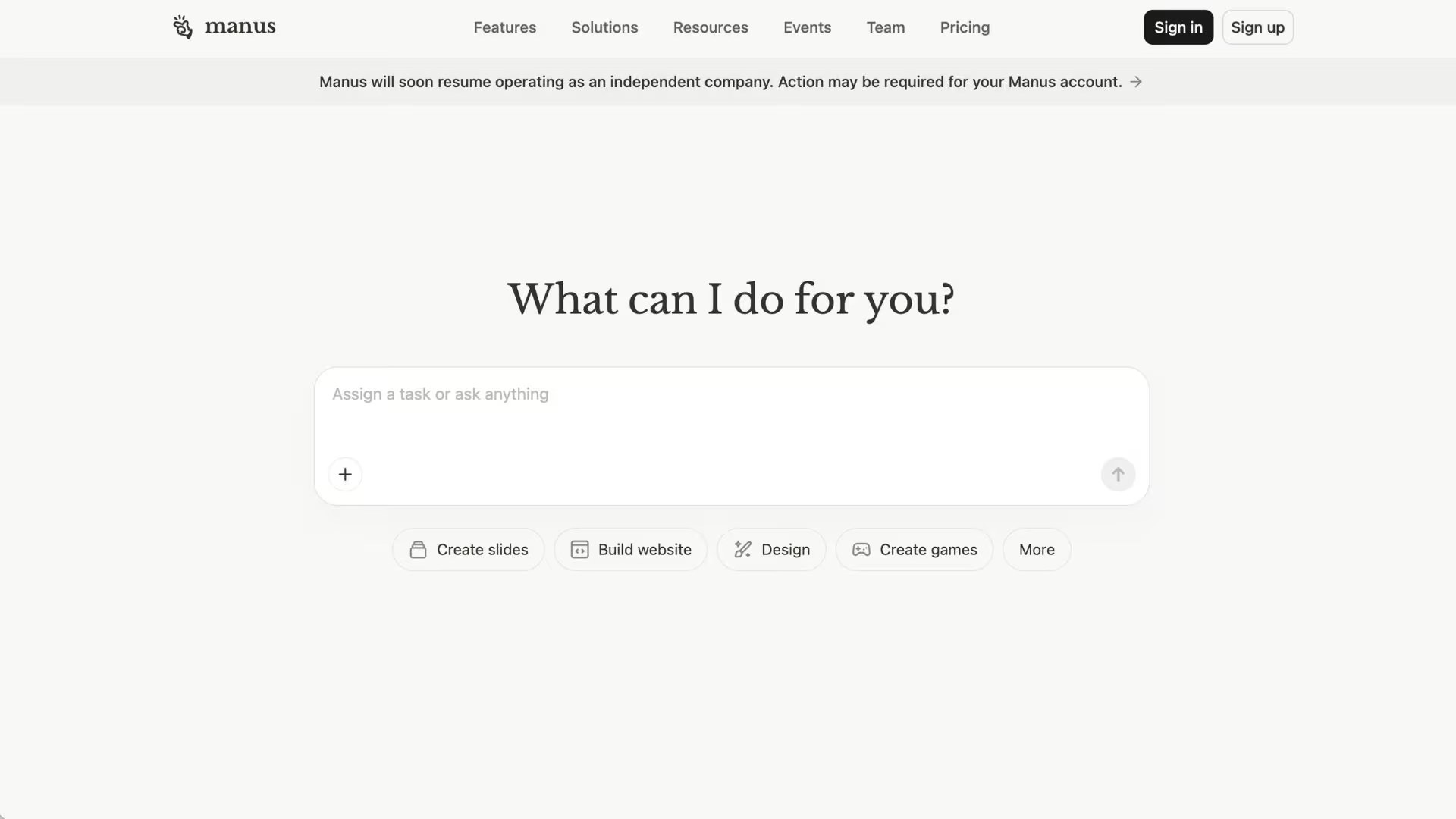
What it does: Manus is a hosted agent that takes an open-ended brief, works through it independently for minutes at a time, and returns a finished deliverable.
Best for: Consultants, analysts, and operators who need research, reports, and slides produced without supervision.
Comparing the seven pricing pages side by side, this is the one where I'd watch the meter hardest.
Manus is the most output-focused tool here. Where OpenClaw is a general assistant you shape yourself, Manus is focused on deliverables, with advanced research, slide generation, and website deployment named as plan features in its own pricing documentation.
Nothing gets installed, and the work happens in Manus's cloud.
It has also grown toward the messaging behavior that made OpenClaw popular, with scheduled tasks and chat-app access rather than a browser tab you have to remember to open. Paid plans support 20 concurrent tasks and 20 scheduled tasks, a meaningful jump from the free tier's single concurrent task.
Key Features
- Long autonomous runs: It works straight through a multi-step brief in one go.
- Finished artifacts: Research reports, slide decks, and deployed pages come out the other end ready to send.
- Scheduled work: Recurring jobs run on a cadence you set once.
- Credit visibility: The dashboard shows balance, history, and which task types cost the most.
Pros and Cons
Pros:
- Nothing to install, configure, or keep patched.
- Strong at exactly the work that eats an operator's week.
- A usable free tier with 300 daily refresh credits, so you can test before paying.
Cons:
- Credit-based, so a research-heavy month costs noticeably more than a quiet one.
- Plan credits reset monthly and don't roll over.
- Cloud-only, with no self-hosted option and no access to files on your own machine.
What Users Say
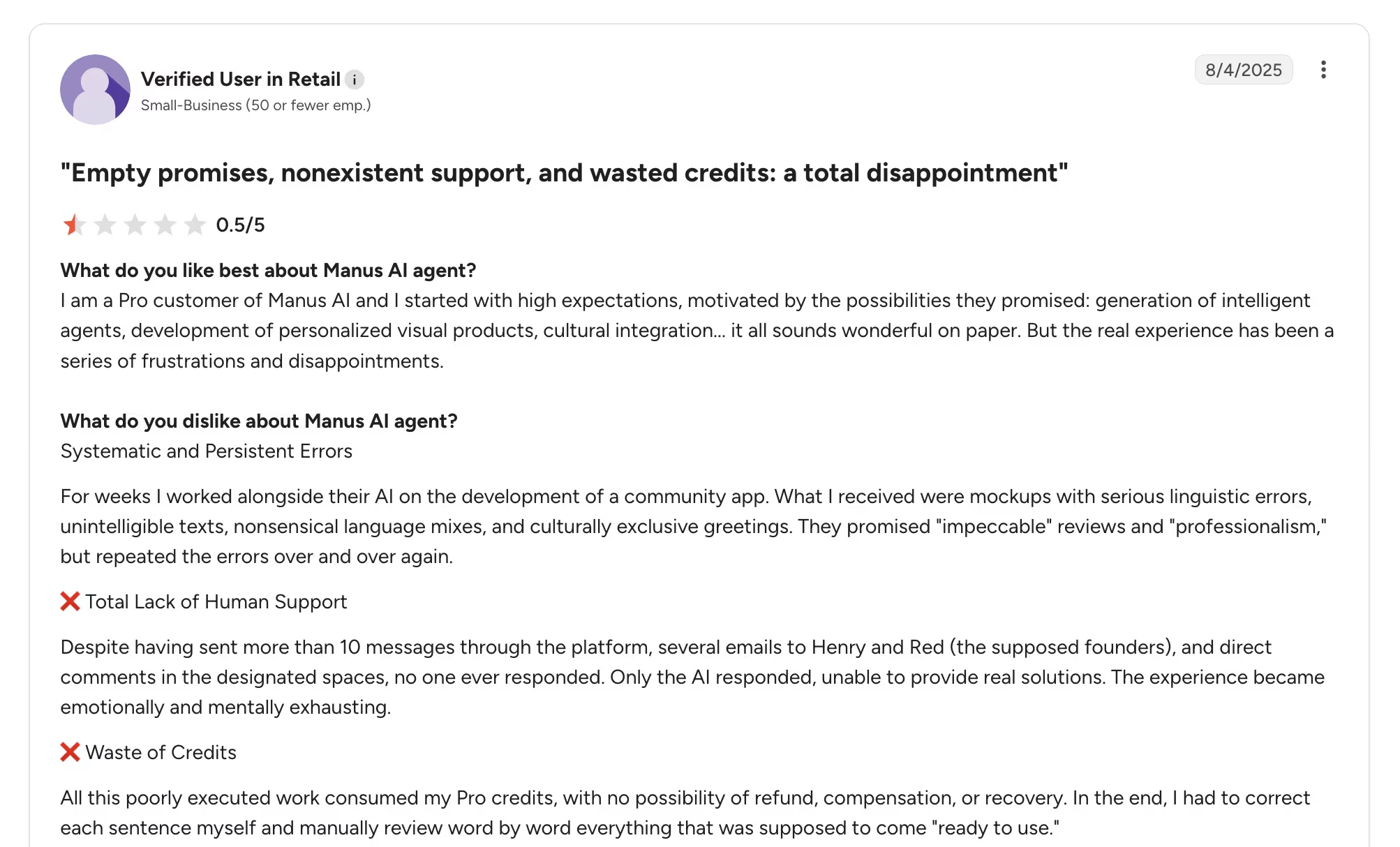
Manus has the fullest review trail of the six, and it isn't flattering. Its G2 profile sits at 2.7 out of 5 across seven reviews, last updated June 2026.
The praise is specific about what it's good at. An enterprise reviewer in research, writing under the title "Powerful for Research, but Pricey," credits it with drafting research papers and says it "saves time by opening and gathering a lot of sources quickly."
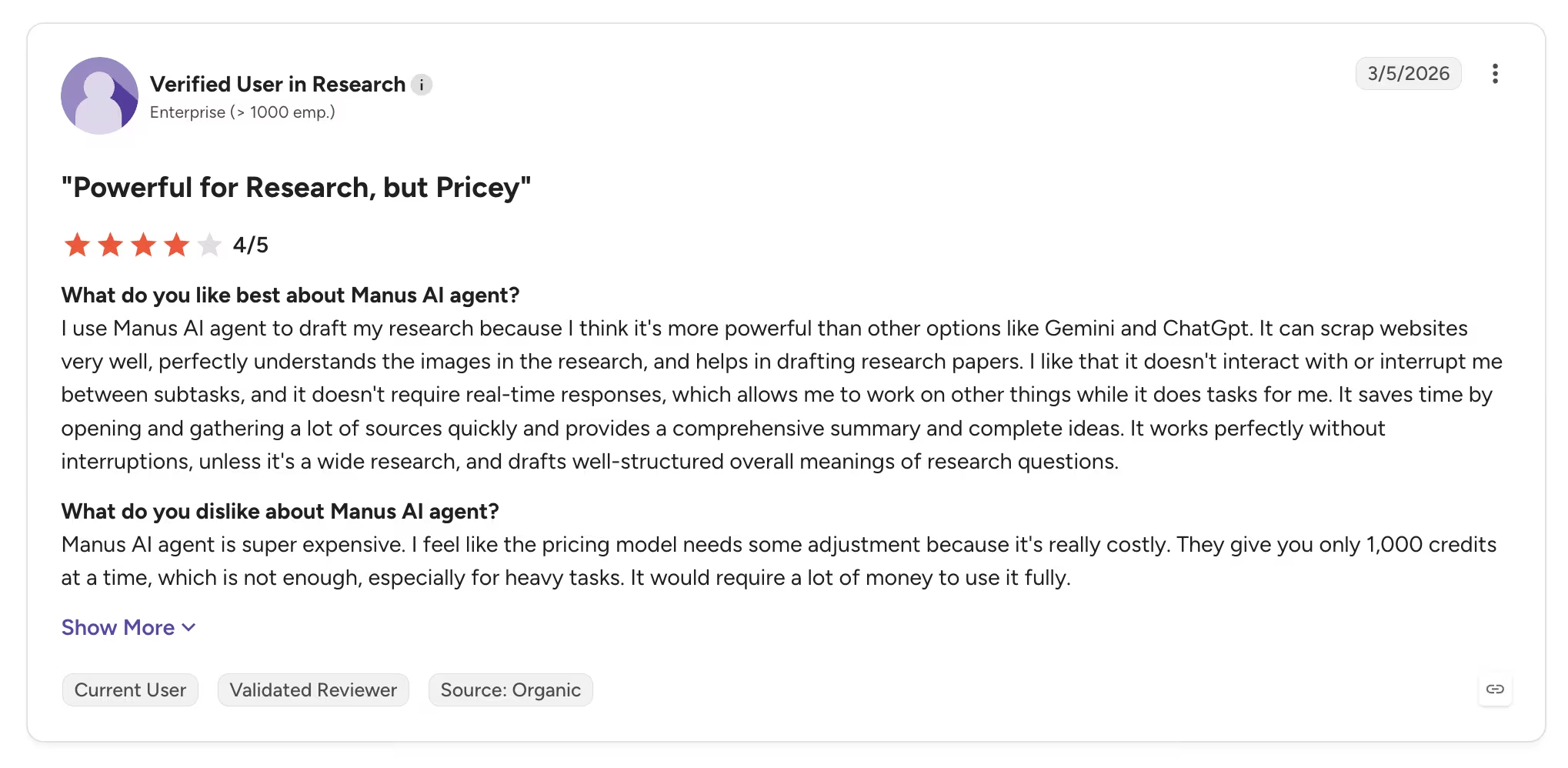
That same reviewer calls the pricing model costly and says 1,000 credits at a time isn't enough for heavy tasks.
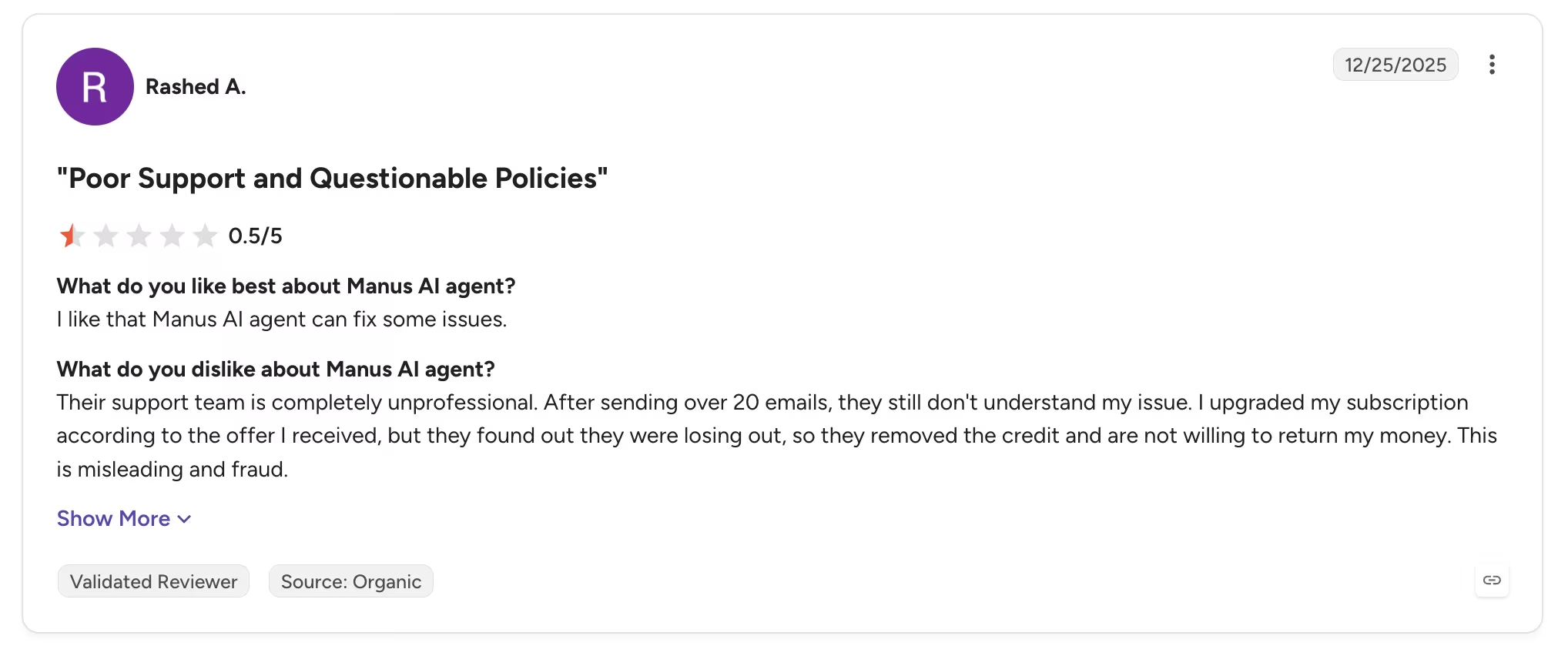
The complaints cluster around billing and support. After a dispute over credits removed from his account, reviewer Rashed A. wrote that "their support team is completely unprofessional."
A retail reviewer's write-up is titled "Empty promises, nonexistent support, and wasted credits." It's a small sample, so weigh it accordingly, but it lines up with the credit mechanics below.
What to Know Before You Subscribe
The credit model is the thing to understand before subscribing. Manus's own help documentation confirms that unused monthly credits are cleared at the end of each cycle.
Purchased add-on credits and free credits never expire, so only the monthly allowance is use-it-or-lose-it. For lumpy workloads, that's the difference between good value and quiet waste.
Also read our Manus AI Review for a closer look at how the autonomous agent holds up on real tasks.
Pricing
Manus lists three plans. Free includes 300 daily refresh credits, one concurrent task, and two scheduled tasks.
Pro starts at $20/month ($17/month billed annually) for 4,000 monthly credits. Higher Pro tiers run $40/month ($34/month billed annually) for 8,000 credits, which adds a seven-day trial, and $200/month ($167/month billed annually) for 40,000 credits.
The Team plan starts at $20 per seat per month and adds shared credit pools, single sign-on, and usage analytics.
Bottom Line
Manus earns its place when the job is producing something rather than watching something. Ask it to run your calendar, and you'll wonder what you're paying for.
4. Wingman (Emergent): Best for Running Your Business From a Chat Thread
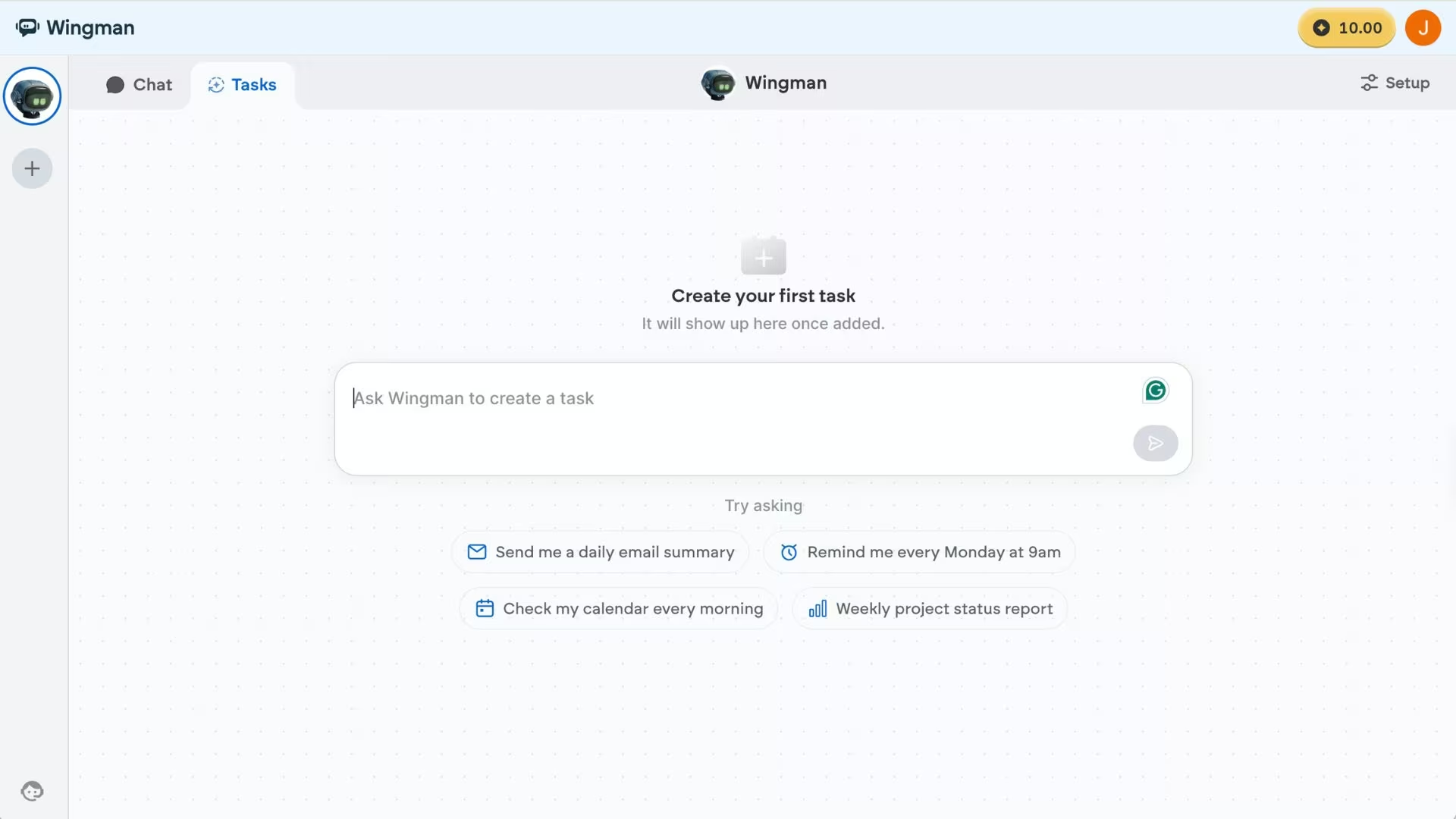
What it does: Wingman is an autonomous agent from Emergent that lives inside WhatsApp, Telegram, and iMessage and handles operational work like inbox triage, scheduling, outreach, and follow-ups.
Best for: Solo founders, freelancers, and small teams who already run the business through chat and don't want to run a server to automate it.
Of the managed options I read through, this is the one whose approval model I'd trust with a live inbox first. Wingman is closest to OpenClaw's original promise: an assistant you message like a person rather than a dashboard you forget to open.
It launched in April 2026 and connects via standard sign-in to Gmail, Outlook, Google Calendar, Slack, CRMs, and GitHub, with 300+ integrations and 100+ skills listed on its pricing page.
There are no keys to generate and no machine to leave switched on.
The design choice that separates it is what Emergent calls trust boundaries. Low-stakes work such as pulling a research summary or booking a recurring meeting runs on its own, while anything consequential, like messaging a large group or deleting records, pauses and asks first.
That's the same problem OpenClaw's maintainers hand back to you, solved as a product decision instead.
Emergent came to this from the other direction. The company built its name on vibe coding, where you describe software in plain language and the platform builds it, and its news post reports over 8 million builders across 190+ countries.
Wingman applies that to operating a business rather than building one, which is a different job from the app-building platform and is priced separately.
Key Features
- Lives where you already work: WhatsApp, Telegram, and iMessage, with no app to download and no dashboard to learn.
- Permission-first actions: Consequential steps pause for your approval, and one tap revokes any connection or triggers a global kill switch.
- Multiple agents in parallel: You can put separate agents on separate areas of work, and they surface only when they need direction.
- Memory that persists: It carries context, saved routines and preferences from one session to the next.
- Certified and audited: SOC 2 Type I (via Emergent) and ISO 27001, with GDPR alignment.
- Tested against attack: Per-job sandboxing, plus an April 2026 red-team review by Straiker STAR Labs.
Pros and Cons
Pros:
- The shortest distance from signup to first useful task, and it keeps your routines and context between sessions.
- Published compliance and encryption details, which the open-source options don't have at all.
- Connects to business tools through a normal sign-in, with a free Starter plan and 10 credits to test on a real task.
Cons:
- The newest product here by a wide margin, so there's little independent review history to check.
- No self-hosted option, and no access to files or commands on your own computer, so it can't do the local jobs OpenClaw handles.
- Credit-based, so a heavy stretch of research or outreach burns through credits faster than routine days.
- Chat-only, with no desktop application if you'd rather work in a window.
What Users Say
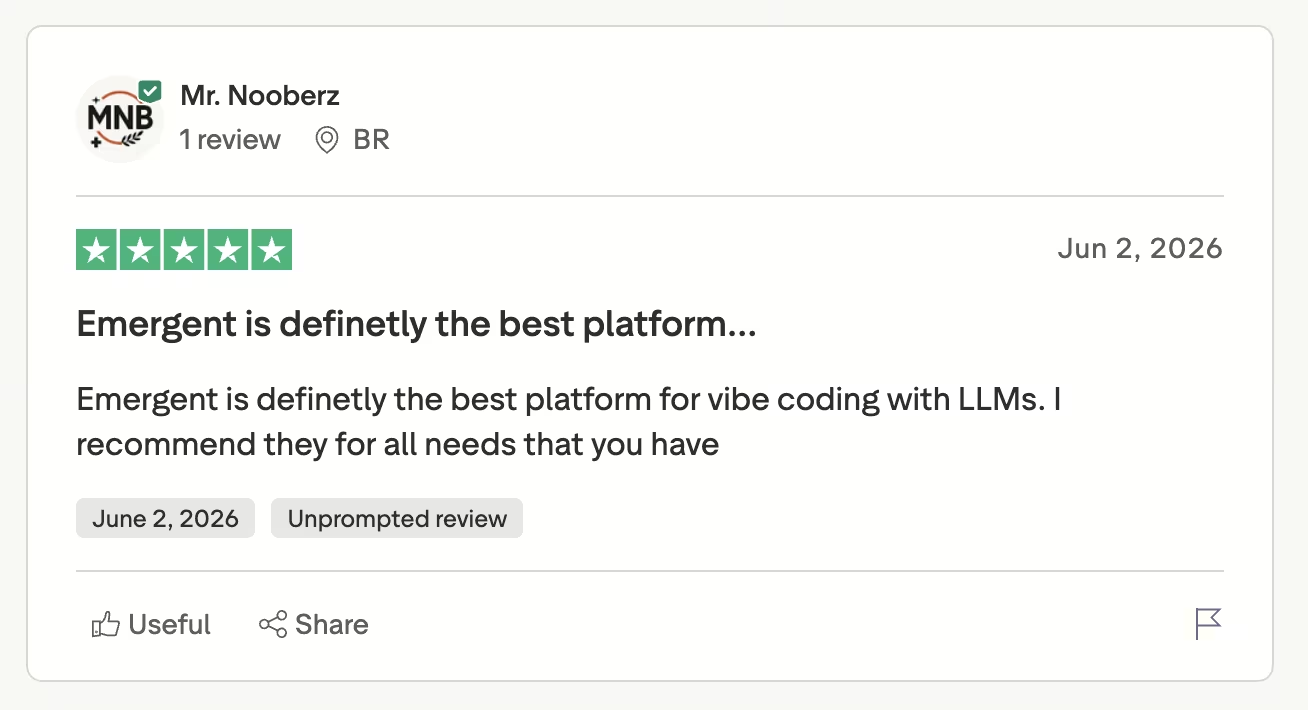
Builders praise the speed and the access. Reviewer Mr. Nooberz calls it "the best platform for vibe coding with LLMs," and another describes building an e-commerce store and then adding an assistant on Wingman to organize tasks and run workflows.
The criticism that mentions Wingman by name is worth reading in full. In a two-star review titled "Very frustrating," Eugenio Gori describes an agent that kept reassuring him it was solving his problems while "never fixing anything and just making my credits disappear."
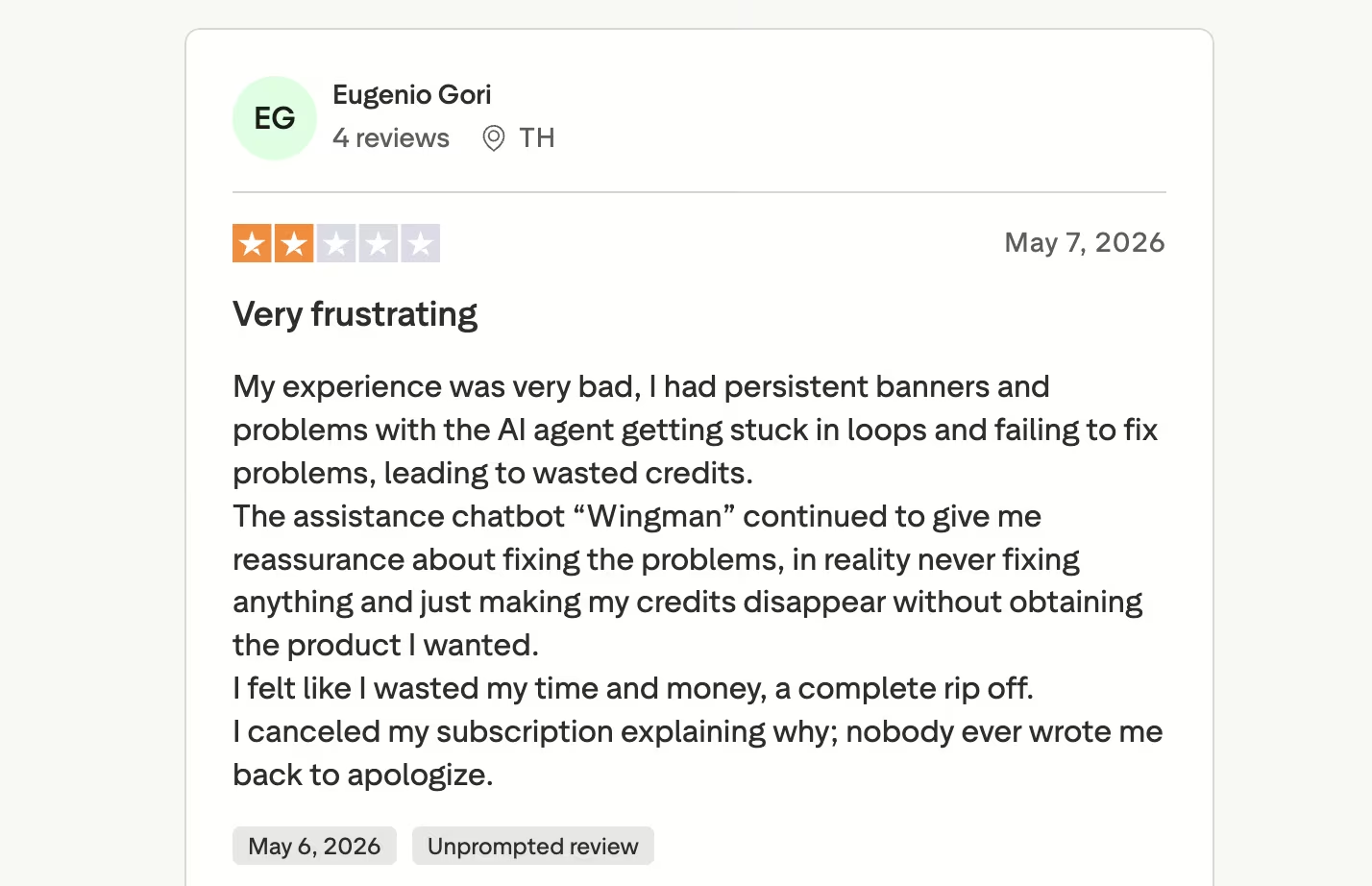
Both sit on Emergent's Trustpilot page, which carries 591 reviews of the parent platform rather than of Wingman on its own.
Where It Isn't the Right Fit
The real limit is maturity. Wingman shipped in April 2026, so the community skill libraries, third-party guides, and accumulated troubleshooting that make OpenClaw resilient don't exist yet.
Anyone who wants an agent with hands on their own machine is also in the wrong place, because Wingman works across connected cloud services rather than local files.
Pricing
Wingman prices separately from Emergent's app-building plans. The Best offer plan costs $20/month for 100 monthly credits ($17/month billed annually), with the first month discounted to $1 on monthly billing.
Basic costs $100/month for 550 monthly credits ($84/month billed annually), with the first month discounted to $50. Best value costs $200/month for 1,150 monthly credits ($167/month billed annually), with the first month discounted to $80.
Bottom Line
Wingman is the pick when the work is operational, and the operator has no interest in infrastructure. Anyone who wants to read the source, host it themselves, or reach files on their own laptop should choose differently, and Emergent isn't pretending otherwise.
Also read our best AI agents for business guide for what else is worth trying when operational delegation is the priority.
5. Lindy: Best for a Shared Assistant Your Whole Team Can Call In
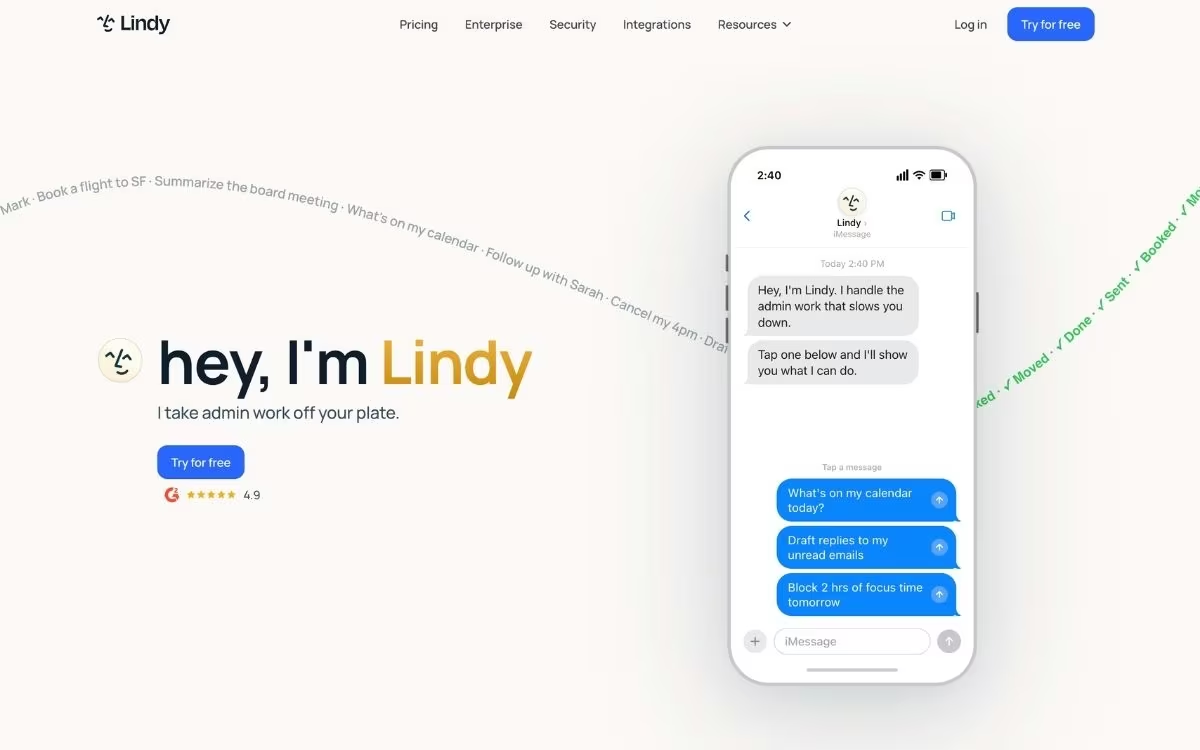
What it does: Lindy is a hosted assistant that lives in Slack and iMessage, runs your inbox, meetings, and follow-ups, and can be built into custom agents that handle recurring workflows.
Best for: Small teams who want one assistant everybody can call on, rather than each person setting up their own.
Reading its pricing docs against the other six, Lindy is the only one built for a group from the start. Seats pool into a single shared credit balance, so a team draws from one pot and admins can cap how much any single person pulls.
That's a different shape from every other tool here, which price per person and keep usage separate.
It's also the most transparent about what work costs. Lindy publishes what a credit is worth, roughly one cent, and puts real ranges against real jobs: 2 to 250 credits for everyday asks, 250 to 1,000 for deep work like researching a competitor and writing the report, and 1,000 to 2,500 for bigger builds.
Nobody else on this list will tell you that.
Key Features
- Slack-native: The whole team can mention it in a thread, so it works where the conversation already happens.
- Shared credit pool: Every seat adds its allocation to one workspace balance, with per-person caps for admins.
- Approval by default: Anything with outside impact waits for a human, including sending email, updating a ticket, or publishing a doc.
- Published credit costs: The docs price the work in plain ranges instead of leaving you to guess.
- Thousands of integrations: Inbox management, meeting recording, and calendar work are on every tier.
Pros and Cons
Pros:
- The clearest pricing documentation of anything here, with credit costs tied to named jobs.
- Built for teams rather than retrofitted, with pooled credits and admin controls.
- Running out pauses the work instead of generating an overage bill.
- SOC 2 Type II and GDPR compliant, a step beyond the Type I most of this list can claim.
Cons:
- The most expensive entry point of the managed options at $30/month per user.
- No permanent free tier, and direct signups are billed immediately rather than trialled.
- Computer use is gated to Pro, which triples the per-seat cost.
- Its Trustpilot record is the weakest here, and billing is the recurring theme.
What Users Say
Lindy is one of only two tools here with a real review profile, and its G2 reviews are warmer than its pricing reputation suggests.
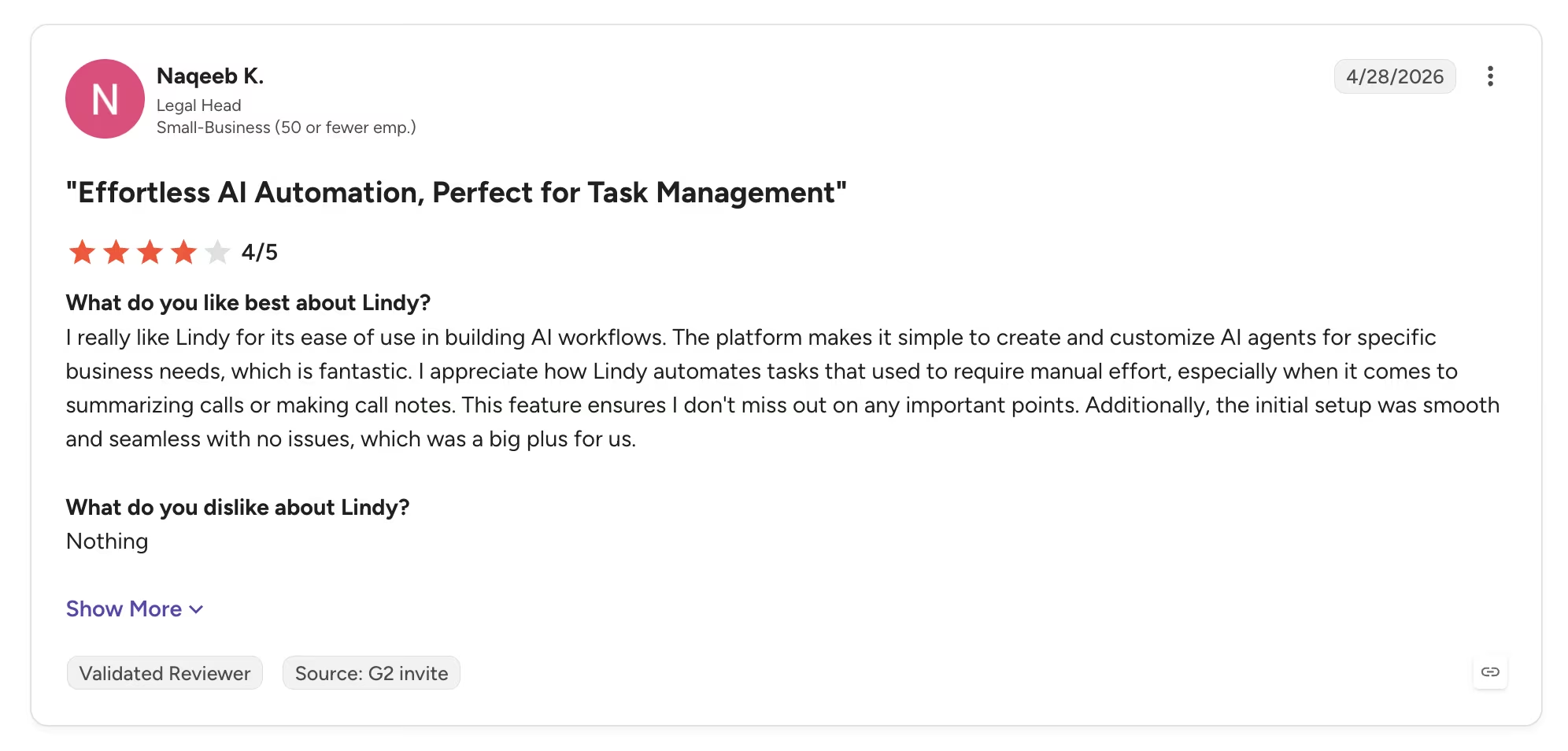
Naqeeb K., a legal head at a small business, rated it 4 out of 5 in April 2026 and singled out how fast it goes from idea to running agent, calling it "simple to create and customize AI agents for specific business needs."
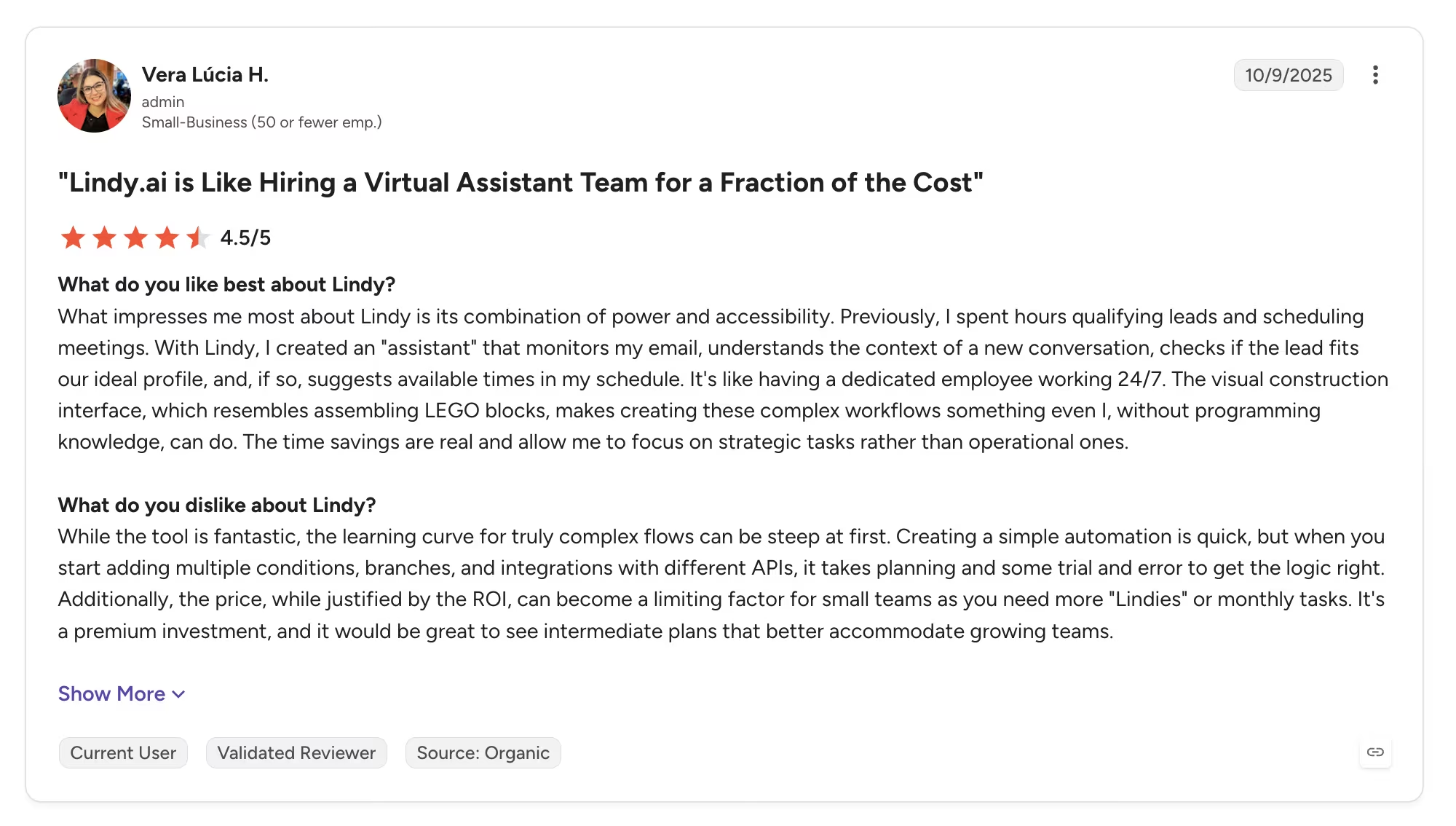
The sharpest criticism comes from someone who likes it. Vera Lúcia H., an admin at a small business, gave it 4.5 out of 5 and still warns that "the learning curve for truly complex flows can be steep."
Pricing
Lindy prices per user, and everyone in the workspace shares one credit pool. Plus costs $29.99/month per user with 3,000 credits, Pro costs $99.99/month per user with 15,000 credits, and Max costs $199.99/month per user with 35,000 credits.
Enterprise is custom and is the only tier with single sign-on, HIPAA, and dedicated support. Admins can top up at $10 per 1,000 credits, and plan credits don't roll over, though purchased top-ups do.
Bottom Line
Lindy is the pick when the assistant belongs to a team rather than a person. I'd weigh the Trustpilot history against how recently the billing rules changed, because the pricing docs now say the opposite of what those reviews describe.
6. NanoClaw: Best for a Codebase You Can Read in an Afternoon
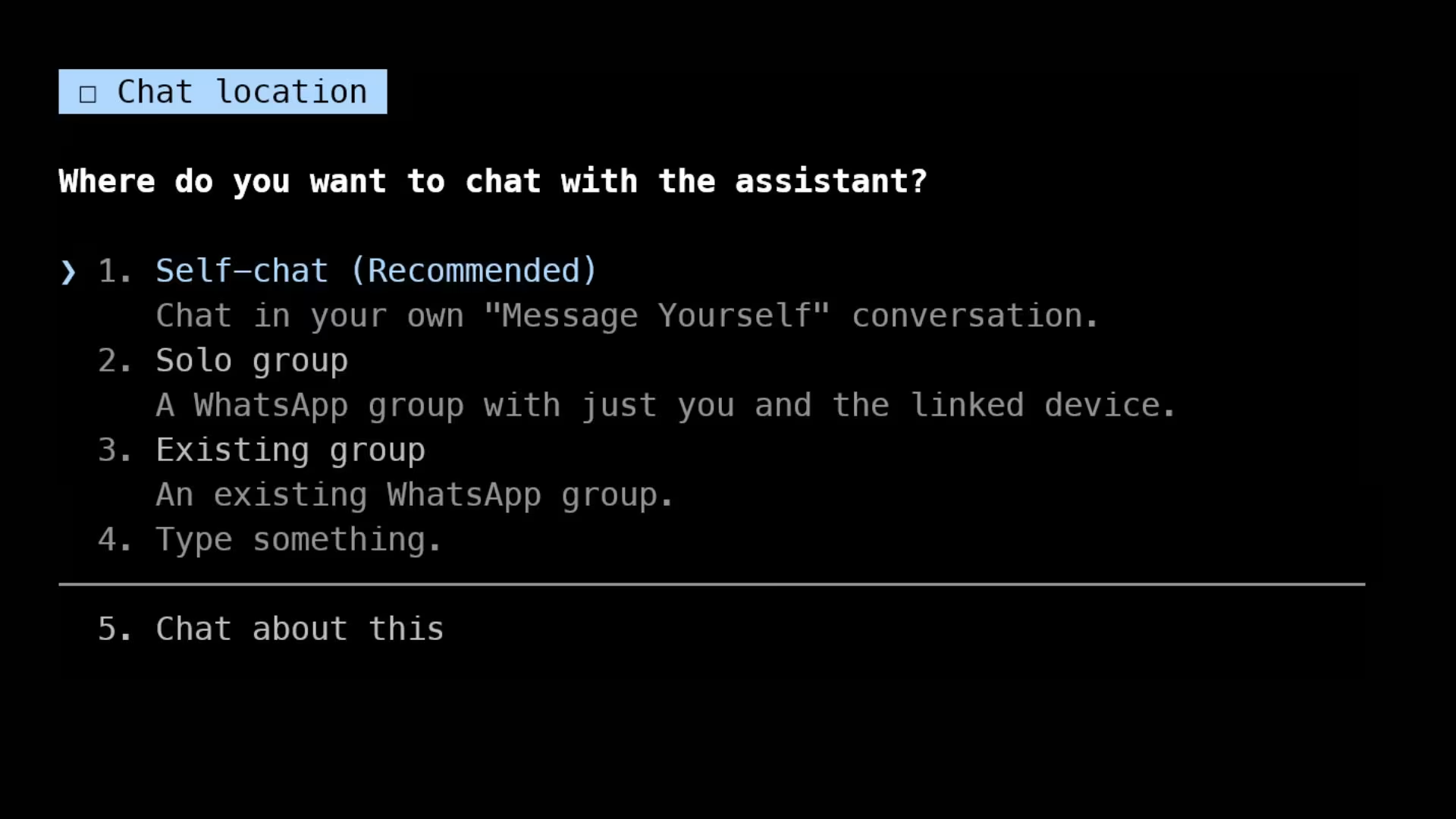
What it does: NanoClaw is a small, open-source agent that runs each session inside its own container, a sealed environment that can only see the files you hand it.
Best for: Technically confident owners who want OpenClaw's core behavior in a project they can audit themselves.
This is the only one on the list whose codebase I'd realistically finish reading before trusting it with my accounts.
NanoClaw exists because of a specific objection to OpenClaw, and the maintainer says so directly in the repository. The README notes that OpenClaw's security sits at the application level rather than true operating-system isolation.
NanoClaw's answer is container isolation by default, so a mistake in the agent's code stays inside that sealed environment instead of reaching the rest of your machine.
Adoption suggests the argument landed. The project holds 30.5K stars under an MIT license, and the setup script walks a fresh machine through installing what it needs, registering a credential, building the container, and pairing a first channel.
Key Features
- Sealed by default: Each agent runs in its own environment, so the files it can open and the commands it can run stay fenced in.
- A codebase you can finish: The project's pitch is that one person can read and understand the whole thing.
- Familiar channels: iMessage, Telegram, Discord, WhatsApp, or a local terminal.
- Guided install: The setup script installs what's missing and tells you exactly what failed.
Pros and Cons
Pros:
- Meaningfully stronger isolation than running an agent straight on your machine.
- Small enough to audit before you trust it with your accounts.
- Free and MIT-licensed, with no plan tiers to outgrow.
Cons:
- Requires Docker or similar container software, plus comfort typing commands.
- A far smaller library of ready-made skills than OpenClaw's.
- Designed largely for single-user personal setups rather than teams.
What Users Say
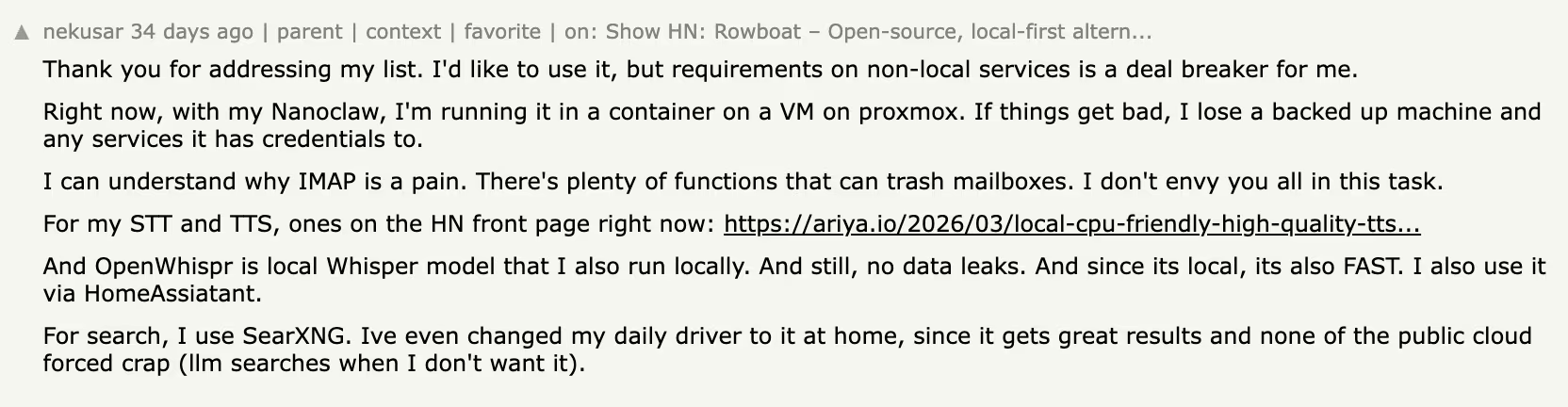
The containment argument lands with users. nekusar runs NanoClaw inside a container on a virtual machine and is clear-eyed about the blast radius: "If things get bad, I lose a backed up machine and any services it has credentials to."
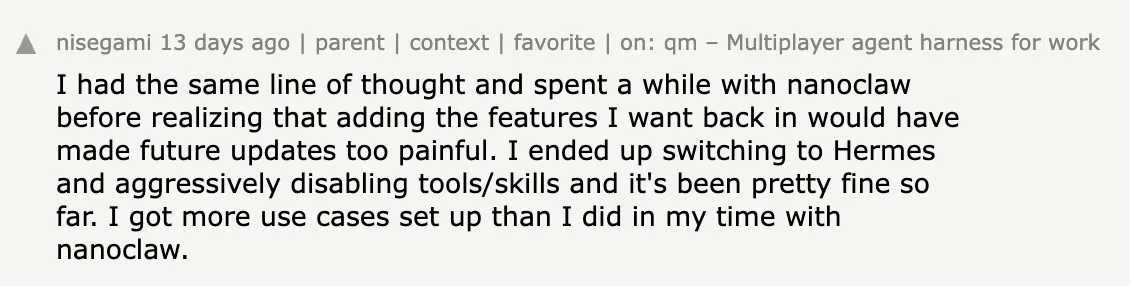
The smallness is what pushes people away. Commenter nisegami spent a while with it, found that restoring the features he wanted "would have made future updates too painful," and switched to Hermes Agent instead.
The Trade-Off
The deliberate smallness cuts both ways. Choosing NanoClaw means giving up the depth of OpenClaw's plugin library, and the volume of community answers a much larger project brings.
Anyone who wants a polished interface or a supported product will find this an uncomfortable fit.
Pricing
NanoClaw is free and open source under the MIT license. You pay for the machine it runs on and for the model provider it calls.
Bottom Line
Pick NanoClaw when auditability beats support. That's a legitimate preference, and this is the cleanest expression of it available right now.
7. ZeroClaw: Best for Cheap Hardware and Small Footprints
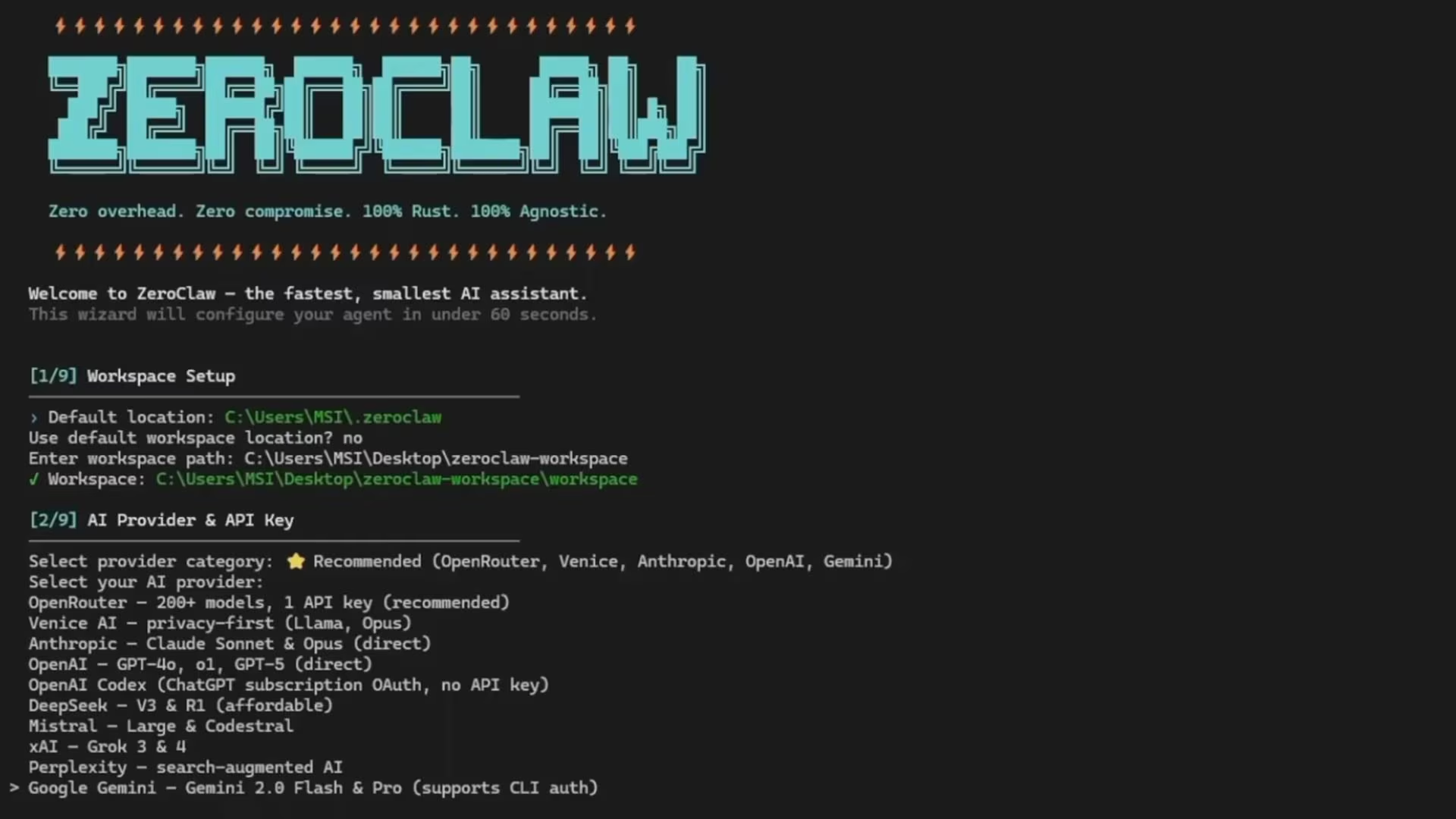
What it does: ZeroClaw is an open-source agent built as a single compiled program, designed to run continuously on modest hardware.
Best for: People who want an always-on assistant on a cheap server, a home machine, or a small board without a heavy runtime.
If I were putting an agent on a spare machine at home rather than a work account, I'd start here.
ZeroClaw's argument is efficiency. ZeroClaw ships as a single compiled program you configure and run, which makes it practical on hardware that would choke on heavier options.
It reaches model providers such as Anthropic, OpenAI, and Ollama, and connects through 30+ channels, including Discord, Telegram, Matrix, email, and voice.
The project's own framing is ownership: you own the agent, the data, and the machine it runs on. That's the same position OpenClaw takes, delivered with far fewer moving parts.
It holds more than 32,500 stars and is dual-licensed under Apache 2.0 and MIT.
Key Features
- One file to install: There's no second program running alongside it that you also have to keep alive.
- Runs on almost anything: Linux, macOS, Windows, FreeBSD, NixOS, and Docker are all documented paths.
- Wide channel support: More than 30 ways to reach it, including email and voice alongside chat apps.
- Swap providers freely: Changing the model provider is one line in a config file.
Pros and Cons
Pros:
- The cheapest of the six to keep running around the clock.
- Fewer moving parts mean fewer things to patch and audit.
- Dual-licensed and portable across operating systems.
Cons:
- It still runs on your own machine, so deciding what it's allowed to touch is up to you.
- A younger project with a thinner skill library and less documentation than OpenClaw.
- Command-line first, which rules it out for most non-technical owners.
What Users Say
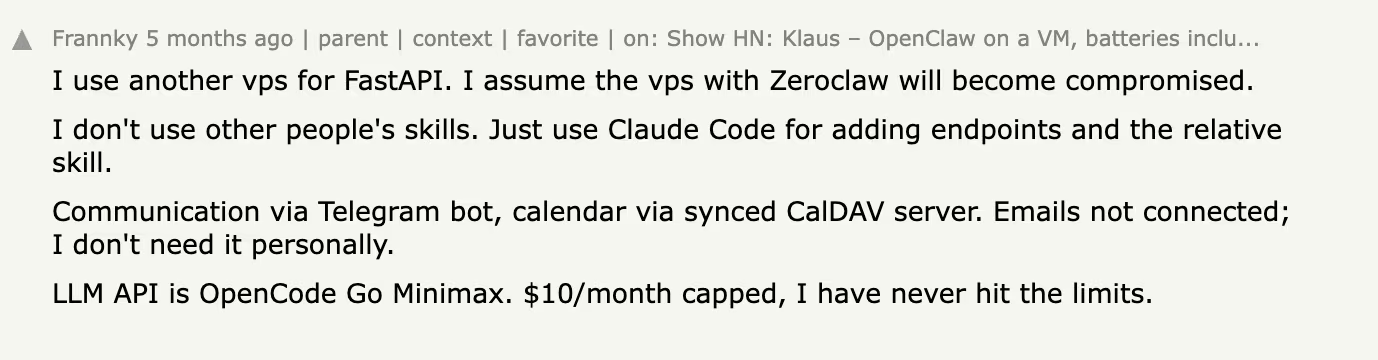
The people who like it describe defensive setups, not features. Commenter Frannky runs it on a cheap rented server wired to Telegram and a synced calendar, and plans for the worst on purpose: "I assume the VPS with Zeroclaw will become compromised."
That's the posture experienced owners take with any self-hosted agent.
bpavuk tried it inside a locked-down container and came away unimpressed: "the harness is very buggy." That tracks for a project this young.
What You Give Up
ZeroClaw optimizes for footprint, and that shows up as an absence of the comforts other options include. You get no dashboard, and there's no managed hosting or support line behind it.
It also doesn't remove the core security question, because a lean agent that can run commands on your computer can still do so.
Pricing
ZeroClaw is free to run under a dual Apache 2.0 and MIT license. Your costs are the hardware or small server you run it on, plus model usage.
Bottom Line
ZeroClaw wins on operating cost and footprint. It's one small binary that reaches you across dozens of channels and runs on hardware you already own. Pick it when the machine matters more to you than the interface.
Which OpenClaw Competitor Should You Choose?
The right pick follows from one decision: whether you want to own the setup or rent it.
Choose Hermes Agent, NanoClaw, or ZeroClaw if you:
- Want to read, modify, or self-host the software running your assistant.
- Have somewhere to run it and are comfortable maintaining it.
- Need the agent to reach files and commands on your own machine.
Choose Claude Cowork, Manus, Wingman, or Lindy if you:
- Want the vendor to carry uptime, patching, and security.
- Prefer a predictable monthly figure over a model bill you have to watch.
- Care more about what the agent finishes than how it's built.
- Want one assistant a whole team can call on, which is Lindy's shape specifically
Skip this category entirely if:
- Your automation is a fixed sequence of steps between two apps; in this case, a workflow tool costs less and breaks less often.
- You need audited control over sensitive records and don't yet have a policy for what an agent may touch.
- You want to design an agent for others to use rather than run one for yourself, which is a job for AI agent builders.
Final Thoughts
The most useful assistant is the one whose upkeep you'll actually do, and for most owners, that isn't a self-hosted one. Hermes Agent is the strongest straight swap for OpenClaw and the one I'd point a technical reader toward first, but it still assumes you'll patch it, host it, and be responsible for it.
For everyone else, the split is clean. Claude Cowork is close to free if you already subscribe, and Manus is the one to beat when the output is a document. Lindy is the one to pick when the assistant belongs to a team rather than a person.
Wingman behaves most like the OpenClaw experience people fell for, minus the machine in the corner. NanoClaw and ZeroClaw are for readers who want to see the wiring.
OpenClaw is as good as it ever was. What changed in 2026 is the category around it: running an assistant is now something you can rent by the month. Decide who you want holding the pager, and the rest of the decision makes itself.
Try Wingman Before You Buy a Mac Mini
If the setup weekend is the thing stopping you, the Growth plan is $1 for the first month with 100 credits, then $20/month.
That's enough to hand it one real job and find out whether it holds up. A week of inbox triage, or the recurring booking you're tired of doing yourself.
Connections run through ordinary sign-in, so you can point it at Gmail, Google Calendar, Slack, or GitHub in the time it takes to read this page.
If you're after building software rather than running operations, Emergent handles that side.

Every alternative has trade-offs. Emergent just builds production-ready apps from one prompt.
- Production-ready apps
- Web & mobile apps
- Deploy in minutes







