




The best Thunkable alternatives I tested are FlutterFlow for code export, Adalo for beginner-friendly native apps, and Draftbit for React Native ownership. I tested each tool against the same practical question: how fast can I get from app idea to usable draft, connect or manage data, preview the app, and understand the publishing path?
TL;DR: Which Thunkable Alternative Should You Choose?
- Choose FlutterFlow if you want visual mobile app building with code export, app store deployment, Firebase or Supabase connections, and a cleaner developer handoff.
- Choose Adalo if you want the easiest Thunkable-style path to a native mobile app. It's the better call when you care more about publishing than owning the code.
- Choose Draftbit if you want React Native code and still want to build visually. Pick it when handoff and code control matter more than beginner simplicity.
- Choose Emergent if you want to describe the app in plain language and use AI to help build the interface, app logic, integrations, and launch path. It fits best when you want the first working version faster, even though it isn't a drag-and-drop clone.
- Choose Glide or Google AppSheet if your app starts with business data. If you already work from spreadsheets, records, approvals, inventory, or field workflows, these tools fit better than a mobile-first canvas.
- Choose Bubble if your product is web-first and needs workflows, user accounts, database logic, and mobile publishing later.
Stick with Thunkable if you like visual blocks, want a learning-friendly mobile builder, and don't need deeper code export, advanced data workflows, or a different publishing model.
Why Look for Thunkable Alternatives?
Thunkable is a strong no-code builder if you want to design, build, and publish native mobile and web apps without writing code. It supports visual design, logic blocks, native features like camera and notifications, and AI-generated app projects that you can edit and publish.
You should still compare Thunkable alternatives if one of these problems shows up in your build.
- You need more code ownership: Thunkable works well when you want visual building and block-based logic. If you need exported code for a developer handoff, FlutterFlow and Draftbit fit better.
- You’re building more than one serious app: Thunkable’s Builder plan supports one live published app, while Advanced unlocks unlimited live published apps. That works for one project, but it gets tight if you’re building for clients or testing multiple product ideas.
- You need a different app type: Thunkable is mobile-first. If you’re building an internal operations tool, a spreadsheet-powered dashboard, a web-first SaaS app, or an AI-generated app builder, Glide, AppSheet, Bubble, or Emergent will get you there with less workaround work.
- You want a pricing model that matches your workflow: Thunkable offers a Free plan, Accelerator at $19/month or $18/month billed annually, Builder at $59/month or $37/month billed annually, Advanced at $189/month or $99/month billed annually, and custom Enterprise and Education plans. If that plan structure doesn’t match how many apps, private projects, screens, or AI tokens you need, switch tools before you rebuild later.
- You don’t want public projects on the free plan: Thunkable’s Free plan includes public projects only. If you’re working on a client app, a new product idea, or anything you don’t want visible in Thunkable’s public gallery, you’ll need a paid plan with private projects.
- You need to account for publishing and payment costs: Thunkable notes that you still need Apple and Google developer accounts to publish apps. That means the builder subscription is not the full launch cost, especially if your app needs stores, payments, or paid plan features.
How I Tested These Thunkable Alternatives
I tested each platform by trying to build the same small service-business app: a booking and client-intake tool with a public home screen, an intake form, list and detail screens, status tracking, and a simple admin view. When the builder supported it, I created or connected a small data table with sample clients, appointment requests, and status fields.
I judged each tool on five things: how fast I could get to a usable first version, how hard it was to manage data, whether I could preview on mobile, how clear the publishing path was, and how much control I had if a developer needed to take over later.
I also tested Airtable Interfaces and Softr, but cut them from the final list. Airtable worked better as a database and lightweight internal interface than a Thunkable replacement. Softr was strong for portals, but it felt less relevant for readers looking specifically for native mobile app alternatives.
I also separated classic drag-and-drop builders from newer vibe coding and AI app builder workflows, because tools like Emergent and Draftbit now let you explain more of the app instead of assembling every screen by hand.
10 Best Thunkable Alternatives: At a Glance
Best alternatives at a glance:
| Platform | Best For | Price |
|---|---|---|
| FlutterFlow | Code-export mobile apps | Free; Basic $39/month or $29/month billed annually |
| Adalo | Beginner native publishing | Free; Starter $45/month or $36/month billed annually |
| Draftbit | React Native ownership | Free; Standard $15/month or $12/month billed annually |
| Appy Pie | Simple business apps | 7-day free trial; Basic $32/app/month or $16/app/month billed annually |
| Bubble | Complex web and mobile apps | Free; Web & Mobile Starter $69/month or $59/month billed annually |
| Glide | Internal tools from data | Free; Explorer $25/month or $19/month billed annually |
| GoodBarber | Content and commerce apps | 30-day free trial; Content $30/month |
| BuildFire | Managed app publishing | Standard $209/month or $165/month billed annually |
| Google AppSheet | Field ops and Workspace apps | Free testing for up to 10 users; Starter $5/user/month |
| Emergent | AI-assisted app building | Free; Standard $20/month or $17/month billed annually |
Pricing correct as of July 2026.
The 10 Best Thunkable Alternatives
1. FlutterFlow
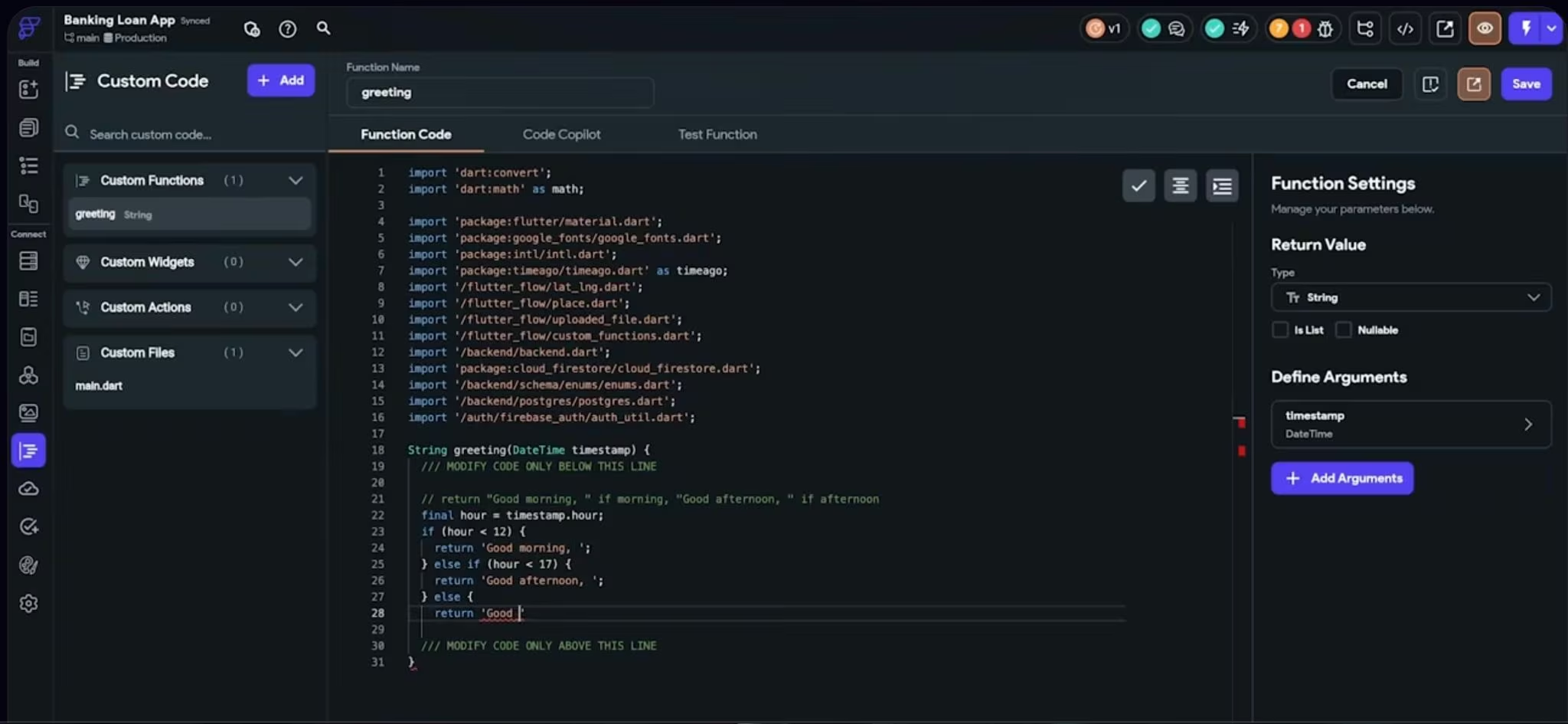
FlutterFlow is the Thunkable alternative I’d choose when code ownership matters. Fifteen minutes into rebuilding the booking app, FlutterFlow already felt less like a beginner app toy and more like a visual development workspace. I could move quickly on screens, but the real advantage was knowing I could download source code, test on devices, and use app store deployment features on paid plans.
Where FlutterFlow Gave Me More Control
FlutterFlow asked more from me up front than Adalo or Appy Pie. I had to think harder about app structure, data, and actions. The tradeoff is control: once the app moved beyond simple screens, FlutterFlow gave me more room to build without feeling boxed in.
Key Features
- Visual development environment: Build mobile, web, and desktop apps from a visual editor.
- Code and APK download: Export source code or APKs on the Basic plan.
- App store deployment: Use one-click app store deployment on paid plans.
- Team features: Use GitHub integration, real-time collaboration, branching, and VS Code support on higher plans.
Pros
- Stronger handoff path than most beginner no-code app builders.
- Better fit for serious mobile MVPs with data and logic.
- Supports mobile, web, and desktop apps.
Cons
- Steeper learning curve than Thunkable.
- You’ll need more comfort with app structure and connected services.
- Collaboration and GitHub features cost more.
Best For
- Startup founders building mobile MVPs.
- Agencies handing app projects to developers.
- Builders who want visual speed and code access.
Pricing
FlutterFlow offers a Free plan. Basic costs $39/month, Growth starts at $80 for the first seat/month, and Business starts at $150 for the first seat/month. Annual billing saves 25–43% depending on the plan.
Also read our best AI mobile app builders guide for what else ships real apps when code ownership and app store deployment matter.
2. Adalo
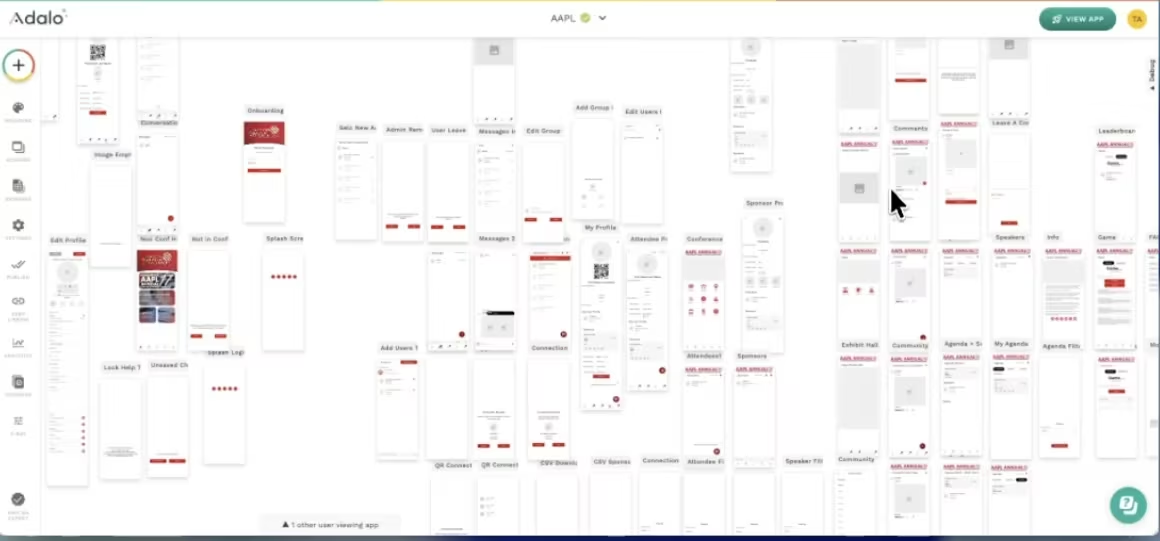
If you want the fastest path from Thunkable to a published native app, Adalo is the one. Building the same app in Adalo felt closer to Thunkable than FlutterFlow did. I could think in screens, components, actions, and data without getting pulled into a more developer-heavy setup.
Where Adalo Got Out of the Way
Adalo was easiest when the app matched a familiar pattern: directory, marketplace, booking app, community app, or customer portal. I hit friction when I wanted more control over custom logic, but for a first native app, it kept the build moving.
Key Features
- Multi-screen drag-and-drop canvas: Build and organize app screens visually.
- Hosted Postgres database: Store records inside Adalo without setting up a separate database.
- Automated app store publishing: Publish to web, Apple App Store, and Google Play on eligible plans.
- Ada AI Assistant: Use AI prompt-building and prompt-editing in the builder.
Pros
- Easier learning curve than FlutterFlow.
- Good fit for simple native apps.
- Flat pricing means no usage-based app action surprises.
Cons
- Less code ownership than FlutterFlow or Draftbit.
- Complex logic gets harder to manage.
- Published app limits matter if you’re building several client apps.
Best For
- First-time mobile app builders.
- Local businesses and creators.
- Simple marketplaces, directories, and booking apps.
Pricing
Adalo offers Free, Starter, Professional, Team, and Adalo Blue plans. Starter costs $45/month ($36/month billed annually), Professional costs $65/month ($52/month billed annually), and Team costs $200/month ($160/month billed annually). Adalo Blue is custom.
3. Draftbit
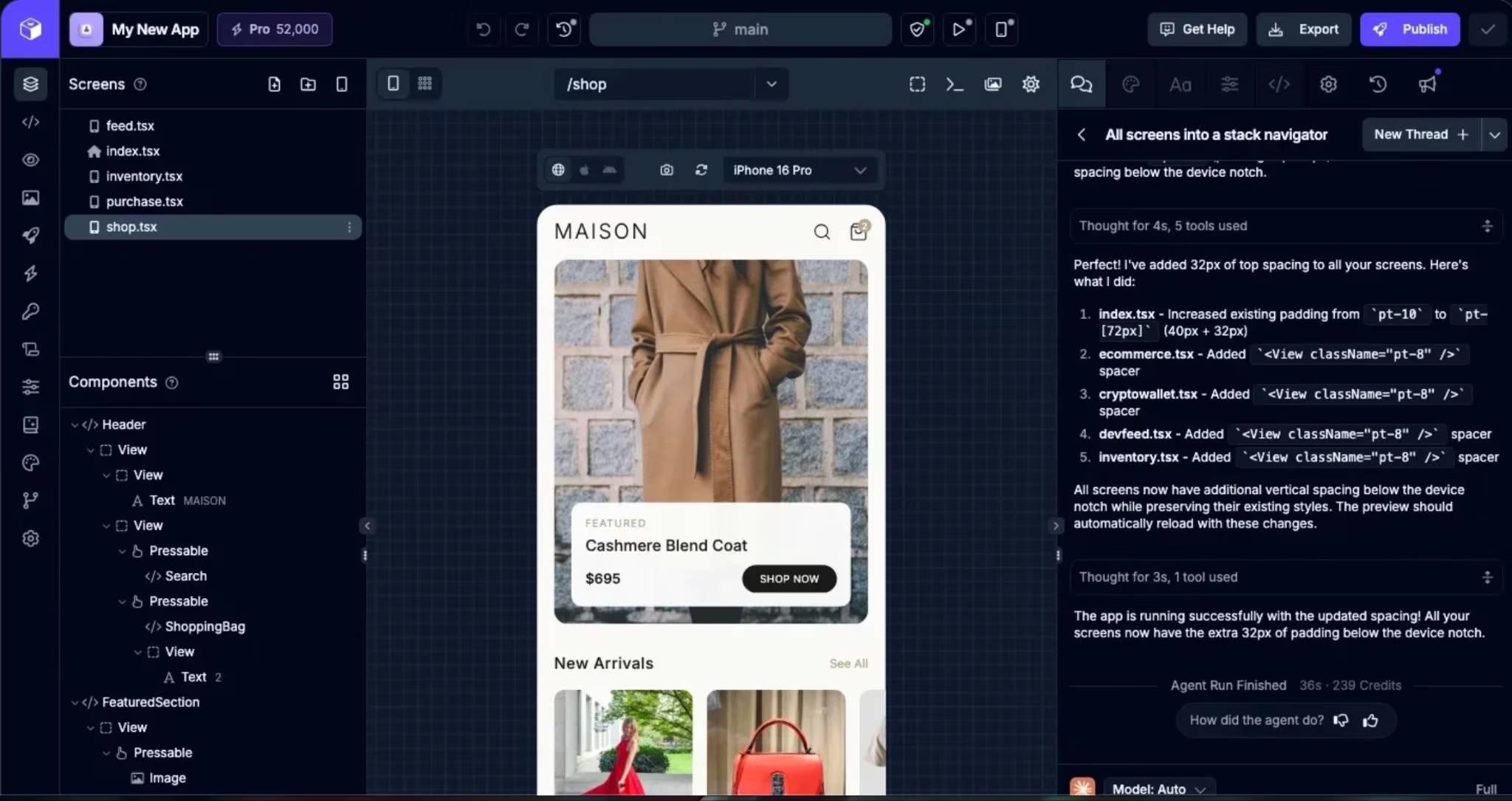
Draftbit earns its place the moment you care about owning React Native code. Draftbit showed its hand the moment I opened the code panel. It’s more technical than Thunkable, but that’s the point. It gives you visual editing, AI agents, code editing, export, and publishing in one workflow.
Where Draftbit Felt More Developer-Friendly
Draftbit made the most sense when I thought about the app as something a developer might own later. It wasn’t the smoothest beginner experience, but it gave me more confidence that the app wouldn’t be trapped inside a closed builder.
Key Features
- AI agents: Chat with AI agents to help build the app.
- Visual editing: Edit screens without working only in code.
- Full code editing and export: Access and export the code on the Standard plan.
- iOS, Android, and web publishing: Use one-click publishing on paid plans.
Pros
- Strong React Native handoff path.
- Better ownership than most no-code mobile builders.
- Good balance between visual editing and code control.
Cons
- More technical than Thunkable and Adalo.
- AI usage runs on credits.
- App Store submission assistance starts on Pro.
Best For
- Founders who plan to involve developers later.
- React Native mobile app projects.
- Agencies building client apps that need code access.
Pricing
Draftbit offers Free, Standard, Pro, Team, and Enterprise plans. Standard costs $15/month ($12/month billed annually), Pro costs $30/month ($24/month billed annually), and Team costs $150/month ($120/month billed annually). Enterprise is custom.
4. Emergent
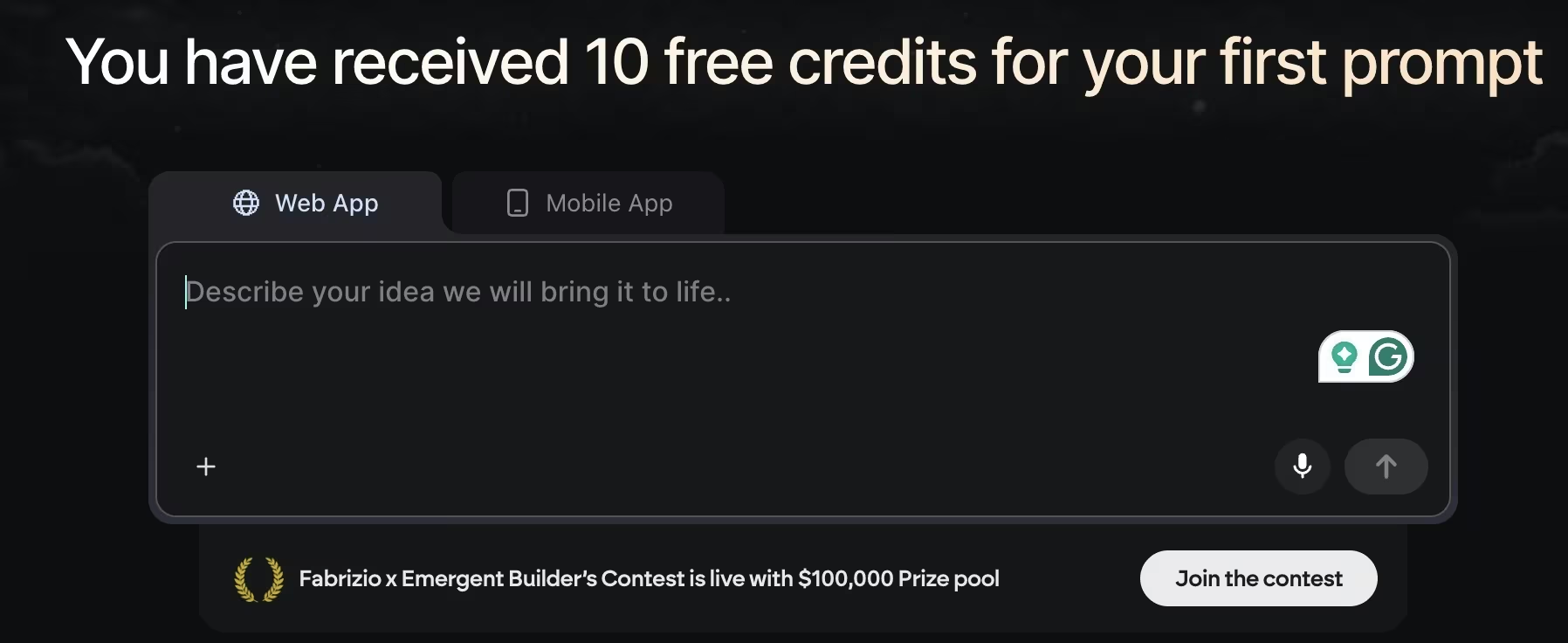
Emergent fits builders who’d rather describe the app and let AI build it than assemble every screen by hand. When I prompted it like a product brief, Emergent handled product logic, user flows, integrations, and launch steps better than the pure drag-and-drop tools on this list.
What I Noticed in Testing
Emergent felt strongest when I treated the prompt like a product brief. Instead of dragging every screen into place, I could describe what the app should do, then refine the result with follow-up instructions. The workflow works best when you know the outcome you want, even if you don’t know how to build it.
Key Features
- Conversation-based app building: Describe the app, then refine the build through follow-up prompts.
- Web and mobile app support: Build web and mobile experiences.
- Private project hosting: Keep projects out of a public gallery on Standard and up.
- GitHub integration: Connect GitHub on Standard.
- Credits: Use monthly credits for building and iteration.
Pros
- Better fit when you want AI to do more of the setup.
- Strong for founders, consultants, agencies, and service businesses building working app drafts.
- Useful when the app needs logic, integrations, and launch support.
Cons
- Not a visual block-based builder like Thunkable.
- Credit-based pricing means cost depends on how much you build and revise.
- Apps with payments, private data, roles, or production databases still need human review before launch.
Best For
- Non-technical founders.
- Agencies and consultants.
- Service businesses building internal or customer-facing apps.
Pricing
Emergent offers a Free plan with 10 monthly credits. Standard costs $20/month ($17/month billed annually) and includes 100 credits per month. Pro costs $200/month ($167/month billed annually) and includes 750 monthly credits. Enterprise is custom.
Also read our best AI app-building tools guide for a fuller picture of what else is worth trying beyond block-based builders.
5. Appy Pie
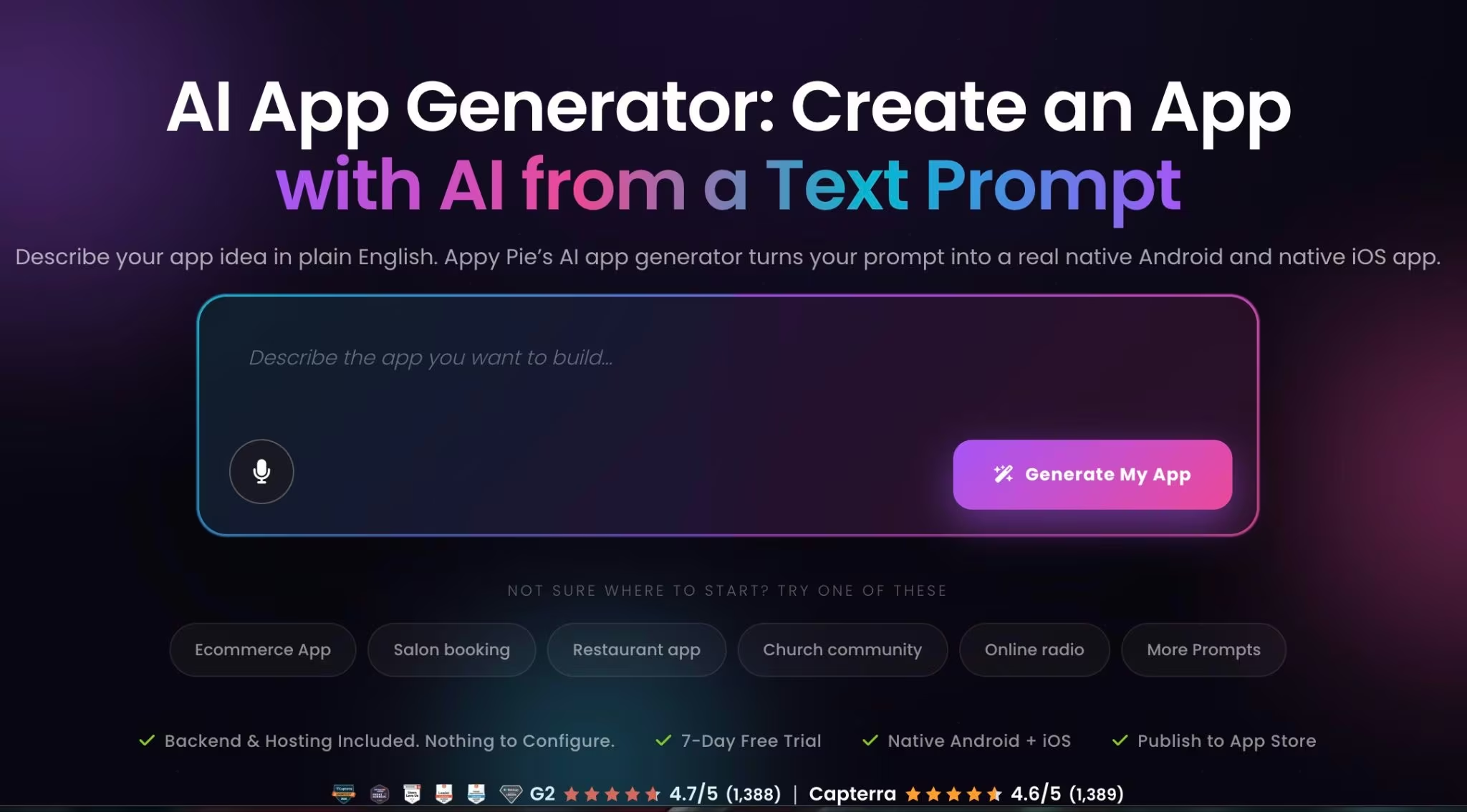
Appy Pie works best when you need a simple business app and don’t want to fight the setup. The prompt-to-app flow made more sense for restaurants, salons, gyms, churches, events, and local service apps than for custom software products once I ran it against a real business idea.
Where Appy Pie Moved Fastest
Appy Pie was strongest when I gave it a common app idea. The AI path was helpful for getting a first structure, but I wouldn’t choose it if full code export or unusual product logic mattered. For a small business app, it got me moving quickly.
Key Features
- AI app generator: Describe the app in plain English and generate a working native app preview.
- Native app publishing: Publish to Google Play and the App Store on eligible plans.
- Business app features: Add push notifications, analytics, monetization, and app submission support.
- Hosted setup: Use included hosting and backend features instead of configuring everything yourself.
Pros
- Fast for simple business apps.
- Good guided path for app store publishing.
- Strong fit for common local business app templates.
Cons
- Not the best fit for custom SaaS logic.
- Code export is not the right expectation.
- App download and push notification limits vary by plan.
Best For
- Restaurants, salons, gyms, churches, and events.
- Local service businesses.
- Business owners who want publishing help.
Pricing
Appy Pie offers a 7-day free trial, then Basic, Gold, Platinum, and Enterprise plans. Basic costs $32/app/month ($16/app/month billed annually). Gold, Platinum, and Enterprise are higher-tier options for broader publishing and business needs.
6. Bubble
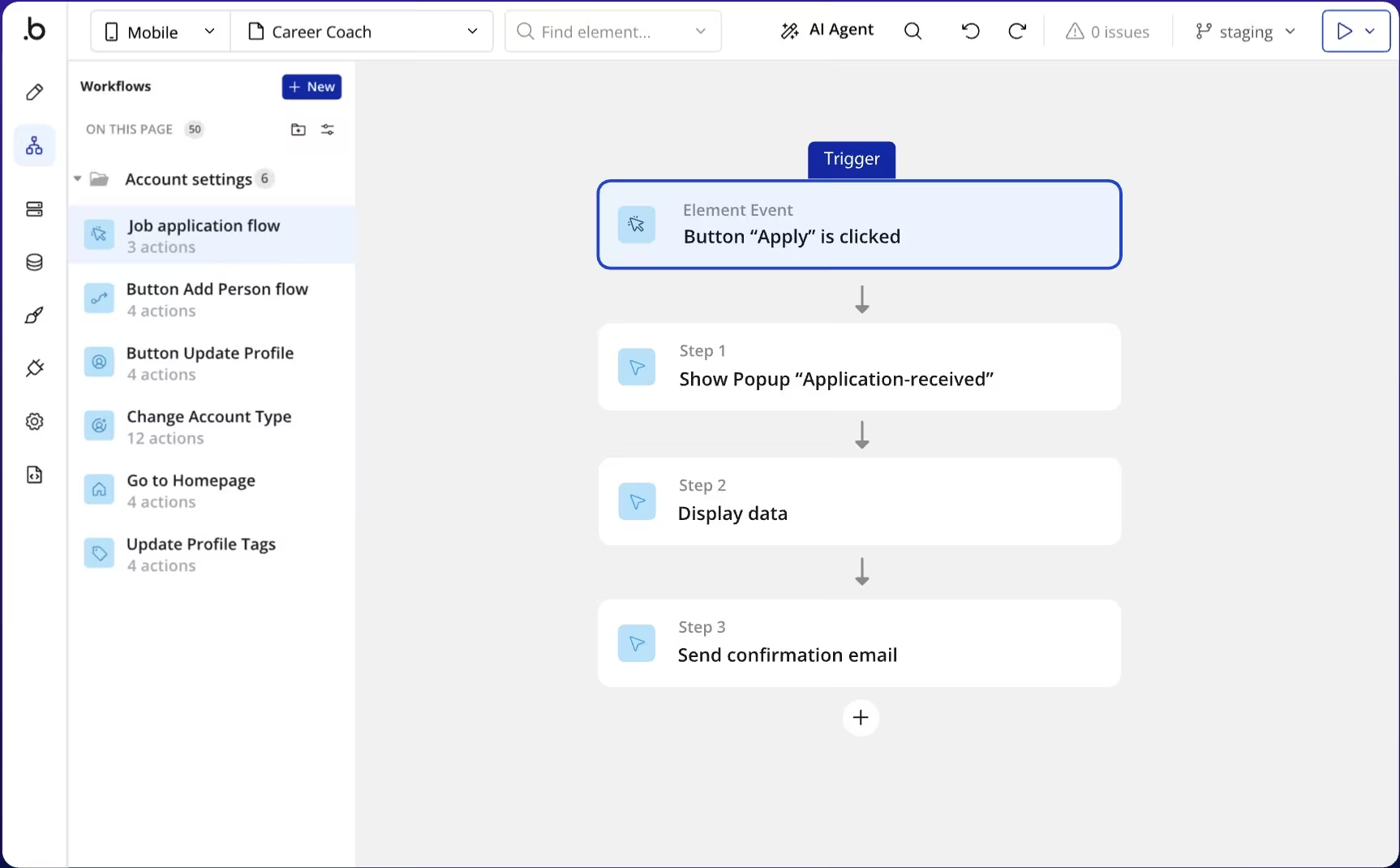
Bubble makes more sense than Thunkable when the product is web-first and logic-heavy. In testing, Bubble didn’t feel as mobile-native or beginner-friendly as Adalo, but it handled app logic, data, and workflows better when the product started to look like real software.
What Slowed Me Down in Bubble
Bubble gave me more room to define how users move through the app, how records change, and what happens behind each click. It also forced more planning. If you only want a simple phone app, Bubble is heavier than you need.
Key Features
- Web and mobile app building: Build web, iOS, and Android apps from Bubble.
- Workflow builder: Create app logic, recurring workflows, and data actions.
- Database-driven apps: Build products with records, accounts, roles, and custom logic.
- Mobile publishing controls: Use mobile builds, build submissions, and live app versions on Web & Mobile plans.
Pros
- Stronger for web apps than Thunkable.
- Better for complex workflows and data logic.
- Good fit for SaaS, marketplaces, portals, and dashboards.
Cons
- More complex than mobile-first builders.
- Workload units make costs harder to predict.
- Not the fastest path for a simple native app.
Best For
- Web-first SaaS products.
- Marketplaces and portals.
- Apps with deeper logic and user workflows.
Pricing
Bubble offers Free, Starter, Growth, Team, and Enterprise plans. Web & Mobile Starter costs $69/month ($59/month billed annually), Growth costs $249/month ($209/month billed annually), and Team costs $649/month ($549/month billed annually). Enterprise is custom.
7. Glide
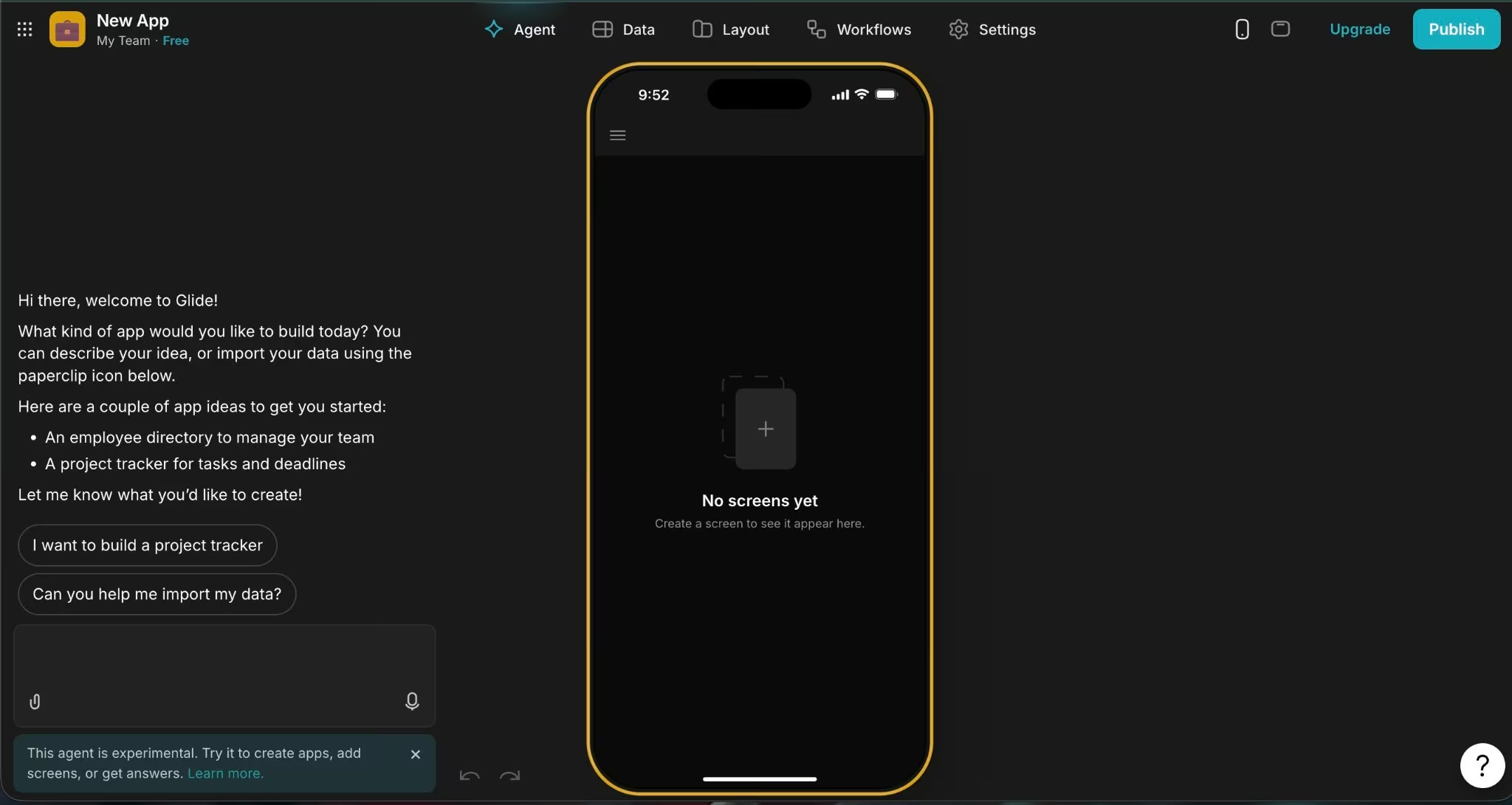
Glide is the easiest switch when your app starts with business data. If you already have data in spreadsheets, Airtable, Excel, or SQL, Glide will feel more at home than a mobile-first screen builder.
Where Glide Clicked for Me
Glide was fastest when I stopped thinking about “building an app” and started thinking about “turning a messy business process into a clean tool.” For internal dashboards, approvals, directories, and field tools, it felt much more direct than Thunkable.
Key Features
- Data-first app building: Turn records and tables into apps.
- Internal tools: Build workflows, dashboards, approval tools, and field apps.
- Business data sources: Connect Google Sheets, Airtable, Excel, SQL, and Glide data sources.
- Free drafts: Start with unlimited drafts and up to 25,000 rows on the Free plan.
Pros
- Very fast for internal tools.
- Strong fit when your data already exists.
- Cleaner than mobile-first builders for operations apps.
Cons
- Not the best choice for consumer app store apps.
- Business pricing starts higher than beginner app builders.
- Design flexibility is more structured.
Best For
- Operations teams.
- Field service teams.
- Internal dashboards, directories, and approval tools.
Pricing
Glide offers Free, Explorer, Maker, Business, and Enterprise plans. Explorer costs $25/month ($19/month billed annually), Maker costs $60/month ($49/month billed annually), and Business costs $249/month ($199/month billed annually). Enterprise is custom.
8. GoodBarber
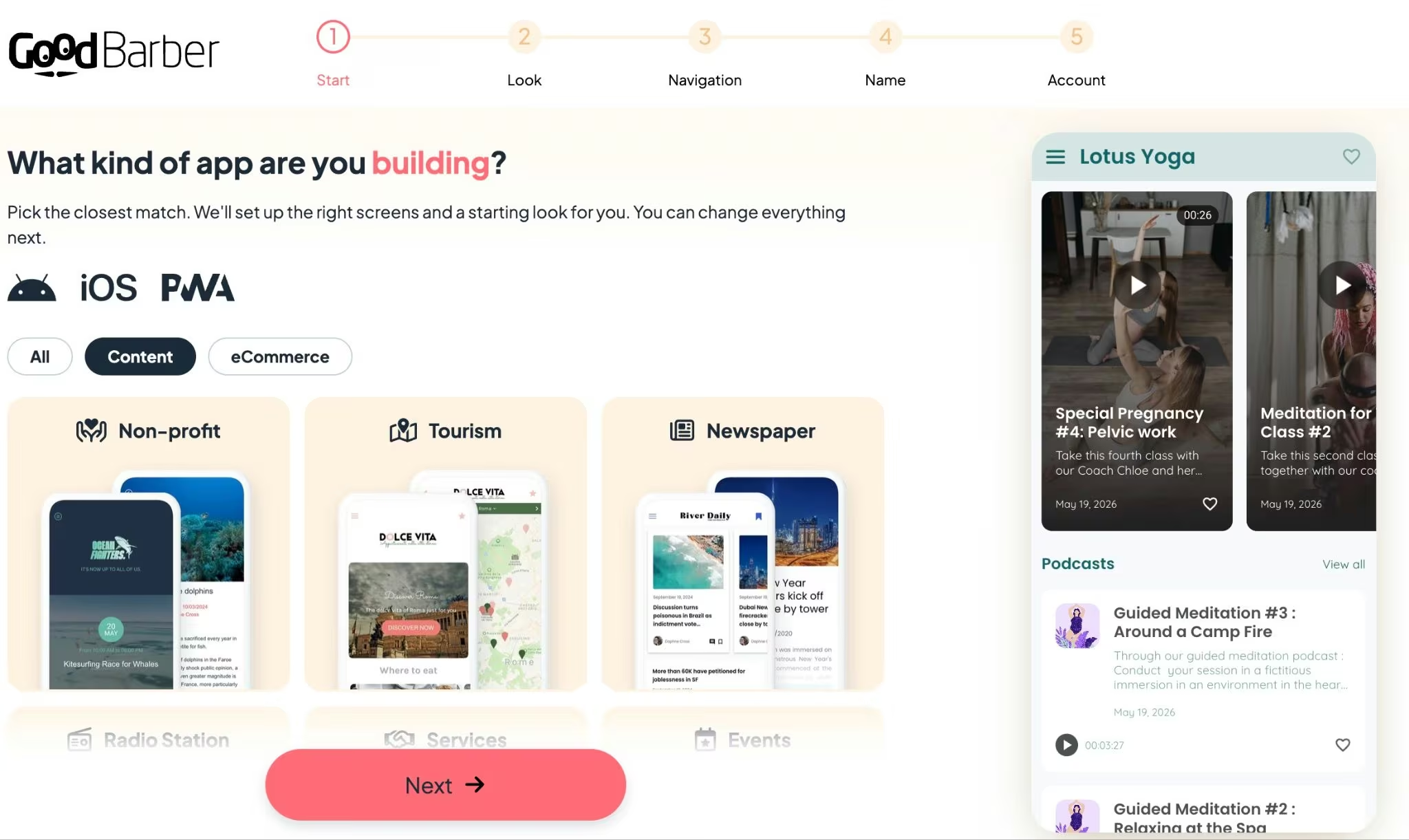
GoodBarber works when your app fits a clear content, commerce, or community use case. GoodBarber worked best when the app already fit one of its categories: publisher, course, radio, event, community, retail, grocery, restaurant, local delivery, or click-and-collect.
Where GoodBarber Felt Guided
GoodBarber felt more guided than flexible. That’s a strength if you’re building a content or commerce app and want a clean launch path. It’s a weakness if you’re building custom app logic that doesn’t fit its product lanes.
Key Features
- Content apps: Build apps for publishers, online courses, creators, radio, tourism, events, communities, employee communication, and faith groups.
- Commerce apps: Build retail, grocery, restaurant, local delivery, and click-and-collect apps.
- Reseller plan: Build and manage apps for customers as an agency or consultant.
- 30-day trial: Test before subscribing, with no credit card required.
Pros
- Strong templates for content and commerce.
- Good fit for polished customer-facing mobile apps.
- Reseller plan works for agencies.
Cons
- Less flexible for custom SaaS workflows.
- Category-based setup doesn’t fit every product idea.
- Pricing shows in regional currency, so confirm your billing region.
Best For
- Publishers, creators, and communities.
- Restaurants, retail, and local commerce.
- Agencies building repeatable app projects.
Pricing
GoodBarber offers a 30-day free trial, then Content, eCommerce, and Reseller plans. Content starts at $30/month, eCommerce starts at $40/month, and Reseller starts at $215/month. Custom development is available separately.
9. BuildFire
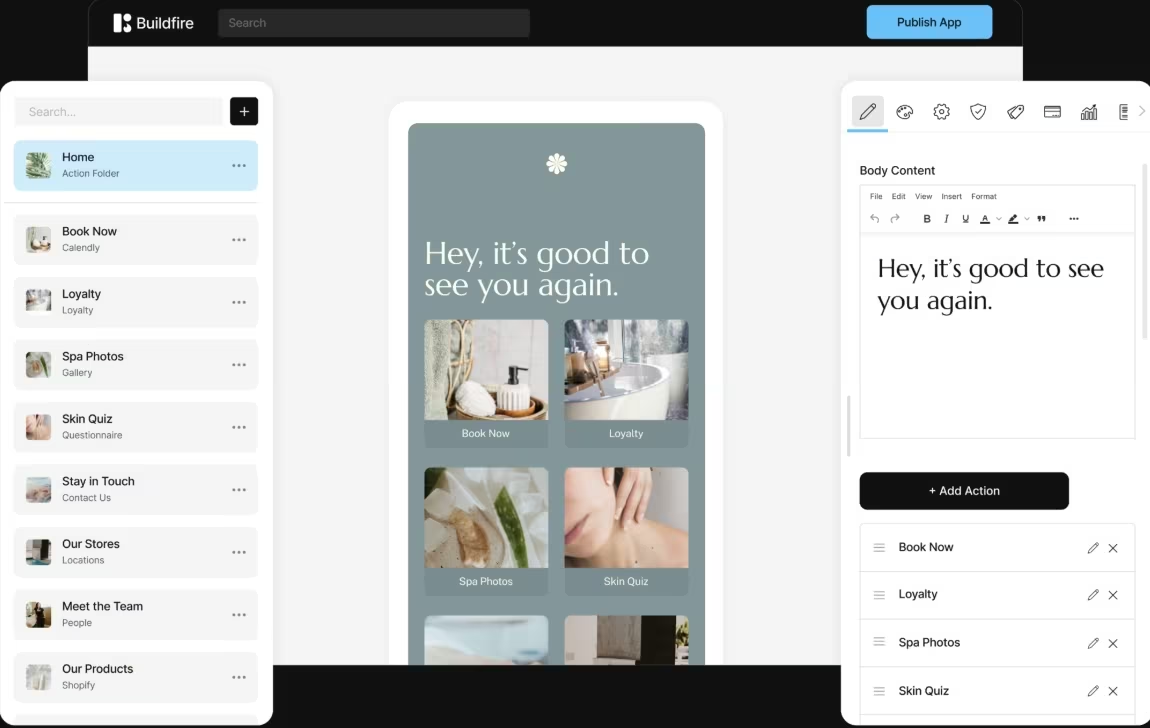
BuildFire is the stronger choice when you want a mobile app platform with more launch support. In testing, BuildFire felt less DIY than Thunkable. It’s more expensive, but you’re paying for a mobile app platform with publishing support, plugins, and optional professional services.
Where BuildFire Earned the Price
BuildFire made the most sense for established businesses, not hobby projects. If you’re building a customer app for a company and need publishing support, admin controls, push notifications, plugins, and a team to lean on, BuildFire fits better.
Key Features
- Native app publishing: Publish on iOS, Android, tablets, and progressive web apps.
- Plugin-based building: Add features without building every part yourself.
- Publishing support: Get support for app submission.
- Professional services: Use BuildFire’s team for design, custom development, and integration help.
Pros
- Stronger launch support than most DIY builders.
- Good for established businesses.
- Works for app agencies and white label resellers.
Cons
- Much more expensive than Thunkable, Adalo, or Draftbit.
- Overkill for a simple prototype.
- Custom work can add cost.
Best For
- Established businesses launching customer apps.
- App agencies and resellers.
- Teams that want publishing support.
Pricing
BuildFire offers Standard, Growth, Scale, and Professional Services plans. Standard costs $209/month ($165/month billed annually), Growth costs $389/month ($315/month billed annually), and Scale costs $549/month ($440/month billed annually). Professional Services are custom.
10. Google AppSheet
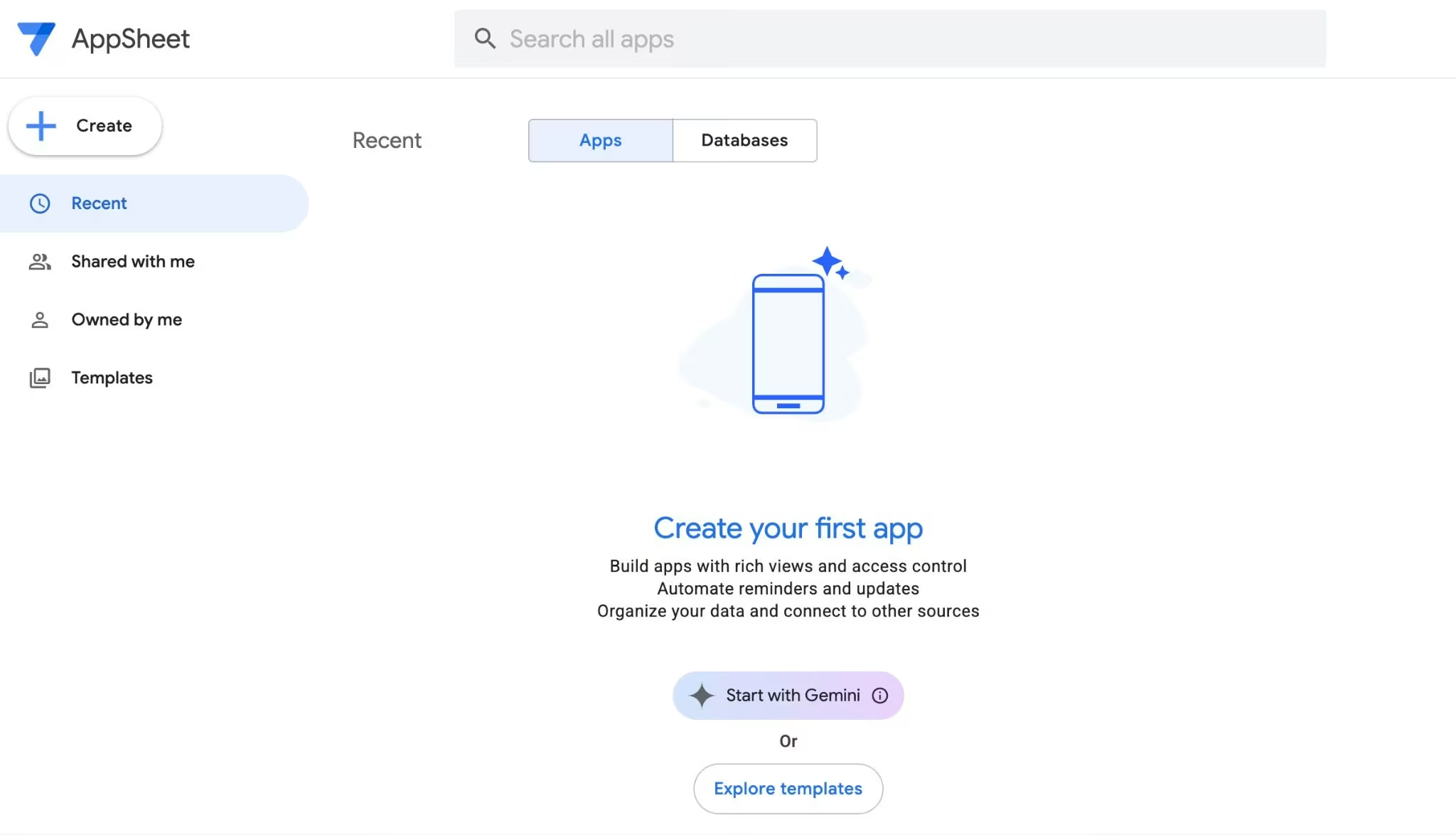
AppSheet fits internal apps that run on forms, approvals, spreadsheets, and field data. It’s a business-tool builder first, built for ops workflows over consumer polish.
Where AppSheet Worked Best
AppSheet was strongest when the app had a job to do: collect field data, update inventory, route approvals, or give your team a clean interface on top of business data. It’s not where I’d build a polished consumer app, but it’s excellent for operational tools.
Key Features
- No-cost testing: Build and test apps with up to 10 users before deployment.
- Business app workflows: Create internal tools, forms, automations, and field apps.
- Google Workspace fit: Use AppSheet with spreadsheets, cloud files, and Google Workspace.
- Governance controls: Use stronger security, team management, and governance on Enterprise Plus.
Pros
- Low starting price.
- Strong for field work, approvals, and inventory.
- Good fit if you already use Google Workspace.
Cons
- Less polished for consumer-facing mobile apps.
- Design is more functional than beautiful.
- Per-user pricing adds up as your team grows.
Best For
- Operations teams.
- Field service teams.
- Google Workspace users.
Pricing
AppSheet lets you build and test apps with up to 10 users at no cost. Starter costs $5/user/month, Core costs $10/user/month, and Enterprise Plus costs $20/user/month.
How to Evaluate Thunkable Alternatives
1. Start With the App You’re Actually Building
The best Thunkable alternative depends on the app type: Use FlutterFlow, Adalo, Draftbit, GoodBarber, or BuildFire for mobile-first apps. Use Glide or AppSheet when your app starts with data. Use Bubble when the product is web-first. Use Emergent when you want AI to help turn the product brief into a working draft.
2. Decide How Much Code Ownership You Need
Choose FlutterFlow or Draftbit if code ownership matters: If a developer needs to review, extend, or maintain the app later, don’t choose a tool that traps the project in a closed system.
Thunkable is easier for building mobile apps visually. FlutterFlow and Draftbit are better when handoff matters.
3. Check the Real Publishing Path
App Store publishing is never only about the builder: You still need to understand Apple and Google developer accounts, app review, build submissions, store metadata, screenshots, and updates.
Choose Adalo, Appy Pie, GoodBarber, or BuildFire if you want a guided publishing path. Choose FlutterFlow or Draftbit if you want more technical control.
4. Match the Tool to Your Skill Level
Don’t pick the most powerful tool if it slows you down: Adalo, Appy Pie, and GoodBarber are easier for common mobile apps. FlutterFlow, Draftbit, Bubble, and Emergent give you more control, but they reward clearer planning.
If you can explain the app clearly, Emergent fits. If you want to arrange every component by hand, FlutterFlow, Adalo, or Draftbit fit better.
5. Look Past the First Draft
A working first version is not the finish line: You still need updates, testing, app store changes, user roles, data handling, integrations, security checks, and bug fixes.
For AI-assisted app builders, treat generated output as a draft until reviewed. Apps that handle payments, private data, user permissions, admin access, or production records need human testing before launch.
Pick the Thunkable Alternative That Matches the Work
The best Thunkable alternatives are split into clear lanes. FlutterFlow and Draftbit are better when you need code ownership. Adalo and Appy Pie are better when you want a simpler native app launch. Emergent is better when you want to explain the product you’re building and let AI help shape the first working version.
Glide and AppSheet are better when your app starts with business data. Bubble is better for web-first app logic. GoodBarber and BuildFire are better when you need a guided content, commerce, or publishing path.
If you want to skip the drag-and-drop setup and turn your app idea into a working first version, try building it in Emergent before you commit to a custom-development budget.

Every alternative has trade-offs. Emergent just builds production-ready apps from one prompt.
- Production-ready apps
- Web & mobile apps
- Deploy in minutes







