




TL;DR
- What it is: A free, open-source AI agent that runs on your own computer and works from WhatsApp or Telegram instead of a chatbot tab.
- How it helps: Ask it to research leads, draft emails, or check your calendar, and it can also message you first on a schedule without waiting to be asked.
- The catch: It needs broad file and account access to work, third-party skills aren't vetted, and its promise to ask before risky actions doesn't always hold up.
- Bottom line: Worth trying if you're comfortable troubleshooting a terminal window; skip it if you want something that works the moment you sign up.
A friend mentions that their AI, OpenClaw, books flights and answers emails without being asked, and you assume it's some fancy paid service. Then they say it's free, open source, and named after a lobster.
It's enough to make you wonder. What is OpenClaw, and how can it help you claw back a few hours a week without hiring anyone?
I spent 96 minutes finding out, installing it myself, and testing it on tasks like email research and scheduled reminders. What follows covers what you should know before trying it.
What Is OpenClaw? The 30-Second Answer
OpenClaw is a free, open-source AI agent that installs on your own computer and talks to you through apps you already use, like WhatsApp or Telegram, instead of a chatbot website.
It's less a chatbot and more a digital employee that lives inside your phone's messaging apps.
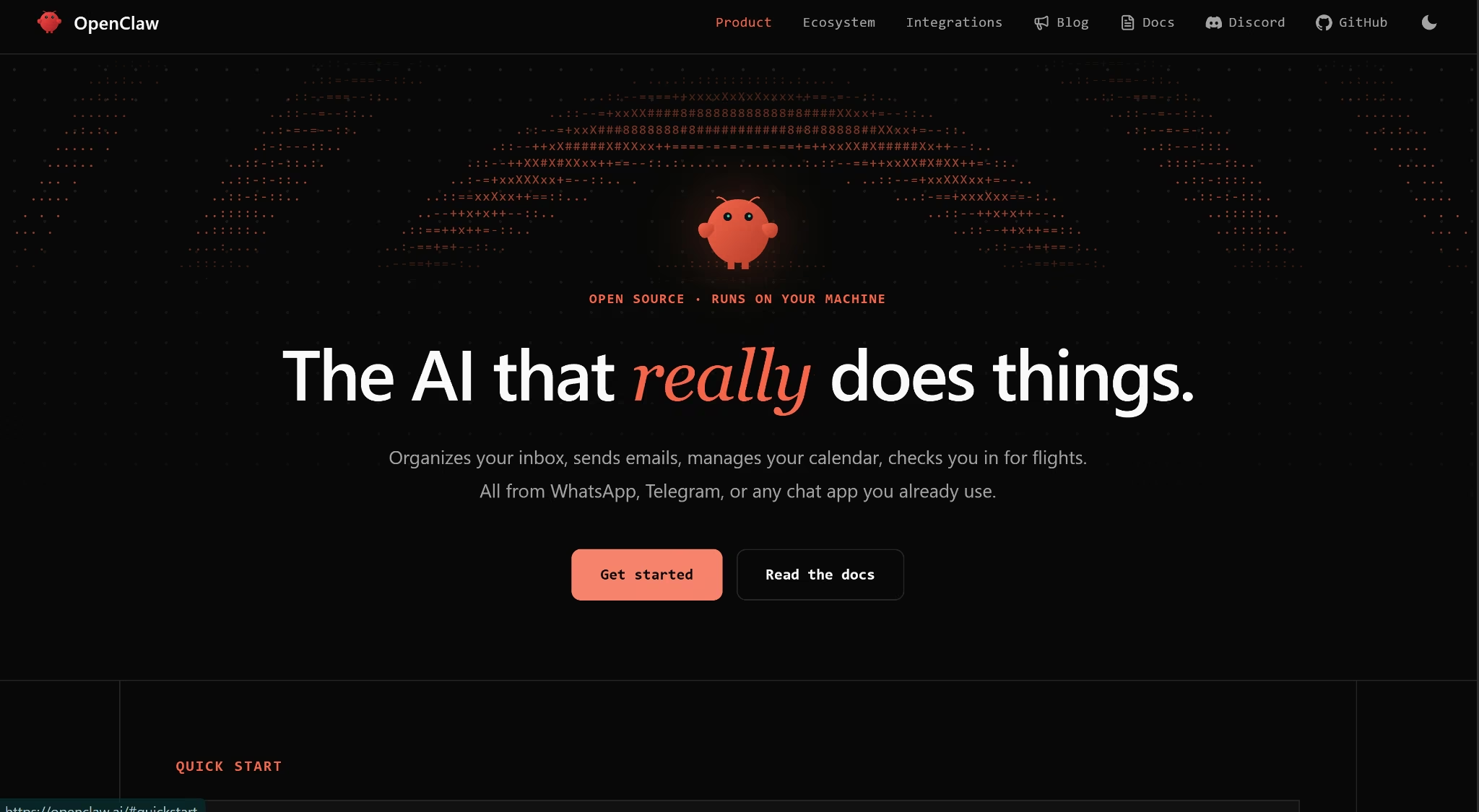
OpenClaw's homepage puts it just as directly.
People sometimes lump OpenClaw in with app-builders that turn a prompt into a live app. It's a different job. OpenClaw runs ongoing tasks like email and research, and it doesn't write software for you.
Peter Steinberger built it in November 2025, first as Warelay, then Clawdbot, then Moltbot, before settling on OpenClaw.
Key Features
- Runs on your own hardware: OpenClaw installs on Mac, Windows, or Linux, and your conversation history and settings stay on that machine instead of a company's server.
- Works inside chat apps you already use: It connects to WhatsApp, Telegram, Discord, Slack, Signal, iMessage, and dozens of other channels, so there's no separate app to check.
- Remembers context between conversations: It keeps track of your preferences, projects, and past requests instead of starting fresh every time you message it.
- Acts on a schedule, not just on command: OpenClaw can check in at set times and run background automations, messaging you first instead of waiting to be asked.
- Browses and operates your computer: It can fill out web forms and extract data, and separately, read files and run terminal commands, either with full access or inside a restricted sandbox you set up.
- Extends itself with skills: Community members publish add-on skills that teach it new tasks, and it can also write new skills for itself when you describe a task in plain language, similar to how vibe coding turns a description into an app instead of code.
- Switches between AI models: You bring your own API key for Claude, GPT, or a locally run model, and switch between them.
How Does OpenClaw Work?
Once installed, OpenClaw runs as a background service called the Gateway, which is just the piece of software that keeps it listening for your messages around the clock. You connect at least one AI model and one chat app, and from there, you talk to it the way you'd text a friend.
Small businesses and freelancers have adopted OpenClaw for lead generation work like prospect research, website audits, and CRM updates.
OpenClaw is just one example of how AI agents can be used in practice, and 7 AI Agents for Business I Use in 2026 (Tested + Ranked) looks at other tools I tested for real business workflows.
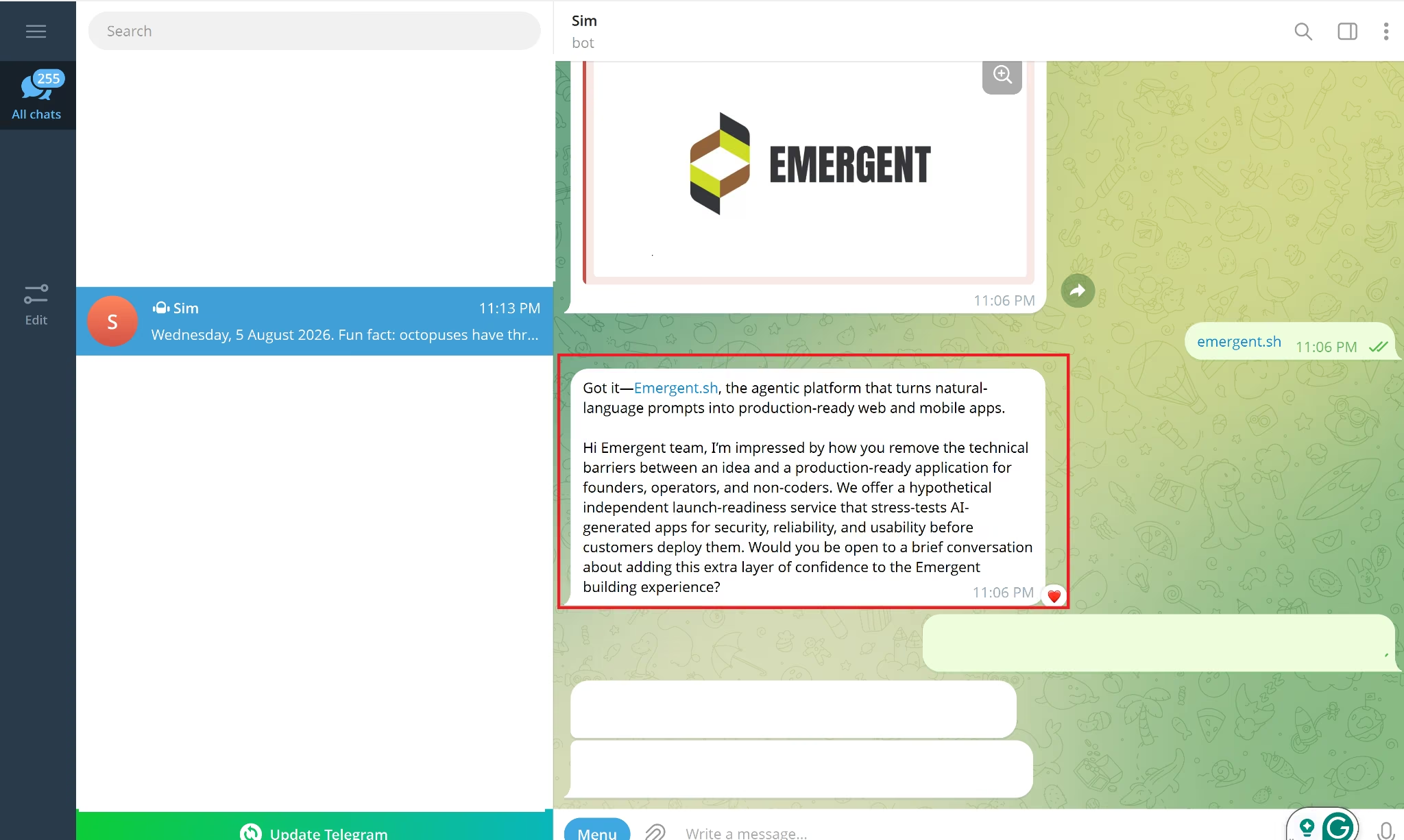
For my own test, I messaged it directly on Telegram and asked it to look up Emergent's public information, then draft a short outreach email.
My first prompt was too vague, and it confidently drafted an email to the wrong company entirely, a public-safety tech firm that happens to share the name Emergent.
Once I specified "emergent.sh," it corrected within about a minute and produced a professional, usable draft. It acts on its best guess rather than asking first, so a vague prompt gets answered quickly and wrong.
Some people also use it to control coding tools like Claude Code or Codex from their phone.
They tell OpenClaw to start a coding task, then check on its progress later without sitting at their computer.
OpenClaw is one approach to AI-assisted development, but it’s not the only option. 12 Best AI Coding Assistants I Reviewed for 2026 looks at other tools that can help with coding, debugging, and everyday development work.
OpenClaw vs. ChatGPT: What's the Difference?
The two solve different problems, even though people constantly compare them. ChatGPT is a hosted, managed chat app you log into. OpenClaw is software you install and run yourself, and it runs on its own schedule rather than only responding when you type.
The two differ most on where they run, what they cost, and how much they'll do without you asking.
How they compare at a glance:
| Parameter | OpenClaw | ChatGPT |
|---|---|---|
| Where it runs | Your own computerora server you rent | OpenAI's servers, accessed through an app |
| Setup | About 25 minutes to install and connect a model, from a cold start | Sign up and start chatting immediately |
| Cost model | Free software; you pay only for theAI model API calls it makes | $20 monthly for the Plus plan, or free with limits |
| Runs on a schedule | Checks in andautomates tasks on cron jobs | Only through thepaid Tasks feature |
| Reaches your files and apps | Full local fileand command access, permission-based | Limited to what youconnect through Apps |
For an assistant that lives in Gmail and WhatsApp and acts while you sleep, OpenClaw is the more capable option; for zero setup and a flat price, ChatGPT is the safer start.
Note: OpenClaw's cost isn't fixed like a subscription. You're billed by whichever AI provider you connect, so a light chat habit and a 24/7 automation setup can end up in very different price ranges on the same software.
What I Liked and Didn't Like About OpenClaw
OpenClaw's biggest strength is that it's free, open-source, and works inside the chat apps people already use, rather than in a separate dashboard. Its biggest weakness is that the same broad access making it useful is also its core security risk, since third-party skills aren't vetted before installation.
Pros (What Actually Works)
- Free and open-source: Nothing about the core agent sits behind a paywall, and the MIT license lets anyone inspect or modify the source code directly.
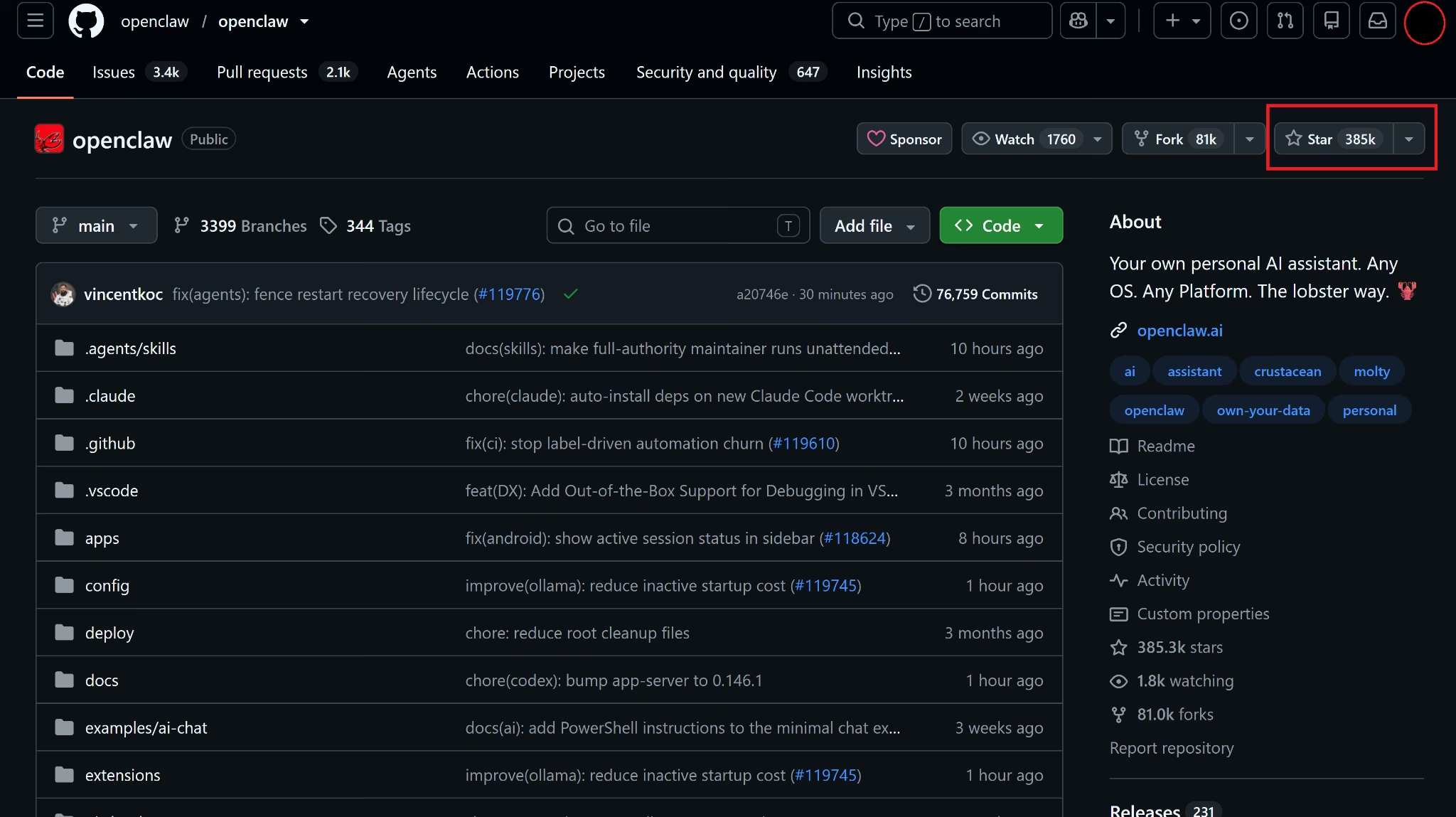
- Meets you where you already are: Messaging it inside WhatsApp or Telegram removed the friction of opening yet another app, a big part of why it's climbed past 385,000 stars on GitHub as of August 2026.
- Scheduling that held up: The one timed message I set fired on the dot, unprompted. The "acts on its own" claim isn't just marketing.
- It can teach itself new tricks: Ask it to do something it doesn't know how to do yet, and it can write itself a new skill on the spot instead of waiting on someone else to build it.
Cons (Where It Falls Short)
- Broad access is the core risk: Cisco's AI security team tested an unvetted third-party skill and found it silently exfiltrated data to an outside server.
- Restarts can silently stall: After I connected Telegram, the Gateway needed to restart, and that restart stalled behind a stuck background task for close to an hour. Every message during that window failed with a generic "not connected" error.
- It assumes comfort with a command line: Running OpenClaw without basic terminal knowledge is a genuine risk, not just an inconvenience.
Should You Use OpenClaw? My Take
The honest answer has little to do with how impressive OpenClaw looks in a demo, and everything to do with how comfortable you already are with a terminal window and a security checklist.
OpenClaw Fits If You
- Already have basic comfort with installing software from a command line
- Want an assistant that acts on a schedule, not just when you type to it
- Are willing to spend an afternoon on setup and permissions before trusting it with your accounts
- Care more about control over your data than about convenience
Skip OpenClaw If You
- Have never used a terminal and don't want to start now
- Plan to connect it to financial accounts or sensitive client data right away
- Want something that works the moment you sign up, with no configuration
When several of those skip-it reasons sound like you, a hosted assistant like ChatGPT, or a managed OpenClaw host like DigitalOcean's one-click deploy, removes most of the setup risk. A full OpenClaw alternatives roundup covers hosted options built for that exact gap.
But maybe a personal assistant was never what you wanted, and turning a business idea into working software was. Emergent is built for exactly that. It takes a plain-language description and turns it into a live, shareable app without you touching a terminal.
OpenClaw is one way to build and work with AI agents, but different platforms take different approaches. 6 Best AI Agent Builders Tested and Compared in 2026 looks at other options and how they perform in practice.
How to Get Started With OpenClaw in 6 Steps
Getting OpenClaw running starts with installing it and running the setup wizard. From there, you connect an AI model, link a chat app, set your permissions, and test it with one small task.
Step 1: Pick an Install Method
OpenClaw offers several install methods: a one-line terminal script, an npm install, building it yourself from source, or a downloadable companion app for macOS and Windows.
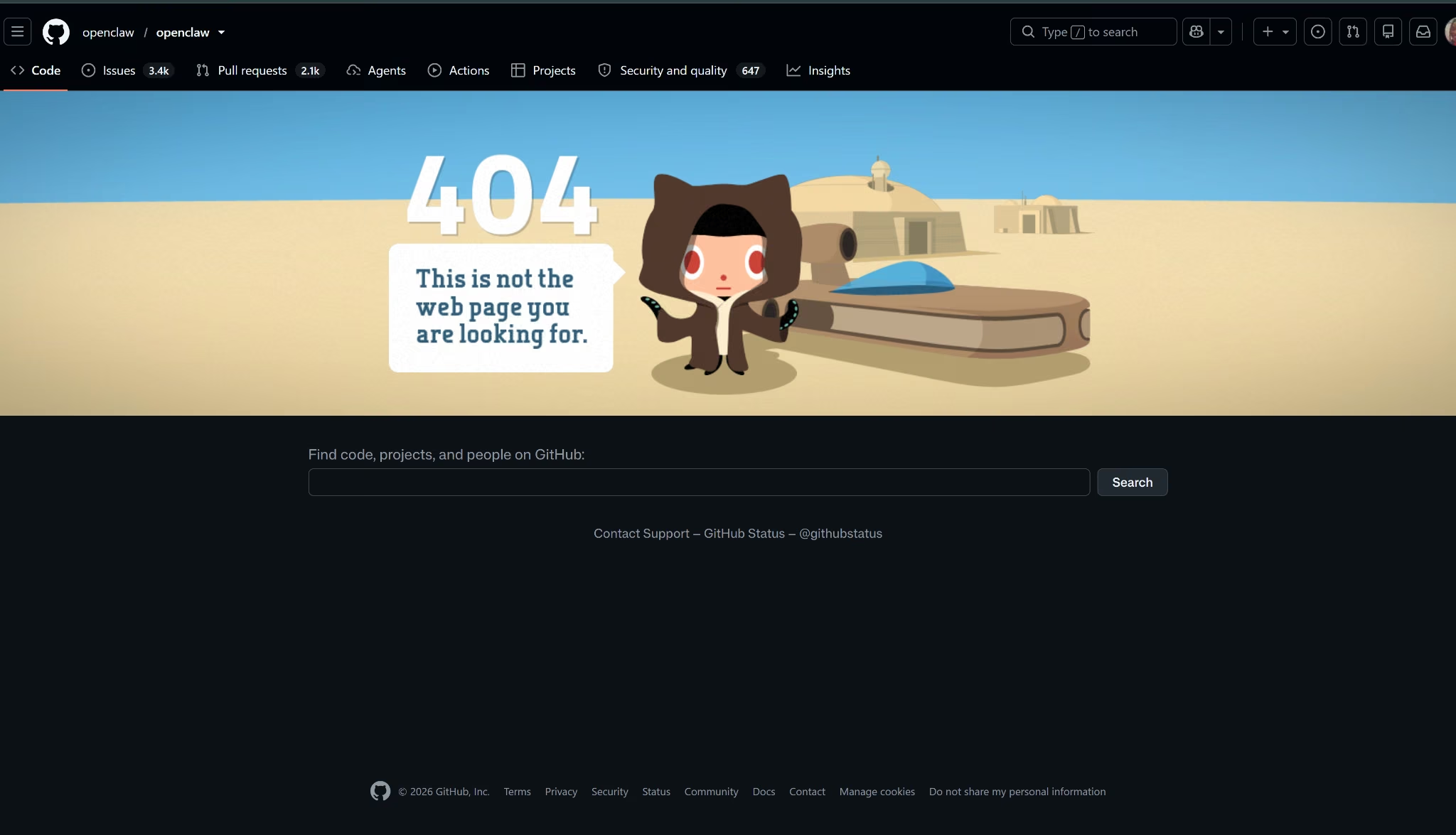
I started with the Windows companion app, but its download link returned a 404 error.
I fell back to npm i -g openclaw instead, which worked cleanly and took about 8 minutes, including one retry after npm blocked the package's install scripts by default.
Step 2: Run the Setup Wizard
The wizard walks you through the gateway, chat, and node setup with no terminal commands needed. On Windows, it offers to install the Gateway as a background scheduled task, so it keeps running after you close the terminal window.
The step took about 15 minutes for me, most of it spent signing into an AI provider rather than answering the wizard's own questions.
Step 3: Connect an AI Model
Pick a provider like Anthropic or OpenAI and paste your API key when prompted.
I signed in with my existing ChatGPT Plus account instead, which avoided a separate metered API key. That option only works with an active paid Plus, Pro, or Team subscription, not the free tier, so it added $0 in extra cost for me since I already pay for Plus.
The sign-in needed one retry after the browser callback timed out, then succeeded, with GPT-5.6 set as the default model.
Step 4: Link a Chat App
OpenClaw connects to WhatsApp, Telegram, Discord, Slack, Signal, iMessage, and dozens of other apps. I used Telegram for this walkthrough, since pairing takes just a bot token from @BotFather, faster than WhatsApp's phone-verification step.
Typing "connect telegram" into OpenClaw's chat interface is what kicks off the pairing flow, and it's specific about not letting you paste the token where it can be logged.
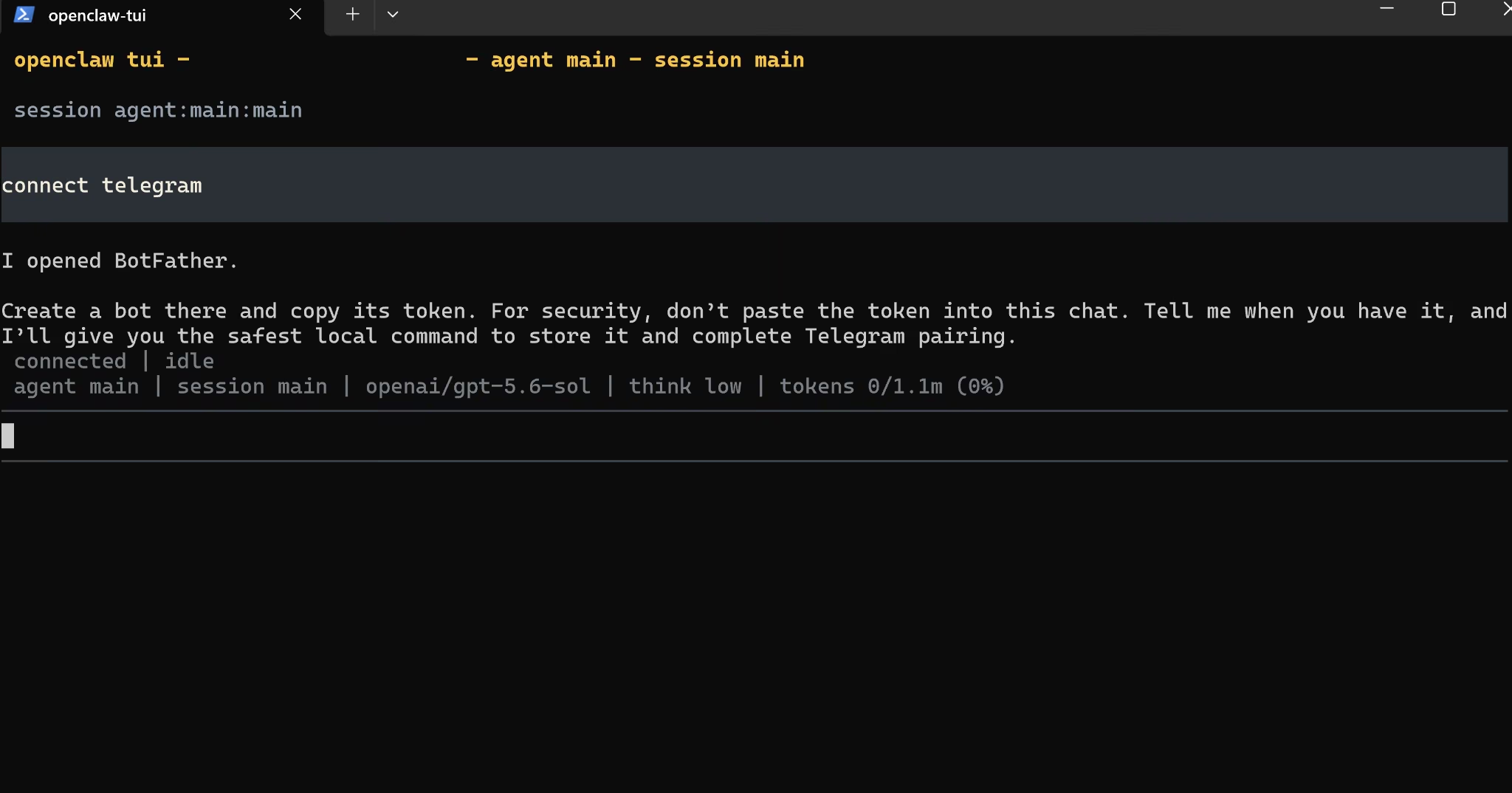
Once the token is in, message your new bot directly on the app you chose. It replies with a pairing code, and you approve that code from the terminal before the connection goes live.
Creating the bot and pairing it took about 5 minutes for me on Telegram, though being paired and being reachable turned out to be two different things; more on that below.
Step 5: Set Your Permissions
Running OpenClaw on your own machine rather than a separate server means you should sandbox its access rather than granting it full read/write/run control by default. Restrict its file and command access to a specific folder rather than your entire system.
I skipped this step to save time on what was meant to be a quick test. That shortcut is exactly why a task later in this walkthrough touched my desktop directly without asking permission first, covered in the Verdict below.
Step 6: Start With One Small Task
Ask it to do something you can verify within the hour, not something that only proves itself tomorrow.
With the chat app you connected in Step 4, try a message like this one to test both the assistant and its scheduling (I connected to Telegram).
"In 3 minutes, send me a Telegram message with today's date and a fun fact."
Swap "Telegram" for whichever app you connected in Step 4.
It's specific and low-stakes, and it tests the scheduling and messaging pieces without waiting a full day or touching anything sensitive.
When I tried it myself, it worked exactly as intended. Three minutes after I sent the request, the message arrived unprompted and on time, with the correct date and an accurate fact.
OpenClaw Best Practices I Wish I Knew Earlier
Every serious review of OpenClaw arrives at the same warning eventually, and a few practices consistently show up across security researchers' guidance.
- Isolate it: Run OpenClaw on a separate machine or cloud VM instead of your primary laptop, so a bad instruction can't touch your main files, passwords, or accounts.
- Vet every skill before installing it: Installing a skill is basically installing privileged code, since it inherits whatever access you've already granted the agent.
- Never expose the Gateway without authentication: Hundreds of misconfigured OpenClaw installations have been found sitting wide open on the internet, with no login required.
- Treat every inbound message as untrusted: Hidden instructions inside an image or audio file carry the same risk as opening an email attachment from someone you don't know.
A few habits that save you trouble:
- Skip isolation, and you'll pay for it. That shortcut is exactly what let a task in my own test write to my desktop unasked.
- Use a throwaway account, not your daily driver. Signing in with an account you use for everything else hands OpenClaw standing access to it long after the setup is done.
- Give it the exact target, never a bare name. A vague reference gets answered with its best guess instead of a clarifying question, so specificity matters more here than with a chat-only tool.
My Verdict on OpenClaw
After 96 minutes of testing, OpenClaw earned its viral growth honestly. Wiring an AI agent into the messaging apps you already check every day, then letting it act without a prompt, is a different experience from talking to a chatbot.
The onboarding personality was the biggest surprise. It picked its own name, asked what to call me, and asked outright whether I wanted honesty over gentleness and proactive nudges over waiting to be asked.
During onboarding, it promised to ask before anything "external, public, costly, or risky." Then it saved a file to my desktop without a word.
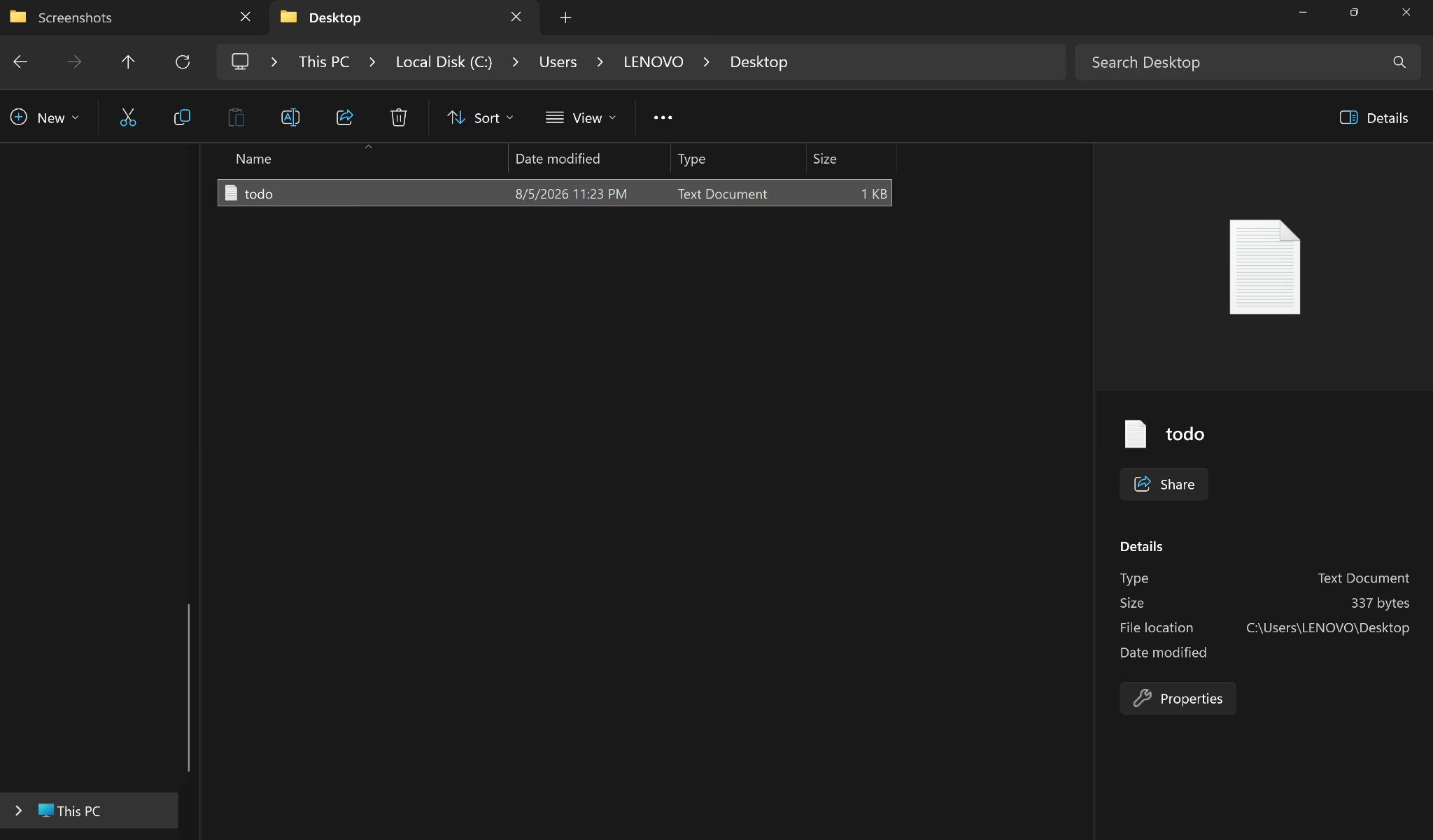
The task itself was harmless. The gap between what it promised and what it asked permission for is the risk worth sitting with.
For a business owner without technical staff on hand, a hosted, managed AI product is usually the smarter starting point. A self-hosted agent is worth revisiting once someone can properly own its security side.
Next Steps
Based on my test, OpenClaw is worth trying if you're ready to own the setup and the risk that comes with it.
It's one of several ways to put AI to work on your behalf, and it serves a different purpose than a tool that generates software from scratch.
When the goal is to turn an idea into software rather than automate personal tasks, Emergent gets you from a description to a live, shareable app without touching a terminal.
Skip the Terminal, Build With Emergent.

Most AI app builders stop at prototypes. Emergent creates production-ready apps you can actually launch.
- Production-ready apps
- Web & mobile apps
- Deploy in minutes







