Alternatives and Competitors
•
7 Best Cursor Alternatives for Building Production-Ready Apps in 2026
Discover the best Cursor competitors and alternatives in 2026. Compare features, pricing, and performance to find the right AI app builder for your needs.
Written By :

Divit Bhat
Cursor has quickly gained popularity as an AI-powered code editor designed to make developers more productive by embedding AI deeply into the coding workflow. Its tight IDE integration and AI-assisted coding experience make it especially attractive to engineers who want to write code faster without leaving their editor.
However, as teams begin to rely on Cursor for building real products, many developers start to notice fundamental limitations around system-level reasoning, backend workflows, collaboration, and long-term scalability. This is where the search for Cursor alternatives begins, not because Cursor is ineffective, but because AI-assisted coding alone does not solve the deeper challenges of building and maintaining production-grade software.
What is Cursor?
Cursor is an AI-powered code editor that enhances traditional development workflows by embedding AI directly into the IDE. It helps developers write, refactor, and understand code faster by using AI to generate suggestions, explanations, and modifications in real time.
Cursor is primarily designed to improve individual developer productivity inside a codebase, rather than to generate complete systems or manage full application architecture.
What are the Challenges with Cursor and Why Existing Users are Looking for Alternatives?
Unclear Billing Practices and Poor Support
Multiple reviewers on Trustpilot report confusing billing cycles, unexpected charges, and unresponsive support when issues are raised.
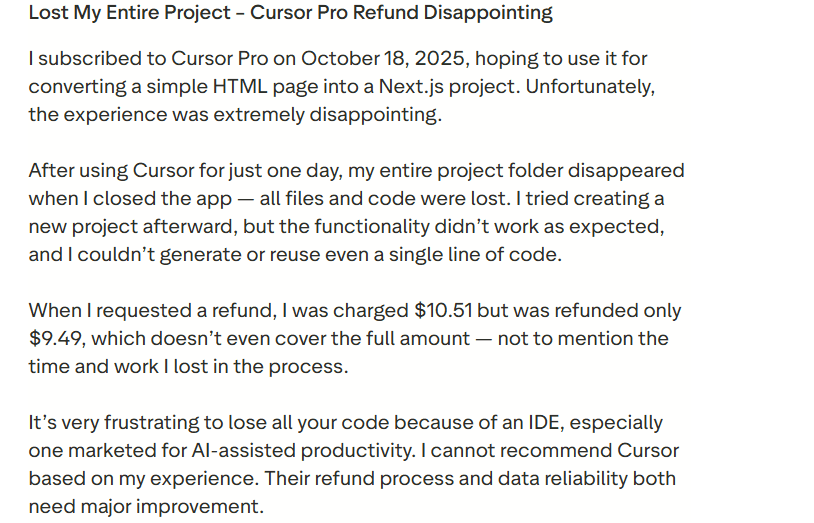
Source of Information: Trustpilot
Declining Model Quality and Hidden Nerfs
Users allege that after trial use the quality drops significantly, with fewer usable responses and opaque throttling of requests.

Source of Information: Reddit
Unreliable for Large or Legacy Codebases
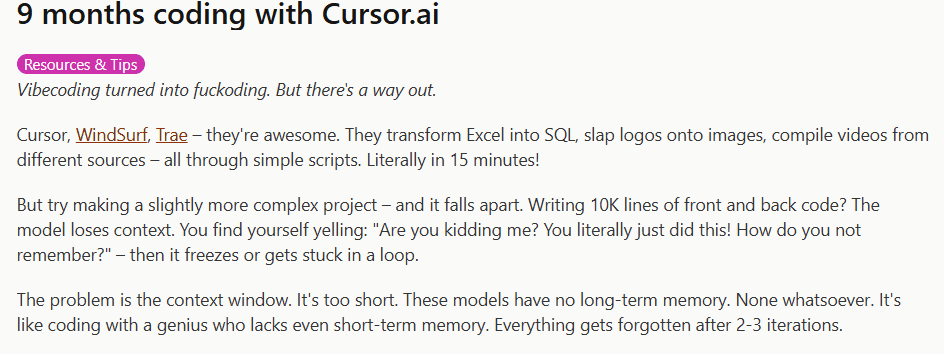
Independent reviews note that Cursor struggles with complex projects, losing context across files and making inconsistent edits.
Token and Usage Model Drains Resources Fast
Several users say they are locked out after surging token/usage costs despite using the tool similarly to before, making ROI unpredictable.

Source of Information: Reddit
What to look for in a Cursor alternative?
System-level AI reasoning beyond individual files
A strong alternative should understand how features, workflows, data models, and services interact across the entire application, rather than generating suggestions in isolation. This enables more meaningful automation and safer changes at scale.
Reduction of backend and infrastructure burden
Instead of only accelerating code writing, the ideal platform should reduce or eliminate the need to manually manage backend logic, databases, authentication, and deployment, which are major sources of friction in traditional development.
Support for collaboration across technical and non-technical roles
Modern product development involves more than engineers. Look for tools that allow founders, designers, and product teams to participate in building and iterating on systems without needing deep coding expertise.
End-to-end product building, not just faster coding
The best Cursor alternatives focus on generating complete, working systems rather than incrementally improving code output. This shifts productivity gains from individual tasks to the entire product lifecycle.
Predictable, maintainable evolution over time
AI-powered development should make systems easier to maintain, not more fragile. A strong alternative supports safe iteration, architectural consistency, and long-term maintainability as products grow.
List of TOP 7 Cursor Alternatives and Competitors in 2026
Cursor is an effective AI-assisted coding tool, but it does not address the full scope of challenges involved in building and scaling modern applications. Several newer platforms now focus on system-level AI, full-stack generation, and production readiness, offering a more complete solution than code editors alone.
Here’s the list of 6 best Cursor alternatives and competitors to overcome the above challenges.
Emergent
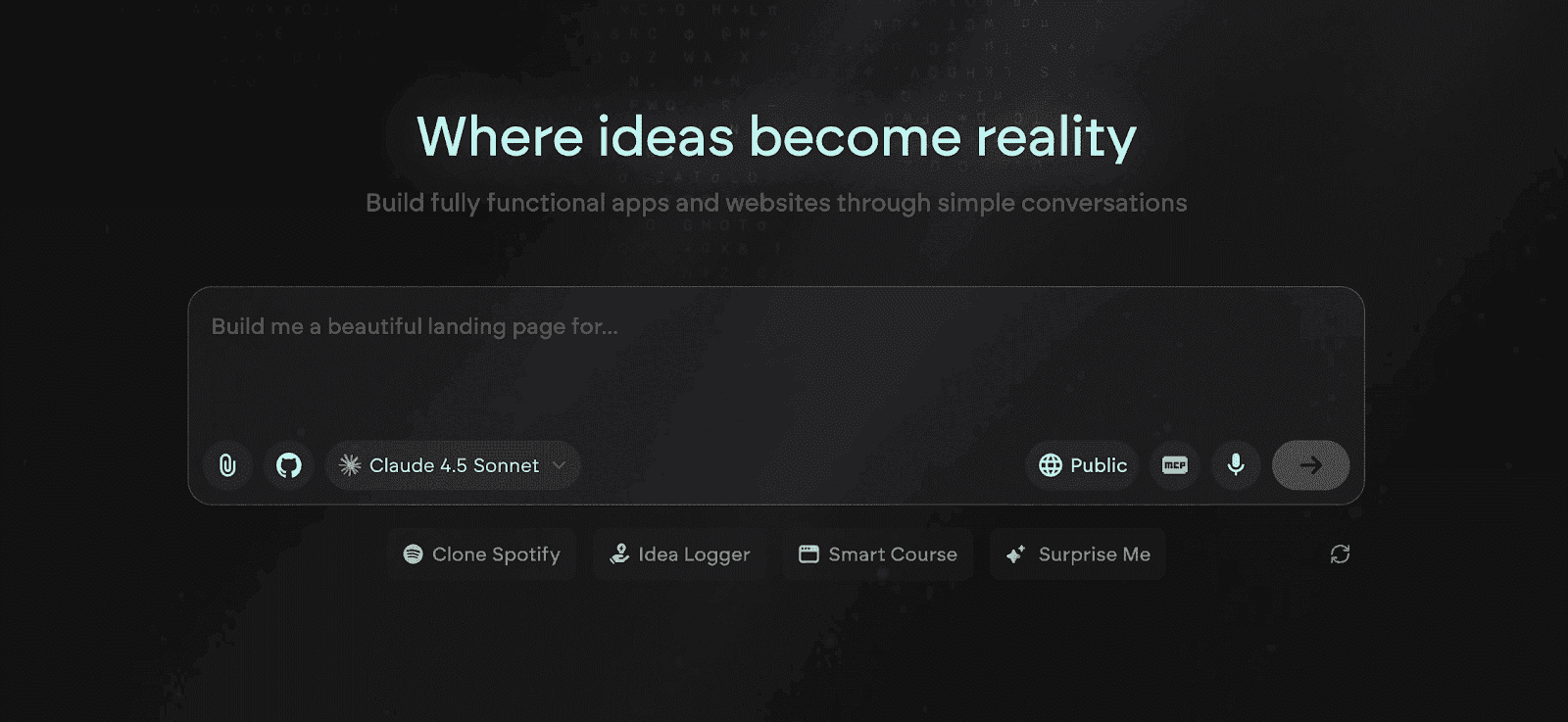
Emergent is one of the best, full-stack, AI-powered vibe coding and no code platforms for building complete, production-grade applications from natural language. Unlike Cursor, which enhances how developers write code, Emergent transforms how software is created by generating entire systems that include UI, backend logic, data models, authentication, integrations, and deployment.
Where Cursor accelerates individual coding tasks, Emergent eliminates entire layers of manual engineering by allowing teams to design products at the level of features and workflows. This makes Emergent not just a better tool, but a fundamentally different approach to building and scaling real software.
Read More About: Cursor vs Emergent - One to One Comparision
Key Features of Emergent
System-Level AI App Generation
Emergent generates full application systems from a single description, including frontend interfaces, backend services, databases, authentication, and integrations, all as one coherent architecture. This directly solves Cursor’s biggest limitation, where AI only understands isolated code files and cannot reason about the entire system.
Backend, Data, and Workflow Automation
Emergent automatically creates backend logic, data relationships, and business workflows without requiring manual coding or configuration. This removes the infrastructure and backend complexity that Cursor users still face when managing servers, databases, and APIs.
Cross-Team Product Building Interface
Emergent allows founders, designers, and engineers to collaborate using natural language and visual system logic, rather than forcing everyone to work inside a code editor. This makes product development accessible to non-technical roles while still supporting technical depth.
Production-Ready Architecture by Default
Every application generated in Emergent is designed for real-world deployment, including scalable APIs, secure authentication, and structured data models. This eliminates the need for developers to architect production systems manually, which is still required when using Cursor.
Context-Aware AI That Understands the Whole Product
Emergent’s AI maintains system-wide context across UI, logic, data, and integrations, ensuring that changes remain consistent as the product evolves. This prevents the fragmented, brittle outputs that can result from code-level AI tools like Cursor.
One-Click Deployment and Hosting
Emergent includes built-in deployment and hosting, allowing teams to launch applications instantly without configuring servers, environments, or pipelines. This removes one of the largest sources of friction in traditional IDE-based workflows.
Built to Scale From MVP to Production
Emergent is designed to support the entire lifecycle of a product, from early prototype to scaled system with real users. Unlike Cursor, which only speeds up coding, Emergent removes the architectural ceilings that slow teams down as they grow.
Unique Features of Emergent
Vibe Coding With Product-Level Reasoning
Emergent introduces true vibe coding, where users describe product intent and the platform translates it into a full system. This shifts development from writing code to designing software behavior, which Cursor’s code-centric AI cannot replicate.
Unified UI, Logic, and Data Generation
Emergent generates frontend, backend, and database layers simultaneously as a single system, ensuring consistency across the application. This eliminates the fragmentation that occurs when using Cursor with separate tools for each layer.
Built-In Architecture Modeling
Emergent automatically models user flows, data relationships, and system logic, enabling complex applications without manual system design. This directly replaces the architectural planning that Cursor users still must handle themselves.
Safe, Context-Preserving Iteration
Users can refine their applications by updating prompts, and Emergent intelligently updates the system without breaking existing logic. This creates a safe iteration loop compared to Cursor, where AI changes often require manual review and refactoring.
Native Integrations and API Connectivity
Emergent supports real integrations with third-party services and external APIs, allowing users to build connected systems without custom backend code. This solves Cursor’s limitation of being purely an IDE enhancement rather than a system builder.
No Infrastructure, No DevOps, No Tool Sprawl
Emergent completely removes the need to manage environments, dependencies, cloud services, or DevOps pipelines, which are still required when using Cursor. This dramatically reduces operational overhead.
Natural Language as the Primary Interface
Emergent treats natural language as the core development interface, making software creation accessible to non-developers while still empowering technical teams to move faster than traditional coding workflows.
Advantages of Emergent
Eliminates backend, infrastructure, and deployment complexity
Enables system-level product building instead of file-level coding
Makes software creation accessible to cross-functional teams
Produces scalable, production-ready architectures
Reduces development time from months to days
Maintains system consistency as products evolve
Limitations of Emergent
Less suitable for developers who prefer full low-level code control
Requires a mindset shift from coding to intent-driven product design
Not intended for niche, highly custom on-premise deployments
Emergent Pricing and Plans
Plan | Pricing | Key Highlights |
Free | $0/month |
|
Standard | $20/month |
|
Pro | $200/month |
|
Team | $300/month |
|
Enterprise | Custom |
|
Read More About: Emergent Pricing and Plans
Replit
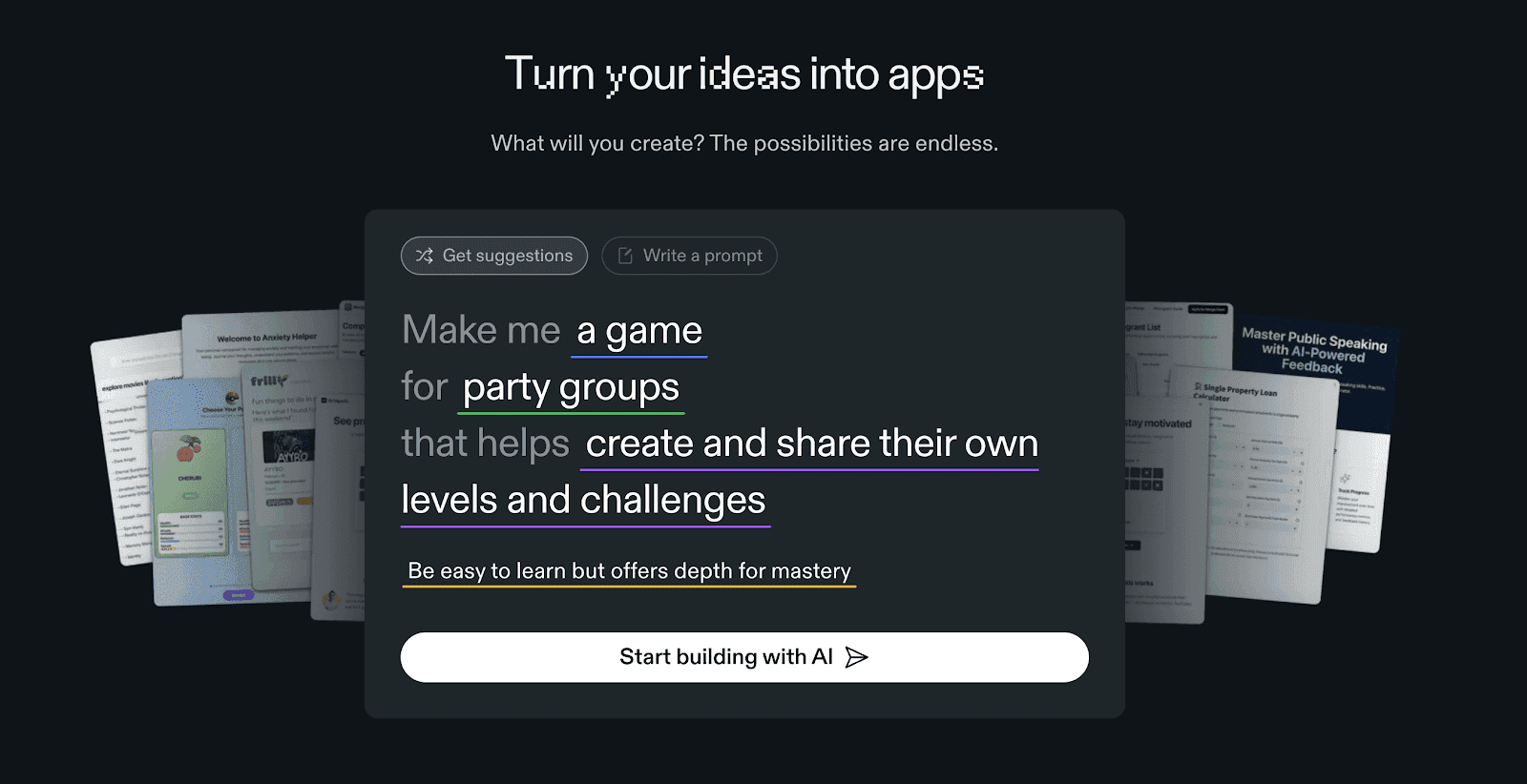
Replit is a popular cloud-based development environment that allows users to write, run, and deploy code directly from their browser. It supports over 50 programming languages and provides real-time collaboration, AI coding assistance, and instant deployment features. Designed for both solo developers and teams, Replit streamlines the process of building, testing, and sharing software projects without any local setup.
Read More About: 6 Best Replit Alternatives and Competitors
Key Features of Replit
Browser-Based Coding Environment
Replit eliminates setup time by letting users code entirely online. Developers can start building projects instantly with zero configuration, making it ideal for learning, experimentation, or rapid prototyping.
AI-Powered Code Assistance
Its Ghostwriter feature offers context-aware code completions, error detection, and debugging suggestions. It helps developers write cleaner, more efficient code while speeding up development workflows.
Multiplayer Collaboration Mode
Replit enables real-time coding collaboration similar to Google Docs. Multiple users can edit the same codebase, discuss logic, and debug together, making it great for pair programming or team projects.
One-Click Deployment
Projects can be deployed instantly to the web with Replit’s integrated hosting system. It supports dynamic apps, APIs, and static websites without requiring separate cloud services.
Built-in Package Manager and Database
Replit integrates essential tools like a package manager and lightweight database (Replit DB), letting developers manage dependencies and data within the same environment.
Unique Features of Replit
Ghostwriter AI Integration
Replit’s Ghostwriter is one of the most advanced AI assistants in the IDE space, capable of suggesting multi-line code completions, test generation, and explanations for complex snippets.
Bounties and Collaboration Marketplace
Replit has a built-in marketplace where users can post paid “bounties” for coding help. Developers earn money by completing these tasks, building a thriving freelance ecosystem.
Team Workspaces and Instant Forking
Users can fork any public project instantly, modify it, and redeploy. This fosters open-source collaboration and rapid innovation across the community.
AI-Powered Debugging and Autocomplete
The platform’s AI helps identify potential bugs and syntax issues before execution. It can also automatically complete functions, classes, or APIs based on context.
Educational Mode for Teachers and Students
Replit includes dedicated tools for educators to create coding classrooms, track progress, and host assignments directly in the platform.
Advantages of Replit
No installation or setup needed to start coding
Powerful AI assistant for code writing and debugging
Real-time collaboration for teams and classrooms
Supports a wide range of programming languages
Instant deployment for web and backend projects
Thriving community with bounty opportunities
Limitations of Replit
Performance may lag for heavy or resource-intensive projects
Free tier includes limited storage and compute power
Not suitable for large-scale enterprise applications
Dependence on internet connectivity for access
Some advanced AI features are locked behind premium plans
Limited control over infrastructure and custom configurations
Replit Pricing and Plans
Plan | Pricing | Credits Included | Best For | Key Highlights |
Starter | Free | Replit Agent trial with limited build time | Beginners and hobbyists | Great for exploring and experimenting with app creation. |
Replit Core | $20/month (billed annually) | $25 worth of monthly credits | Solo developers | Full Replit Agent access, private & public apps, and live hosting. |
Teams | $35/user/month (billed annually) | $40 worth of monthly credits | Teams and small organizations | Includes 50 viewer seats, role-based access, and centralized billing. |
Enterprise | Custom pricing | Custom credit allocation | Large enterprises | Advanced privacy controls, SSO/SAML, SCIM, and dedicated support. |
GitHub Copilot
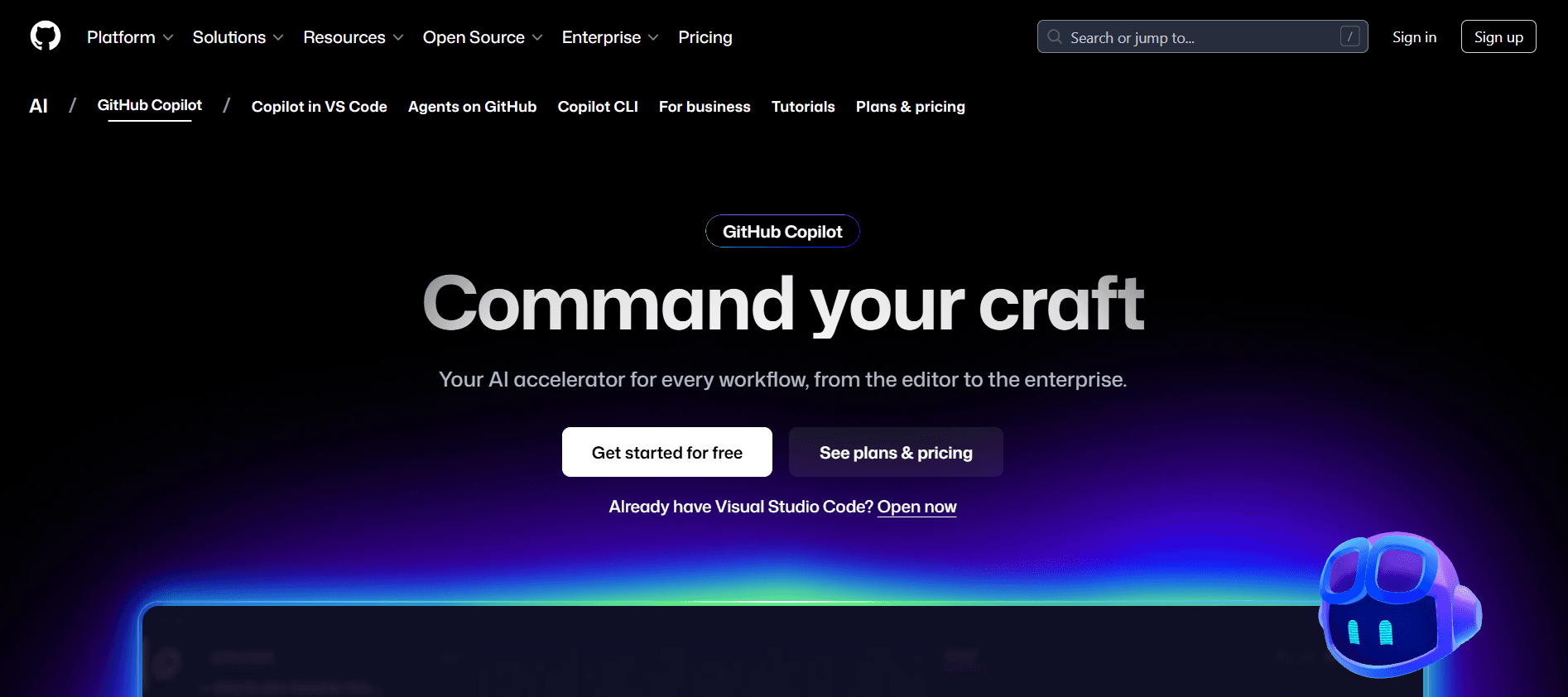
GitHub Copilot is an AI-powered coding assistant developed by GitHub and OpenAI that helps developers write code faster and more efficiently. Integrated directly into editors like VS Code, JetBrains, and Neovim, Copilot provides intelligent code suggestions, generates entire functions, and even explains snippets in plain language. It is designed to enhance developer productivity, reduce repetitive tasks, and support faster prototyping for teams and individuals.
Key Features of GitHub Copilot
Context-Aware Code Suggestions
Copilot analyzes your existing code and comments to generate real-time, relevant code completions. It adapts to your programming style and learns from the surrounding context to predict the most suitable code continuation.
Multi-Language Support
Copilot supports over 20 programming languages, including Python, JavaScript, Go, C++, Ruby, and TypeScript. This makes it a versatile assistant for full-stack development, data science, and automation projects.
Deep Integration with Popular IDEs
The tool integrates seamlessly with Visual Studio Code, JetBrains IDEs, and Neovim. This ensures a smooth experience without requiring any major setup or workflow adjustments.
Inline Documentation and Code Explanation
Users can ask Copilot to explain unfamiliar code snippets in plain English. This feature helps new developers learn coding logic while assisting teams with understanding complex legacy codebases.
Test Generation and Error Detection
Copilot can automatically generate test cases and suggest improvements to code efficiency or readability, allowing for cleaner, more maintainable projects.
Unique Features of GitHub Copilot
Copilot Chat for Interactive Coding
GitHub Copilot Chat allows developers to talk to the AI directly inside their editor. It can debug errors, explain APIs, and suggest code improvements conversationally, without leaving the IDE.
Enterprise-Grade Security and Compliance
Copilot for Business ensures that code suggestions comply with corporate security standards and exclude public code suggestions that could risk licensing issues.
AI-Powered Pull Request Summaries
When reviewing pull requests, Copilot can automatically generate concise summaries, making code review faster and easier for teams.
Team Analytics and Usage Insights
Organizations can monitor Copilot usage, productivity impact, and adoption rates, helping engineering leads make data-driven decisions about AI-assisted development.
Adaptive Learning from User Patterns
Copilot continuously improves its suggestions based on individual developer preferences, adjusting tone, formatting, and structure over time.
Advantages of GitHub Copilot
Significantly boosts coding speed and efficiency
Works natively inside popular IDEs for seamless use
Reduces boilerplate and repetitive coding work
Helps new developers understand code through explanations
Improves testing and debugging with AI assistance
Enterprise plan includes advanced security and compliance tools
Limitations of GitHub Copilot
Requires an active internet connection to function
Not all code suggestions are accurate or optimized
Limited customization for AI behavior or personality
Can occasionally introduce insecure or outdated code
Paid subscription required after trial period
Doesn’t replace deep human understanding for complex problem-solving
Github Copilot Pricing and Plans
Plan | Price | What’s Included |
Free | $0 USD |
|
Pro | $10/month or $100/year |
|
Pro+ | $39/month or $390/year |
|
Qodo
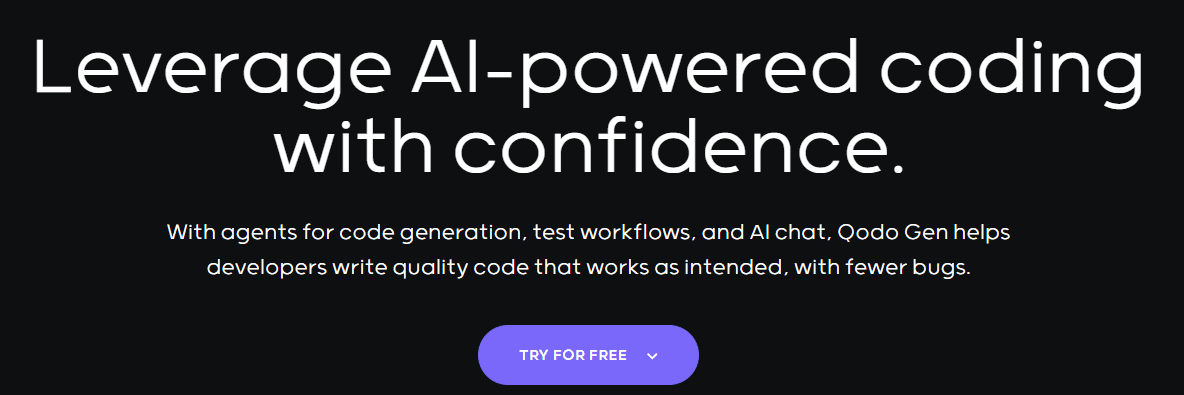
Qodo is an AI-powered coding and app-building platform designed to help developers and teams build, test, and deploy software rapidly using natural language prompts. It bridges the gap between low-code and full-code environments by allowing users to generate editable, production-grade applications with complete visibility into the underlying code. Qodo supports modern frameworks and promotes collaboration through its browser-based workspace.
Key Features of Qodo
AI-Driven Code Generation for Full Applications
Qodo converts plain-language prompts into working application components, APIs, and database schemas. It lets users define features conversationally while maintaining editable source code for customization and scalability.
Browser-Based Development Environment
The entire platform operates in the browser, removing the need for complex setup or dependency management. Developers can build and deploy applications from any device, ensuring portability and convenience.
Integrated Testing and Debugging Tools
Built-in testing frameworks and debugging aids help identify issues before deployment. Qodo also provides real-time feedback on code performance and errors, reducing development friction and rework.
Collaborative Workspace for Teams
Multiple users can co-edit projects, review generated code, and provide inline comments. This enables real-time collaboration and makes it ideal for distributed teams or remote development.
Support for Popular Frameworks and APIs
Qodo supports technologies like React, Next.js, Node.js, and Flask, along with built-in API management for integrating external services like Stripe, Supabase, and Firebase.
Unique Features of Qodo
Natural Language Workflow Automation
Users can automate recurring development tasks through AI prompts, such as setting up authentication, routing, or form validation, reducing manual configuration effort.
Hybrid Control Mode for Developers
Qodo offers both guided AI-assisted creation and manual editing. This hybrid model ensures that developers retain full control while benefiting from AI efficiency in repetitive or boilerplate-heavy parts.
Built-In Deployment Pipeline
Applications can be deployed directly to production environments with a single click. The system automatically manages cloud infrastructure, SSL, and routing for quick go-live readiness.
Real-Time Preview and Version Control
Qodo allows developers to view live changes instantly and revert to previous versions without losing progress. This simplifies iteration and experimentation during builds.
Secure and Scalable Cloud Architecture
Projects run in isolated containers with encrypted storage, ensuring high security standards. Auto-scaling infrastructure supports apps as they grow in traffic and complexity.
Advantages of Qodo
Speeds up app creation using natural language prompts
Provides full code visibility and customization control
Reduces DevOps complexity with built-in hosting and deployment
Encourages collaborative, team-based development in the browser
Supports major frameworks for professional-grade applications
Real-time debugging and test automation improves reliability
Limitations of Qodo
May generate verbose or redundant code that needs cleanup
Internet access required for most features
AI-generated components can vary in quality depending on complexity
Limited offline support for developers working in secure environments
Pricing may scale up with usage and larger project demands
Plugin and extension ecosystem is still developing
Qodo Pricing and Plans
Plan | Price | Credits | Best For | Key Features |
Developer | $0 | 75/month | Individual developers |
|
Teams | $30/user/month | 2,500/month | Small–mid teams |
|
Enterprise | Contact sales | Custom | Large organizations |
|
Windsurf
Windsurf is an advanced AI-powered IDE designed to streamline the software development process by integrating intelligent coding assistance, real-time collaboration, and seamless deployment tools in a single environment. Built for both individual developers and teams, Windsurf enhances productivity through contextual code suggestions, debugging automation, and AI-assisted refactoring, helping users build reliable, scalable applications faster.
Read More About: 7 Best Windsurf Alternatives and Competitors
Key Features of Windsurf
AI-Enhanced Code Completion and Refactoring
Windsurf leverages context-aware AI models to predict and complete code intelligently. It assists developers with syntax correction, auto-imports, and efficient refactoring suggestions, reducing repetitive work and coding fatigue.
Cross-Language and Framework Support
The platform supports a wide range of programming languages such as Python, TypeScript, Java, Go, and Rust, along with frameworks like React, Node.js, and Django. This makes Windsurf suitable for full-stack development across varied tech stacks.
Built-In Debugging and Error Resolution Tools
Integrated AI debugging helps developers detect and fix issues instantly. The system provides explanations for bugs, recommended fixes, and performance optimization insights, cutting down troubleshooting time.
Cloud-Synced Development Environment
All projects are stored securely in the cloud, enabling instant access from any device. Teams can share sessions, track code changes, and work together without local configuration or dependency conflicts.
Automated Testing and CI/CD Integration
Windsurf includes built-in testing pipelines and connects easily with CI/CD tools like GitHub Actions and Jenkins. Automated testing ensures faster validation cycles and smoother production releases.
Unique Features of Windsurf
Real-Time AI Pair Programming
Windsurf introduces an AI pair programmer that not only writes code but also reviews logic, comments on architecture, and suggests performance improvements in real time, improving overall code quality.
Context Retention Across Projects
Its memory-driven AI retains project-level context, understanding user patterns, code style, and framework preferences. Over time, Windsurf becomes more adaptive and predictive to individual coding habits.
Native Collaboration Layer with Voice and Text Chat
Developers can communicate through integrated text and voice chat during live coding sessions. This helps teams discuss issues and solutions without leaving the environment.
AI-Generated Documentation and Commit Messages
Windsurf automatically generates human-readable documentation and meaningful commit messages, saving time and ensuring better code traceability in repositories.
Secure Execution and Role-Based Permissions
All user sessions are isolated in secure sandboxes, with fine-grained permissions for collaborators. This setup ensures enterprise-grade security while supporting collaborative development at scale.
Advantages of Windsurf
Combines AI-powered coding, debugging, and deployment in one IDE
Reduces repetitive work through intelligent auto-completion and refactoring
Supports multiple languages and frameworks for full-stack development
Enables seamless team collaboration in real-time
Automatically handles documentation and version control updates
Integrated testing and CI/CD accelerate production cycles
Adaptive AI learns from user style for smarter future assistance
Limitations of Windsurf
Requires consistent internet connectivity for optimal AI features
May not integrate easily with heavily customized local toolchains
Learning curve for first-time users transitioning from traditional IDEs
Cloud-based architecture may raise data compliance concerns for enterprises
Some advanced features locked behind higher subscription tiers
AI recommendations may occasionally need manual verification for edge cases
Windsurf Pricing and Plans
Plan | Price | Key Features |
Free | $0/user/month |
|
Pro | $15/user/month |
|
Teams | $30/user/month |
|
Enterprise | Custom |
|
Bolt
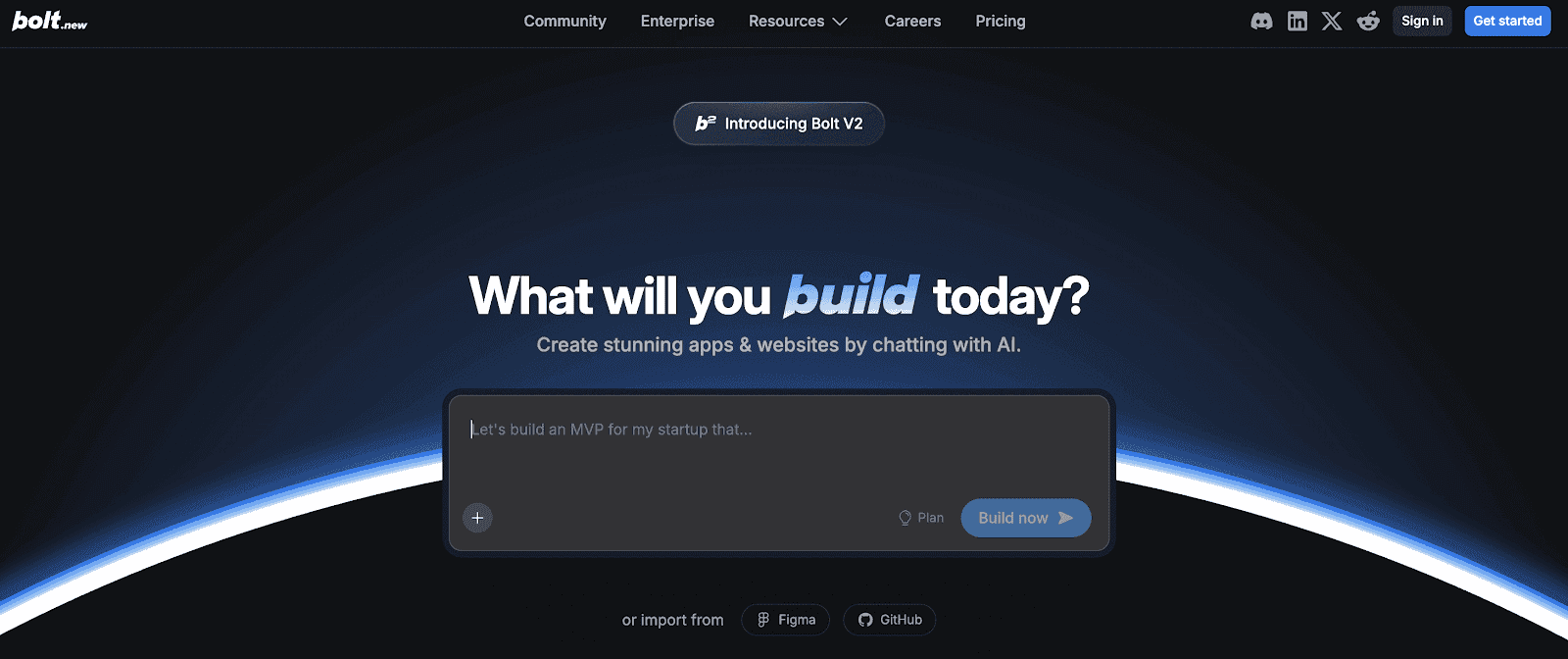
Bolt is an AI-powered web app development platform that helps users create full-stack applications from natural language prompts. Designed for speed and simplicity, Bolt automatically generates frontend interfaces, backend APIs, and deployment pipelines. Its browser-based workspace enables both technical and non-technical users to prototype and ship production-grade apps without complex setup or DevOps.
Read More About: 5 Best Bolt.new Alternatives and Competitors
Key Features of Bolt
Prompt-to-App Code Generation
Users can describe their app idea in plain English, and Bolt generates fully functional code for UI, backend, and database integration. This drastically reduces time-to-launch and simplifies complex development processes.
Built-In Full-Stack Environment
Bolt provides a ready-to-use environment that includes hosting, authentication, APIs, and real-time updates. Developers can preview, test, and deploy without leaving the browser or configuring local servers.
Visual Interface Editing and Real-Time Preview
The platform combines a text-based AI workflow with a visual editor that allows instant UI adjustments. Users can see live previews of their apps while making design or logic updates.
Integration with Databases and APIs
Bolt supports integrations with PostgreSQL, Firebase, Supabase, and third-party APIs, allowing users to connect data sources easily. This flexibility helps developers extend functionality without manual backend setup.
Automated Deployment and Hosting
Each project is deployed automatically with SSL and global CDN routing. Bolt manages scalability, security, and version control so users can focus on product development rather than infrastructure.
Unique Features of Bolt
AI-Driven Code Explanation and Debugging
Bolt’s AI doesn’t just generate code,. it explains each part and provides intelligent debugging insights, helping users understand and refine their applications without technical confusion.
Multi-Mode Development
Users can switch between natural language prompting, drag-and-drop visual editing, and direct code editing for complete creative flexibility during app creation.
Reusable Components and Template Library
Bolt includes pre-built templates and components for dashboards, landing pages, and internal tools, allowing teams to accelerate project setup while maintaining consistency.
Team Collaboration with Shared Projects
Multiple users can collaborate in real time on the same project, making Bolt ideal for startup teams or agencies working on MVPs and client deliverables.
Secure Code Export for Self-Hosting
Users can export clean, production-ready codebases built with modern frameworks like Next.js and Node.js, ensuring ownership and freedom beyond the Bolt ecosystem.
Advantages of Bolt
Enables ultra-fast development from idea to deployment
Combines AI generation with full control through code editing
All-in-one environment removes DevOps and hosting complexity
Supports real-time collaboration for teams and agencies
Flexible integrations with databases and APIs
Clean, exportable code for long-term ownership
Great for MVPs, internal tools, and client projects
Limitations of Bolt
Generated code may require manual optimization for complex apps
Heavily reliant on internet connection for AI-assisted workflows
Limited plugin and ecosystem support compared to larger dev tools
Scalability may be constrained for enterprise-level projects
Pricing can rise for frequent users or large workloads
AI explanations may lack technical depth for advanced debugging
Bolt Pricing and Plans
Plan | Price (Monthly) | Main Highlights |
Free | $0 | Public & private projects, 300K tokens/day, hosting, unlimited DBs, Bolt branding |
Pro | $25 | Unlimited tokens, 100MB uploads, custom domain, SEO, no branding |
Teams | $30/user | Team access, admin controls, centralized billing, private registries |
Enterprise | Custom | Advanced security, compliance, dedicated support, custom workflows |
Hostinger Horizons
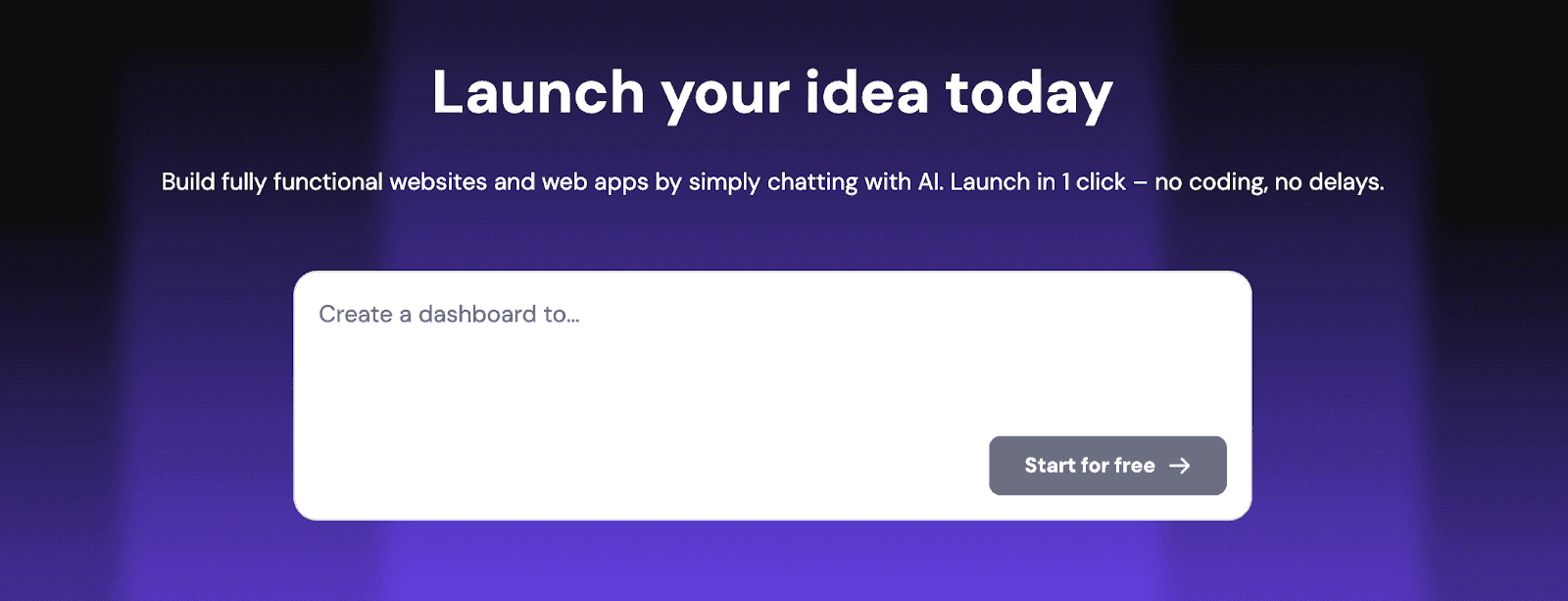
Hostinger Horizons is an AI-powered website and app builder launched by Hostinger to simplify digital creation for individuals, startups, and small businesses. Built on top of Hostinger’s reliable infrastructure, Horizons allows users to design, customize, and deploy modern websites or lightweight applications using conversational AI guidance. It eliminates the need for coding knowledge while ensuring fast hosting, clean UX, and SEO-optimized performance.
Key Features of Hostinger Horizons
AI Website and App Creation
Users can describe their idea in a few sentences, and Horizons automatically generates layouts, content, and design assets. The AI handles everything from structure to color themes, making it ideal for quick digital launches.
Built-In Hosting and Domain Setup
Unlike traditional builders that require third-party hosting, Horizons includes built-in hosting with automatic SSL, domain connection, and CDN optimization for superior loading speeds and security.
Smart Content and Copy Generation
The integrated AI writer generates SEO-friendly text for pages, blogs, and CTAs, helping non-writers produce professional content that aligns with brand tone and search performance.
Visual Drag-and-Drop Editing
After initial generation, users can fine-tune layouts using an intuitive visual editor. The platform ensures pixel-perfect control while maintaining responsiveness across devices.
Integrated Analytics and SEO Tools
Horizons includes keyword tracking, site analytics, and built-in SEO tools to improve rankings and monitor engagement without external plugins or platforms.
Unique Features of Hostinger Horizons
Unified AI + Hosting Ecosystem
Unlike most AI site builders that rely on external hosting, Horizons runs directly on Hostinger’s servers, offering a seamless blend of AI generation, hosting, and optimization under one roof.
Template Personalization Through Conversation
Users can chat with the AI assistant to modify sections, update branding, or add features. This conversational approach makes editing more natural and efficient.
Multi-Language Content Generation
Horizons supports multilingual content creation, allowing users to instantly translate websites for global reach and audience engagement.
Automated Performance Optimization
The platform uses Hostinger’s proprietary caching, compression, and CDN routing technologies to ensure consistent site speed and stability across geographies.
Collaboration Tools for Teams
Teams can co-edit, review, and manage web projects together, making it suitable for small agencies or startups managing multiple clients.
Advantages of Hostinger Horizons
Combines AI creation, hosting, and SEO under one platform
Fast and secure performance using Hostinger infrastructure
Extremely easy to use for beginners and non-technical creators
Provides ready-to-launch sites with customizable templates
Affordable pricing for startups and small businesses
Multilingual support expands international usability
Integrated analytics and content optimization tools
Limitations of Hostinger Horizons
Limited support for highly customized or enterprise-level apps
AI content may need manual tweaking for brand accuracy
Lacks deep integration options compared to advanced CMS platforms
No code export for developers seeking full backend control
Collaborative tools are still evolving
Best suited for small projects, not large-scale SaaS or dynamic systems
Hostinger Horizons Pricing and Plans
Plan | Price | AI Credits / Month | Key Features / Highlights |
Explorer | $9.99/mo | 30 | 1 website, user accounts & logins, data storage, SEO-optimized, basic support, project version history, AI prompts via text |
Starter | $19.99/mo | 70 | Up to 25 websites, free domain for 1 year, 2 mailboxes, priority 24/7 support, sell products & subscriptions, analytics, AI prompts via text/images/voice, collaboration, free chat help, edit text/images without prompting AI, top-up AI credits anytime |
Hobbyist | $55.99/mo | 200 | Up to 50 websites, code editor, duplicate projects as templates, includes all Starter features, 5 mailboxes, free domain for 1 year |
Hustler | $99.99/mo | 400 | Early access to new features, includes all Hobbyist features, 5 mailboxes, free domain for 1 year |
Why is Emergent the best Cursor alternative?
Emergent replaces code-level AI with system-level intelligence
Cursor’s AI improves how developers write code, but it cannot understand or reason about entire systems. Emergent operates at the level of product architecture, workflows, and data relationships, allowing teams to design complete applications rather than stitching together AI-assisted code fragments.
Emergent removes backend and infrastructure burden entirely
With Cursor, developers still have to design servers, databases, authentication, and deployment pipelines manually. Emergent generates all of this automatically as part of the system, eliminating the operational complexity that slows down traditional development workflows.
Emergent enables cross-functional product creation
Cursor is built for engineers, which excludes founders, designers, and product teams from directly shaping the system. Emergent allows non-technical and technical users to collaborate through natural language and system logic, accelerating product iteration across the entire organization.
Emergent delivers end-to-end product velocity, not just faster coding
Cursor speeds up individual tasks, but Emergent shortens the entire product lifecycle by generating, deploying, and scaling applications as one continuous process. This moves productivity gains from code lines to real business outcomes.
Emergent is designed to scale from idea to production
Most teams eventually outgrow AI code editors when products become complex. Emergent is built to support the full journey, from first prototype to production-scale system, without forcing teams to switch tools or re-architect their backend.
Conclusion
Cursor is a powerful AI-assisted code editor that significantly improves developer productivity, but it does not change the fundamental complexity of building and scaling software. Teams still need to design systems, manage infrastructure, and coordinate across roles, which limits how much Cursor can accelerate real product development.
Emergent stands apart because it replaces the entire code-centric workflow with a system-level, intent-driven approach. By generating full-stack architectures and handling deployment automatically, Emergent enables teams to build, launch, and scale products faster than any AI code editor ever could.
FAQs
1. Is Emergent better than Cursor for startups?
Yes, Emergent is built for startups that want to move fast while maintaining full system control and scalability, whereas Cursor is primarily a productivity tool for individual developers.