



Bolt.new has quickly become one of the most popular AI-powered app builders for founders and creators who want to turn ideas into working products without writing code. Its promise of generating applications directly from prompts makes it extremely appealing for rapid prototyping, MVP creation, and early product validation.
However, as more teams try to use Bolt.new for serious products, many start running into structural limitations around system depth, scalability, backend control, and long-term maintainability. This is where the search for Bolt.new alternatives begins, not because Bolt.new fails at speed, but because speed alone is not enough to build real, production-grade software.
What is Bolt.new?
Bolt.new is an AI-powered app builder that allows users to generate functional applications using natural language prompts. Users describe what they want to build, and the platform creates a working app with UI components and basic logic.
Bolt.new is primarily designed for rapid prototyping, MVPs, and concept validation, rather than deep, scalable, production-level system development.
Why are existing users looking for Bolt.new alternatives?
Runaway or excessive token usage
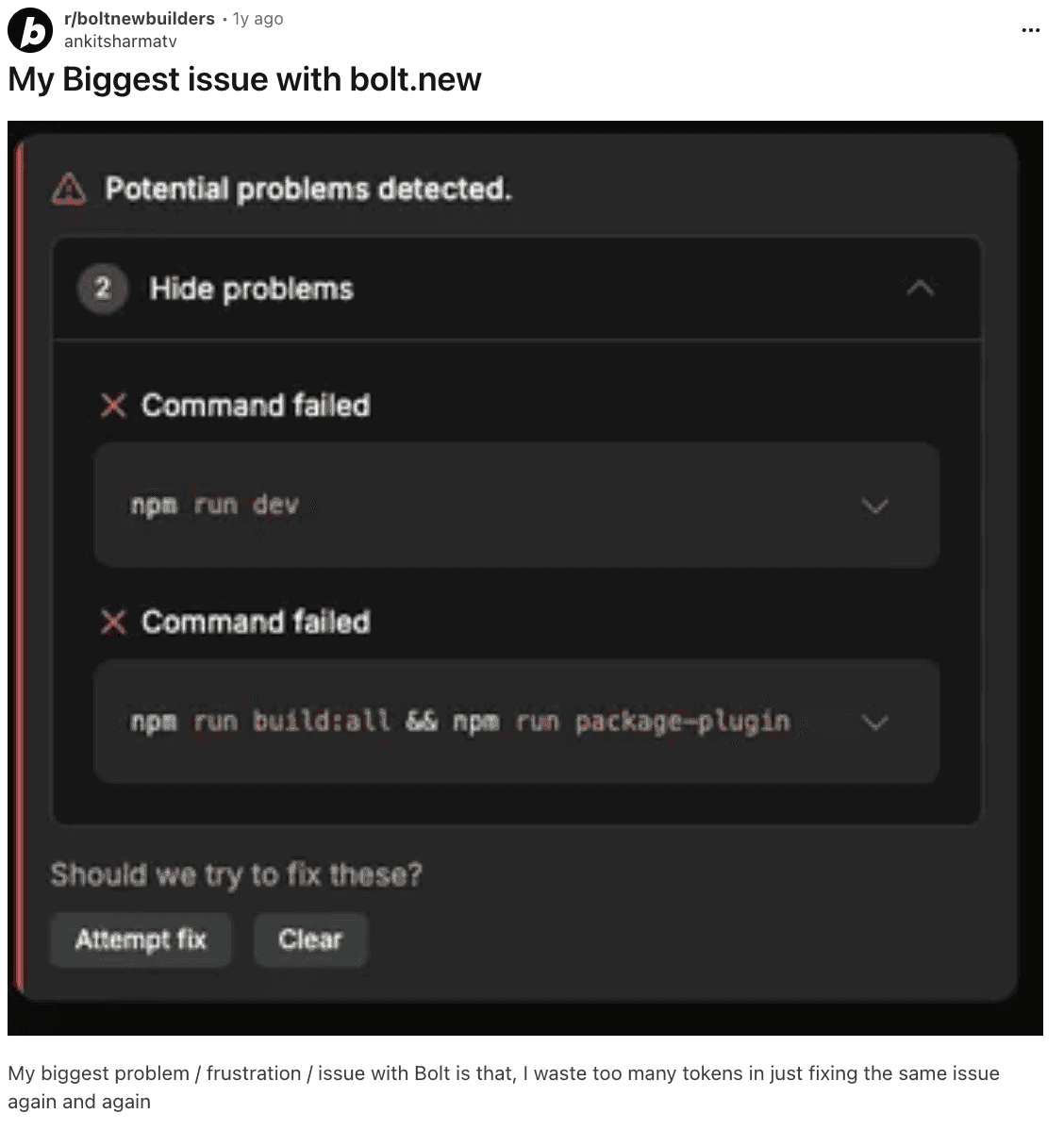
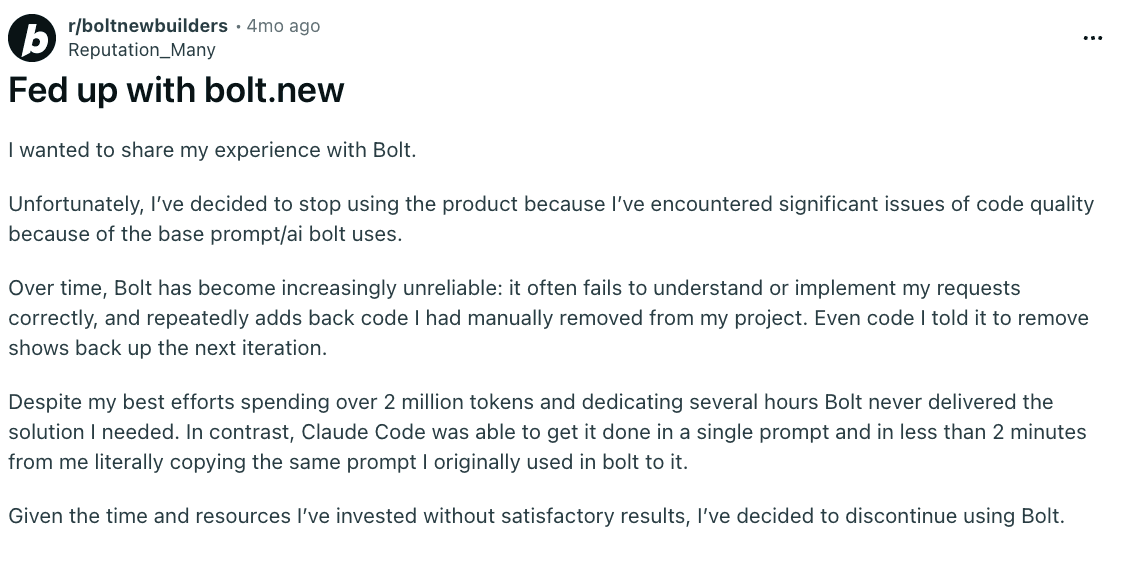
Users report that Bolt sometimes enters long fix or retry loops, producing partial or invalid code repeatedly. This burns a large number of tokens and becomes expensive for heavy users. Some users mention losing millions of tokens while the agent tried to fix the same issue.
Source of Information: Reddit
Instability and deployment mismatches
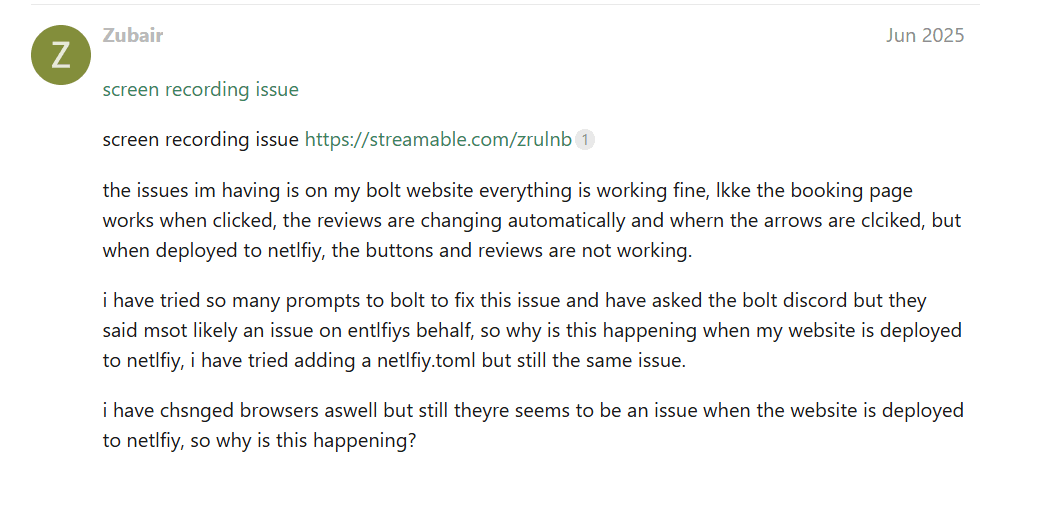
Many users say projects preview fine inside Bolt but deploy as blank pages or encounter unknown deployment errors. Debugging deployment often takes extra time because the platform provides limited error details.
Source of Information: Netlify forums
Generated code needs frequent manual fixes and sometimes has security oversights
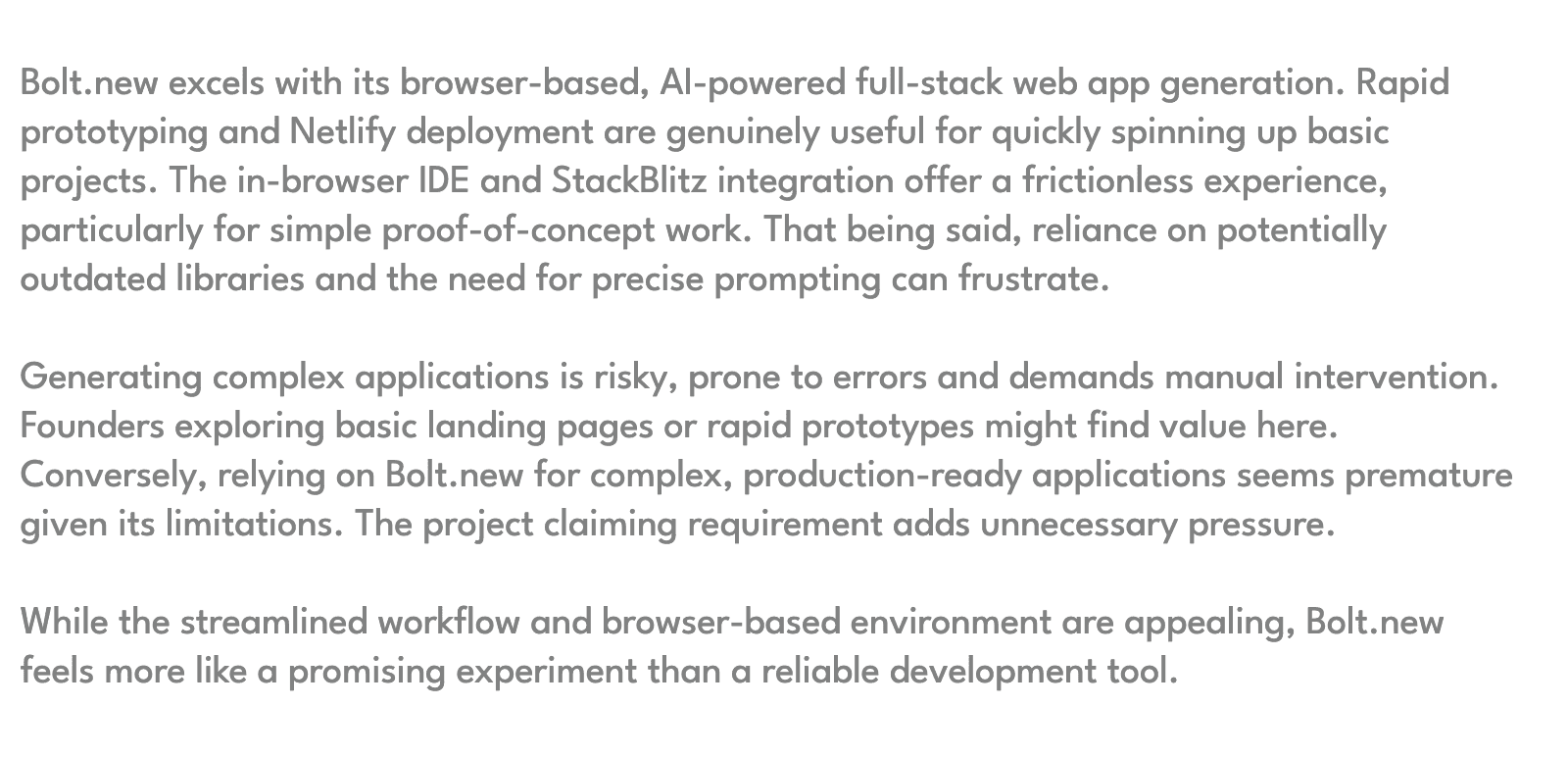
The AI-generated code is a good starting point but often requires manual polishing for production. Some users reported exposed API keys or broken integrations that needed manual correction.
Source of Information: Toksta
High pricing pressure for frequent users
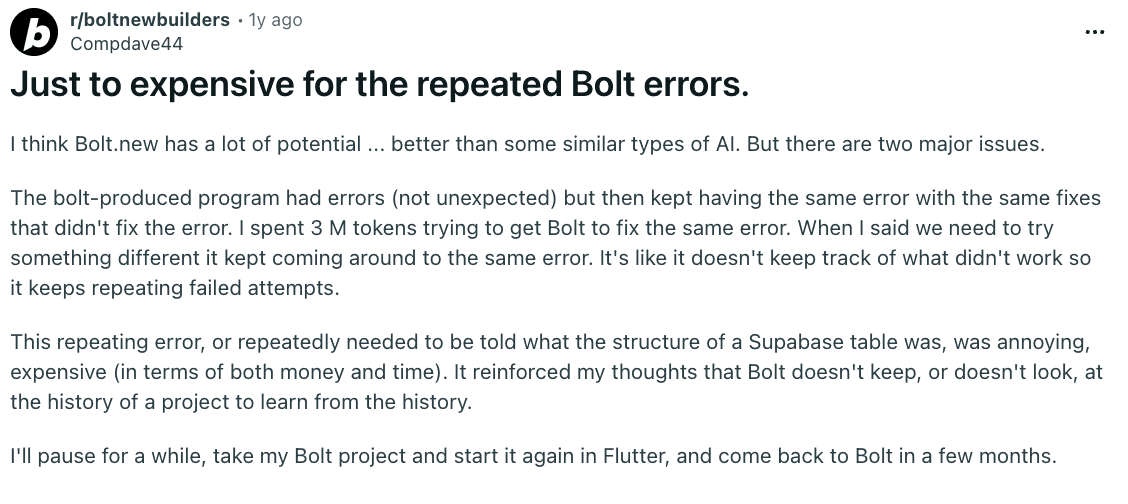
Because Bolt consumes large model-inference resources, frequent users find it expensive when projects require multiple retries. Some reviewers say the pricing is not ideal for large or iterative projects.
Source of Information: Reddit
Poor code quality and inconsistent results
Many users report that Bolt.new’s AI struggles to maintain code consistency. It often reintroduces deleted code, misunderstands requests, or generates broken components. This forces developers to constantly fix errors, defeating the purpose of automation.

Source of Information: Reddit
Unfinished or Empty project outputs
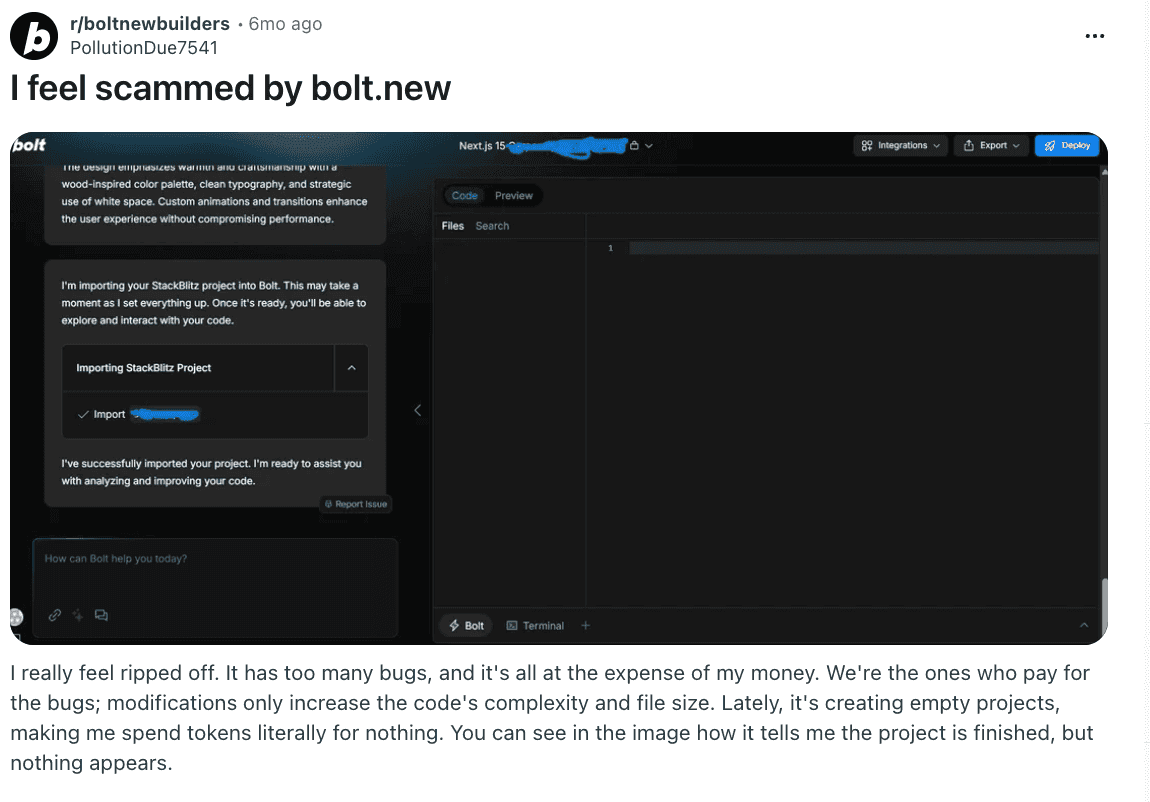
Multiple users mention that Bolt.new sometimes produces empty projects or stops midway, even after claiming success. This not only wastes tokens but also adds to user frustration when nothing shows up in the final output.
Source of Information: Reddit
Unresponsive customer support
A recurring complaint is the lack of human assistance. Users struggling with billing issues, technical errors, or domain publishing say they rarely receive replies, leading some to believe the platform is “abandoned.”

Source of Information: Reddit
Frequent bugs and system downtime
Users highlight that Bolt.new often faces bugs that break projects, increase file complexity, or make hosting unreliable. Service downtime and unexplained error messages further disrupt work, especially for paying subscribers.
Source of Information: Reddit
What to look for in a Bolt.new alternative?
1. Full control over system architecture and backend logic
A strong alternative should allow users to understand, customize, and extend backend systems instead of hiding critical logic behind black-box abstractions. This ensures teams can adapt the system as business requirements evolve.
2. Scalability for real users and real data
Look for platforms that are designed to handle growth, including complex workflows, large datasets, and increasing user loads. The goal is to avoid rebuilding the entire system once the product moves beyond MVP stage.
3. Flexible and extensible application design
An ideal alternative should not lock users into rigid templates or predefined patterns, but instead support custom architectures that adapt to different product needs, industries, and workflows.
4. Production-ready infrastructure and deployment
The platform should include proper hosting, authentication, security, and deployment pipelines, so teams can launch real products without stitching together multiple external services.
5. AI that understands product intent, not just UI generation
Instead of focusing only on surface-level app generation, the best alternatives use AI to reason about system behavior, business logic, and user flows, creating coherent, maintainable products.
5 Best Bolt.new alternatives in 2026
Bolt.new is excellent for fast prototyping, but it is no longer the only AI app builder in the market, and several platforms now focus on deeper system design, production readiness, and long-term scalability. Here’s the list of 5 best x alternatives and competitors to overcome the above challenges:
1. Emergent
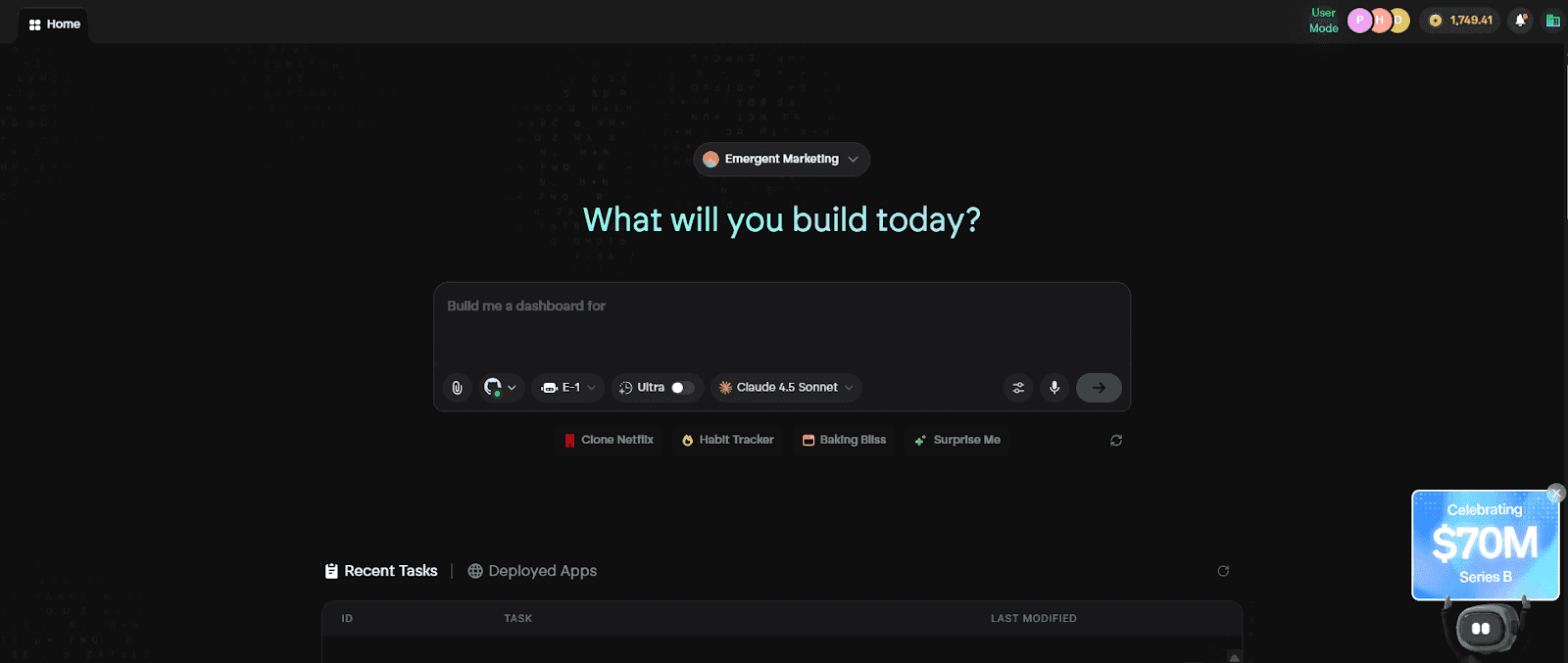
Emergent is a full-stack, AI-powered product-building platform designed for creating real, production-grade applications using natural language instead of code. Unlike Bolt.new, which focuses on fast MVP generation and surface-level app scaffolding, Emergent is built to generate complete systems that can scale from first idea to real users, real data, and real revenue.
Where Bolt.new optimizes for speed of generation, Emergent optimizes for correctness, structure, and long-term maintainability. It allows founders and teams to design applications at the level of features, workflows, and business logic, while the platform handles architecture, backend systems, integrations, and deployment automatically.
Key Features of Emergent
1. System-Level AI App Generation
Emergent generates entire application systems from natural language, including frontend, backend logic, databases, authentication, and integrations, all as a single coherent architecture. This directly solves Bolt.new’s biggest limitation, where generated apps often lack backend depth and become difficult to extend beyond the MVP stage.
2. Full Control Over Backend Logic and Workflows
Unlike Bolt.new’s opinionated and abstracted generation patterns, Emergent gives users clear visibility and control over application logic, data flows, and system behavior. This makes it possible to customize complex workflows, adapt to changing business requirements, and avoid the architectural dead ends that Bolt.new users frequently encounter.
3. Production-Ready Infrastructure by Default
Emergent applications are designed to run in real production environments from day one, with built-in hosting, scalable APIs, authentication, and secure system architecture. This removes the need to migrate or rebuild when a product grows, which is a common pain point for teams that start with Bolt.new.
4. AI That Understands Product Intent, Not Just UI
Emergent’s AI operates at the level of product intent, reasoning about features, user flows, and system behavior across the entire application. This avoids the shallow, UI-focused generation seen in Bolt.new and ensures that the resulting product is coherent, maintainable, and aligned with real-world use cases.
5. Flexible Architecture That Scales With the Product
Emergent does not lock users into rigid templates or predefined patterns. Instead, it generates adaptable system architectures that can evolve as the product grows in complexity, user base, and feature set, making it suitable for long-term product development rather than disposable prototypes.
Unique Features of Emergent
1. Intent-Driven Product Design Instead of Prompt-Driven Apps
Emergent shifts the development model from prompt-based generation to intent-driven system design, where users describe what the product should do and how it should behave. This eliminates the trial-and-error prompting cycles common in Bolt.new and results in far more stable and predictable systems.
2. Unified Generation of UI, Logic, and Data
Emergent generates UI, backend logic, and data models simultaneously as one system, ensuring consistency across the entire application. This prevents the fragmentation that occurs when Bolt.new-generated apps need manual stitching to support real workflows and data relationships.
3. Built-In Integrations and External API Support
Emergent supports real integrations with third-party services, internal APIs, and external systems, enabling products that go beyond standalone demos. This directly addresses Bolt.new’s limitations around extensibility and real-world system connectivity.
4. Safe, Context-Aware Iteration Over Time
Emergent allows users to iteratively refine their product while preserving system integrity, with the AI maintaining full context across changes. This avoids the brittle regeneration issues that Bolt.new users often face when modifying existing applications.
5. No Rewrites, No Migrations, No Tool Switching
Emergent is built to support the entire product lifecycle, from first prototype to scaled application, without forcing users to switch tools or rebuild systems. This makes it fundamentally different from Bolt.new, which is often replaced once a product outgrows the MVP phase.
Advantages of Emergent
- Enables building real, scalable products instead of disposable MVPs
- Provides deep backend control without requiring manual coding
- Eliminates the need to migrate away as the product grows
- Produces coherent, maintainable system architectures
- Handles infrastructure, deployment, and integrations automatically
- Designed for founders and teams building long-term businesses
Limitations of Emergent
- Requires a mindset shift from fast prototyping to structured product design
- Less suitable for users who only need quick demos or throwaway prototypes
- Not intended for low-level, code-only experimentation workflows
Emergent Pricing and Plans
| Plan | Pricing | Key Highlights |
|---|---|---|
| Free | $0/month | 10 credits/month All core features Build web & mobile experiences Access to advanced models |
| Standard | $20/month | Everything in Free Private hosting 100 credits/month Extra credits purchasable GitHub integration Fork tasks |
| Pro | $200/month | Everything in Standard 1M context window Ultra thinking System prompt edit Custom AI agents HPC compute 750 credits/month Priority support |
| Team | $300/month | Everything in Pro 1250 shared credits/month Admin dashboard Real-time collaboration 5 team members included |
| Enterprise | Custom | Everything in Team Higher usage SSO & domain capture Advanced organizational features |
Read More About: Emergent Pricing and Plans
2. Replit
Replit is a browser-based online IDE that allows users to write, run, and collaborate on code without setting up a local development environment. It supports multiple programming languages and is widely used for learning, teaching, and experimenting with small projects directly in the cloud.
For users coming from Bolt.new, Replit often feels like a step sideways rather than forward. While it offers more flexibility than AI-generated apps, it reintroduces many of the same problems Bolt.new users were trying to escape, such as manual coding, environment management, and slow iteration cycles when building real products.

Key Features of Replit
1. Browser-Based Coding Environment
Replit provides a full coding environment directly in the browser, allowing users to start writing and running code instantly. This removes local setup friction but still requires users to manage files, dependencies, and application structure manually.
2. Multi-Language Support
The platform supports a wide range of programming languages, making it useful for experimentation, tutorials, and small projects. However, this flexibility does not translate into streamlined product development, especially for teams building full-stack applications.
3. Real-Time Collaboration
Replit enables multiple users to collaborate on the same codebase in real time, which is helpful for learning and pair programming. That said, collaboration alone does not solve the deeper issues of scalability, architecture, and production readiness.
4. Built-In Code Execution
Users can run code instantly within Replit’s environment without configuring servers or runtimes. While convenient for testing, this execution model is not designed for long-term production workloads or complex backend systems.
5. Community and Learning Focus
Replit has a strong community and ecosystem centered around education, tutorials, and sharing small projects. This makes it a great learning platform, but not an ideal foundation for building and scaling real products.
Unique Features of Replit
1. IDE-First Development Model
Replit is fundamentally built around writing and managing code files, which means users must still think like engineers even for simple applications. This directly conflicts with the intent-driven, AI-first workflows that Bolt.new users are accustomed to.
2. Educational and Experimentation Orientation
Most of Replit’s tooling is optimized for learning, experimentation, and quick demos rather than structured product development. As projects grow, users often hit limitations around performance, organization, and maintainability.
3. Manual Backend and Infrastructure Management
Although Replit abstracts away some infrastructure details, users are still responsible for designing backend logic, managing data, and handling production concerns. This reintroduces complexity that Bolt.new users typically want to avoid.
4. Limited Production Scalability
Replit environments are not designed to handle large user bases, complex workflows, or high-traffic applications. Many teams eventually outgrow the platform once they move beyond early experimentation.
5. Code-Centric Iteration Loop
Iterating in Replit requires manually changing code, debugging issues, and maintaining system consistency, which is significantly slower than AI-driven, system-level iteration offered by modern builders.
Advantages of Replit
- Easy to start coding without local setup
- Strong for learning, teaching, and experimentation
- Supports many programming languages
- Real-time collaboration for small teams
- Large community and educational resources
- Familiar IDE experience for developers
Limitations of Replit
- Requires full coding knowledge and manual system design
- Not optimized for AI-driven or intent-based product building
- Weak scalability for production applications
- Reintroduces complexity Bolt.new users are trying to avoid
- Slower iteration compared to modern AI builders
Replit Pricing and Plans
| Plan | Pricing | Key Highlights |
|---|---|---|
| Starter | $0 per month | Free daily Agent credits AI integration credits Publish 1 app Limited Agent intelligence |
| Replit Core | $25 per month | $25 usage credits Latest models Publish and host live apps Autonomous long builds Remove branding Pay-as-you-go usage |
| Teams | $40 per user per month | Core features included $40 usage credits per user 50 viewer seats Centralized billing Role-based access Private deployments |
| Enterprise | Custom pricing | Teams features Custom viewer seats SSO and SAML SCIM Advanced privacy controls Dedicated support |
3. Lovable
Lovable is an AI-powered product builder that enables users to create full-stack applications through conversational prompts, focusing heavily on simplicity, design quality, and rapid iteration. Users describe what they want to build in natural language, and Lovable generates a working application that includes UI, basic backend logic, and deployment.
For users evaluating Bolt.new alternatives, Lovable often appears as a more polished and user-friendly option. It improves on Bolt.new’s experience by offering smoother iteration and better visual output, but it still prioritizes ease and speed over deep system flexibility and long-term architectural control.

Key Features of Lovable
1. Conversational AI-Based App Creation
Lovable allows users to build applications through an ongoing conversation with AI, where each prompt refines features, flows, and logic. This makes development feel intuitive and accessible, especially compared to Replit’s code-heavy workflow or Bolt.new’s prompt-regeneration cycles.
2. Full-Stack Application Generation
The platform generates both frontend interfaces and backend functionality, enabling users to build functional applications without writing code. This gives Lovable an edge over Bolt.new’s MVP-focused output, though the generated systems remain relatively abstracted.
3. High-Quality UI and Visual Output
Lovable places a strong emphasis on producing clean, modern interfaces by default, which helps users create products that look professional without design expertise. This is a clear improvement over Bolt.new, where UI quality can feel more utilitarian.
4. Built-In Deployment and Hosting
Lovable includes integrated deployment and hosting, allowing users to publish applications without managing infrastructure or cloud services. This simplifies the path from idea to live product compared to both Bolt.new and Replit.
5. AI-Assisted Iteration and Feature Refinement
Users can iteratively enhance their product by continuing the conversation with the AI, adding features and adjusting behavior without breaking the application. This creates a smoother iteration loop than Bolt.new’s regenerate-heavy workflow.
Unique Features of Lovable
1. Product-Design-First Development Philosophy
Lovable encourages users to think in terms of product features and user experiences rather than technical implementation. This makes it appealing for founders and product teams but less suitable for developers who want precise architectural control.
2. Conversational Refinement Loop
The continuous chat-based refinement model allows users to evolve applications naturally over time, reducing friction during iteration. However, this abstraction can make it harder to understand or customize underlying system behavior.
3. Strong Emphasis on Visual Polish
Lovable consistently produces visually appealing interfaces, making it ideal for consumer-facing products where presentation matters. This focus, however, sometimes comes at the cost of backend depth and configurability.
4. Low Barrier to Entry for Non-Technical Users
The platform is designed so that users can start building immediately without technical knowledge, making it far more approachable than Replit and slightly easier to use than Bolt.new.
5. Opinionated System Generation
Lovable enforces specific architectural patterns across applications, which simplifies development but limits flexibility for complex or unconventional use cases. As products grow, these constraints can become more noticeable.
Advantages of Lovable
- Very intuitive AI-driven product building experience
- Produces visually polished applications by default
- Full-stack generation without manual coding
- Built-in hosting and deployment
- Faster iteration than traditional IDEs
- Strong fit for founders and product teams
Limitations of Lovable
- Opinionated architecture limits deep customization
- Less control over low-level backend logic
- Not ideal for highly complex or specialized systems
- Abstracted workflows may frustrate experienced developers
Lovable Pricing and Plans
| Plan | Pricing | Key Highlights |
|---|---|---|
| Free | $0 per month | 5 daily credits up to 30 per month Public projects Unlimited collaborators 5 lovable.app domains Cloud access |
| Pro | $25 per month | 100 monthly credits Credit rollovers On-demand top-ups Custom domains Remove branding Roles and permissions |
| Business | $50 per month | All Pro features Internal publish SSO Personal projects Design templates |
| Enterprise | Custom pricing | Dedicated support Custom connections Group-based access control SCIM Custom design systems |
4. Bubble
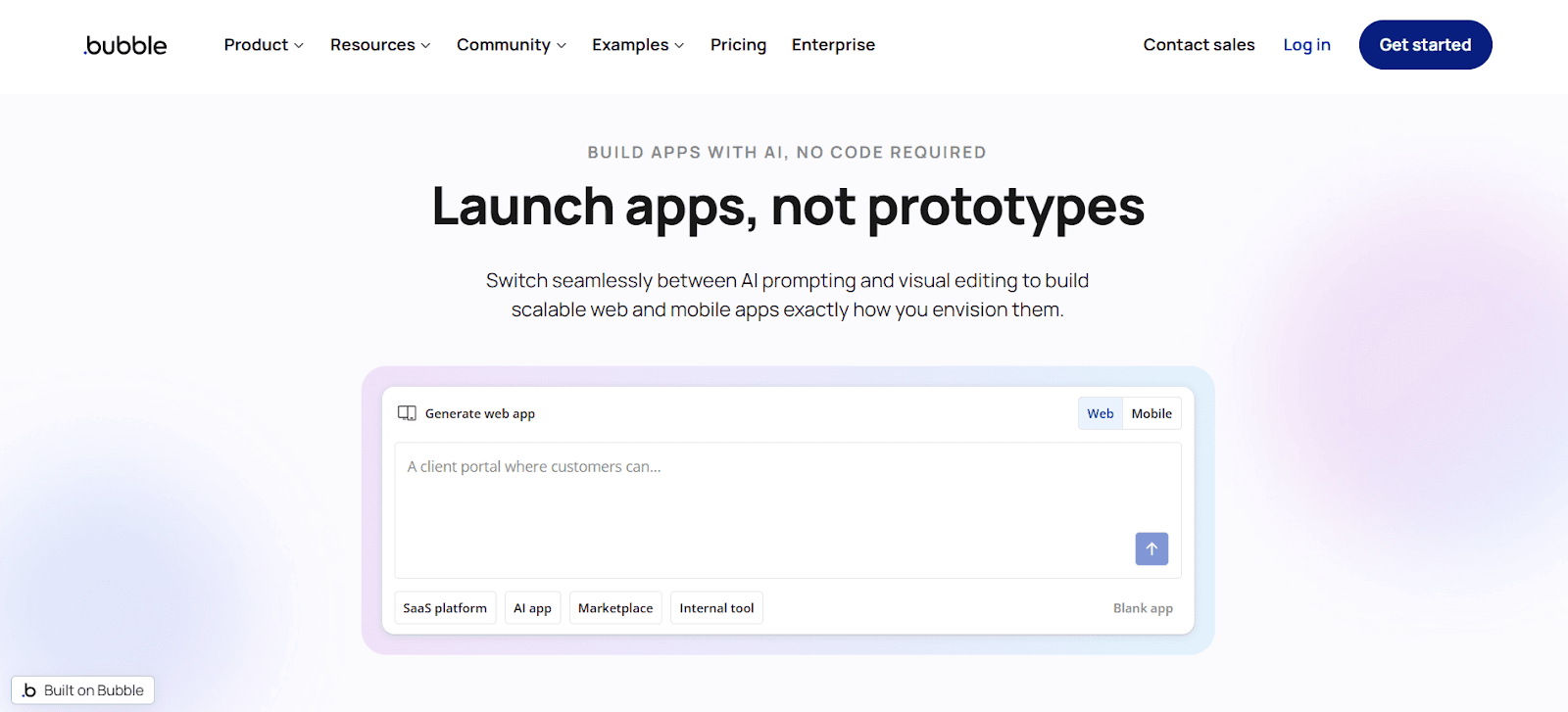
Bubble is one of the most established no-code platforms for building web applications, known for its flexibility, powerful workflow engine, and large ecosystem. It allows users to create complex, data-driven applications without writing traditional code, making it a popular choice for startups and solo founders over the past several years.
For users evaluating Bolt.new alternatives, Bubble often comes up as a more capable option for building real products. However, while Bubble is powerful, it introduces a different set of challenges around complexity, performance, and learning curve that can feel overwhelming compared to modern AI-first platforms.
Key Features of Bubble
1. Visual No-Code Application Builder
Bubble provides a visual editor that allows users to design interfaces, define workflows, and manage data without writing code. This removes the need for a traditional IDE like Replit, but still requires users to understand Bubble’s proprietary logic system in depth.
2. Powerful Workflow and Logic Engine
The platform includes a highly flexible workflow engine that enables complex conditional logic, user interactions, and backend processes. While powerful, this system can become difficult to reason about as applications grow, especially for teams without prior Bubble experience.
3. Built-In Database and Backend Capabilities
Bubble includes a native database and backend functionality, allowing users to store data, manage users, and build real application logic. This makes it far more capable than Bolt.new for long-term products, but also adds complexity compared to AI-generated systems.
4. Plugin Ecosystem and Integrations
Bubble offers a large marketplace of plugins and integrations that extend platform functionality. While this ecosystem is useful, it often leads to dependency sprawl and maintenance issues as applications scale.
5. Deployment and Hosting Included
Bubble handles hosting and deployment internally, allowing users to launch applications without managing infrastructure. However, performance tuning and scaling often require careful optimization and higher-tier plans.
Unique Features of Bubble
1. Highly Flexible No-Code Logic System
Bubble’s biggest strength is its ability to model complex application logic visually, which enables building sophisticated products without writing code. At the same time, this flexibility creates a steep learning curve and makes long-term maintenance challenging.
2. Mature Platform with Large Community
Bubble has been in the market for years and has a large user base, extensive documentation, and many tutorials. This maturity helps with learning but also means the platform has accumulated technical quirks and legacy patterns.
3. Strong Fit for Data-Driven Web Apps
Bubble excels at building database-heavy web applications such as marketplaces, SaaS tools, and internal dashboards. However, achieving optimal performance often requires deep platform-specific knowledge.
4. Plugin-Dependent Extensibility
Many advanced use cases in Bubble rely on third-party plugins, which can introduce reliability, security, and cost concerns over time.
5. Platform-Specific Lock-In
Applications built in Bubble are tightly coupled to the platform, making migration difficult. This lock-in is a common concern for teams planning to scale or evolve their product beyond no-code constraints.
Advantages of Bubble
- Extremely powerful no-code platform for web applications
- Capable of supporting real startups and production systems
- Large ecosystem of plugins and integrations
- Built-in backend, database, and hosting
- Proven track record with many real-world products
- More scalable than simple AI MVP builders
Limitations of Bubble
- Steep learning curve despite being “no-code”
- Performance optimization can be complex and costly
- Heavy reliance on plugins for advanced features
- Platform lock-in makes migration difficult
- Slower iteration compared to AI-first builders
Bubble Pricing and Plans
| Plan | Pricing | Key Highlights |
|---|---|---|
| Free | $0 per month | Development version API connector 1 app editor 50K workload units 6 hours logs Web and mobile debuggers On-device testing |
| Starter | $69 per month | Recurring workflows Basic version control 175K workload units Live website Custom domain 5 mobile builds 3 live app versions Unlimited OTAs |
| Growth | $249 per month | Premium version control 2FA 2 app editors 10 branches 250K workload units 14 days logs 10 mobile builds 5 live versions |
| Team | $649 per month | Sub apps 5 app editors 25 branches 500K workload units 20 days logs 20 mobile builds 8 live versions |
| Enterprise | Custom pricing | Custom workload Dedicated hosting Custom servers Dedicated support Invoice billing Custom builds and live versions |
5. HeyBoss
HeyBoss is an AI-powered app builder focused on helping non-technical users create simple applications, internal tools, and workflow-based products through conversational prompts. It emphasizes ease of use and fast setup, allowing users to generate functional software without dealing with code, infrastructure, or complex configuration.
For users coming from Bolt.new, HeyBoss often feels like a smoother and more guided experience. However, its simplicity and opinionated design make it better suited for lightweight business use cases than for building deeply customized or large-scale production systems.

Key Features of HeyBoss
1. Conversational AI App Creation
HeyBoss allows users to describe what they want to build in natural language and generates an application accordingly, removing the need for manual coding or environment setup. This makes it significantly more approachable than Replit and easier to use than Bolt.new for beginners.
2. Business Workflow-Oriented App Building
The platform is designed around common business workflows such as dashboards, forms, internal tools, and simple automation. This focus helps users create practical tools quickly but limits flexibility for unconventional or complex product ideas.
3. Built-In Data Storage and Logic
HeyBoss includes native support for basic data handling and application logic, allowing users to create multi-step workflows without external databases. While sufficient for simple use cases, this abstraction can become limiting as application complexity grows.
4. Simple Deployment and Hosting
Applications built with HeyBoss can be deployed directly through the platform, eliminating the need for infrastructure management. This shortens the path from idea to usable tool compared to both Replit and Bolt.new.
5. Low Learning Curve for Non-Technical Users
HeyBoss is intentionally designed so that users can start building immediately with minimal guidance, making it a strong option for business users who want results without learning technical concepts.
Unique Features of HeyBoss
1. Business-First AI Builder Experience
HeyBoss prioritizes business outcomes over technical flexibility, encouraging users to think in terms of workflows and tasks rather than system architecture. This makes it ideal for internal tools but less suitable for complex software products.
2. Guided App Generation Flow
The platform often guides users through structured prompts to define their application, which reduces confusion and speeds up setup. However, this guidance can feel restrictive for users who want deeper customization.
3. Strong Focus on Internal Tools and Ops Apps
HeyBoss excels at building operational tools for teams, such as admin panels and workflow apps, rather than consumer-facing or highly scalable products.
4. Minimal Configuration and Maintenance
Users do not need to worry about environments, dependencies, or infrastructure, which makes HeyBoss attractive for teams that want low maintenance overhead.
5. Opinionated System Constraints
HeyBoss enforces specific patterns for how applications are built, which simplifies development but limits architectural freedom compared to system-level platforms like Emergent.
Advantages of HeyBoss
- Very easy to use for non-technical users
- Fast way to build internal tools and workflows
- No infrastructure or environment setup required
- More guided and approachable than Bolt.new
- Suitable for small teams and operational use cases
- Reduces engineering overhead for simple products
Limitations of HeyBoss
- Limited flexibility for complex or highly customized applications
- Not designed for large-scale or consumer-facing products
- Abstracted logic restricts advanced backend control
- Less suitable for startups building core technology products
HeyBoss Pricing and Plans
| Plan | Pricing | Key Highlights |
|---|---|---|
| Free | $0 per month | 70 AI credits 2 free projects Core builder access |
| Basic | $29.99 per month | 200 AI credits Custom domain Private projects Remove watermark Code editor Database and CMS |
| Premium | $49.99 per month | 500 AI credits Payments and storefront AI SEO automation Conversion tracking Team workspace |
| Platinum | $99.99 per month | 1,600 AI credits Workflow automation Priority support Priority feature requests Advanced analytics |
Why is Emergent the best Bolt.new alternative?
Emergent is built for real products, not disposable MVPs
Bolt.new is optimized for generating fast prototypes, but those prototypes often collapse when real users, data, and edge cases appear. Emergent is designed from the ground up to build production-grade systems that can handle real workflows, real scale, and long-term evolution, eliminating the need to rebuild or migrate once the product moves beyond validation.
Emergent gives full system control without reintroducing complexity
Most Bolt.new users leave because they feel boxed in by opinionated templates and hidden logic. Emergent solves this by providing visibility and control over backend logic, data flows, and integrations, while still abstracting away low-level engineering work, so users get flexibility without the traditional complexity of coding.
Emergent’s AI understands product intent at a system level
Bolt.new’s AI focuses on generating surface-level app structures quickly, which often leads to fragmented systems when features are added later. Emergent’s AI reasons about the entire product architecture, maintaining consistency across UI, logic, data, and integrations, which results in stable, maintainable systems instead of fragile outputs.
Emergent eliminates the scale ceiling Bolt.new users eventually hit
With Bolt.new, teams often reach a point where the platform cannot support advanced workflows, integrations, or performance needs. Emergent removes this ceiling entirely by supporting complex business logic, external APIs, authentication, and scalable infrastructure from day one, making it suitable for serious startups and growing teams.
Emergent is the only platform that does not force a second migration
Most Bolt.new alternatives still require users to switch tools once the product grows, whether to Bubble, custom code, or engineering teams. Emergent is built to support the entire lifecycle of a product, from first idea to real company, which means users never have to rethink their technology stack mid-journey.
Conclusion
Bolt.new is an excellent tool for moving fast and validating ideas, but speed alone is not enough when the goal is to build a real, scalable product. As soon as teams need deeper backend control, flexible architecture, reliable infrastructure, and long-term maintainability, Bolt.new’s limitations become difficult to ignore.
Emergent stands out because it does not just improve on Bolt.new’s speed, it replaces the entire prototype-first mindset with a production-first approach. By combining system-level AI reasoning, full-stack generation, and built-in deployment, Emergent enables teams to move from idea to real product without ever hitting the usual platform ceilings.

Every alternative has trade-offs. Emergent just builds production-ready apps from one prompt.
- Production-ready apps
- Web & mobile apps
- Deploy in minutes







