

Workflow automation that ships with the app it runs on
Describe the workflow, the trigger, and where the result should land. Emergent generates the workflow automation, the form or dashboard that fires it, the database it writes to, and the integrations it needs. No code. No task cap.





Trusted by Builders Worldwide
Active Builders Worldwide
Apps Successfully Created
Countries Globally Reached



Three things you own from day one
Where Emergent differs from Zapier, Make, and n8n: the app, the data, and the code are yours, with no per-task meter.
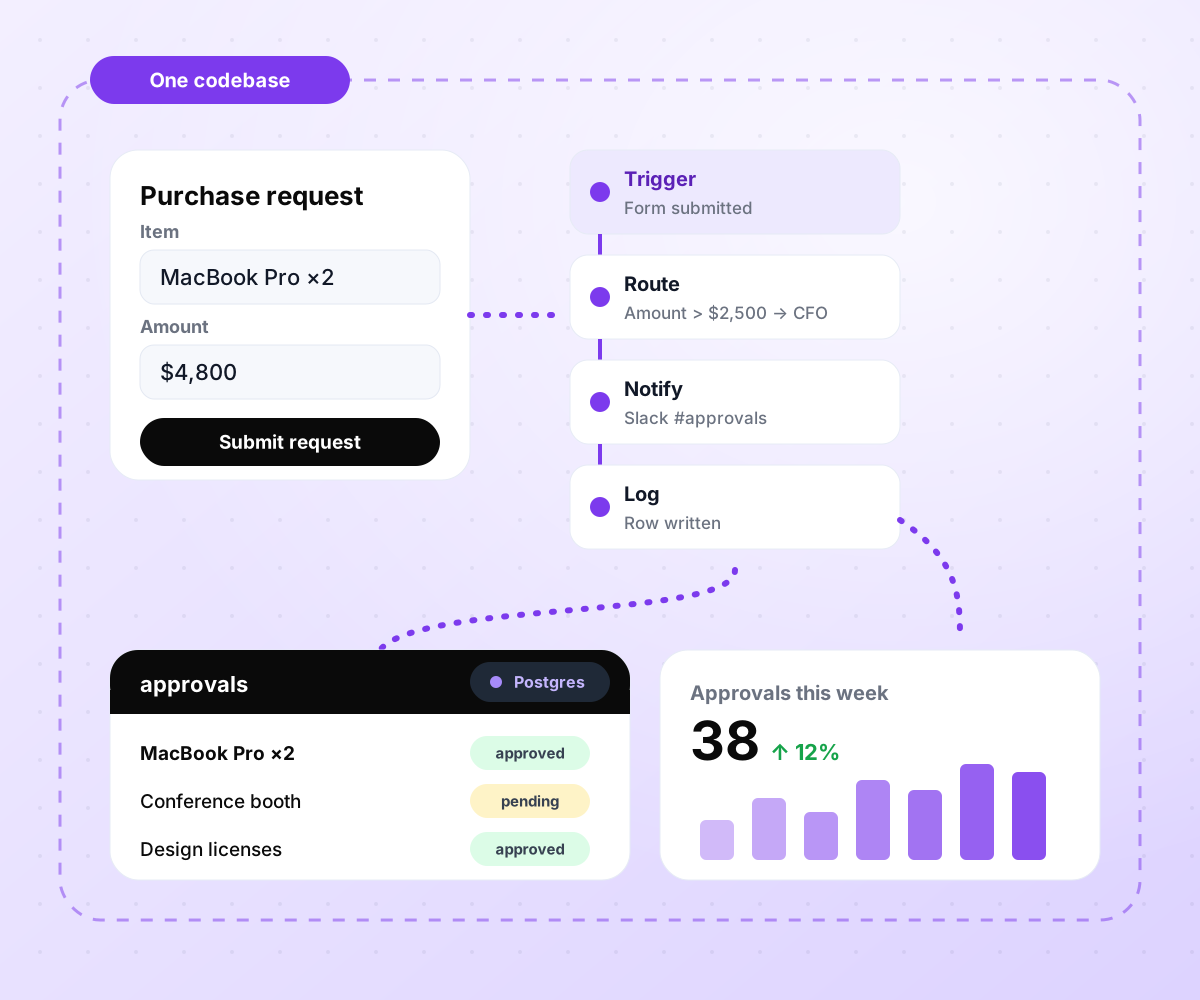
Every automation ships with its app.
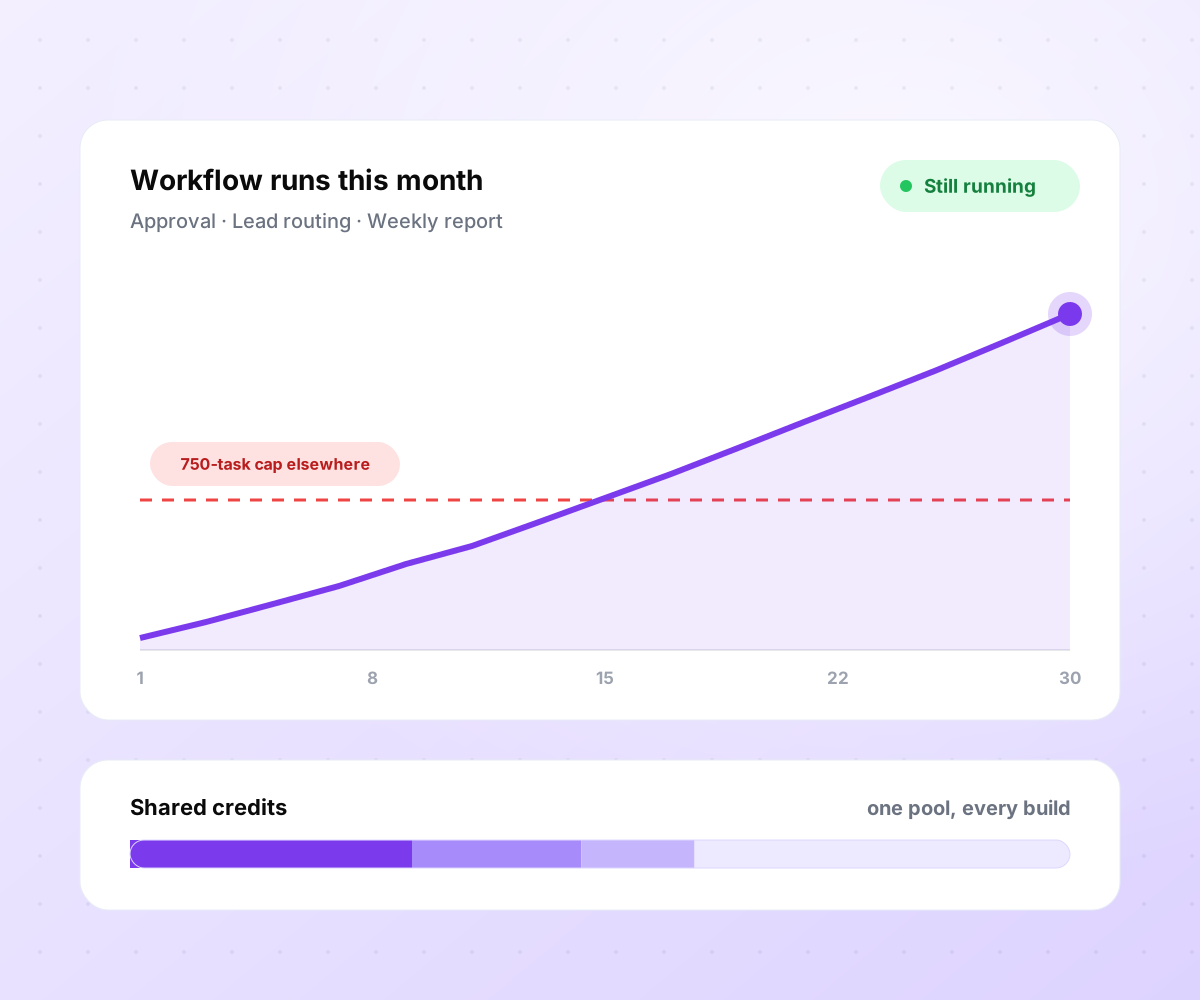
No task cap stopping workflows mid-month.
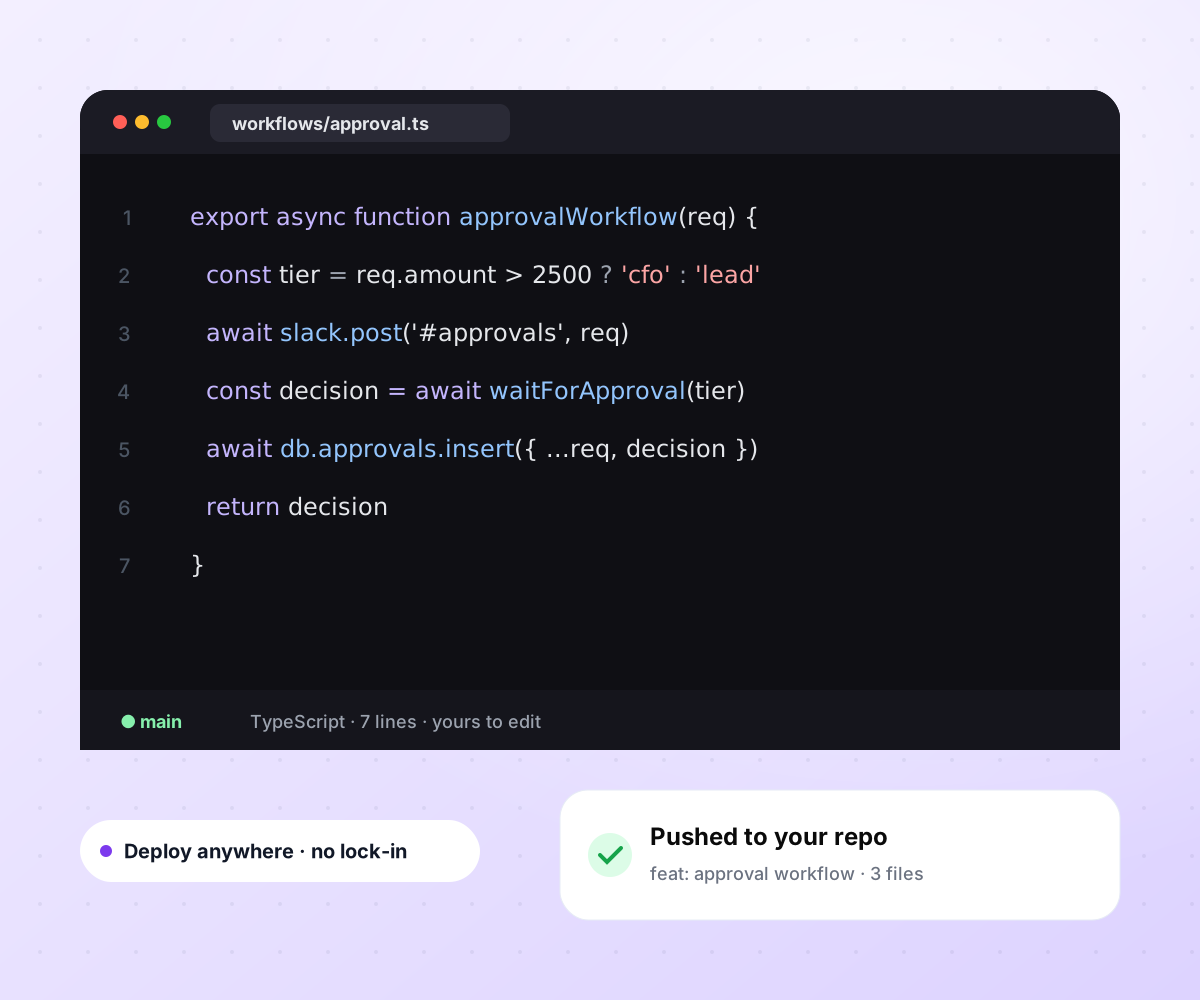
Real code, exported to your repository.

Everything a workflow needs, in one build
No per-task meter, no premium tier gating for branching, no charge again for every AI step you add.
Prompt to working workflow
Trigger, steps, branching, retries, error handling, and the form or dashboard that fires the workflow, generated in one pass. Refine any step by describing the change you want.
Full app around the workflow
A form to request it, a database to log it, a dashboard to read it, and an alert to signal it. Not an if-this-then-that layer on top of five tools that each send their own bill.
Native AI and agent steps
Any step can be an LLM call with your prompt, tools, and guardrails. An agentic workflow is one sentence in the prompt, and AI steps draw from the same credit pool as every other step.
Any API, no approved-partner list
Emergent writes the integration for any service with an API from one sentence. Where Zapier or n8n lack a native connector, you configure an HTTP step by hand; here it is generated.
Ship on Emergent, self-host, or export
Run the workflow on Emergent's infrastructure, deploy the code to your own cloud, or push it to GitHub. It never sits inside a proprietary canvas that breaks when a vendor pivots.
Priced by usage, not by task
Runs share one credit pool with every other build in your project. No 750-task entry tier, no overage billed at up to 1.25× the base rate, and no separate meter for AI steps.
Every tool your workflows connect to
Triggers and destinations
Webhooks, schedules, inbound email, form submissions, and database events. Every trigger writes to the same audit log, whatever fired it.



Data and warehouses
Read from and write to the systems where your data actually lives, in the same workflow.







Emergent vs Zapier, Make, and n8n
Based on each vendor's published plans, checked September 2026.

|
Zapier | Make (Integromat) | n8n | |
|---|---|---|---|---|
| How you build | Prompt for the workflow and the app around it | Templates and editor, AI copilot | Visual canvas | Visual canvas, self-hosted or cloud |
| What you get | Workflow + trigger form + database + dashboard, as code you own | Zaps, plus Tables and Interfaces inside Zapier | Scenarios inside Make | Workflows inside n8n |
| Behavior at cap | Keeps running, no task cap | Overage billed at up to 1.25× the base rate | Runs pause | Cloud workflows stop until the reset or an upgrade |
| AI and agent steps | Native, share the same credit pool | Priced by model tier, drawn from the task pool | AI modules cost variable credits | Bring your own model API key, billed by the provider |
| Code ownership | Full export to your repo | None | None | Yes on Community Edition |
How to automate a workflow
Build workflow automation that starts where your team already works, routes decisions to the right person, writes to a database you own, and reports back where the team can see it, with retries, alerts, and an audit trail included.
Hand-code the workflow, use a workflow automation platform like Zapier, Make or n8n, or use an AI builder like Emergent. Hand-coding gives the most control at the cost of days per workflow. Visual builders are fast but meter you per task. AI builders generate the workflow and the app around it.
Start with the trigger (a form, a webhook, a schedule, a database event), name every step the workflow takes in order, and name the outcome that ends it. Sketch it as a plain sentence. On Emergent that sentence is the prompt that builds the workflow.
A workflow without a database logs nothing you can audit later. Decide what to record per run (who triggered it, what happened at each step, and the final outcome) and where it should live. Emergent creates the database with the workflow; on most workflow tools the data stays in the vendor's platform or you bring your own.
Describe the trigger, the steps, the branches, the retries, and the destinations, and the workflow is generated around it. Every step is a real code function you can inspect, edit, and version, not a black box inside a proprietary canvas that nobody except the builder can read.
Connect the trigger (form, webhook, schedule, inbound email), the destination tools (Slack, HubSpot, Postgres, Google Sheets), and the retry and dead-letter behavior for failures. On Emergent each of these is a sentence in the prompt. On most other tools, each integration is its own setup.
Fire the trigger, walk through every branch, break the network on purpose, and confirm the workflow retries as planned and lands the row in your database. Every bug you catch here is one that will not wake somebody up at 2am when the workflow silently fails at row 200 of the nightly sync.
Turn the workflow on, watch the first hundred runs, and check the dead-letter table daily for the first week. Fine-tune the routing rules with the data those runs generate.
Pick the Pricing Plan That Works for You
Choose the plan that fits your building ambitions. From weekend projects to enterprise applications, we've got you covered.




Frequently Asked Questions
Workflow automation questions, answered
Workflow automation is software that runs a sequence of steps automatically, from a trigger through decisions, data updates, and notifications, without a person doing each step by hand. It overlaps with what people call business process automation and, in the enterprise, with RPA. The difference is where the work runs and how the steps are defined. Modern workflow automation software goes further and generates the workflow, the form that fires it, and the database it writes to from a written description.
RPA (robotic process automation) drives existing desktop and web software with a scripted user (clicks, keystrokes, form fills) to move data between systems that were never designed to talk to each other. Workflow automation talks to those systems through APIs and webhooks and reasons about the data itself. RPA suits legacy environments where the only integration point is the user interface; workflow automation suits any system with an API, which today means almost everything worth automating.
Business process automation (BPA) is the practice of automating a repeatable business process end to end, such as an invoice approval, a customer onboarding, or a support ticket lifecycle, rather than a single task inside it. Workflow automation software is what BPA is built on today. Emergent belongs in the BPA category because it generates the process, the intake form, the routing, the audit trail, and the reports as one build, not five tools stitched together.
Zapier, Make, and n8n are workflow engines: they run steps between apps, and anything they host, such as Zapier Tables or Interfaces, stays inside their platform. Emergent generates the workflow plus the app it triggers from, the database it writes to, and the dashboard your team reads, as one codebase you own, with no per-task meter.
It depends on what you need to own. If you want the workflow and the app around it in one codebase with no task cap, Emergent is built for that. If you want a broad catalog of pre-built integrations and are fine paying per task, Zapier has one of the largest. If you want visual canvas control at the lowest per-operation cost, Make is the value option. If you want to self-host on your own infra, n8n Community Edition is free.
Yes. Emergent has a free tier with monthly credits, enough to build and run a real workflow end to end. Zapier's free plan covers 100 tasks per month on two-step Zaps. Make gives 1,000 credits per month on two active scenarios. n8n's cloud plans have no free tier, but the self-hosted Community Edition is free with unlimited executions if you supply the server.
Yes. Any service with an API can be called from a workflow, whether or not Emergent has a native integration for it. No approved-partner list, no waiting on the roadmap.
Yes. Any step can be an LLM call with your prompt, your tools, and your guardrails. An agentic workflow, one where the LLM decides which tool to call next from a bounded set, is one sentence in the prompt. AI and agent steps share the same credit pool as every other step; they are not a separate meter you have to top up when the workflow gets clever.
Yes. Every workflow exports to your GitHub as real code, so you can deploy it to your own cloud, your own Kubernetes cluster, or a bare VPS. n8n's Community Edition is the other option that gives you self-hosting; Zapier and Make do not offer it at all.
You do not, because Emergent has none. On Zapier the workflow keeps running and bills the overage at up to 1.25× the base rate. On Make the scenario pauses. On n8n Cloud, workflows stop until the monthly reset or an upgrade.
Emergent builds the workflow automation from a written description, so there is no drag-and-drop canvas to learn and no code to write for the workflow itself. When you want to change what the generated code does, such as a custom retry rule or a bespoke integration, you can drop into the code directly. It is no-code automation by default and low-code when you need it, without a plan upgrade to unlock either.
Emergent starts free, with paid plans priced on usage rather than tasks or executions. Zapier Professional starts at $19.99/mo on annual billing for 750 tasks. Make Core starts at $9/mo on annual billing for 10,000 credits. n8n Cloud Starter is $24/mo, or $20/mo on annual billing, for 2,500 executions. On per-task tools, cost grows with every step you add, not with the value of the workflow.
Yes. Emergent is SOC 2 Type I and ISO 27001 certified. Workflows can include retries, dead-letter handling, and a database-backed audit log; describe them in the prompt. For regulated workflows, contact sales about Enterprise terms before deploying.
Yes. Every automation can include the intake form, the internal dashboard, and the alert channel in one build, as code you own. Zapier offers Tables and Interfaces inside its own platform; Make and n8n focus on the workflow itself.
More things you can build
with Emergent









on Emergent today




