

Build Finance Automation Around the Numbers You Watch
Build finance automation that watches cash and the close, and sends each exception to the person who owns it.
Build finance automation that reads my bank balances at 7:00 AM and messages the controller when operating cash drops under $250,000.
Trusted by Builders Worldwide
Active Builders Worldwide
Apps Successfully Created
Countries Globally Reached



What Emergent Builds for a Finance Team
Each check runs against the systems your team already keeps, and every miss reaches a named owner before month end.
Rules written the way you would say them
Describe a check in a sentence, such as a balance floor or an approval limit. Emergent builds the app, its database and its logic from that prompt, and a new prompt changes a rule.
Your ledger and bank data, connected
The app connects to QuickBooks, Xero, NetSuite, Stripe, and any other tool with an API, and syncs data both ways. Balances and entries come straight from the records your team keeps.
AI that reads invoices and statements
An AI step reads uploaded invoices and bank statements into fields such as the amount and the payee. A field the AI is unsure of goes to a person on your team before a check uses it.
Reminders that move up when unanswered
Each exception reaches its owner in Slack or by email. You set the day a reminder goes out and how long an item can sit unanswered before it moves to the owner's manager.
One live board for open exceptions
The dashboard updates as balances and requests change, with every record saved in a database you own. Month-end review starts from rows the app already stored, not a spreadsheet.
The finance app's code, in your GitHub
Export the full code of the app to your GitHub repository on paid plans. A developer can read each rule and review every change to it, the same way they review other code.
Four Finance Checks That Run on Their Own
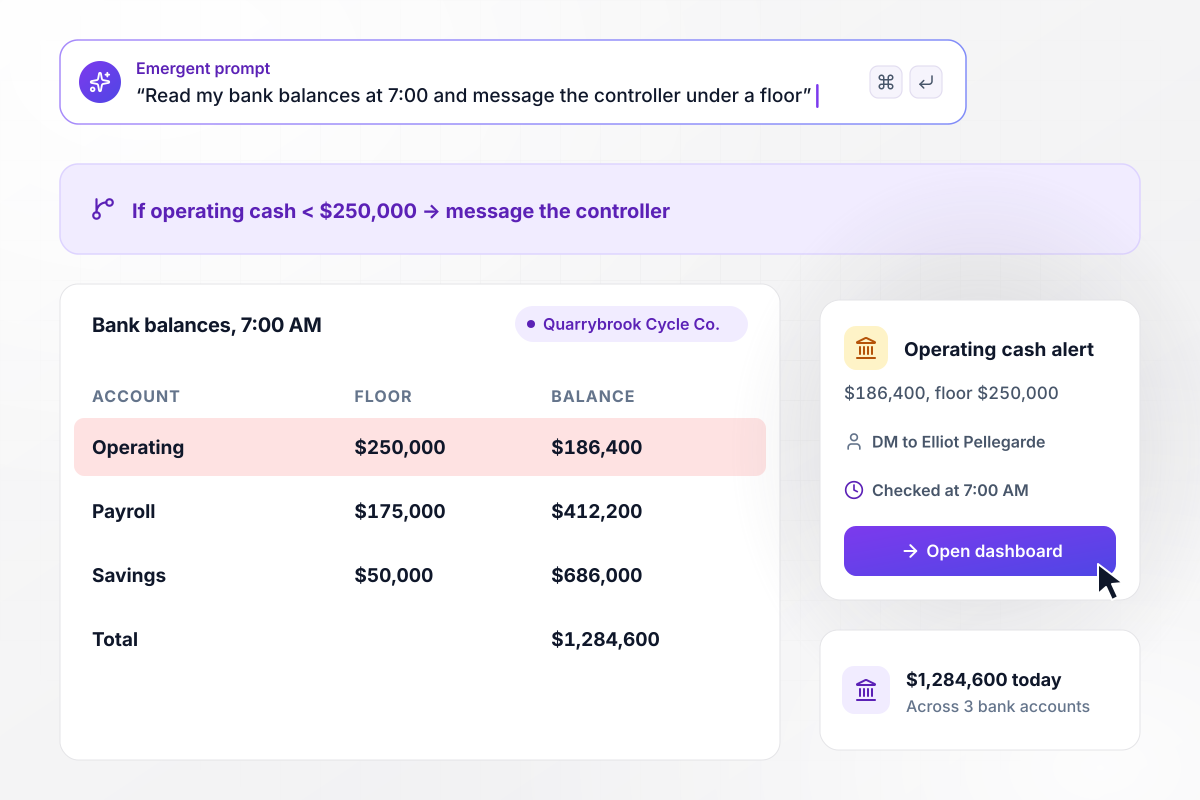
Operating cash dips under its $250,000 floor
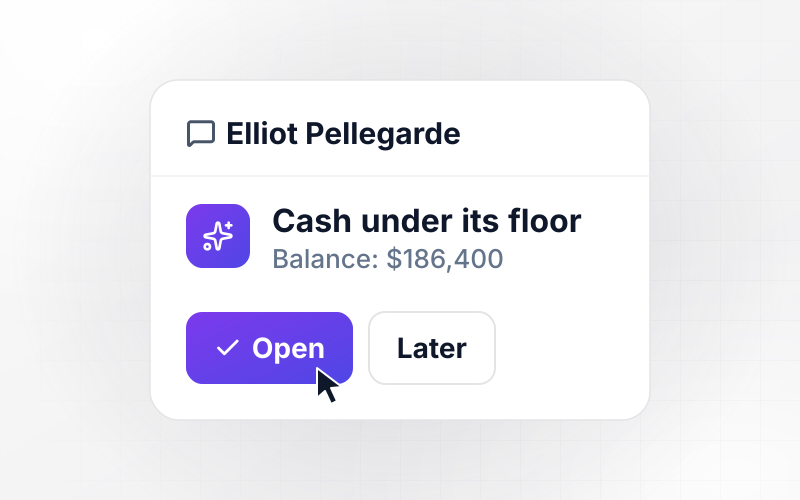
At 7:00 every morning the app reads balances from Quarrybrook Cycle Co.'s 3 bank accounts and posts the total to the finance dashboard: $1,284,600 today. The operating account holds $186,400, under the $250,000 floor set for it. Elliot Pellegarde, the controller, gets a direct message with the balance and the floor.
window.awbMockup = { cashPosition: "Every morning at 7:00, read the balances of my 3 bank accounts and post the total to a finance dashboard. Each account has a minimum balance I set. When the operating account falls under its $250,000 floor, send the controller a direct message with the balance and the floor, and mark the account red on the dashboard.", intercompany: "My two companies bill each other every month. Before each close, compare what each company records as due from or owed to the other. If the two amounts differ, hold the close for both companies and send both accountants the two balances and the gap. Release the hold once they record an explanation.", financeRequests: "Build one form for requests from other teams to finance, with a type field for refunds and credit memos. Send each request to its owner by type. Any credit memo over $1,000 goes to the controller to approve. Show a weekly count of requests on the dashboard.", forecastUpdates: "Each month, my 9 department heads update their next-quarter forecast in a short form by business day 5. On that day, email a reminder to every department head who has not submitted, and show the FP&A lead a dashboard of which departments are in and which are missing." };
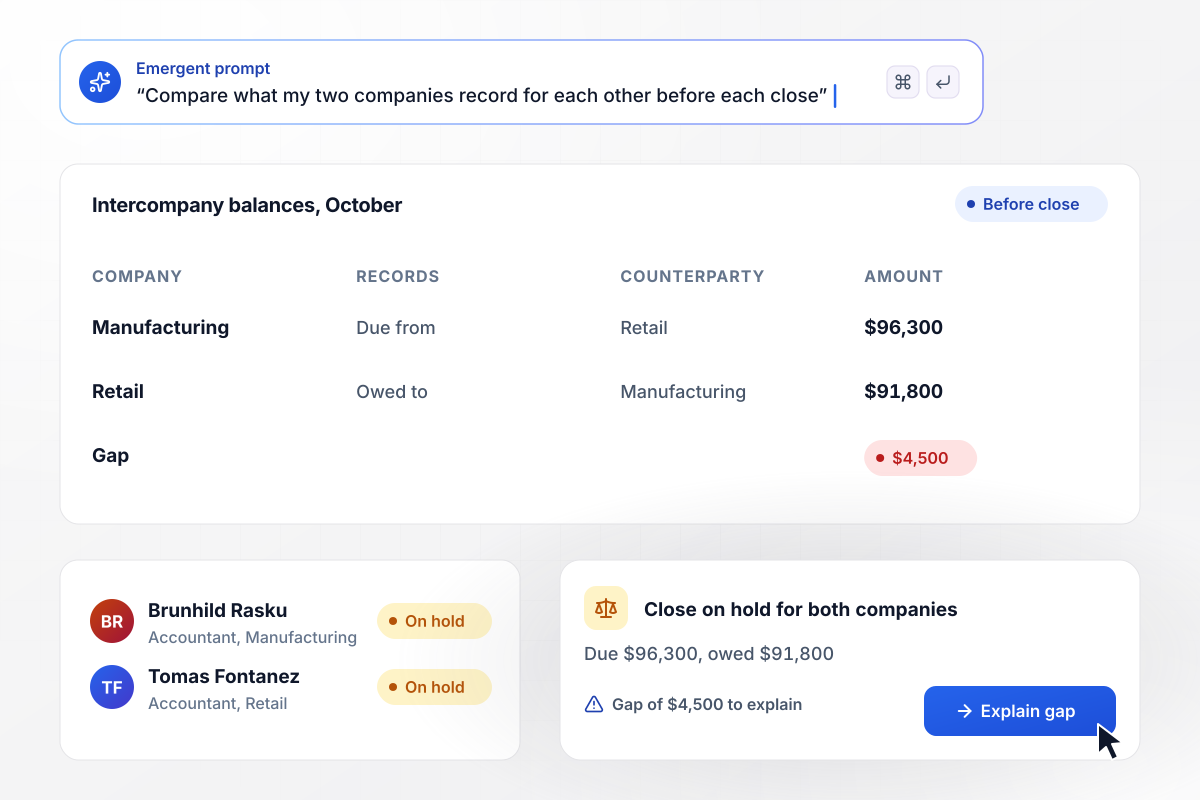
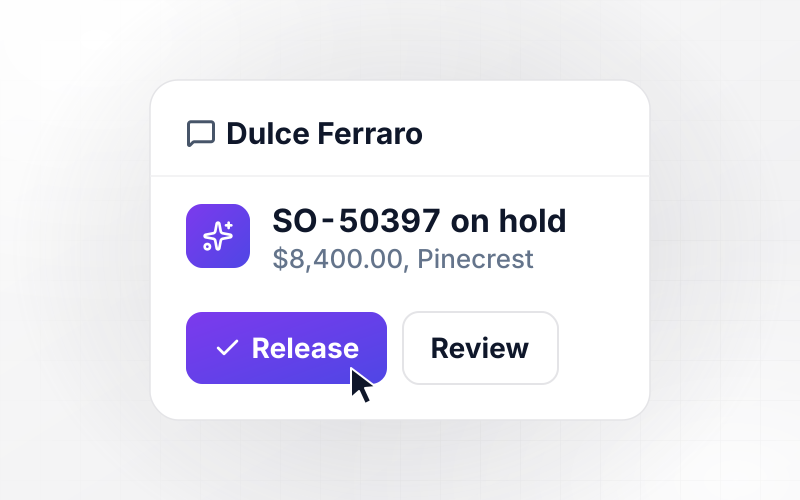
The close waits on a $4,500 gap between companies
Quarrybrook's two companies, Manufacturing and Retail, bill each other monthly. Before the October close, Manufacturing shows $96,300 due from Retail, and Retail shows $91,800 owed. The $4,500 gap holds both closes until the accountants, Brunhild Rasku and Tomas Fontanez, explain it.
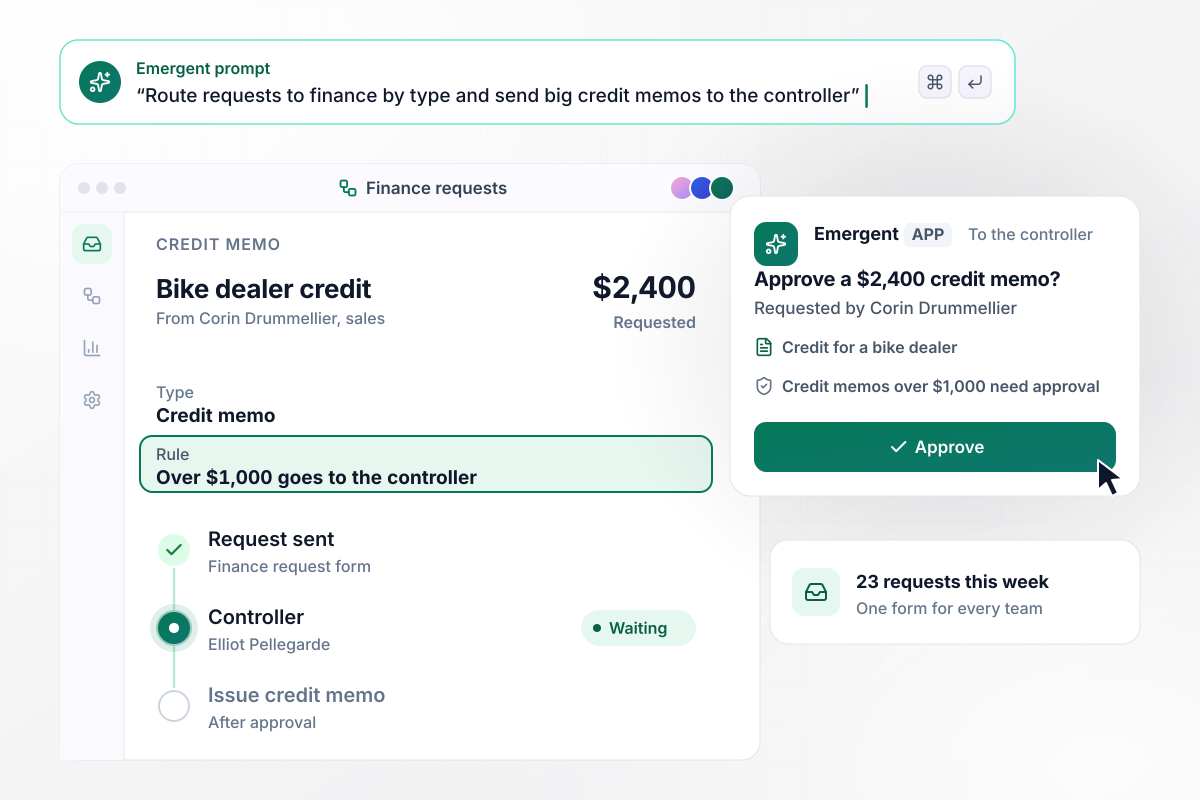
Any credit memo over $1,000 waits for the controller
Requests from outside finance arrive through one form, where the sender picks a type such as a refund or a credit memo. This week 23 came in. Corin Drummellier in sales asked for a $2,400 credit memo for a bike dealer. Because it is over $1,000, it sits with the controller, Elliot Pellegarde, until he approves it.
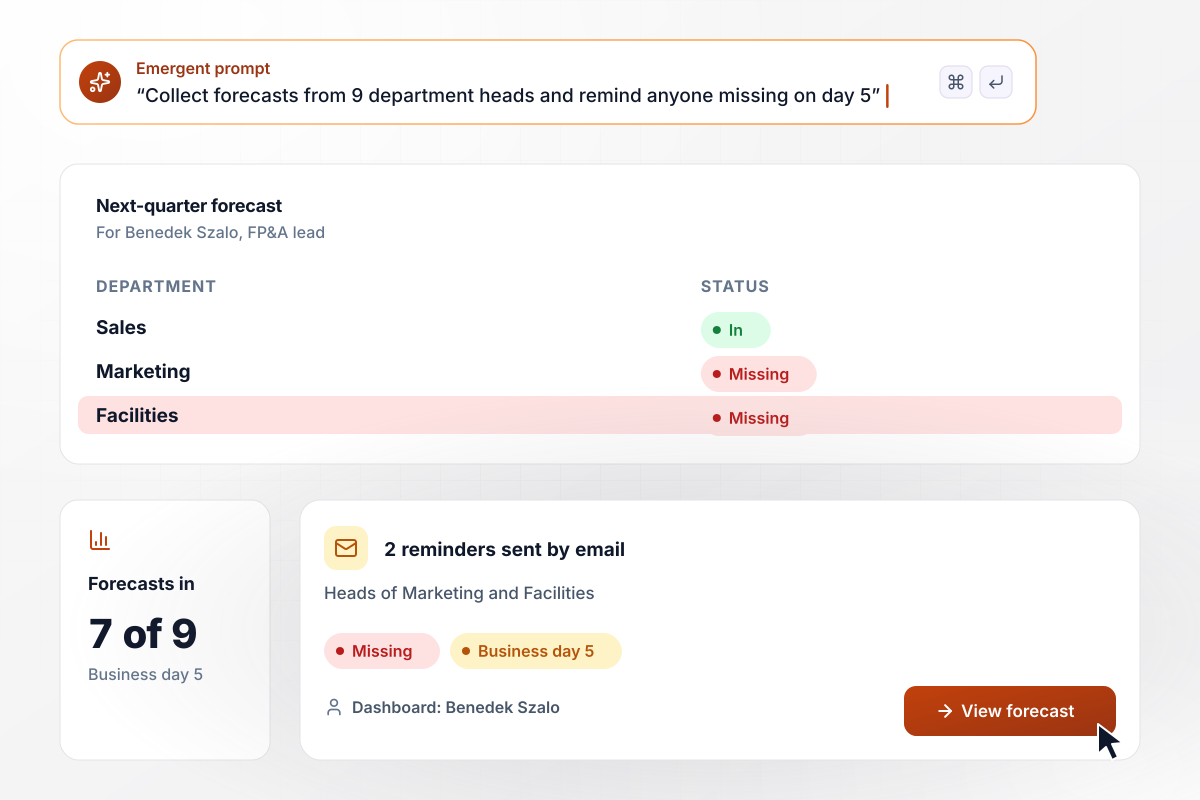
On business day 5, two of nine forecasts are missing
Department heads at Quarrybrook update their next-quarter forecast in a short form by business day 5 each month. This month 7 of the 9 arrived on time. The app emailed 2 reminders, to the heads of Marketing and Facilities, and the dashboard marks both departments as missing for Benedek Szalo, the FP&A lead.






How to Build Finance Automation
Seven steps to turn manual finance checks into finance automation, then build and test it with Emergent.
Write down every check and request finance handles in a month, with who does it and how often. Mark each one that follows a fixed rule with a number in it. Automate those first, and leave anything that needs judgment for later.
Every rule needs a threshold and a person. Write the floor for each bank account and the credit memo amount that needs the controller. Next to each, name the role that acts when the rule fires, not the person who holds it today.
Connect your accounting system and the other tools the checks read from through their APIs, such as QuickBooks, Xero, or NetSuite. The app then reads balances and entries at the source instead of from an export someone emails each morning.
Describe the checks, their thresholds and their owners in plain English, along with the request form and the dashboard you want. Emergent builds the app and its database from that prompt. Read the rules back once before you test anything.
Pick one channel per alert: a Slack direct message for anything the controller must act on today, and email for reminders. Then choose how many hours an alert waits for a reply before the manager of its owner sees it.
Load last month's balances and requests, and run every check against them. Compare what the app flags with what your team caught by hand. A check that flags too much needs a tighter threshold, and one that misses a known problem needs a new rule.
Switch on the cash check first and keep the others in test for one cycle. Add the next check once the first has run a full month without a false alert. At each month end, open the dashboard to see which checks fired and who closed them.
Why Build Finance Automation With Emergent?
Emergent builds each finance check from a prompt, on a database you own, with no task cap when runs pile up at month end.

|
Zapier | Make (Integromat) | n8n | |
|---|---|---|---|---|
| How you build | Prompt for the workflow and the app around it | Templates and editor, AI copilot | Visual canvas | Visual canvas, self-hosted or cloud |
| What you get | Workflow + trigger form + database + dashboard, as code you own | Zaps, plus Tables and Interfaces inside Zapier | Scenarios inside Make | Workflows inside n8n |
| Behavior at cap | Keeps running, no task cap | Overage billed at up to 1.25× the base rate | Runs pause | Cloud workflows stop until the reset or an upgrade |
| AI and agent steps | Native, share the same credit pool | Priced by model tier, drawn from the task pool | AI modules cost variable credits | Bring your own model API key, billed by the provider |
| Code ownership | Full code export to GitHub on paid plans | None | None | Yes on Community Edition |


Pick the Pricing Plan That Works for You
Choose the plan that fits your building ambitions. From weekend projects to enterprise applications, we've got you covered.




Find the right workflow automation
for you and your business
Frequently Asked Questions
Your Questions, Answered
Don't change this element unless you know what you are doing
More things you can build
with Emergent









on Emergent today


