

Build Nonprofit Workflow Automation for a Small Operations Team
Build nonprofit workflow automation that refills canceled volunteer shifts and chases grant report sections before the deadline.
Build nonprofit workflow automation that runs on its own and logs every step.
Trusted by Builders Worldwide
Active Builders Worldwide
Apps Successfully Created
Countries Globally Reached



What Emergent Builds for Nonprofit Operations
Shifts, grant deadlines, gift follow-up, and program seats run on plain-English rules. A person steps in when a rule cannot decide.
Rules written the way staff explain them
Type a rule the way you would tell a new hire, such as who gets offered a shift after a cancellation. Emergent builds the app, the database behind it, and the logic it runs.
Works with the CRM you already have
The app connects to any tool with an API. A CRM or volunteer system with an API can send records in and take updates back, and Slack or your accounting tool connects the same way.
Intake forms that ask one question at a time
Program applicants and new volunteers answer one question per screen, which suits a phone at a pantry table. Each answer saves straight to the record that the rules read.
Reminders before a deadline slips
An open task or a late report section goes to one named person by email, Slack, or in the app. A task left untouched gets a reminder, then moves up to the person above them.
Paper sign-in sheets read into fields
Scan a paper sign-in sheet or a mailed reply card, and AI reads the names and hours into fields. Any field it reads with low confidence waits for a staff member to check it.
Every record in a database you own
Volunteer and program records live in a database you own. Paid plans export the full code to your GitHub repository, and with no task cap a holiday food drive runs as usual.
Four Food Bank Flows to Run This Season
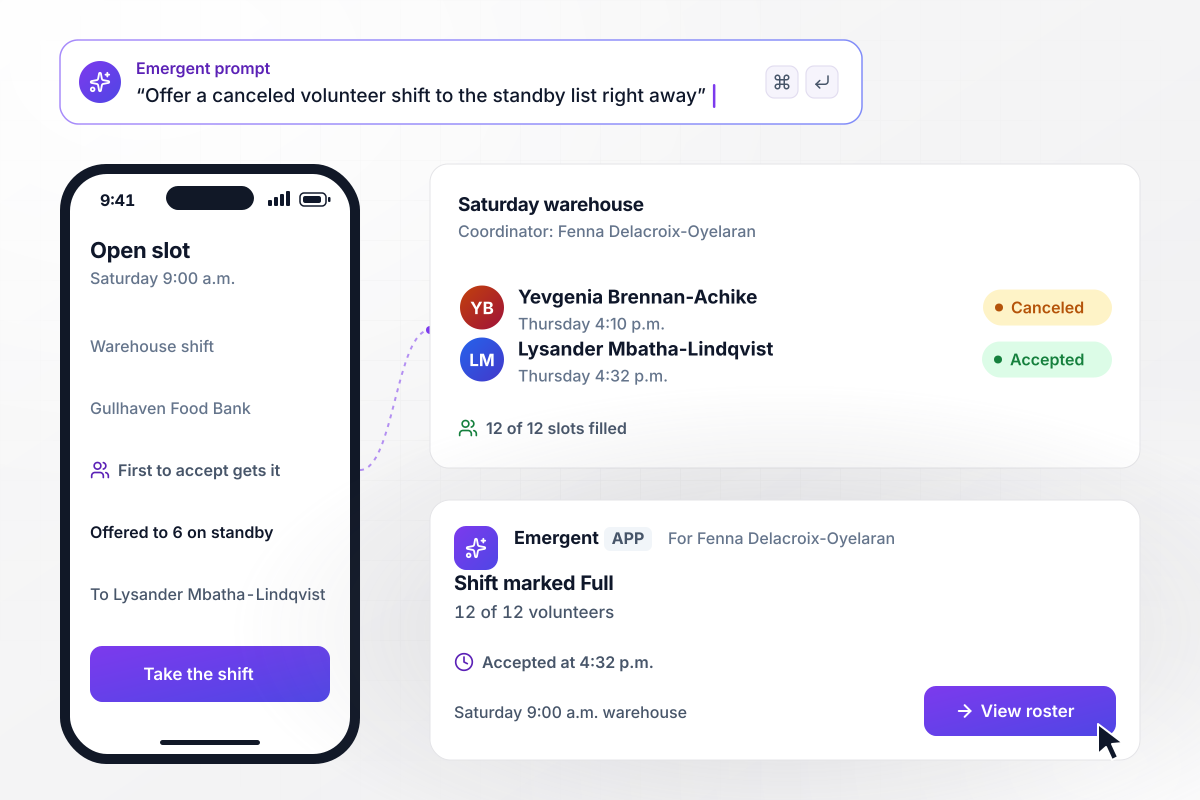
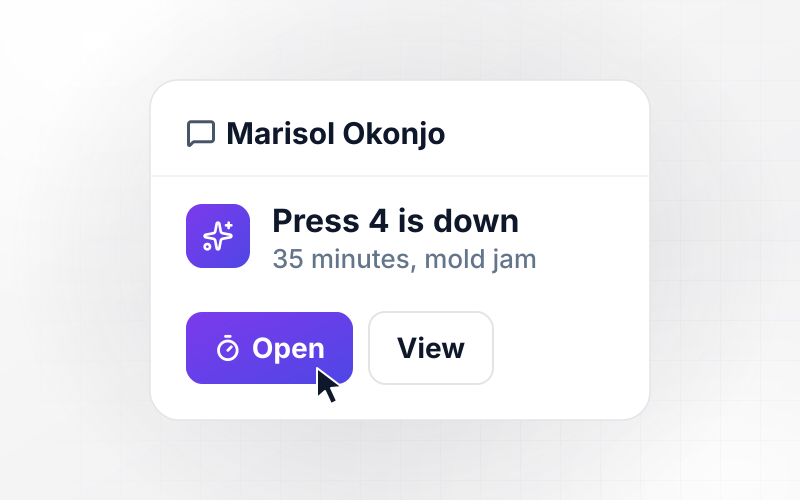
Each canceled shift goes first to standby volunteers
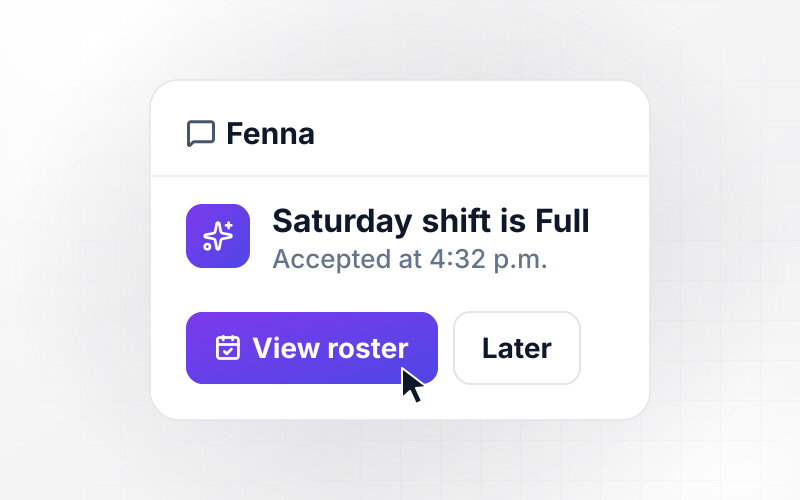
On Thursday at 4:10 p.m., Yevgenia Brennan-Achike cancels her Saturday 9:00 a.m. warehouse shift at Gullhaven Food Bank. The app offers the open slot to the 6 volunteers on the standby list. Lysander Mbatha-Lindqvist accepts at 4:32 p.m., and the coordinator, Fenna Delacroix-Oyelaran, sees it marked Full, 12 of 12.
window.awbMockup = { volunteerShifts: "When a volunteer cancels a shift, offer the open slot to the standby list for that shift. Give it to the first volunteer who accepts, update the shift count, and mark the shift Full on the coordinator's board once every slot is taken.", grantReports: "For each grant report, assign every section to an owner 30 days before the due date and email them a link. If any section is still Not started 7 days before the deadline, email the grants manager with a link to that section.", donorFollowUp: "When a gift comes in, email the donor a thank-you from the executive director the same day. If the gift is over $1,000, create a call task for the development director, and send a reminder if no call is logged within 3 days.", programWaitlists: "Build a program intake form that asks one question per screen. When the program is full, add each new applicant to the waitlist in order and email them their place. When a spot opens, offer it to the first person on the list." };
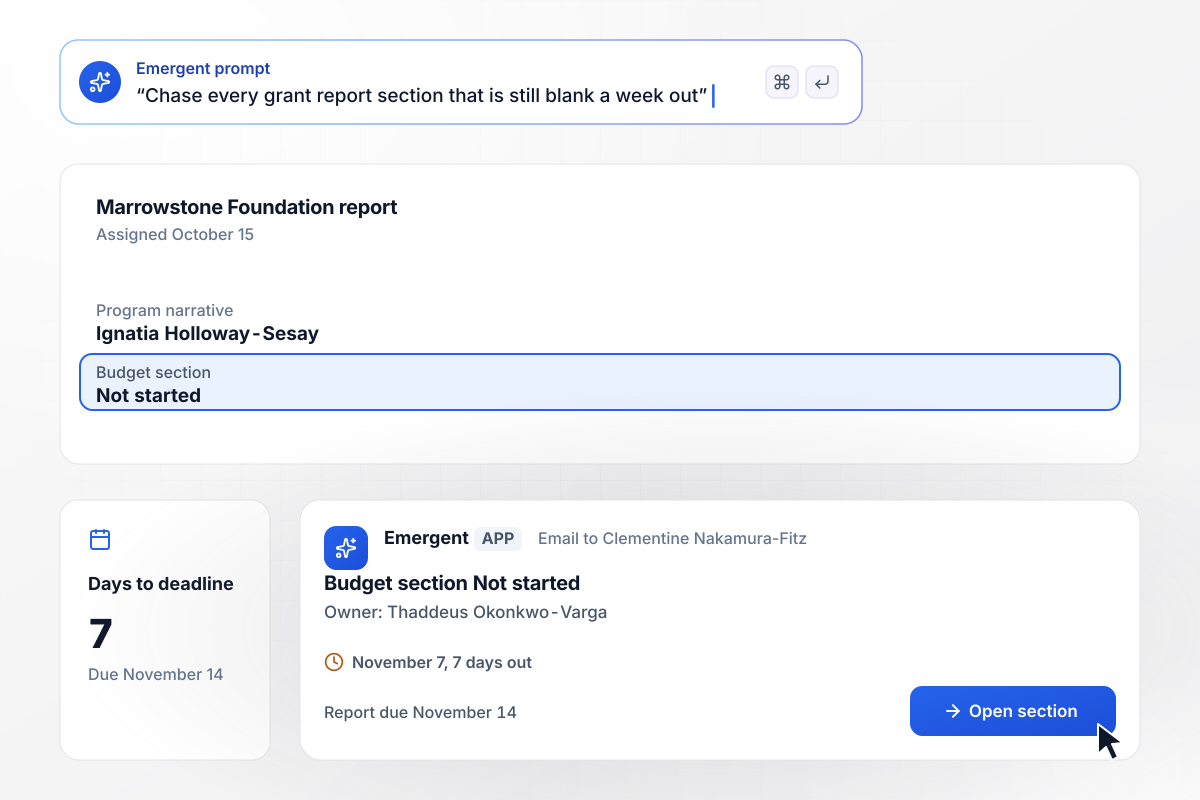
Blank sections on November 7 go to the grants manager
The Marrowstone Foundation report is due November 14. On October 15, the app gives the program narrative to Ignatia Holloway-Sesay and the budget section to Thaddeus Okonkwo-Varga. On November 7, with the budget still Not started, the grants manager, Clementine Nakamura-Fitz, gets an Open section link.
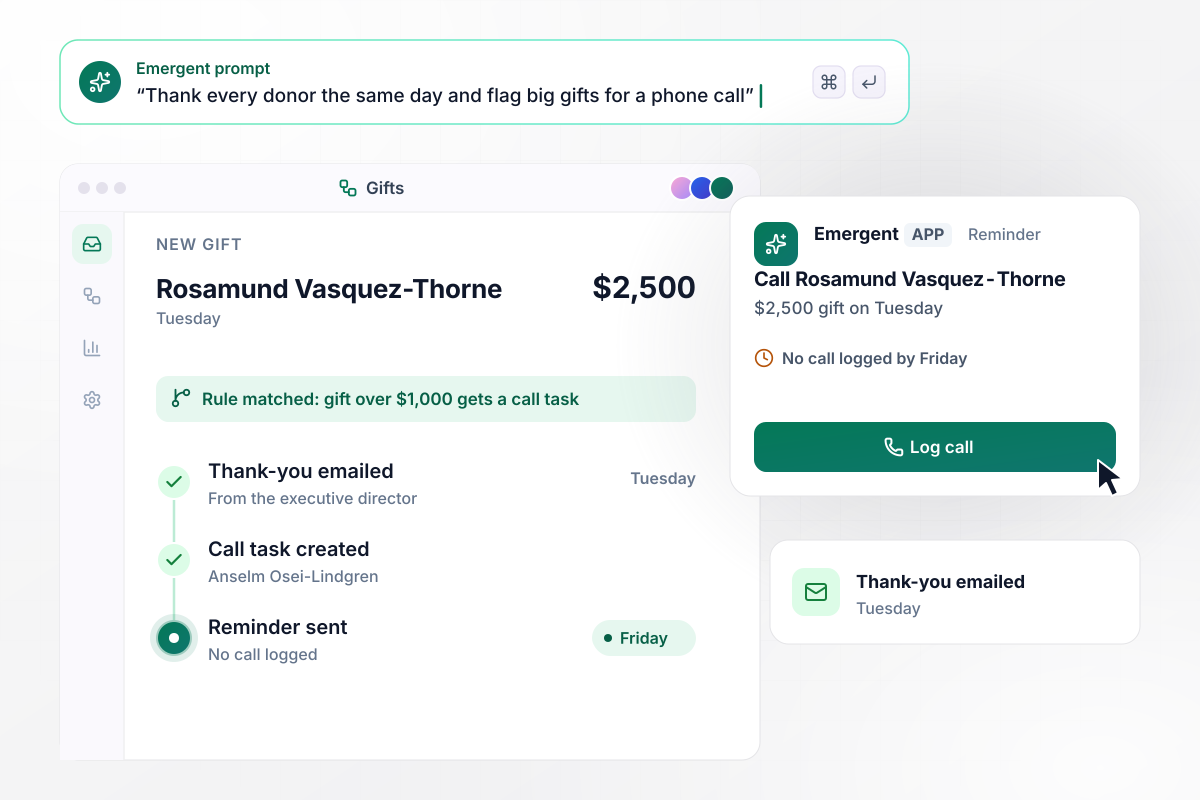
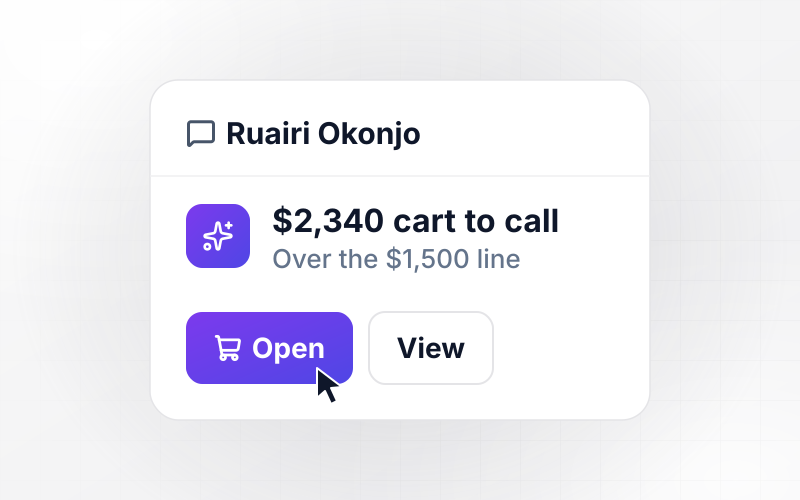
Any gift over $1,000 puts a call on the director's list
Rosamund Vasquez-Thorne gives $2,500 on Tuesday, and the app emails her a thank-you from the executive director that day. Because the gift is over $1,000, it also creates a call task for Anselm Osei-Lindgren, the development director. With no call logged by Friday, the app sends him a reminder.
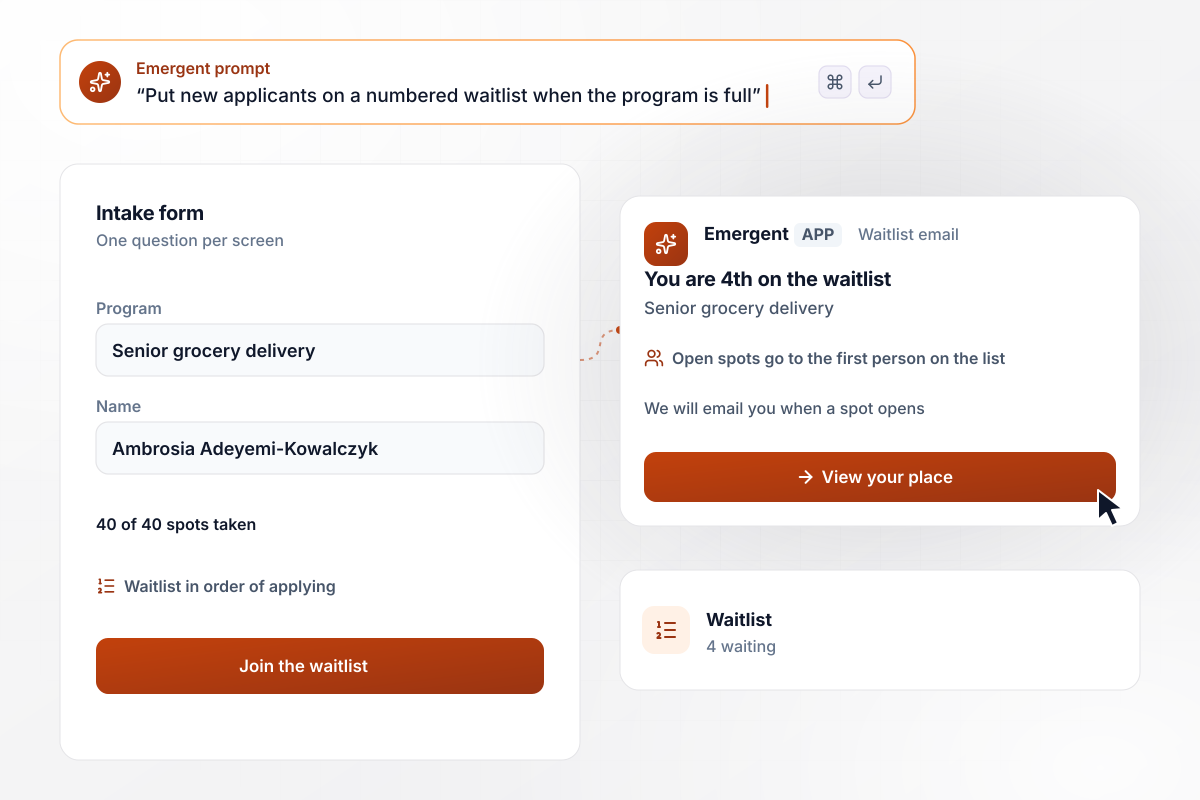
At 40 of 40 spots, a new applicant gets a waitlist place
Every one of the 40 senior grocery delivery spots is taken when Ambrosia Adeyemi-Kowalczyk applies on the intake form, which asks one question per screen. The app places her 4th on the waitlist and emails her that place. When a spot opens, the app offers it to the first person on the list.






How to Build Nonprofit Workflow Automation
Follow these 7 steps to move your team's repeat chores onto nonprofit workflow automation and test each rule before staff rely on it.
Spend 2 weeks listing every task staff repeat by hand, from confirming Saturday volunteers to copying gift details into the CRM. Mark the tasks that follow the same rule every time, and build those first.
Find where each record lives today: shift schedules in a sign-up tool, gifts in the CRM, grant deadlines in one person's calendar. Connect each system that has an API, and move anything kept only in a spreadsheet into the app's database.
Write each rule the way you would explain it to a new hire: remind a volunteer 2 days before a shift, and email a program applicant when a document is missing. Emergent builds the app and its logic from those sentences.
Decide who hears about each case a rule cannot settle, such as the coordinator for a shift nobody takes or the development director for a gift that needs a call. Set how long a task can sit before a reminder goes out.
Before any volunteer or donor gets a message, run last quarter's shifts and gifts through the app. Compare what it flags with what staff did by hand, fix the rule in a prompt, and replay the quarter until the two match.
Switch on grant report reminders first, because they reach staff and nobody outside. Run them through one report cycle, then add volunteer shifts, and turn on donor and applicant messages once contact details are clean.
Once a quarter, read every case a person had to handle by hand, such as shifts filled by phone and applicants placed manually. Change the rule behind each repeat with a prompt, and check whether the list is shorter next quarter.
Why Build Nonprofit Workflows With Emergent?
From one prompt, Emergent builds the intake forms, the rules behind them, and a staff dashboard on a database you own, with no task cap.

|
Zapier | Make (Integromat) | n8n | |
|---|---|---|---|---|
| How you build | Prompt for the workflow and the app around it | Templates and editor, AI copilot | Visual canvas | Visual canvas, self-hosted or cloud |
| What you get | Workflow + trigger form + database + dashboard, as code you own | Zaps, plus Tables and Interfaces inside Zapier | Scenarios inside Make | Workflows inside n8n |
| Behavior at cap | Keeps running, no task cap | Overage billed at up to 1.25× the base rate | Runs pause | Cloud workflows stop until the reset or an upgrade |
| AI and agent steps | Native, share the same credit pool | Priced by model tier, drawn from the task pool | AI modules cost variable credits | Bring your own model API key, billed by the provider |
| Code ownership | Full code export to GitHub on paid plans | None | None | Yes on Community Edition |


Pick the Pricing Plan That Works for You
Choose the plan that fits your building ambitions. From weekend projects to enterprise applications, we've got you covered.




Find the right workflow automation
for you and your business




Frequently Asked Questions
Your Questions, Answered
Don't change this element unless you know what you are doing
More things you can build
with Emergent









on Emergent today




