

Build a Timesheet Approval Workflow for Every Approver
Get a timesheet approval workflow that sends each week of hours to the person who should sign it and logs the decision.
Build a timesheet approval workflow that runs on its own and logs every step.
Trusted by Builders Worldwide
Active Builders Worldwide
Apps Successfully Created
Countries Globally Reached



The Rules Behind Every Approved Timesheet
Emergent builds the timesheet form, the routing, and the record from your description of who signs which hours.
Approvers named in plain English
Describe the rule as your operations lead would: hours on a client project go to its lead. Emergent builds the timesheet form and routing from that, and edits both by prompt.
Project codes from the tools you use
The app connects to any tool with an API, such as your project tracker or QuickBooks. Project codes and their leads sync in, and each line of hours names the person who approves it.
Checks that run before a manager looks
Write down the checks someone runs by hand today, like an empty workday or a closed project code. The app runs them on submit and returns the week with the problem line marked.
Reminders that reach one person
The app sends Slack, email, and in-app reminders to whoever holds a timesheet right now. A week that sits unsigned past the time you set escalates to the next name on your list.
Every decision kept in your database
Submissions, approvals, returns, and comments live in a database you own. Months later, the record for any week still shows who signed it, when, and the comment they left.
No approver seats to count
Emergent has no per-approver seats and no task cap. Add every project lead and client contact who signs hours as approvers. The free tier covers building and publishing the app.
Four Weeks of Hours, Four Approvers
24 hours to one lead, 16 to another
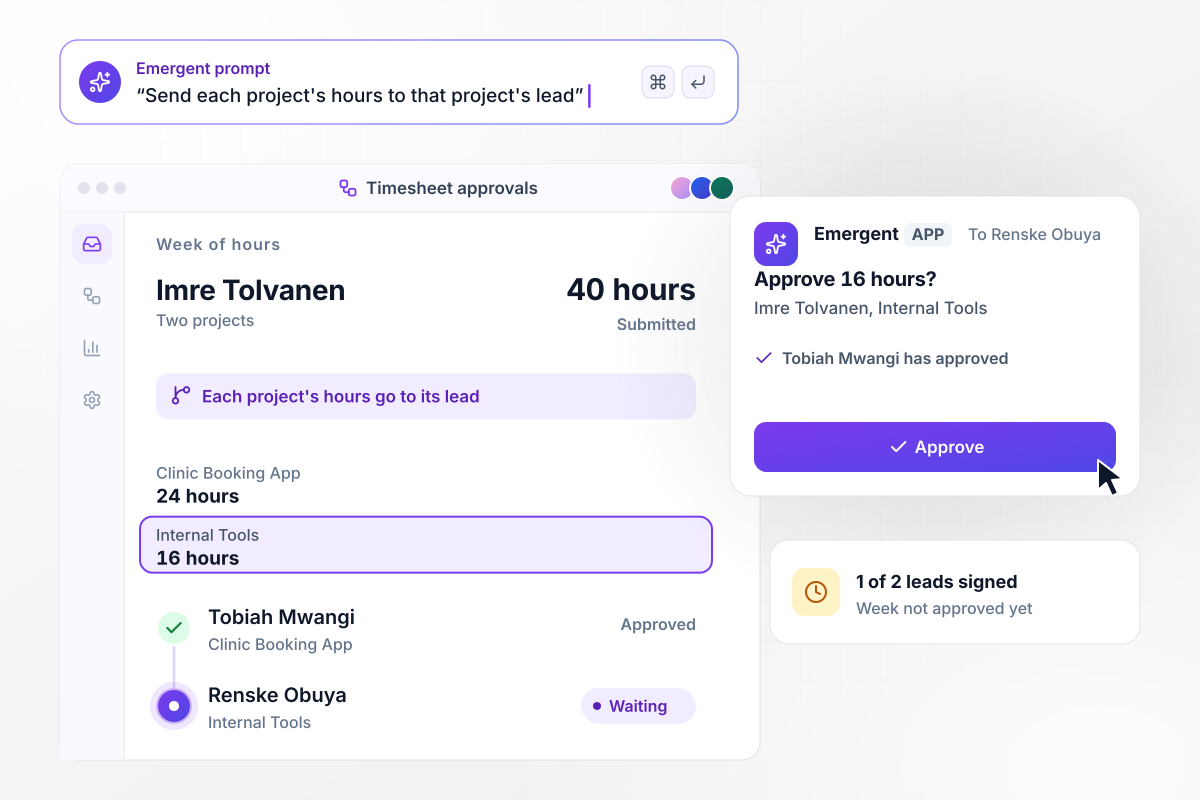
Imre Tolvanen splits his 40-hour week between two projects. The 24 hours on the Clinic Booking App go to its project lead, Tobiah Mwangi, and the 16 hours on Internal Tools go to Renske Obuya. Tobiah has approved his part. The week counts as approved once Renske signs too.
window.awbMockup = { projectHours: "Let employees split a week of hours across project codes. Send each project's hours to that project's lead, and mark the week approved only when every lead has signed their part.", clientSignOff: "For contractors placed at a client, send the weekly timesheet to the client contact named on the placement. Sync the hours to the billing tool only after the client approves them.", missingDays: "When an employee submits a week with a workday that has no hours and no leave entry, return it to the employee with that day marked, before it reaches the manager.", backupApprovers: "Let each manager name a backup approver. While the manager is on leave, route the team's timesheets to the backup, and keep every approval and comment in a log the manager can read on return." };
Billing waits for Lowmoor to sign off
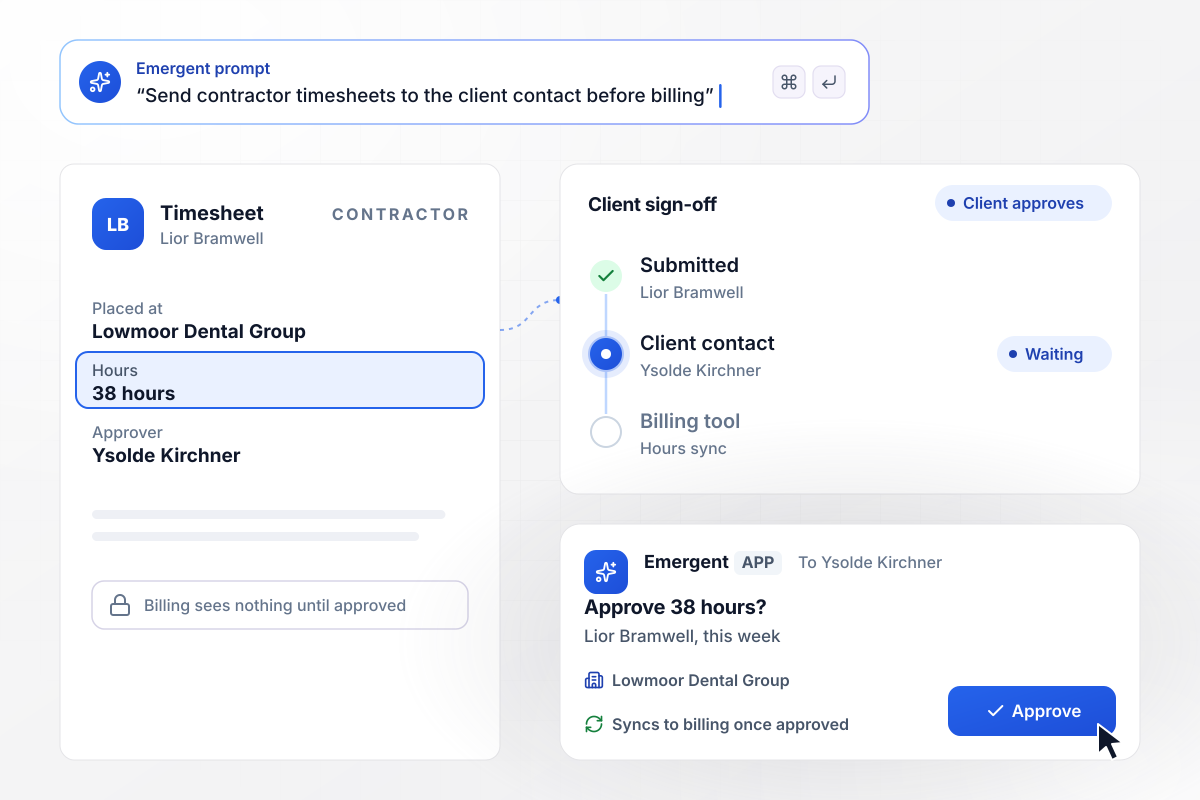
Lior Bramwell works on site at Lowmoor Dental Group, placed there by the agency he works for. His 38 hours go to the client contact, Ysolde Kirchner, not to anyone at the agency. Once she approves, the hours sync to your billing tool. Until then, billing sees nothing.
Eight missing hours send it back
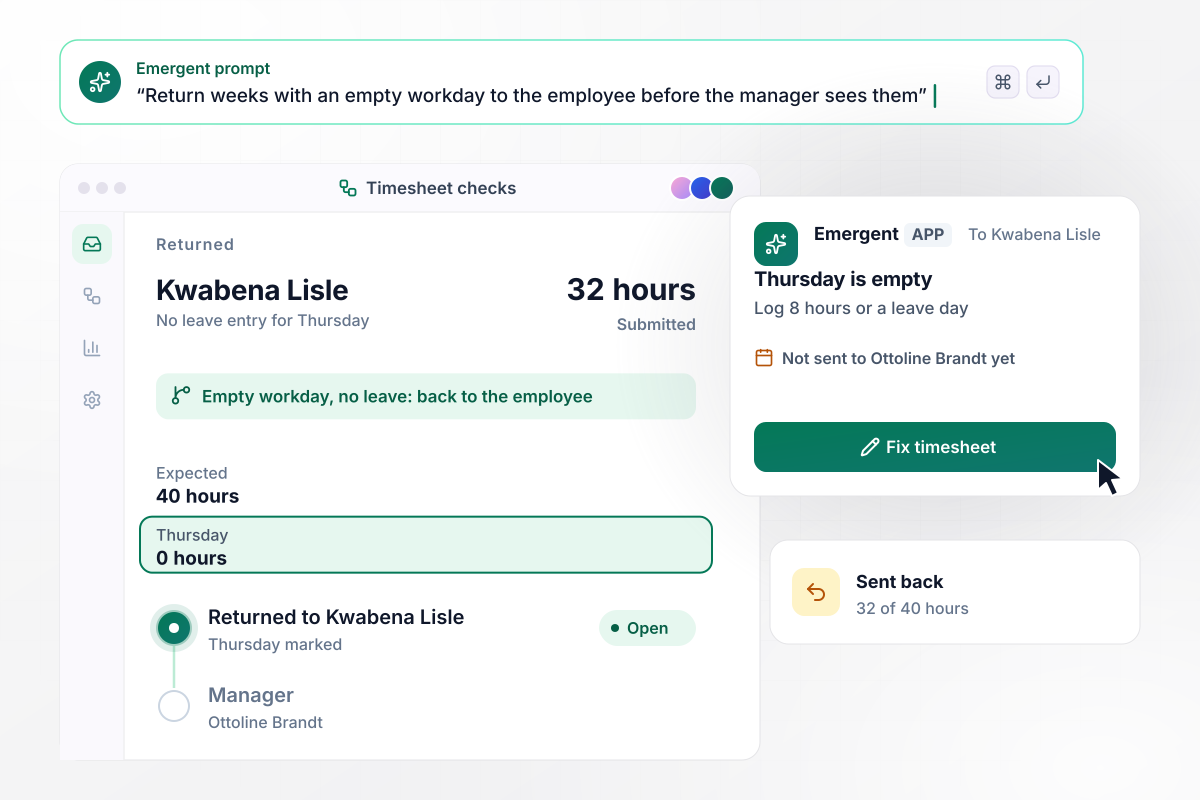
Kwabena Lisle leaves Thursday blank and submits 32 of his 40 hours, with no leave entry for that day. The app returns the week to him with Thursday marked, before his manager, Ottoline Brandt, sees it. Once he logs the 8 hours or a leave day, it goes to Ottoline.
With Henrike out, Rasmus approves seven
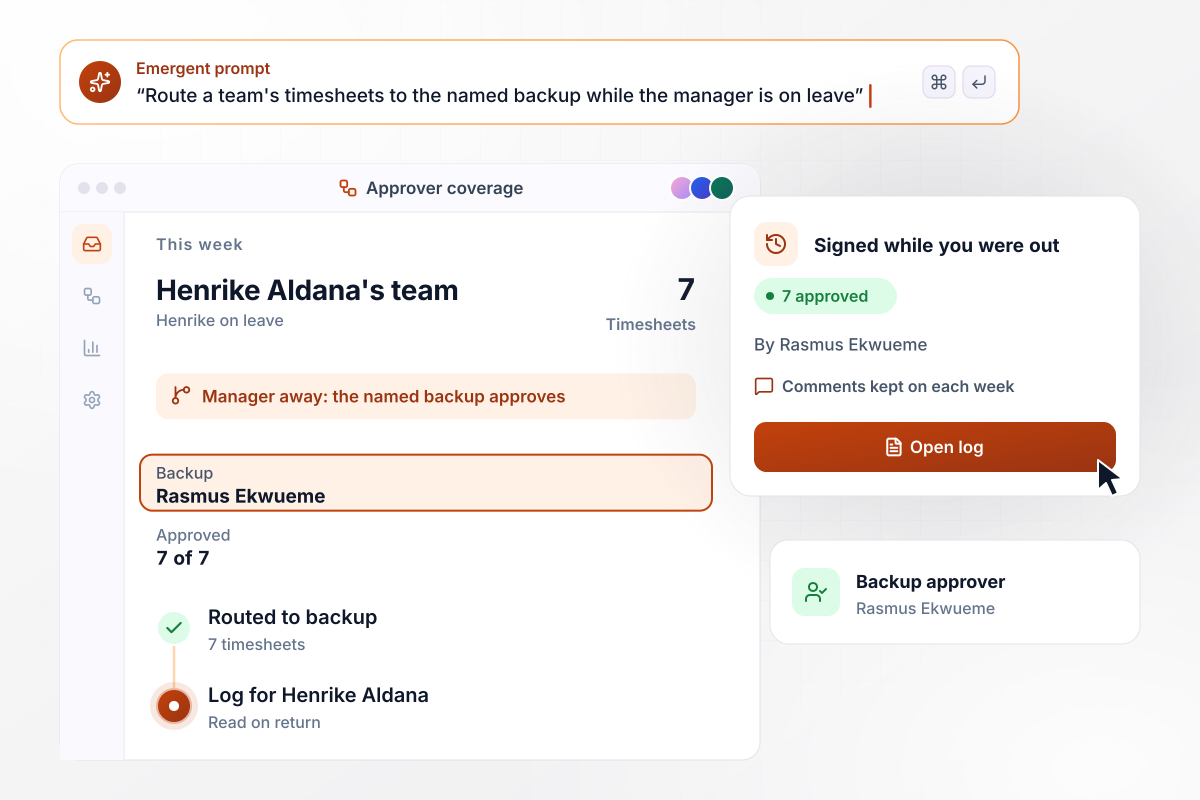
Henrike Aldana is out this week, so the 7 timesheets from her team go to the backup she named, Rasmus Ekwueme. He approves all 7. When Henrike is back, the log shows every week Rasmus signed and the comments he left on each.






How to Build a Timesheet Approval Workflow
Seven steps to map who signs which hours, then build a timesheet approval workflow with Emergent and test it on past weeks.
Export last month's timesheets to one sheet. Mark the weeks that were sent back, who approved each one, and how many days each waited for a signature.
Write down the approver for each kind of hours: the project lead for project codes, the client contact for placed contractors, the manager for the rest.
List what should stop a week before it reaches an approver, such as a workday with no hours and no leave entry, or a project code that has closed.
Pick a backup for each approver. Decide how long a week can wait before the first reminder, and when it should escalate to the next name.
Describe the rules in plain English. From that prompt, Emergent builds the app: the submission form, each route, the reminders, and a dashboard of open weeks.
Connect the project tracker that holds your project codes and the billing or payroll tool that should receive approved hours. Any tool with an API works.
Replay two past weeks and compare each route with the person who signed at the time. Fix any route that sent hours to the wrong person, then publish the app.
Why Build Timesheet Approvals With Emergent?
Your approval rules and every signed week sit in one app on a database you own, with no task cap when everyone submits at once.

|
Zapier | Make (Integromat) | n8n | |
|---|---|---|---|---|
| How you build | Prompt for the workflow and the app around it | Templates and editor, AI copilot | Visual canvas | Visual canvas, self-hosted or cloud |
| What you get | Workflow + trigger form + database + dashboard, as code you own | Zaps, plus Tables and Interfaces inside Zapier | Scenarios inside Make | Workflows inside n8n |
| Behavior at cap | Keeps running, no task cap | Overage billed at up to 1.25× the base rate | Runs pause | Cloud workflows stop until the reset or an upgrade |
| AI and agent steps | Native, share the same credit pool | Priced by model tier, drawn from the task pool | AI modules cost variable credits | Bring your own model API key, billed by the provider |
| Code ownership | Full code export to GitHub on paid plans | None | None | Yes on Community Edition |



Pick the Pricing Plan That Works for You
Choose the plan that fits your building ambitions. From weekend projects to enterprise applications, we've got you covered.




Find the right workflow automation
for you and your business




Frequently Asked Questions
Your Questions, Answered
Don't change this element unless you know what you are doing
More things you can build
with Emergent









on Emergent today




