

Build an Invoice Approval Workflow Around Who Approves What
Build an invoice approval workflow that sends each invoice to the right approver, chases late sign-offs, and logs every decision.
Build an invoice approval workflow that runs on its own and logs every step.
Trusted by Builders Worldwide
Active Builders Worldwide
Apps Successfully Created
Countries Globally Reached



The Rules Behind Every Invoice Sign-Off
Emergent builds your approval policy as an app: who signs at each amount, what is checked first, and who gets reminded.
Approval limits by amount and cost center
Each approver gets a dollar limit, and each cost center gets an owner. An invoice goes first to the owner of its cost center, then up the chain until an approver's limit covers it.
PO invoices checked before approval
An invoice that quotes a PO number is compared with the PO and the goods receipt. Prices and quantities inside your tolerance pass; a mismatch goes to the buyer named on the PO.
Decisions from Slack, email, or the app
Approvers see the invoice, its coding, and the PO in one message, with approve and reject buttons. A rejection needs a reason, and the invoice returns to AP with the reason on it.
Reminders timed to the due date
Choose how many days before the due date an approval must land. An approver who misses that mark gets a reminder, and one more day of silence moves the invoice to their manager.
A decision log in a database you own
Every approval, rejection, reroute, and reminder is saved with the person and the time. Auditors read each invoice's history from your own database, not a vendor's export screen.
Your approval rules as code in GitHub
Export the app's full code, limits and holds included, to your GitHub repository on paid plans. A developer can review each routing rule as code before it changes how invoices move.
Four Invoices, Four Routing Rules
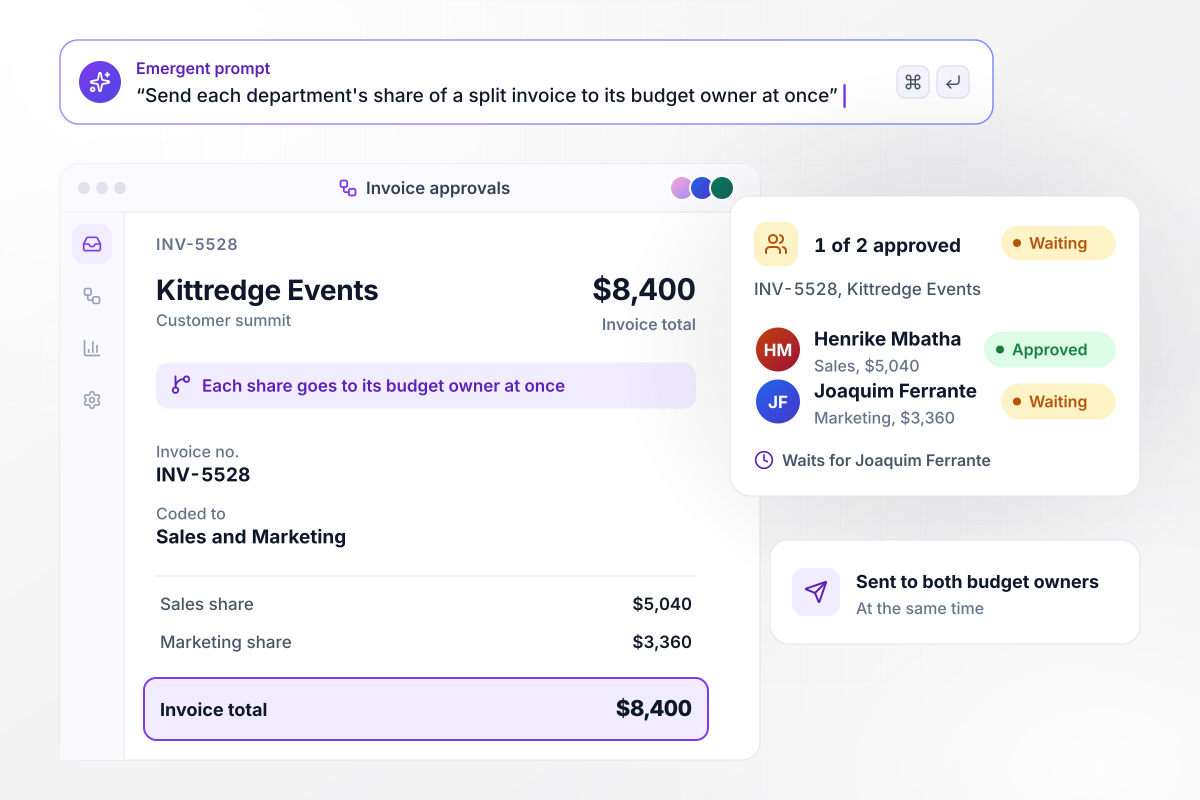
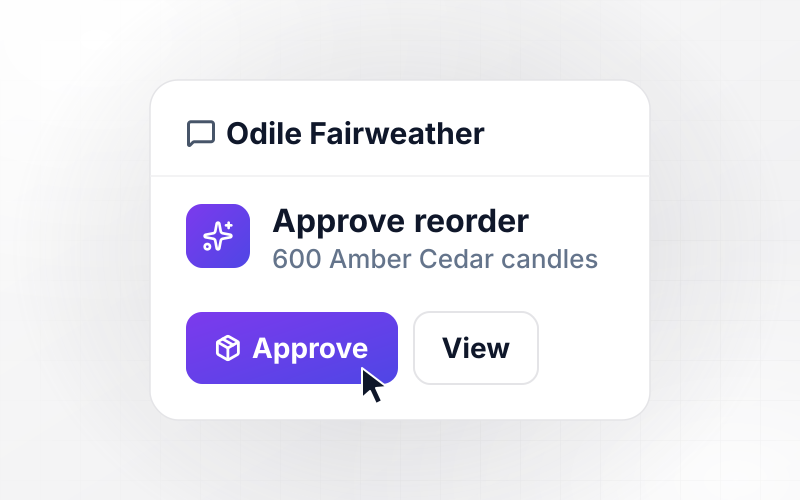
Two budget owners split one $8,400 invoice
Kittredge Events bills $8,400 for a customer summit on INV-5528, coded $5,040 to Sales and $3,360 to Marketing. Each share goes to its budget owner at the same time. Henrike Mbatha has approved the Sales share: 1 of 2 approvals is in. The invoice waits for Joaquim Ferrante to approve the Marketing share.
window.awbMockup = { splitInvoices: "When an invoice is coded to more than one department, route each department's share to that department's budget owner in parallel. Show each owner their share and the invoice total. Mark the invoice approved only when every owner has approved, and show on the invoice record who is still waiting.", discountDeadlines: "Read the payment terms on each invoice. If a vendor offers a discount for paying early, set the approval due 3 days before the discount ends. If the approver has not decided by then, send them a direct message in Slack with the discount amount and an Approve button.", bankDetailChanges: "Compare the bank account on every invoice with the one on the vendor record. If they differ, hold the invoice whatever the amount and send it to my controller. Keep it held until the controller confirms the change by calling the vendor at the phone number already on the vendor record, then send it to its usual approver.", selfApproval: "Check who placed the order behind each invoice. If that person would also be the approver for the invoice's cost center, skip them and send the invoice to their manager instead. Show the person who placed the order why they were skipped, and log the reroute with the invoice." };
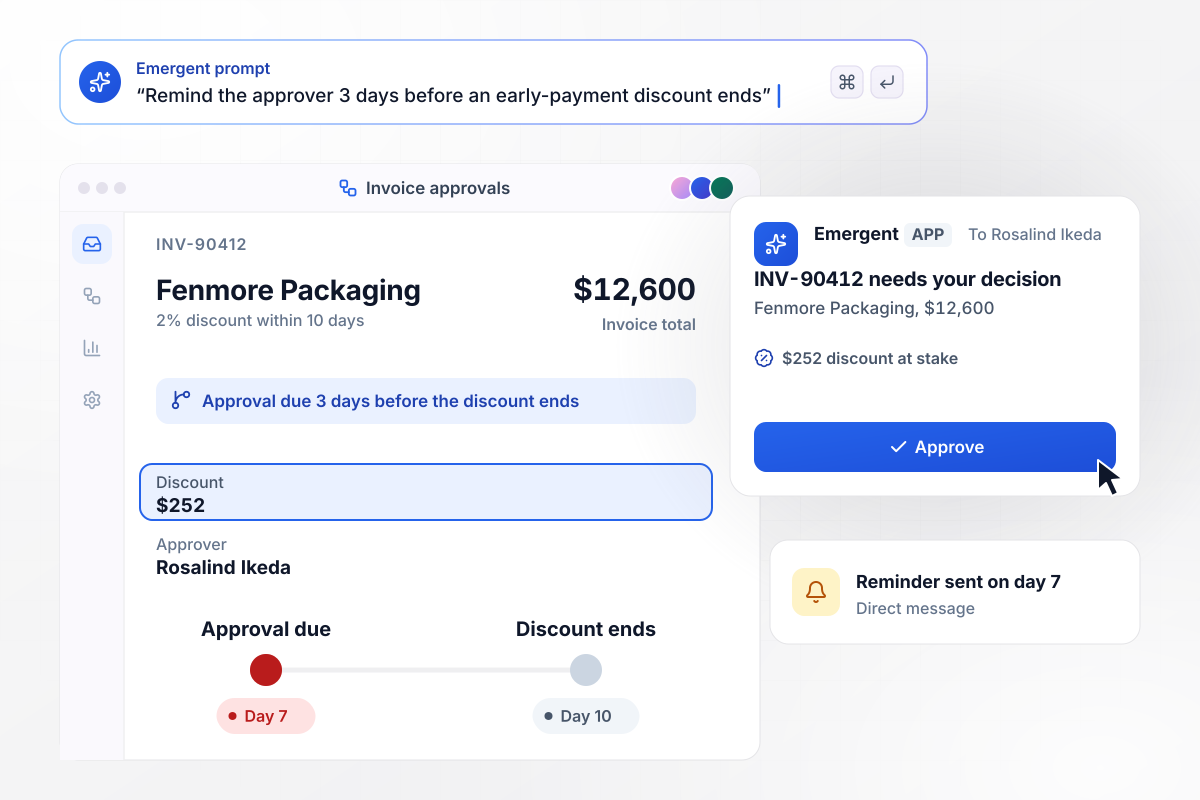
The $252 discount gets a reminder on day 7
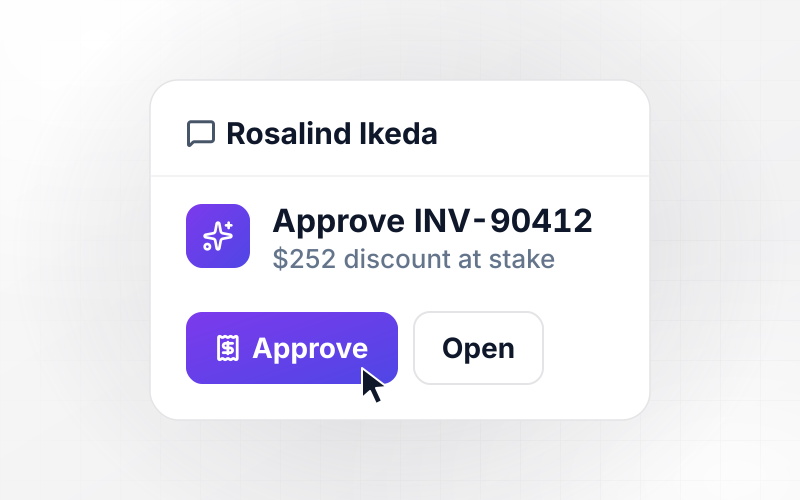
Fenmore Packaging's INV-90412 for $12,600 offers a 2% discount if paid within 10 days, worth $252. The app sets the approval due 3 days before the discount ends, on day 7. Rosalind Ikeda has not decided by then. She gets a direct message in Slack with the $252 at stake and an Approve button.
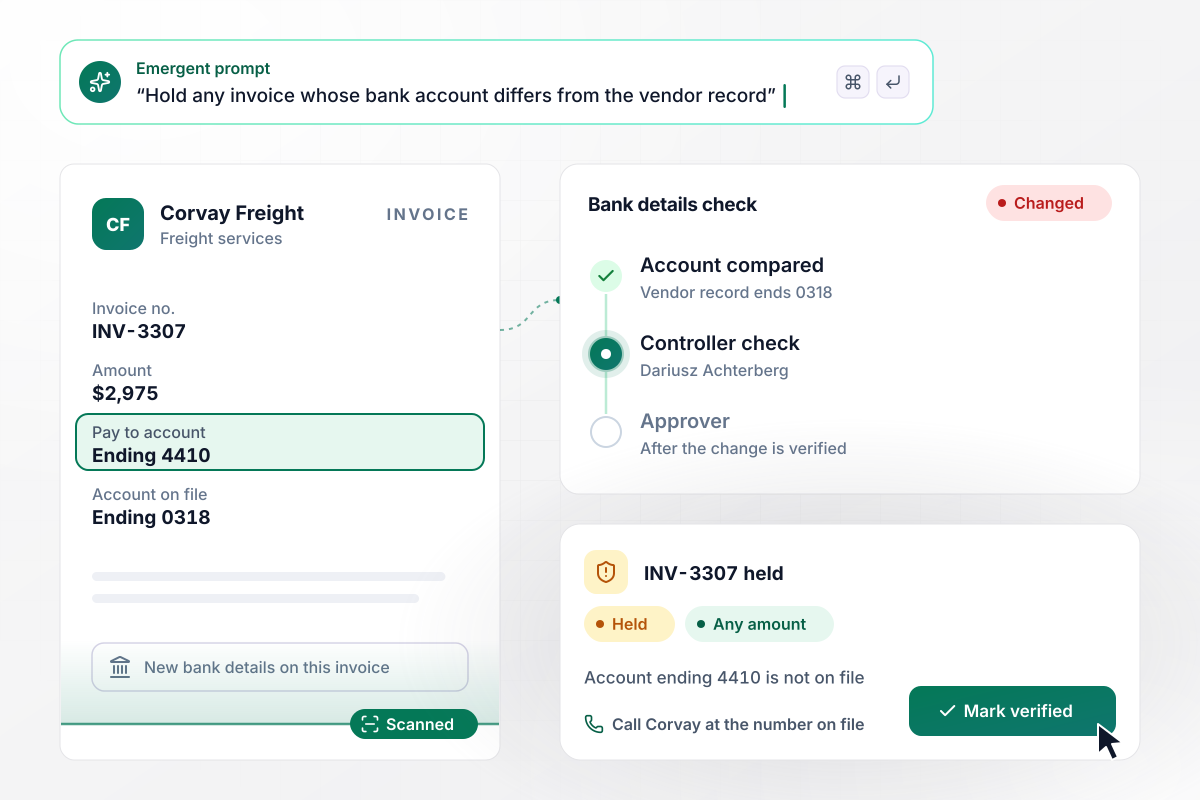
New bank details hold the invoice for the controller
Corvay Freight's INV-3307 for $2,975 names a payment account ending 4410, and the vendor record has one ending 0318. The invoice is held, whatever its amount, for the controller, Dariusz Achterberg. It goes on to its approver only after he calls Corvay at the phone number on file and marks the change verified.
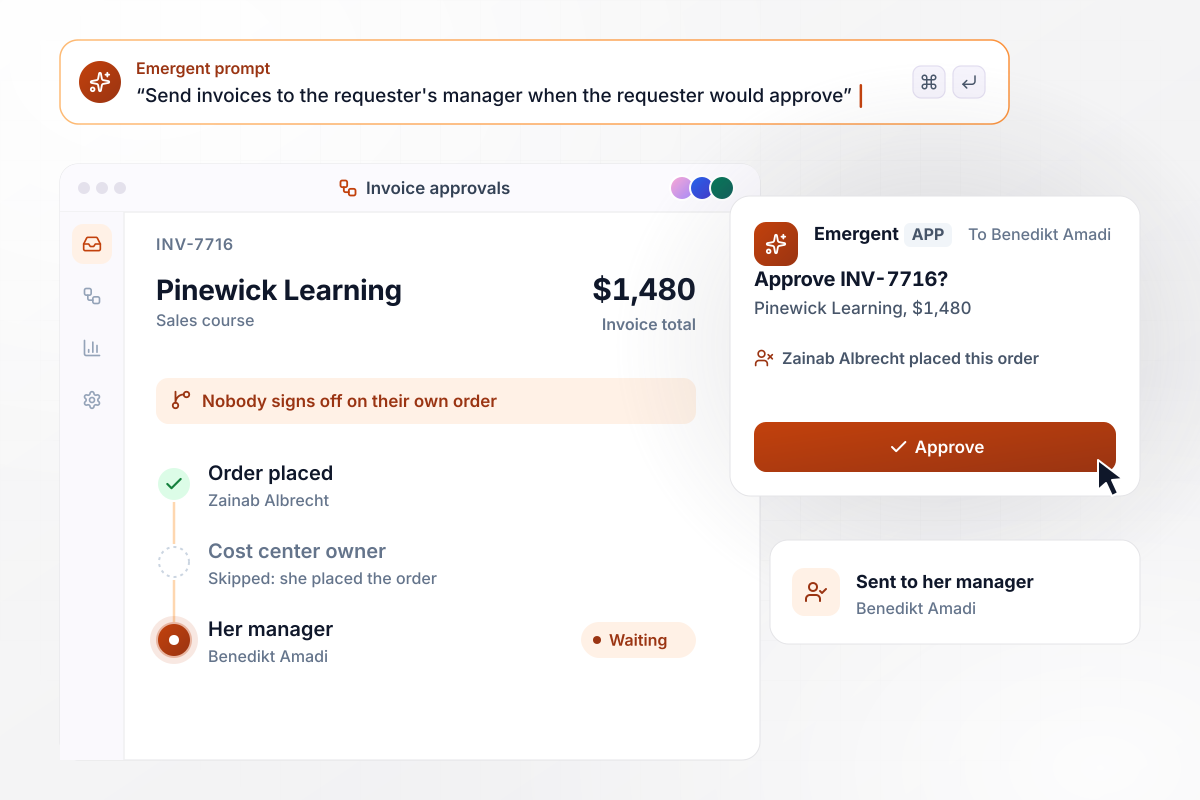
Nobody signs off on an invoice for their own order
Zainab Albrecht ordered a $1,480 sales course from Pinewick Learning, and INV-7716 is coded to the cost center she owns. As its owner, she would be the approver. The app skips her because she placed the order and sends the invoice to her manager, Benedikt Amadi.






How to Create an Invoice Approval Workflow
Seven steps to set up an invoice approval workflow that routes every invoice by your own rules, then build it with Emergent.
Pull last quarter's invoices and note who approved each one and how many days it waited. The gaps show up quickly: invoices nobody owned, approvers with no limit, and vendors paid before anyone signed off.
Describe each rule the way you would explain it to a new AP clerk: marketing invoices go to the marketing budget owner, and anything above that owner's limit goes on to the controller. Emergent builds the app, its database, and the routing from those sentences.
Give every cost center a single owner and a named backup for vacations and leave. An invoice with two possible owners stalls while each waits for the other, and one with no backup stalls for the length of a vacation.
Pick each approval deadline by counting back from your payment runs. If runs go out on Thursdays, an invoice due on a Friday needs its approval by Thursday morning, or it misses the run that pays it on time.
Connect QuickBooks, Xero, or NetSuite through its API so approved invoices post with their coding. Read vendor records from the same system. The bank details the app compares against are then the ones finance keeps up to date.
Run last month's invoices through the rules before any live invoice does. Check that each one reached the approver you expected and that every split invoice reached all of its owners. Change a rule by prompting, then run the month again.
Once live, read the decision log at each month end. Look for approvers who keep missing their deadline and limits that send too many invoices to the controller, then change the rule behind each one.
Why Build Invoice Approvals With Emergent?
Emergent builds the routing and the holds as one app on a database you own, with no per-approver seats as budget owners join.

|
Zapier | Make (Integromat) | n8n | |
|---|---|---|---|---|
| How you build | Prompt for the workflow and the app around it | Templates and editor, AI copilot | Visual canvas | Visual canvas, self-hosted or cloud |
| What you get | Workflow + trigger form + database + dashboard, as code you own | Zaps, plus Tables and Interfaces inside Zapier | Scenarios inside Make | Workflows inside n8n |
| Behavior at cap | Keeps running, no task cap | Overage billed at up to 1.25× the base rate | Runs pause | Cloud workflows stop until the reset or an upgrade |
| AI and agent steps | Native, share the same credit pool | Priced by model tier, drawn from the task pool | AI modules cost variable credits | Bring your own model API key, billed by the provider |
| Code ownership | Full code export to GitHub on paid plans | None | None | Yes on Community Edition |


Pick the Pricing Plan That Works for You
Choose the plan that fits your building ambitions. From weekend projects to enterprise applications, we've got you covered.




Find the right workflow automation
for you and your business
Frequently Asked Questions
Your Questions, Answered
Don't change this element unless you know what you are doing
More things you can build
with Emergent









on Emergent today




