

Build Bookkeeping Automation Around the Ledger You Use
Build bookkeeping automation that files each receipt with its charge and codes bank lines in the accounting software you run.
Build bookkeeping automation that runs on its own and logs every step.
Trusted by Builders Worldwide
Active Builders Worldwide
Apps Successfully Created
Countries Globally Reached



The Bookkeeping Week, Run by Rules
Bookkeeping automation codes each transaction by rule and leaves the exceptions to a person. Emergent builds it from a prompt.
Posts to the ledger you already keep
Connects to QuickBooks or Xero, or any other accounting software with an API. Coded lines sync into the ledger, and the chart of accounts syncs back for every rule to pick from.
Receipts become fields, not attachments
Reads a receipt photo or an emailed PDF into merchant, date, total, and tax. A blurry or torn total goes to a person to confirm instead of being guessed into the books.
Every coding choice keeps its history
Stores each transaction with its receipt and the rule or person that coded it, in a database you own. When a March number looks wrong, you see who picked the account and when.
One dashboard of what is still open
Builds a dashboard of every uncoded bank line and missing receipt for the month. The bookkeeper starts each morning from that list instead of scrolling the full bank feed.
No task cap at month-end
Runs every match and every reminder at month-end with no task cap, whether the bank feed holds 300 lines or 30,000. A busy month never stops halfway through the books.
The code sits in your GitHub
Exports the app, its rules, and its database schema to your GitHub repository on paid plans. Your accountant or developer can read exactly how a payee rule picks an account.
Four Jobs That Fill a Bookkeeper's Week
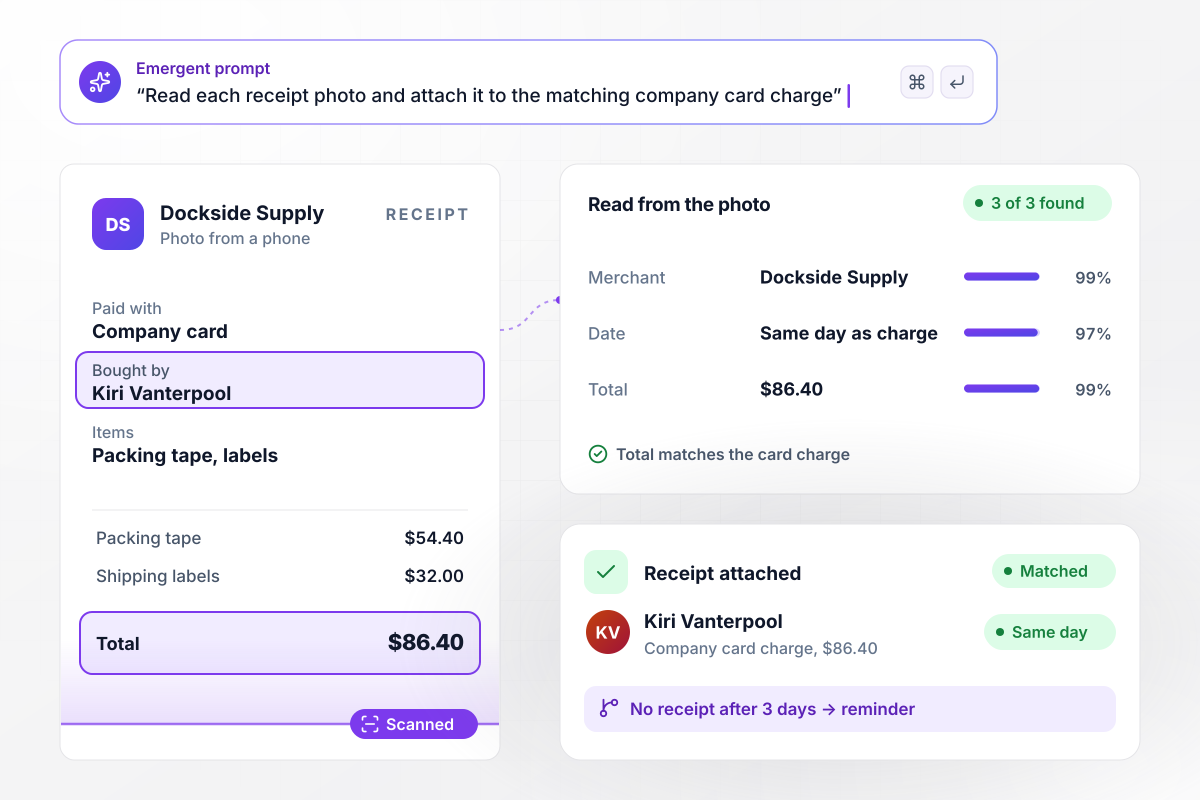
An $86.40 receipt finds its card charge
Kiri Vanterpool photographs an $86.40 receipt from Dockside Supply for packing tape and labels. The app reads the merchant, date, and total and attaches the photo to the $86.40 charge on her company card. A charge with no receipt after 3 days sends her a reminder.
window.awbMockup = { receiptCapture: "Build receipt capture for my coffee roasting company. When someone on my team photographs a receipt, read the merchant, the date, and the total, and attach the photo to the matching charge on their company card from the same day. If a card charge still has no receipt after 3 days, send the cardholder a reminder. Keep every receipt with its transaction.", payeeRules: "Create bank feed coding for my business. Pull new lines from my checking account. If a payee already has a rule, code the line to that account and sync it to my ledger. If it is a new payee, hold the line for my bookkeeper, Bettina Ruark, and save the account she picks as the rule for that payee.", statementRequests: "I run a bookkeeping firm with 38 clients. On the 2nd of each month, email every client asking for last month's bank and card statements, with an upload link. Send a reminder on the 5th to anyone who has not uploaded. On the 8th, turn each missing statement into a task for the bookkeeper assigned to that client.", ownerQuestions: "Set up a weekly question list for the owner of my business, Leo Castellane. Every Friday, collect the bank lines that match no payee rule and no receipt. Send them to his phone as one question per screen, with the amount and the payee, and let him tap the right account. Code each line from his answer and save it for my bookkeeper to review." };
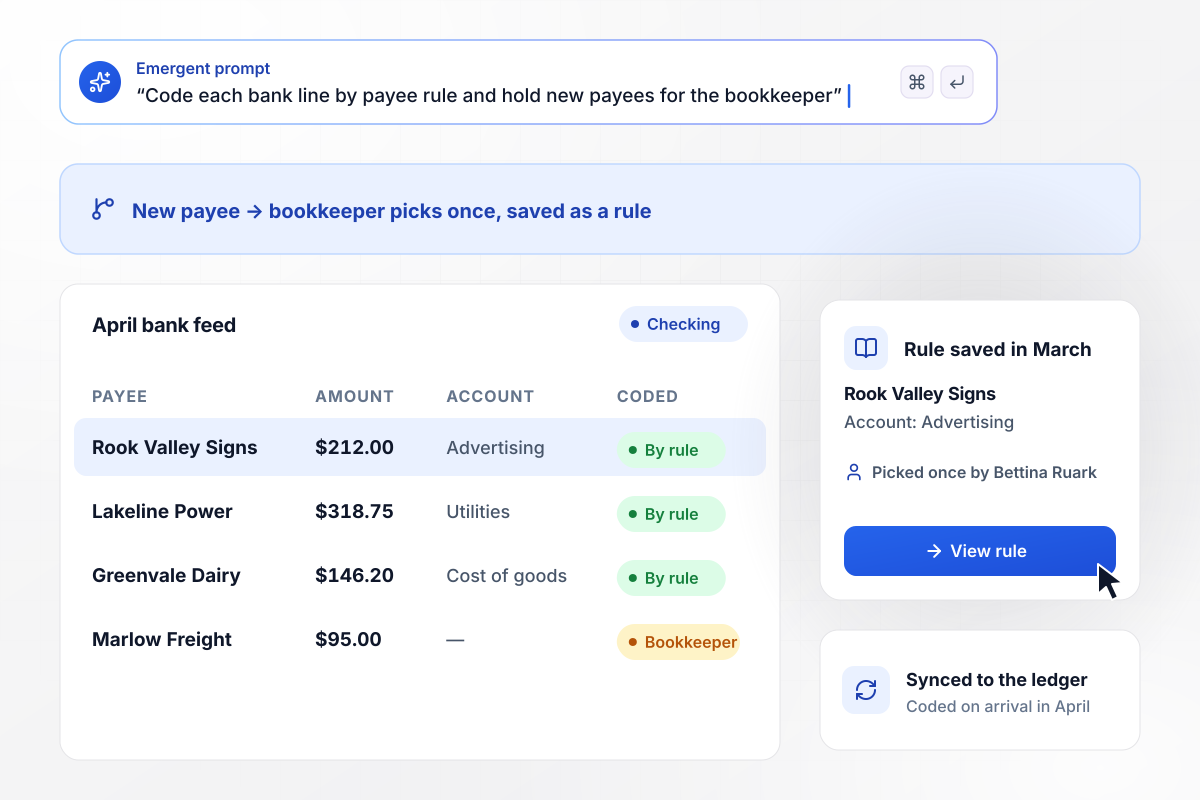
After one pick, Rook Valley Signs has a rule
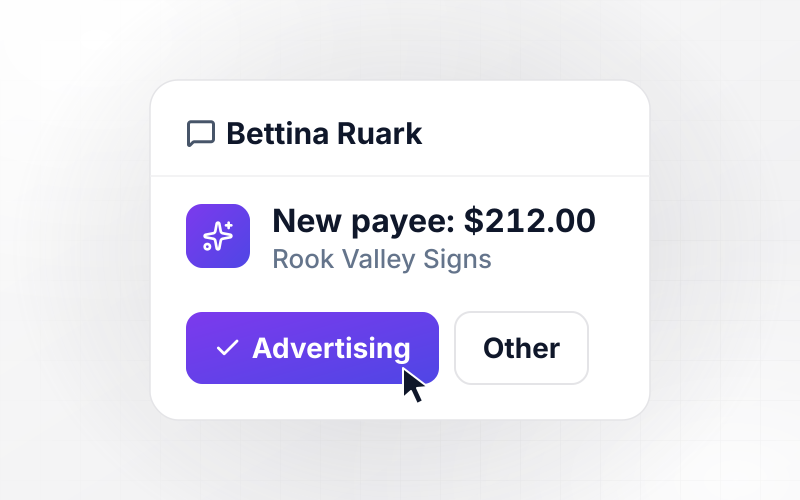
A $212.00 charge from Rook Valley Signs arrives in March with no payee rule. It waits for Bettina Ruark, the bookkeeper, who codes it to Advertising. The app saves her pick as the rule for that payee, and in April the next $212.00 charge is coded on arrival and synced to the ledger.
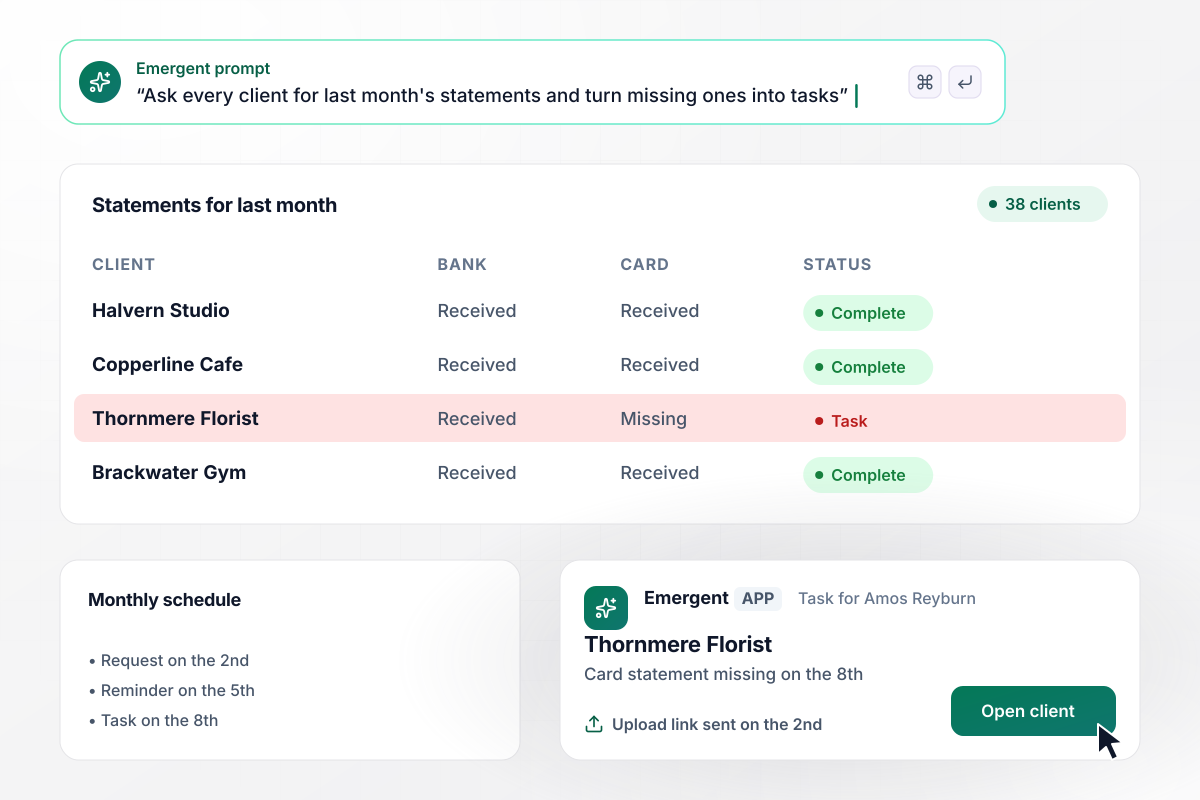
Missing statements turn into tasks on the 8th
Kestrelpoint Bookkeeping keeps the books for 38 clients. On the 2nd, each client gets an email with an upload link for last month's bank and card statements. Anyone who has not uploaded by the 5th gets a reminder. On the 8th, Thornmere Florist's missing card statement becomes a task for Amos Reyburn.
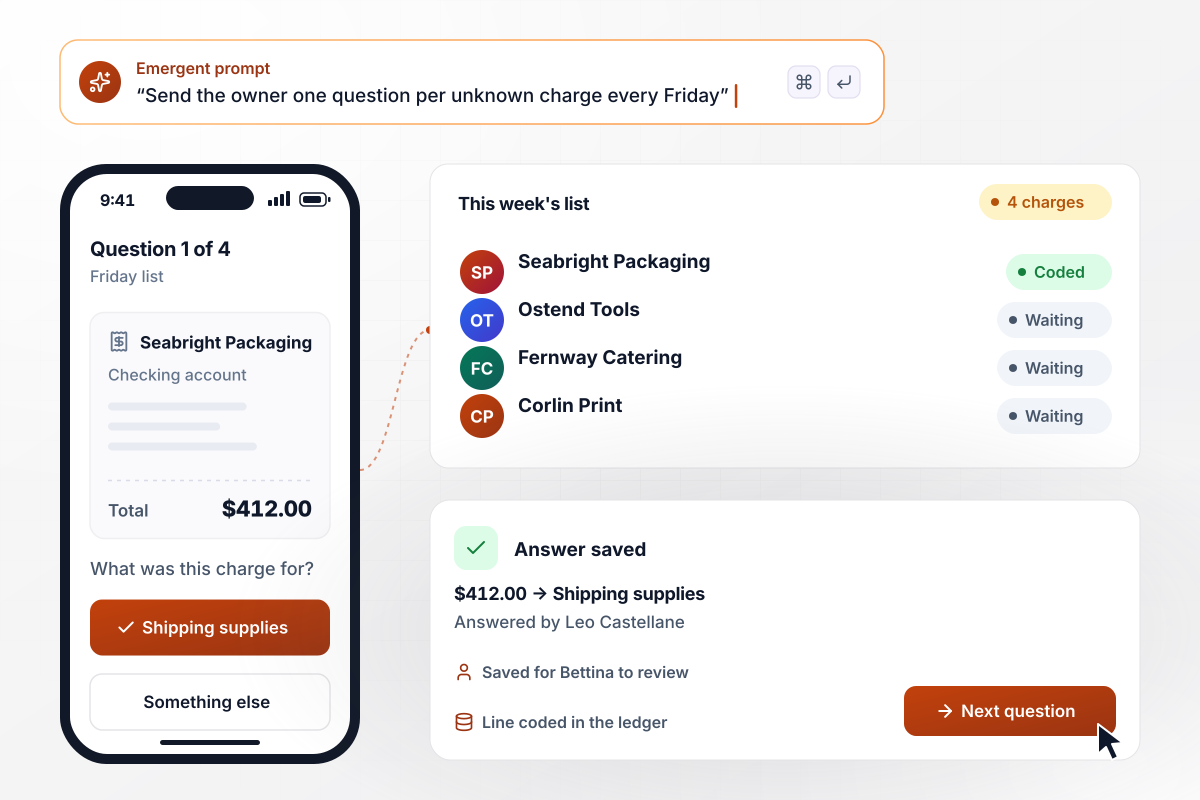
Four unknown charges, one list on Friday
Every Friday, owner Leo Castellane gets the bank lines that match no payee rule and no receipt, one question per screen on his phone. There are 4 this week, starting with $412.00 to Seabright Packaging. He taps Shipping supplies, and the app codes the line and saves his answer for Bettina to review.






How to Automate Bookkeeping
Seven steps to set up bookkeeping automation on the ledger you use, one job at a time, tested on last month's bank feed first.
Write down the bookkeeping work that comes back every week or month: chasing receipts, coding bank lines, requesting statements, and asking the owner about unknown charges. Next to each job, note who does it today and how many hours it takes.
Choose the job that takes the most hours and write its rule with real values. Name the bank account it reads, the payees it covers, the account each payee maps to, and how many days a missing receipt can wait before a reminder.
Connect your accounting software through its API, or start from an export of your chart of accounts and last month's transactions. Copy the account names exactly as the ledger spells them. A rule that names an account the ledger lacks has nowhere to post.
Tell Emergent what starts each run, what the app checks, and who gets the exceptions. Emergent writes the workflow and the screens your bookkeeper reviews exceptions in. To change a rule later, describe the change in a new prompt and Emergent updates the app.
Run last month's transactions through the app before it writes anything to the ledger. Compare each account it picks with the one your bookkeeper chose, line by line, and fix the rule wherever the two disagree. Look hardest at payees that appear only once.
For the first month, have the bookkeeper approve every line the app codes before it syncs. Once a full month of approvals agrees with the rules, let coded lines sync straight to the ledger and keep the review queue for new payees only.
Build the second job on the same tables. Statement requests reuse the client list you already set up, and the owner's Friday questions read the same uncoded lines the bookkeeper sees. Each new job starts from records you have already cleaned up.
Why Automate Bookkeeping With Emergent?
Emergent builds the bookkeeping rules and the screens your team reviews them in, on a database you own and with no task cap.

|
Zapier | Make (Integromat) | n8n | |
|---|---|---|---|---|
| How you build | Prompt for the workflow and the app around it | Templates and editor, AI copilot | Visual canvas | Visual canvas, self-hosted or cloud |
| What you get | Workflow + trigger form + database + dashboard, as code you own | Zaps, plus Tables and Interfaces inside Zapier | Scenarios inside Make | Workflows inside n8n |
| Behavior at cap | Keeps running, no task cap | Overage billed at up to 1.25× the base rate | Runs pause | Cloud workflows stop until the reset or an upgrade |
| AI and agent steps | Native, share the same credit pool | Priced by model tier, drawn from the task pool | AI modules cost variable credits | Bring your own model API key, billed by the provider |
| Code ownership | Full code export to GitHub on paid plans | None | None | Yes on Community Edition |



Pick the Pricing Plan That Works for You
Choose the plan that fits your building ambitions. From weekend projects to enterprise applications, we've got you covered.




Find the right workflow automation
for you and your business
Frequently Asked Questions
Your Questions, Answered
Don't change this element unless you know what you are doing
More things you can build
with Emergent









on Emergent today




