

Build Security Questionnaire Automation on Approved Answers
Get security questionnaire automation that fills known answers from your library and sends the rest to the right owner.
Build security questionnaire automation that runs on its own and logs every step.
Trusted by Builders Worldwide
Active Builders Worldwide
Apps Successfully Created
Countries Globally Reached



What the App Does With Each Questionnaire
Emergent builds the answer library and the review steps as one app from your prompt, with the data in a database you own.
Each questionnaire read into rows
Upload the buyer's spreadsheet or document, and the app reads it into one row per question with AI. A question it cannot read cleanly goes to a person before matching starts.
An answer library your team approved
Every answer in the library carries the name of the person who approved it and the date. The app checks each new question against the library before anyone on the team is asked.
Open questions go to the topic owner
You map topics to people once, such as backups to infrastructure and background checks to HR. A question with no approved answer goes straight to that owner with a due date.
Reminders before a deadline slips
Owners get a Slack or email reminder on the due date, and a second one the day after. You choose how many days late an answer can run before the security lead is copied in.
Questionnaire status on the CRM deal
The app writes each questionnaire's status to the deal in HubSpot or any CRM with an API. Account executives read the deal record instead of asking security for an update.
No cap when questionnaires pile up
Run every questionnaire a quarter brings with no task cap, and add reviewers with no per-approver seats. On a paid plan, export the app's full code to your GitHub repository.
Where a Questionnaire Goes After It Arrives
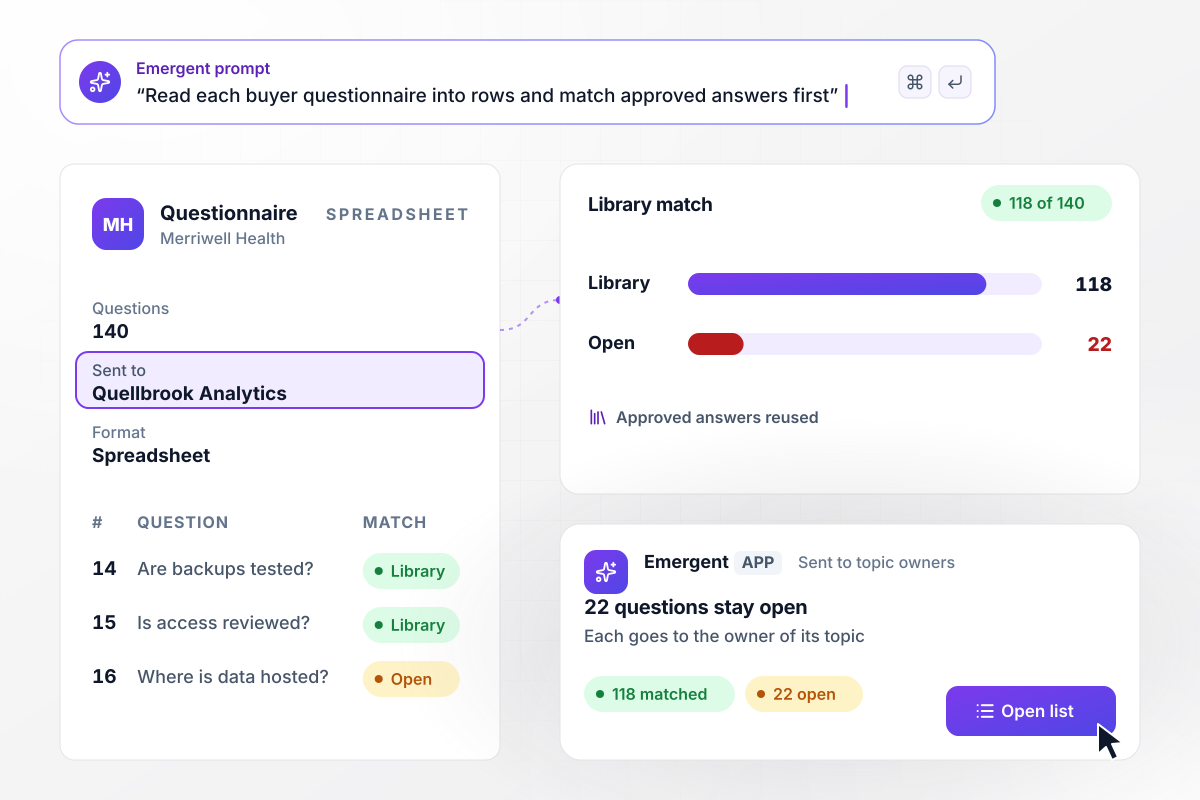
A 140-question spreadsheet leaves 22 for people
Merriwell Health sends Quellbrook Analytics a 140-question security questionnaire as a spreadsheet. The app reads it into 140 questions and finds an approved answer in the library for 118 of them. The other 22 stay open, and each goes to the owner of its topic.
window.awbMockup = { questionIntake: "When a buyer sends us a security questionnaire, read the spreadsheet or document into one row per question. Match each question to an approved answer in our library, and send every question without one to the owner of its topic.", ownerRouting: "Send each open question to the owner of its topic with a due date 2 days out. If an answer is still missing on the due date, remind the owner in Slack, and copy our security lead a day later.", finalReview: "Before a questionnaire goes back to the buyer, show our security lead every new answer to approve or return with a comment. Save each approved answer to the library with the approver's name and the date.", dealStatus: "Show every open questionnaire on a dashboard sorted by due date. Write each questionnaire's status to its deal in HubSpot so the account executive can see it without asking the security team." };
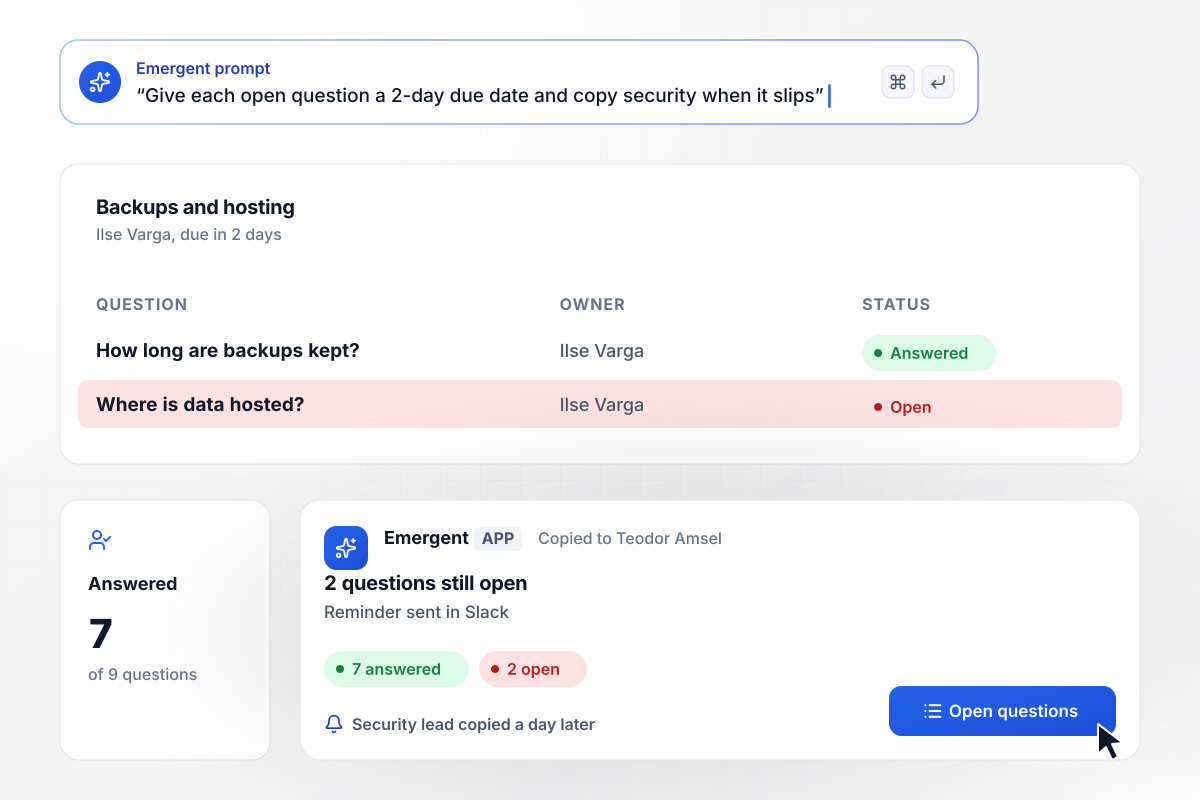
Backup questions reach one owner with 2 days to answer
Nine open questions cover backups and hosting and go to the infrastructure lead, Ilse Varga, due in 2 days. She answers 7 by the due date. The 2 still open get a Slack reminder, and a day later the security lead, Teodor Amsel, is copied in.
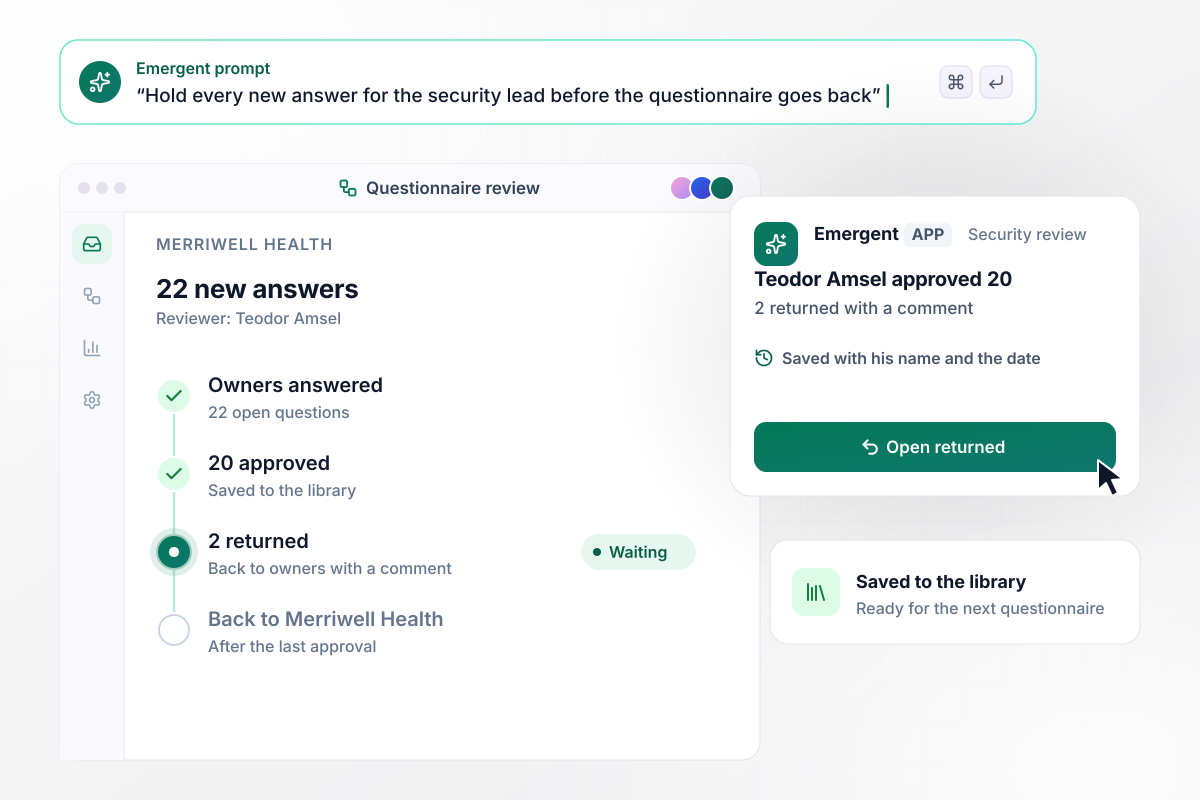
The security lead approves 20 answers and returns 2
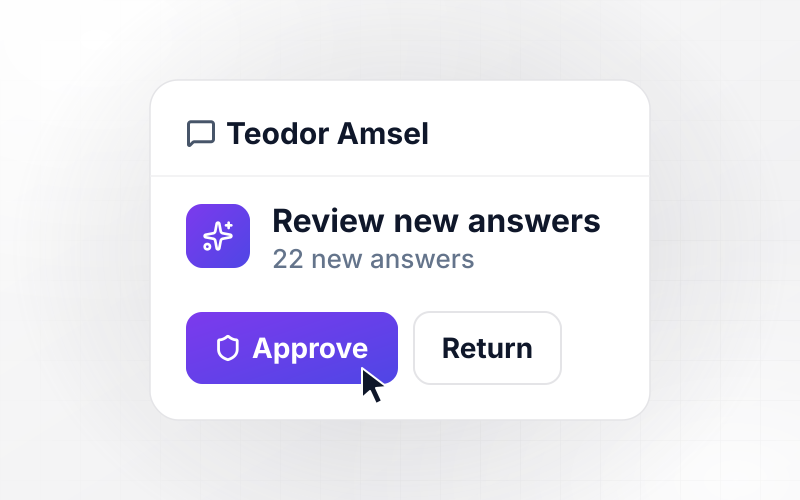
Nothing goes back to Merriwell Health until Teodor Amsel reviews the 22 new answers. He approves 20 and returns 2 to their owners with a comment. Each approved answer is saved to the library with his name and the date, ready for the next questionnaire.
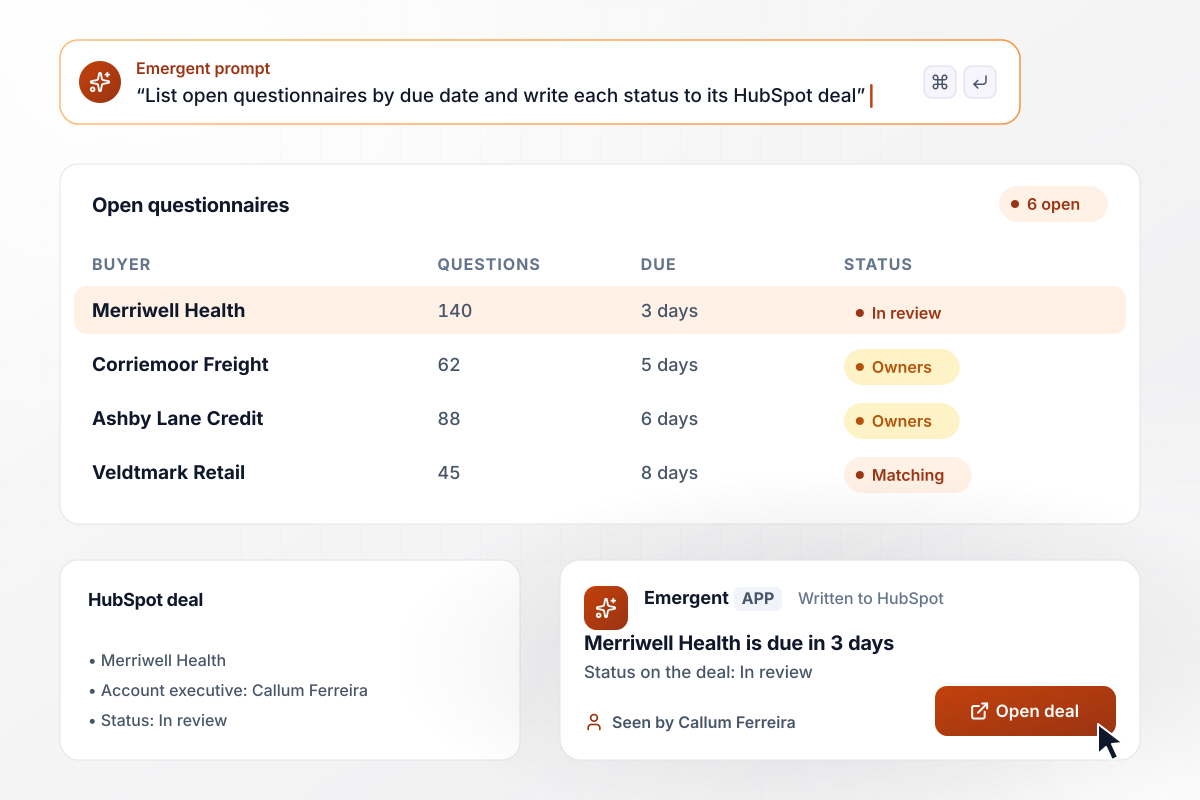
Each open questionnaire shows on its deal in HubSpot
Quellbrook's sales team has 6 questionnaires open, listed on the dashboard by due date. Merriwell Health's is due in 3 days and sits at In review. The account executive, Callum Ferreira, sees that status on his HubSpot deal without asking security.






How to Automate Security Questionnaires
Follow these seven steps to build an answer library from past replies and launch security questionnaire automation that routes the rest.
Pull every questionnaire your team answered in the past year, along with the files you sent with them. Note which buyer sent each one and how many days the reply took. The questions that repeat show what the library needs first.
Write one answer for each question that came up in three or more questionnaires. Have the security lead approve every answer before it enters the library, and record who approved it and on which date.
Assign each topic, such as background checks or vendor management, to one named person. Add a second person for the weeks the first is out, because a shared inbox cannot be reminded.
Describe the flow the way you would brief a new security analyst, starting with the file that arrives and ending with the sign-off. Emergent builds the app from that description.
Connect your CRM and Slack through their APIs, such as HubSpot. Each questionnaire then sits on its deal, and owners get reminders in the tool they already check.
Before going live, run one questionnaire you have already answered through the app. Compare its matches with the replies you sent, and fix any rule by prompting until the two agree.
Give each library answer a review date, such as 6 months after approval. An answer past that date goes back to its owner to confirm before the app reuses it.
Why Build Questionnaire Reviews With Emergent?
Emergent builds the review workflow and its answer library as one app, and a heavy sales month runs through it with no task cap.

|
Zapier | Make (Integromat) | n8n | |
|---|---|---|---|---|
| How you build | Prompt for the workflow and the app around it | Templates and editor, AI copilot | Visual canvas | Visual canvas, self-hosted or cloud |
| What you get | Workflow + trigger form + database + dashboard, as code you own | Zaps, plus Tables and Interfaces inside Zapier | Scenarios inside Make | Workflows inside n8n |
| Behavior at cap | Keeps running, no task cap | Overage billed at up to 1.25× the base rate | Runs pause | Cloud workflows stop until the reset or an upgrade |
| AI and agent steps | Native, share the same credit pool | Priced by model tier, drawn from the task pool | AI modules cost variable credits | Bring your own model API key, billed by the provider |
| Code ownership | Full code export to GitHub on paid plans | None | None | Yes on Community Edition |



Pick the Pricing Plan That Works for You
Choose the plan that fits your building ambitions. From weekend projects to enterprise applications, we've got you covered.




Find the right workflow automation
for you and your business
Frequently Asked Questions
Your Questions, Answered
Don't change this element unless you know what you are doing
More things you can build
with Emergent









on Emergent today




