

Build Property Management Automation for Your Rentals
Create property management automation that routes repair requests and sends rent notices on the dates your leases set.
Build property management automation for my rentals that handles repair requests, rent follow-up, and lease renewals.
Trusted by Builders Worldwide
Active Builders Worldwide
Apps Successfully Created
Countries Globally Reached



The Monthly Work, Handled by Rule
Automated property management starts with the dates a lease already sets. Emergent turns each date into a rule you can read.
Reads the software you already run
Connects to any property management software that has an API. Leases and balances sync in and updates sync back out, and each run writes a row your whole team can search.
Urgency set by words you choose
Tags a repair request as an emergency when it mentions a leak, no heat, or a lockout, using a word list you control. Every other request joins the morning queue for vendors.
One rent roll every workflow reads
Keeps the rent roll and the vendor list in a database you own. Late notices and renewal offers read one shared lease table, and a corrected end date fixes both of them at once.
Alerts that follow the on-call rotation
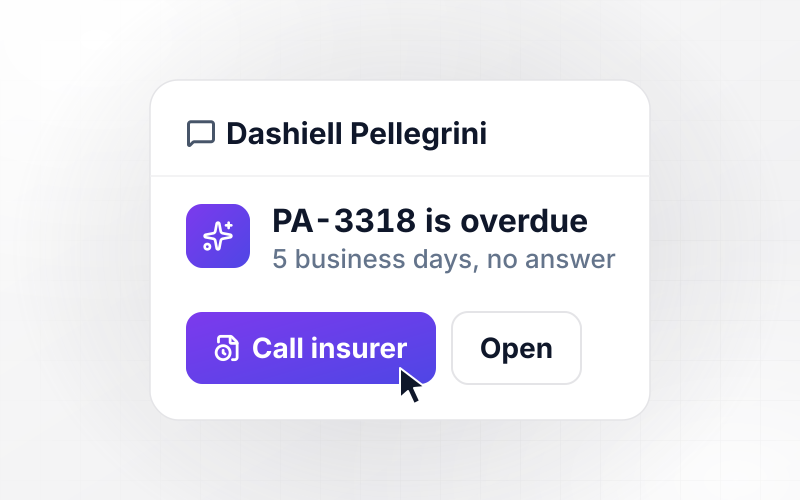
Sends a Slack direct message or an email to whoever is on call that night. When nobody acknowledges within 15 minutes, the next person on the rotation gets the alert.
No task cap on the 1st of the month
Sends a reminder to every tenant on the same morning, whether you manage 40 doors or 4,000. The whole rent roll goes out in one pass, with no task cap to hit halfway through.
The codebase, in your GitHub
Exports every rule and screen to your GitHub repository on paid plans. A developer on your team can read the late fee logic line by line before the first notice goes out.
Four Workflows Every Rental Portfolio Runs
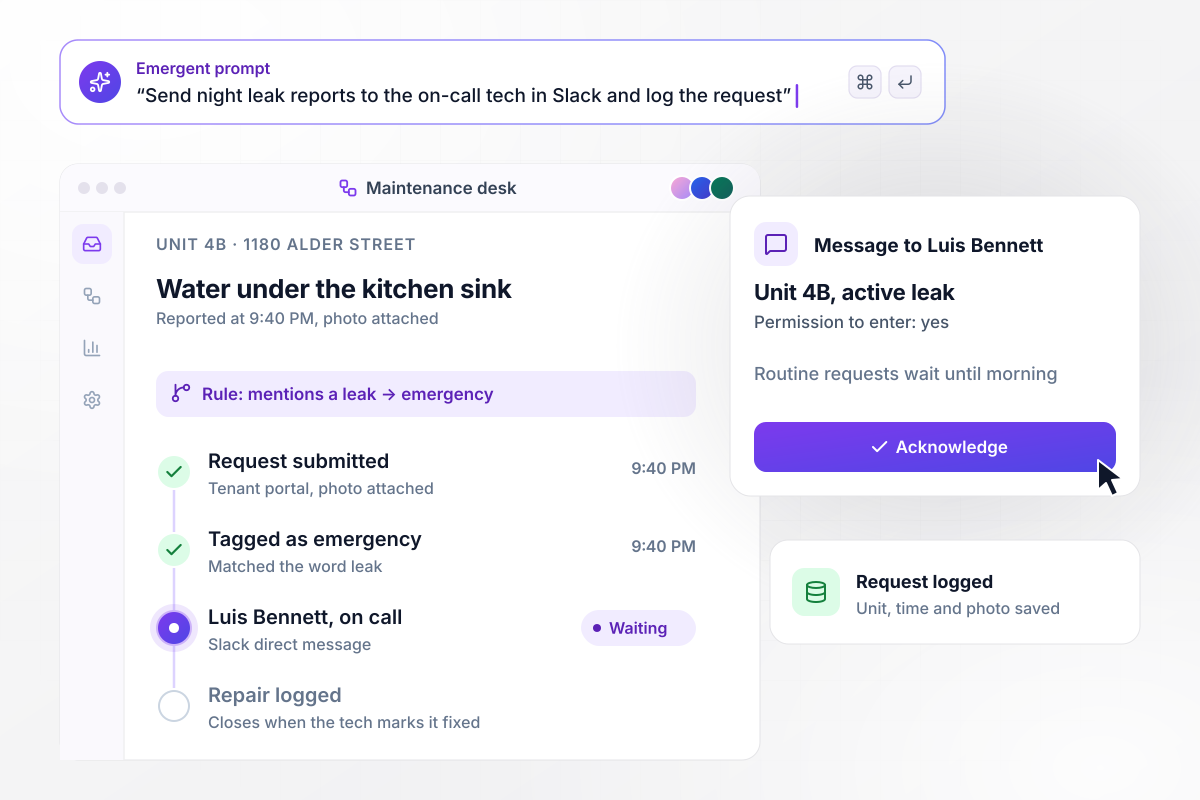
Night leaks go straight to the on-call tech
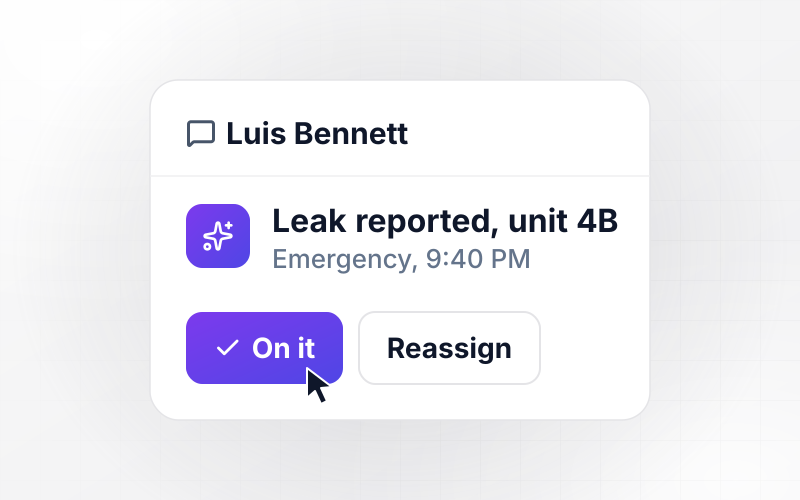
At 9:40 PM a tenant in unit 4B at 1180 Alder Street reports water under the kitchen sink. The word leak marks it as an emergency. Luis Bennett, the on-call tech, gets a Slack direct message with the photo and the tenant's permission to enter. Routine requests wait until morning.
window.awbMockup = { repairRequests: "Build repair request routing for my rental company. Tenants submit a request with a photo. If the request mentions a leak, no heat, or a lockout, mark it as an emergency and send our on-call tech, Luis Bennett, a Slack direct message with the unit, the photo, and the tenant's permission to enter. Put every other request in a morning queue for our vendors.", rentReminders: "Create rent reminders for my properties. Rent is due on the 1st. Three days before, email every tenant a reminder with the amount due. On the 6th, check each tenant's ledger in our property software, and send a late notice with the $75 late fee from the lease to anyone with a balance. Skip tenants who paid, and log every notice we send.", leaseRenewals: "I need lease renewal offers for my rentals. Ninety days before each lease ends, email the tenant a renewal offer at the new rent I approve. Send a reminder at 60 days. If the tenant has not answered at 45 days, create a call task for our property manager, Ellen Marsh. Update the lease record with every answer.", vacancyLeads: "Set up lead replies for my vacant units. When someone inquires about a listing, reply within five minutes with the open showing times for that unit, the same times for everyone. Let them pick a slot and book it. Log where the lead came from, and send my leasing team a Monday summary of inquiries and showings per unit." };
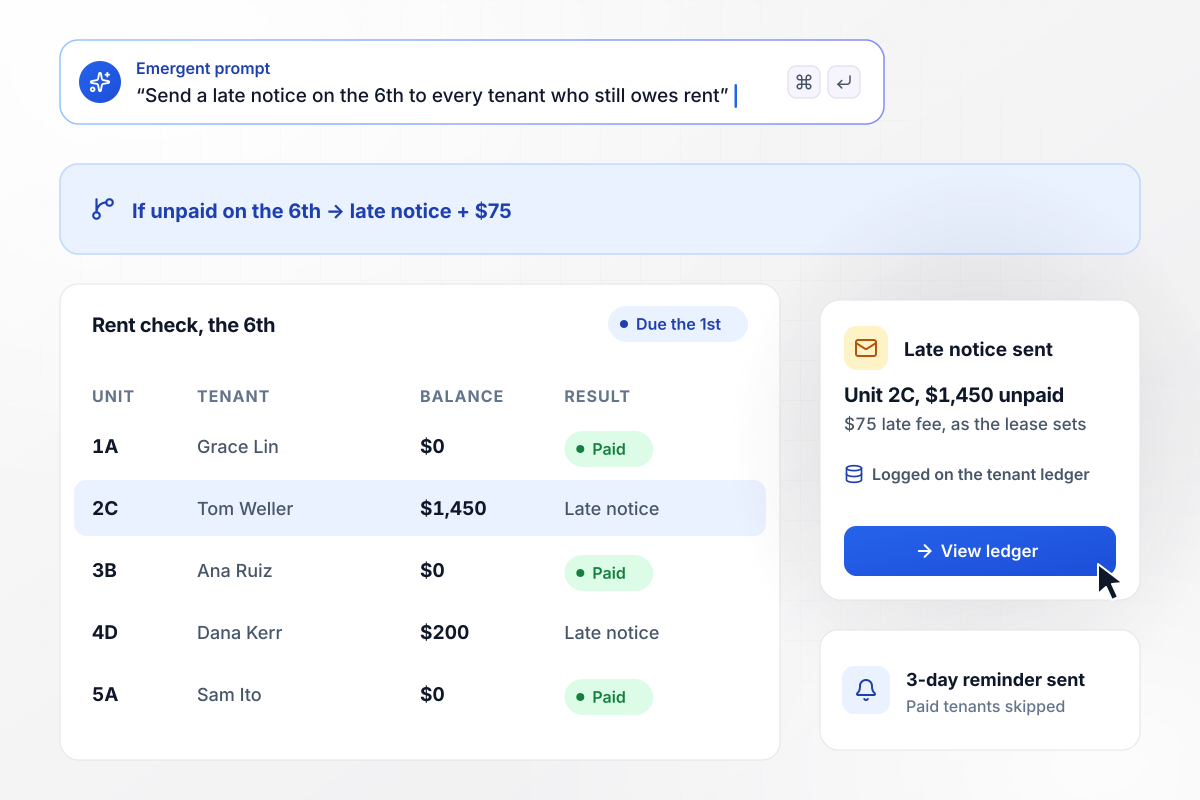
Late notices for unpaid rent, sent the 6th
Rent at Lakemont Rentals is due on the 1st, and every tenant gets a reminder three days before. After the grace period, the app checks each tenant's ledger. Anyone still carrying a balance on the 6th gets a late notice with the $75 fee the lease sets. Tenants who paid hear nothing more that month.
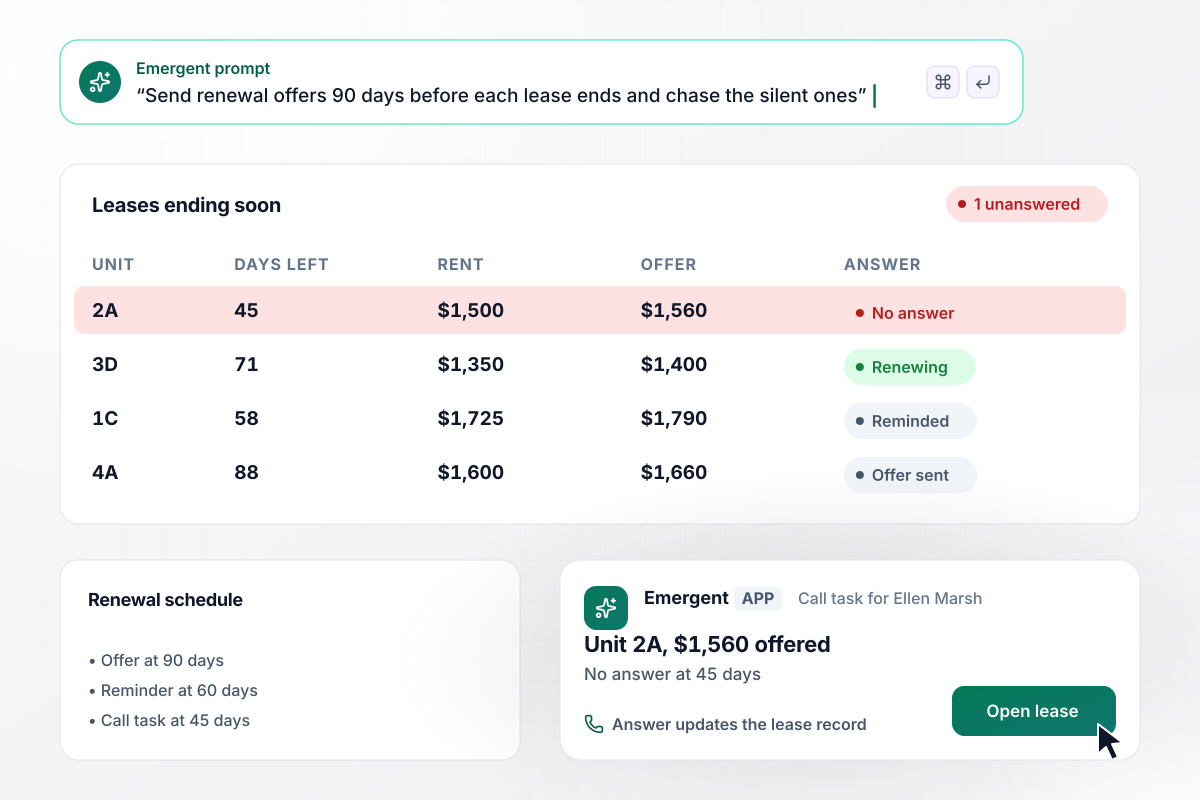
Renewal offers out 90 days ahead of lease end
With 90 days left on a lease, the tenant gets a renewal offer at the rent the property manager approved: $1,560 for unit 2A, up from $1,500. A reminder follows at 60 days. A lease still unanswered at 45 days becomes a call task for Ellen Marsh, and every answer updates the lease record.
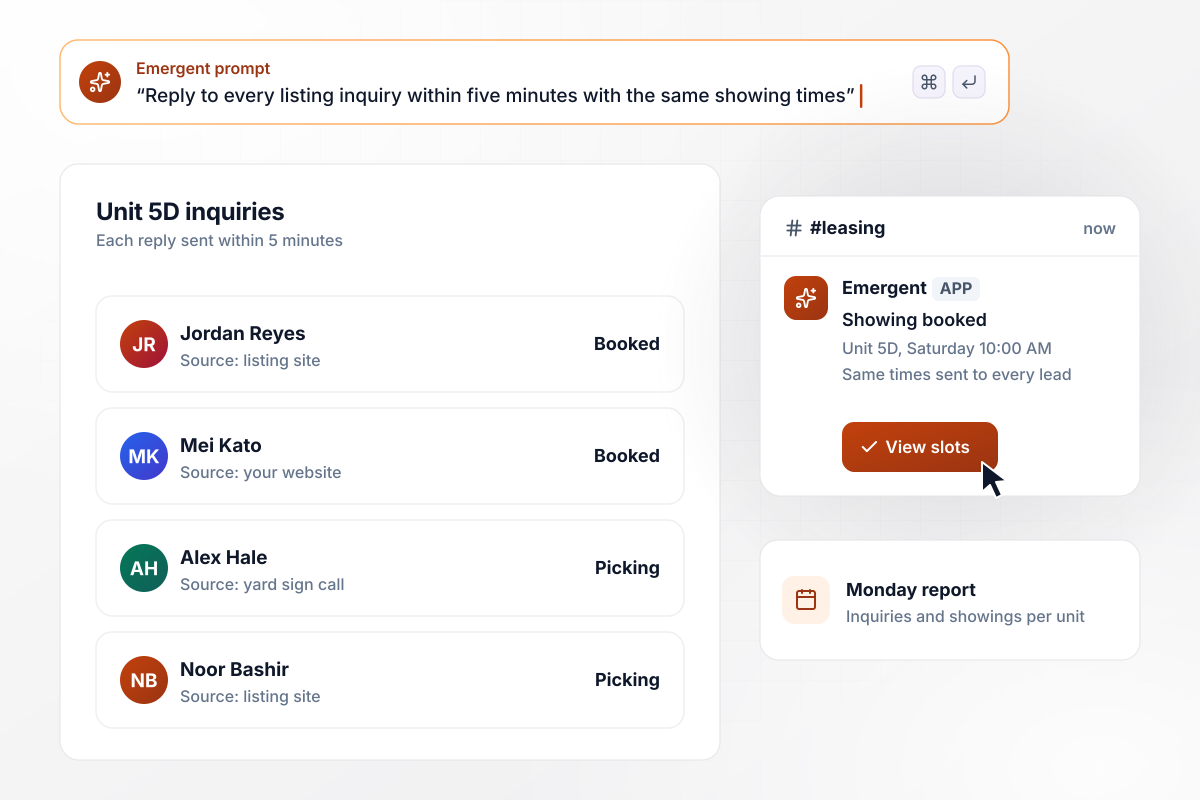
Every inquiry gets the same showing times
Each inquiry on a vacant unit gets the same reply within five minutes, listing the open showing times. The app books the slot the lead picks and logs where they found the listing. On Monday, the leasing team sees inquiries and showings for each listed unit.






How to Automate Property Management
Seven steps to put property management automation on your rent roll, one workflow at a time, tested before tenants see it.
Start with the work your leasing and maintenance team repeats each month: logging repair requests, chasing balances after the 1st, sending renewal offers, and answering listing inquiries. Automating property management pays off first where one job touches every unit.
Choose the workflow that costs your team the most hours, such as rent follow-up. Write its rule with real numbers: the due date, the grace period your leases give, the late fee, and who approves a notice.
Export your rent roll with unit, tenant, lease dates, rent, and balance, or connect your property software through its API. Any unit missing a lease end date is flagged for you to fill in instead of guessed.
Tell Emergent what starts the run, what each step checks, and who gets the message. Emergent builds the workflow, its database tables, and a dashboard for your team, and you change any step later by prompting again.
Run last month's ledger and repair requests through the app before it contacts a single tenant. Compare each notice and each alert it would have sent with what your team sent, unit by unit, and correct the rule wherever the two differ.
Keep handling requests by hand for the first two weeks while the app logs what it would have done. Any automation in property management that messages tenants should match your team's choices before it runs alone, and you switch over once the logs agree.
Build the second workflow on the same rent roll. Renewal offers read the lease end dates you cleaned up for late notices. Property management marketing automation can start with listing replies, which need only the unit table and your showing calendar.
Why Build Rental Automation With Emergent?
Emergent builds property management workflow automation and the app around it, on a database you own and with no task cap.

|
Zapier | Make (Integromat) | n8n | |
|---|---|---|---|---|
| How you build | Prompt for the workflow and the app around it | Templates and editor, AI copilot | Visual canvas | Visual canvas, self-hosted or cloud |
| What you get | Workflow + trigger form + database + dashboard, as code you own | Zaps, plus Tables and Interfaces inside Zapier | Scenarios inside Make | Workflows inside n8n |
| Behavior at cap | Keeps running, no task cap | Overage billed at up to 1.25× the base rate | Runs pause | Cloud workflows stop until the reset or an upgrade |
| AI and agent steps | Native, share the same credit pool | Priced by model tier, drawn from the task pool | AI modules cost variable credits | Bring your own model API key, billed by the provider |
| Code ownership | Full code export to GitHub on paid plans | None | None | Yes on Community Edition |

Pick the Pricing Plan That Works for You
Choose the plan that fits your building ambitions. From weekend projects to enterprise applications, we've got you covered.




Find the right workflow automation
for you and your business
Frequently Asked Questions
Your Questions, Answered
Don't change this element unless you know what you are doing
More things you can build
with Emergent









on Emergent today




