

Build a Content Approval Workflow That Routes Every Draft
Build a content approval workflow that sends each draft to the right reviewer and records who approved it and when.
Build a content approval workflow that sends each blog draft to my editor in Slack and schedules approved posts in WordPress.
Trusted by Builders Worldwide
Active Builders Worldwide
Apps Successfully Created
Countries Globally Reached



What a Content Approval Workflow Handles
Reviewers still judge the work. The app carries each piece to them, chases the slow ones, and keeps the record.
Reviewers chosen by what the draft says
Routes every piece to its editor first, then adds a product expert when the copy cites a figure and legal when it names a price. Each rule is a sentence you wrote, not a setting.
Decisions taken in Slack or email
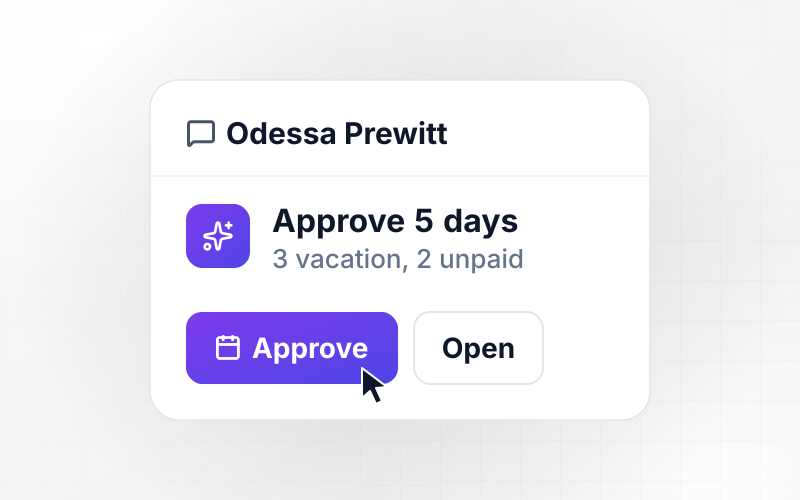
Sends each reviewer the draft link with Approve and Request changes buttons. The click is written back to the content record with the reviewer's name, the version, and the time.
Reminders before a publish date slips
Nudges any reviewer who has not answered within two working days, and alerts the content lead on day three. A publish date in the calendar moves only when a person moves it.
Revision rounds counted per asset
Counts each round of changes on a post or a design file. Once an asset passes the limit set in its brief, the next round goes to a senior reviewer instead of back to the designer.
An approval history you can search
Keeps every version, comment, and decision in a database you own. Filter it by campaign or by approver to see exactly which version was cleared for release, and who cleared it.
The review app, yours as code
Exports the review app with its routing rules to your GitHub repository on paid plans. Adding a stage for a new content type, or a backup approver, takes one more prompt.
Where Content Teams Add Review Steps
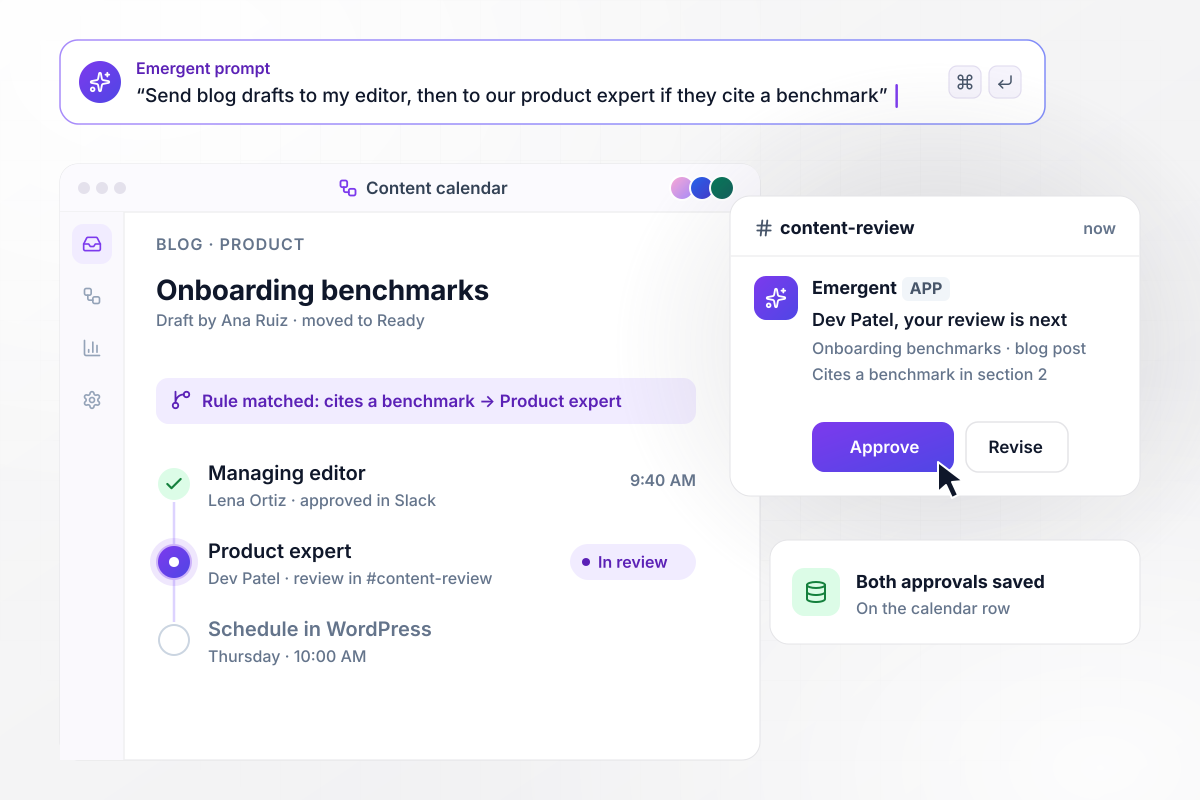
Any draft quoting a benchmark also goes to an expert
A writer moves the post to Ready in the content calendar, and the managing editor gets it in Slack. Drafts that cite a benchmark go to the product expert next. Once both approve, the post is scheduled in WordPress for Thursday at 10:00 AM, with both approvals saved on its row.
window.awbMockup = { blogPosts: "Build a blog approval workflow for my content team. When a writer moves a draft to Ready in our content calendar, send it to our managing editor in Slack with Approve and Request changes buttons. If the draft cites a benchmark, send it to our product expert Dev Patel next. Once both approve, schedule the post in WordPress for its publish date and save both approvals on the calendar row.", clientSocialPosts: "Build client approvals for my social media agency. Every Friday, send each client one review link with their posts for next week. The client approves each post or leaves a comment, and comments go back to the writer. If a post has no answer after two days, remind the account manager. Never schedule a post without a client decision.", adCreativeRounds: "Build creative reviews for my in-house design team. Track each campaign's ad sizes with the round of changes each one is on. The brief sets how many rounds are included. When someone asks for a round past that limit, send the request to our creative director instead of the designer, and keep the round count on every asset.", financialMarketing: "Build marketing review for my wealth management firm. Hold every client email in a review queue until a registered principal approves it. Store the principal's name, the approved version, and the time, then release the send to our email platform. If anyone edits the email after approval, reopen the review and notify the principal." };
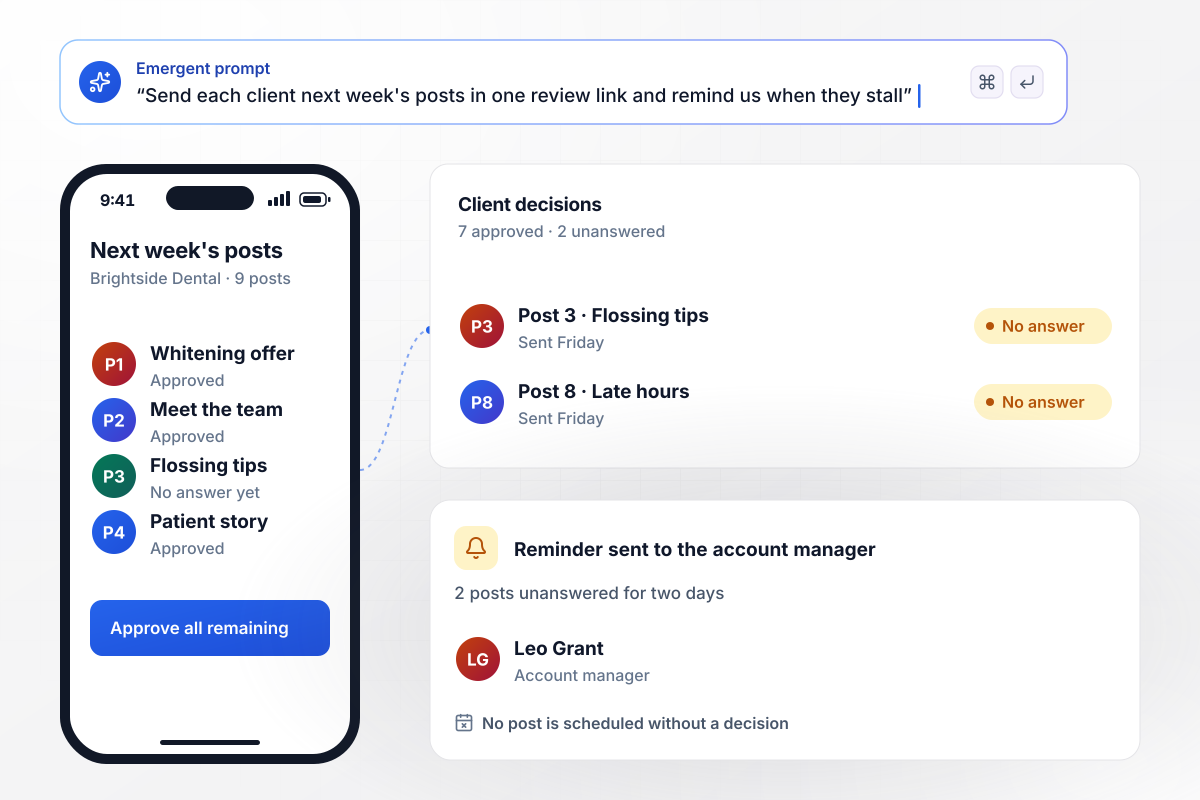
Clients answer next week's posts from a single link
On Friday the agency sends Brightside Dental one review link with its 9 posts for next week. The practice manager approves 7 and leaves 2 unanswered. Comments on any post go back to the writer. When those 2 sit for two days, the account manager gets a reminder. No post is scheduled without a client decision.
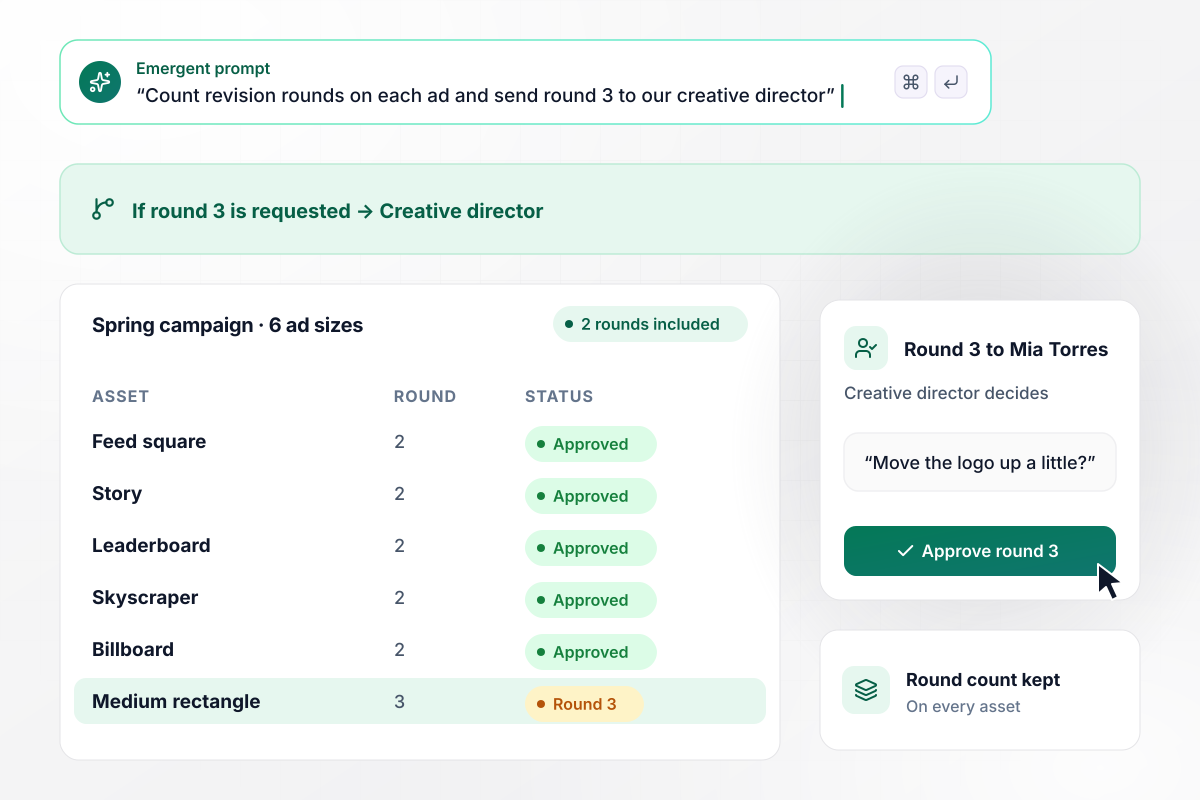
A third round of edits goes to the creative director
Six ad sizes for the spring campaign come back from the design lead after round 2. The brief includes 2 rounds of changes. When the marketing manager asks for round 3, the app sends that request to the creative director, who decides whether another pass is worth the time.
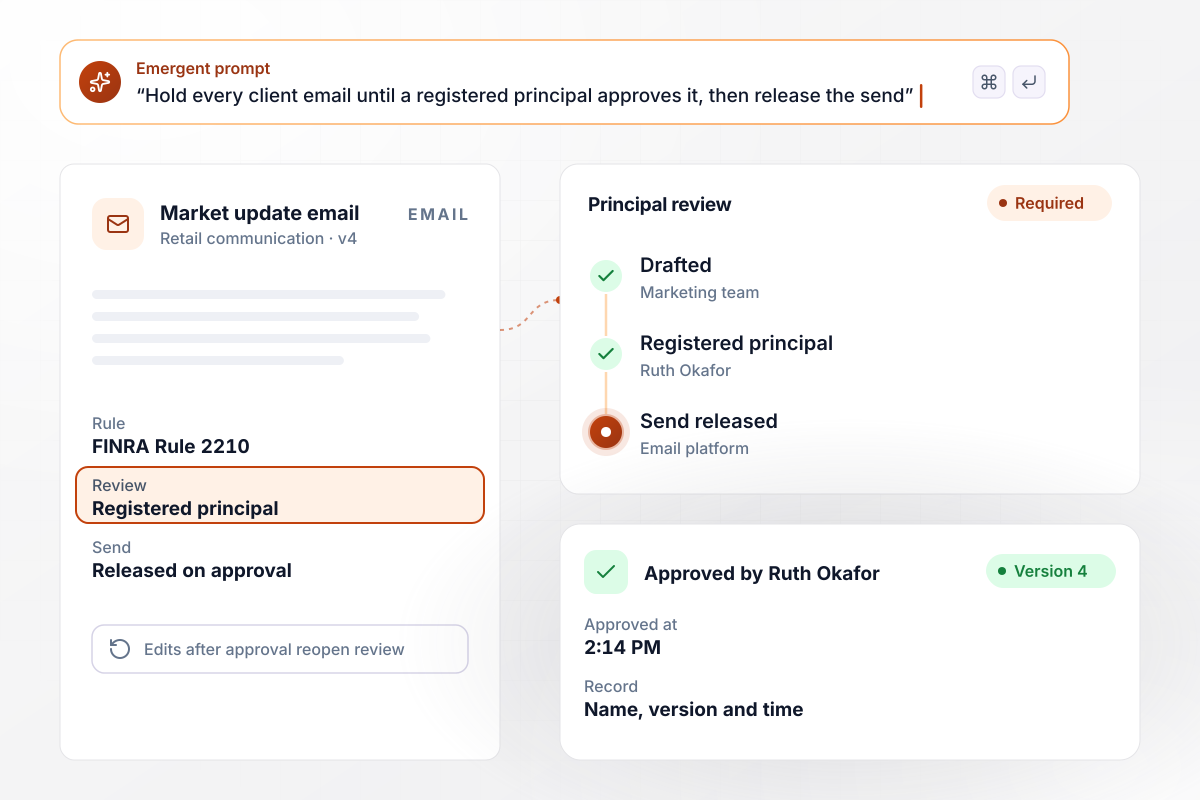
No send until a principal approves the email
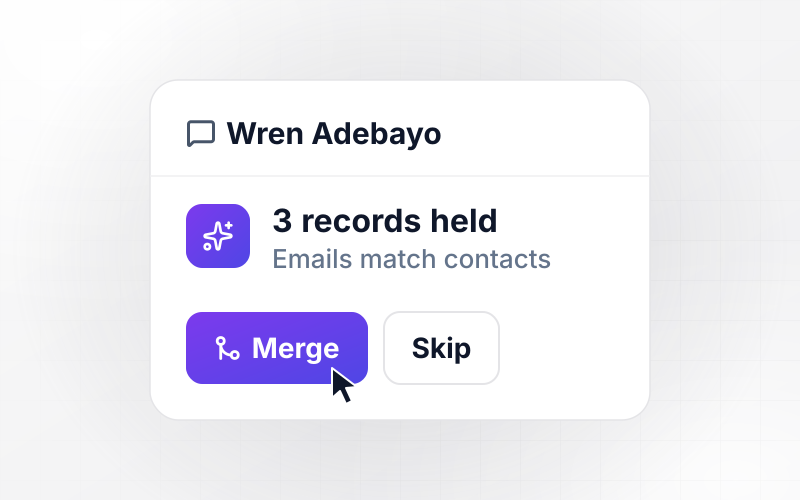
The market update email waits in the review queue until a registered principal at the wealth firm approves it. FINRA Rule 2210 requires that approval for retail communications. The app stores the principal's name with the approved version and the time, then releases the send. Any edit after approval reopens the review.






How to Build a Content Approval Workflow
Seven steps to decide who reviews what, then build a content approval workflow that routes each draft and records each decision.
Start with the content you publish most often. For each type, write down who drafts it, who reviews it today, and where it usually stalls. The slowest handoff on that list is where the new workflow earns its keep first.
Give every stage one named reviewer and a backup for when they are away. Keep fixed stages few: an editor and a brand owner cover most routine pieces. Each extra fixed stage is one more queue every draft has to wait in.
Describe in plain sentences when a piece needs more than the usual review. It quotes a statistic, names a price, mentions a customer, or touches a regulated product. Emergent turns those sentences into the rules that add a reviewer.
Connect the content calendar, Slack or email for decisions, and WordPress or another CMS for publishing. Approved posts are scheduled through the CMS API with their publish date. Nobody has to paste final copy between browser tabs again.
Decide how long a reviewer has before a reminder goes out, and when the content lead hears about a stalled draft. For design work, set the number of revision rounds in the brief and name who takes any round past it.
Run one week of real drafts through the app before the whole team moves over. Check that every draft reached the right person, that comments made it back to the writer, and that approved posts kept their dates.
Most content teams already approve work; the log shows where it waits. Each month, sort approvals by time spent in review and look at the slowest stage. Move it earlier, give it a backup, or make it conditional.
Why Build Content Approvals With Emergent?
Emergent builds the review app around your own stages and reviewers. Every approver is included, and runs carry no task cap.

|
Zapier | Make (Integromat) | n8n | |
|---|---|---|---|---|
| How you build | Prompt for the workflow and the app around it | Templates and editor, AI copilot | Visual canvas | Visual canvas, self-hosted or cloud |
| What you get | Workflow + trigger form + database + dashboard, as code you own | Zaps, plus Tables and Interfaces inside Zapier | Scenarios inside Make | Workflows inside n8n |
| Behavior at cap | Keeps running, no task cap | Overage billed at up to 1.25× the base rate | Runs pause | Cloud workflows stop until the reset or an upgrade |
| AI and agent steps | Native, share the same credit pool | Priced by model tier, drawn from the task pool | AI modules cost variable credits | Bring your own model API key, billed by the provider |
| Code ownership | Full code export to GitHub on paid plans | None | None | Yes on Community Edition |

Pick the Pricing Plan That Works for You
Choose the plan that fits your building ambitions. From weekend projects to enterprise applications, we've got you covered.




Find the right workflow automation
for you and your business





Frequently Asked Questions
Your Questions, Answered
Don't change this element unless you know what you are doing
More things you can build
with Emergent









on Emergent today


