

Build a Vendor Onboarding Workflow Vendors Fill In
Get a vendor onboarding workflow that collects W-9s, insurance, and bank details, then routes each vendor for approval.
Build a vendor onboarding workflow that runs on its own and logs every step.
Trusted by Builders Worldwide
Active Builders Worldwide
Apps Successfully Created
Countries Globally Reached



What Emergent Builds Into Vendor Onboarding
Each new vendor gets one record that fills in as its documents and approvals arrive.
An intake link the vendor fills in
Emergent builds the intake form and the vendor database behind it from your prompt. The vendor's contact fills in company details and files, and it all lands in a database you own.
W-9s and certificates read into fields
The app reads a signed W-9 and a certificate of insurance into structured fields with AI. A value it cannot read with confidence goes to a person to check before the record moves on.
Reminders for anything still missing
A vendor that stops halfway gets an email reminder on the days you pick. If the record is still incomplete after the last one, the buyer who asked for the vendor gets a Slack alert.
Approvers chosen by expected spend
You set the spend lines, and the app sends each new vendor to the right approvers in order. Add as many approvers as your rules need, since none of them takes a paid seat.
New vendors created in your ledger
Connect QuickBooks, Xero, or NetSuite through their APIs. After the last approval, the app writes the vendor's legal name and payment terms into the ledger, and nobody retypes them.
The onboarding code, in your GitHub
Export the full code of the workflow to your GitHub repository on paid plans. Anyone on your team can read every rule the onboarding follows and change it like any codebase.
Where Each New Vendor Gets Checked
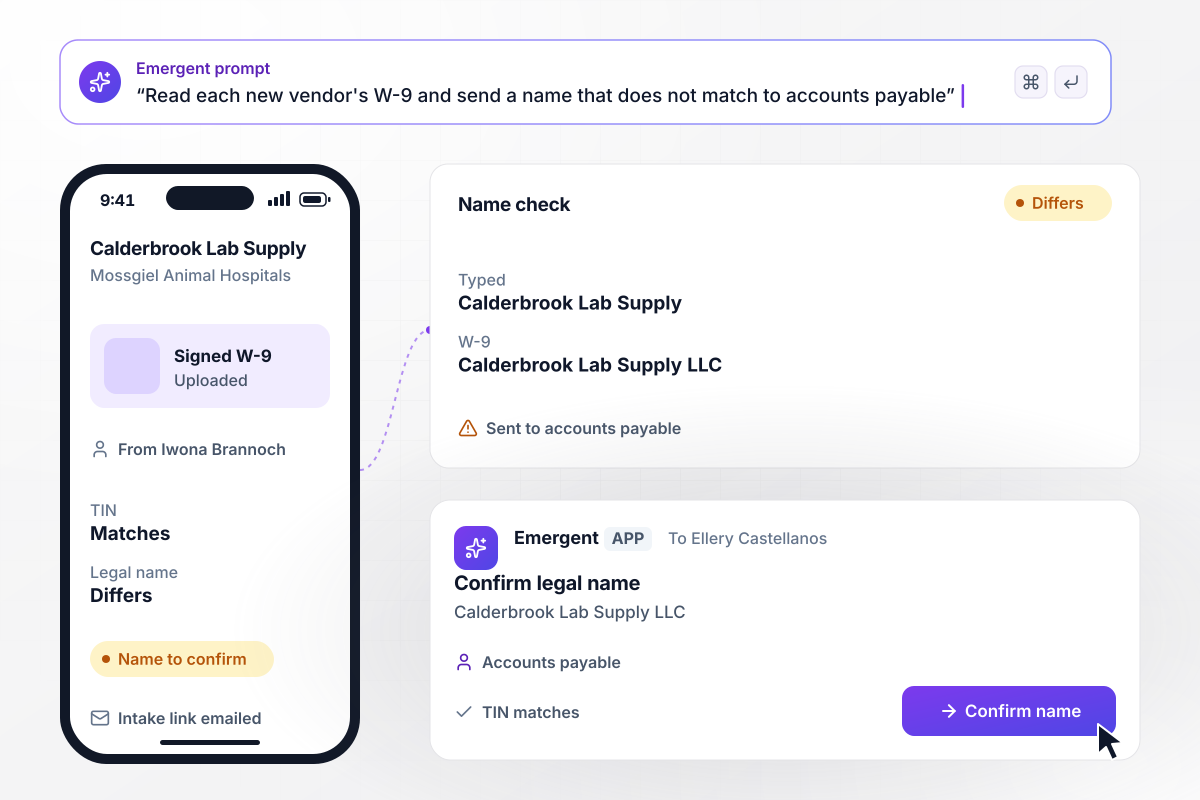
When the W-9 name differs, accounts payable decides
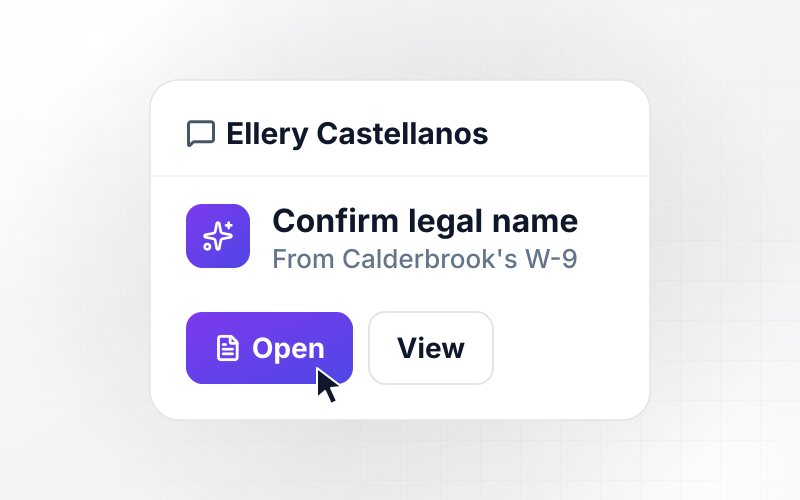
Mossgiel Animal Hospitals adds Calderbrook Lab Supply, and the app emails Iwona Brannoch an intake link. She uploads a signed W-9, and the app reads its legal name and TIN. The TIN matches what she typed. The W-9 says Calderbrook Lab Supply LLC, and Ellery Castellanos in accounts payable confirms the name.
window.awbMockup = { w9Intake: "Build a vendor intake workflow for my animal hospital group. Email each new vendor's contact an intake link for company details and a signed W-9. Read the legal name and TIN from the W-9 and compare them with what the vendor typed. Send any name that does not match to accounts payable to confirm.", insurance: "Build an insurance check for my property management company's vendor onboarding. Each maintenance vendor uploads a certificate of insurance, and the app reads the general liability limit per occurrence. If it is under $1,000,000, mark it below minimum and email the vendor's contact for an updated certificate.", bankDetails: "Build a bank details step for my brewery's vendor onboarding. Save the bank details a new vendor enters as unverified, and give accounts payable a task to call the vendor at the phone number on its signed contract. Keep the vendor's invoices out of payment runs until the call is marked done.", approvals: "Build approval routing for new vendors at my robotics company. Ask for the expected annual spend on each request. Over $25,000, send the vendor to the requesting team's lead first and the finance director second. After the last approval, create the vendor in NetSuite." };
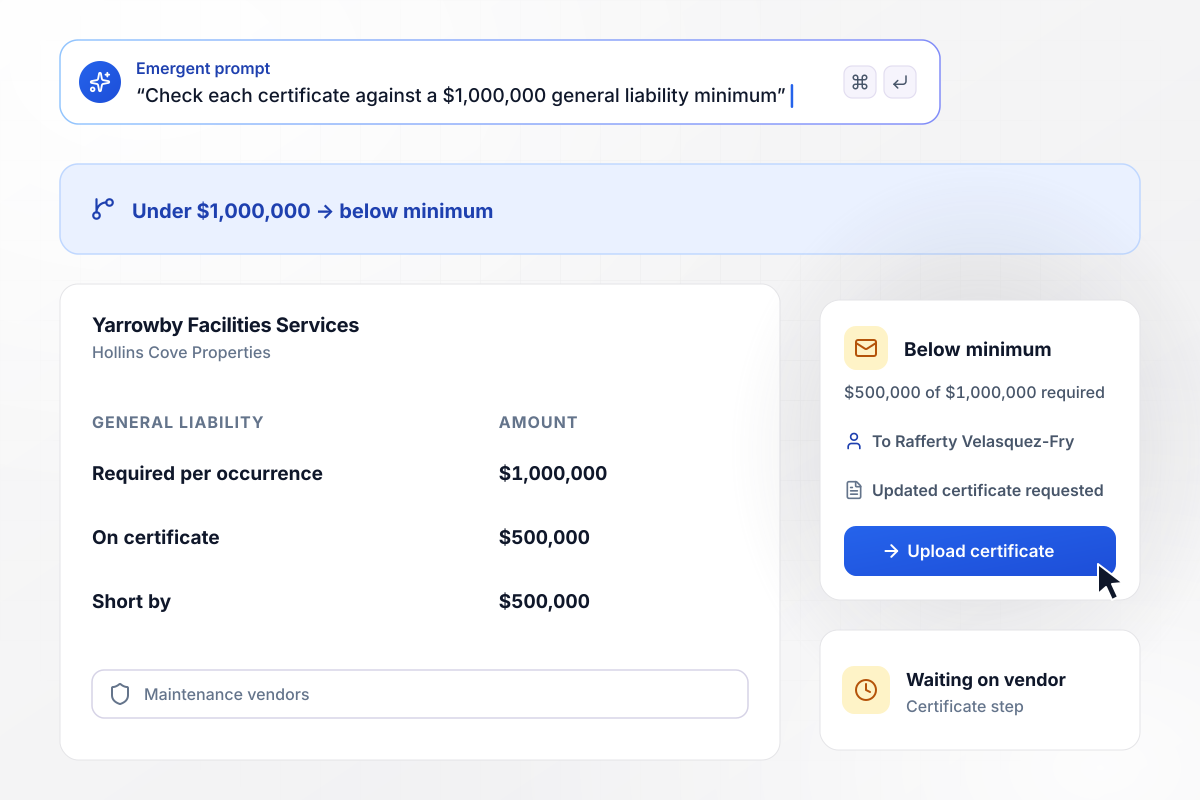
The $500,000 certificate goes back to Yarrowby
Hollins Cove Properties asks maintenance vendors for $1,000,000 in general liability per occurrence. Yarrowby Facilities Services uploads a certificate showing $500,000, and the app marks it below minimum. Its contact, Rafferty Velasquez-Fry, gets an email asking for an updated certificate, and Yarrowby waits.
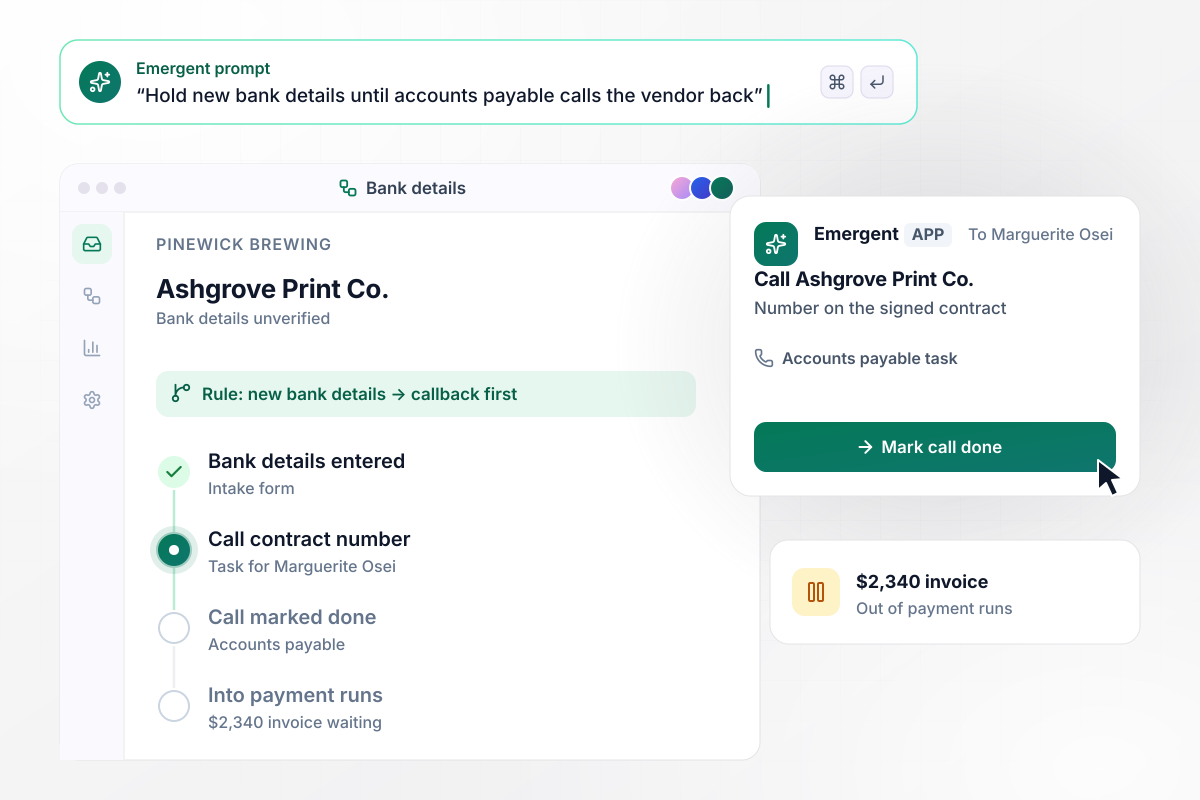
Before Ashgrove is paid, someone calls its contract number
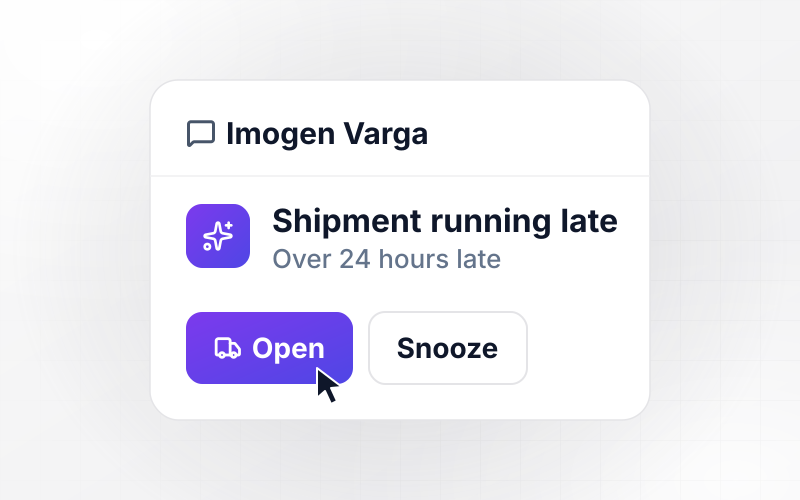
Ashgrove Print Co. typed its bank details into Pinewick Brewing's intake form, and the app saved them as unverified. Marguerite Osei in accounts payable gets a task to call Ashgrove at the phone number on its signed contract. Until she marks the call done, Ashgrove's first invoice of $2,340 stays out of payment runs.
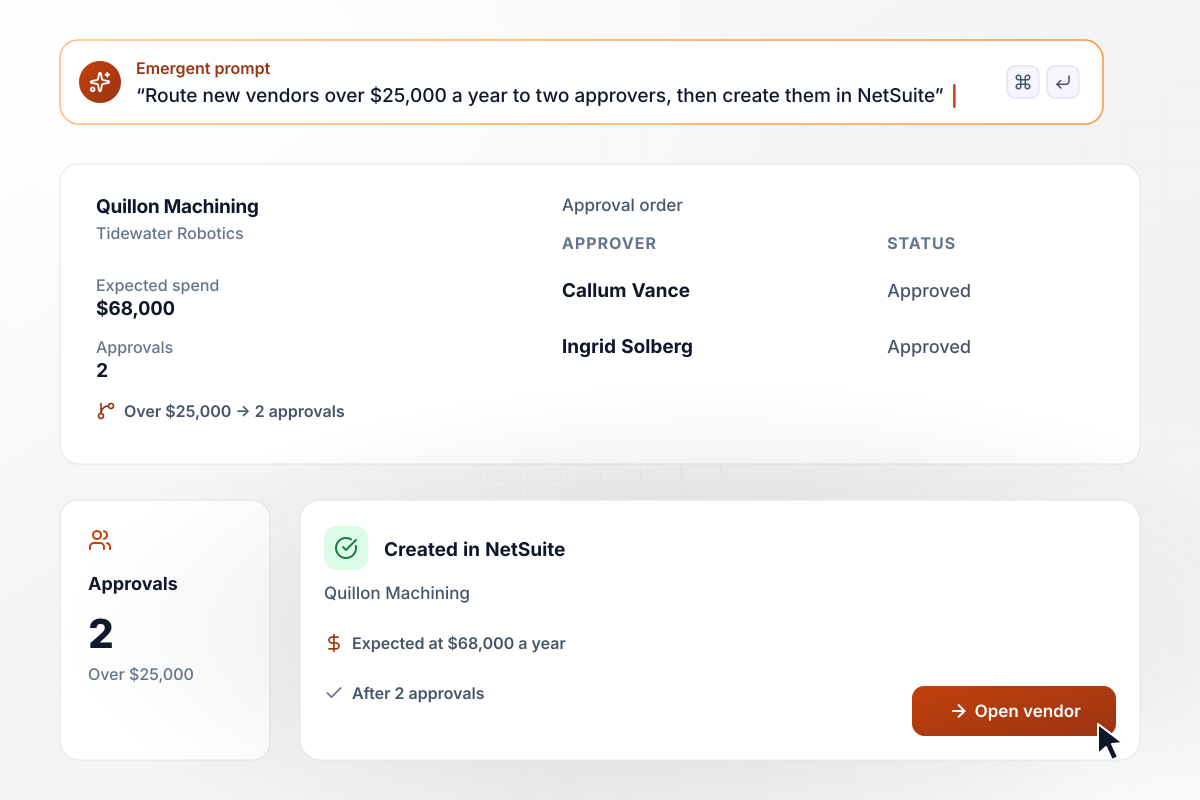
With $68,000 of spend, Quillon goes to two approvers
Tidewater Robotics routes new vendors by expected annual spend, and anything over $25,000 needs two approvals. Quillon Machining is expected at $68,000 a year. Callum Vance, the engineering lead, approves first, then Ingrid Solberg, the finance director. The app then creates Quillon in NetSuite through its API.






How to Build a Vendor Onboarding Workflow
Seven steps to decide what a vendor onboarding workflow collects and who approves it, then build and test it in Emergent.
List each item a new vendor must send, and mark which ones block the first payment. Each item becomes a field or an upload on the intake form, and anything optional can arrive after approval.
Write a coverage minimum for each kind of vendor you hire, with a higher general liability limit for vendors who work on your sites. Ask your insurance broker which limits fit your contracts.
Choose the expected annual spend that adds a second approver, and name who approves on each side of that line. Keep the first approver close to the work, since that person knows whether the vendor is needed.
Name the person who confirms new bank details and the phone number they call. Use a number from a signed contract or an earlier invoice, never one sent in the same email or form as the bank details.
Paste your document list and approval rules into a prompt in plain English. Emergent builds the form and its workflow logic, and you change any rule later by asking for the change.
Link the ledger you already use and map each intake field to a ledger field. Send the legal name from the W-9 to the vendor name field, not the name the vendor typed.
Run 3 current vendors through the workflow, including one whose certificate is below your minimum. Check that every hold and every approval reaches the person you expect before a new vendor gets the link.
Why Build Vendor Onboarding on Emergent?
Emergent builds the vendor database and its approvals as one app from a prompt, with no cap on tasks.

|
Zapier | Make (Integromat) | n8n | |
|---|---|---|---|---|
| How you build | Prompt for the workflow and the app around it | Templates and editor, AI copilot | Visual canvas | Visual canvas, self-hosted or cloud |
| What you get | Workflow + trigger form + database + dashboard, as code you own | Zaps, plus Tables and Interfaces inside Zapier | Scenarios inside Make | Workflows inside n8n |
| Behavior at cap | Keeps running, no task cap | Overage billed at up to 1.25× the base rate | Runs pause | Cloud workflows stop until the reset or an upgrade |
| AI and agent steps | Native, share the same credit pool | Priced by model tier, drawn from the task pool | AI modules cost variable credits | Bring your own model API key, billed by the provider |
| Code ownership | Full code export to GitHub on paid plans | None | None | Yes on Community Edition |


Pick the Pricing Plan That Works for You
Choose the plan that fits your building ambitions. From weekend projects to enterprise applications, we've got you covered.




Find the right workflow automation
for you and your business




Frequently Asked Questions
Your Questions, Answered
Don't change this element unless you know what you are doing
More things you can build
with Emergent









on Emergent today




