

Build Appointment Reminder Automation That Gets a Reply
Get appointment reminder automation that reads each client's reply and refills the slot when someone cancels.
Build appointment reminder automation that runs on its own and logs every step.
Trusted by Builders Worldwide
Active Builders Worldwide
Apps Successfully Created
Countries Globally Reached



What Emergent Builds Into a Reminder App
Each appointment gets its reminders, each reply changes its status, and each missed visit stays on record for the next booking.
Reminder rules in plain English
Describe the schedule as you would to a new receptionist: a text 48 hours out, an email that morning. Emergent builds the app from that prompt, and a new prompt moves either one.
Your text service and booking system
The app connects to any tool with an API. Reminders go out through the text messaging service you already use, and bookings sync in and out of the booking system you run.
Replies that change the appointment
A client who answers C moves the visit to Confirmed, and R moves it to Reschedule requested. A reply the app cannot match goes to the front desk queue for a person to read.
Staff alerts for what clients ignore
Unanswered reminders, late cancellations, and no-shows reach the right person by Slack, email, or in-app alert. If nobody acts, an escalation goes to the person you name.
A client history the rules can read
The app stores every reminder and no-show against the client in a database you own. Rules can read that history, which lets a second no-show be handled unlike the first.
A full book with no task cap
Reminders and follow-ups run with no task cap, however full the week. The free tier covers building and publishing. Paid plans export the full code to your GitHub repository.
Reminder Rules at One Grooming Studio
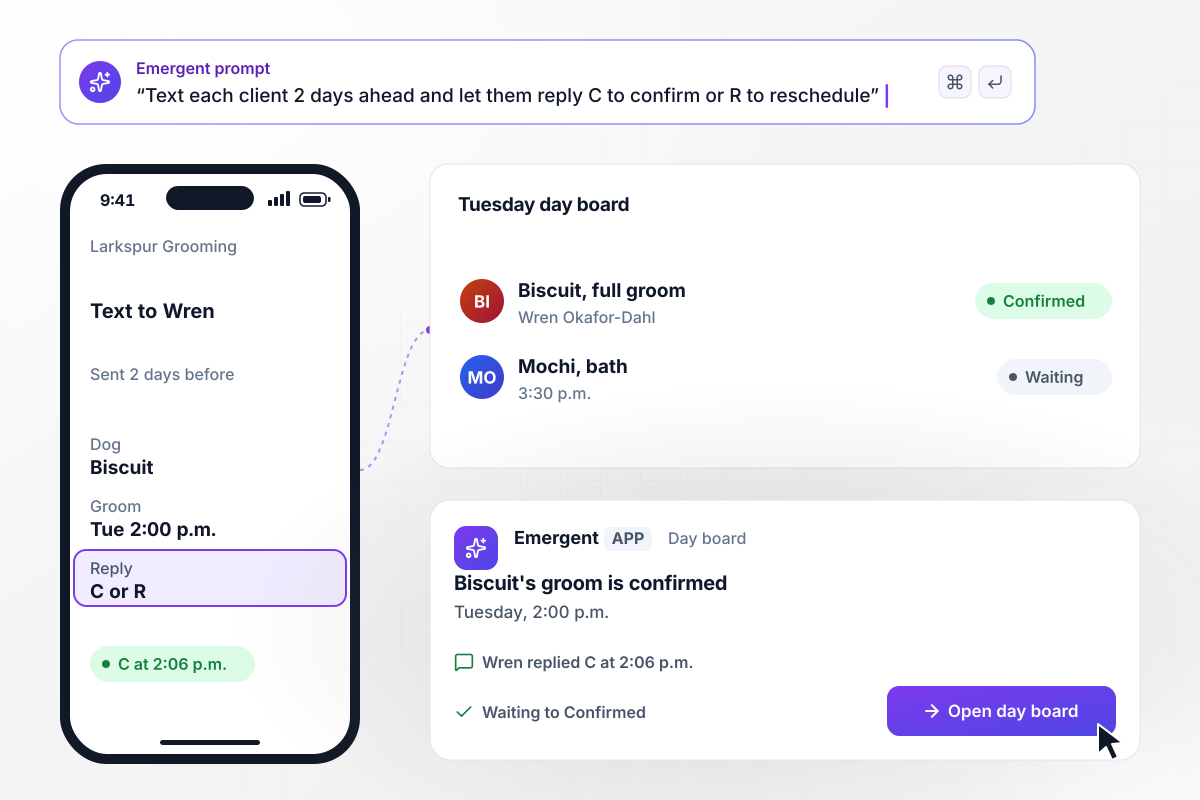
A one-letter reply from Wren confirms Biscuit's groom
Two days before Biscuit's Tuesday 2:00 p.m. full groom, Larkspur Grooming texts his owner, Wren Okafor-Dahl: reply C to confirm or R to reschedule. She replies C at 2:06 p.m. on Sunday. The day board moves the groom from Waiting to Confirmed without a call from the front desk.
window.awbMockup = { textConfirmations: "Text each client 48 hours before their appointment with the time and the service, and ask them to reply C to confirm or R to reschedule. A reply of C sets the appointment to Confirmed on the day board, and a reply of R sets it to Reschedule requested.", waitlistFills: "When a client cancels, text every client on the waitlist for that slot with a Book button. Give the slot to the first client who taps Book, and text the others that the slot is taken.", followUps: "When a groomer marks an appointment No-show, email the client a rebook link. On a second no-show within 90 days, add a Call before booking flag to the client's profile and send the front desk lead an in-app alert.", noShowBoard: "Show a monthly board of appointments and no-shows, split by clients who confirmed by reply and clients who never answered. Let the owner add a second text 3 hours before the visit for clients still unconfirmed." };
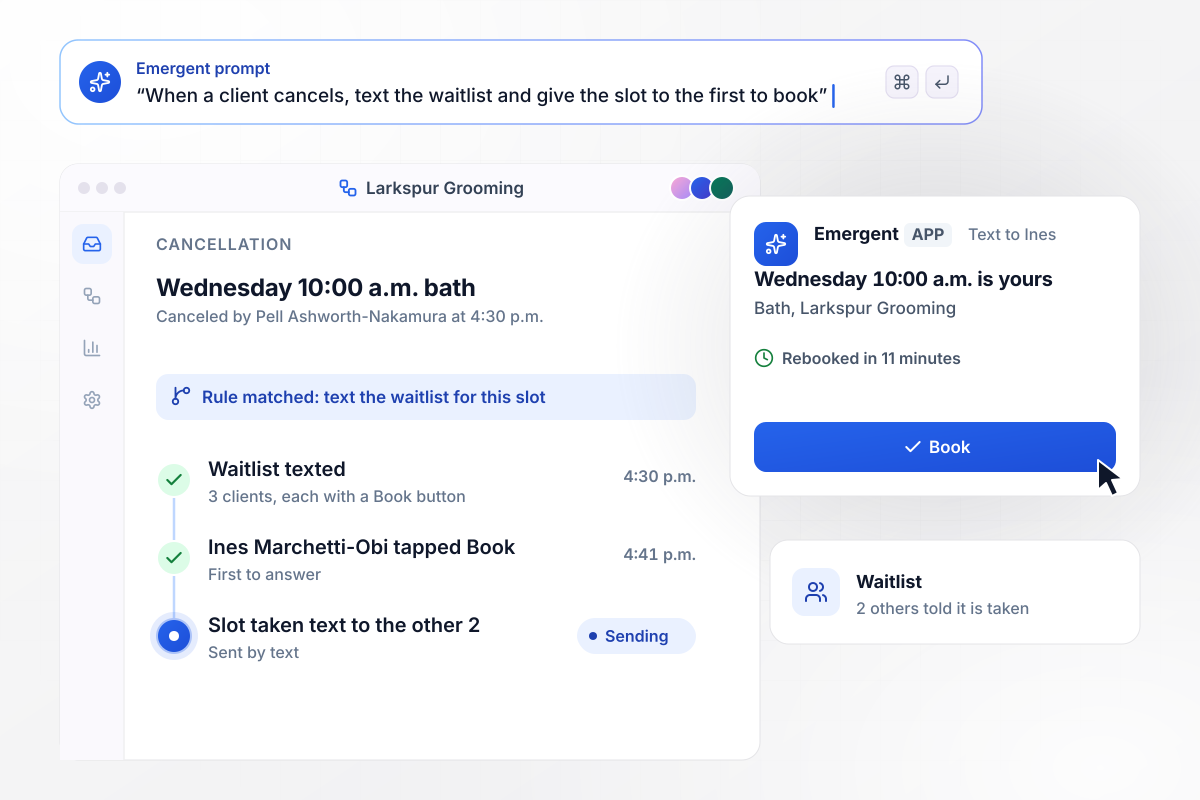
Rebooked 11 minutes after the 4:30 p.m. cancellation
Pell Ashworth-Nakamura cancels his dog's Wednesday 10:00 a.m. bath at 4:30 p.m. the day before. The app texts the 3 clients on the waitlist for that slot, each with a Book button. Ines Marchetti-Obi taps it at 4:41 p.m., and the other 2 get a text that the slot is taken.
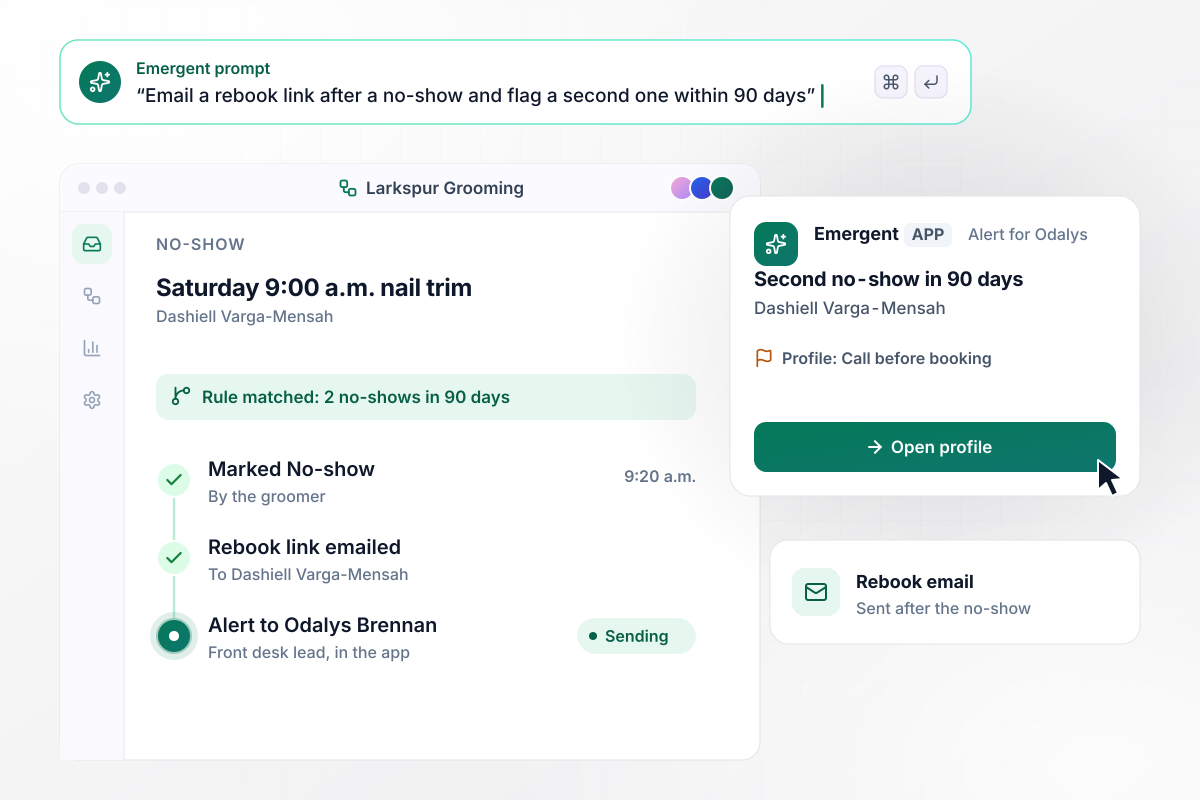
Two no-shows in 90 days put a flag on the next booking
Dashiell Varga-Mensah's Saturday 9:00 a.m. nail trim passes with no dog at the door. At 9:20 a.m. the groomer marks it No-show, and the app emails him a rebook link. It is his second no-show in 90 days, so his profile now reads Call before booking. The front desk lead, Odalys Brennan, gets an in-app alert.
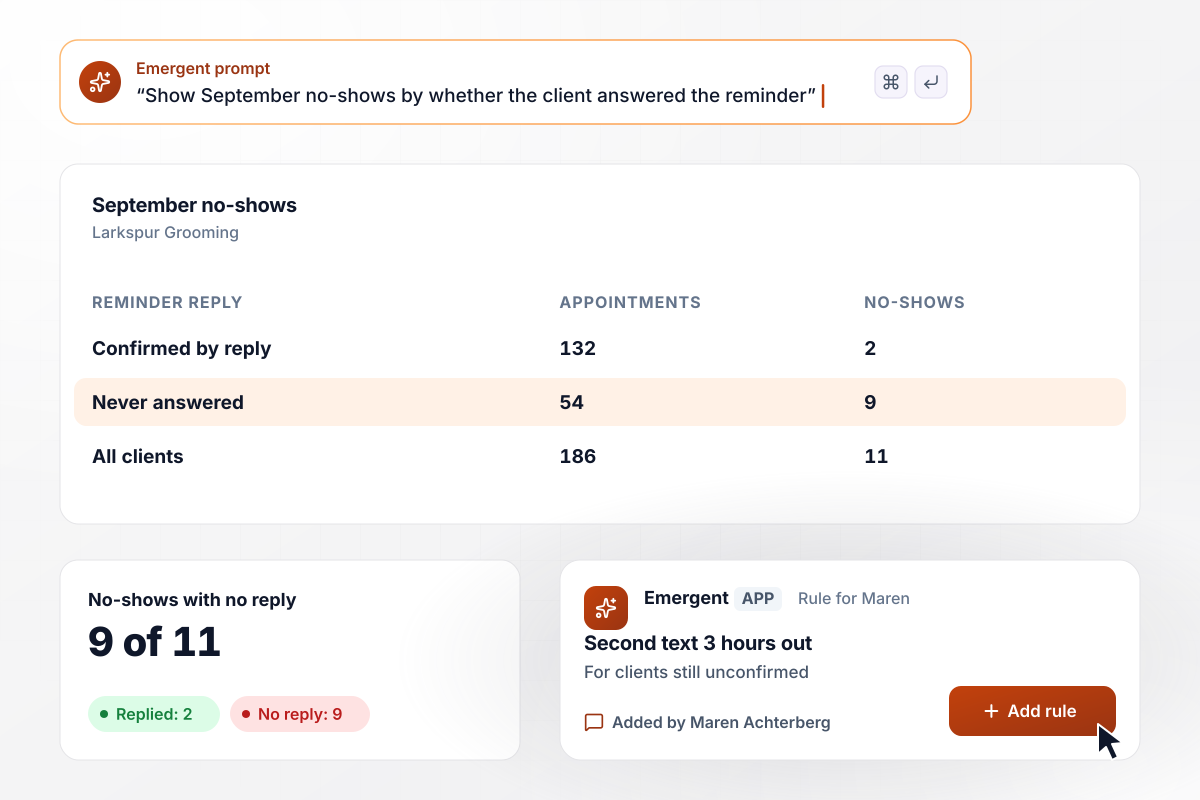
9 of September's 11 no-shows never answered the reminder
Larkspur's September board counts 186 appointments and 11 no-shows. Of the 132 clients who confirmed by reply, 2 missed; of the 54 who never answered, 9 missed. The owner, Maren Achterberg, adds a rule: a client still unconfirmed 3 hours before the visit gets a second text.






How to Automate Appointment Reminders
These 7 steps set up appointment reminder automation that reads client replies and tracks no-shows against a baseline.
Export the last 90 days of bookings and mark every no-show and late cancellation. Note which service each one was and whether the client got any reminder. That count is the baseline you will measure against.
Add a checkbox to your booking form that asks the client to agree to reminder texts, and store the answer on the client record. Text only the clients who ticked it, and email everyone else.
Write the message the way your front desk would say it on the phone: the dog's name, the service, the time, and what to reply. Keep it short enough to read on a lock screen.
Give long services a reminder 2 days out and short ones a single text on the morning of. Decide what happens when nobody replies, such as a second text or a call from the desk.
Connect the booking system first, and a new or moved visit updates its reminder. Then connect your text messaging service. Map each booking field to the place it appears in the message.
Book 3 test appointments under your own number. Reply C to one, R to the next, and something unexpected to the third, then check that each reply lands where it should before any client gets a text.
After 30 days, set the new no-show count beside the 90-day baseline from step 1. Where the number did not move, change the timing or the wording with a prompt and measure again.
Why Build Reminders With Emergent?
One prompt builds the reminders, the front desk board, and a client history in a database you own, with no task cap.

|
Zapier | Make (Integromat) | n8n | |
|---|---|---|---|---|
| How you build | Prompt for the workflow and the app around it | Templates and editor, AI copilot | Visual canvas | Visual canvas, self-hosted or cloud |
| What you get | Workflow + trigger form + database + dashboard, as code you own | Zaps, plus Tables and Interfaces inside Zapier | Scenarios inside Make | Workflows inside n8n |
| Behavior at cap | Keeps running, no task cap | Overage billed at up to 1.25× the base rate | Runs pause | Cloud workflows stop until the reset or an upgrade |
| AI and agent steps | Native, share the same credit pool | Priced by model tier, drawn from the task pool | AI modules cost variable credits | Bring your own model API key, billed by the provider |
| Code ownership | Full code export to GitHub on paid plans | None | None | Yes on Community Edition |



Pick the Pricing Plan That Works for You
Choose the plan that fits your building ambitions. From weekend projects to enterprise applications, we've got you covered.




Find the right workflow automation
for you and your business




Frequently Asked Questions
Your Questions, Answered
Don't change this element unless you know what you are doing
More things you can build
with Emergent









on Emergent today




