

Build a Leave Approval Workflow Around Balances and Coverage
Get a leave approval workflow that checks each request against the balance and the team calendar before a manager decides.
Build a leave approval workflow that runs on its own and logs every step.
Trusted by Builders Worldwide
Active Builders Worldwide
Apps Successfully Created
Countries Globally Reached



What the App Checks Before Anyone Approves
Describe your leave types and who signs off. Emergent builds the app that holds the balances and routes each request.
Leave policy written as you say it
Write the policy as HR explains it: 15 vacation days, 5 sick days, HR signs anything over 10 days. Emergent builds the request form and rules from that, and edits both by prompt.
Balances by person and leave type
The app keeps a balance for each employee and leave type. Approved days come off when the manager signs, a canceled request puts them back, and it all sits in a database you own.
Who is out, shown next to the request
A manager opening a request sees the team calendar for those dates on the same screen. Two names already out that Friday tell the manager more than the request alone.
Nudges when a request sits
Set how long a request may wait. The app sends the approver a Slack or email reminder after 2 days and escalates to the next approver on day 3, so no request sits unread.
Approved leave lands in your other tools
The app connects to any tool with an API. An approval can post the dates to the shared calendar and update the employee record in your HR system, with no dates copied by hand.
Every decision on the record
Each request keeps its dates, the balance at the time, the approver, the decision, and any comment. Add every manager who approves leave, since there are no per-approver seats.
Four Requests, Four Checks
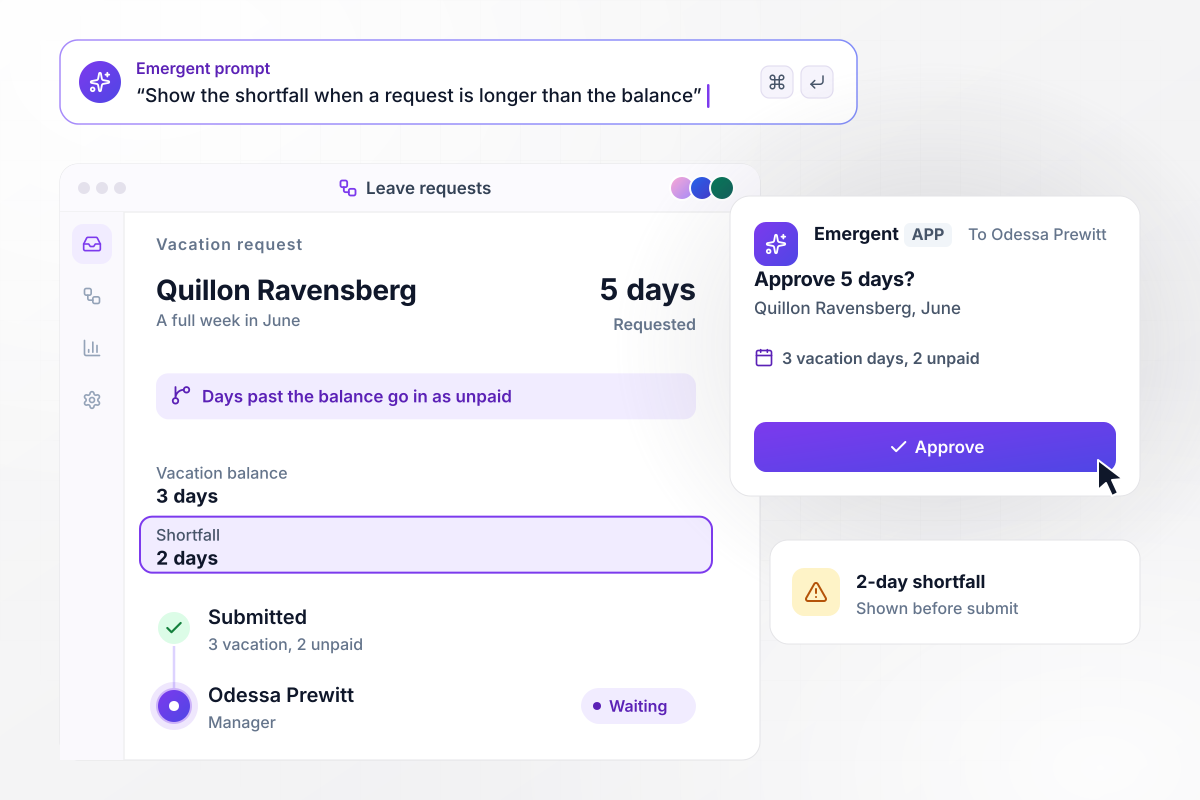
5 days asked with 3 in the balance
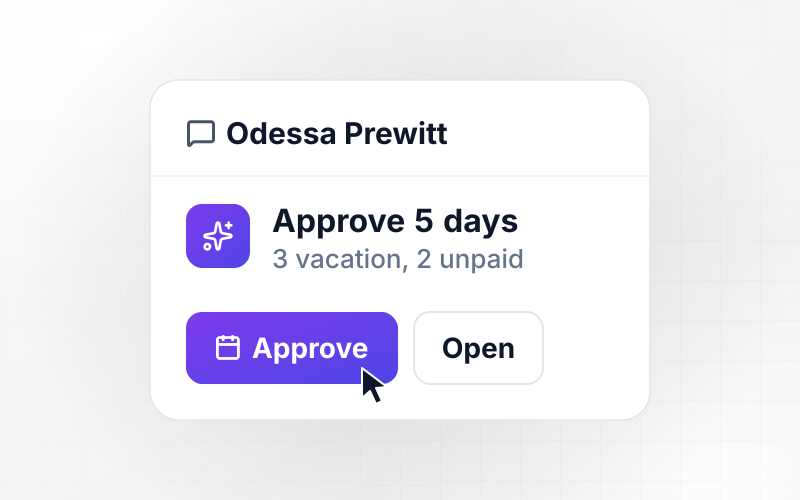
Quillon Ravensberg wants a full week off in June, but his vacation balance shows 3 days. The form shows the 2-day shortfall before he submits, and any days past the balance go in as unpaid. His manager, Odessa Prewitt, gets one request: 3 vacation days and 2 unpaid.
window.awbMockup = { balanceCheck: "Show the employee's balance for the leave type on the request form. If the request is longer than the balance, show the shortfall before submit and file the extra days as unpaid.", teamCoverage: "Before a manager sees a leave request, count who on the same team is already out on those dates. If 2 people are out, flag the request and show the team calendar next to it.", longLeave: "Send leave requests over 10 working days to the manager first, then to HR. Take the days off the balance only after HR approves.", sickDays: "Approve a single sick day as soon as it is submitted, take it off the sick balance, and message the manager that the employee is out today." };
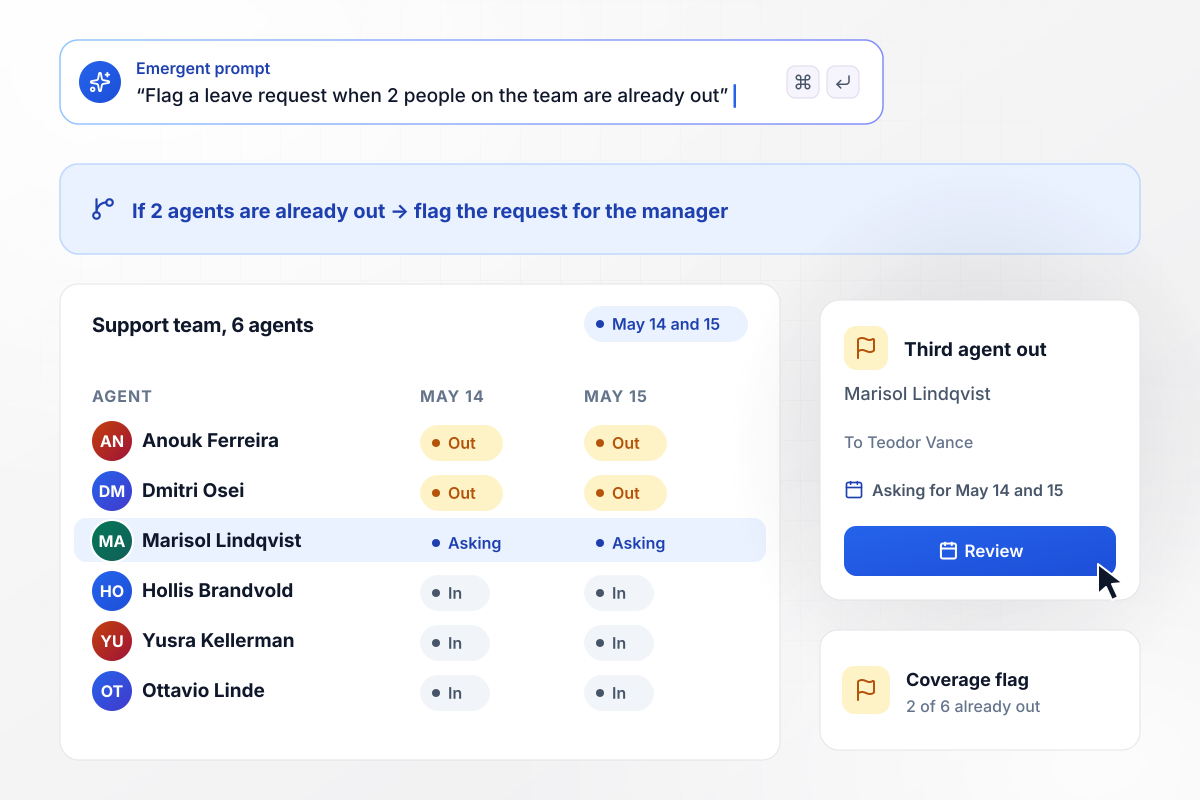
Third agent out? The manager sees it first
Two of the six support agents are already off on May 14 and 15 when Marisol Lindqvist asks for both days. Her request reaches her manager, Teodor Vance, with a flag: she would be the third agent out at once, and the rule allows 2. He decides with the team calendar open.
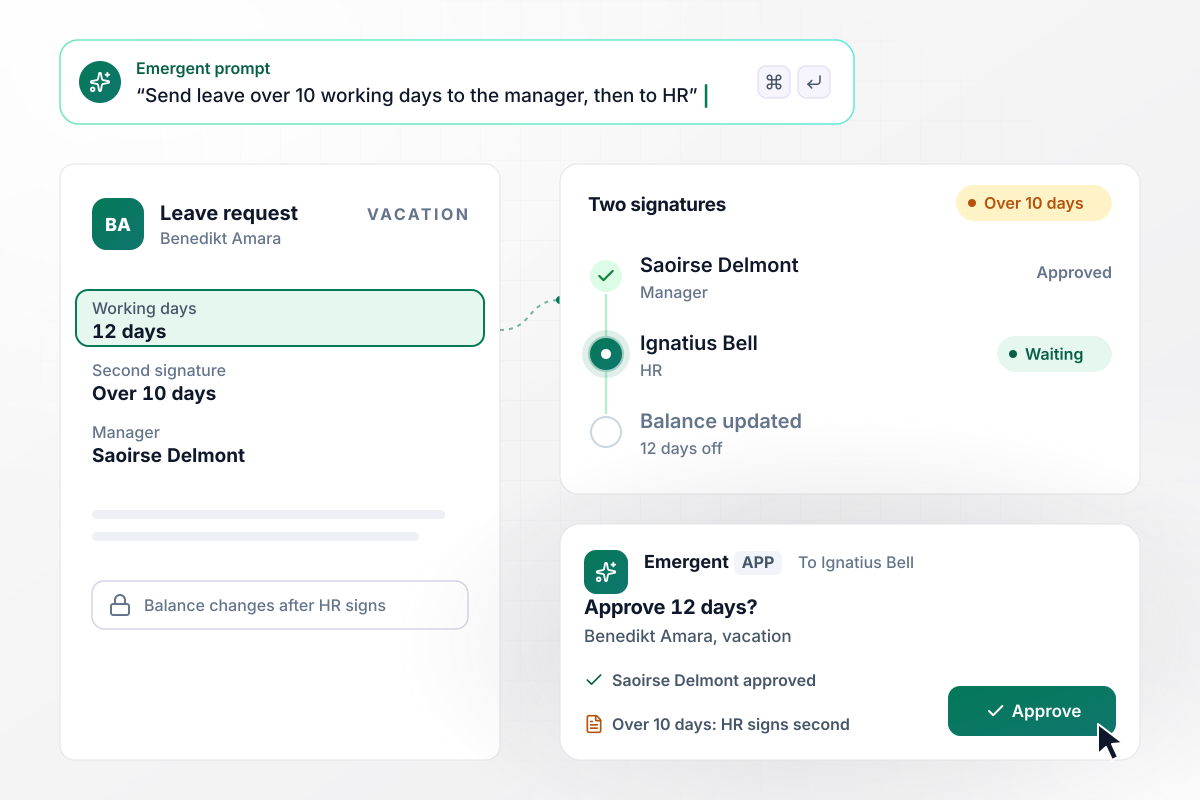
12 days off needs HR and the manager
Benedikt Amara plans a long trip and requests 12 working days. Anything over 10 days needs a second signature. His manager, Saoirse Delmont, approves first, and the request then goes to Ignatius Bell in HR. The days come off his balance only when Ignatius signs.
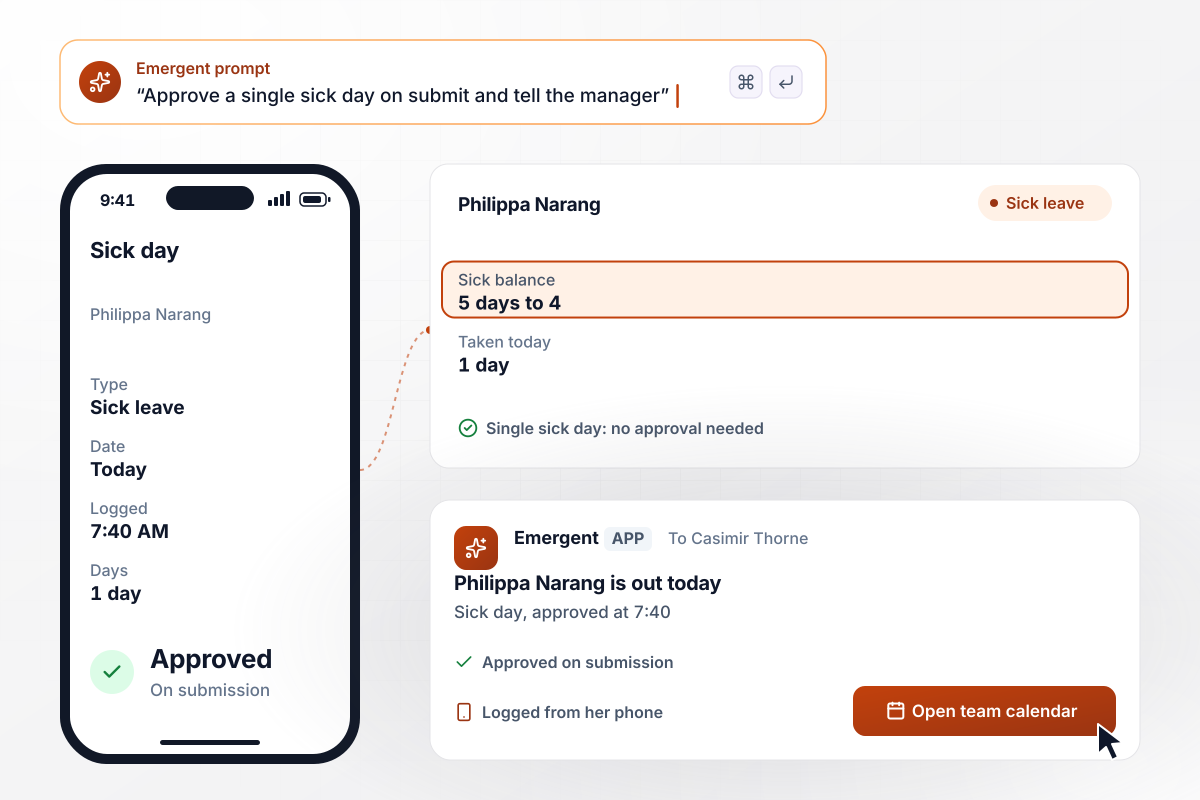
No waiting on a sick call at 7:40
Philippa Narang wakes up sick and logs 1 sick day from her phone at 7:40. A single sick day needs no approval under the rule. The app approves it on submission, and her sick balance drops from 5 days to 4. Her manager, Casimir Thorne, gets a message that she is out today.






How to Build a Leave Approval Workflow
Seven steps to turn your leave policy into a leave approval workflow that checks balances and coverage before anyone approves.
Export last year's leave requests to one sheet with the dates, leave type, approver, and how many days each one waited. Mark the requests that were approved and later canceled.
Write down every leave type with its yearly allowance and whether unused days carry over. Note which types need a manager's approval and which, like a single sick day, do not.
Decide what happens when a request is longer than the balance: block it, file the extra days as unpaid, or send it to HR. Every later rule reads that balance.
For each team, write how many people may be out on the same day, and name the person who decides a request that goes past the limit.
Paste the leave types, the balance rule, the coverage limits, and the approvers into one prompt. Emergent builds the request form, the balances, the routing, and the manager's view.
Run 10 requests from your busiest month through the app. Compare each outcome with what your managers decided, and change any rule that disagrees by prompting.
Open the app to one team for a month. Then load every employee's opening balance and invite the rest of the company.
Why Build Leave Approvals With Emergent?
Your leave rules, every balance, and every decision sit in one app on a database you own, and you change the rules by prompt.

|
Zapier | Make (Integromat) | n8n | |
|---|---|---|---|---|
| How you build | Prompt for the workflow and the app around it | Templates and editor, AI copilot | Visual canvas | Visual canvas, self-hosted or cloud |
| What you get | Workflow + trigger form + database + dashboard, as code you own | Zaps, plus Tables and Interfaces inside Zapier | Scenarios inside Make | Workflows inside n8n |
| Behavior at cap | Keeps running, no task cap | Overage billed at up to 1.25× the base rate | Runs pause | Cloud workflows stop until the reset or an upgrade |
| AI and agent steps | Native, share the same credit pool | Priced by model tier, drawn from the task pool | AI modules cost variable credits | Bring your own model API key, billed by the provider |
| Code ownership | Full code export to GitHub on paid plans | None | None | Yes on Community Edition |



Pick the Pricing Plan That Works for You
Choose the plan that fits your building ambitions. From weekend projects to enterprise applications, we've got you covered.




Find the right workflow automation
for you and your business




Frequently Asked Questions
Your Questions, Answered
Don't change this element unless you know what you are doing
More things you can build
with Emergent









on Emergent today




