

Build User Provisioning Automation That Opens Accounts by Role
Build user provisioning automation that opens, changes, and closes app accounts by role, and logs every change.
Build user provisioning automation that runs on its own and logs every step.
Trusted by Builders Worldwide
Active Builders Worldwide
Apps Successfully Created
Countries Globally Reached



What Your Provisioning App Takes Off IT
Each person gets the accounts their role calls for, and each change to those accounts lands in one log.
A role list that decides who gets what
The app keeps a table of roles, the apps each role gets, and the access level in each app. Change a row by prompting, and the next person hired into that role gets the new set.
Accounts created through each app's API
The app reads new hires and role changes from your HR system. It then calls the user API of each tool on the role list, such as team chat or the CRM, to open or change an account.
Admin rights wait for the app owner
Accounts with admin or billing rights wait for the owner of that app, who gets a Slack or email alert to approve or decline. Standard accounts on the role list open without a wait.
A log row for every account change
Each account opened, changed, or closed is saved as a row: the person, the app, the access level, the rule that fired, and the time. The log sits in a database you own.
A live board of pending and failed changes
IT sees every change that is waiting for an approval or that an app rejected. The board updates live as each app answers, and a failed call stays on top until someone retries it.
The provisioning app's code in GitHub
Export the app's full code to your GitHub repository on paid plans. Your security team can read every rule that opens or closes an account, and review changes like any other code.
Four Moments When Access Has to Change
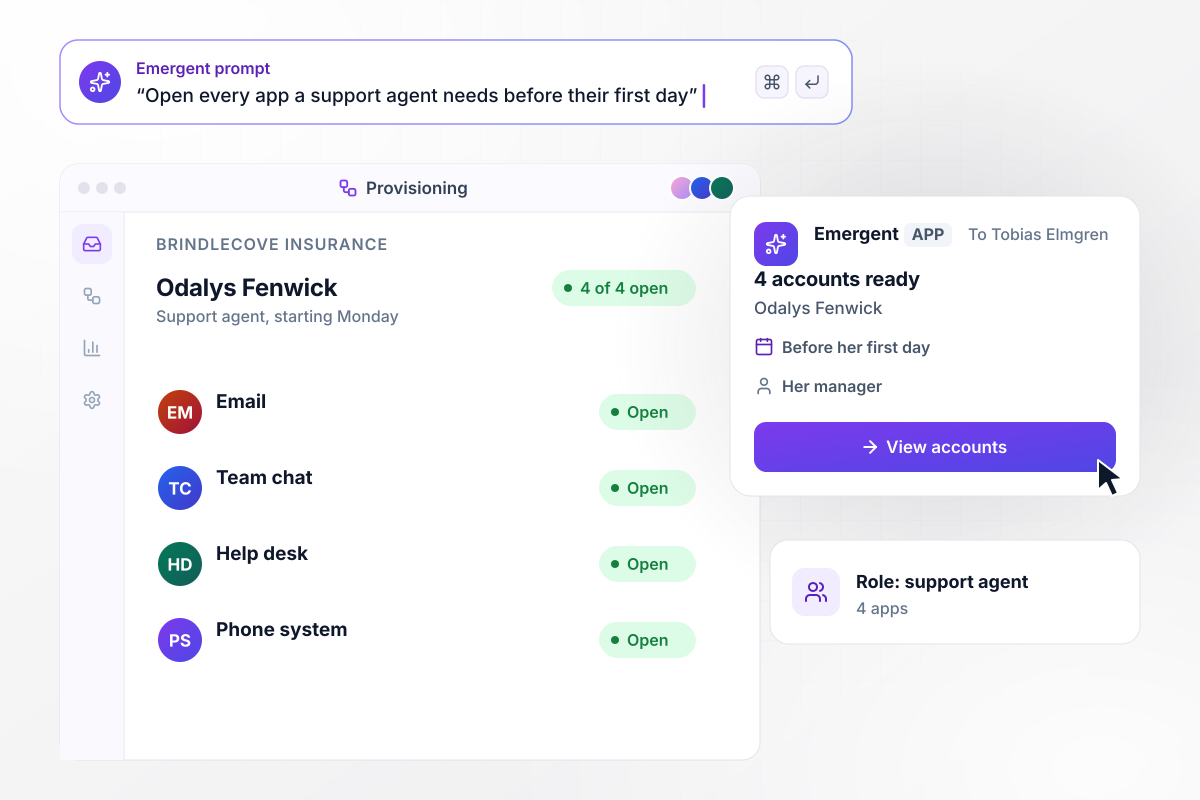
Four accounts open before a support agent's first day
The HR system marks Odalys Fenwick as a new support agent at Brindlecove Insurance, starting Monday. The support agent role gets 4 apps: email, team chat, the help desk, and the phone system. The app opens all 4 accounts before her first day and sends her manager, Tobias Elmgren, a direct message that lists them.
window.awbMockup = { roleTemplates: "Build a role template app for my insurance company's support team. When the HR system marks a new support agent, open 4 accounts before the start date: email, team chat, the help desk, and the phone system. Then send the new agent's manager a direct message that lists the 4 accounts and their usernames.", teamMoves: "Build a team move tracker for my freight company. When the HR system shows someone moving from sales to finance, add the ledger and the expense tool on the day of the move. Keep their CRM seat open for 7 days so they can hand over deals, then remove it and log the change.", contractorAccess: "Build contractor access tracking for my outdoor gear brand. Give each contractor accounts in the apps their contract names, with the contract end date on file. Seven days before the end date, email their manager with an Extend button. If nobody extends the contract, close every account on the end date.", departures: "Build a departure tracker for my dental practice. When HR records an employee's last day, close their accounts in all 6 of our apps at the end of that day. If any app returns an error, send the IT lead a direct message that names the account still open, and show it on the IT board." };
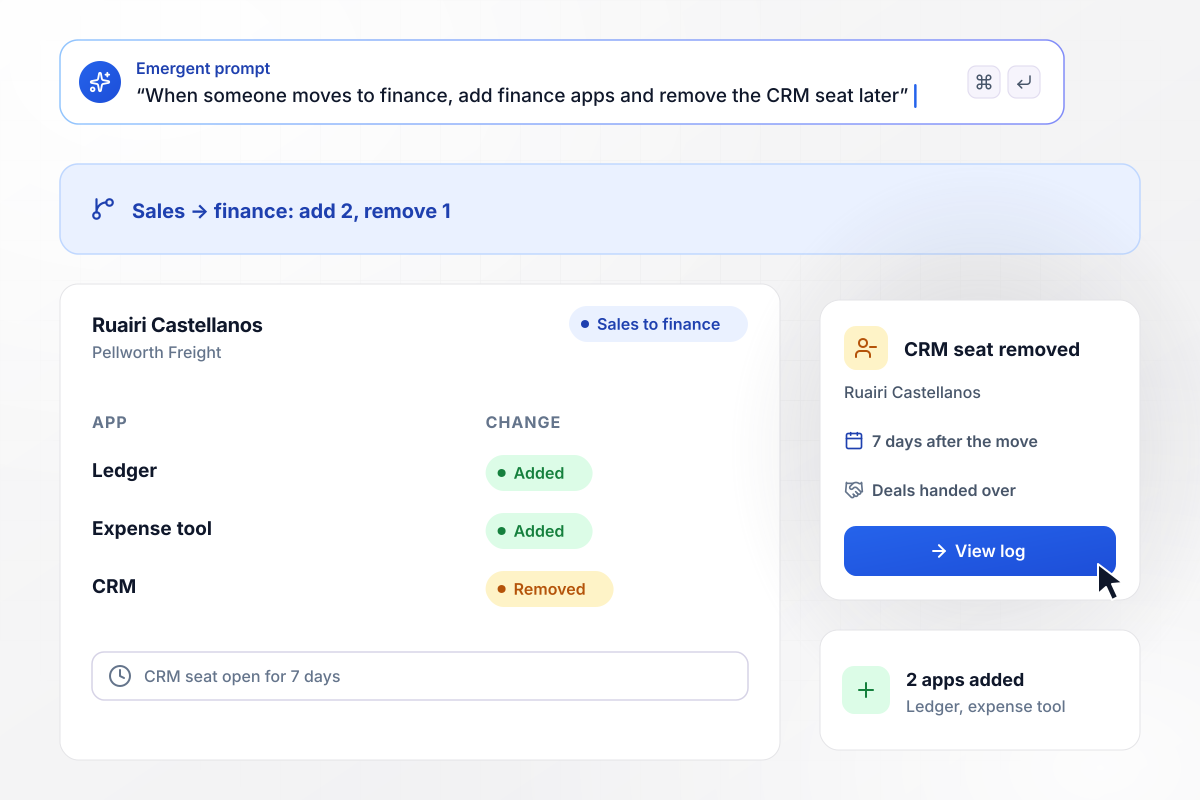
Sales to finance: 2 apps added and 1 removed
Ruairi Castellanos moves from sales to finance at Pellworth Freight. On the day of the move, the app adds the 2 apps the finance role gets: the ledger and the expense tool. His CRM seat stays open for 7 days while he hands over his deals, and then the app removes it.
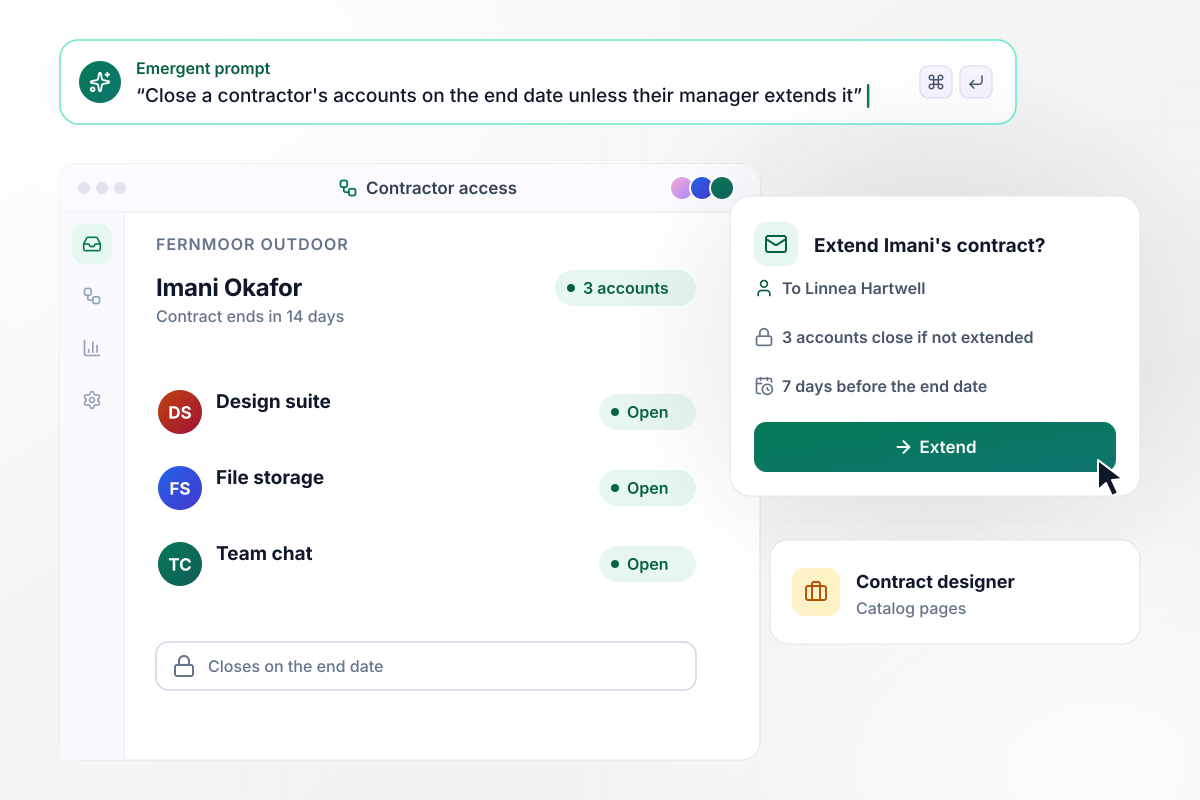
Without an extension, all 3 contractor accounts close
Imani Okafor designs catalog pages for Fernmoor Outdoor on a contract that ends in 14 days, and she has accounts in 3 apps. Seven days before the end date, her manager, Linnea Hartwell, gets an email with an Extend button. If Linnea does not extend the contract, the app closes all 3 accounts on the end date.
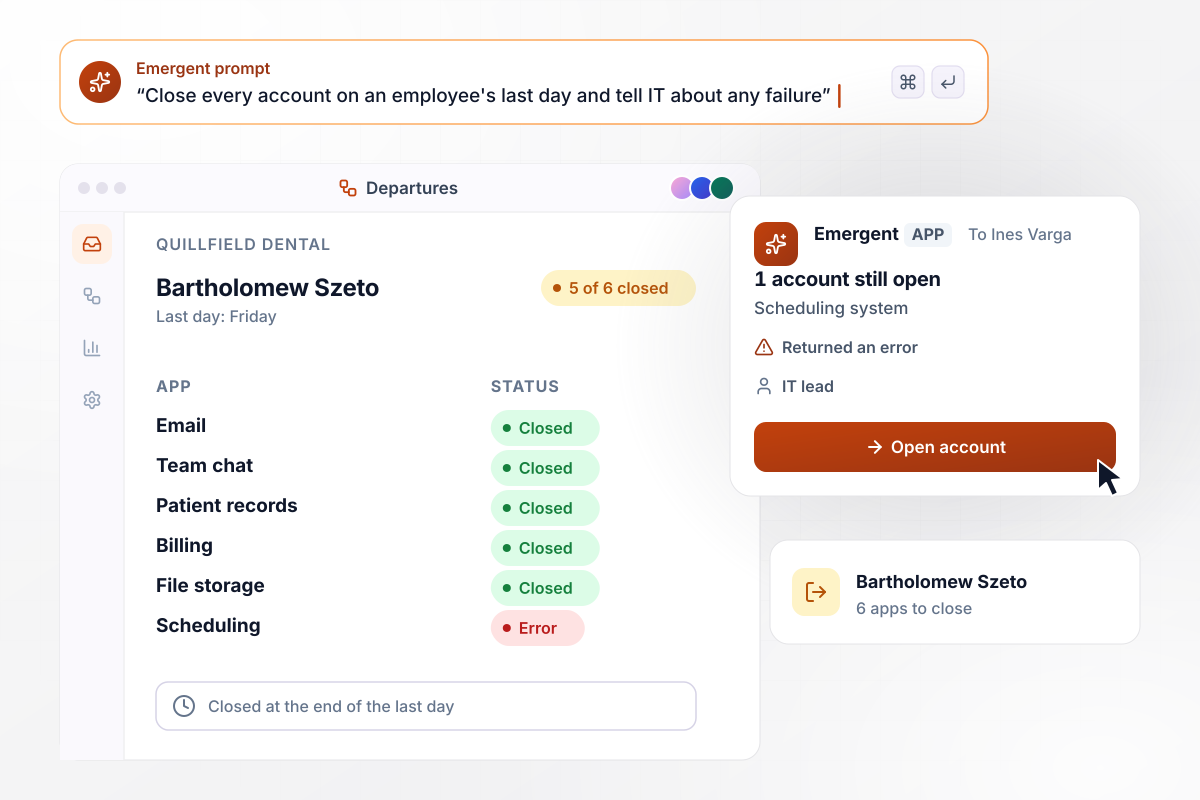
IT hears which of 6 accounts failed to close
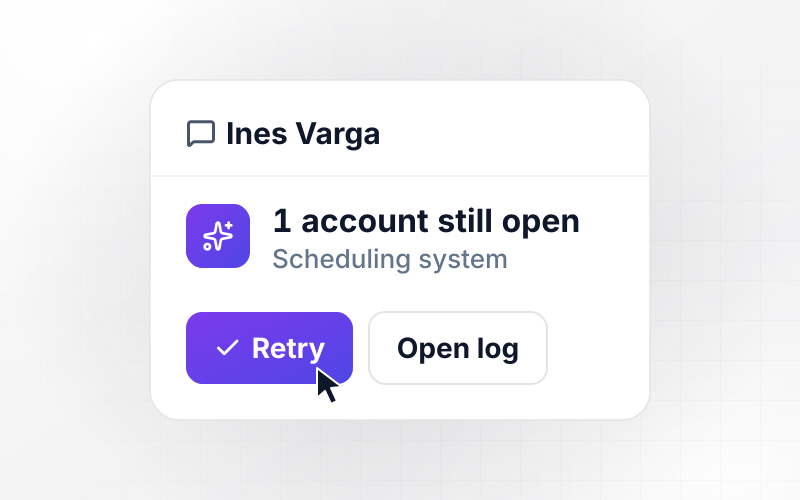
HR records Friday as Bartholomew Szeto's last day at Quillfield Dental. At the end of that day, the app closes his accounts in 6 apps, and 5 of the 6 confirm. The scheduling system returns an error. The IT lead, Ines Varga, gets a direct message that names the 1 account still open.






How to Build User Provisioning Automation
Seven steps to map each role to its apps and build user provisioning automation that keeps every account matched to a role.
Write down every app you pay for, the person who owns each one, and how an account gets created in it today. Mark the apps that hold customer or payroll data, because those accounts need the closest watch.
For each role, name the apps it gets and the level of access in each, such as viewer, editor, or admin. Start with the 5 roles you hire into most often, and leave rare roles as manual requests for now.
Choose one system whose records drive every account change, such as your HR system. Every account change then follows a change to that record, and nobody opens accounts from a chat request.
Mark each app and access level that should wait for a person, such as admin rights or billing. Name an approver for each one, and decide how long a request can wait before their manager hears about it.
Describe the role list, the trigger, and the approval rules in one prompt. Emergent writes the app and the IT board that tracks it, and you change any rule later by prompting instead of editing a script.
Connect the HR system and every app on the role list through its API. For each app, find the admin API it documents for creating and closing users, and put any app without one on a manual list for IT.
Run one past hire, one team move, and one departure through the app against test accounts. Compare the accounts it opens and closes with what IT did by hand, and fix the role list before you switch it on.
Why Build User Provisioning With Emergent?
Emergent builds the provisioning app and its approval steps from one prompt, and the access history stays in your own database.

|
Zapier | Make (Integromat) | n8n | |
|---|---|---|---|---|
| How you build | Prompt for the workflow and the app around it | Templates and editor, AI copilot | Visual canvas | Visual canvas, self-hosted or cloud |
| What you get | Workflow + trigger form + database + dashboard, as code you own | Zaps, plus Tables and Interfaces inside Zapier | Scenarios inside Make | Workflows inside n8n |
| Behavior at cap | Keeps running, no task cap | Overage billed at up to 1.25× the base rate | Runs pause | Cloud workflows stop until the reset or an upgrade |
| AI and agent steps | Native, share the same credit pool | Priced by model tier, drawn from the task pool | AI modules cost variable credits | Bring your own model API key, billed by the provider |
| Code ownership | Full code export to GitHub on paid plans | None | None | Yes on Community Edition |


Pick the Pricing Plan That Works for You
Choose the plan that fits your building ambitions. From weekend projects to enterprise applications, we've got you covered.




Find the right workflow automation
for you and your business




Frequently Asked Questions
Your Questions, Answered
Don't change this element unless you know what you are doing
More things you can build
with Emergent









on Emergent today




