

The AI survey and quiz maker with no response caps
Describe the survey, the quiz, or the poll. Emergent generates the questions, the skip logic, the scoring, and the result screen, and writes every response to a database you own. No per-response fees.





Trusted by Builders Worldwide
Active Builders Worldwide
Apps Successfully Created
Countries Globally Reached



Three things other survey tools cap or split
Where Emergent differs from every capped, per-seat, vendor-locked survey maker, quiz maker, and poll tool.
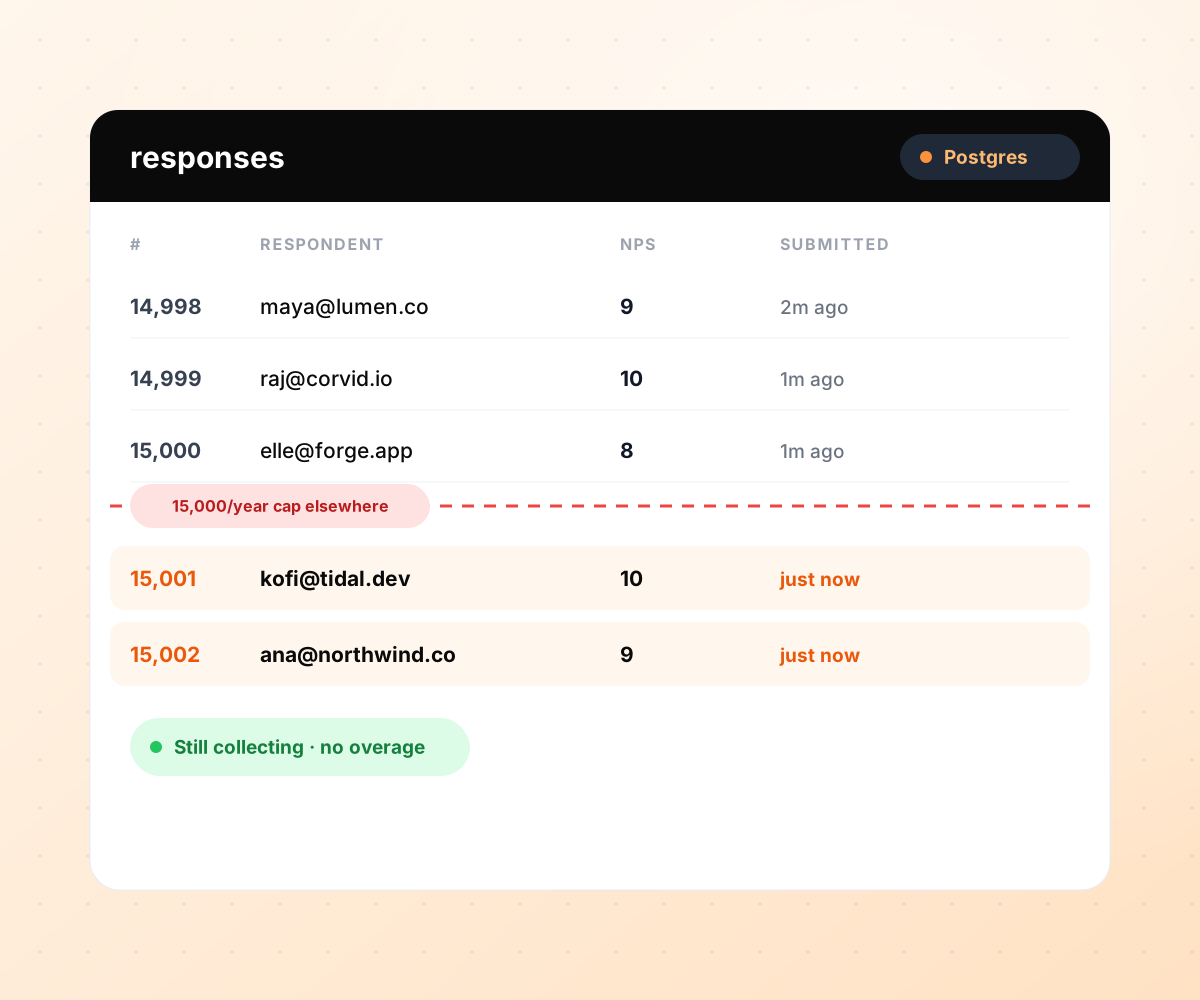
Every response in a database you own.
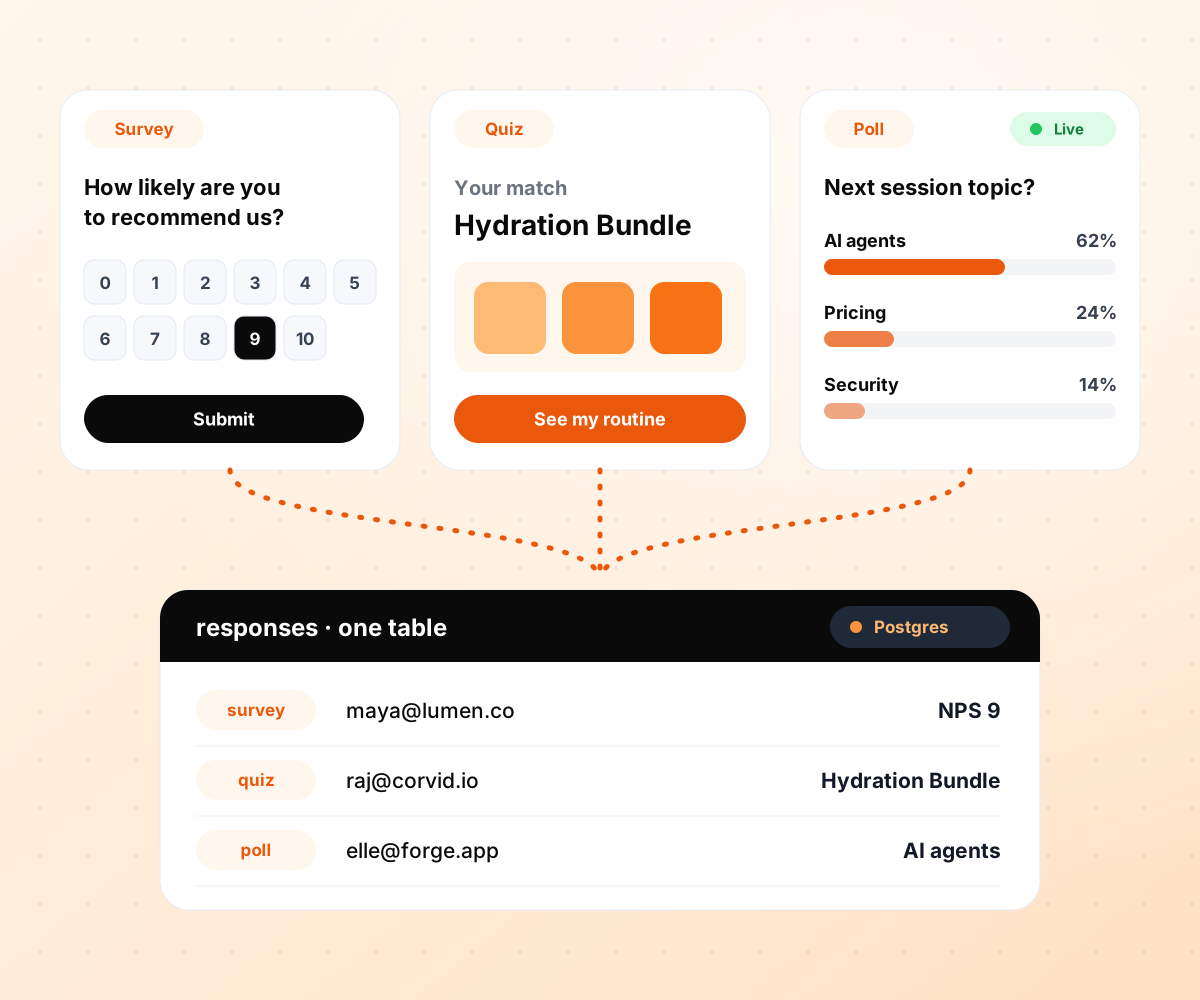
Surveys, quizzes, and polls in one build.
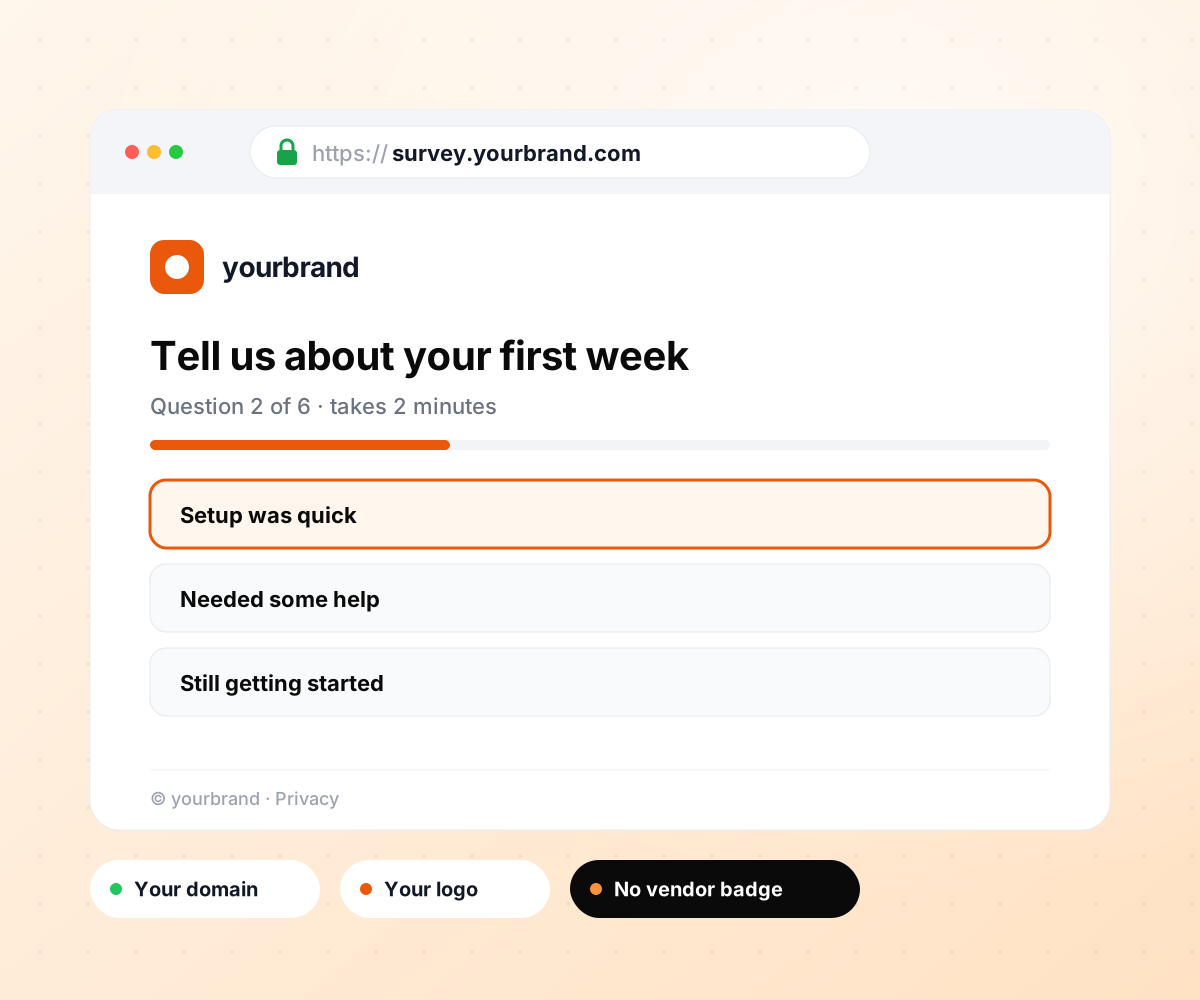
Branded to you, on your own domain.

Everything a survey, quiz, or poll needs
Skip logic on the free tier, scoring on the free tier, integrations on the free tier. No add-on for the parts that matter.
From prompt to survey, quiz, or poll
Questions, question types, skip logic, scoring, and the result screen or dashboard, generated in one pass. Refine any question or result by describing the change you want.
Every response in a database you own
Responses land in a database in your Emergent project that you own. No response cap, no annual limit, no per-response overage, and no upgrade to see older responses.
Skip logic and scoring on every plan
Show questions by earlier answers, weight answers toward result buckets, calculate a score, and route by outcome. Included from the free tier, with no upgrade for advanced logic.
Result screens, dashboards, and leads
A personalized result screen per respondent, a live dashboard your team can filter, and lead capture that sends the score, archetype, and source to Slack, HubSpot, or Klaviyo.
Native integrations, plus webhooks
HubSpot, Salesforce, Mailchimp, Klaviyo, Google Sheets, Airtable, Notion, Slack, and Zapier work natively. Anything else connects over a webhook, with no approved-partner list.
Full code export to your repository
The survey, quiz, scoring logic, dashboard, and database schema export to your GitHub. Keep hosting on Emergent or take it anywhere, with every past response coming along.
Every tool your results feed into
CRM and marketing
Every response reaches your CRM or ESP with the score, the archetype, and the source attached, ready for the next sequence.




Data and analytics
Responses land where your team already works, in addition to the database Emergent creates.






Survey, quiz, and poll makers compared
Based on each vendor's published plans, checked September 2026.

|
SurveyMonkey | Typeform | Interact (quiz specialist) | |
|---|---|---|---|---|
| How you build | Prompt for the survey, quiz, or poll and the app around it | Templates and editor | Templates and editor, AI assist | Templates and AI quiz maker |
| Response limits | Unlimited | Basic 25/survey, Advantage 15,000/year, Team Advantage 50,000/year | Free 10/mo, Basic 100/mo (form stops at cap) | Free 100 completions/mo, Lite 500 leads/mo, Growth 2,000 leads/mo |
| Behavior at cap | Keeps collecting, no cap | Overage billed at $0.15 per extra response | Form stops collecting | Free plan quiz pauses; paid plans cap leads |
| Where responses live | A database table you own, plus any integration | SurveyMonkey account | Typeform account | Interact account |
| Code ownership | Full export to your repo | None | None | None |
How to create a survey, a quiz, or a poll
Build a survey that measures what you need to act on, a quiz that qualifies and segments every visitor, or a poll that captures a room's opinion in real time, with every response saved to a database you own from the first submission.
Satisfaction, engagement, fit, preference, or knowledge. A CSAT survey and a product quiz look alike but answer different questions, and a poll is a survey cut to one or two questions with live results. The measurement decides the questions and the scale.
Every survey needs a decision it enables: cut the churn driver, prioritize the feature, fix the onboarding step. Every quiz needs a result, such as an archetype, a recommended product, or a qualified lead. Every poll needs a shareable moment. Write the outcome first, then work backward to the questions.
For surveys and questionnaires, keep to the minimum you need to act on. Every extra question costs completions. For quizzes, ten to fifteen single-select questions is the sweet spot, and every option should map cleanly to a result. Read every draft question and ask: would two different outcomes answer this differently?
Decide which questions depend on earlier answers, which answers weight toward which result, and how ties are broken. For quizzes, break ties with the last differentiating answer, not random selection, so the same visitor gets the same result on a second run. On Emergent this is a sentence.
Every quiz needs a result: a title, a one-paragraph description, three to five example next-steps, and one clear action. Every survey needs a report: a live dashboard the team can filter, an export, and an alert on the answers that matter. Polls need a live results view. All three are generated with the questions.
Add the email step where it makes sense, and save every response to a database you own by default. Push high-intent completions to Slack and to your CRM as new leads with score, archetype, and source attached. On most other tools this is a separate setup; on Emergent it is one sentence.
Publish as a standalone page on your own domain, embed on any site, or run one question at a time as a conversational flow. Watch completion rate. If most people who start don't finish, trim questions first, then improve from there once you have the data.
Pick the Pricing Plan That Works for You
Choose the plan that fits your building ambitions. From weekend projects to enterprise applications, we've got you covered.




Frequently Asked Questions
Survey maker, quiz maker, and poll maker questions, answered
A survey maker is software that helps you build, publish, and collect responses from a questionnaire, whether for customer satisfaction, employee engagement, market research, event feedback, or any other structured question set. Modern survey makers do more than collect answers: they generate the questions from a description, save every response to a database you own, and push results to the tools your team already uses.
A survey collects opinion or measurement at scale (satisfaction, engagement, market fit); a quiz gives each respondent a personalized result (an archetype, a recommended product, a qualified lead score). Emergent is a survey maker and a quiz maker in one build, and the responses land in the same kind of database either way. If the outcome is a summary, use the survey side; if it is a per-respondent verdict, use the quiz side.
Yes. A poll is a survey with one or two questions and a live results view. Emergent generates the poll, the shareable link or embed, and the real-time results screen from the same prompt, and every response writes to a database with the respondent's source and any custom fields you pass. Runs alongside your surveys and quizzes on one platform, one bill.
Yes. Describe the topic and the source material and Emergent generates a flashcard set, a practice test, or a full study app with scoring, timing, and progress tracking. The AI flashcard maker and test maker use the same builder as the survey and quiz side; the difference is the result screen, which shows a score card and a wrong-answer review instead of a lead capture.
It depends on what you need to own. Emergent's free tier has no response cap, and custom domains are built in, using credits: the two things most free plans hold back. SurveyMonkey Basic is free but caps at 10 questions and 25 responses per survey. Typeform's free plan is 10 responses per month. Google Forms is free with no cap, but it has no custom domain, scores quizzes by points only with no personalized result screens, and keeps responses in your Google account rather than a database you own.
For a quiz that ships with the result screen, the lead capture, and the response database, Emergent generates the whole build from a prompt. Interact and ScoreApp use AI to help fill in a quiz template; Emergent generates the quiz, the scoring, the branching, and the app around it. If the goal is a lead-gen quiz on your own domain with responses in your CRM the same day, pick the builder that includes the app.
Emergent includes skip logic, branching, weighted scoring, and calculations on every plan, including free. Typeform includes logic from its Basic plan; SurveyMonkey includes advanced logic from Advantage and up. Interact and ScoreApp include scoring natively, since scoring is the quiz format itself.
Yes. Add an email step before or after the result and every completion becomes a row in your database with the score, the archetype, and the source attached, ready for a Slack alert, a Klaviyo flow, or a HubSpot workflow triggered by the answer.
In a database table inside your Emergent project, which you can query, filter, and export. You can also sync each response to Google Sheets, Airtable, Notion, or your CRM in the same prompt.
No. Emergent does not meter responses. SurveyMonkey Advantage includes 15,000 responses per year and charges $0.15 per extra. Typeform Basic stops collecting at 100 per month. Interact Lite includes 500 leads per month, and its free plan pauses quizzes at 100 completions.
Yes. HubSpot, Salesforce, Mailchimp, and Klaviyo are supported natively, and any other tool works through a webhook or API, with the score, archetype, and campaign attached to every result.
Yes. Use an inline or iframe embed on WordPress, Webflow, Shopify, or any site. The survey, quiz, or poll also works as a standalone page on your own domain, or as a popup.
Emergent is SOC 2 Type I and ISO 27001 certified. For regulated workflows such as HIPAA, contact sales about Enterprise terms before collecting protected health information.
Emergent starts free, with paid plans priced on usage rather than response or lead counts. SurveyMonkey Advantage is $46/mo billed annually ($552/year). Typeform Basic is $28/mo annual. Interact Lite is $27/mo annual for 500 leads. Poll Everywhere and Slido price by audience size.
More things you can build
with Emergent









on Emergent today




