

Build a Grammar Quiz That Shows the Rule Behind Every Miss
Build a grammar quiz that scores every taker, explains each miss, and saves the answers to a database you own.
Build a grammar quiz for my English program that scores each taker and shows the rule behind each miss.
Trusted by Builders Worldwide
Active Builders Worldwide
Apps Successfully Created
Countries Globally Reached



What Emergent Builds Into a Grammar Quiz
Describe who takes the quiz and what a score triggers. Emergent builds the questions and the table every answer lands in.
Questions drafted for the rules you pick
Name the rules to cover, such as comma splices or subject-verb agreement, and Emergent drafts a question for each in a real sentence. A follow-up prompt rewrites any you dislike.
The rule shown after every answer
Each question can show a short explanation once answered, so a miss teaches the rule instead of just costing a point. You write the explanation or edit the drafted one by prompt.
Score bands that place, pass, or decline
Set bands once, such as 0 to 6 for Foundations, and the app assigns each taker a result the moment they finish. A pass mark can send an email with no one reviewing scores.
Every answer lands in a table you own
Each submission saves as a row with the taker and the rule each question tests. Sort the table by rule, and the one your takers keep missing sits at the top of the list.
One question per screen, no response caps
Takers answer one question per screen on a phone, and Emergent puts no cap on how many people answer. A quiz on your site can take 40 responses in a term or 4,000 in a week.
Your own domain, and code you can keep
A custom domain is included in Emergent and uses credits. On paid plans, export the full code to your GitHub repository and rerun the same quiz next term with a new question set.
Four Grammar Quizzes, Four Different Jobs
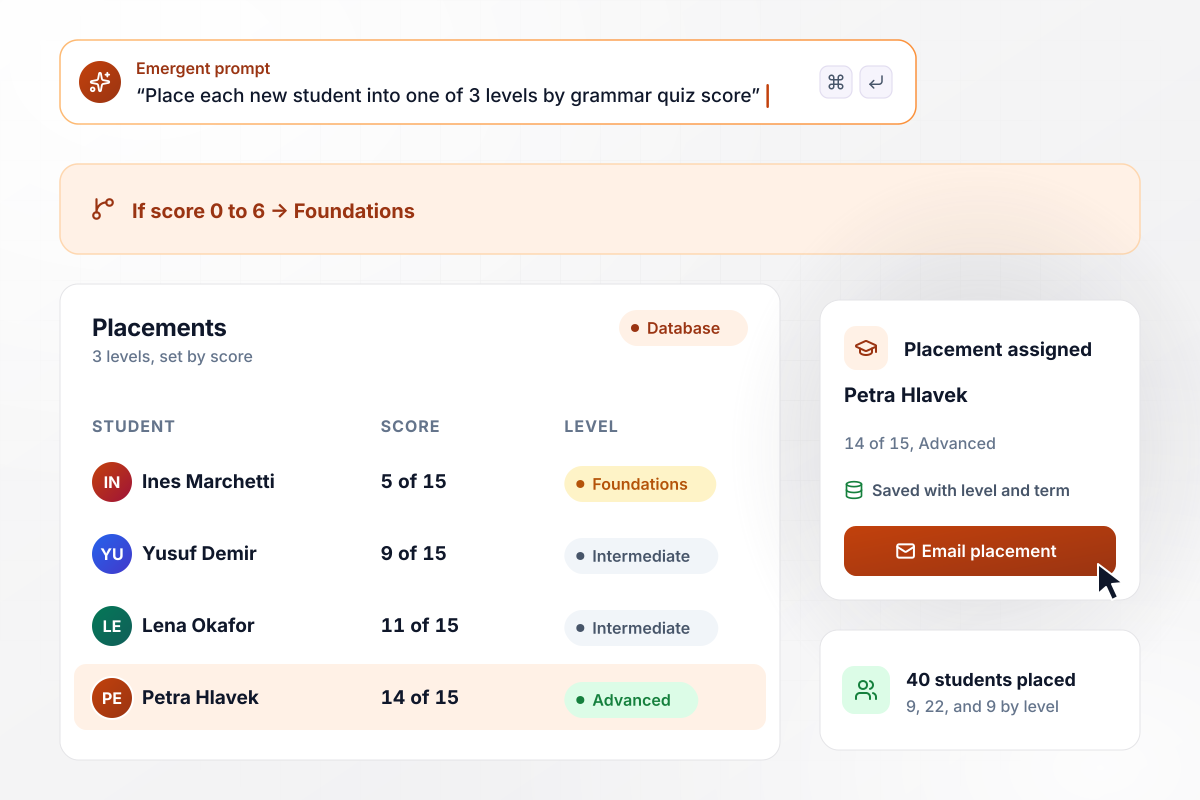
A 15-question quiz sorts enrollment into 3 levels
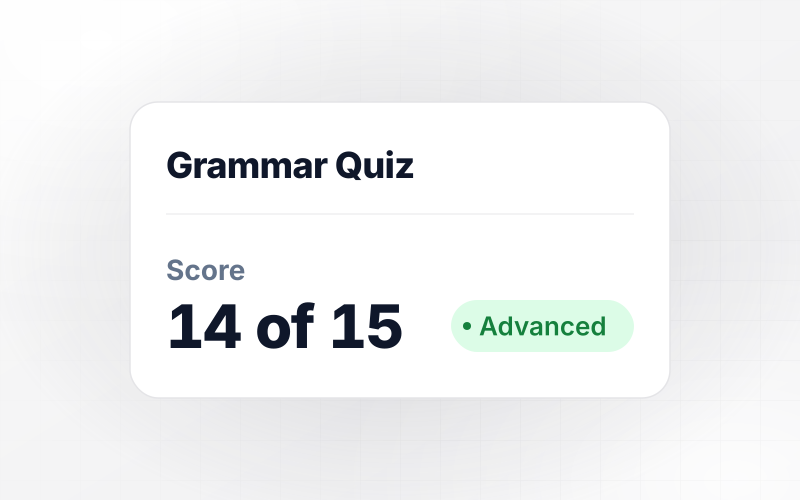
Tidemark Language School enrolls 40 new students each term, and each one takes a 15-question grammar quiz at sign-up. Score bands set the 3 levels, and 0 to 6 lands in Foundations. This term the quiz placed 9 students in Foundations, 22 in Intermediate, and 9 in Advanced before the first class met.
window.awbMockup = { eslPlacement: "Build a 15-question grammar quiz for my language school. New students take it at sign-up. Place 0 to 6 in Foundations, 7 to 11 in Intermediate, and 12 to 15 in Advanced, and save every answer with the student and their level so the front desk sees each placement the moment someone finishes.", writerScreening: "Build a 10-question grammar quiz for screening freelance writers. Set the pass mark at 8. Email anyone below it a polite decline the same day, send anyone at 8 or above a link to a paid test piece, and keep every applicant's score in one table my editors can filter.", weeklyRuleCheck: "Build a 5-question grammar quiz I can send my ninth-grade English class of 26 every Friday. Save each answer with the student and the rule it tests, and show me which students have missed the same rule 3 weeks in a row so I can plan a Tuesday small group.", courseLeadMagnet: "Build a free grammar quiz for my punctuation course site. When someone finishes, show their score, ask for their email, and send a two-minute lesson on whichever rule they missed most. Keep every taker, score, and weakest rule in a table I own." };
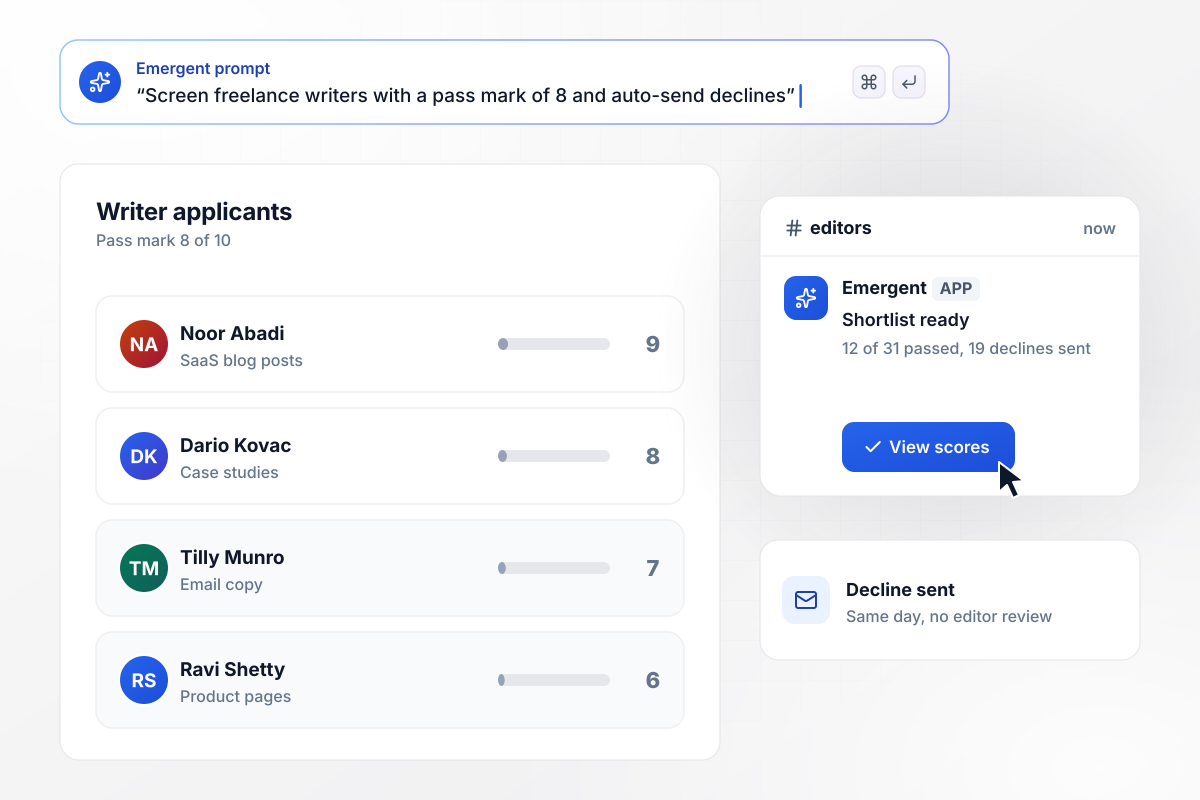
The decline goes out with no editor reading tests
Quillstone Content sends each freelance applicant a 10-question grammar quiz with a pass mark of 8. Anyone under the mark gets a decline email the same day; anyone at or over it gets a paid test piece. Of the last 31 applicants, 12 passed and 19 got declines, and only passing names reached the editors' Slack channel.
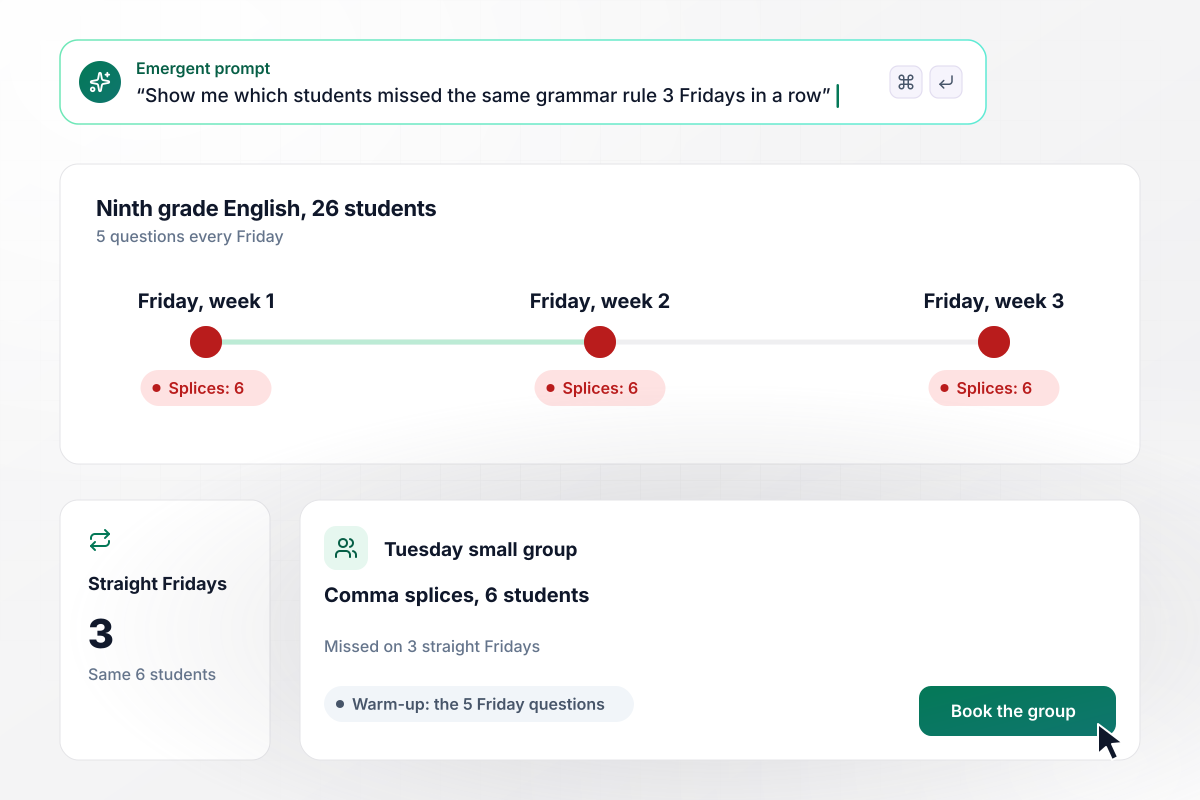
One missed rule, 3 straight Fridays, a Tuesday group
Every Friday, the 26 ninth graders in Rowanfield High's English class take a 5-question grammar quiz on the week's rules. The results table tracks misses by rule and student. When one rule, comma splices, showed the same 6 students missing it on 3 straight Fridays, their teacher booked a Tuesday small group.
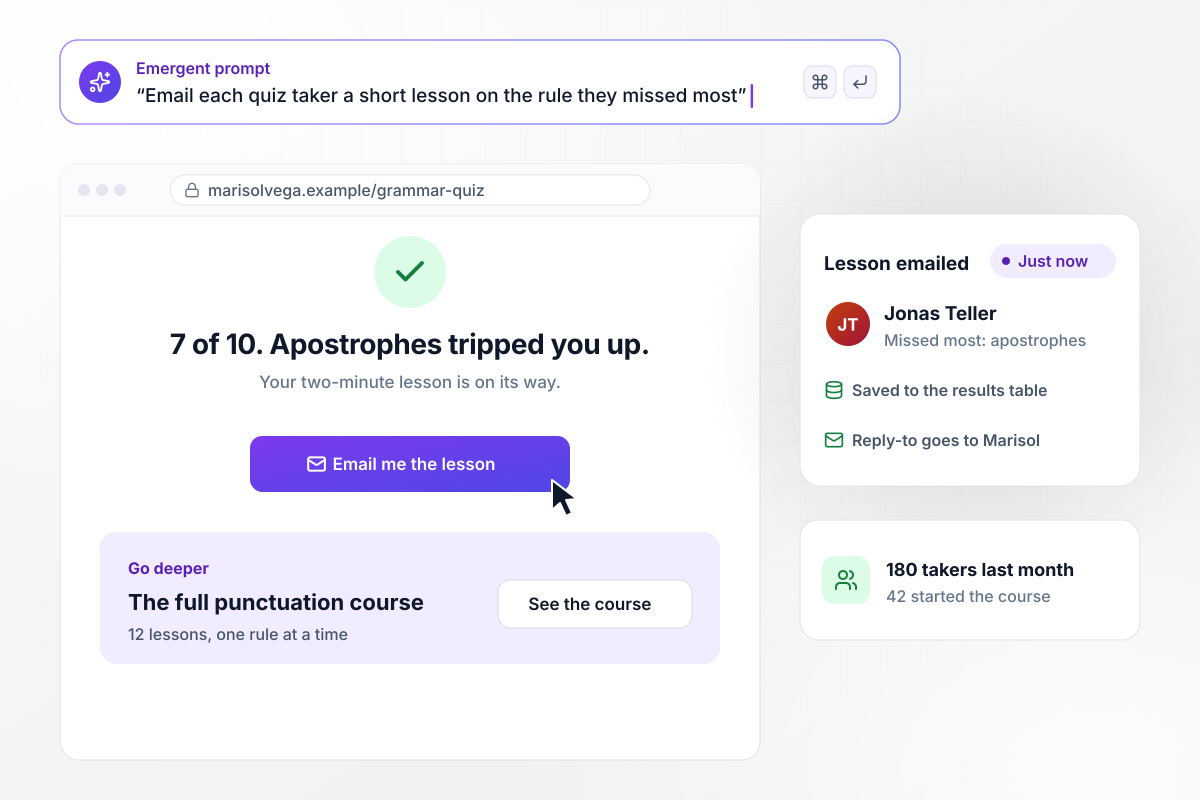
The quiz emails each taker the rule they missed most
Marisol Vega sells an online punctuation course, and a free grammar quiz on her site is how readers find it. When a taker finishes, the app emails them a short lesson on the rule they missed most and saves their score. Last month, 180 people took the quiz and 42 of them started the course.






How to Create a Grammar Quiz
Seven steps to create a grammar quiz whose wrong answers are real mistakes and whose score tells you what to teach next.
Pick 5 to 8 rules you see in real writing, such as comma splices, apostrophes, and subject-verb agreement. A quiz built on the mistakes your takers actually make reads as fair, and the results tell you something you can act on.
Decide what happens at each band before you write a question: a placement level, a pass mark with a decline email, or a lesson sent to the taker. The trigger shapes how many questions you need and how hard they should be.
Write each question as a sentence someone could have typed, then ask what fixes it or which version is correct. A rule quoted from a handbook tests memory; a sentence with the error in place tests the skill you care about.
Give every question 3 or 4 options, and make each wrong one a mistake people actually type, such as its for it's. An option nobody would pick pads the question without telling you anything about the taker.
Write one or two lines per question that name the rule and show the corrected sentence. A taker who sees why their pick failed leaves knowing more than they arrived with, and a screening quiz can skip this screen entirely.
Describe the quiz and its score bands in one prompt, and Emergent drafts every question along with the results table behind it. Take it yourself before anyone else does, and fix any question where you can argue for two answers.
Sort the results by question once real answers arrive. A question everyone gets right is not pulling its weight, and one everyone misses may be badly worded rather than hard; rewrite either with a follow-up prompt and keep the score bands as they are.
Why Build a Grammar Quiz With Emergent?
Take the quiz above, then build your own: one prompt sets the questions and what each score band triggers.

|
ProProfs | Interact (quiz specialist) | Typeform | |
|---|---|---|---|---|
| How you build | Prompt for the survey, quiz, or poll and the app around it | Templates, question library, and AI quiz builder | Templates and AI quiz maker | Templates and editor, AI assist |
| Pricing model | Credits, no response caps or per-response fees | Free plan, then billed per active quiz taker | Free plan capped by monthly responses, then paid plans | Plans by monthly response limit; discount for annual billing |
| Where responses live | A database table you own, plus any integration | ProProfs account; reports export to Excel, CSV, or PDF | Interact account | Typeform account |
| Code ownership | Full code export to GitHub on paid plans | None | None | None |



Pick the Pricing Plan That Works for You
Choose the plan that fits your building ambitions. From weekend projects to enterprise applications, we've got you covered.




Find the right survey, quiz, or poll
for your team
Frequently Asked Questions
Your Questions, Answered
Don't change this element unless you know what you are doing
More things you can build
with Emergent









on Emergent today


