

Build a Food Quiz That Serves a Dish or a Score
Take the food quiz below, then build one that matches tastes to a dish or grades answers and saves them to a table you own.
Build a food quiz for my taqueria that matches each taker to one of four tacos and saves every answer to a table I own.
Trusted by Builders Worldwide
Active Builders Worldwide
Apps Successfully Created
Countries Globally Reached



Inside Every Food Quiz Emergent Builds
Describe the quiz once. Emergent builds the questions and the result screens, plus a table that catches every answer.
Matched or graded, from the same prompt
Say which way the quiz ends: every option can point to a result, or an answer key can score it. Emergent builds either from one prompt and rewrites any question you name.
Result screens with a next step
Each result names what happens after the last question: the dish to order, the practice set to open, or the list to join. Edit any result screen by describing the change.
Every answer lands in your table
Each finished quiz writes a row in a table you own: the picks, the result, and the time it came in. Filter by result before a menu change or before a classroom retake.
Email capture synced through any API
An email step after the result screen saves each address beside its result, and the app syncs both into any tool with an API, from a mailing list to a CRM you already run.
One question per screen, no caps
Takers answer one question per screen on a phone, and Emergent puts no response cap on the quiz, so a round that spreads past your own crowd keeps counting every finish.
The code comes with you
Export the full code of the quiz to your GitHub repository on paid plans, rerun it next season, or hand it to a developer. The quiz you built this year stays yours to run.
How Four Teams Put a Food Quiz to Work
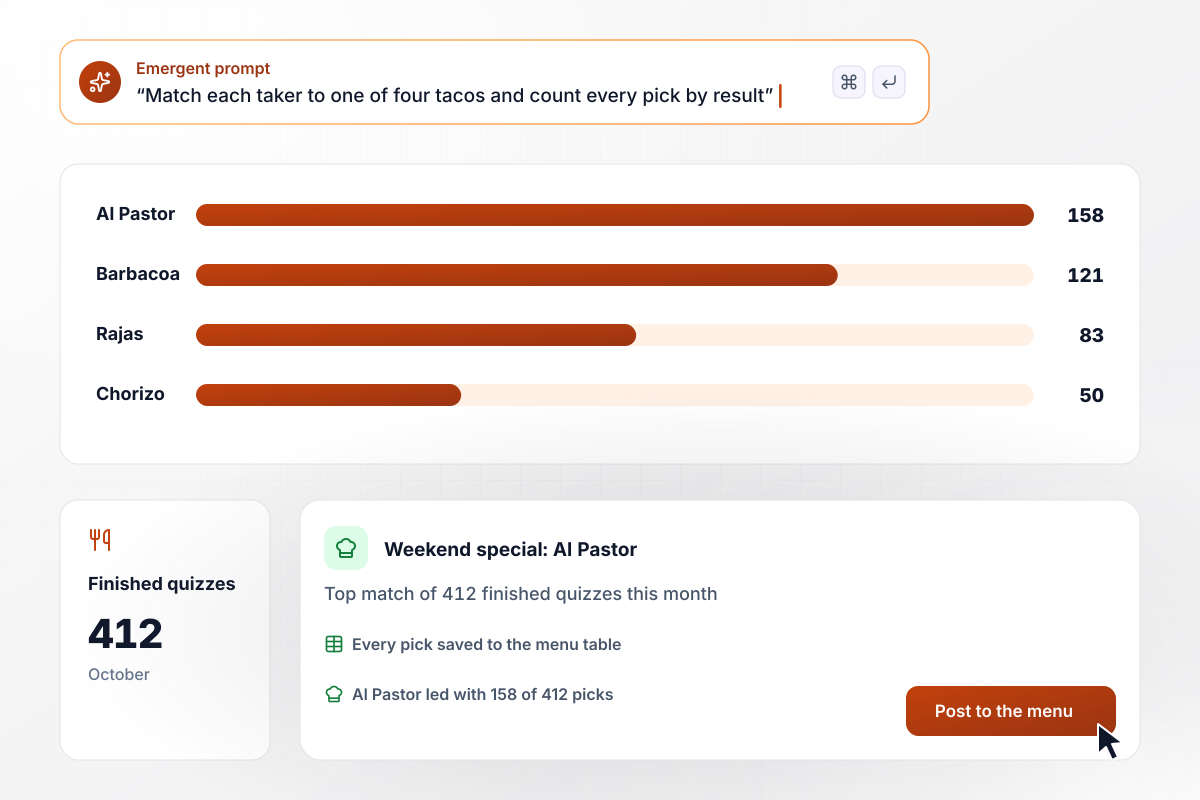
The kitchen reads 412 matches and picks one special
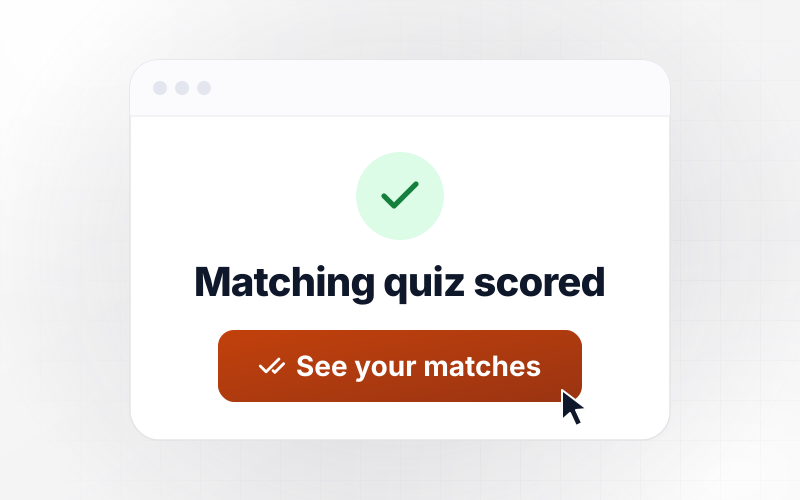
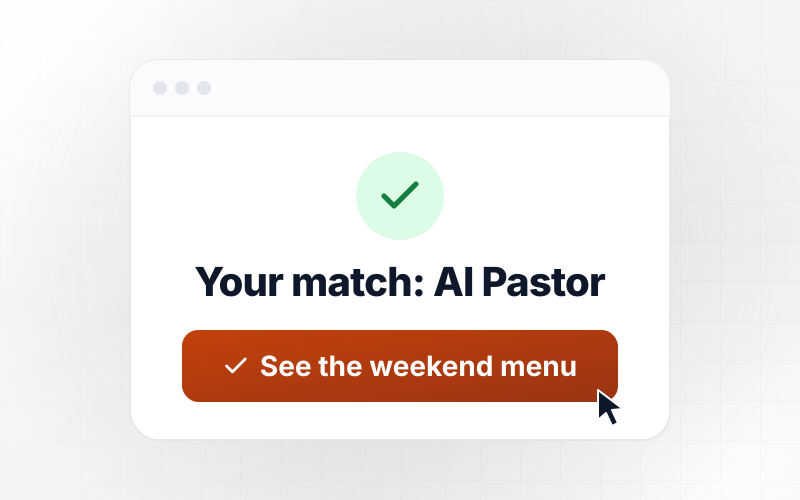
Mirela Stanchev takes the menu match quiz on Peppervine Taqueria's site and lands on Al Pastor. October closes with 412 finished quizzes: 158 Al Pastor, 121 Barbacoa, 83 Rajas, and 50 Chorizo. The kitchen reads the split and runs Al Pastor as the weekend special, with every pick saved to the menu table.
window.awbMockup = { menuMatch: "Build a food quiz for my taqueria called Which Taco Is Yours. Ask about heat, salsa, texture, and toppings, and match each taker to one of four tacos: Al Pastor, Barbacoa, Rajas, or Chorizo. Show the matched taco on the result screen with today's hours, and save every pick and result to my menu table with a timestamp.", gameNight: "Build a 15-question food round for my taproom's Thursday game night. Score each team's sheet as it comes in, show a live standings board I can put on the bar screen, and flag any question more than half the teams miss so I can swap it. Save every team, score, and night to my rounds table.", classroomGrading: "Build a food groups quiz for my class of 24 that grades itself as each student finishes. Use one question per screen, keep the reading level at fourth grade, and assign a practice set to any score under 7 of 10. Show me which question was missed most, and save every score to my gradebook table.", mealKitEmails: "Build a weeknight cooking style quiz for my meal kit brand with three results: Pan Minimalist, Batch Planner, and Slow Simmerer. After the result screen, ask for an email, tag each address with its style, and sync the tagged list to my mailing tool. Show me a monthly count of finishes, emails, and styles." };
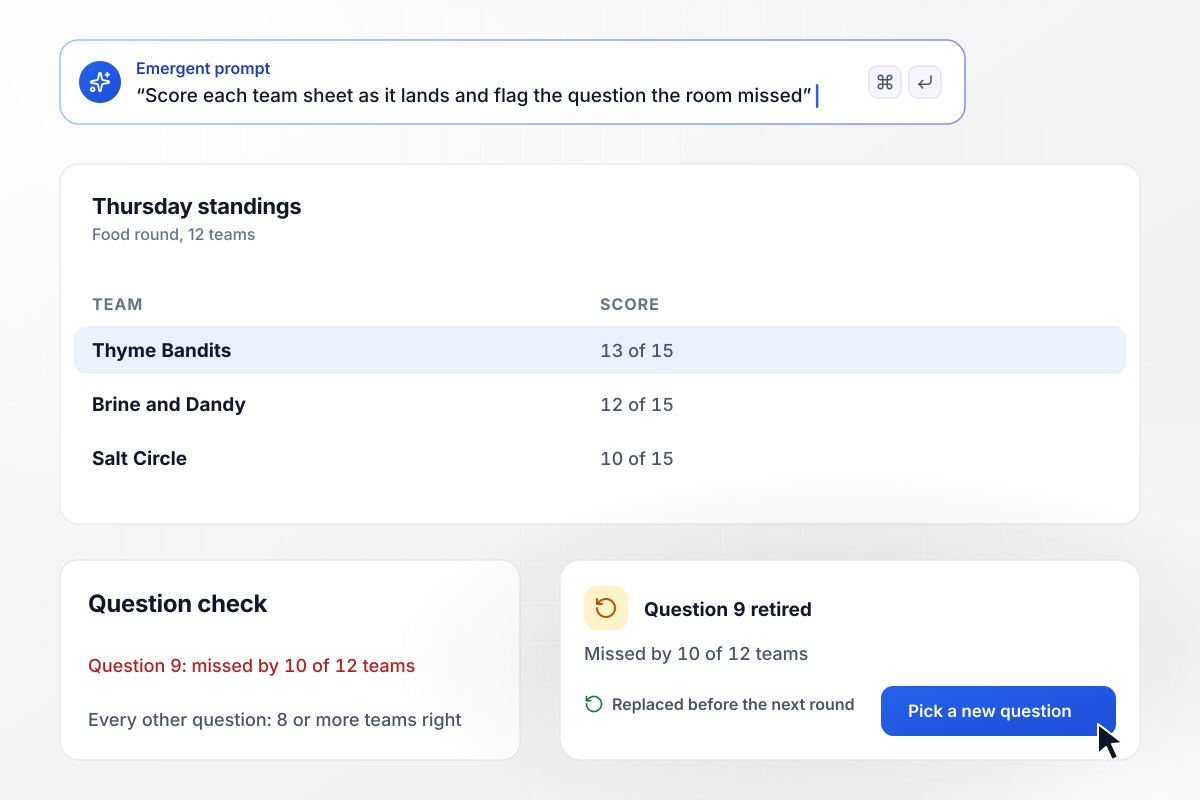
Question 9 misses its mark and leaves the round
Copper Kettle Taproom scores its 15-question food round live for 12 teams on Thursday nights. Question 9 stumps 10 of the 12; the host swaps it before next week. The Thyme Bandits take the night with 13 of 15, and every team's sheet lands in the rounds table before the bar closes.
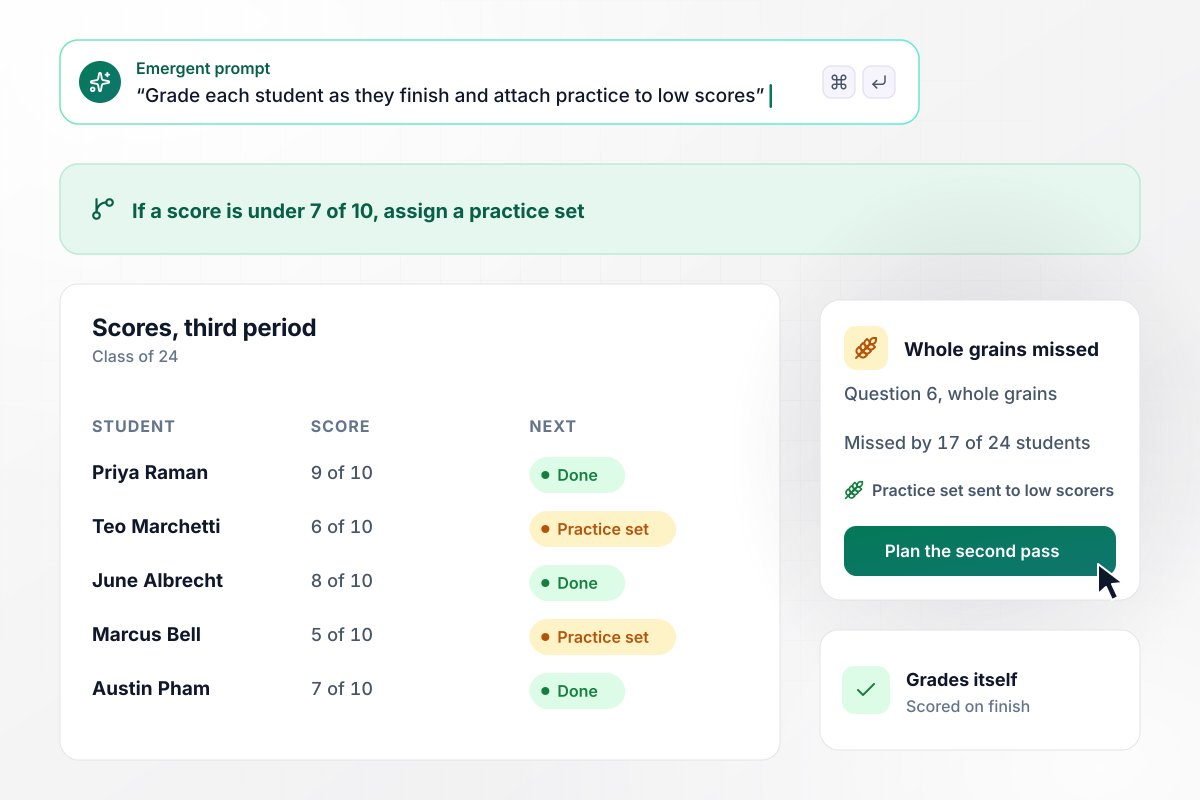
Whole grains, missed by 17, get a second pass
Rosalind Achebe's class of 24 takes a food groups quiz on classroom tablets, and it grades itself as each student finishes. Question 6, on whole grains, is missed by 17 of 24. Monday opens with a second pass at the topic, and every score under 7 of 10 comes with a practice set attached.
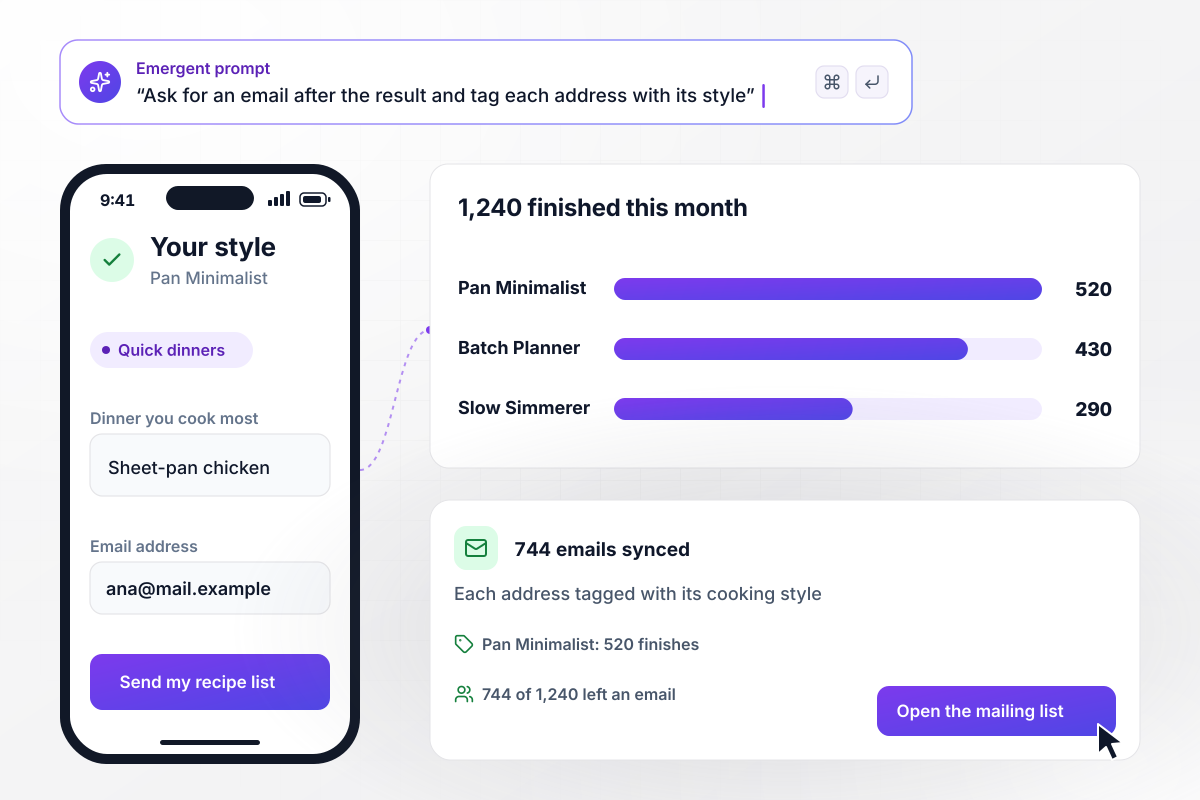
Every captured email carries its cooking style
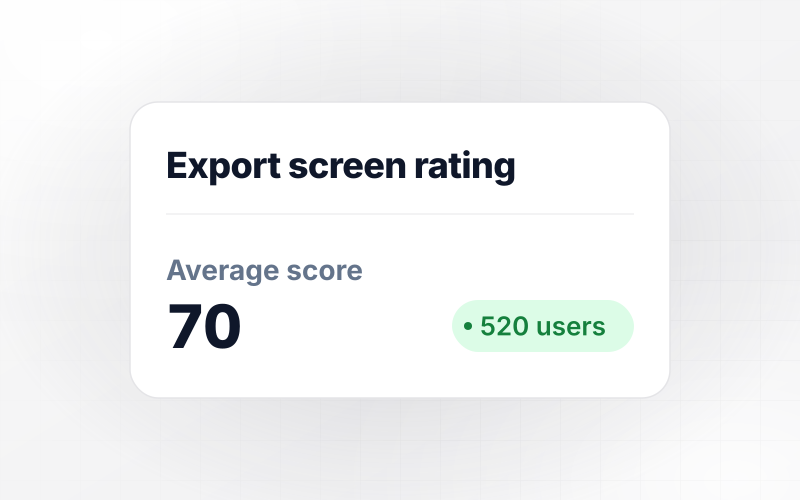
Supper Trail's weeknight cooking style quiz closes the month at 1,240 finishes: 520 Pan Minimalist, 430 Batch Planner, and 290 Slow Simmerer. 744 takers leave an email at the result screen, and the app tags each address with its style and syncs the tagged list to the brand's mailing tool.






How to Make a Food Quiz
Seven steps to make a food quiz that matches a taste or totals a score, then build it on Emergent.
Pick the ending before anything else: a matched dish for a menu, a graded score for a class or a game night, or a style that feeds a mailing list. Every question you write afterward has to point at that ending.
Write 3 to 5 results first, each with a name, 2 lines of description, and a next step someone can take tonight. If a result cannot suggest anything, cut it and fold its answers into one that can.
Keep a food quiz between 6 and 10 questions, and make each one a single choice, like crunchy or creamy, or mild or on fire. Skip anything a taker has to research; the fun is in answering fast.
For a matched quiz, point every option at one result and check that each result is reachable. For a graded one, mark the correct option and set the score bands, like a practice set under 7 of 10.
Describe the quiz in plain English, from the questions and the results down to the table that collects every answer. Emergent builds the whole thing, and a follow-up prompt renames a result or swaps a question.
Run one pass per ending you expect: the match you predicted, the top score, the worst score. Read each result screen as a stranger would, and fix any ending that lands wrong before the quiz leaves your desk.
Share the link, then watch the rows come in: results and scores, plus emails if you ask for them. Swap the question everyone misses, retire a result nobody lands on, and run the next round with a sharper quiz.
Why Build a Food Quiz on Emergent?
A food quiz pays off after the result screen. The table shows how each tool builds one and who owns the answers and the code.

|
ProProfs | Interact (quiz specialist) | Typeform | |
|---|---|---|---|---|
| How you build | Prompt for the survey, quiz, or poll and the app around it | Templates, question library, and AI quiz builder | Templates and AI quiz maker | Templates and editor, AI assist |
| Pricing model | Credits, no response caps or per-response fees | Free plan, then billed per active quiz taker | Free plan capped by monthly responses, then paid plans | Plans by monthly response limit; discount for annual billing |
| Where responses live | A database table you own, plus any integration | ProProfs account; reports export to Excel, CSV, or PDF | Interact account | Typeform account |
| Code ownership | Full code export to GitHub on paid plans | None | None | None |


Pick the Pricing Plan That Works for You
Choose the plan that fits your building ambitions. From weekend projects to enterprise applications, we've got you covered.




Find the right survey, quiz, or poll
for your team
Frequently Asked Questions
Your Questions, Answered
Don't change this element unless you know what you are doing
More things you can build
with Emergent









on Emergent today


