

Build Screening Survey Questions That Find the Right People
Build screening survey questions that qualify the right people and save every answer to a database you own.
Build screening survey questions for my usability study that only qualify people who buy groceries online every week.
Trusted by Builders Worldwide
Active Builders Worldwide
Apps Successfully Created
Countries Globally Reached



What Emergent Builds Into a Screener
Emergent builds the questions and the rules that sort each answer, so the people who reach your study are the ones it needs.
Questions drafted from your profile
Describe the people the study needs, such as weekly online grocery shoppers. Emergent drafts the screening questions and answer options, and a follow-up prompt edits any of them.
A qualify or screen-out path per answer
Mark which answers qualify and which end the survey. People who screen out see a short thank-you page, and qualifiers move on to the main questions or a page to book a session.
Quotas that close a group once it is full
Give each group a target, such as 60 completes per company size. The screener counts completes as they arrive and sends anyone who lands in a full group to the close page.
Every answer saved in a database you own
Each answer is a row in a database you own, with the qualify result and the invite list it came from. Filter to the people who qualified and read their open answers before inviting.
A Slack message when someone qualifies
Pick who hears about new qualifiers: a Slack message to the research channel or an email to the study lead. Invited people who have not picked a session time get a reminder.
Your domain and your code
Host the screener on your own domain, included in Emergent and using credits. On paid plans, export the full code to your GitHub repository and reuse the screener for the next study.
How Four Teams Screen Who Takes Part
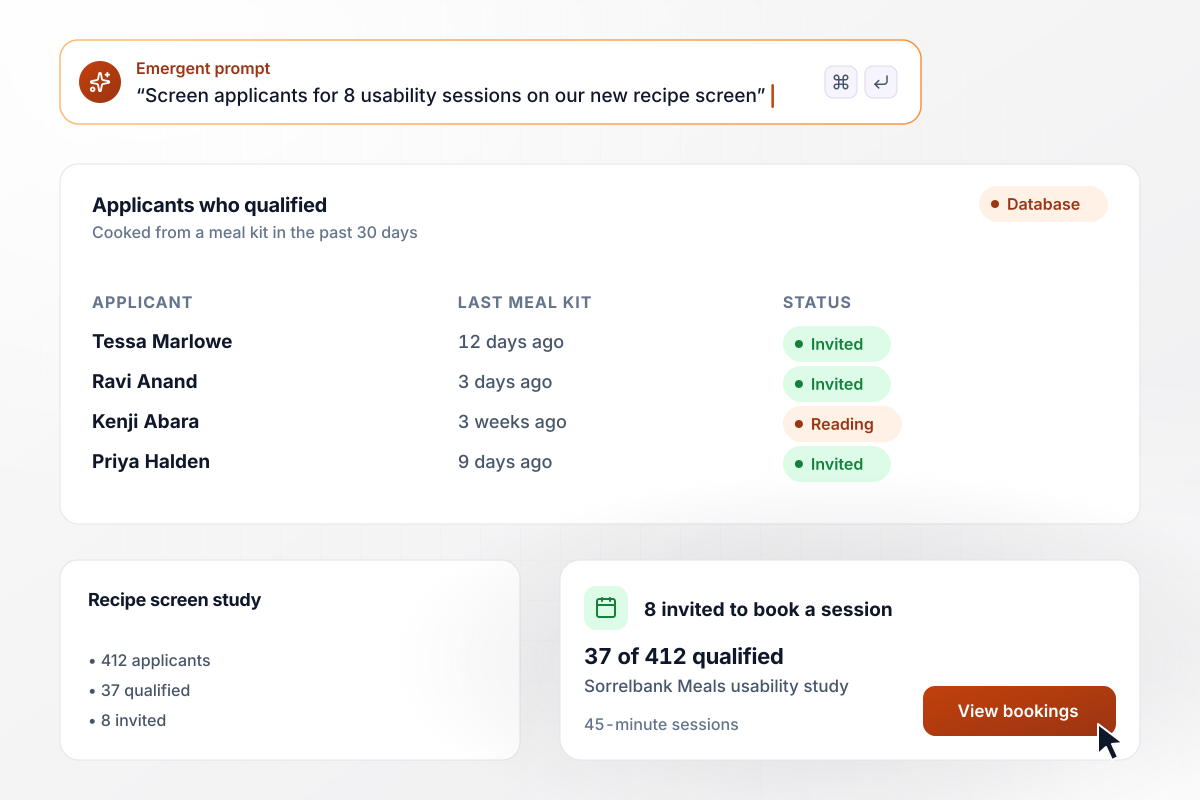
Sorrelbank invites 8 people from 37 who qualified
Sorrelbank Meals needs 8 people for 45-minute usability sessions on its new recipe screen. The screener asks when each applicant last cooked from a meal kit, and only answers within the past 30 days qualify. Of 412 applicants, 37 qualified. The researcher read their open answers and invited 8 to book a session.
window.awbMockup = { usabilityRecruit: "Screen applicants for 8 usability sessions on our new recipe screen. Ask when they last cooked from a meal kit, and qualify only answers within the past 30 days. Add one open question about the last kit they cooked. Show me everyone who qualified with their open answer, and let the people I invite book a 45-minute session.", b2bQuotas: "Screen IT buyers for our study: ask role first, then company size, then who signs off on software purchases. Set a quota of 60 completes for companies with 50 to 499 employees and 60 for companies with 500 or more. When a group is full, send later applicants in it to a polite close page.", distractorCheck: "Recruit Android beta testers for my running app who ran 3 or more times last week. List running among 8 activities, such as cycling and yoga, and ask which ones they did. Set aside anyone who ticks all 8, and qualify people who pick running and log 3 or more runs.", incidenceByList: "Find home espresso drinkers for a taste survey. Send one screener to our espresso club list and our newsletter list, and tag each answer with the list it came from. Show how many people started, how many qualified, and the incidence rate for each list side by side." };
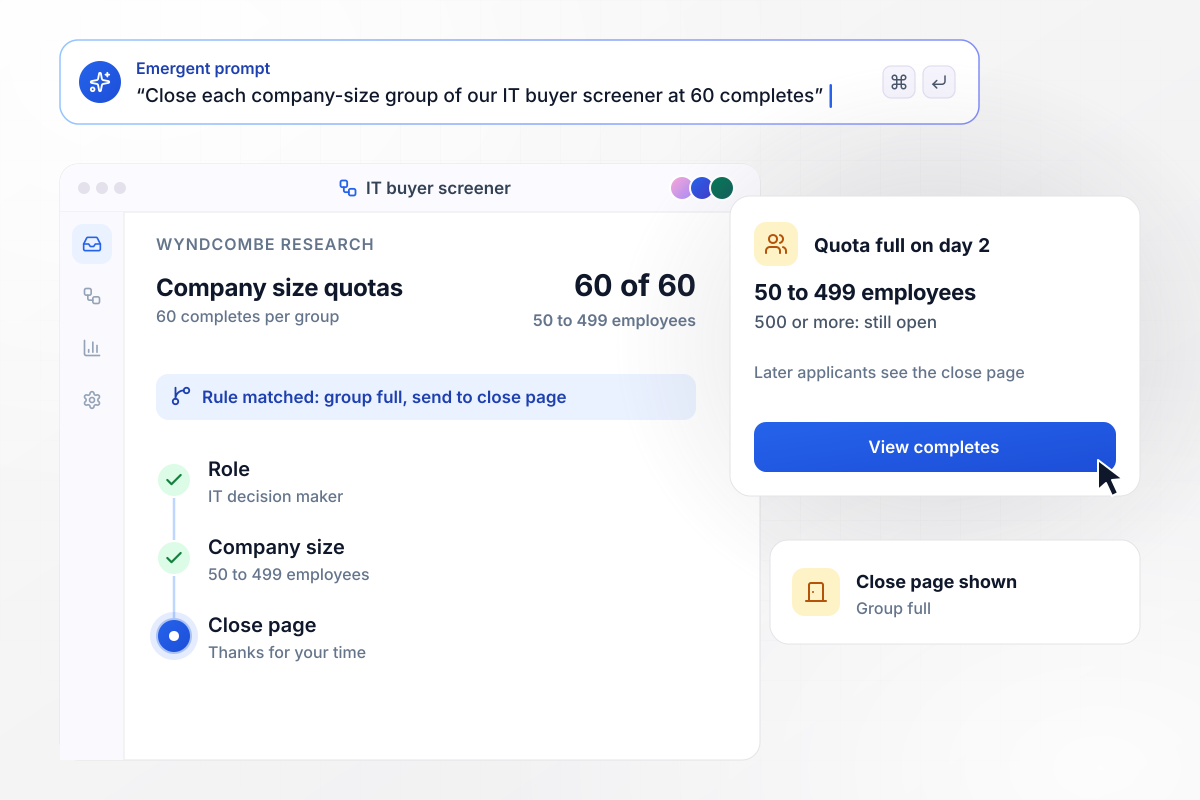
Each group by company size closes at 60 completes
Wyndcombe Research screens IT buyers in order: role, then company size, then who signs off on software. Each size group has a quota of 60 completes, for 50 to 499 employees and for 500 or more. The smaller group filled on day 2, and later applicants in that group saw the close page.
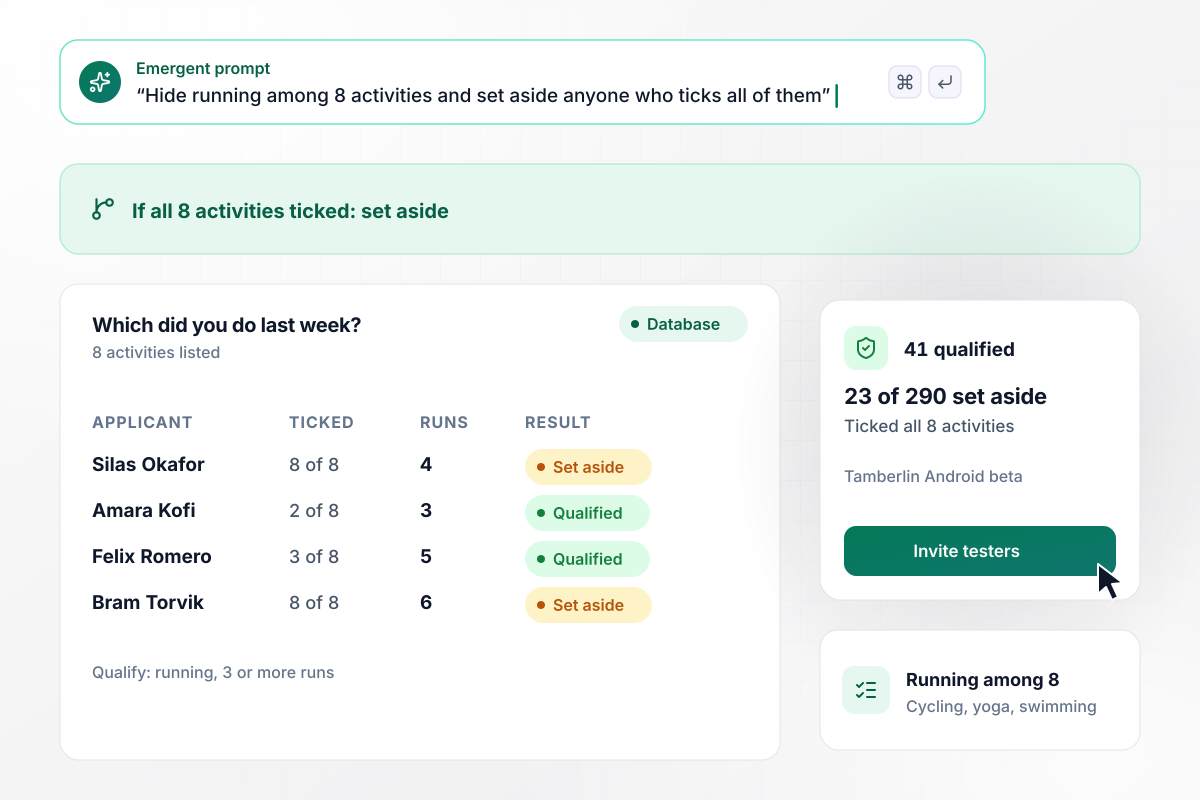
Anyone who ticks all 8 activities is set aside
Before its Android beta, the running app Tamberlin wants testers who ran 3 or more times last week. Its screener lists running among 8 activities, such as cycling and yoga. Of 290 applicants, 23 ticked all 8 and were set aside. Another 41 picked running, logged 3 or more runs, and qualified.
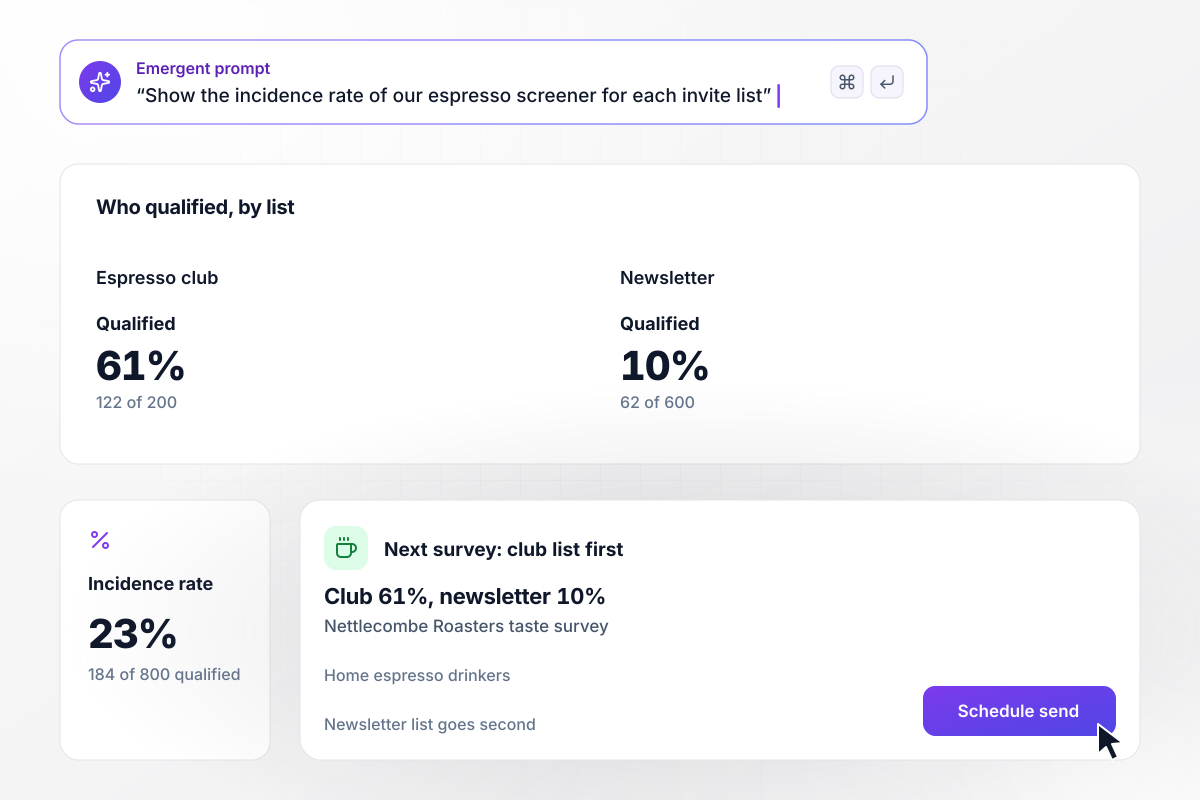
From the club list, 122 of 200 qualified
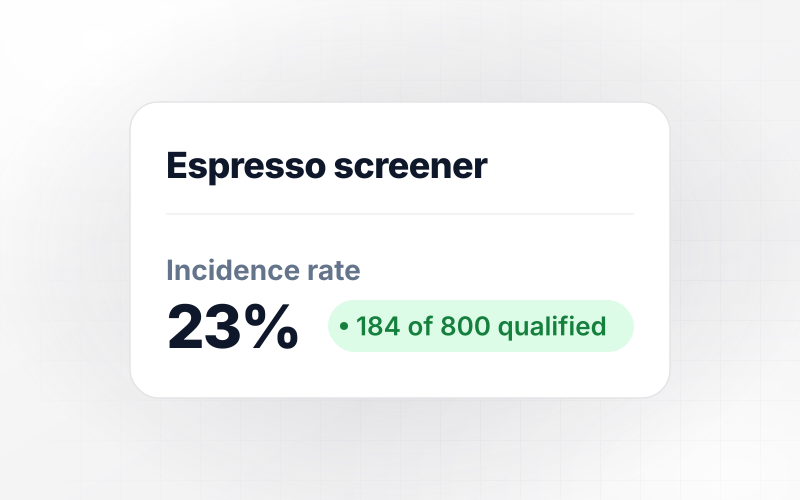
Nettlecombe Roasters sends one screener to two lists to find home espresso drinkers for a taste survey. Of the 800 people who started, 184 qualified. By list, 122 of 200 espresso club members qualified against 62 of 600 newsletter readers. Next quarter, the club list hears first.






How to Write Screening Survey Questions
Seven steps to write screening survey questions that admit only the people your study needs, then build the screener with Emergent.
List the 2 or 3 traits every participant must have, such as running 3 times a week, and any trait that rules someone out. Each of the screening questions for your survey should test one trait on that list. Put the profile in your prompt, and Emergent drafts the questions.
SurveyMonkey's guide says to put all screening questions at the very beginning of your survey. Add a page break after the last one. Anyone who screens out then leaves before answering questions you will never use.
Ask what people do before you ask how often they do it or which brand they buy. CloudResearch's advice is to start broad and then get specific. Each answer narrows the pool, and no single question names the person you want.
Nielsen Norman Group describes distractors as incorrect answer choices which camouflage the right answer. List the behavior you need among plausible ones, like running among cycling and yoga. An applicant then cannot spot which pick gets them in.
Nielsen Norman Group defines an open-ended question as one that asks people to answer in their own words. Ask about the last time they did the behavior you need, and read those answers before you invite anyone.
Give each group you need a target number of completes, such as 60 per company size. Write a short close page that thanks people and ends the survey without saying which answer screened them out.
Take the screener yourself once as a qualifier and once for each way to screen out. After launch, watch the incidence rate: SurveyMonkey defines it as the percentage of respondents who pass your screening questions and go on to take your survey.
Why Build Your Screener on Emergent?
A screener is only as good as its qualify rules. Emergent writes them from your prompt and keeps every answer in tables you own.

|
SurveyMonkey | Microsoft Forms | SurveyHero | |
|---|---|---|---|---|
| What you get | Survey, logic, and response database, as code you own | Survey builder with templates, including employee engagement | Surveys, quizzes, and polls with response summaries | Survey builder with templates, including employee satisfaction |
| Pricing model | Credits, no response caps or per-response fees | Per-user team plans with a seat minimum, billed annually | Free with a Microsoft account; included in Microsoft work and school subscriptions | Free plan, then per-account plans with unlimited responses |
| Where responses live | A database table you own, plus any integration | SurveyMonkey account | Microsoft Forms, with export to Excel | SurveyHero account, EU data centers |
| Code ownership | Full code export to GitHub on paid plans | None | None | None |


Pick the Pricing Plan That Works for You
Choose the plan that fits your building ambitions. From weekend projects to enterprise applications, we've got you covered.




Find the right survey, quiz, or poll
for your team
Frequently Asked Questions
Your Questions, Answered
Don't change this element unless you know what you are doing
More things you can build
with Emergent









on Emergent today


