

Build Funny Survey Questions Whose Answers Get Used
Get funny survey questions in a survey built from a prompt, with every answer saved to a database you own.
Build a set of funny survey questions for my 40-person company's team events, with votes tallied on one screen.
Trusted by Builders Worldwide
Active Builders Worldwide
Apps Successfully Created
Countries Globally Reached



What the Survey Does With the Jokes
Six things the survey handles after the funny questions are written, including who gets a vote and where the results go.
Questions drafted for your crowd
Describe who is answering and how far the jokes can go. Emergent drafts the questions and their answer choices, and you swap out any one of them with a follow-up prompt.
Votes counted by name
Ask people to vote for a teammate or a relative from a list of names. The survey tallies the votes for each name, then shows the leader and the runner-up when voting closes.
One question per screen
Run the survey as a conversation, one question at a time. Each punchline gets its own screen on a phone and nobody has to scroll past a joke to reach the next answer box.
Answers in a database you own
Each answer is saved with the person's team or class in a database you own. Filter by team to see which department voted for the toaster, then reuse the list next quarter.
Results sent to Slack or email
Send the tally to a Slack channel or an inbox when the survey closes. A reminder goes out the day before to anyone who has not answered yet, and nobody else gets nudged.
No cap on answers
Emergent puts no cap on survey responses, and a company of 900 people can all vote. Host it on your own domain, paid in credits, and export the code to GitHub on paid plans.
What Four Funny Surveys Were For
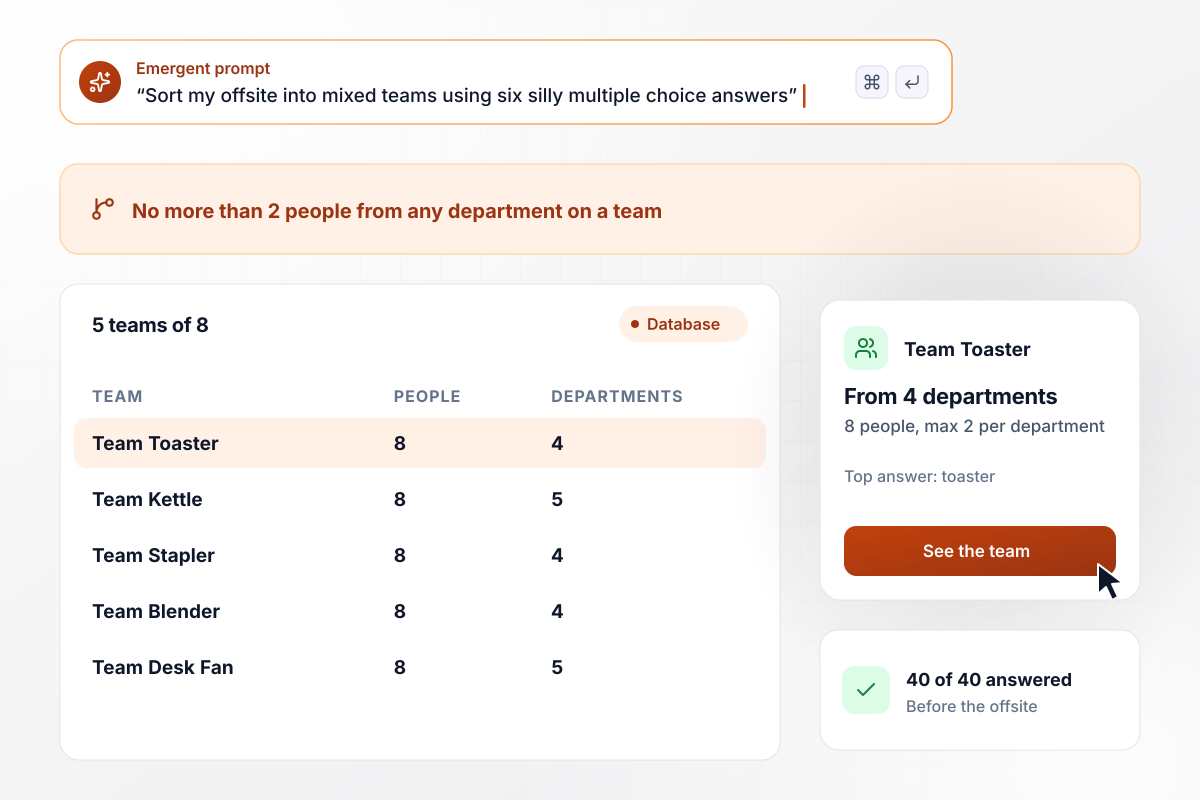
Six silly answers sort the offsite into teams
Before the offsite, all 40 people answer six silly multiple choice questions, like which office appliance they would be. The survey sorts them into 5 teams of 8, with no more than 2 people from any department on a team. Team Toaster ends up with people from 4 departments.
window.awbMockup = { teamOffsite: "Build an icebreaker survey for my 40-person offsite. Ask six silly multiple choice questions, such as which office appliance each person would be. Use the answers to sort everyone into 5 teams of 8, with no more than 2 people from any department on a team, and name each team after its most-picked appliance.", familyReunion: "Build a family awards survey for our reunion. Send each relative a link to vote by name on joke awards, such as longest dinner story, with each award on its own screen. Count the votes per name and give me a printable list of the winners for Saturday.", classroom: "Build a funny warm-up survey for my class. Students answer on their phones, a question per screen, and the last question is a vote on a class mascot: capybara, goose, or sloth. Show me the vote count for each mascot so I can put it on the board.", weeklyQuestion: "Build a weekly question survey for my team. Every Monday at 9 am, post a funny random question to our Slack channel with a link to answer. On Friday, count the votes and post the winning answer and its vote count back to the channel." };
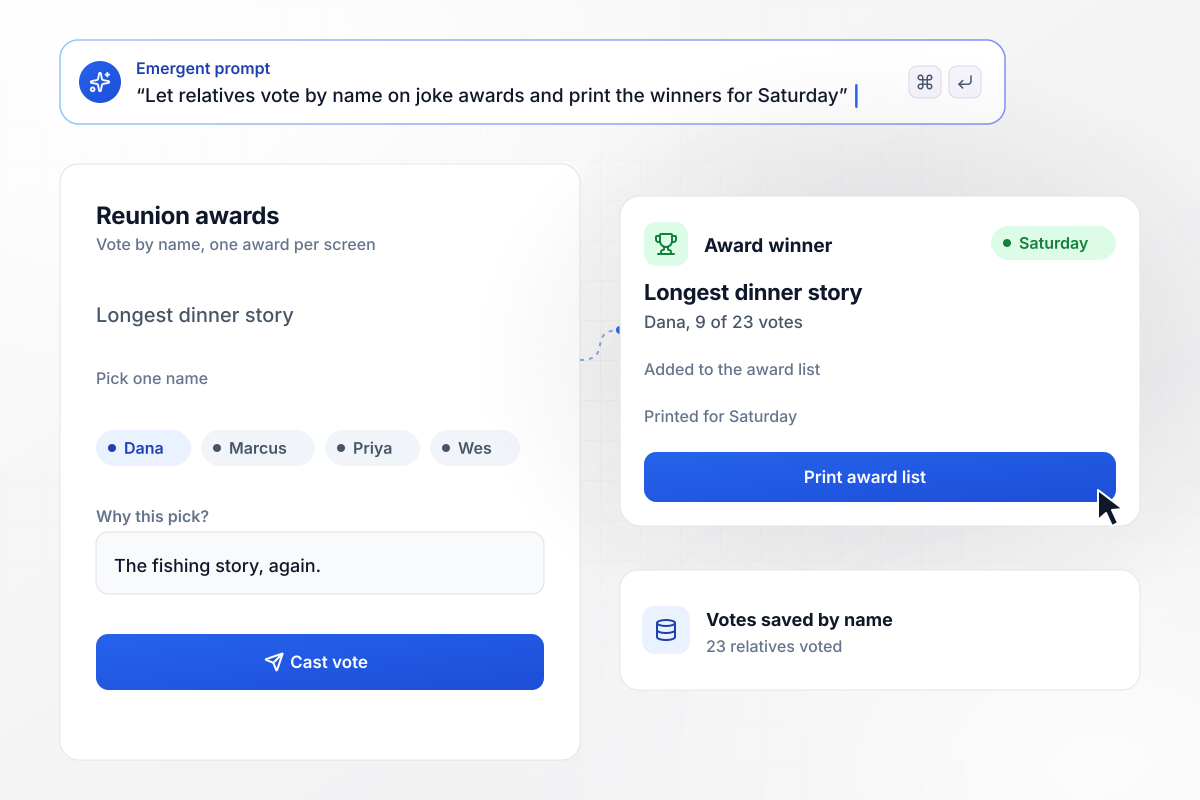
The reunion awards, voted before anyone arrives
Before the family reunion, 23 relatives get a link to vote by name on joke awards, such as longest dinner story. Each award gets its own screen and a list of names to pick from. Dana takes longest dinner story with 9 of 23 votes, and every winner goes onto the award list printed for Saturday.
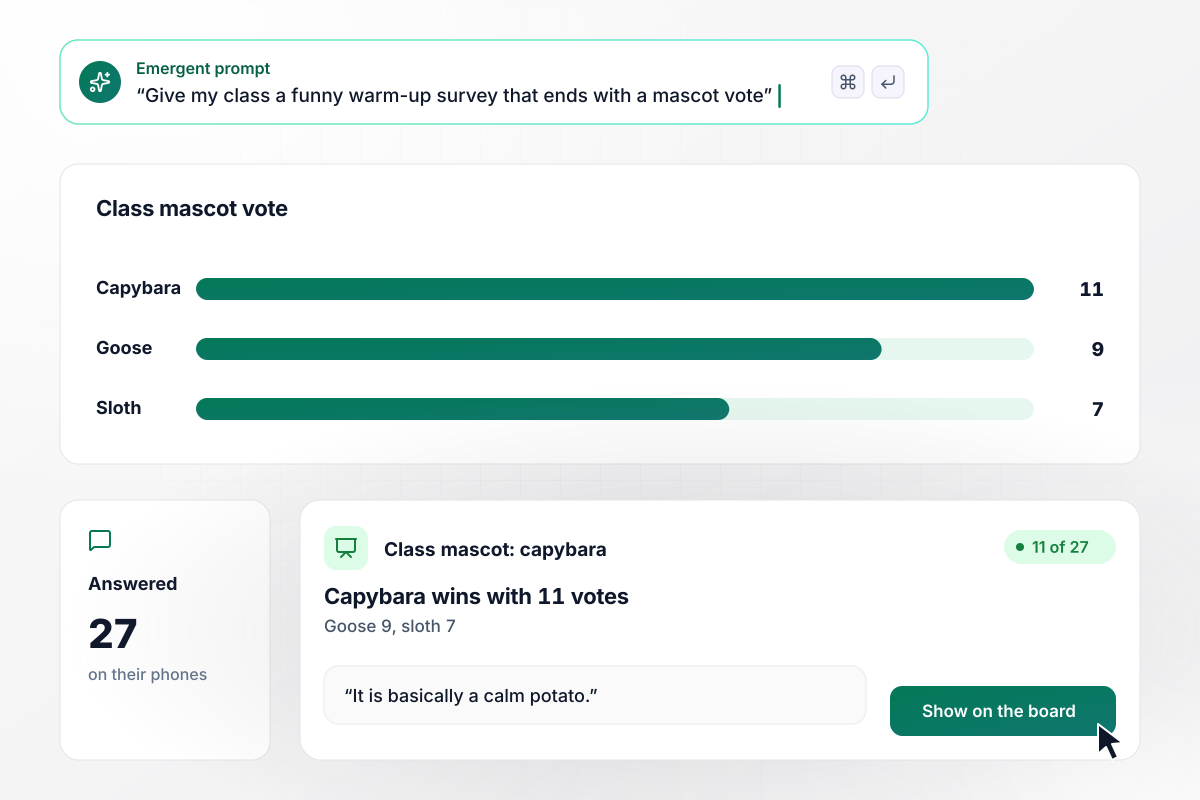
A class mascot picked before the bell
When term starts, 27 students answer funny questions on their phones, a question per screen, ending with a vote on a class mascot. The capybara wins with 11 of 27 votes, ahead of the goose at 9 and the sloth at 7. The teacher puts the result on the board that morning.
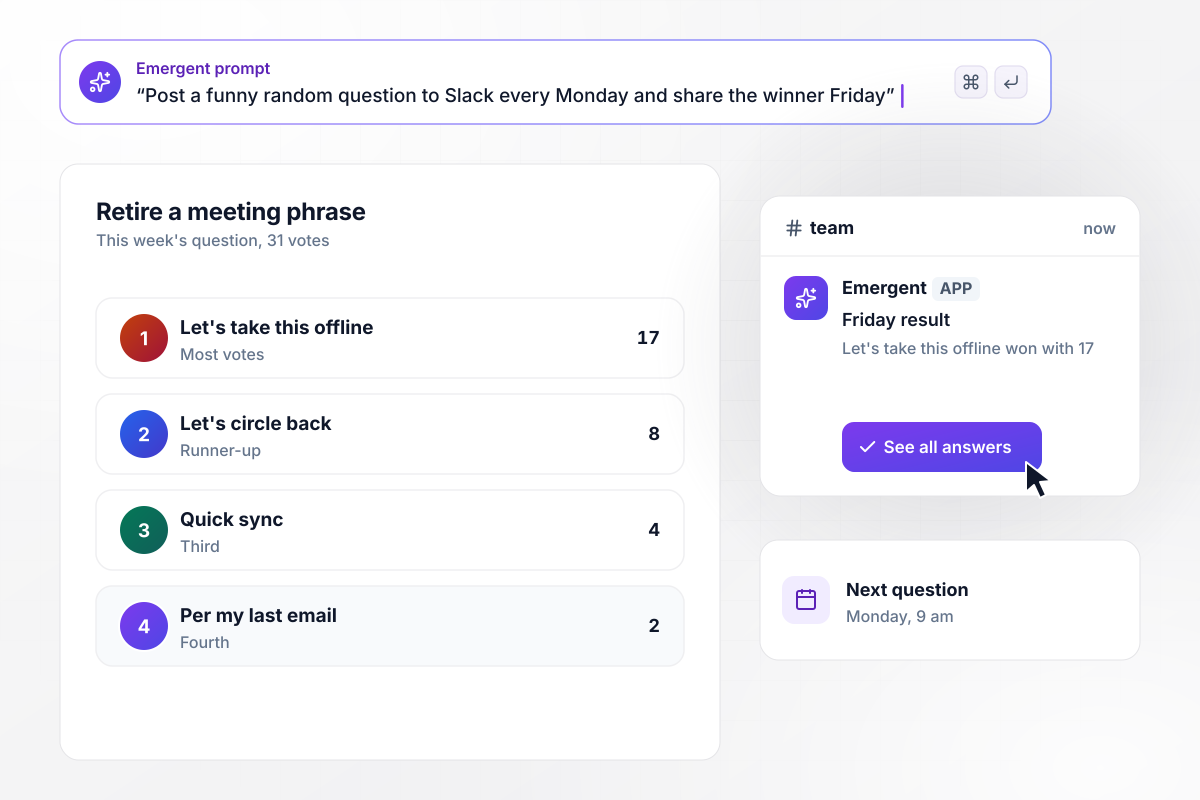
Friday starts with the result of Monday's question
At 9 am every Monday, a funny random question goes to the team channel in Slack with a link to answer. This week asked which meeting phrase should be retired. By Friday, 31 people had voted, and Let's take this offline won with 17. The result posts back to the channel before the Friday meeting.






How to Write Funny Survey Questions
Seven steps to write funny survey questions that land with your crowd and bring back answers you can use.
Before you write the first joke, pick the job the answers will do, such as sorting teams or opening a meeting. A question that feeds that job earns its place. One that only gets a laugh can go.
Write for the people who will read it. An inside joke lands with a team of 12 and confuses a company of 900, and a reference the whole group shares beats a clever one only three people get.
Aim each joke at the situation, like the coffee machine or the Monday meeting, and never at a person in the room. Leave out questions about looks or money altogether.
Use multiple choice for anything you want to tally, and keep one open box for the best one-liners. Even small wording differences can change the answers people give. Read each joke option next to the plain ones before you send it.
The order in which questions are asked can change how people answer. Open with the funny question as a warm-up, and keep it away from any serious question it could color.
Describe the crowd and what the answers should do. Emergent builds the survey and its vote tally from that prompt, and you reword any question with another prompt.
Send the survey to two people first and read their answers before everyone gets the link. Then show the result to the whole group, since the reveal is the part people remember.
Why Build Your Funny Survey With Emergent?
Each vote is saved with the person who cast it, and the tally can sort teams or print awards. Reword any question with a prompt.

|
SurveyMonkey | Microsoft Forms | SurveyHero | |
|---|---|---|---|---|
| What you get | Survey, logic, and response database, as code you own | Survey builder with templates, including employee engagement | Surveys, quizzes, and polls with response summaries | Survey builder with templates, including employee satisfaction |
| Pricing model | Credits, no response caps or per-response fees | Per-user team plans with a seat minimum, billed annually | Free with a Microsoft account; included in Microsoft work and school subscriptions | Free plan, then per-account plans with unlimited responses |
| Where responses live | A database table you own, plus any integration | SurveyMonkey account | Microsoft Forms, with export to Excel | SurveyHero account, EU data centers |
| Code ownership | Full code export to GitHub on paid plans | None | None | None |


Pick the Pricing Plan That Works for You
Choose the plan that fits your building ambitions. From weekend projects to enterprise applications, we've got you covered.




Find the right survey, quiz, or poll
for your team















Frequently Asked Questions
Your Questions, Answered
Don't change this element unless you know what you are doing
More things you can build
with Emergent









on Emergent today


