

Build a Scored Quiz That Weights Questions and Sets a Pass Mark
Get a scored quiz that weights each question and shows a result screen for each score band.
Build a scored quiz for new hires with 15 questions, where safety questions are worth 2 points and the pass mark is 16 of 20.
Trusted by Builders Worldwide
Active Builders Worldwide
Apps Successfully Created
Countries Globally Reached



What Emergent Builds Into a Scored Quiz
A scored quiz adds up the points from each answer and turns the total into a result. Emergent builds both from a prompt.
A point value on every question
Tell Emergent which questions matter more, such as 2 points for each safety question and 1 for the rest. The top score and the pass mark update whenever a weight changes.
A result screen for each band
Split the score range into bands, such as 0 to 9, 10 to 15, and 16 to 20, and give each one its own title and message. Players see theirs right after the last answer.
Partial credit where it is fair
Select-all questions can earn a point for each correct pick instead of all or nothing. Decide whether a wrong pick costs a point; the app never scores a question below 0.
An alert when someone misses the mark
Pick a pass mark, and the app emails the trainer or posts to a Slack channel with the name of each person who scored under it. Reminders follow until the retake is done.
Every answer kept with its points
Each answer is saved as a row in a database you own, with the points it earned. Sort by question to find the one that costs players the most, then rewrite it before round 2.
Your domain and the full code
Run the quiz on your own domain; custom domains are included in Emergent and use credits. Paid plans export the full code to your GitHub repository for a developer to extend.
Four Scored Quizzes, Four Point Rules
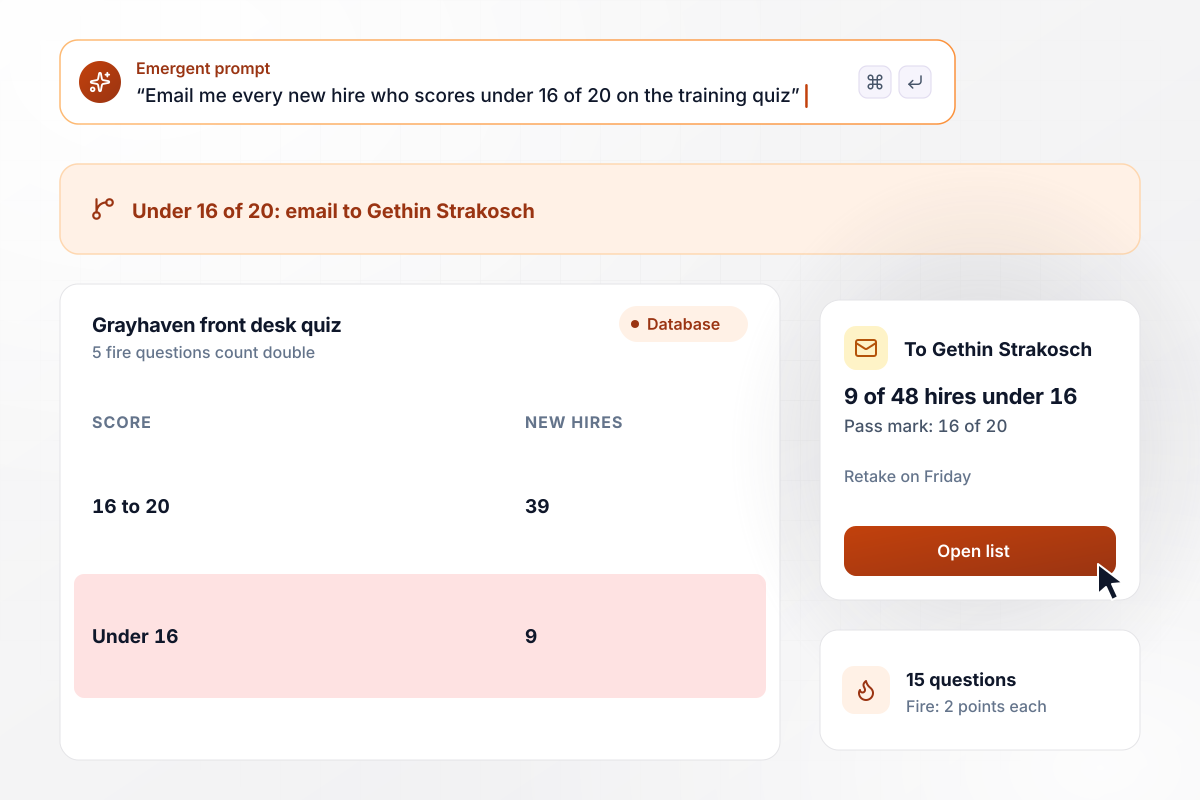
Each of the 5 fire questions is worth 2 points
Every new front desk hire at Grayhaven Hotels takes a 15-question training quiz. The 5 questions on the fire evacuation route are worth 2 points each, so the top score is 20 and the pass mark is 16. In March, 9 of the 48 new hires scored under 16. Gethin Strakosch got an email naming all 9, and they retook it on Friday.
window.awbMockup = { hotelTraining: "Build a 15-question training quiz for the new front desk hires at my hotels. Make the 5 questions on the fire evacuation route worth 2 points each, so the top score is 20, and set the pass mark at 16. Email me the name of every hire who scores under 16, so they can retake it on Friday.", leadScoring: "Build a 10-question quiz for my design studio's site that asks visitors about their website. Score each answer from 0 to 10, for a total out of 100. Post every visitor who scores 70 or more to our Slack channel so I can call them, and show me how many finished each month.", wineCertificate: "Build a 25-question certificate exam for my wine school. Make 20 questions worth 1 point and 5 select-all questions with 3 right picks each, a point per right pick, for 35 points in all. Set the pass mark at 28 and show me which passes came from partial credit.", triviaNight: "Build a trivia night quiz for my taproom with 6 rounds of 8 questions for 14 teams. Make round 6 worth 2 points a question, for 56 points in all, and show a leaderboard on the bar's TV that updates when I close each round." };
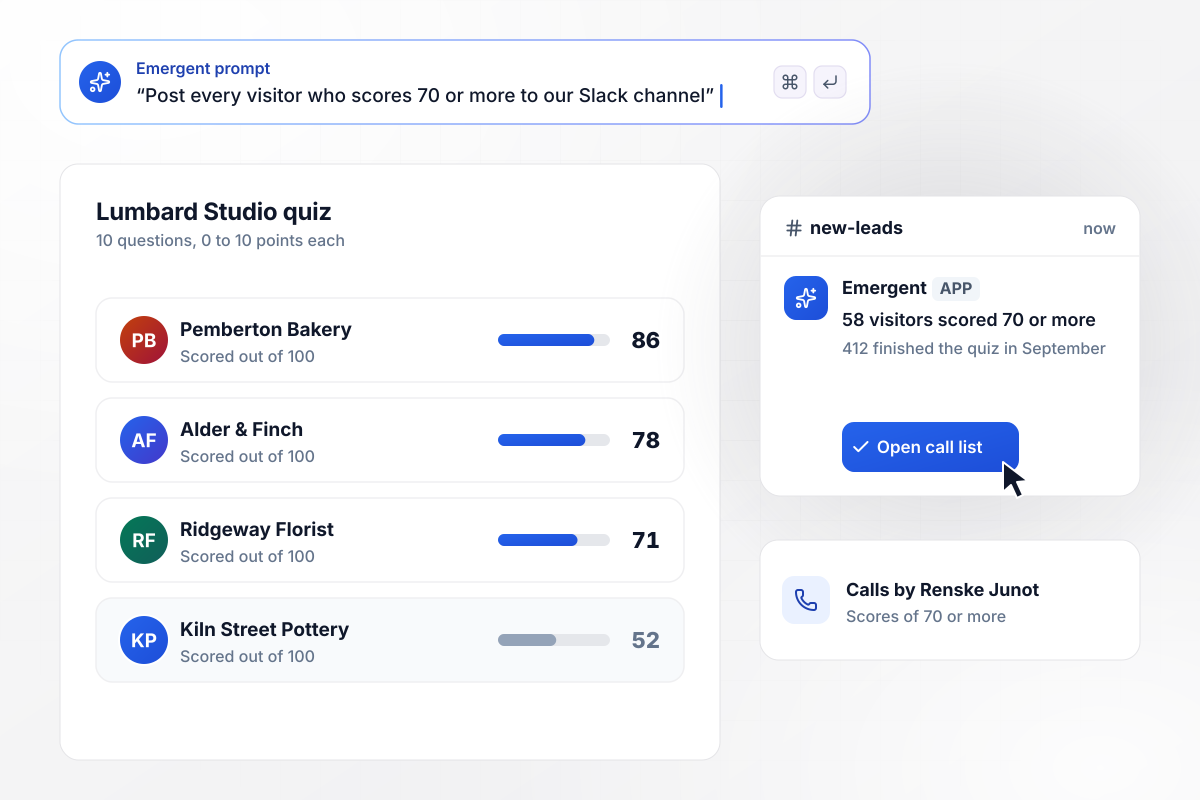
Visitors at 70 or more go to Slack for a call
Visitors to Lumbard Studio's site answer 10 questions about their website, each worth 0 to 10 points, for a score out of 100. A score of 70 or more posts to the studio's Slack channel, and Renske Junot calls that visitor. In September, 412 visitors finished the quiz, and 58 of them scored 70 or more.
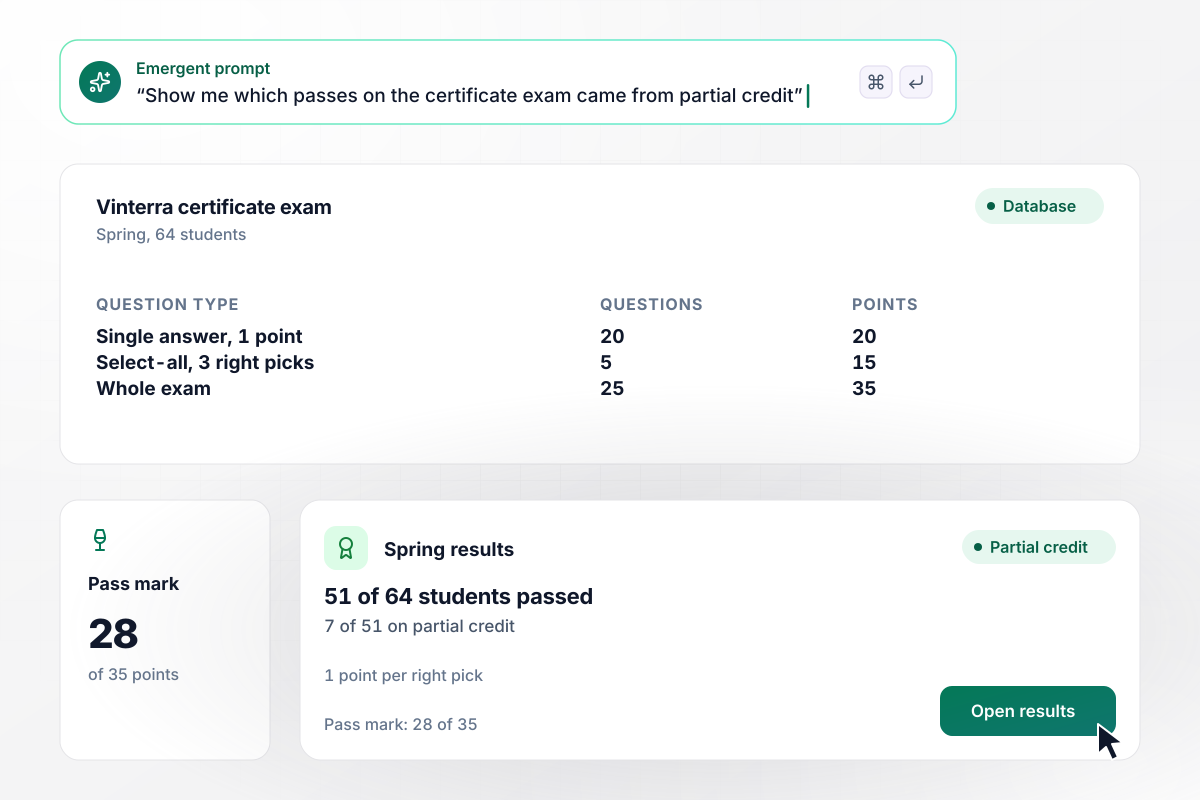
Of 51 who pass, 7 owe it to partial credit
Twenty of the 25 questions on Vinterra Wine School's certificate exam are worth 1 point. The other 5 are select-all questions with 3 right picks each, a point per pick. The exam is worth 35 points, and the pass mark is 28. This spring, 51 of the 64 students passed. Without partial credit, 7 of those 51 would have fallen short.
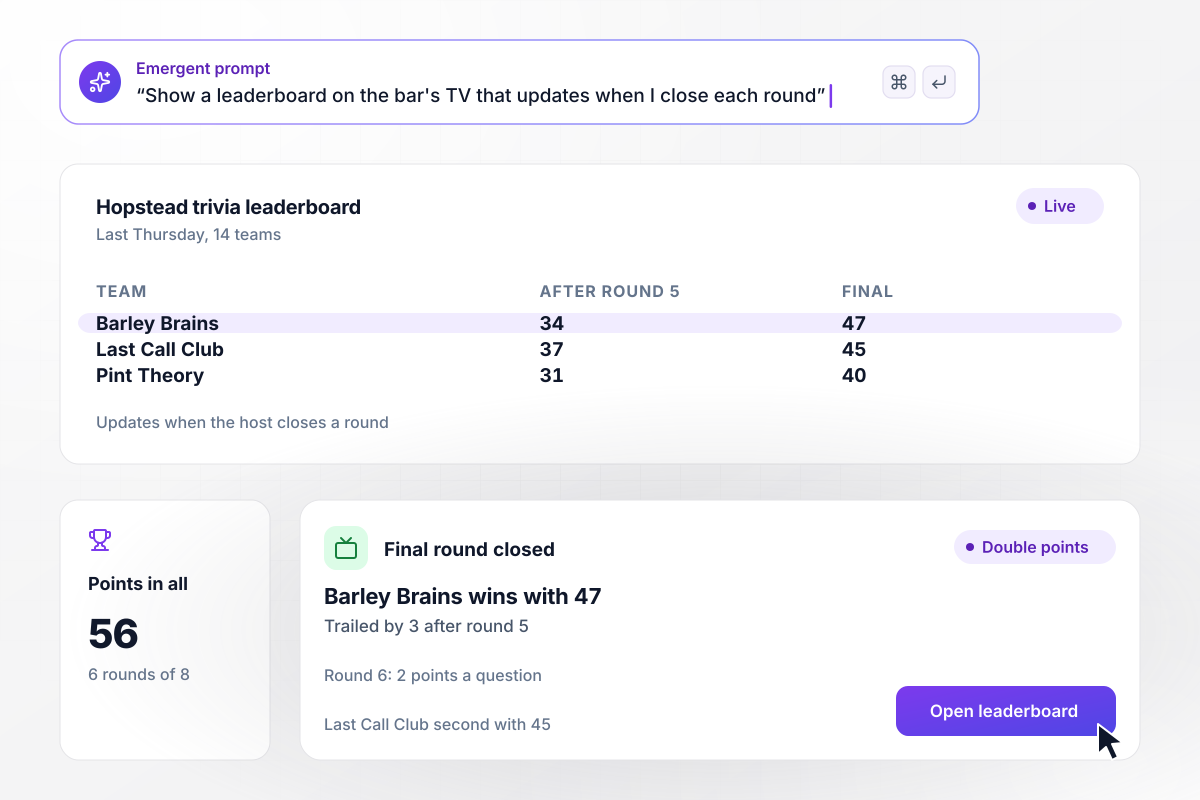
The final round counts double for all 14 teams
On Thursdays, 14 teams play trivia at Hopstead Brewing: 6 rounds of 8 questions, with round 6 worth 2 points a question, for 56 points in all. The leaderboard on the bar's TV updates as soon as the host closes a round. Last Thursday, Barley Brains trailed Last Call Club by 3 points after round 5 and won with 47.






How to Make a Scored Quiz
Seven steps to make a scored quiz whose points, pass mark, and result bands hold up before anyone takes it.
Say what happens with each score before you write a question: a pass or a retake, a group placement, or a sales call. Put that in your prompt, and Emergent builds the quiz and its result screens around it.
Weight the questions that matter most. On a 15-question quiz where 5 safety questions carry 2 points each, the maximum is 20 points, and a player who misses all 5 safety questions cannot reach a pass mark of 16.
Zero is the plain choice for a wrong answer. Take a point off only where guessing is a real problem, and tell players before they start, since a penalty changes how they answer.
Split the range into 2 to 4 bands and write each edge as a number, never as a vague word like high. Then check that every possible score lands in exactly one band, including 0 and the maximum.
Give each band a title and one next step, such as a retake date or a booking link to a call. Add the correct answers under it, and players can see exactly where their points went.
Run 3 test players through it: one who answers everything right, one who answers everything wrong, and one who lands exactly on the pass mark. Each should reach the screen you expect, with the right score saved.
After the first 50 players, sort the answer table by question. Reread the wording of any question that nearly everyone misses before you change its points or move the pass mark.
Why Build Your Scored Quiz With Emergent?
Your scored quiz runs as an app you control. One prompt changes a point rule, and every score lands in a database you own.

|
ProProfs | Interact (quiz specialist) | Typeform | |
|---|---|---|---|---|
| How you build | Prompt for the survey, quiz, or poll and the app around it | Templates, question library, and AI quiz builder | Templates and AI quiz maker | Templates and editor, AI assist |
| Pricing model | Credits, no response caps or per-response fees | Free plan, then billed per active quiz taker | Free plan capped by monthly responses, then paid plans | Plans by monthly response limit; discount for annual billing |
| Where responses live | A database table you own, plus any integration | ProProfs account; reports export to Excel, CSV, or PDF | Interact account | Typeform account |
| Code ownership | Full code export to GitHub on paid plans | None | None | None |




Pick the Pricing Plan That Works for You
Choose the plan that fits your building ambitions. From weekend projects to enterprise applications, we've got you covered.




Find the right survey, quiz, or poll
for your team















Frequently Asked Questions
Your Questions, Answered
Don't change this element unless you know what you are doing
More things you can build
with Emergent









on Emergent today


