

Build a Drag and Drop Quiz Maker That Scores Every Card
Build a drag and drop quiz maker that scores each card a taker places and saves every answer to a database you own.
Build a drag and drop quiz maker for my fourth-grade math class that scores each fraction card a student places.
Trusted by Builders Worldwide
Active Builders Worldwide
Apps Successfully Created
Countries Globally Reached



Inside a Drag and Drop Quiz on Emergent
Each question is a set of cards and the slots they go in. Emergent builds both, with a scoring rule and a table of every placement.
Four drag types from one prompt
Describe the question in plain words, such as five fractions to order. Emergent builds the cards, the drop zones, and the answer key, and a follow-up prompt changes any of them.
Points for each card in its slot
Set the scoring rule: 1 point for every card in the right place, or nothing until all of them are. The app applies it when a taker submits, and the score shows on the next screen.
A tap option beside every drag
Ask for a tap option, and Emergent builds it next to the drag: tap a card, then tap its slot. A taker who cannot drag on a small phone screen still finishes the same question.
Every placement saved to your database
Each submission saves which card landed in which slot, in a database you own. Sort the rows by card, and the one placed wrong most often sits at the top, ready for the next lesson.
Score emails and Slack alerts
The app emails each score to the taker and sends a Slack alert to the teacher when someone falls below the pass mark. Emergent puts no cap on responses, so a whole grade can play.
Your domain and the full code
Host the quiz on a custom domain, which is included in Emergent and uses credits. On paid plans, export the full code to your GitHub repository and keep the quiz after the term ends.
Four Drag and Drop Quizzes at Work
When 6 students put 1/3 before 1/4
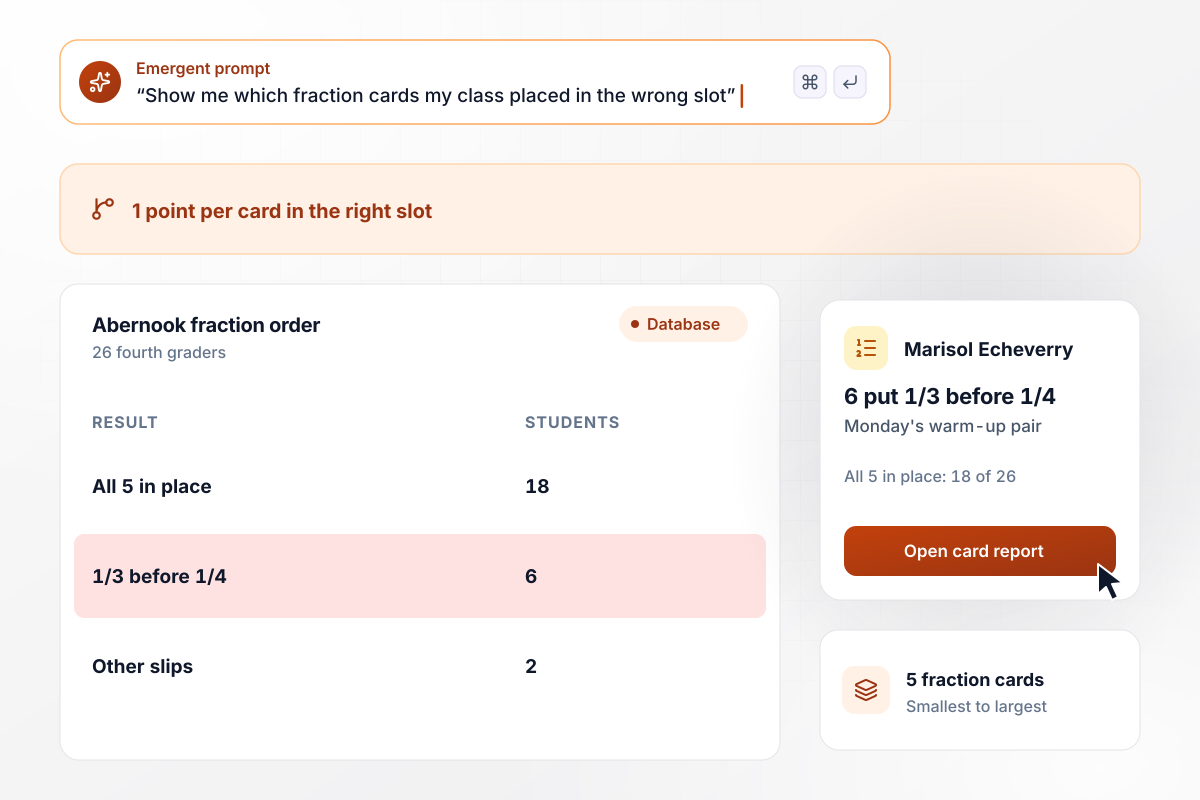
Marisol Echeverry teaches fourth grade at Abernook Elementary. Her 26 students drag 5 fraction cards into order, smallest to largest, and the app gives 1 point per card in the right slot. All 5 landed in place for 18 of the 26. Six put 1/3 before 1/4, and Monday's warm-up compares those two.
window.awbMockup = { mathClass: "Build a drag and drop quiz for my 26 fourth graders. Each student drags 5 fraction cards into order from smallest to largest. Give 1 point per card in the right slot and show the score on the next screen. Then show me how many students placed all 5, and which pair of cards was swapped most often.", warehouseTraining: "Build a sorting quiz for new hires at my warehouse. Each hire drags 12 item cards into the 3 bins on our waste chart before a first shift. A score of 10 or more passes. Anything lower sends the hire back to the training video and posts a Slack alert to the shift supervisor. Track first-try passes by month.", languageClass: "Build a matching quiz for my adult Spanish class of 22 learners. Each learner drags 8 Spanish words onto 8 pictures. Save every wrong pairing as its own row, with the word, the picture it landed on, and the learner. Each week, show me the pair the most learners got wrong.", productFinder: "Build a coffee finder for my roastery's site. Shoppers drag 5 flavor notes into the order they like them. The note ranked first picks one of our 3 roasts for the result screen; chocolate first shows the dark roast. Save each ranking with the shopper's email address, and show me a monthly count of which note was ranked first." };
Under 10 of 12, every new hire sorts again
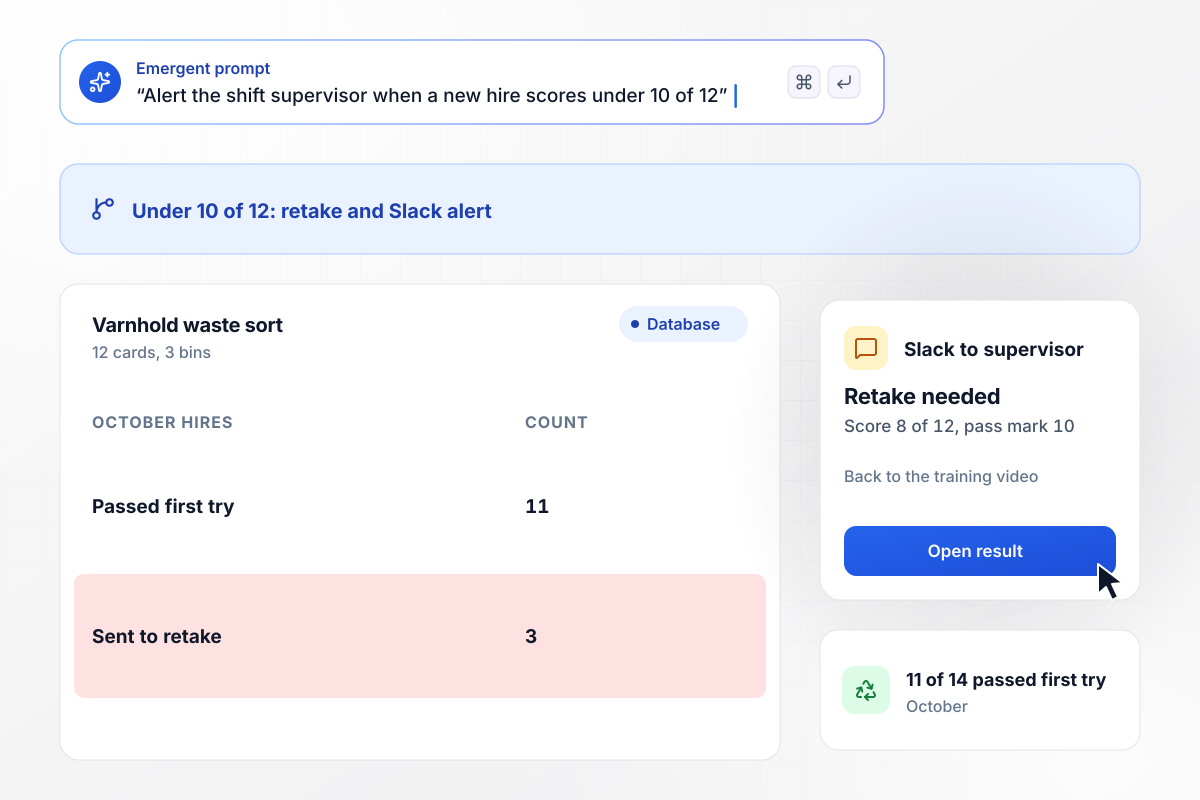
New hires at Varnhold Supply sort 12 item cards into the 3 bins on the company's waste chart before their first shift. A score of 10 or more passes. Anything lower sends the hire back to the training video and posts a Slack alert to the shift supervisor. In October, 11 of 14 new hires passed on the first try.
The word for spoon, paired with a fork 9 times
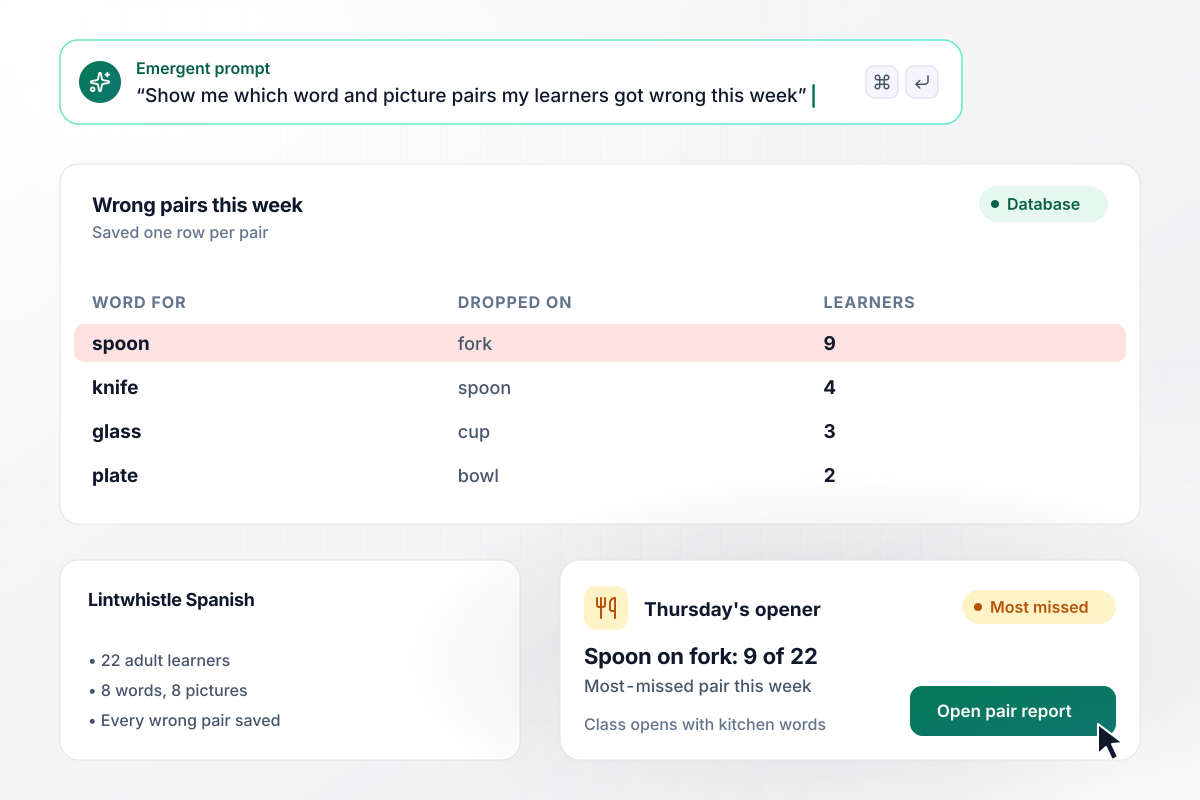
Every Tuesday, 22 adult learners at Lintwhistle Language Center match 8 Spanish words to 8 pictures. The app saves each wrong pairing as its own row. This week, 9 of 22 dropped the word for spoon on the picture of a fork. Thursday's class opens with kitchen words.
Any shopper who ranks chocolate first gets dark roast
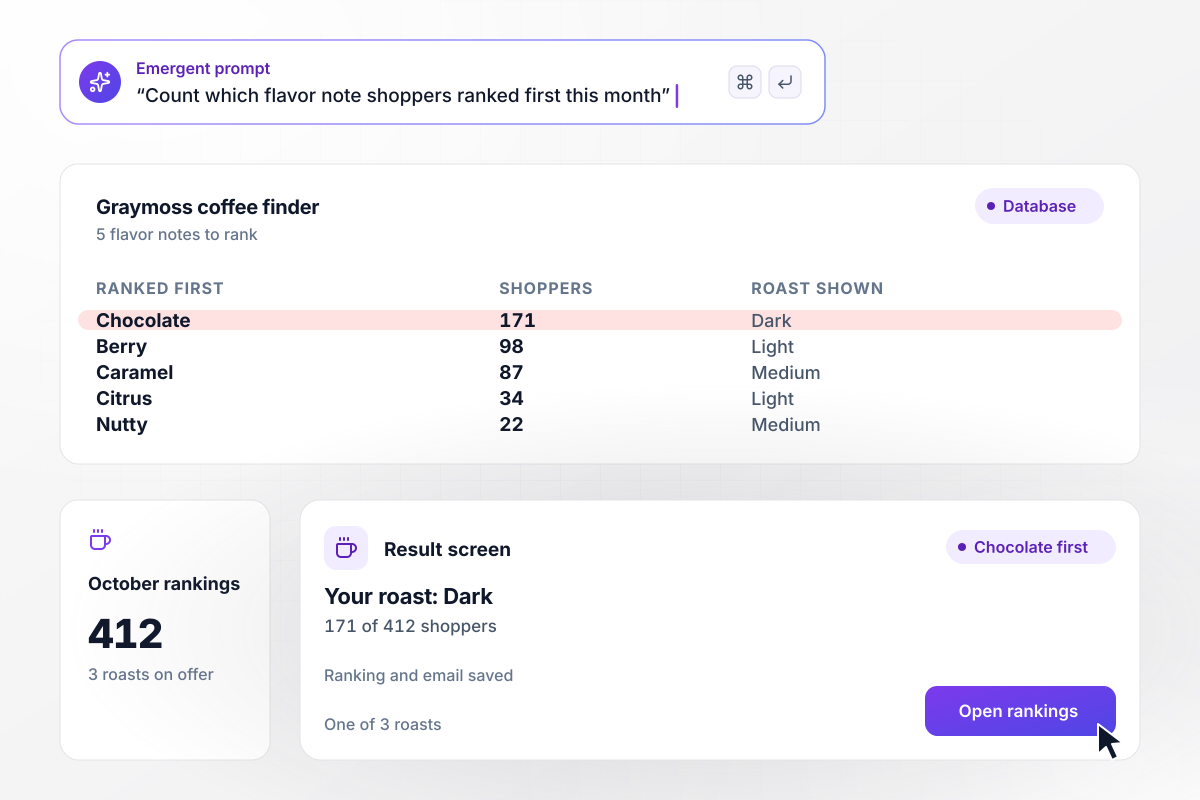
Shoppers on the Graymoss Roasters site drag 5 flavor notes into the order they like them. The note ranked first picks one of 3 roasts for the result screen, and chocolate points to the dark roast. In October, 171 of 412 shoppers put chocolate first. The roaster's database keeps each ranking with the shopper's email address.






How to Make a Drag and Drop Quiz
Seven steps to plan drag and drop quiz maker questions that score fairly and show what to reteach, then build them with Emergent.
Pick the drag type before you write a card. Ordering tests sequence, sorting tests categories, matching tests pairs, and ranking collects preferences with no right answer. Put the type and the audience in your prompt, and Emergent builds the question around them.
Keep every card label to a few words, such as a fraction or a single item name. A long sentence on a card is hard to read while a finger covers half of it. Put the longer explanation in the feedback a taker sees after submitting.
Add one or two decoy cards that belong in no slot when the question is a sort or a match. Without a decoy, the last card always goes in the last open slot, and the taker gets a point for it without knowing the answer.
Choose between a point per card and all-or-nothing scoring before launch. A point per card shows how close a taker came on a 5-card order. All-or-nothing suits a safety step, where one card in the wrong place should count as a fail.
WCAG 2.2 success criterion 2.5.7, Level AA, asks that anything done with a dragging movement can also be done by a single pointer without dragging, unless dragging is essential. Ask for a tap-a-card, tap-a-slot option, and try the quiz with a keyboard as well.
Take the quiz on a phone held in one hand before anyone else does. Drag every card into a wrong slot at least once, then open the results table and confirm each placement scored the way you meant it to.
After the first round, look at the wrong placements for a pattern, such as one pair swapped by a quarter of the class. Decide whether to reteach the idea or rewrite the card, then change the question by prompt before the next round.
Why Use Emergent for Drag and Drop Quizzes?
Play the quiz above to find your drag type, then describe your own quiz: the cards, where each belongs, and what a score sets off.

|
ProProfs | Interact (quiz specialist) | Typeform | |
|---|---|---|---|---|
| How you build | Prompt for the survey, quiz, or poll and the app around it | Templates, question library, and AI quiz builder | Templates and AI quiz maker | Templates and editor, AI assist |
| Pricing model | Credits, no response caps or per-response fees | Free plan, then billed per active quiz taker | Free plan capped by monthly responses, then paid plans | Plans by monthly response limit; discount for annual billing |
| Where responses live | A database table you own, plus any integration | ProProfs account; reports export to Excel, CSV, or PDF | Interact account | Typeform account |
| Code ownership | Full code export to GitHub on paid plans | None | None | None |




Pick the Pricing Plan That Works for You
Choose the plan that fits your building ambitions. From weekend projects to enterprise applications, we've got you covered.




Find the right survey, quiz, or poll
for your team















Frequently Asked Questions
Your Questions, Answered
Don't change this element unless you know what you are doing
More things you can build
with Emergent









on Emergent today


