

Build a Wellness Quiz That Names How Each Person Recharges
Build a wellness quiz that matches people to a recharge style, suggests one habit to try, and saves answers to a database you own.
Build a wellness quiz for my company's open enrollment week that names each employee's recharge style and links to the benefit that fits it.
Trusted by Builders Worldwide
Active Builders Worldwide
Apps Successfully Created
Countries Globally Reached



What Goes Into a Wellness Quiz Built on Emergent
One prompt gives you the quiz and the table of answers behind it. Ask for a change, and Emergent rebuilds that part.
Questions about ordinary days
Name the styles you want as results, such as Mover or Quiet Recharger. Emergent writes questions about sleep, breaks, and weekends, and maps every option to one style.
Results worded as habits, not scores
Each result says what someone's answers lean toward and offers one small habit to try. Ask for that wording in your prompt, and keep health scores and labels off the screen.
A next step for every style
Point each result to something real: a benefit, a weekend package, a coaching call. Connect your HR or booking tool through its API, and the result screen lists what fits.
An email to whoever follows up
When a client or guest finishes, the coach or guest coordinator gets an email with a link. Answers stay in the app, and employee quizzes saved without names send no alert.
Every answer in a database you own
Each finished quiz is a row in a database you own, with the style, the date, and every answer. Emergent puts no cap on responses, and a company-wide rollout records each one.
Your domain, and the code on paid plans
Custom domains are included in Emergent and use credits. Run the quiz on yours. Export the full code to your GitHub repository on paid plans, and change it in your own tools.
Where a Wellness Quiz Does Its Work
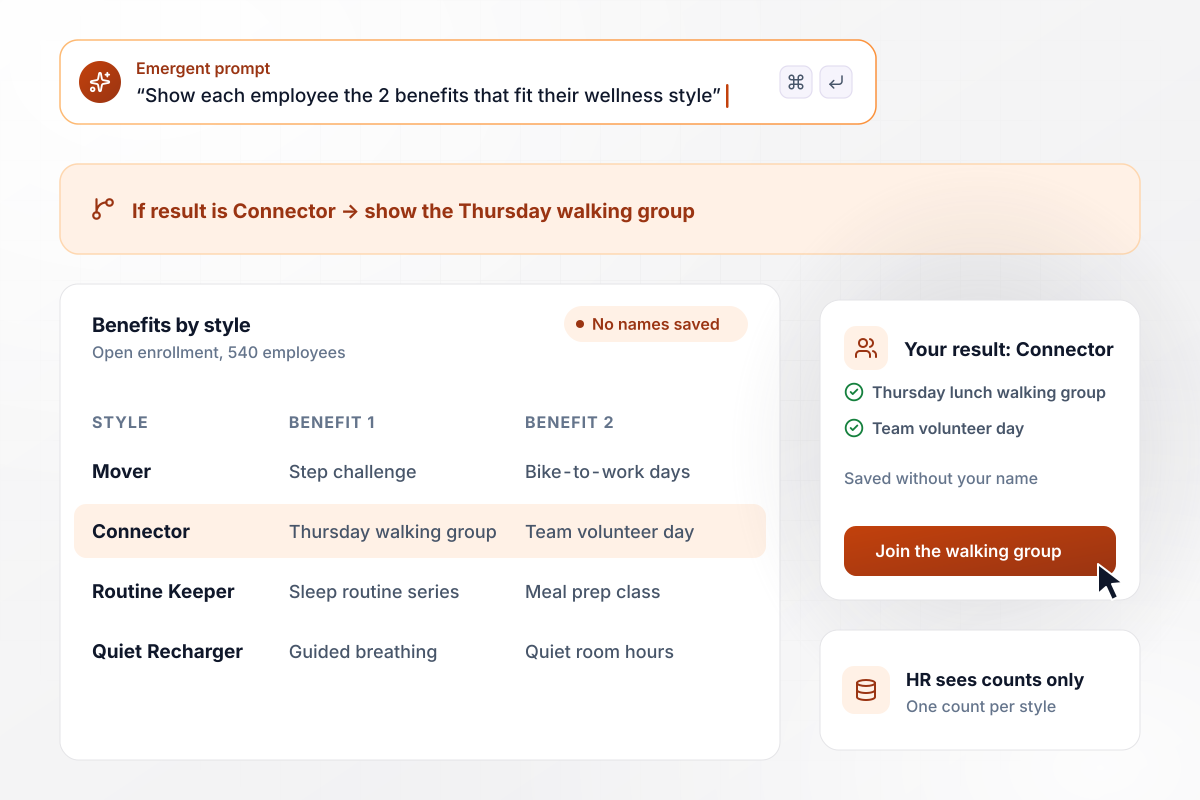
Every Connector result opens with the walking group
Quorvale Freight adds the wellness quiz to open enrollment week for its 540 employees. Each style maps to 2 benefits on the result screen. A Connector sees the Thursday lunch walking group and the team volunteer day. Results are saved without names, and HR sees only the count for each style.
window.awbMockup = { employeeBenefits: "Build a wellness quiz for my company's open enrollment week. Match each of my 540 employees to Mover, Connector, Routine Keeper, or Quiet Recharger, and show the 2 benefits that fit that style on the result screen. Save results without names, and give HR a count for each style.", wellnessRetreat: "Build a wellness quiz for my retreat's booking page that matches guests to a recharge style in 8 questions. On the result page, show the weekend package that fits the style, with open dates and a button to request it. Save every answer to my guest table and email my guest coordinator when someone finishes.", healthCoach: "Build a wellness quiz I send to every new coaching client before our first call. Ask 8 questions they can answer on a phone, match them to a recharge style, and save the answers and result to their client record. Email me when a client finishes so I can read the answers before we talk.", wellnessNewsletter: "Build a wellness quiz I can link from my newsletter that matches readers to Mover, Connector, Routine Keeper, or Quiet Recharger. Save every finished quiz, and show me a dashboard with the month's total and the count for each result, so I can plan next month's issues around what readers chose." };
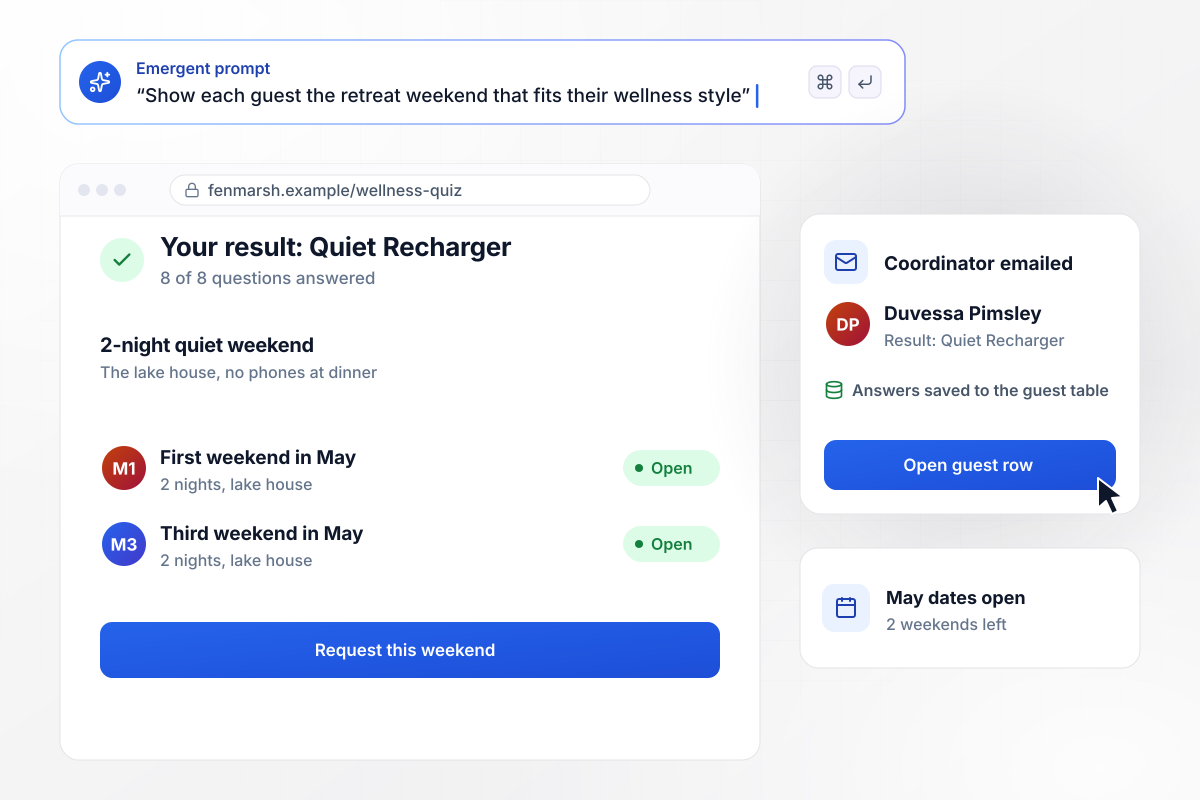
Duvessa gets the lake weekend that fits a Quiet Recharger
Fenmarsh Retreat puts the quiz on its booking page. Duvessa Pimsley answers 8 questions and lands on Quiet Recharger. Her result page shows the 2-night quiet weekend at the lake house, with May dates open, and a button to request one. Her answers go to the guest table, and the guest coordinator gets an email.
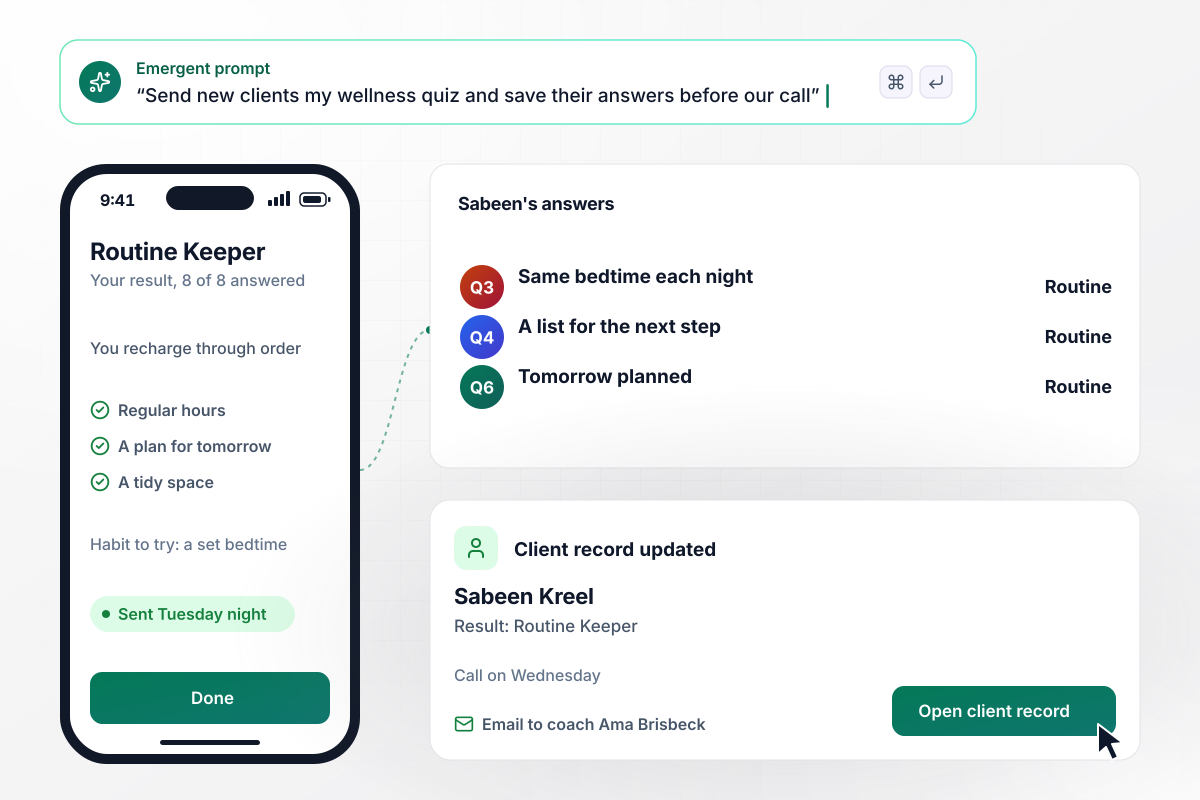
Coach Brisbeck reads all 8 of Sabeen's answers first
Before a first call, coach Ama Brisbeck sends every new client the wellness quiz. Sabeen Kreel answers on her phone on Tuesday night and lands on Routine Keeper. Her 8 answers and the result go to her client record, and Ama gets an email. On Wednesday's call, they start with the habit Sabeen picked: a set bedtime.
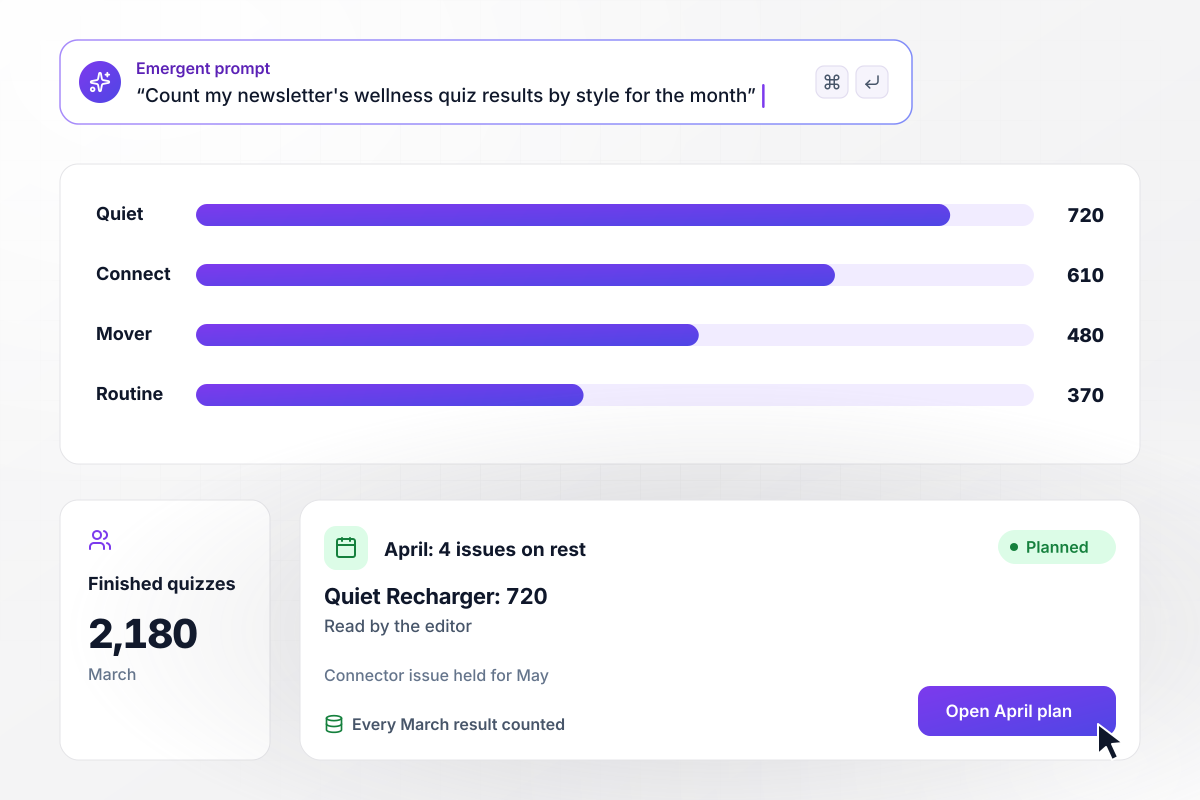
Of 2,180 readers in March, 720 lean toward quiet time
In March, 2,180 readers of The Even Keel finished the quiz linked from the newsletter. Quiet Recharger led with 720 results, ahead of Connector at 610 and Mover at 480, while Routine Keeper drew 370. The editor planned April's 4 issues around rest and quiet time and held a Connector issue for May.






How to Create a Wellness Quiz
Seven steps to create a wellness quiz with results people recognize, a next step for each, and every result tested.
Start with what happens after the result: a benefit to join, a weekend to request, a call with a coach, or one habit to try. That choice shapes every result screen. Put it in your prompt before you write a single question.
Pick four results a person would be glad to read, such as Mover, Connector, Routine Keeper, and Quiet Recharger. For each, write two sentences on how that person recharges and one habit they could start this week.
Ask what people do with a free hour, a hard week, or a Saturday morning. Leave out symptoms, weight, medications, and health history. Those belong in a conversation with a professional, and a quiz about habits does its job without them.
Write four options per question, one for each style, at about the same length so none looks like the right answer. Check that every style is reachable through at least two questions, and set the order that breaks a tie.
Put each question on its own screen with a progress bar, and hold the quiz to 8 questions. Before you share it, take it on a phone and time yourself. If it runs past 2 minutes, cut the weakest question.
Before launch, decide who reads one person's answers and who sees only counts. Save employee results without names. For coaching clients, tell people in one plain line that their coach reads the answers before the first call.
Take the quiz four times, aiming at a different style each time, and confirm the right result screen appears. Open the saved rows and check that each answer landed. Then put the link on your page or in your newsletter.
Why Build Your Wellness Quiz With Emergent?
Every result lands in a table you own. Put this spring's style counts beside next spring's and see which programs people chose.

|
Interact (quiz specialist) | ProProfs | Typeform | |
|---|---|---|---|---|
| How you build | Prompt for the survey, quiz, or poll and the app around it | Templates and AI quiz maker | Templates, question library, and AI quiz builder | Templates and editor, AI assist |
| Pricing model | Credits, no response caps or per-response fees | Free plan capped by monthly responses, then paid plans | Free plan, then billed per active quiz taker | Plans by monthly response limit; discount for annual billing |
| Where responses live | A database table you own, plus any integration | Interact account | ProProfs account; reports export to Excel, CSV, or PDF | Typeform account |
| Code ownership | Full code export to GitHub on paid plans | None | None | None |




Pick the Pricing Plan That Works for You
Choose the plan that fits your building ambitions. From weekend projects to enterprise applications, we've got you covered.




Find the right survey, quiz, or poll
for your team















Frequently Asked Questions
Your Questions, Answered
Don't change this element unless you know what you are doing
More things you can build
with Emergent









on Emergent today


