

Build a Supplement Quiz That Matches Shoppers to Your Products
Build a supplement quiz that matches shoppers to products by how they like to take them, or try the eight-question one below.
Build a supplement quiz for my vitamin shop that matches shoppers to capsules, gummies, powders, or liquids.
Trusted by Builders Worldwide
Active Builders Worldwide
Apps Successfully Created
Countries Globally Reached



What Goes Into a Supplement Quiz on Emergent
A supplement quiz sorts shoppers into the formats you stock. Emergent builds the questions and the table behind them.
Results named after the formats you sell
List the formats on your shelf, such as capsules and gummies. Emergent writes the questions so that every option counts toward one of them, and you reword any question by prompt.
Your products on each result screen
Tag each product in the app's product table with the result it suits and a diet label, such as vegan. The result screen lists the tagged items, and a retag shows on the next quiz.
Medicine questions handed to a person
Add a question about prescription medicines, and a Yes skips the product list. The app emails your pharmacist a link, and the answers stay in the database, out of the inbox.
A conversational flow sized for a thumb
Emergent builds the quiz as a conversational flow with one question per screen. A shopper holding a phone in the store aisle can answer all eight and see a result before checkout.
Every finished quiz kept as a row
Each result, the options picked, and an email when one is given save as one row in a database you own. Filter by Powders to see what time of day those shoppers take one.
On your domain, with code you can keep
Custom domains are included in Emergent and use credits, so the quiz can sit at your store's address. On paid plans, export the full code to your GitHub repository and keep it.
Four Shops Running a Supplement Quiz
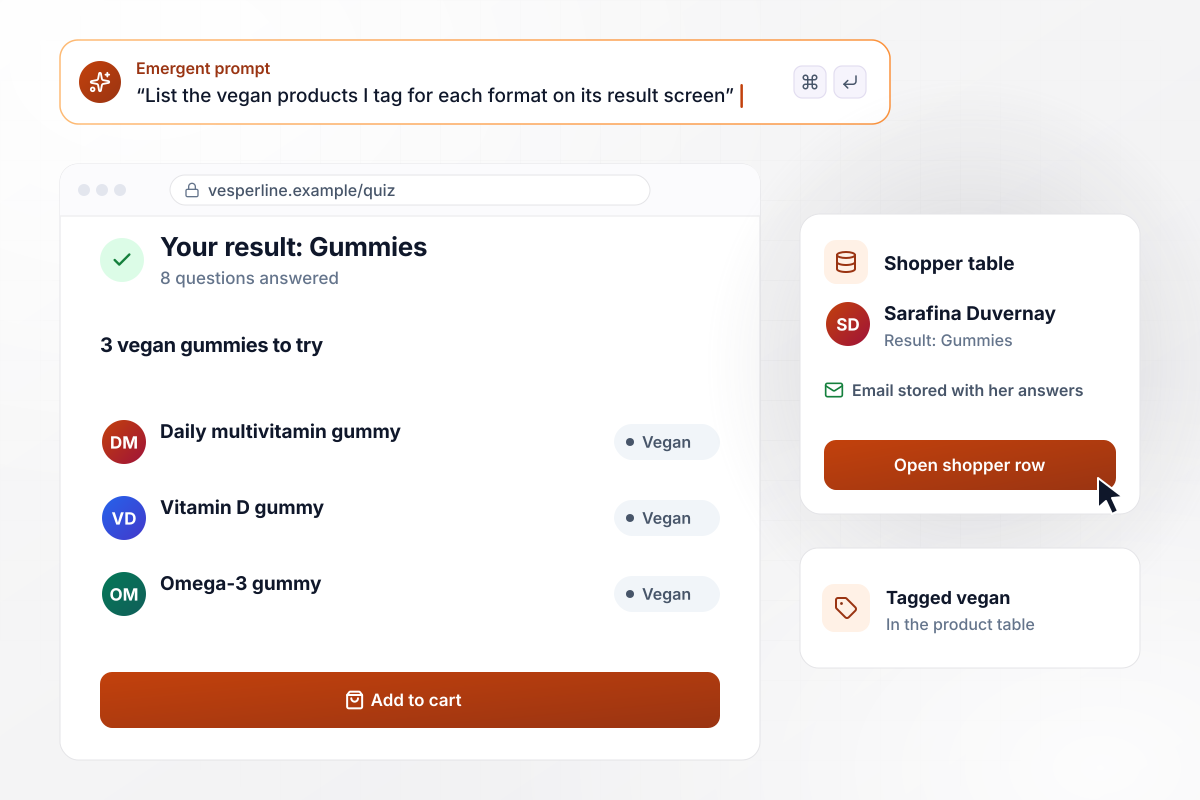
For a Gummies result, the vegan gummies come first
Sarafina Duvernay answers eight questions on Vesperline Nutrition's site and lands on Gummies. Her result screen lists the 3 vegan gummies the company tagged for that format, starting with its daily multivitamin. Her answers and email are stored in Vesperline's shopper table.
window.awbMockup = { vitaminBrand: "Build a supplement quiz for my vitamin brand with eight questions and four results: Capsules, Gummies, Powders, and Liquids. On each result screen, list the 3 products I tag for that format in my product table, vegan items first when the shopper asks for them. Save every answer with the shopper's email to my shopper table.", pharmacyCounter: "Build a supplement quiz for the tablet at my pharmacy counter. Ask whether the shopper takes a prescription medicine. If the answer is Yes, end on a screen that says to ask our pharmacist instead of showing products, and email my pharmacist, Zuleika Amaro, that a quiz is in, with a link and none of the answers in the email.", subscriptionBrand: "Build a supplement quiz for my subscription brand that picks the format for each subscriber's 30-day supply. Store the result with the subscription. On day 25 of each supply, email the subscriber a refill reminder 5 days before it runs out, with links to skip a month or switch formats.", healthFoodMarket: "Build a supplement quiz for the tablet by my market's register. Save every finished quiz to my database. Show me a dashboard that counts results for each format this fall, Capsules, Gummies, Powders, and Liquids, with the total, so I can decide which shelf to grow." };
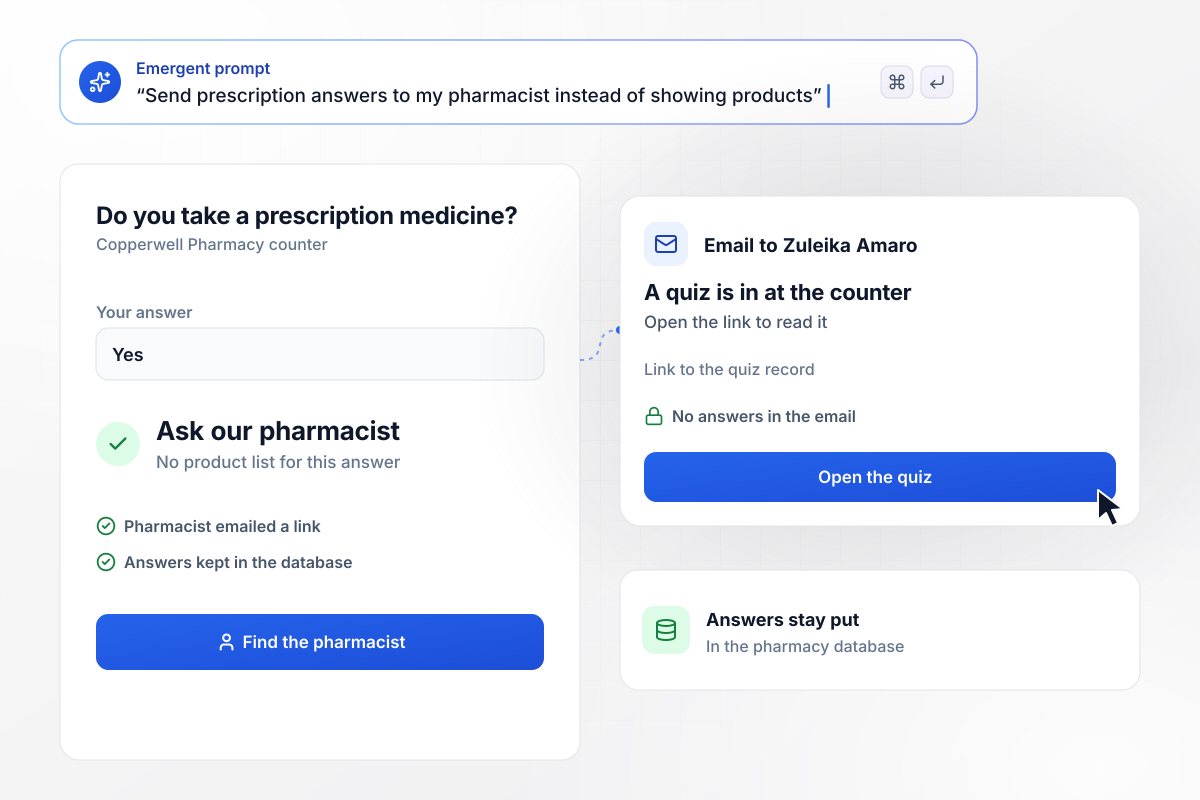
When a shopper takes a prescription, the pharmacist steps in
Every quiz at the Copperwell Pharmacy counter asks whether the shopper takes a prescription medicine. A Yes ends on "Ask our pharmacist" instead of a product list. Pharmacist Zuleika Amaro gets an email that says a quiz is in, with a link and no answers in it.
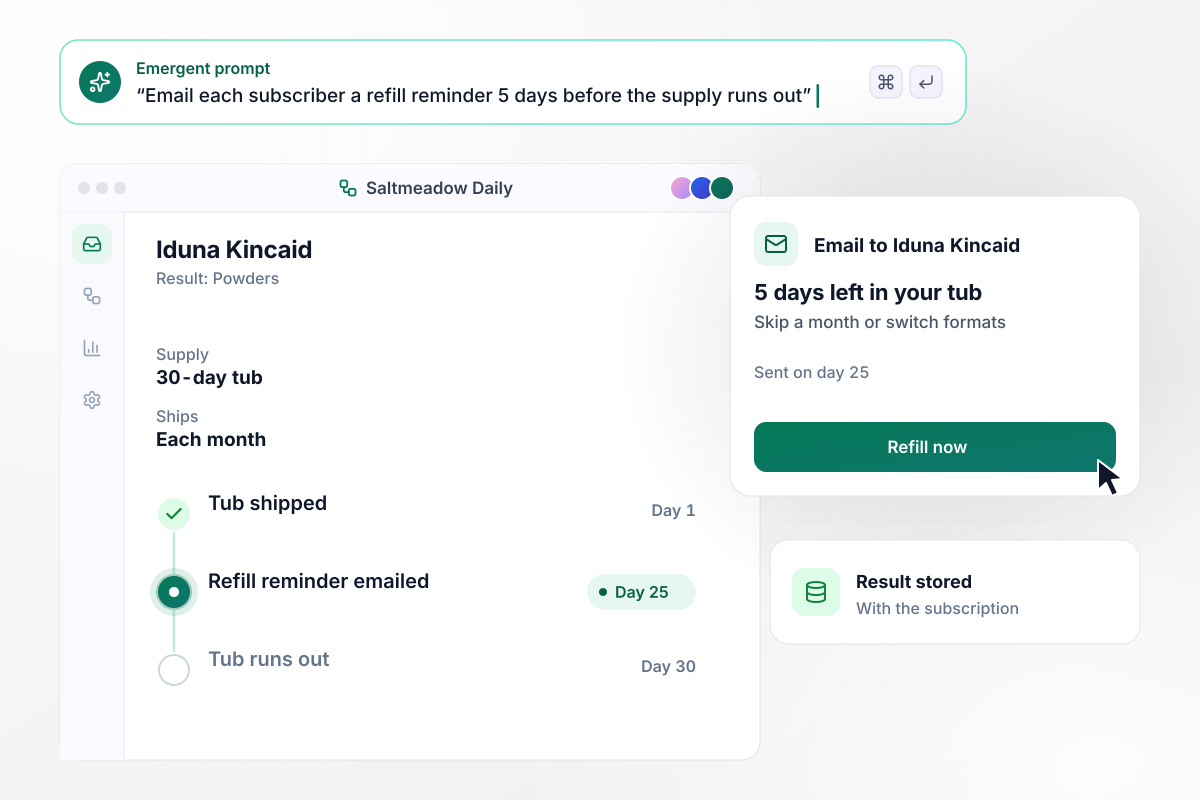
Refill email at day 25 of a 30-day tub
Each subscriber at Saltmeadow Daily gets a 30-day supply in the format their quiz result named. Iduna Kincaid landed on Powders, so a tub ships to her each month. On day 25, the app emails her a refill reminder, 5 days before the tub runs out, with a link to skip a month or switch formats.
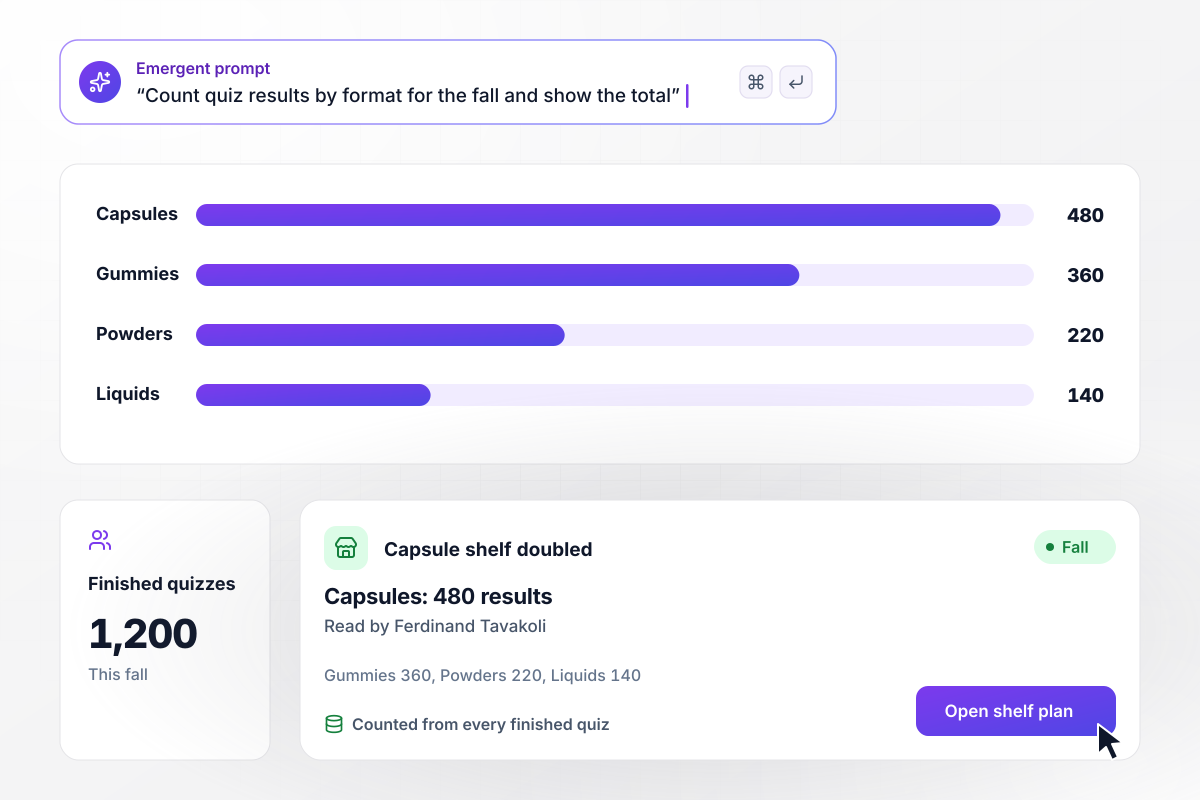
In the fall, capsules led with 480 of 1,200
A tablet by the register at Bramblecrest Market runs the supplement quiz. This fall, 1,200 shoppers finished it: Capsules led with 480, then Gummies at 360, Powders at 220, and Liquids at 140. Owner Ferdinand Tavakoli doubled the capsule shelf.






How to Create a Supplement Quiz
Seven steps to create a supplement quiz that matches each shopper to a format and leaves health questions to a person.
Settle the results before writing a question. The FDA says supplements come in forms such as pills, capsules, gummies, liquids, and powders. Pick the four your shelf carries most, and every result can end on something a shopper can buy today.
Write questions about how people like to take a supplement: whether pills feel like a chore, what time of day suits them, where the bottle will live. Those answers point to a format without asking about a single symptom or condition.
If you ask about prescription medicines, leave that question out of the scoring. Let a Yes end on a screen that names your pharmacist, or that asks the shopper to check with their doctor first, never on a product list.
Give each product in the app's table one result and any diet labels it carries, such as vegan or gluten-free. Three products per result screen let a shopper compare a few instead of scrolling the whole catalog.
Open each result on the format and the answers that led to it, then the products. Close with the FDA's advice to consult a health care professional before deciding to take a dietary supplement, in plain type, not fine print.
Before launch, take the quiz yourself four times, once as each kind of shopper. If an honest set of answers lands on the wrong format, the question meant to split them is too vague. Rewrite it and play again.
Once a month, set each format's result count beside what sold. A format that wins the quiz but stays on the shelf points to price or placement. A format nobody lands on may not need a result of its own.
Why Build Your Supplement Quiz With Emergent?
Results match on preference, never symptoms, and every answer stays in a database you own. Reword a question by prompt.

|
ProProfs | Interact (quiz specialist) | Typeform | |
|---|---|---|---|---|
| How you build | Prompt for the survey, quiz, or poll and the app around it | Templates, question library, and AI quiz builder | Templates and AI quiz maker | Templates and editor, AI assist |
| Pricing model | Credits, no response caps or per-response fees | Free plan, then billed per active quiz taker | Free plan capped by monthly responses, then paid plans | Plans by monthly response limit; discount for annual billing |
| Where responses live | A database table you own, plus any integration | ProProfs account; reports export to Excel, CSV, or PDF | Interact account | Typeform account |
| Code ownership | Full code export to GitHub on paid plans | None | None | None |




Pick the Pricing Plan That Works for You
Choose the plan that fits your building ambitions. From weekend projects to enterprise applications, we've got you covered.




Find the right survey, quiz, or poll
for your team















Frequently Asked Questions
Your Questions, Answered
Don't change this element unless you know what you are doing
More things you can build
with Emergent









on Emergent today


