

Build any form with AI. Own every response.
Describe the form, logic, and data flow. Emergent's AI form builder creates the fields, validation, database, and integrations from one prompt. No response caps. No per-form pricing.





Trusted by Builders Worldwide
Active Builders Worldwide
Apps Successfully Created
Countries Globally Reached



What Typeform and Jotform meter or gate
Where Emergent differs from Typeform, Jotform, and Google Forms: no response caps, no plan gates, and a database you own.
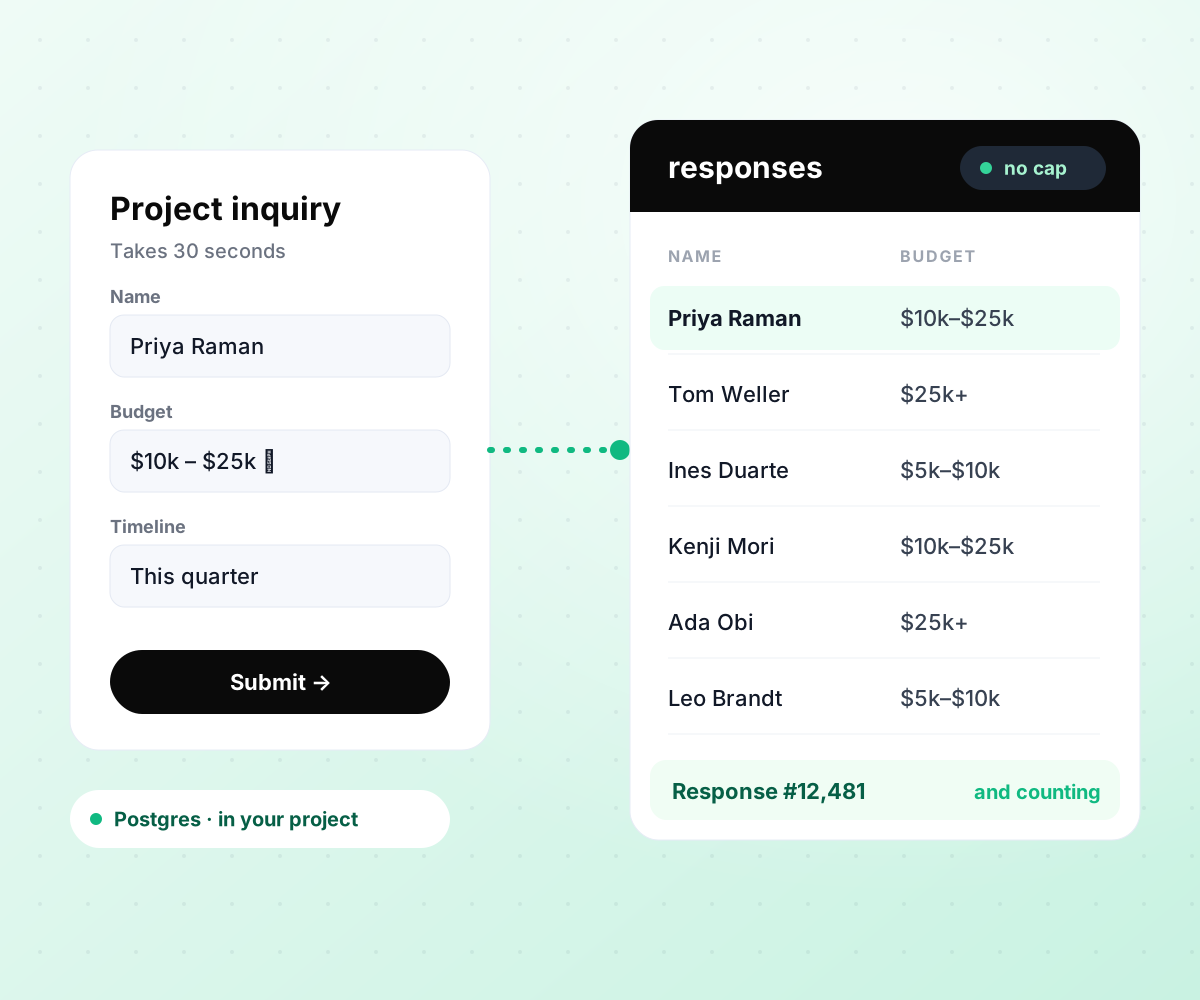
Every response in a database you own.
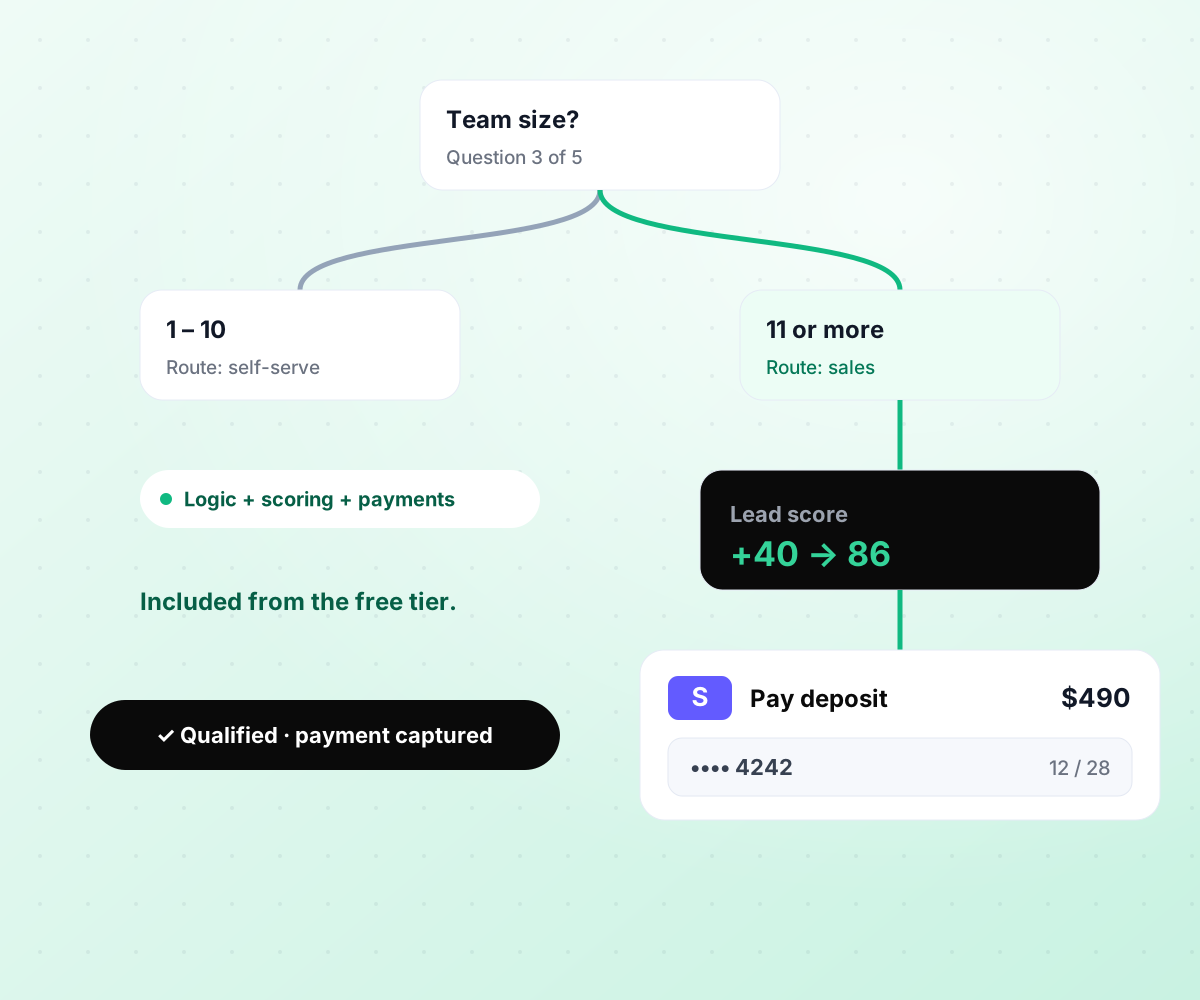
Logic, scoring, and payments, every plan.
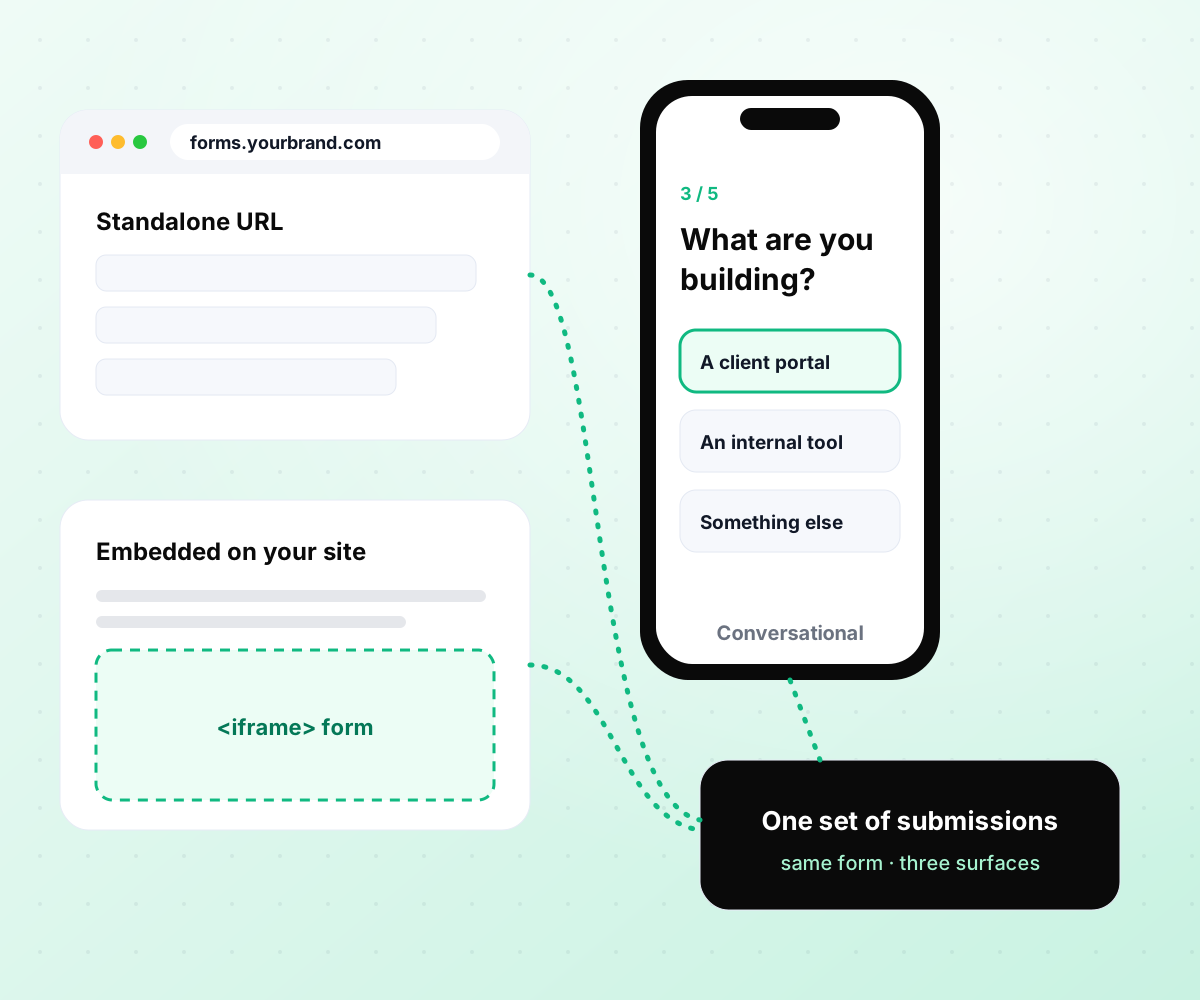
Publish anywhere from one build.

Everything a form needs, in one build
No plan gating, no per-response fees, no paid add-ons for logic, payments, or integrations.
Prompt to working form
Fields, field types, validation, conditional logic, a progress indicator, and the thank-you state, generated in one pass. A no code form builder that still hands you the code.
Real database, no response cap
Every submission from your online forms writes to a database in your project. Query it, export it, or build a dashboard on it, with no monthly limit and no vendor lock-in.
Conditional, calculated, and scored
Show fields by answer, calculate a quote, score an applicant, and route by outcome. Logic a custom form builder usually needs a developer for, included from the free tier.
Payments inside the form
Stripe and PayPal are built in. Take one-time payments or subscriptions as a step in the form flow, with every payment saved next to its submission in your database.
Native integrations, plus webhooks
Every submission can sync natively to HubSpot, Salesforce, Mailchimp, Klaviyo, Google Sheets, Airtable, Notion, Slack, or Zapier. Anything else connects over a webhook.
Full code export to your repository
The form, the backend, and the database schema all export to your GitHub. Keep hosting on Emergent or take it anywhere, along with every submission you have collected.
Every tool your forms feed into
Databases and sheets
Submissions land where your team already works, in addition to the database Emergent creates.




Email and CRM
Every lead reaches your CRM with source and campaign attached, ready for the next step.








Form builders compared,
with the numbers
Based on each vendor's published plans, checked September 2026.

|
Google Forms | Typeform | Jotform | |
|---|---|---|---|---|
| How you build | Prompt | Manual, field by field | Templates, editor, AI assist | Templates, editor, AI generator |
| Response limits | Unlimited | No limit | 10/mo free, 100 Basic, 1,000 Plus, 10,000 Business (form closes at cap) | 100/mo free, 1,000 Bronze, 2,500 Silver, 10,000 Gold (form stops at cap) |
| Where responses live | A database table you own, plus any integration | Google Sheets | Typeform account | Jotform account |
| Payments in the form | Included | No | Paid plans | Included, metered per plan |
| Code ownership | Full export to your repo | None | None | None |
How to create an online form
Build a form that collects exactly what you need, validates it, routes it, and writes every submission to a database you own.
Hand-code the form, use a drag and drop form builder like Typeform or Jotform, or use an AI form builder like Emergent. Hand-coding gives control at the cost of time. Drag and drop tools are quick, and most meter your responses. AI builders generate the form and give you the code.
Contact, lead capture, application, intake, order, feedback. The purpose decides the fields. Ask for the minimum you need to act on the submission. Every extra field costs completions, and no analytics dashboard will make a bloated form perform better than a short one.
Decide which questions depend on earlier answers, what should be scored or calculated, where each outcome should route, and which fields need format checks. Write these as plain sentences; on Emergent they become the prompt that builds the form.
Describe the fields, the logic, and the destination, and the AI form generator builds the form around it. Field types, validation, conditional branches, progress indicator, and thank-you state included. Refine any part of the form by describing the change you want in a sentence.
Submissions write to your database by default. Add Google Sheets or HubSpot sync, a Slack alert, or a Stripe payment step with a sentence each. On most other tools, each integration is its own setup, with monthly caps to watch.
Complete the form on a phone, take every conditional branch, trigger each validation message, and confirm the test submission appears in the database and in every connected tool. Every bug you catch here saves a real submission that a real user would abandon.
Share the standalone link, embed the form, or run it as a popup. Watch completion rate and drop-off by field. If most people who start the form don't finish it, cut fields first, then improve from there.

Pick the Pricing Plan That Works for You
Choose the plan that fits your building ambitions. From weekend projects to enterprise applications, we've got you covered.




Frequently Asked Questions
AI form builder questions, answered
An AI form builder, also called an AI form generator, is an online form creator that works from a written description: it picks the fields, field types, validation, and layout for you. Emergent also generates the database the form writes to, the conditional logic, and the integrations, from the same prompt.
You describe what the form collects, any rules, and where the data should go. Unlike a drag and drop form builder, there is no canvas to arrange. The AI form creator picks field types, writes validation, adds branching, and produces a form you can refine by describing changes. On Emergent the submission destination is a database you own, created at the same time.
It depends on what you need to own. If you want the responses in a database you control with no caps, Emergent is built for that. If you want the conversational one-question-at-a-time style and are fine with metered responses, Typeform is the established choice. If template breadth matters most, Jotform has one of the largest template libraries.
Yes. Emergent is a free online form builder to start, with monthly credits and no response cap. Typeform's free plan allows 10 responses per month and Jotform's allows 5 forms and 100 submissions per month; both stop collecting at the cap.
Most AI form makers stop at generating fields. Emergent includes conditional fields, scoring, calculations, and routing on every plan. Typeform includes basic logic on every plan and advanced logic from Plus. Jotform includes conditions on all plans. Google Forms supports basic section branching.
Yes. Add a Stripe payment step and the form collects the payment before or after the submission is saved. PayPal is also supported.
Responses from AI forms built on Emergent land in a database table inside your project, which you can query, filter, and export. You can also sync each submission to Google Sheets, Airtable, Notion, or your CRM.
Yes. HubSpot, Salesforce, Mailchimp, and Klaviyo are supported directly, and any other tool through a webhook or API.
Yes. Use an inline embed or iframe on WordPress, Webflow, Shopify, or any site. Teams that would otherwise install a WordPress form builder plugin paste one embed instead. The form also works as a standalone page or a popup.
No. Emergent does not meter responses. Typeform caps responses at 10 per month free and 100 on Basic; Jotform caps at 100 per month free and 1,000 on Bronze. Both stop collecting when the cap is reached.
Yes. The full codebase, including the form markup and its backend, exports to your repository, so Emergent doubles as an HTML form builder when you need raw code. Host it anywhere.
Emergent is SOC 2 Type I and ISO 27001 certified. For regulated workflows such as HIPAA, contact sales about Enterprise terms before collecting protected health information.
A form collects structured information to act on: a lead, an application, an order. A survey measures opinion at scale. Emergent builds both, and the responses land in the same kind of database either way.
Emergent starts free, with paid plans priced on usage rather than response counts. Typeform starts at $28 per month on annual billing for 100 responses. Jotform starts at $34 per month on annual billing for 1,000 submissions.
More things you can build
with Emergent









on Emergent today




