

Build a Consent to Treat Form Patients Sign Before Care Starts
Build a consent to treat form patients sign on their phone before the visit, with the wording version saved.
Build a consent to treat form for my urgent care clinic that patients sign on their phone from the waiting room.
Trusted by Builders Worldwide
Active Builders Worldwide
Apps Successfully Created
Countries Globally Reached



What the Front Desk Gets Back
Each signed consent comes back with the details a clipboard copy leaves out.
Signed on a phone before the visit starts
Send the link with the appointment reminder, or post a code at the front window. Patients read and sign on their own phone, and the signature lands on their record with the time.
The exact wording each patient agreed to
Number each version of your consent text. Every signed record keeps that number. A signature from March still points to March's wording after you rewrite a clause in May.
Privacy notice receipt in the same link
Put the notice of privacy practices before the signature and ask the patient to confirm they received it. The acknowledgment is dated and saved with the consent as one record.
Each treatment accepted or declined
List the treatments your consent covers, such as injections or manual therapy. A patient can say no to one and sign for the rest, and the declined item shows on the schedule.
Alerts that carry a link, not the answers
Send an email or Slack message when a form is in. The alert says a consent was signed and links to the record, and every answer stays in a database you own, never in the message.
Code to run inside your own systems
Export the full code to your GitHub repository on paid plans. Run the consent form inside your patient portal or intake app, and keep editing it there without a rebuild from scratch.
Consent Signed Before the Appointment
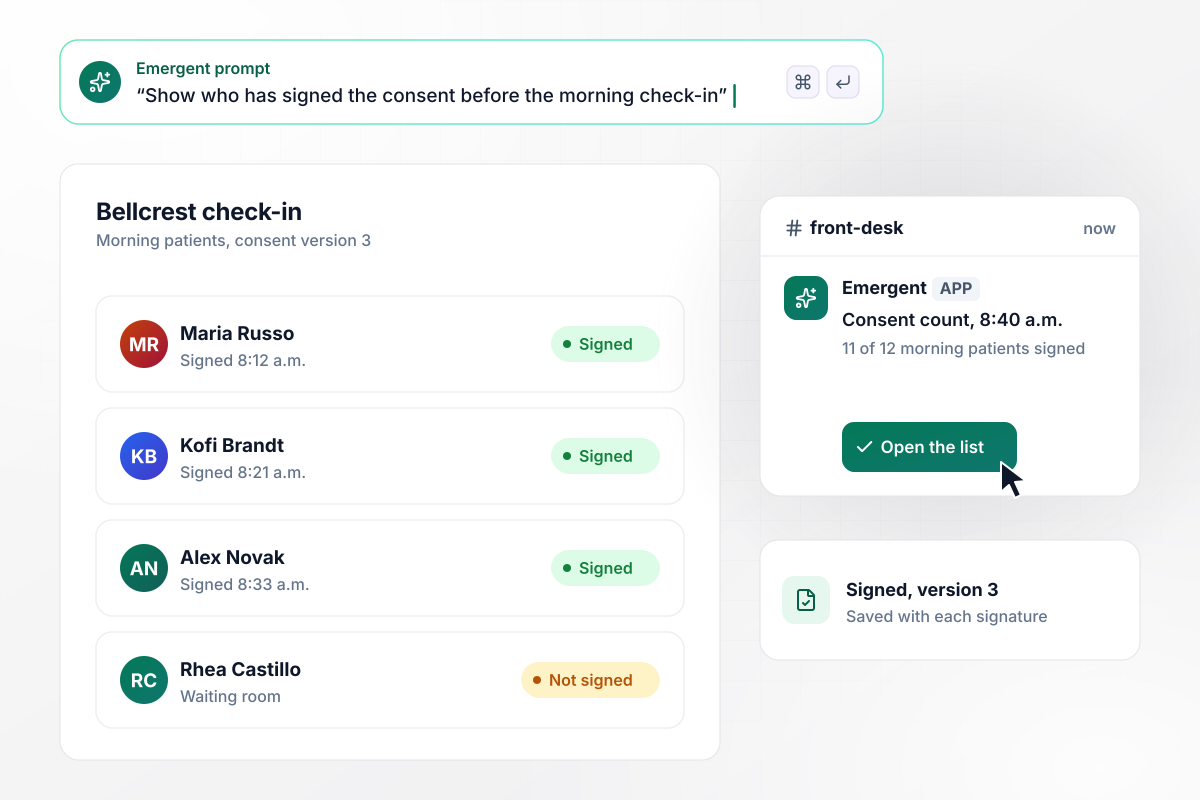
Who is still unsigned at 8:40 a.m.
Bellcrest Urgent Care posts a code at its check-in window, and patients sign version 3 of its consent from a waiting room chair. At 8:40 a.m. the front desk's Slack channel gets a count, 11 of 12 morning patients signed, and a link to the list. No names go in the message. The last patient signs on the desk tablet.
window.awbMockup = { urgentCare: "Build a consent to treat form for my urgent care clinic. Patients scan a code at the check-in window and sign on their phone. Save the version number of the consent text and the signing time on each record. Show the front desk a list of today's patients and who has signed, and post a count with a link to our Slack channel at 8:40 a.m., with no patient names.", counseling: "My counseling practice needs a consent form that goes out with the intake link 2 days before a client's first session. Clients initial our cancellation policy, which asks for 24 hours' notice, and our section on limits of confidentiality, then sign. Email the therapist that a consent form is in, with a link to the record and no answers in the email.", physicalTherapy: "Build a consent form for my physical therapy clinic that lists four treatments: therapeutic exercise, manual therapy, dry needling, and heat and ice. The patient accepts or declines each one before signing. Show any declined treatment next to the patient's appointment on the therapist's schedule.", familyMedicine: "My family medicine clinic has patients re-sign consent every 12 months. When someone books, check the date of their last signed consent. If it is more than 12 months old, email them the current version before the visit and save the new signature with its version number and time." };
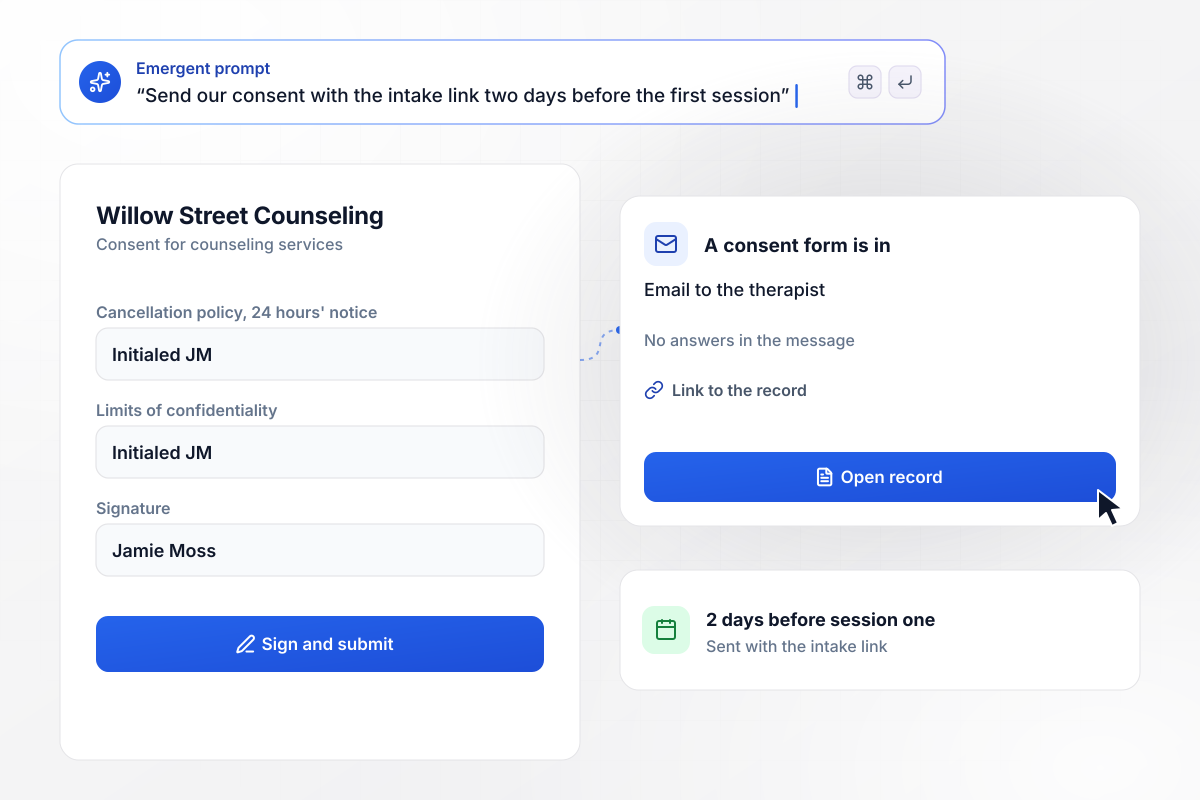
Every intake signed before the first hour
Willow Street Counseling sends its consent with the intake link 2 days before a client's first session. The client initials the 24-hour cancellation policy and the limits of confidentiality, then signs. The therapist gets an email that a consent form is in, with a link to the record and nothing else.
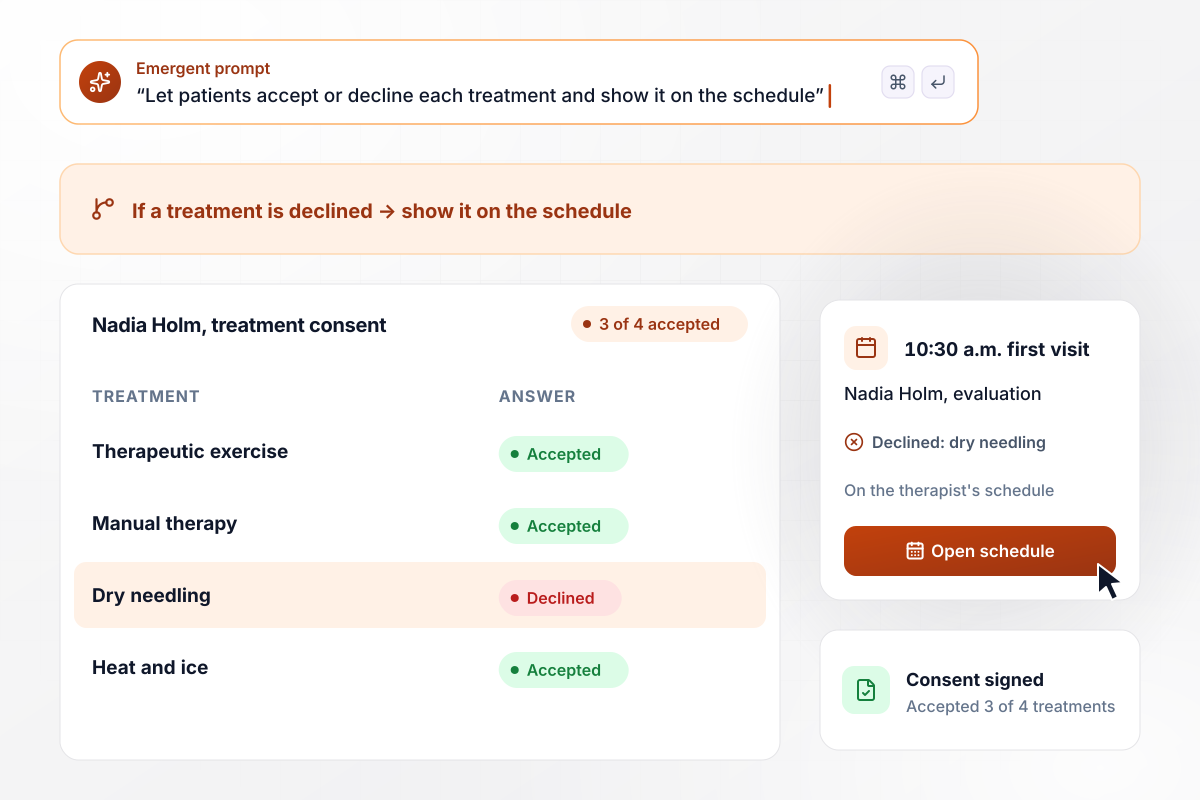
No dry needling, and the therapist sees it
Wrenwood Physical Therapy lists four treatments on its consent, and a new patient answers each one before she signs. Nadia Holm accepts 3 of 4 and declines dry needling. Her 10:30 a.m. slot on the therapist's schedule shows the declined technique. Nobody reaches for the needles at her first visit.
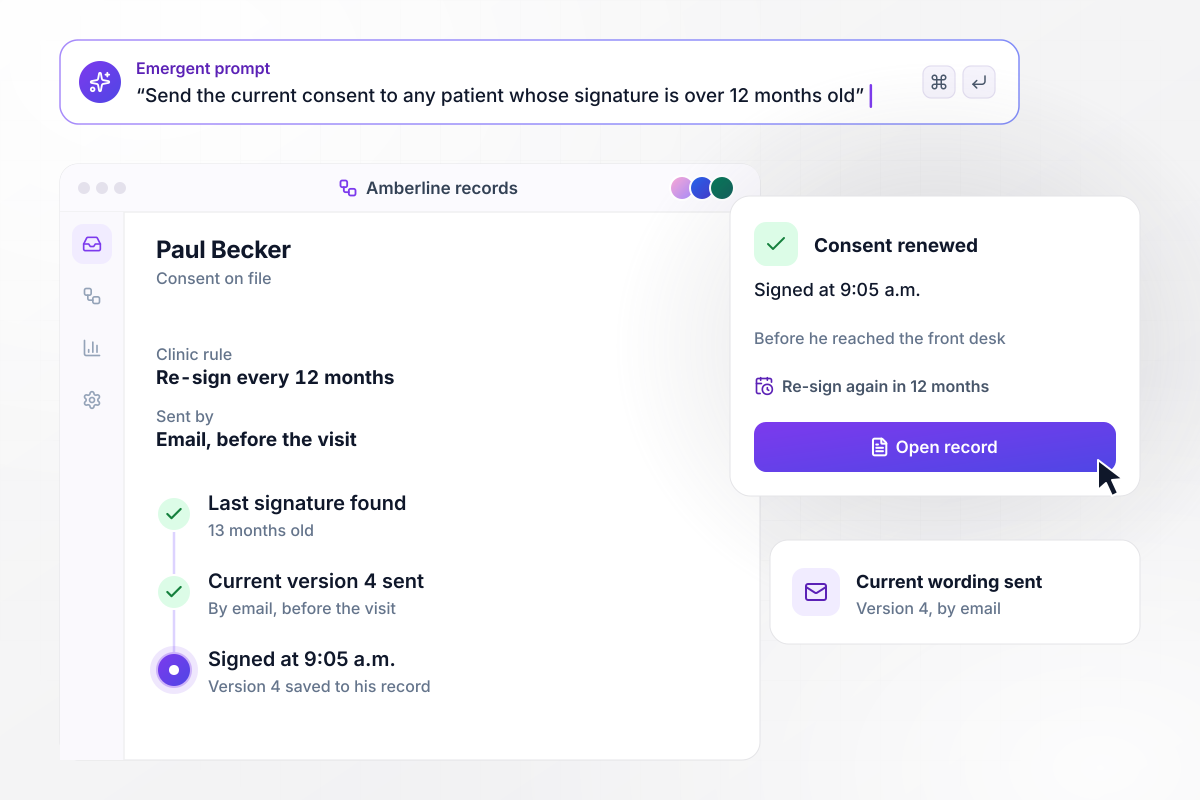
Every 12 months, by the clinic's own rule
Amberline Family Medicine decided that patients re-sign its consent once a year. When a patient books, the app checks the date of the last signature on file. Paul Becker's is 13 months old, and the current wording, version 4, goes to him by email before the visit. He signs it at 9:05 a.m., before he reaches the front desk.






How to Create a Consent to Treat Form
Seven steps to a consent to treat form patients sign online before the visit, with each version of the wording on record.
Paste your current paper consent into the prompt, one clause at a time. Emergent builds each clause as a short section a patient reads on a phone, with the signature at the end. Keep the wording your clinic has already approved.
Call the first text version 1 and raise the number whenever a clause changes. The app stores that number on every signature. Open any patient's record and it shows the exact words they read, even after three rewrites.
Show your notice of privacy practices on its own screen, followed by a box the patient checks to confirm receipt. The front desk then gets the acknowledgment and the consent from one link, not two sheets to file.
Decide what this general consent covers, such as exams and lab draws. Give a procedure with real risks its own consent, written with the clinician who performs it. List the routine items one per line so each can be declined.
Choose the moment each patient gets the form. Booked visits can carry it in the confirmation email 2 days ahead. Walk-in clinics can post a code at the window, and the waiting room becomes the place where patients sign.
Choose the interval your clinic will use, for example 12 months, and write it into the prompt as a rule. Any patient whose signature is older than that gets the current version to sign ahead of the next appointment.
Sign the form yourself on a phone first. Then run it with five patients at the front desk and read the records they produce. Rewrite any clause that drew a question, and raise the version number before it goes live.
Why Build Consent to Treat on Emergent?
A clipboard copy proves a signature. This form also records when a patient signed, what they declined, and who still has to sign today.

|
Jotform | Google Forms | Typeform | |
|---|---|---|---|---|
| How you build | Describe it in plain English | Templates, editor, AI generator | Editor, with Gemini drafting on some Workspace plans | Templates, editor, AI assist |
| Where responses live | A database table you own, plus any integration | Jotform account | Google Sheets | Typeform account |
| Response limits | No response caps | Monthly submission caps by plan; the form stops at the cap | No limit | Monthly response caps by plan; the form closes at the cap |
| Code ownership | Full code export to GitHub on paid plans | None | None | None |



Pick the Pricing Plan That Works for You
Choose the plan that fits your building ambitions. From weekend projects to enterprise applications, we've got you covered.




Find the right form
for whatever you're collecting
Frequently Asked Questions
Your Questions, Answered
Don't change this element unless you know what you are doing
More things you can build
with Emergent









on Emergent today


