

Build a Home Inspection Form That Becomes the Report
Build a home inspection form that rates each item, puts a photo on every defect, and saves inspections to a database you own.
Build a home inspection form that rates each item by system and attaches photos to defects.
Trusted by Builders Worldwide
Active Builders Worldwide
Apps Successfully Created
Countries Globally Reached



What an Inspection Form Has to Carry
Paper home inspection forms stop at the checkmark. These parts carry each finding into the report a client reads.
Items grouped by system
List the roof, foundation, electrical, plumbing, heating, and cooling items under their own headings. The inspector covers one system at a time and skips nothing between rooms.
One rating on every item
Give each item the same choices, such as Inspected, Not Inspected, Not Present, or Deficient. An item left blank stops the form from submitting, and the report never shows a gap.
Photos and notes on each deficiency
Mark an item Deficient and the form asks for a photo and a note before moving on. The client sees the lifted shingle or the stained ceiling right next to the finding it belongs to.
A report the client opens that night
Submit the inspection and the app builds a report page with deficient items listed first. The buyer and the buyer's agent get a link by email, and each finding opens to its photos.
Every inspection in your own database
Each inspection becomes a record you can search by address, inspector, or date. Pull up last year's report when a client calls back, or export the rows when you review the season.
Code you can move to GitHub
Export the full code of your inspection app to your GitHub repository on paid plans. A developer can host it on your own servers or connect it to the scheduling tool you use.
Four Inspections, Four Different Readers
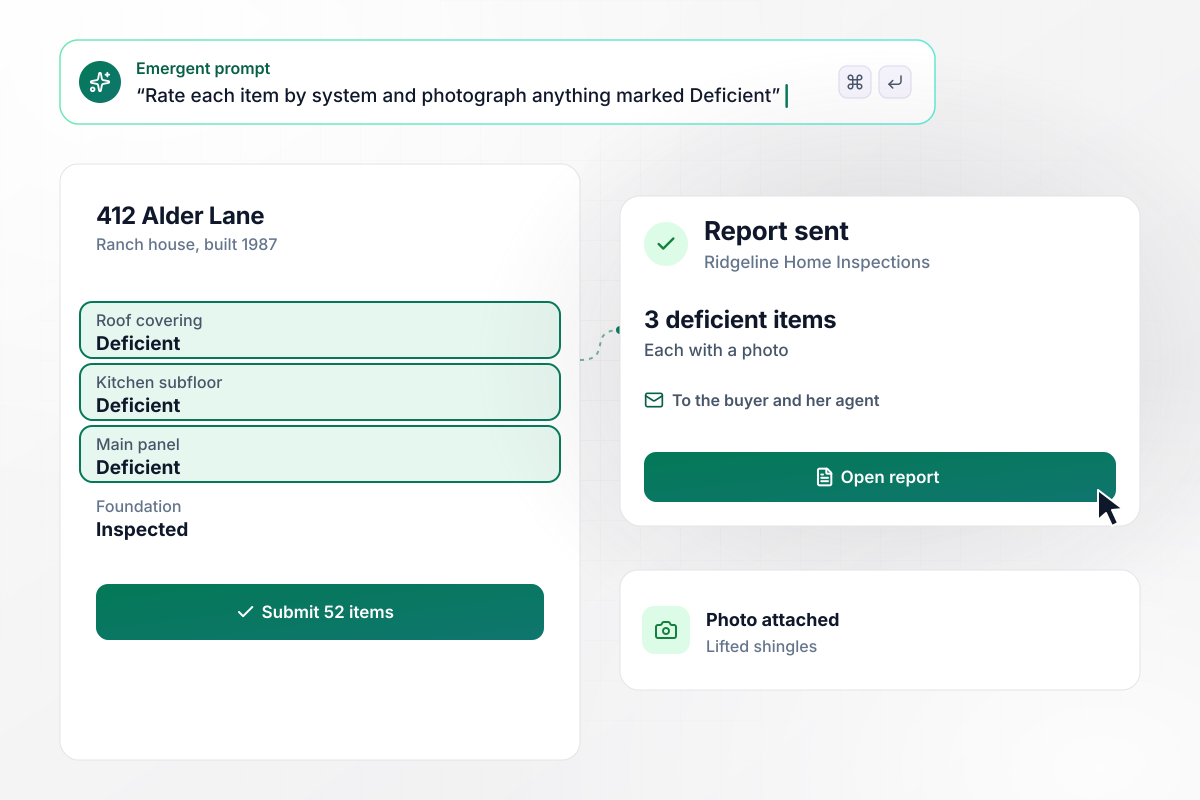
Of 52 items, the three deficient ones carry photos
Marcus Reid inspects a 1987 ranch house for Ridgeline Home Inspections on a tablet. He rates 52 items, and three come back Deficient: lifted shingles, a stained subfloor under the kitchen sink, and a double-tapped breaker. Each has a photo, and the buyer and her agent get the report link that evening.
window.awbMockup = { licensedInspectors: "I run a home inspection business and inspect houses for buyers. Build an inspection form I fill on a tablet, with items grouped by system: roof, foundation, electrical, plumbing, heating, and cooling. Rate each item Inspected, Not Inspected, Not Present, or Deficient. Require a photo and a note on anything Deficient, then email the buyer and their agent a report link with the deficient items first.", homebuyers: "I'm touring houses to buy and want to compare them the same way. Build a 20-question checklist I fill on my phone at each showing, covering the roof, furnace age, water stains, floors, and windows. Count the red flags at each address and show me a table of every house I've seen, sorted by red flags.", moveInInspections: "I manage rental units and walk each one with the new tenant before move-in. Build a condition form for every room with a rating of good, fair, or damaged and at least one photo per room. Let the tenant sign on my phone at the end, and save the signed report to that unit's lease record for move-out.", inspectionFirms: "My inspection company has five inspectors. Build a review queue: when an inspector marks any item as a safety hazard, hold the report and send it to our lead inspector before it goes to the client. Send every other report to the client by email as soon as it is submitted, and show me today's reports with their status." };
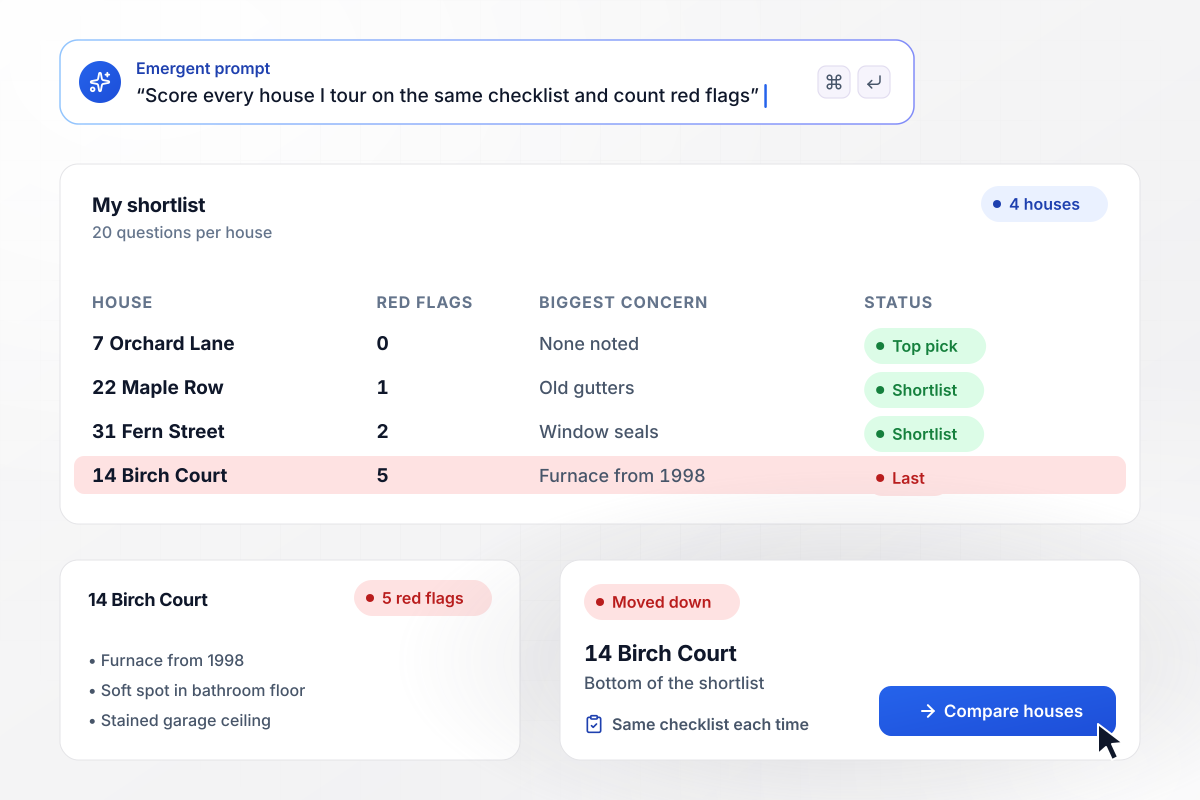
After four showings, Birch Court has the most red flags
Over two weekends, Priya Nair fills the same 20-question checklist at four houses she might buy, and the form counts red flags at each. The house at 14 Birch Court collects five, including a furnace from 1998 and a soft spot in the bathroom floor. It drops to the bottom of her shortlist.
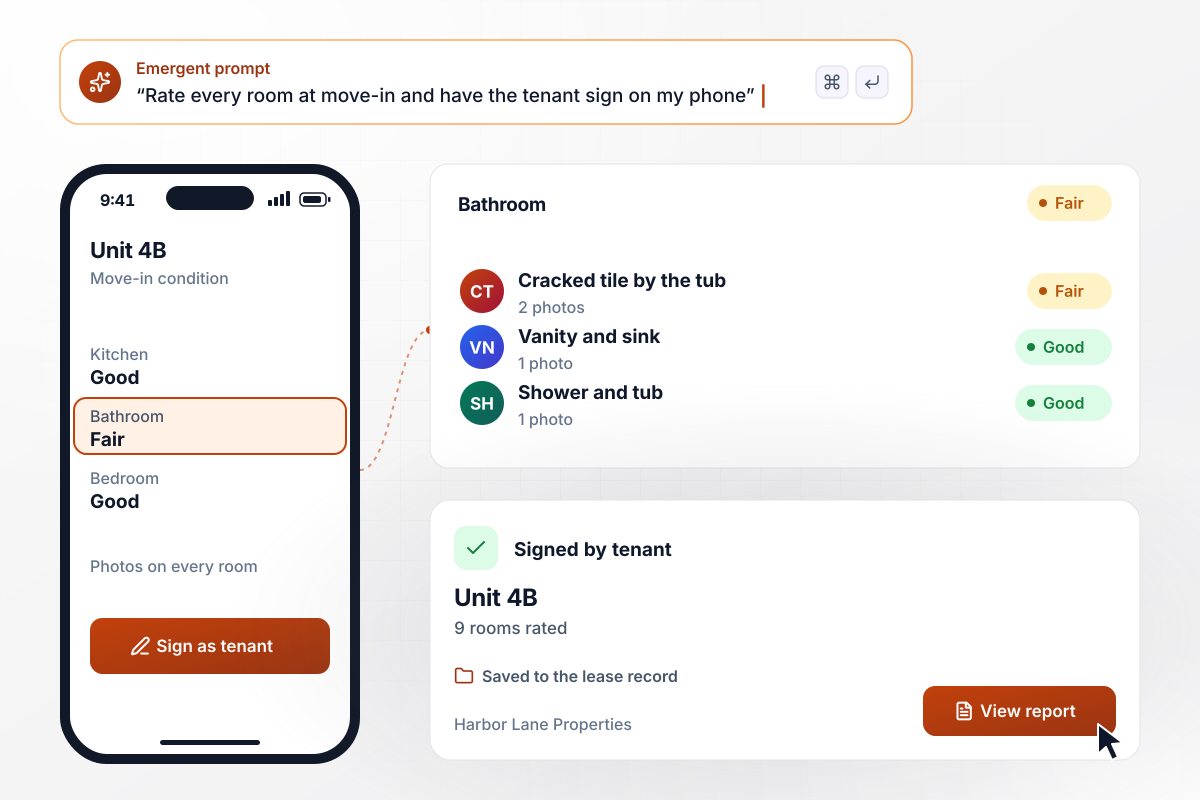
On move-in day, the tenant signs off on all nine rooms
Before keys change hands, a manager at Harbor Lane Properties walks unit 4B with the new tenant. Each of the nine rooms gets a condition rating and a photo. A cracked bathroom tile is logged as fair, with two photos. The tenant signs on the manager's phone, and the report is saved to the lease record for move-out.
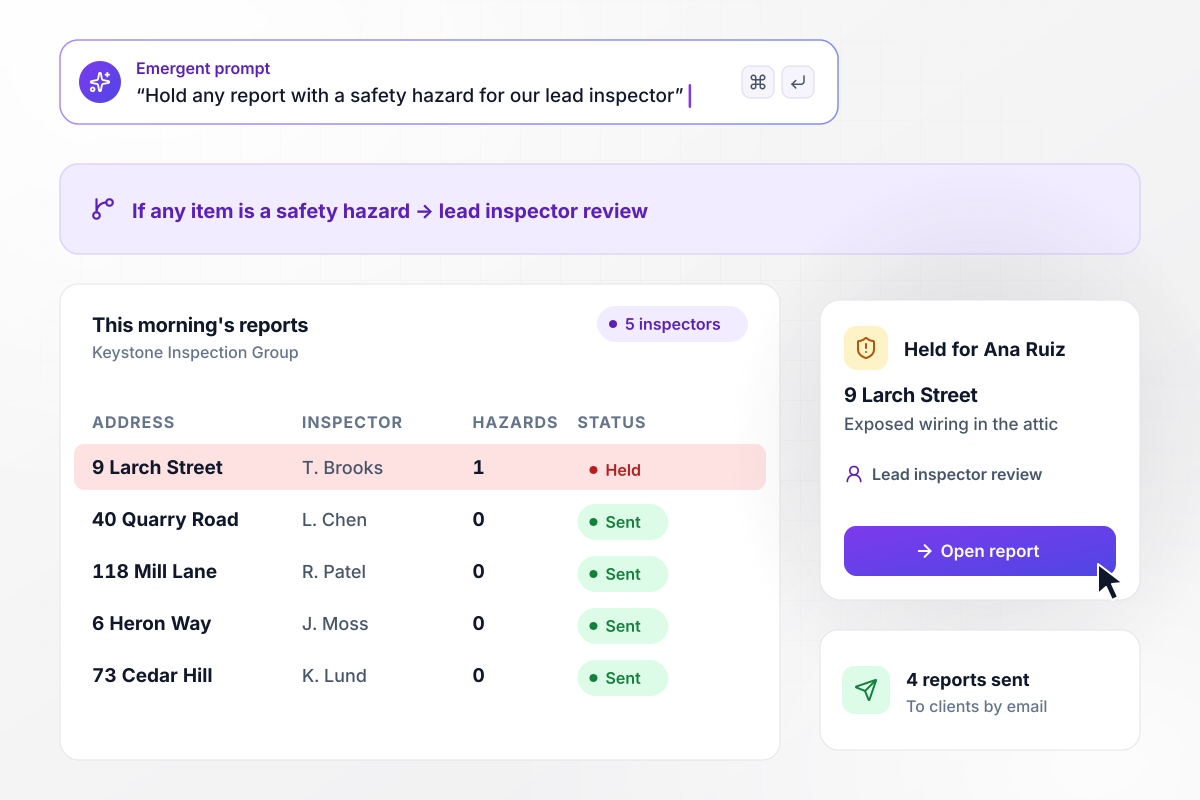
Before a buyer reads it, a hazard report gets a second look
Keystone Inspection Group runs five inspectors, and any report with an item marked as a safety hazard waits for Ana Ruiz, the lead inspector, before it reaches the client. This morning, the report on 9 Larch Street flags exposed wiring in the attic. It sits in her queue while the other four reports go out.






How to Create a Home Inspection Form
Seven steps to create a home inspection form that rates every item and documents each defect, then build it with Emergent.
Write down who reads the finished report before listing a single item. A buyer wants plain findings with photos. A property manager wants a condition record the tenant signs. The reader sets how deep each section goes and which items can stay off the form.
Group the items by system, in the order you walk the house, so nothing is missed. List the components you check under each heading, from the roof and attic down to the foundation.
Pick one rating scale and keep it the same on every item. Four choices cover a walk-through: Inspected, Not Inspected, Not Present, and Deficient. Define each label in one line at the top of the form. A second inspector then rates a worn roof the way you would.
Make a photo and a short note required whenever an item is marked Deficient. Say where the photo was taken, such as the north slope of the roof or the main electrical panel. A client reading it weeks later should find the problem without calling you.
Paste your systems, items, rating scale, and photo rules into the prompt. Emergent builds the form, the report page, and the database behind them. Add a rule for who hears about safety hazards, and change any part later by prompting again.
Set who receives each finished report. Buyers and their agents usually get it by email. A tenant gets a copy of the signed condition record, and a report with a safety hazard can go to your lead inspector first. Keep every inspection on the property's record.
Walk your own house with the form before a paid job. Mark two items Deficient, attach photos, and submit. Open the finished page as a client would, check that the deficient items come first, and time how long the whole walk-through took.
Why Use Emergent for Home Inspection Forms?
A home inspection form template gives you boxes to tick. Emergent builds the photo prompts and the client report behind them.

|
Jotform | Google Forms | Typeform | |
|---|---|---|---|---|
| How you build | Describe it in plain English | Templates, editor, AI generator | Editor, with Gemini drafting on some Workspace plans | Templates, editor, AI assist |
| File uploads | Files saved to storage you own, no sign-in | Included; files count toward plan storage | Respondents must sign in to Google; files fill your Drive | Paid plans only |
| Where responses live | A database table you own, plus any integration | Jotform account | Google Sheets | Typeform account |
| Conditional logic | Written from your description, per field or page | Show or hide fields and skip pages by answer | Section jumps from multiple-choice or drop-down answers | Logic Jump between questions |
| Code ownership | Full code export to GitHub on paid plans | None | None | None |



Pick the Pricing Plan That Works for You
Choose the plan that fits your building ambitions. From weekend projects to enterprise applications, we've got you covered.




Find the right form
for whatever you're collecting
Frequently Asked Questions
Your Questions, Answered
Don't change this element unless you know what you are doing
More things you can build
with Emergent









on Emergent today


