

Build a Tenant Screening Form That Records Every Decision
Create a tenant screening form that sends pre-screen questions before showings and keeps each renter's consent on file.
Build a tenant screening form for my rental units, with every applicant saved in one table.
Trusted by Builders Worldwide
Active Builders Worldwide
Apps Successfully Created
Countries Globally Reached



What the Screening Step Needs
The report comes from a screening service. Everything around it, from the first inquiry to the last notice, is a form you control.
Pre-screen questions on every inquiry
Sends each inquiry a short questionnaire before any showing, with move-in date and monthly income among the questions. Answers that fit your criteria get a booking link.
Signed authorization on any phone
Shows the screening disclosure, then captures the applicant's signature and the date it was signed. Each signed copy stays attached to the applicant, ready when anyone asks.
A hand-off to your screening service
Sends the signed authorization with the applicant's details to the screening service you already use, over that service's API. The service runs the report and returns it.
Decisions saved with their reasons
Keeps every applicant as a row in a database you own, with the report summary, each criterion met or missed and the reason for the decision. Filter by unit or by status.
Adverse action notices drafted
Drafts the notice when a report counts against a renter, naming the company that supplied the report and how to reach it. A person reads each draft first and then sends it.
Source code you can take anywhere
Exports the full app to your GitHub on paid plans. A developer can add a second screening service or connect your property software, or you can ask for the change in a plain prompt.
Screening Forms by Step
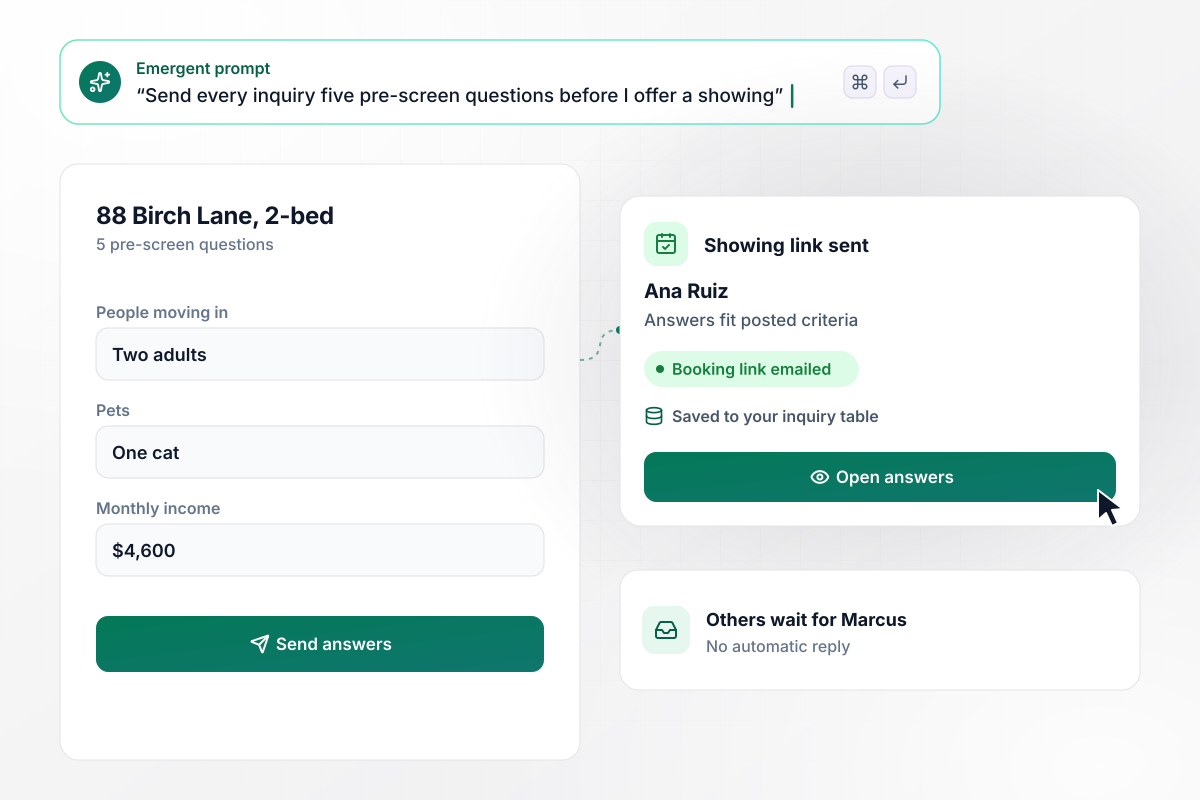
Showing links only for renters that fit the listing
Marcus rents a two-bedroom at 88 Birch Lane, with too many inquiries to show it to all of them. Each inquiry gets five pre-screen questions, starting with the move-in date. Answers that fit his posted criteria get a link to book a showing. Everyone else waits in his table, with no automatic reply.
window.awbMockup = { preScreeningQuestions: "I rent out a two-bedroom at 88 Birch Lane and get more inquiries than I can show. Send every inquiry five pre-screen questions: move-in date, how many people are moving in, pets, smoking, and monthly income. If the answers fit my posted criteria, send a link to book a showing. Put everyone else in my table to read before I reply.", backgroundCheckConsent: "Harbor Lane Rentals manages 40 units. Build a consent page where each applicant reads our screening disclosure and signs the authorization on their phone. Send the signed copy with their name and date of birth to our screening service through its API. Order nothing until the signature is in, and show me who has not signed yet.", screeningDecisions: "Linden Court Apartments screens against four written criteria: verified income, rental history, a past landlord reference, and confirmed identity. Bring the screening service's report summary into each applicant's row and mark every criterion met or missed. Send anyone who misses one to our leasing manager, and save the reason for each decision in the file.", adverseActionNotices: "When a screening report leads Harbor Lane to deny someone or ask for a co-signer, draft the adverse action notice. Name the screening company with its address and phone, say it did not make the decision, and include the right to dispute and to a free copy within 60 days. A leasing agent reviews and sends it." };
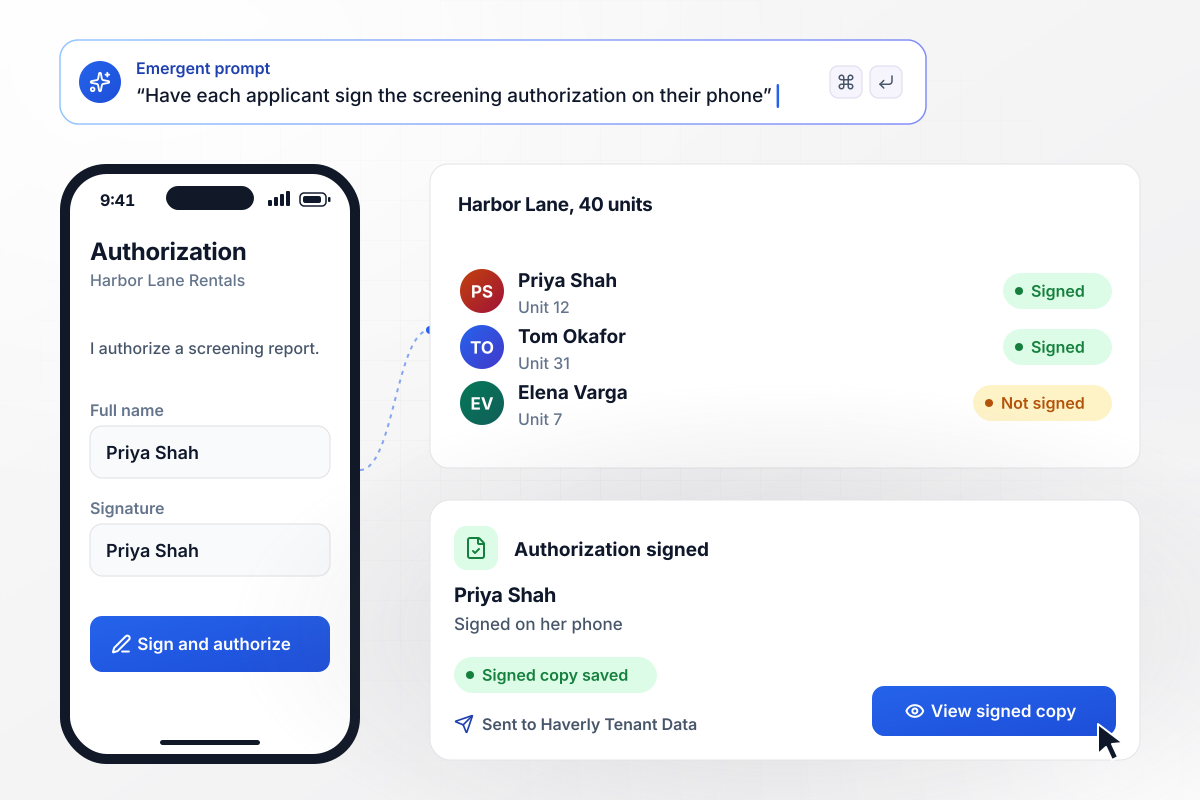
Signed authorizations sent to your screening service
Harbor Lane Rentals manages 40 units and orders every report from one screening service. Each applicant reads the disclosure and signs the authorization on a phone. The signed copy then goes to that service through its API. No report is ordered until the signature is in, and the table shows who has not signed.
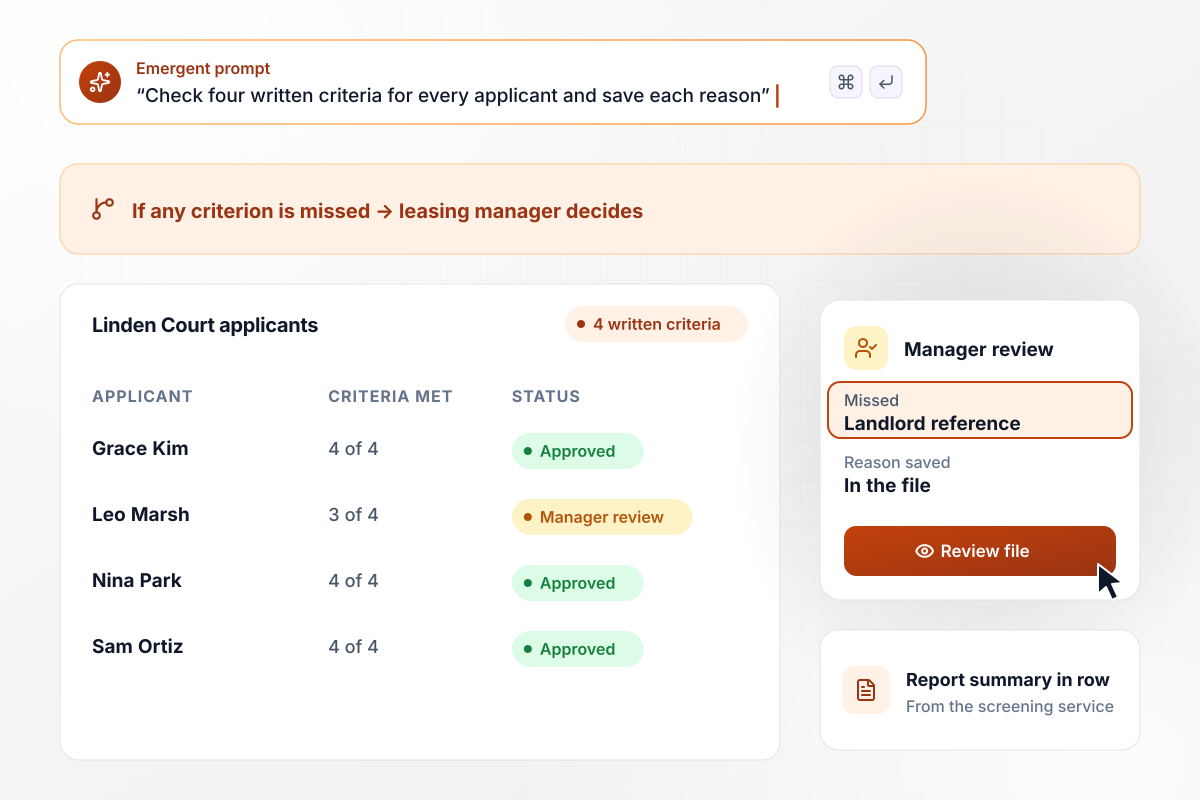
All four criteria checked for every applicant
Linden Court Apartments posts four written criteria, income and a past landlord reference among them. Reports come back from the screening service as a summary in each applicant's row. Anyone who misses a criterion goes to the leasing manager, whose reason is saved in the file.
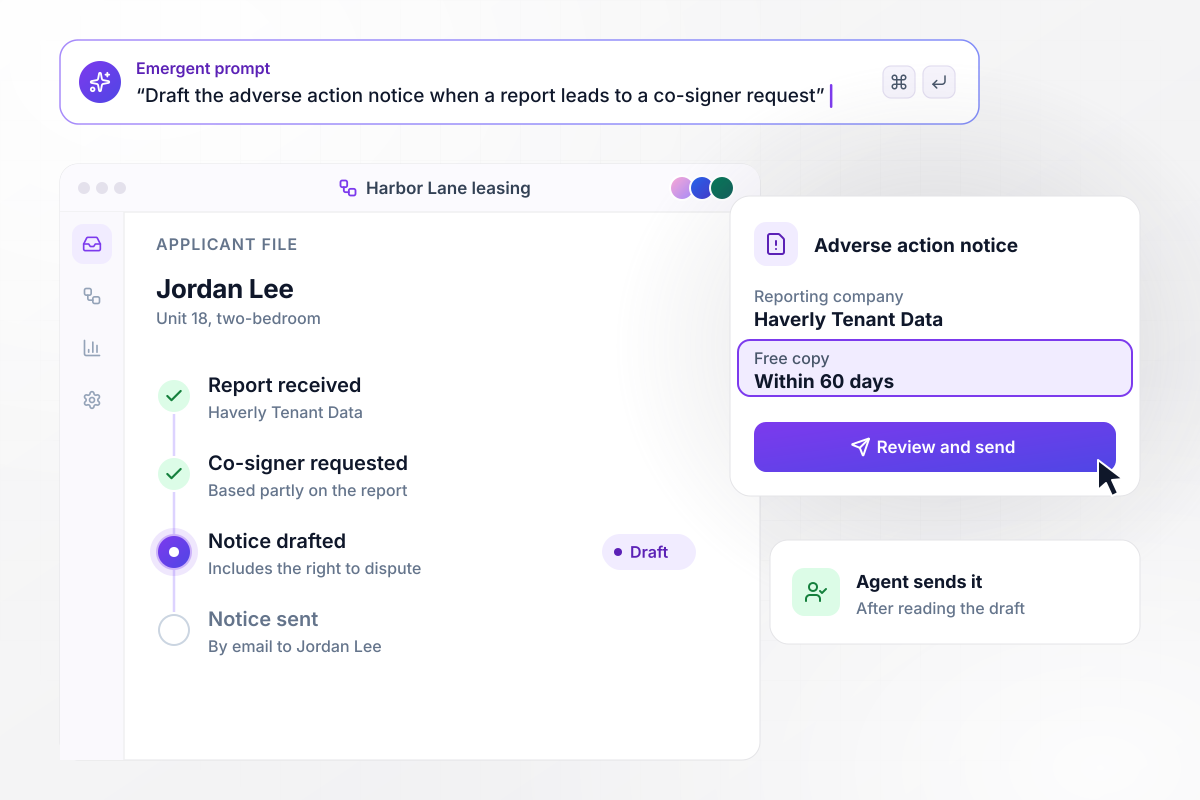
Adverse action notices that name the screening company
A report that counts against a renter, even in part, calls for a notice. When Harbor Lane asks Jordan Lee for a co-signer after his report, the app drafts one naming the screening company. It adds his right to dispute and to a free copy within 60 days. A leasing agent reviews the draft and sends it.






How to Create a Tenant Screening Form
These seven steps turn your written criteria into a tenant screening form that records a reason for every decision.
Decide what an applicant must show, such as income against rent and a verifiable rental history. Put the list in writing and post it with the listing. Applying one written list to everyone, in the order they apply, gives each decision a reason you can show.
The Fair Housing Act bars decisions based on race, color, religion, sex, national origin, familial status, or disability. Cut any question that points at them, such as plans for a family. Ask how many people will live in the unit instead.
Send each inquiry five or six questions tied to your criteria, with move-in date and occupancy first. Offer a showing to renters whose answers fit. Read the others yourself before replying, since a short answer can hide a good tenant.
Show the disclosure in plain words: which screening service you use and what the report covers. Ask for a signature and the date on the same page. Order nothing until the authorization is signed, and keep each signed copy with its applicant.
Link the form to the service you already use through its API. The signed authorization and the applicant's details then reach it without retyping. Send only what the service asks for. The report summary then comes back into the applicant's row.
Tick off the criteria an applicant meets and choose the reason from your written list. Send anyone who falls short to one person who decides. A file that shows its reason is far easier to defend than a note that says declined.
Any denial, co-signer request, or higher deposit that rests even partly on a report needs an adverse action notice. Give the screening company's name, address and phone number. Say the renter may dispute it, or request the report free of charge within 60 days.
Why Build Tenant Screening With Emergent?
A PDF consent page ends at the signature line. Here the signed copy reaches your screening service, and each decision keeps its reason.

|
Jotform | Google Forms | Typeform | |
|---|---|---|---|---|
| How you build | Describe it in plain English | Templates, editor, AI generator | Editor, with Gemini drafting on some Workspace plans | Templates, editor, AI assist |
| File uploads | Files saved to storage you own, no sign-in | Included; files count toward plan storage | Respondents must sign in to Google; files fill your Drive | Paid plans only |
| Where applications live | A database table you own, plus any integration | Jotform account | Google Sheets | Typeform account |
| Application limits | No response caps | Monthly submission caps by plan; the form stops at the cap | No limit | Monthly response caps by plan; the form closes at the cap |
| Code ownership | Full code export to GitHub on paid plans | None | None | None |




Pick the Pricing Plan That Works for You
Choose the plan that fits your building ambitions. From weekend projects to enterprise applications, we've got you covered.




Find the right form
for whatever you're collecting
Frequently Asked Questions
Your Questions, Answered
Don't change this element unless you know what you are doing
More things you can build
with Emergent









on Emergent today


