

Build a Dermaplaning Consent Form Your Clients Sign Online
Build a dermaplaning consent form in your practice's wording that clients sign by link and that files each signature by client.
Build a dermaplaning consent form for my mobile facial business that clients sign on their phone, with a skin history section.
Trusted by Builders Worldwide
Active Builders Worldwide
Apps Successfully Created
Countries Globally Reached



What the Form Carries Into the Treatment Room
Your provider or lawyer writes the consent text. Emergent builds the form, and the app files each signature on the client's record.
Statements initialed one at a time
Paste the consent wording your provider or lawyer approved. The form splits it into numbered statements with an initials box each, and the client signs once every box is filled.
Skin history in your own questions
Write the skin history questions your practice asks, word for word. A yes to any one of them marks the booking for review, and the answers stay on the client's record in the app.
Alerts that carry a link, not answers
Send the esthetician an email or a Slack message when a form needs review. The alert names the booking and links to the form. Health answers never sit in an inbox or a channel.
A signature on every record
Clients sign with a finger or a mouse at the end of the form. The app saves the signature with the date, the time, and the version of the consent wording the client read first.
A fresh link after 12 months
Set how long a signed form stays current. When a returning client last signed more than 12 months ago, the app emails a new signing link along with the booking confirmation.
Your code, in your GitHub
On paid plans, export the full codebase to your GitHub repository and host the form next to your booking system. Keep building on it there, or keep changing it by prompting Emergent.
How Studios Use Dermaplaning Consent
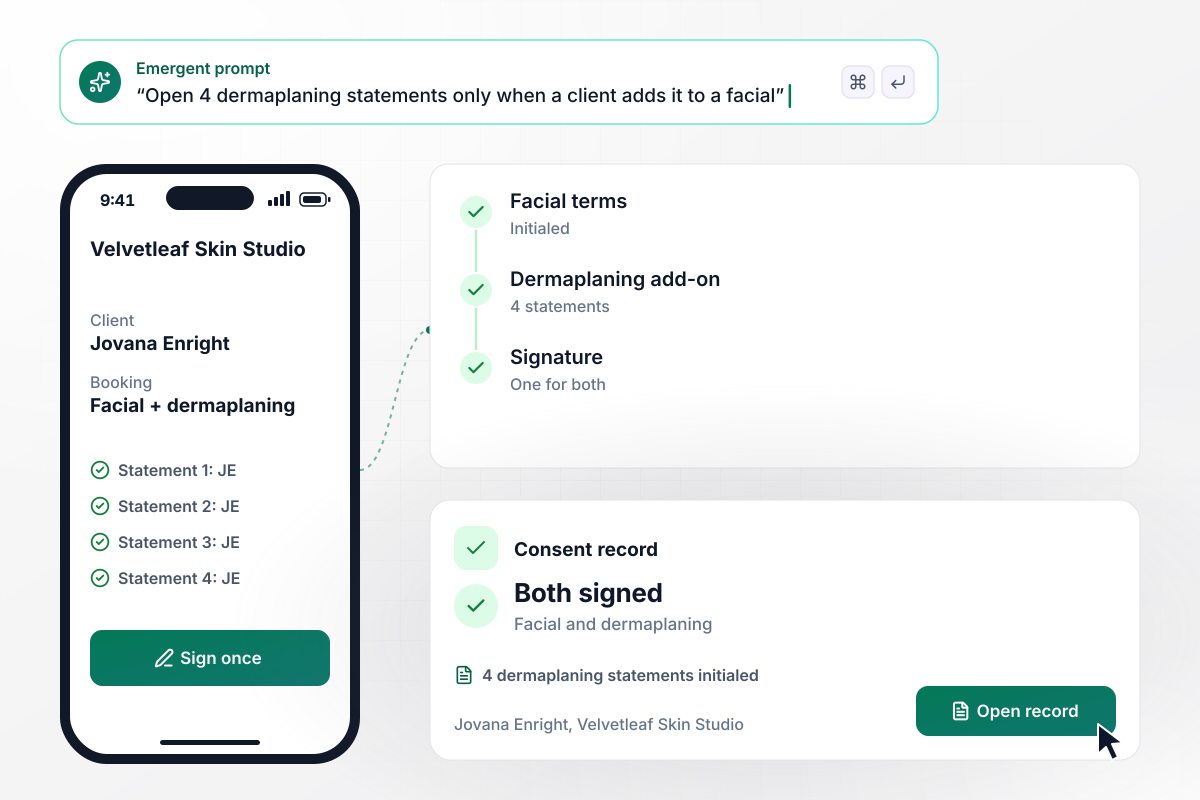
Jovana's add-on puts 4 statements into her facial form
Jovana Enright books a hydrating facial at Velvetleaf Skin Studio, then adds dermaplaning before she pays. Her consent link opens the facial terms plus 4 dermaplaning statements to initial. A client who books the facial alone never sees them. Jovana signs once, and her record reads facial and dermaplaning signed.
window.awbMockup = { facialAddOn: "I run Velvetleaf Skin Studio. Build a dermaplaning consent form that sits inside my facial consent. When a client books a hydrating facial and adds dermaplaning, the link opens the facial terms plus 4 dermaplaning statements, each with an initials box. Clients who book the facial alone never see those statements. Save one signature and show the record as facial and dermaplaning signed.", mobileEsthetics: "I am a mobile esthetician running Glowcart Mobile Facials. Build a dermaplaning consent form whose link goes out in every booking confirmation email. Give me a schedule for each day that lists the start time, the client, the client's address, and whether the form is signed, so on Saturday morning I can see all 5 clients signed before I leave.", skinHistoryHolds: "Gildenrow Aesthetics needs a dermaplaning consent form with our own skin history questions. If a client answers yes to any of them, mark the booking needs review and email Desmonda Rosewarne, our esthetician, that a form needs review with a link to it. Keep the answers out of the email. Desmonda reads them in the app and confirms the booking there.", studentClinics: "I teach at the Treharne School of Esthetics. Build a dermaplaning consent form for our student clinic floor. The client signs, the student adds their name, and the instructor countersigns from a tablet. Show me a weekly list of student treatments with how many are countersigned, such as 11 of 12, and which ones still wait for me." };
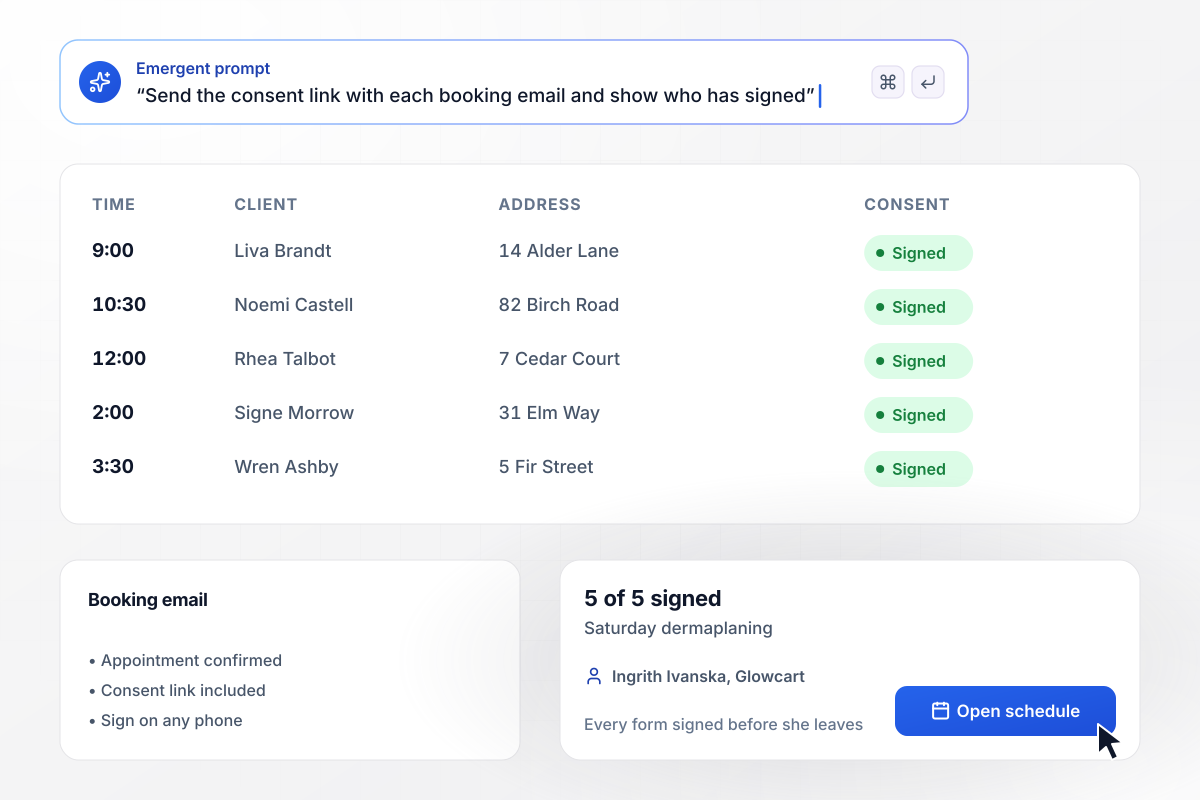
All 5 Saturday clients signed before Ingrith loads the car
Ingrith Ivanska works out of her car as Glowcart Mobile Facials, with no front desk and no clipboard. Each booking confirmation email carries the consent link. On Saturday morning her schedule shows 5 dermaplaning appointments and 5 signed forms, each next to the client's address and start time.
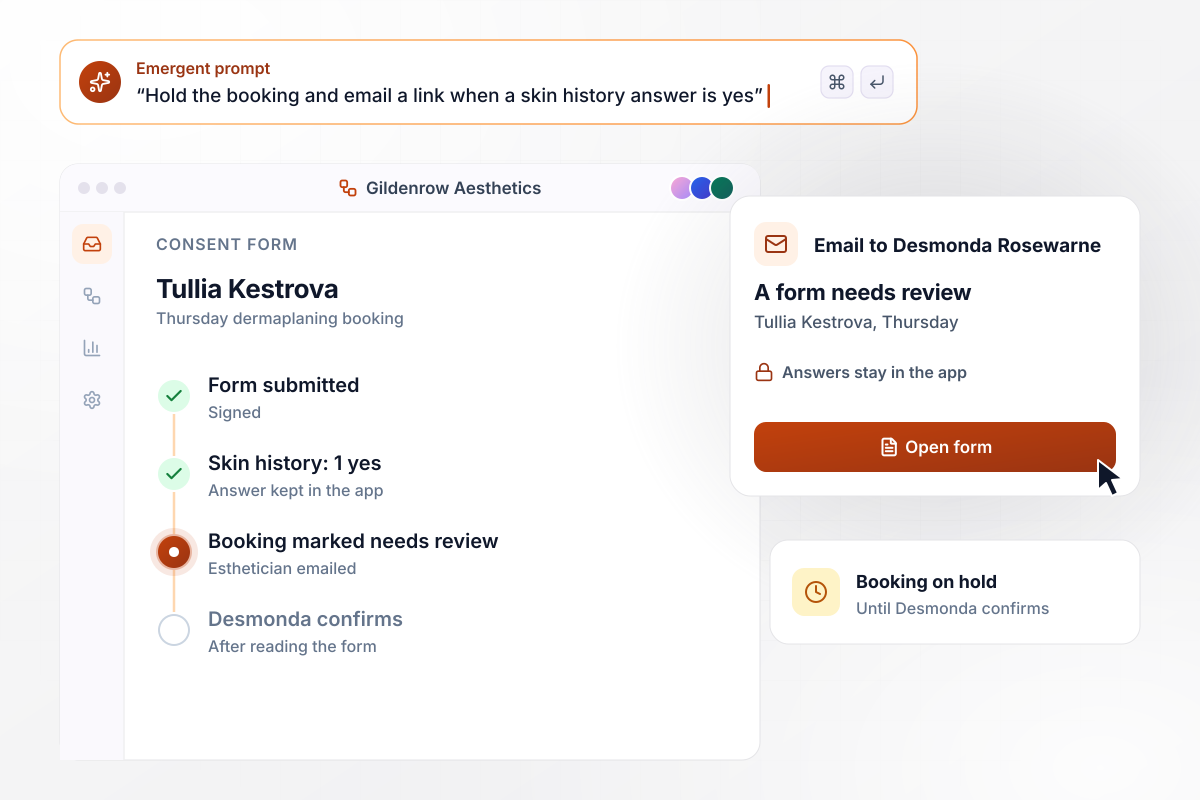
After one yes, Tullia's booking waits for Desmonda
Tullia Kestrova answers yes to 1 of the skin history questions Gildenrow Aesthetics wrote. Her Thursday booking is marked needs review. Desmonda Rosewarne, the esthetician, gets an email that a form needs review, with a link to open it. The answer stays in the app, and Desmonda reads it there before she confirms.
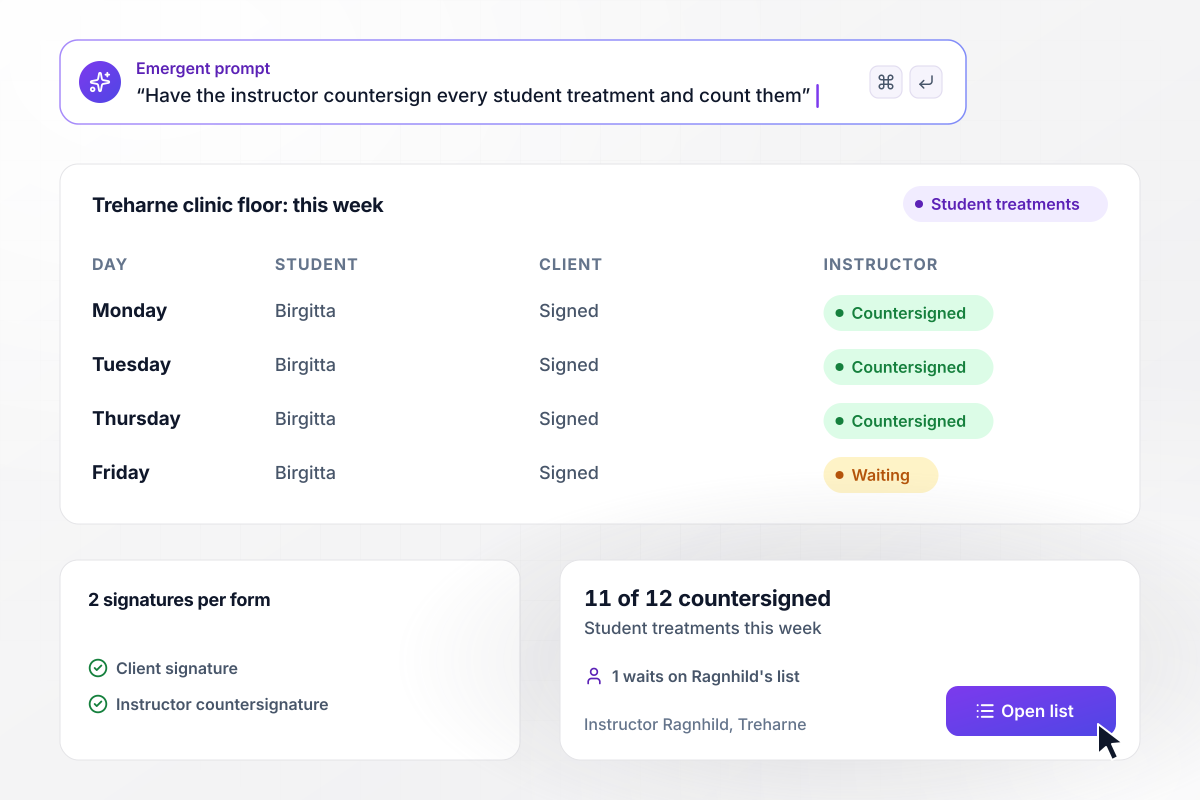
By Friday, Ragnhild has countersigned 11 of 12
Every student treatment on the Treharne School of Esthetics clinic floor carries 2 signatures: the client's and the instructor's. Student Birgitta adds her name to each form, and instructor Ragnhild countersigns from her tablet. By Friday, 11 of this week's 12 are countersigned, and 1 waits on her list.






How to Create a Dermaplaning Consent Form
Seven steps to a dermaplaning consent form in your own approved wording that clients sign online before treatment.
Pull together the paper consent, the intake sheet, and any aftercare handout you give dermaplaning clients today. Note which pages clients sign and which they only read. That split decides what becomes a statement to initial and what stays as plain text.
Have the provider your practice works with, or a lawyer, approve the consent text before it goes into the form. Record the date of each approved version. Every signed record then points to the exact wording that client read.
Write each skin history question the way your practice asks it, with a yes or no answer and a box for details. Then decide which answers hold a booking for review. Your provider makes those calls, not the form.
Pick the esthetician or manager who reads a form after a client answers yes. Their email carries the booking and a link, never the answers. For a student clinic, also name the instructor who countersigns each treatment.
Paste the approved wording and your questions into a prompt, then say when the dermaplaning section opens, for example only when it is added to a facial. Emergent builds the form and its database, and you change either by prompting again.
Add the signing link to your booking confirmation email. Set how long a signature stays current, such as 12 months. A returning client past that point gets a fresh link with the next confirmation instead of signing at the door.
Submit the form twice: once for a facial alone and once for a facial with dermaplaning where you answer yes to one skin history question. Check that the add-on statements show only on the second, and that the held booking email has no answers in it.
Why Build Dermaplaning Consent on Emergent?
Describe your consent form, and Emergent builds it with a table of signed records. Every signature stays in a database you own.

|
Jotform | Google Forms | Typeform | |
|---|---|---|---|---|
| How you build | Describe it in plain English | Templates, editor, AI generator | Editor, with Gemini drafting on some Workspace plans | Templates, editor, AI assist |
| Where responses live | A database table you own, plus any integration | Jotform account | Google Sheets | Typeform account |
| Response limits | No response caps | Monthly submission caps by plan; the form stops at the cap | No limit | Monthly response caps by plan; the form closes at the cap |
| Code ownership | Full code export to GitHub on paid plans | None | None | None |




Pick the Pricing Plan That Works for You
Choose the plan that fits your building ambitions. From weekend projects to enterprise applications, we've got you covered.




Find the right form
for whatever you're collecting















Frequently Asked Questions
Your Questions, Answered
Don't change this element unless you know what you are doing
More things you can build
with Emergent









on Emergent today


