

Build a Boat Rental Waiver Form Signed Before Anyone Boards
Build a boat rental waiver form that renters sign before they arrive, with every passenger listed for the dock crew.
Build a boat rental waiver form for my marina that renters sign before they reach the dock.
Trusted by Builders Worldwide
Active Builders Worldwide
Apps Successfully Created
Countries Globally Reached



What the Dock Crew Checks Before the Keys
Six parts of the waiver that put a signed record and a passenger count in front of the dock crew before a boat leaves the slip.
Renters sign from the booking email
Put the waiver link in every booking confirmation. Renters read and sign at home the night before. The dock crew has the record on file before the first car pulls into the lot.
A passenger list on every rental
The renter names each person going aboard, adults and children, with an emergency contact who stays on shore. The dock tablet shows the count beside the renter's signature.
A parent signs for renters under 18
When a date of birth puts a paddler or passenger under 18, a parent section opens. The parent signs in their own name, and both signatures sit on the same rental record.
Operator details before the key
Ask whoever drives the boat for their boater education card number and the state that issued it. Add the rider rules you want initialed, such as the return time and the wake zones.
Dock tablet search by last name
Dock staff type a last name and see the renter's status, the time of signing, and the passenger count. A renter who skipped the email signs at the dock from a QR code on the shed.
Export the code to your GitHub
On paid plans, export the full code to your GitHub repository and run the waiver app beside your booking system. Keep changing it by prompting Emergent, or hand it to a developer.
How Four Rental Docks Use the Same Waiver
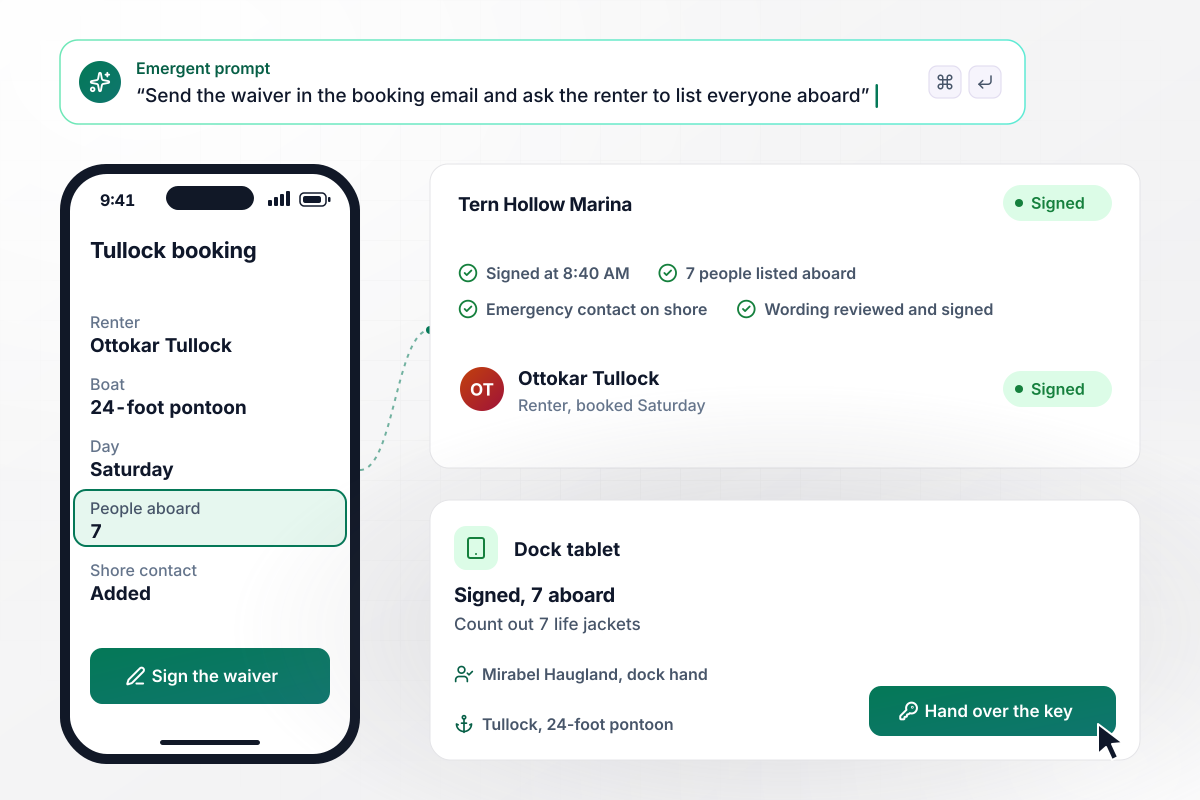
Seven life jackets, each for a name on the booking
Ottokar Tullock booked the 24-foot pontoon at Tern Hollow Marina for Saturday. He signs from the booking confirmation at 8:40 AM and lists 7 people aboard. At the slip, dock hand Mirabel Haugland types Tullock into the tablet and sees Signed, 7 aboard. She counts out 7 life jackets before she hands over the key.
window.awbMockup = { pontoonRentals: "Build a boat rental waiver form for my marina's pontoon rentals. Send the waiver link in each booking confirmation so the renter signs before Saturday and lists everyone going aboard. Give my dock hand a tablet where she types a last name and sees Signed with the number of people aboard, so she knows how many life jackets to count out.", paddleRentals: "Make a boat rental waiver form for my kayak and paddleboard rentals. Put a QR code on the board rack so each paddler signs on a phone. Ask for a date of birth, and if it shows a paddler under 18, open a section where a parent signs in their own name. Show a Parent signed tag on the attendant's tablet.", jetSkiRentals: "Create a boat rental waiver form for my jet ski rentals. Ask the operator for a boater education card number and the state that issued it. List 4 rider rules to initial: the kill-switch lanyard, no wake near the docks, no towing, and the return time. Show Card on file on the launch tablet next to each operator.", damageLookups: "Build a boat rental waiver form for my marina that saves the wording version and the time of signing with every waiver. Give my manager an office tablet where he searches by last name, opens the signed waiver, and writes a damage note with the return time that stays on that record." };
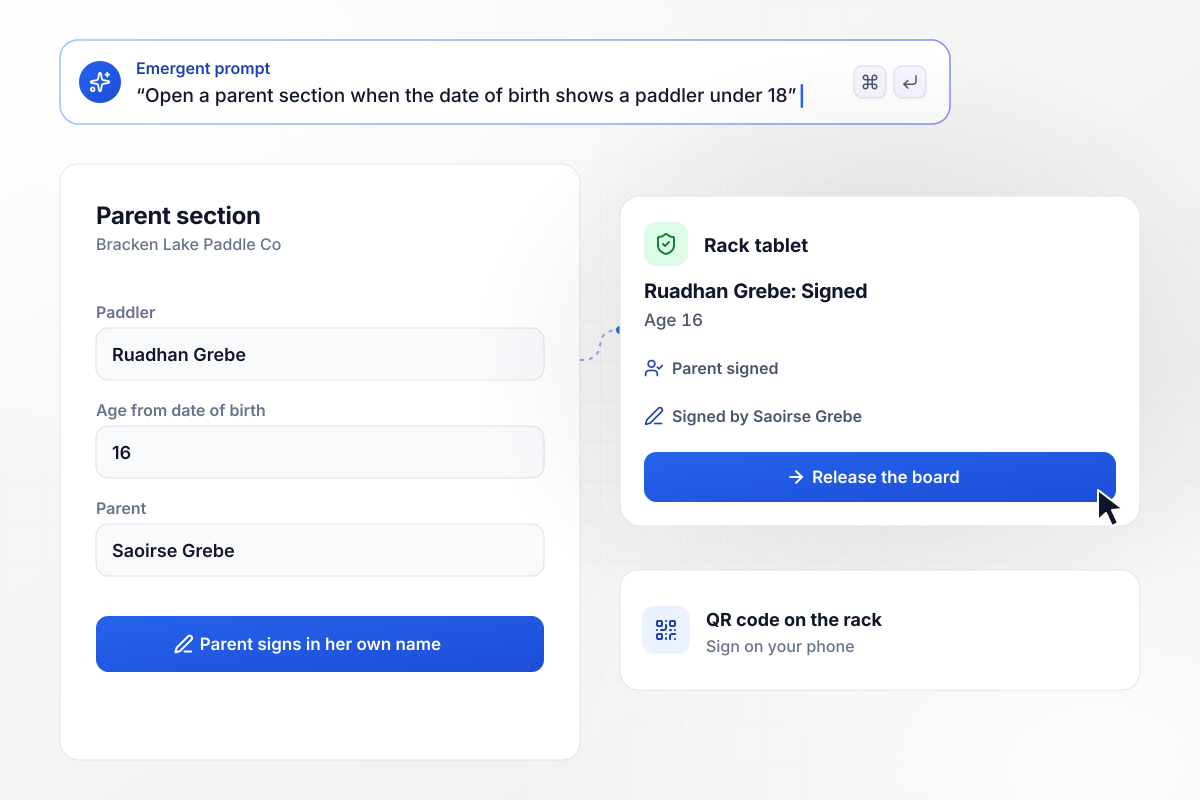
Ruadhan is 16, which opens a section for his mother
At Bracken Lake Paddle Co, paddlers scan the QR code on the rack to sign. Ruadhan Grebe enters a date of birth that makes him 16, and a parent section opens. His mother, Saoirse Grebe, signs it in her own name on his phone. The rack attendant's tablet marks Ruadhan Signed with a Parent signed tag.
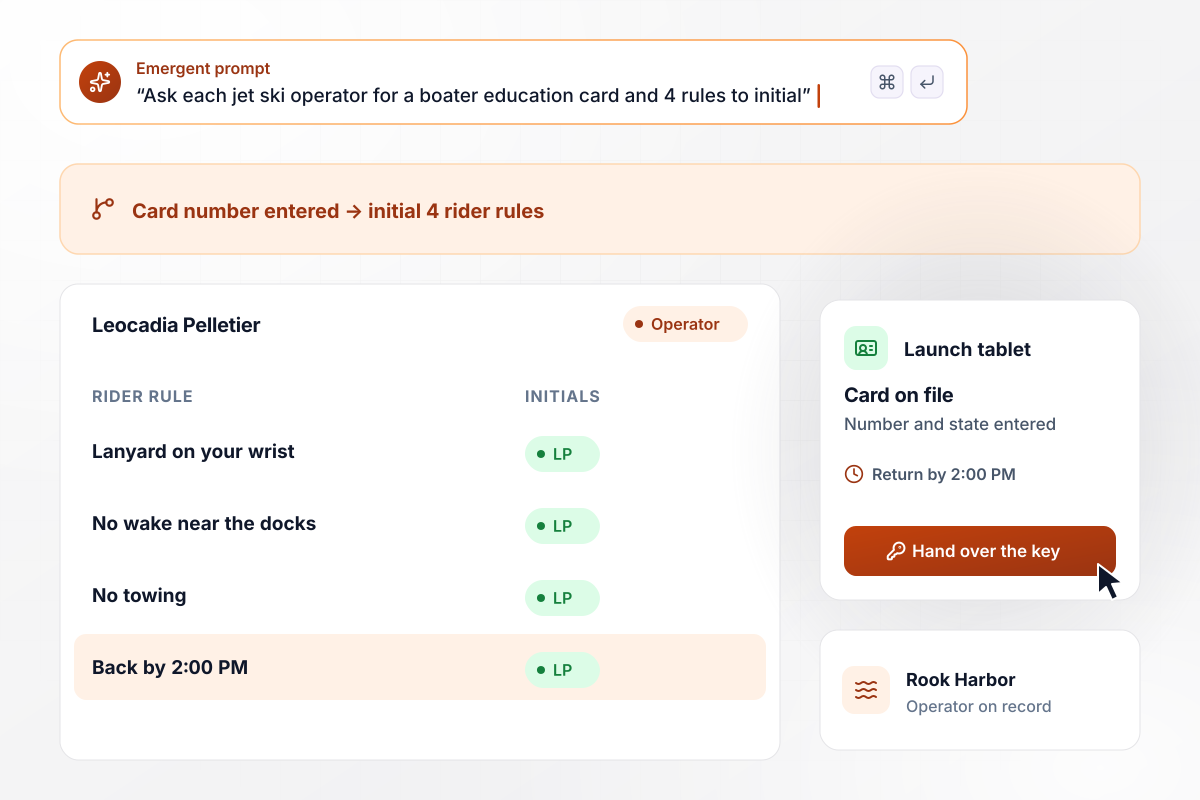
The jet ski key waits until a card number is on file
Every jet ski at Rook Harbor Watersports leaves with an operator on record. Leocadia Pelletier types in the number from her boater education card and the issuing state. She then initials 4 rider rules, the last one a 2:00 PM return. The launch tablet shows Card on file beside her name, and the attendant hands her the key.
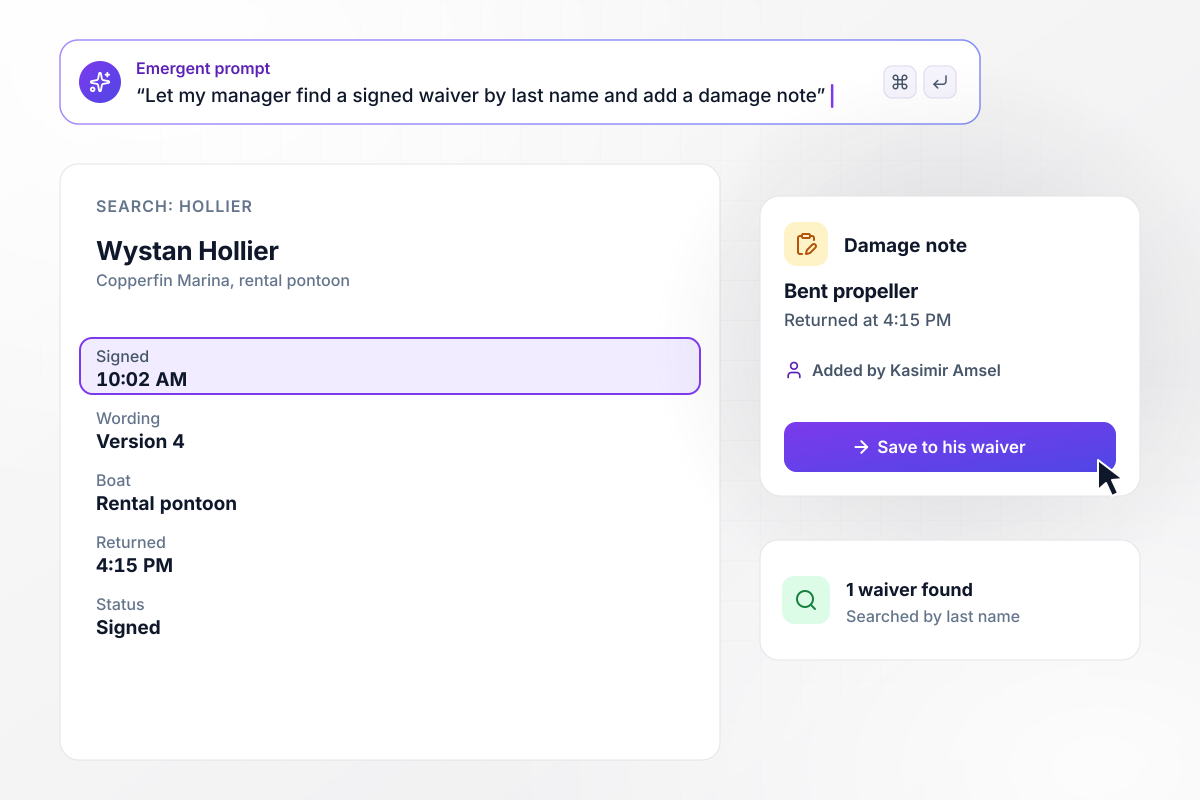
The 10:02 AM waiver reopened when the boat returned
A rental pontoon came back to Copperfin Marina at 4:15 PM with a bent propeller. Manager Kasimir Amsel searches Hollier on the office tablet and opens Wystan Hollier's waiver, signed at 10:02 AM on version 4 of the wording. He writes a damage note on that record, naming the propeller and the return time.






How to Create a Boat Rental Waiver Form
Follow seven steps to set up a boat rental waiver form that every renter signs before taking the keys.
Walk the dock and list every boat you rent, such as pontoons, kayaks, and jet skis. Note what each one needs from the renter: a passenger count for a pontoon, or the operator's card details for a jet ski.
Choose whether every adult aboard signs or the renter signs for the group. Set the age below which a parent signs, and your own minimum age to drive each boat. The form branches on these choices. Settle them before any wording.
Have an attorney licensed in your state read the draft before the first renter sees it. Enforceability depends on how a waiver is written and on the laws of your state. Some states limit waivers for minors. Point the attorney to the parent section by name.
Write one prompt that names your boats, the passenger list, the parent rule, and what the dock tablet shows. Emergent builds the waiver, a database of signed copies, and the dock screen. Ask for changes the same way, in plain English.
Paste the waiver link into the booking confirmation email, and renters sign the night before. Print a QR code for the rental shed for walk-ups. Keep each clause short enough to read on a phone in bright sun on the dock.
Have 4 staff members sign as renters before opening weekend: one with a full pontoon, one under 18 with a parent, one on a jet ski, and one who skips the email. Check each record on the dock tablet.
When the wording changes, save it as a new version and keep each signature tied to the version its signer read. Ask your attorney or insurer how long to keep records, and keep them searchable by last name.
Why Build a Boat Rental Waiver on Emergent?
Each signed waiver lands in a database you own with its passenger list and wording version, and staff find it by last name.

|
Jotform | Google Forms | Typeform | |
|---|---|---|---|---|
| How you build | Describe it in plain English | Templates, editor, AI generator | Editor, with Gemini drafting on some Workspace plans | Templates, editor, AI assist |
| Where responses live | A database table you own, plus any integration | Jotform account | Google Sheets | Typeform account |
| Response limits | No response caps | Monthly submission caps by plan; the form stops at the cap | No limit | Monthly response caps by plan; the form closes at the cap |
| Code ownership | Full code export to GitHub on paid plans | None | None | None |



Pick the Pricing Plan That Works for You
Choose the plan that fits your building ambitions. From weekend projects to enterprise applications, we've got you covered.




Find the right form
for whatever you're collecting















Frequently Asked Questions
Your Questions, Answered
Don't change this element unless you know what you are doing
More things you can build
with Emergent









on Emergent today


