

Build a Recruiting Intake Form for Every Open Role
Build a recruiting intake form that gets the must-haves, salary range, and interview panel from hiring managers up front.
Build a recruiting intake form that hiring managers fill in before I start sourcing a role.
Trusted by Builders Worldwide
Active Builders Worldwide
Apps Successfully Created
Countries Globally Reached



What the Hiring Manager Answers Once
Describe your roles and who approves them. Emergent builds the form, the routing, and the table your recruiters work from.
Must-haves kept apart from nice-to-haves
Ask the hiring manager for no more than three must-haves, then list the rest as nice-to-haves. Recruiters screen against the short list and use the long one to break a tie.
Salary range and level, asked up front
The form asks for the level, the salary range and whether the role is remote, hybrid, or on site. Each answer is required, so a recruiter knows the budget before the first call.
The interview loop, named before sourcing
List every interview stage, who sits on it and how long it runs. Candidates hear the whole process on the first call, and each panelist knows their slot a week ahead.
Each role routed to its recruiter
Send engineering roles to one recruiter and sales roles to another, by email or in Slack. A role above the salary limit you set waits for an approver before anyone is assigned.
Every intake saved as a record you own
Each submitted intake becomes a record in a database you own, with its team, level, location, and date. Filter open roles by any of them, or list the ones still missing answers.
The full codebase, exported to GitHub
On paid plans, export the full code to your GitHub repository when intakes need to sit next to an applicant tracking system you already run. Host it anywhere and keep building.
From the Hiring Manager to the First Search
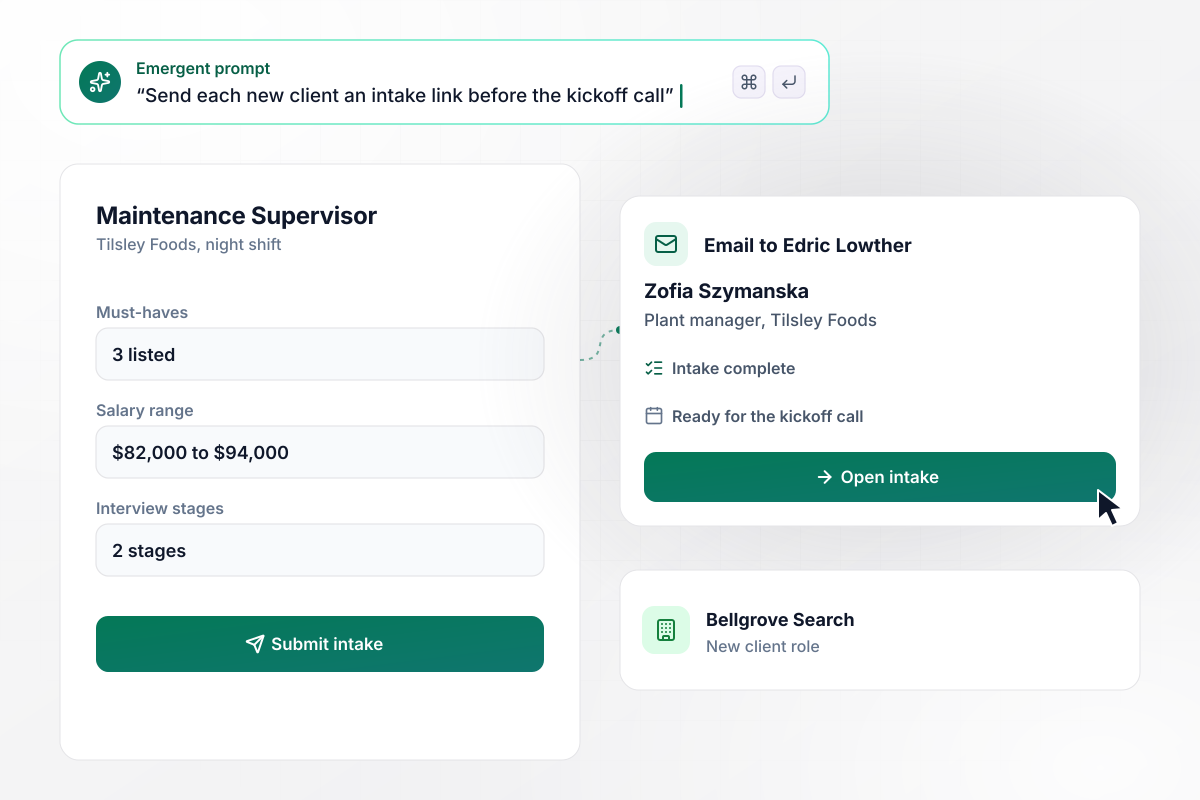
Edric has all 3 must-haves before the call
Bellgrove Search sends each new client an intake link before the kickoff call. At Tilsley Foods, plant manager Zofia Szymanska fills it in for a night shift maintenance supervisor. She names 3 must-haves, a salary range of $82,000 to $94,000, and a 2-stage interview. Recruiter Edric Lowther gets the whole intake by email.
window.awbMockup = { agencyClientRoles: "Build an intake form I can send to each new agency client before the kickoff call. Ask for the job title, the shift, up to 3 must-haves, the salary range, and how many interview stages there are. When the client submits it, email me the whole intake with the client's name and the role at the top.", seniorRoleApprovals: "Build a recruiting intake form for my company's hiring managers. Ask for the role, the team, the level, and the top of the salary range. If the top is over $160,000, send our VP of People a Slack message with Approve and Decline buttons, and assign a recruiter only after she approves.", seasonalHourlyHiring: "Build an intake form for site managers who need seasonal warehouse staff. Ask how many pickers they need on each shift, the start time for each shift, and the first day. Turn every intake into one hiring request per shift so the night and day recruiters each get their own list.", openIntakeTracking: "Build a table of every open recruiting intake at my company, with the role, the team, how many answers are missing, and how long it has waited. If an intake goes more than 3 days without an answer from the hiring manager, email them a reminder, and show me the oldest ones first." };
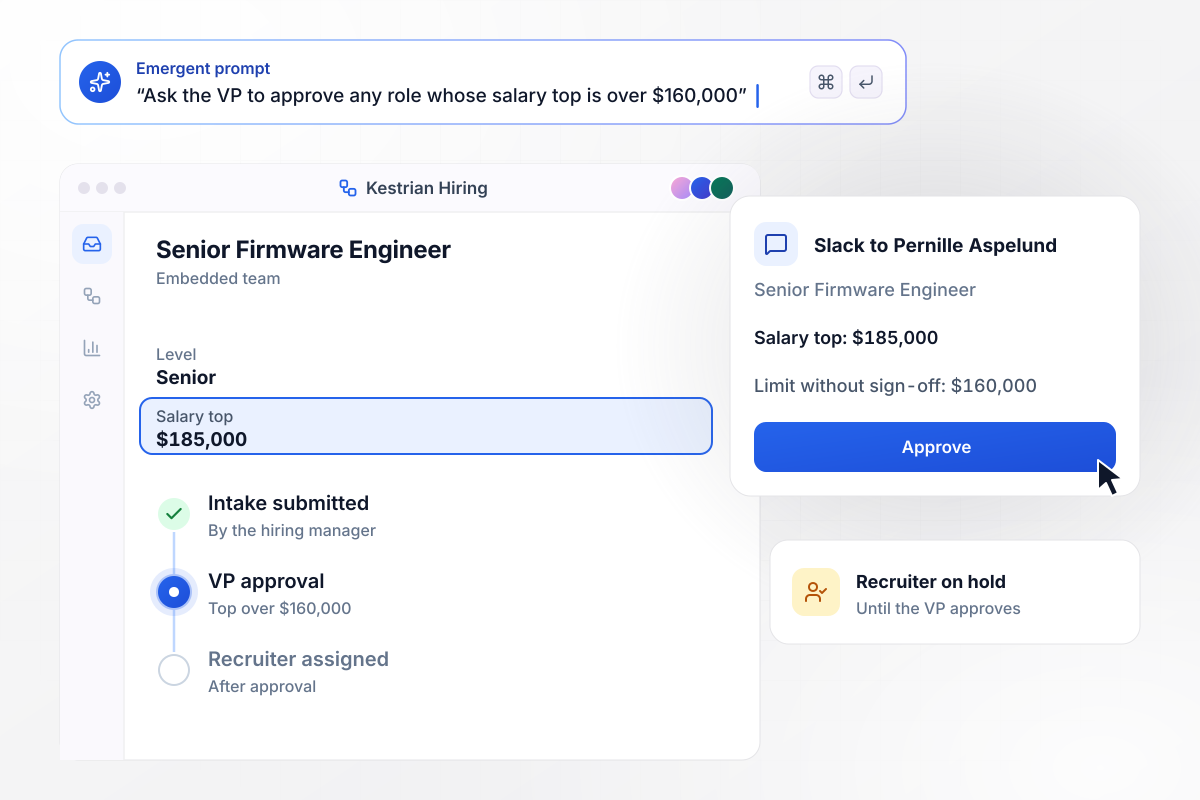
All roles over $160,000 wait on the VP
Kestrian Robotics caps what a hiring manager can open alone. A senior firmware engineer request comes in with a salary top of $185,000. Any role with a top over $160,000 waits for Pernille Aspelund, the VP of People, who gets a Slack message to approve it. Once she approves, the app assigns a recruiter.
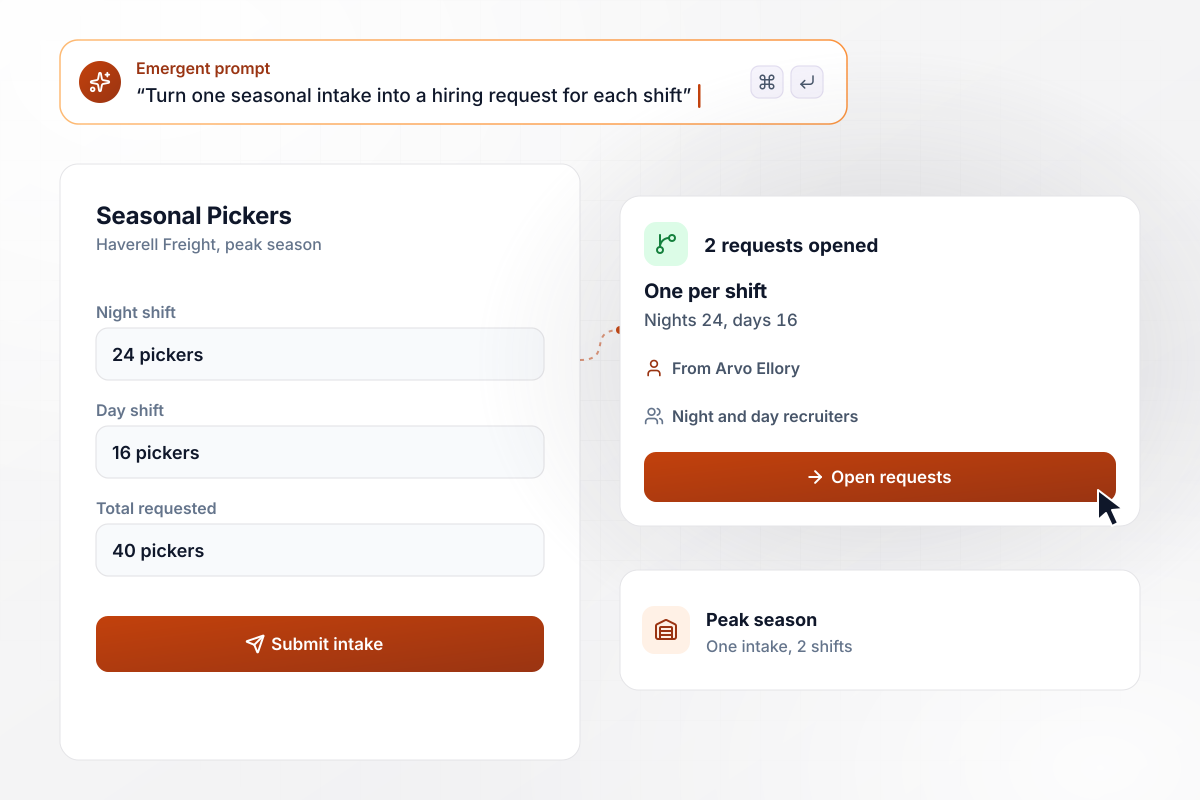
On one intake, 40 pickers in 2 shifts
Peak season at Haverell Freight means hiring in bulk. Site manager Arvo Ellory files one intake for 40 seasonal pickers, with 24 on the night shift and 16 on days, and gives each shift its own start time. The app turns it into 2 requests, one per shift, and the recruiters filling nights work a separate list from the day team.
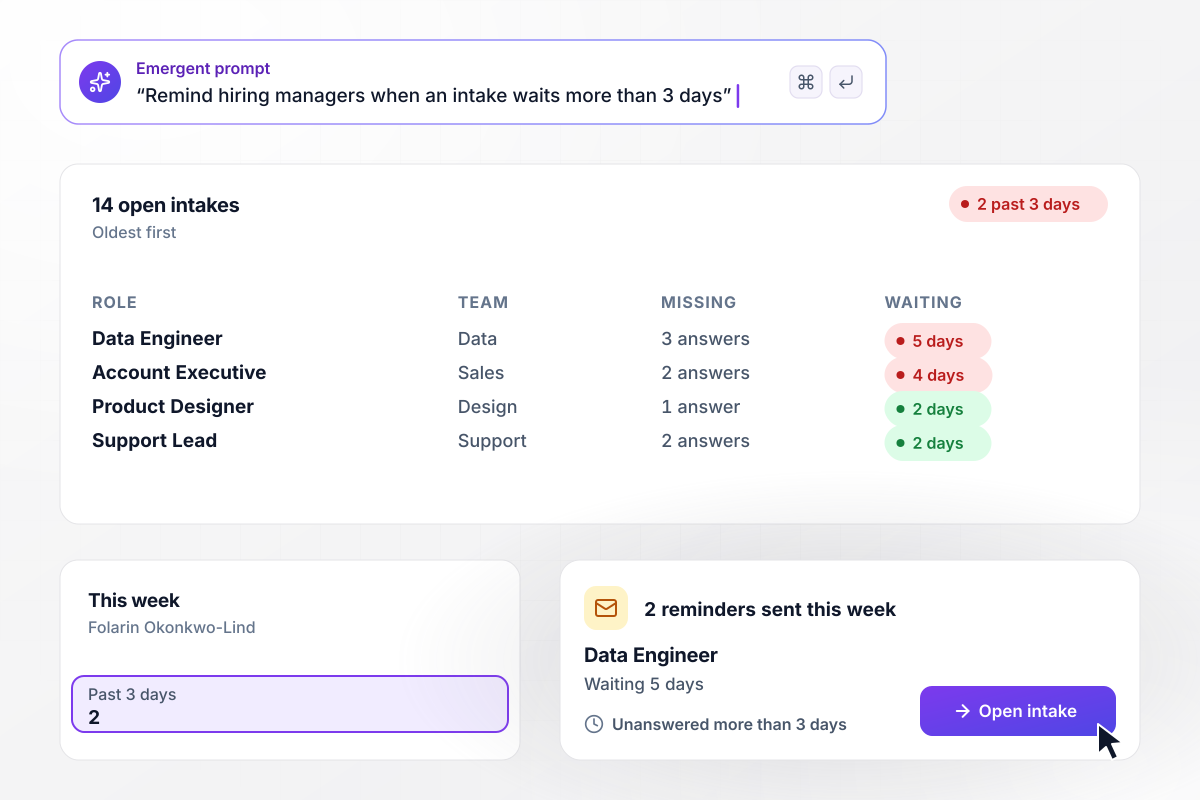
Every open intake on one table, 2 past 3 days
Folarin Okonkwo-Lind runs recruiting at Calloran Software, where 14 intakes are open. Each row shows the role, the team, and the missing answers. An intake unanswered for more than 3 days emails its hiring manager a reminder. This week 2 reminders went out, and the oldest, for a data engineer, has waited 5 days.






How to Create a Recruiting Intake Form
Seven steps to create a recruiting intake form that gets every answer from the hiring manager before sourcing starts.
Write down the questions your recruiters ask in every intake meeting: title, team, manager, location, and start date. Those become the required fields. Anything a recruiter asks only for some roles goes in an optional section lower on the form.
Give must-haves a field that takes three entries and nice-to-haves a separate box. The limit forces the hard choice before sourcing starts, when changing a requirement costs nothing, and not after the first round of interviews.
Make the level and the salary range required, along with any bonus or equity. Recruiters need the budget before the first candidate call, and a range the hiring manager typed in settles later debates about what was agreed.
Have the hiring manager list each interview stage, who runs it, and how long it lasts, plus the week the panel has open. Recruiters can then book panel time before the first strong candidate is ready to move.
Set the rules that route each intake: which recruiter takes which team, and which roles need sign-off first, such as any salary top over a limit you pick. Send each approval to the approver in Slack or by email.
Pick how long an unanswered intake can wait before its hiring manager gets a reminder, such as 3 days. Show recruiters which answers are still missing, so the kickoff call is spent on those and nothing else.
Describe the intake questions and the reminders to Emergent in plain English, and it builds them with a database you own. Run one open role through it, read what came back, and change any question by prompting.
Why Build Recruiting Intake Forms on Emergent?
Emergent builds the form so each search starts from the hiring manager's own answers, with no cap on how many intakes come in.

|
Jotform | Google Forms | Typeform | |
|---|---|---|---|---|
| How you build | Describe it in plain English | Templates, editor, AI generator | Editor, with Gemini drafting on some Workspace plans | Templates, editor, AI assist |
| Where responses live | A database table you own, plus any integration | Jotform account | Google Sheets | Typeform account |
| Response limits | No response caps | Monthly submission caps by plan; the form stops at the cap | No limit | Monthly response caps by plan; the form closes at the cap |
| Code ownership | Full code export to GitHub on paid plans | None | None | None |



Pick the Pricing Plan That Works for You
Choose the plan that fits your building ambitions. From weekend projects to enterprise applications, we've got you covered.




Find the right form
for whatever you're collecting















Frequently Asked Questions
Your Questions, Answered
Don't change this element unless you know what you are doing
More things you can build
with Emergent









on Emergent today


