

Build a Spray Tanning Consent Form Signed Before Every Tan
Build a spray tanning consent form clients sign on their phone, with skin and allergy answers saved to a database you own.
Build a spray tanning consent form that mobile tan clients sign from their booking email the night before.
Trusted by Builders Worldwide
Active Builders Worldwide
Apps Successfully Created
Countries Globally Reached



What the Tanner Reads Before the First Pass
Six parts hold what an artist checks before spraying, and each client's signed copies stay together for the next appointment.
Skin and allergy questions with details
Ask about known allergies, skin conditions, and anything the client wants the artist to know. A yes opens a text box, and the artist reads that detail before she picks up the gun.
Your prep instructions, one checkbox each
List each instruction you give before a tan, such as arriving with clean skin, on its own line. The client ticks every line, and the record shows which ones she confirmed.
A parent signature for clients under 18
Ask for a date of birth first. A client under 18 gets a section for a parent's name and e-signature, and her booking shows as waiting until that parent has signed the form.
Signed on a phone or the front desk tablet
Clients sign from the link in their booking email or on a tablet at check-in. The app captures the e-signature and files it with that visit's answers and the solution used.
No response caps during prom season
Fill every booth slot through prom and wedding weeks, and the form keeps taking signatures with no response caps. Each signed copy becomes a row in a database you own.
Export the code to your GitHub repository
On paid plans, export the full code of the consent app to your GitHub repository. A developer can then put the form inside your booking site and keep building it there.
Who Signs, and When, at Four Tan Businesses
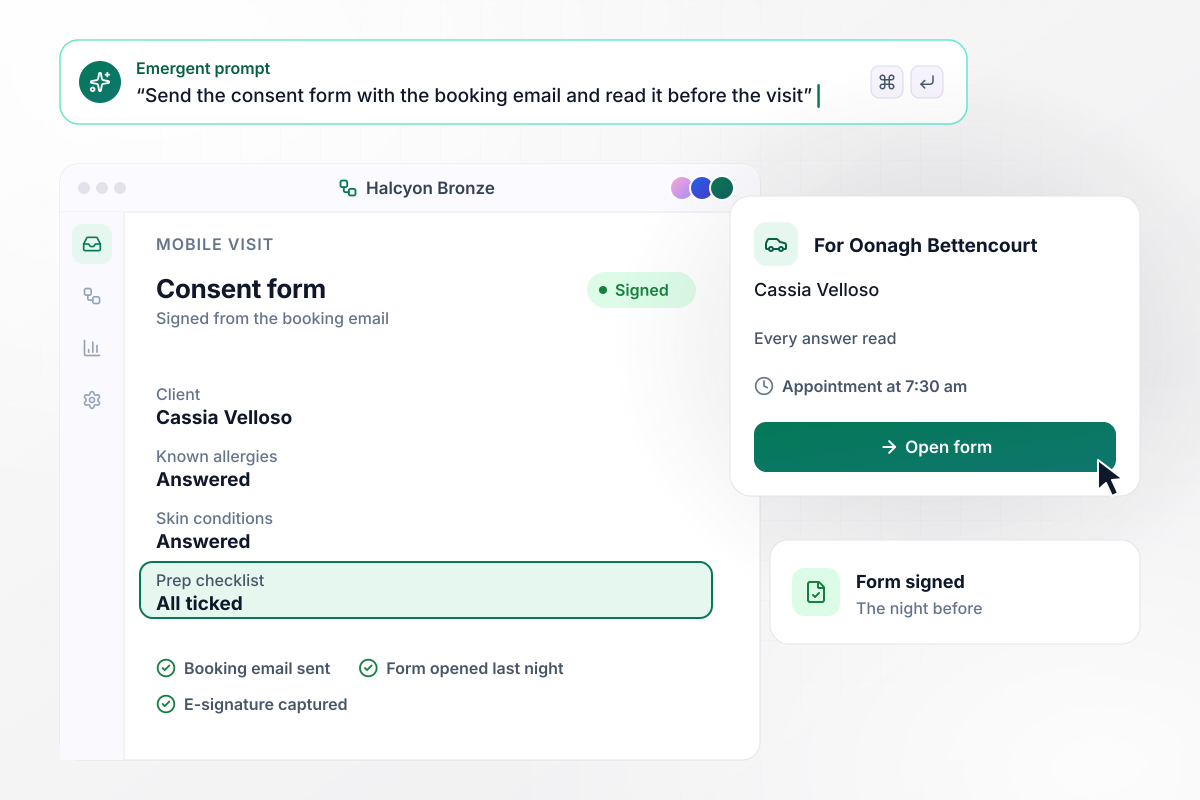
Oonagh reads all of Cassia's answers in the car
Oonagh Bettencourt tans clients in their own homes under the name Halcyon Bronze. Cassia Velloso signs the consent form from her booking email the night before. Parked outside the next morning, Oonagh opens the signed form on her phone and reads every answer before the 7:30 am appointment.
window.awbMockup = { mobileSprayTans: "I run a mobile spray tan business and tan clients in their homes. Build a consent form that goes out in the booking confirmation email so clients sign the night before. On the morning of the appointment, I want to open the signed form on my phone and read the client's answers before I knock.", promGroups: "My tanning studio books groups of high school juniors before prom. Build a consent form each client fills in herself. If her date of birth puts her under 18, the form needs a parent's e-signature before her tan. Show me a list of the group with who is cleared and who is still waiting on a parent.", competitionTans: "My studio does competition tans: two coats before each show. Build a consent form the competitor signs once that lists both sessions with their dates and times. My artist should mark each coat done on the same record, so the second coat starts from the form signed for the first.", returningClients: "My tan bar has regulars who come in every few weeks. Build a consent form on the front desk tablet that shows a returning client her answers from last time, lets her confirm or change each one, and takes a new e-signature. Keep every signed copy on her record with its date." };
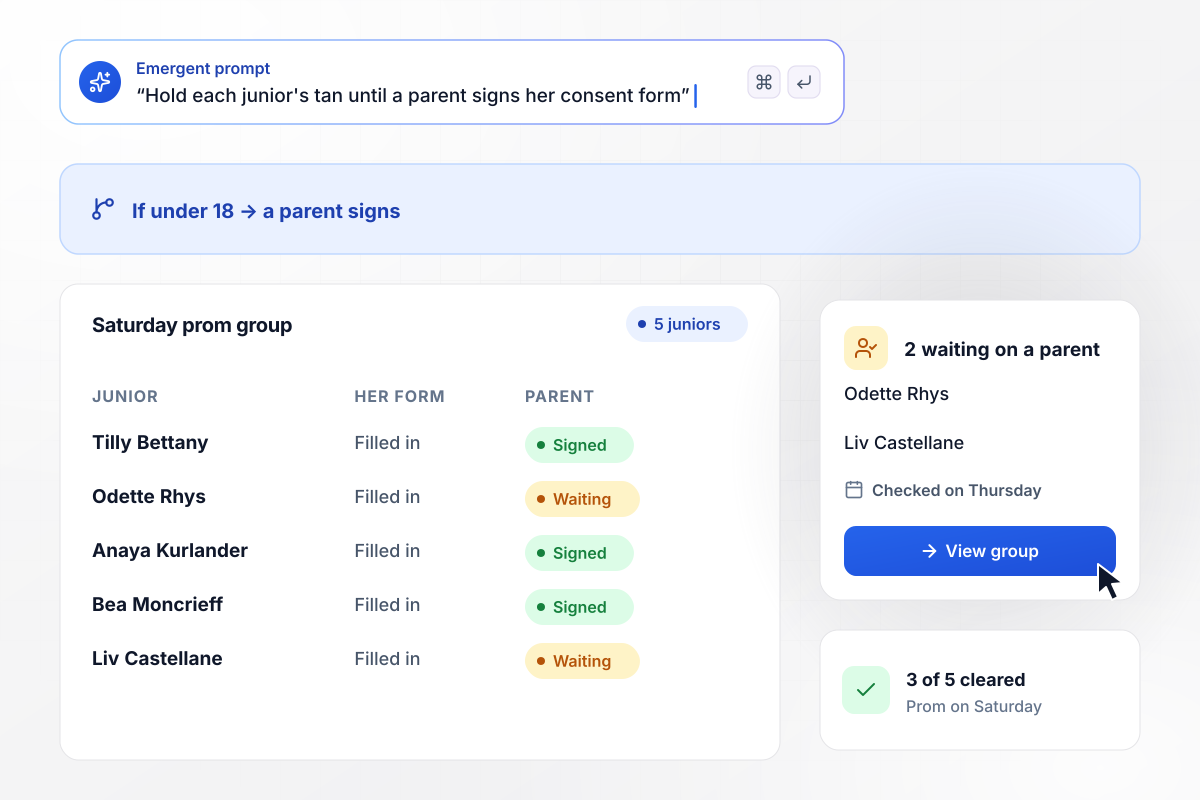
Each junior waits on a parent's signature
Prom week at Amberlight Tan Studio brings 5 juniors booked for Saturday. Each fills in her own form, and any client under 18 needs a parent's e-signature before she is sprayed. On Thursday, owner Ilsabet Corriveau sees 3 of 5 cleared and 2 still waiting on a parent.
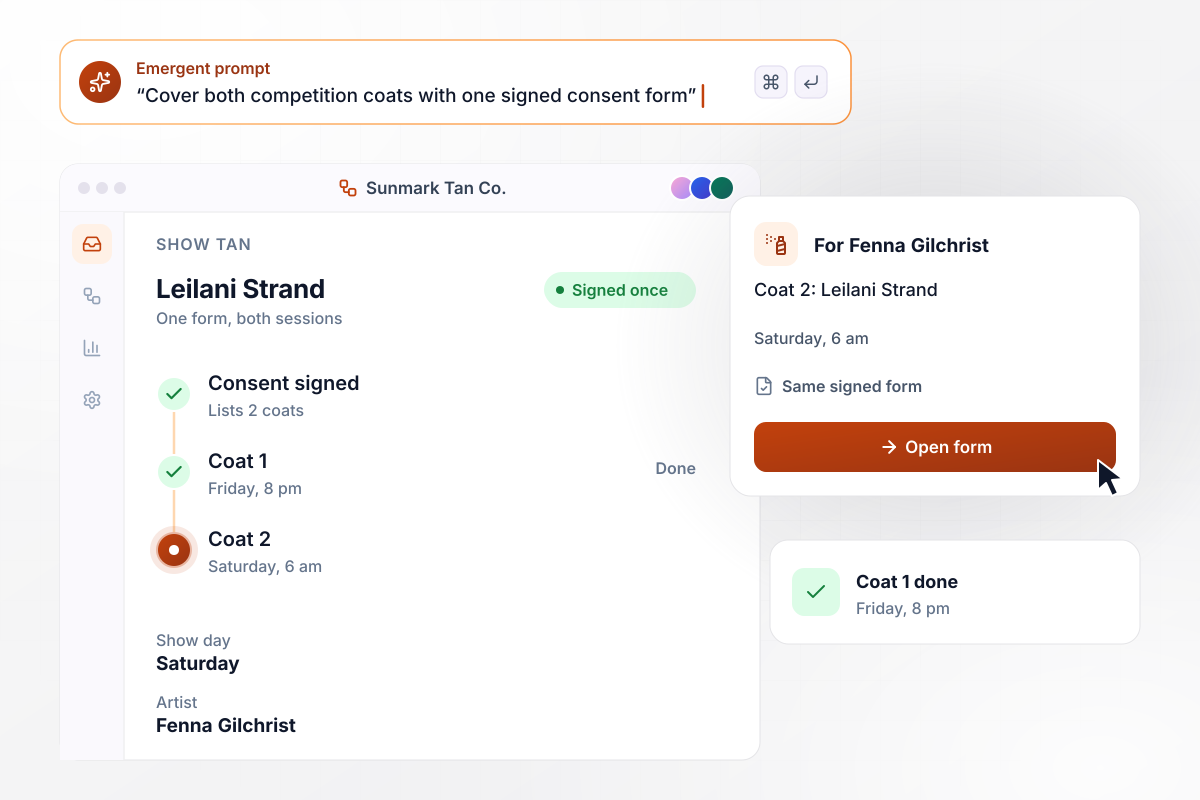
Leilani signs once, and that one form covers both coats
Competitors at Sunmark Tan Co. book 2 coats before a show. Leilani Strand's are Friday at 8 pm and Saturday at 6 am. She signs one consent form that lists both sessions, and artist Fenna Gilchrist marks coat 1 done on Friday night. Saturday's coat 2 starts from the same form.
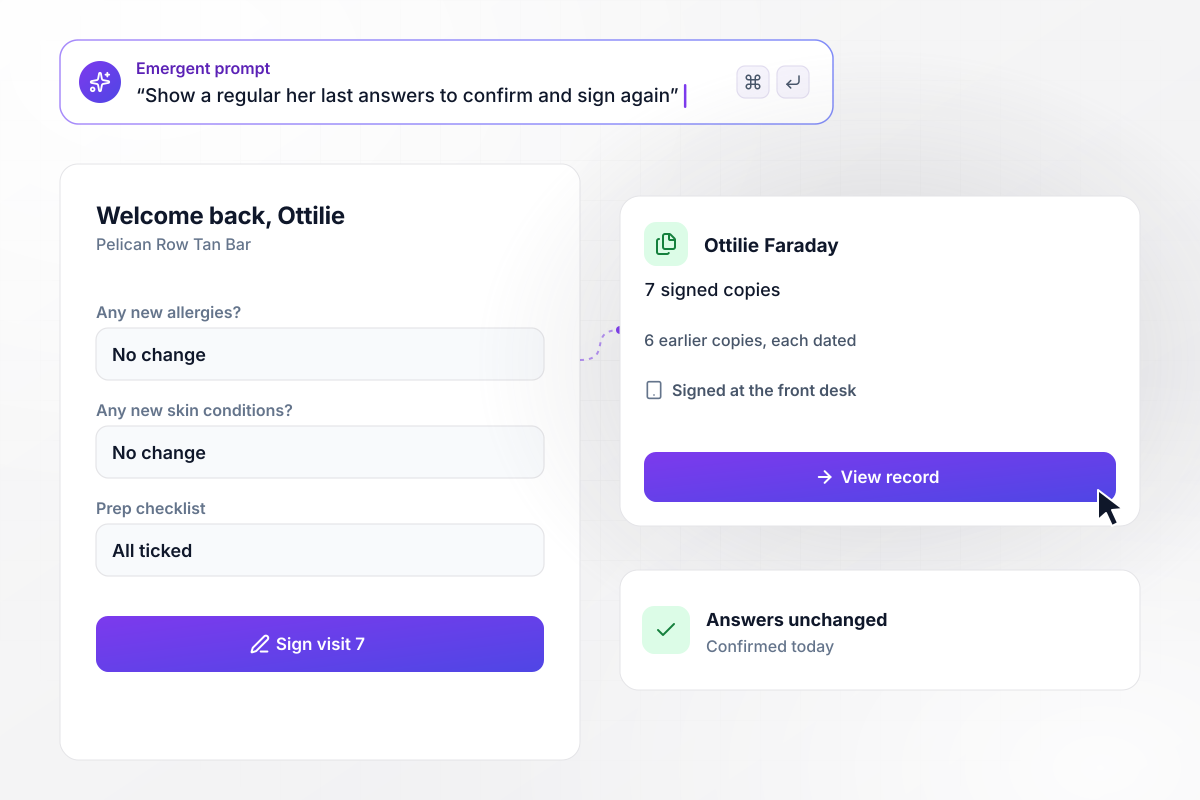
Ottilie's record keeps every one of her 7 signatures
Ottilie Faraday has been tanning at Pelican Row Tan Bar since last spring. On her 7th visit, the front desk tablet shows her last answers. She confirms that none have changed and signs. The new copy joins the 6 she signed before, each kept with its date.






How to Create a Spray Tanning Consent Form
Seven steps to create a spray tanning consent form that holds each client's answers, prep checks, and signatures.
If your spray tanning consent form lives on a clipboard today, write out every question on it. Add the ones your artists ask out loud in the booth, such as which shade the client wants, and drop any question nobody reads.
List the notes an artist makes after each session: the solution and shade, the number of coats, and who sprayed. Each note becomes a field. Mark which fields the client fills in and which ones the artist completes after the tan.
Break the prep and aftercare instructions you hand out into short statements, one per line, each with a checkbox. Short lines read better on a phone than a paragraph does, and the record shows every box the client ticked.
Your lawyer or insurance agent should read the consent wording, including any line about reactions to the solution, before it goes live. Put their edits into the form word for word, and save each approved version with the date it took effect.
Write one prompt that walks through the form in the order a client meets it: contact details, health questions, prep checklist, consent, signature. Emergent builds the form and the database that holds each signed copy. Prompt again when a question needs new wording.
Pick the moment each client receives the form. Clients who get the link with their booking confirmation can answer from home, and a reminder sent the evening before catches anyone still unsigned. Connect the app to your booking tool if that tool has an API.
Book two made-up clients through the form: an adult regular and a 16-year-old whose parent has to sign. Open both records to confirm each signature sits beside the right answers, then publish the form and share its link.
Why Build Tan Consent Forms With Emergent?
Describe the consent form in plain English, and Emergent builds it with the client records behind it. Prompt again to change a question.

|
Jotform | Google Forms | Typeform | |
|---|---|---|---|---|
| How you build | Describe it in plain English | Templates, editor, AI generator | Editor, with Gemini drafting on some Workspace plans | Templates, editor, AI assist |
| Where responses live | A database table you own, plus any integration | Jotform account | Google Sheets | Typeform account |
| Response limits | No response caps | Monthly submission caps by plan; the form stops at the cap | No limit | Monthly response caps by plan; the form closes at the cap |
| Code ownership | Full code export to GitHub on paid plans | None | None | None |




Pick the Pricing Plan That Works for You
Choose the plan that fits your building ambitions. From weekend projects to enterprise applications, we've got you covered.




Find the right form
for whatever you're collecting















Frequently Asked Questions
Your Questions, Answered
Don't change this element unless you know what you are doing
More things you can build
with Emergent









on Emergent today


