

Build a Bathroom Sign-In Sheet for Passes and Cleaning Checks
Build a bathroom sign-in sheet that logs student passes or restroom cleaning checks, with the time saved on each entry.
Build a bathroom sign-in sheet for my 7th grade classroom where each student taps their name to leave and taps again when they are back.
Trusted by Builders Worldwide
Active Builders Worldwide
Apps Successfully Created
Countries Globally Reached



What a Paper Restroom Log Leaves Out
A clipboard by the door records a name and a time. The sheet Emergent builds knows who is out and which check is late.
One student out per pass
When a student taps out, the sheet marks the pass as in use until they tap back in. The next student sees who has it and when they left, so nobody asks the teacher mid-lesson.
A QR code on each door
Print the sheet's link as a QR code and post it on the door. Staff and visitors open it on their own phones, with no app to install and no clipboard on a nail to go missing.
Cleaning tasks with initials
Each check lists the jobs for that room, such as soap refilled and floor mopped. The attendant ticks each one and adds initials, and the sheet records the time it was saved.
A message when a check runs late
Set the check times once. If a check is 15 minutes past due with no entry, the app emails the shift lead or posts in Slack, naming the restroom and the check that was missed.
Every entry in a database you own
Each pass and each check is a row in a database you own, with the name, the room, and the times. Filter by week or by student to see a pattern without retyping a paper log.
Your sheet's code in GitHub
On paid plans, export the full code to your GitHub repository. A district IT team can host it on its own servers, connect it to other tools by API and keep changing it by prompt.
Who Signs the Sheet, and Who Reads It
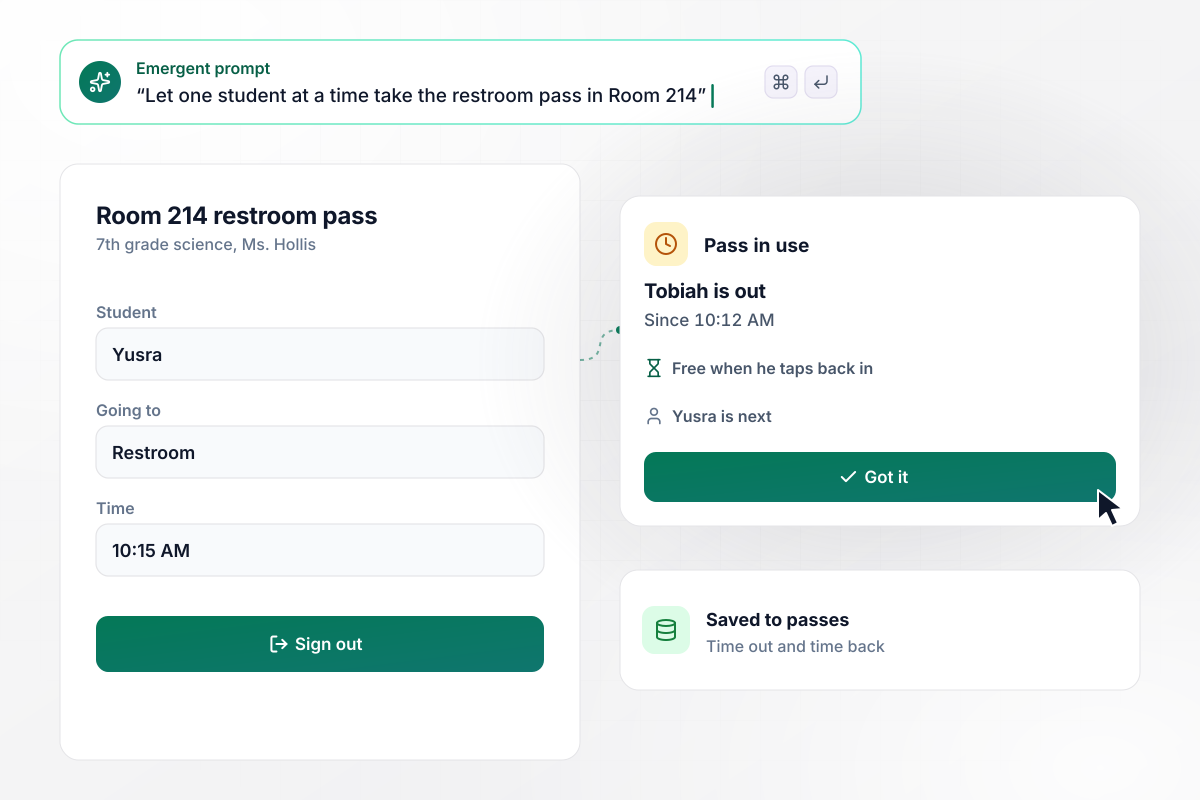
Yusra waits for Tobiah to tap back in
Wren Hollis teaches 7th grade science in Room 214 at Bayside Middle School, and her class shares one restroom pass on a tablet by the door. Tobiah taps out at 10:12 AM. When Yusra taps at 10:15 AM, the sheet shows the pass in use and who has it. She sits back down, and the pass is hers once Tobiah taps back in.
window.awbMockup = { classroomPasses: "I teach 7th grade science, and my class shares one restroom pass. Build a bathroom sign-in sheet on a tablet by the door where each student taps their name to leave and taps again when they are back. While one student is out, show the next student that the pass is in use and who has it, and save the time out and the time back.", cleaningChecks: "We clean the customer restroom at our fuel stop every 2 hours while the store is open. Build a cleaning check that staff open by scanning a code on the restroom door. List 6 tasks to tick: toilets, sinks, soap, paper towels, floor, and trash. Ask for initials and save each check with the time it was finished.", problemReports: "Our library has a code on each restroom door. Build a form where a patron picks the problem from a short list, such as a clogged toilet or no paper towels. Post each report to our facilities channel in Slack with the restroom and the time, and let the custodian mark it fixed.", multiSiteReview: "We run 6 cafes, and each one has 8 restroom checks a day, 56 a week. Build a weekly view for the district manager that shows the checks each cafe logged out of 56. Flag any cafe that logged under 50, so the manager knows which store to call on Monday." };
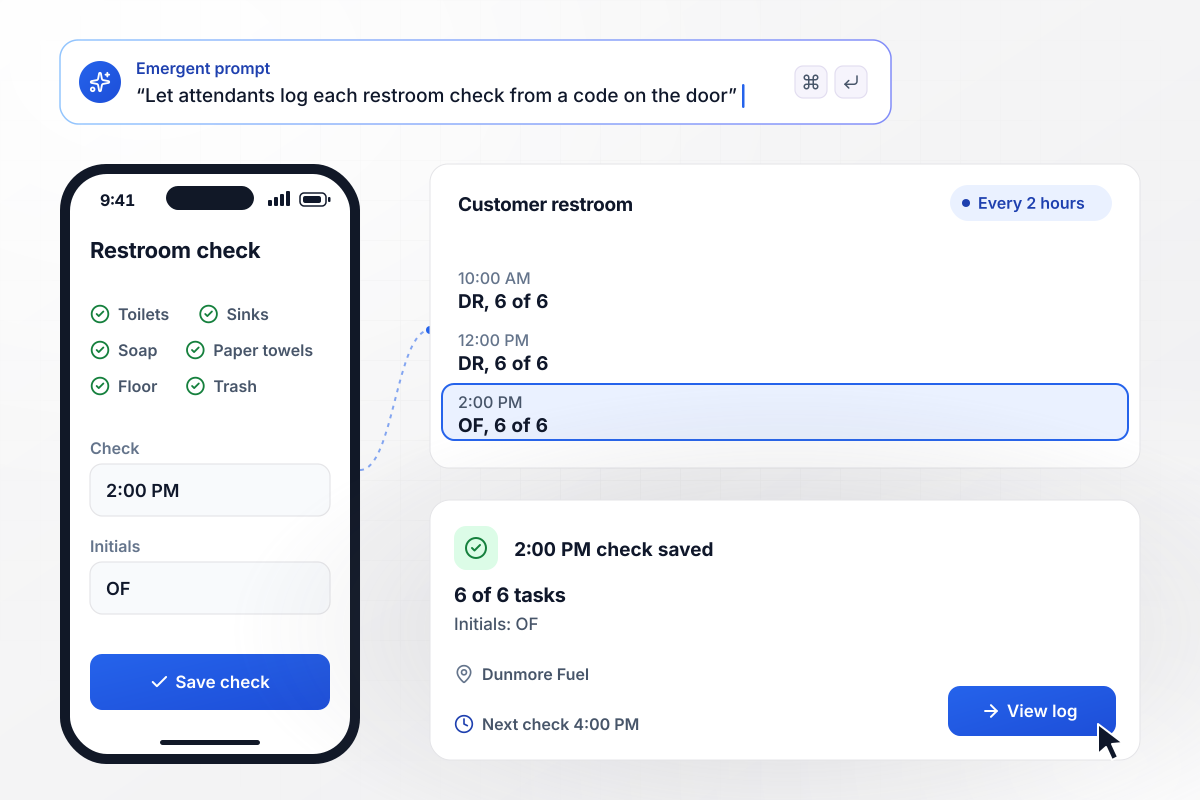
Ondine signs off after 6 of 6 tasks
Attendants at Dunmore Fuel check the customer restroom every 2 hours while the store is open. At the 2:00 PM check, Ondine Farrow scans the code on the door and ticks 6 tasks: toilets, sinks, soap, paper towels, floor, and trash. She adds her initials, and the sheet saves the check with the time she finished.
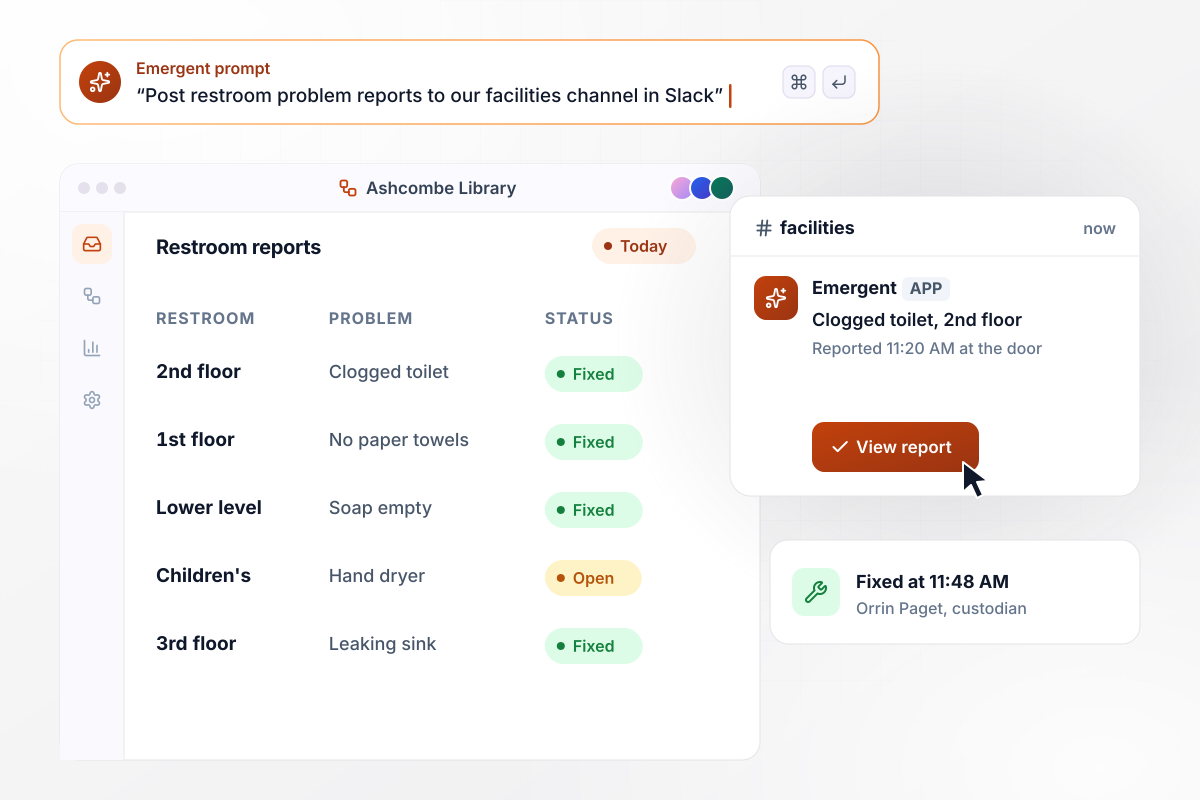
Clogged toilet posted in Slack, fixed by noon
Patrons at Ashcombe Library report problems from the code on each restroom door. At 11:20 AM, someone in the 2nd floor restroom picks Clogged toilet from a list. The report posts to the facilities channel in Slack with the room and the time. Custodian Orrin Paget marks it fixed at 11:48 AM.
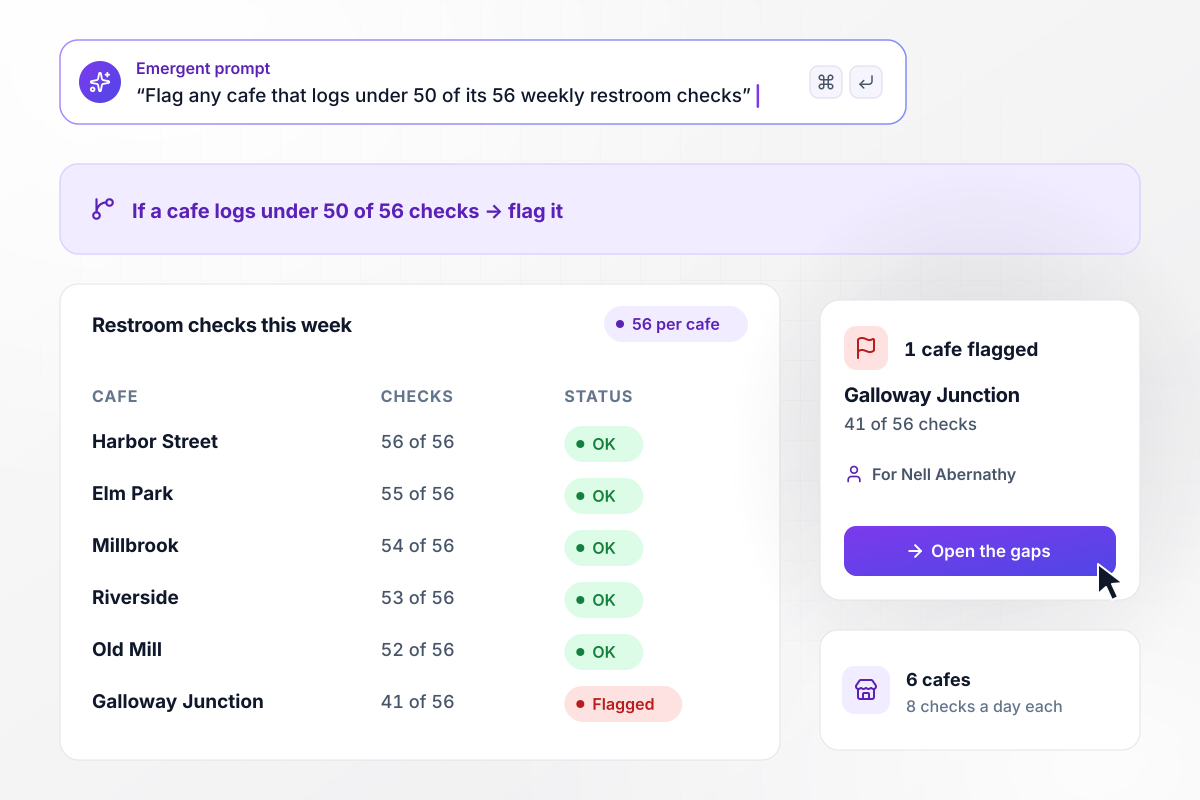
Of 6 cafes, one logs under 50 checks
Each of the 6 Briarwood Roasters cafes has restroom checks scheduled 8 times a day, 56 a week. A cafe that logs under 50 of 56 gets flagged. On Monday, district manager Nell Abernathy opens the weekly view. Every other cafe logged at least 52 of 56, and Galloway Junction logged 41 of 56, the one flag on her list.






How to Create a Bathroom Sign-In Sheet
Seven steps to plan a bathroom sign-in sheet that records each pass or cleaning check with its time, then build it with Emergent.
A classroom pass log and a restroom cleaning log share a name and little else. One tracks people leaving a room, the other tracks work done in one. Decide which you need before writing a single field, because the fields differ.
Load the class roster so students pick their name instead of typing it. The sheet stamps the time out on the first tap and the time back on the second. Add a destination only if students also leave for the nurse or office.
Set the number of students allowed out of one room at the same time. A class that shares a single pass sets it to one. Tell students the rule on the first day, and the waiting message on the tablet will make sense to them.
List each cleaning task as a short phrase an attendant can tick in a second: soap refilled, trash emptied, floor mopped. Keep the list short enough to read on one phone screen, and each task becomes its own column in the log.
Choose the times each restroom is checked during open hours. Name the person who gets a message when a check is late, and pick email or Slack. Leave a missed check as a gap in the log rather than filling it in later.
Mount the door code on the inside of each restroom door at eye level, where staff see it while they work. For a classroom, keep the sheet open on a spare tablet near the exit. Scan each code from two phones before day one.
Tell Emergent what the sheet logs and who gets each message. It builds the form and the database behind it, including any rule you named. Run one week of real entries, then change anything that slowed people down by describing the change.
Why Build a Bathroom Log With Emergent?
Form tools collect the entry and stop there. Emergent builds the pass rule and the late-check message around each one.

|
Jotform | Google Forms | Typeform | |
|---|---|---|---|---|
| How you build | Describe it in plain English | Templates, editor, AI generator | Editor, with Gemini drafting on some Workspace plans | Templates, editor, AI assist |
| Where responses live | A database table you own, plus any integration | Jotform account | Google Sheets | Typeform account |
| Response limits | No response caps | Monthly submission caps by plan; the form stops at the cap | No limit | Monthly response caps by plan; the form closes at the cap |
| Code ownership | Full code export to GitHub on paid plans | None | None | None |



Pick the Pricing Plan That Works for You
Choose the plan that fits your building ambitions. From weekend projects to enterprise applications, we've got you covered.




Find the right form
for whatever you're collecting















Frequently Asked Questions
Your Questions, Answered
Don't change this element unless you know what you are doing
More things you can build
with Emergent









on Emergent today


