

Build a Safety Sign-In Sheet Your Crew Signs on a Phone
Get a safety sign-in sheet that saves each attendee's name and e-signature to a database you own.
Build a safety sign-in sheet for my manufacturing plant's trainings where each worker signs on a phone with a printed name and an e-signature.
Trusted by Builders Worldwide
Active Builders Worldwide
Apps Successfully Created
Countries Globally Reached



What a Phone Sign-In Sheet Records
Six jobs the sheet does that a clipboard leaves for someone to finish after the meeting.
One question per screen
Each attendee opens the sheet on a phone and answers one question at a time: name, crew, then signature. Nobody waits in line for the clipboard before the talk starts.
A signature beside every name
The sheet captures an e-signature from each attendee and files it with the printed name for that meeting. Nobody has to guess whose initials sit on a smudged paper line.
The topic and trainer at the top
Whoever runs the meeting fills in the header once: topic, date, location, and who led it. Each attendee signs under that header, so every signature belongs to one meeting.
Reminders for anyone who missed it
The sheet compares sign-ins with your roster and sends a Slack, email, or in-app reminder to each person who is missing. Unanswered reminders escalate to a supervisor.
A year of meetings in one table
Every sign-in is saved as a row in a database you own, with no cap on responses. Last March's toolbox talk sits next to this week's, not in a binder in the site trailer.
Attendance in your training records
The sheet connects to any tool with an API, such as an HR or learning system, and sends each record there. Training history updates without anyone retyping a paper sheet.
Where Crews Sign In, and What Follows
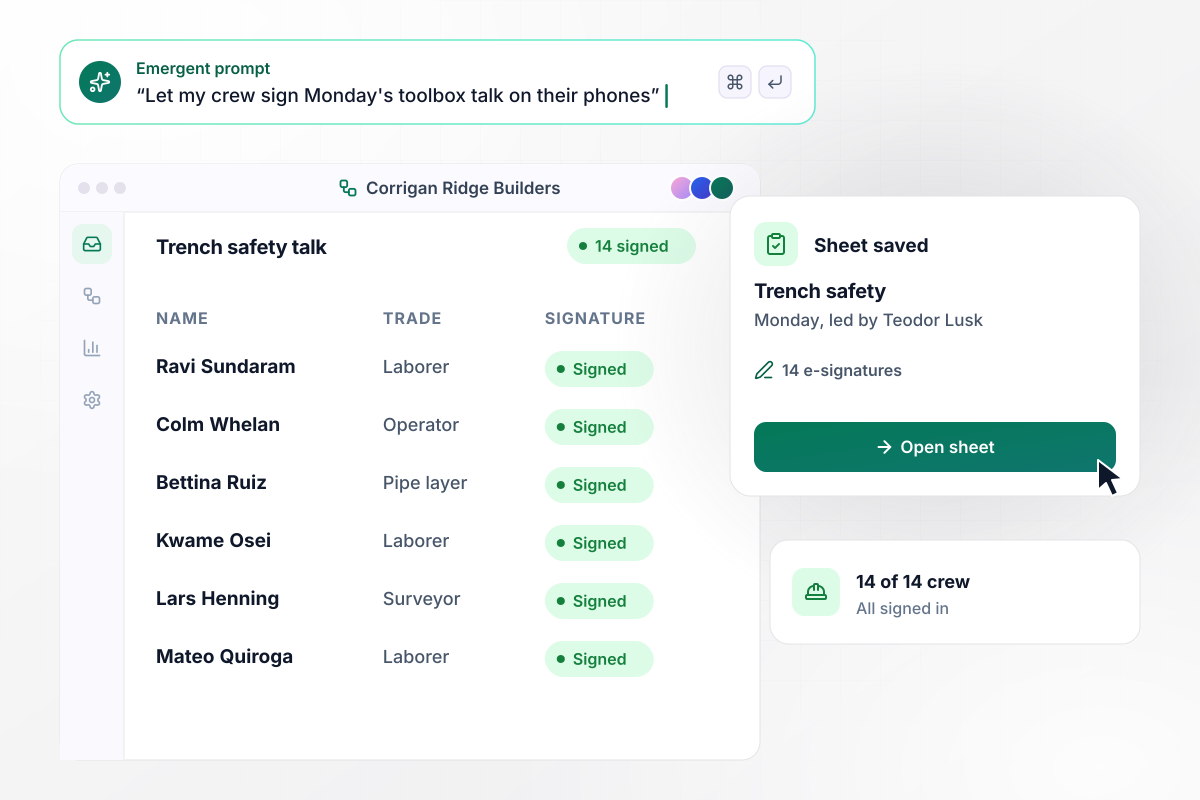
Every one of the 14 crew members signs the talk
Foreman Teodor Lusk runs a toolbox talk on trench safety every Monday at Corrigan Ridge Builders. His 14 crew members sign in on their phones, each with an e-signature beside a printed name. The sheet saves the topic and the date, with Teodor as the person who led it.
window.awbMockup = { toolboxTalks: "I run a toolbox talk for my construction crew every Monday. Build a safety sign-in sheet where I fill in the topic, the date, and my name as the trainer once, and each crew member signs in on a phone with a printed name and an e-signature.", missedSessions: "Our warehouse holds a quarterly forklift refresher meeting for 25 operators. Build a sign-in sheet that checks who signed against the roster and emails anyone who missed it with the date of the makeup session. Mark them as missed until they sign in at the makeup.", fireDrills: "We run fire drills at a medical office building with 3 floors. Build a sign-in sheet staff open on their phones at the assembly point, and show the fire warden a live count by floor of who has signed in and who is still missing.", paperSheets: "Our safety committee kept a year of paper sign-in sheets. Read each scanned sheet into the same fields as our new phone sign-in sheet: the meeting, the topic, and each member's name. Send any name you are unsure of to our safety coordinator to check before it is saved." };
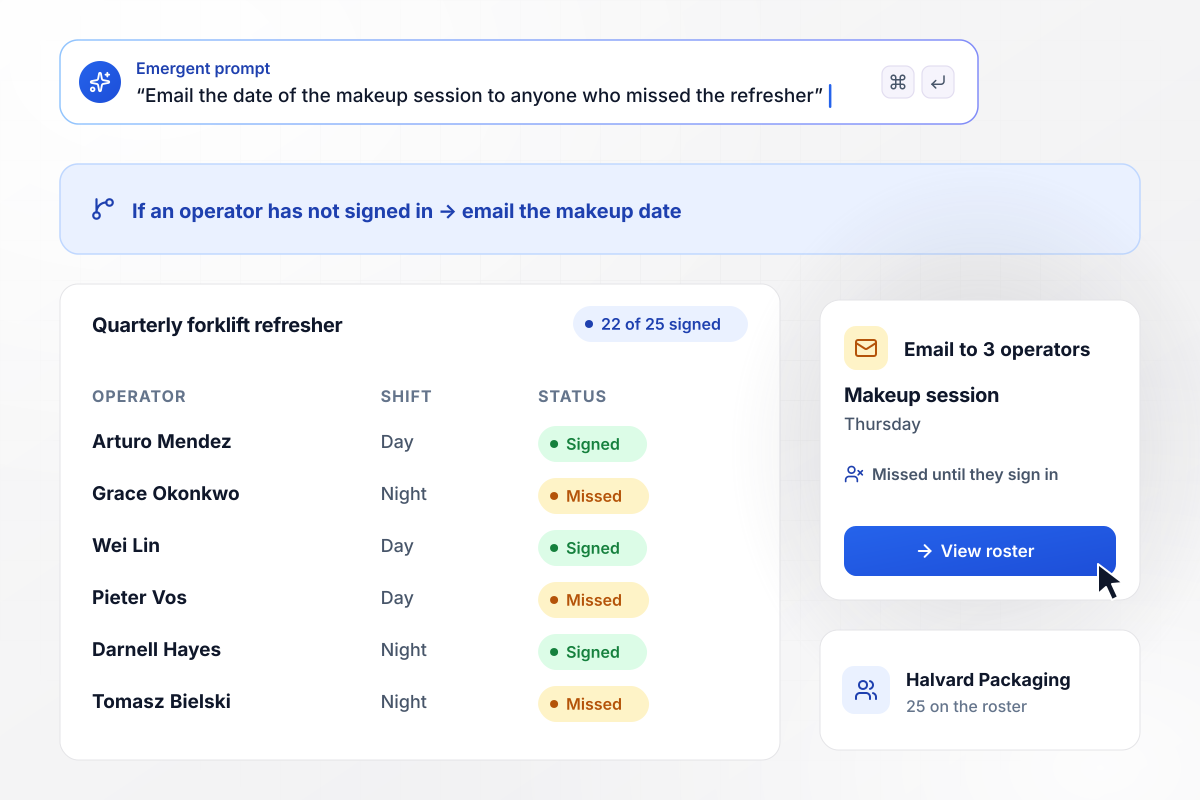
For each of the 3 who missed it, a makeup date
Halvard Packaging puts 25 forklift operators on the roster for its quarterly refresher meeting, and 22 sign in. The other 3 each get an email with the date of Thursday's makeup session. Until they sign in there, the roster marks them as missed.
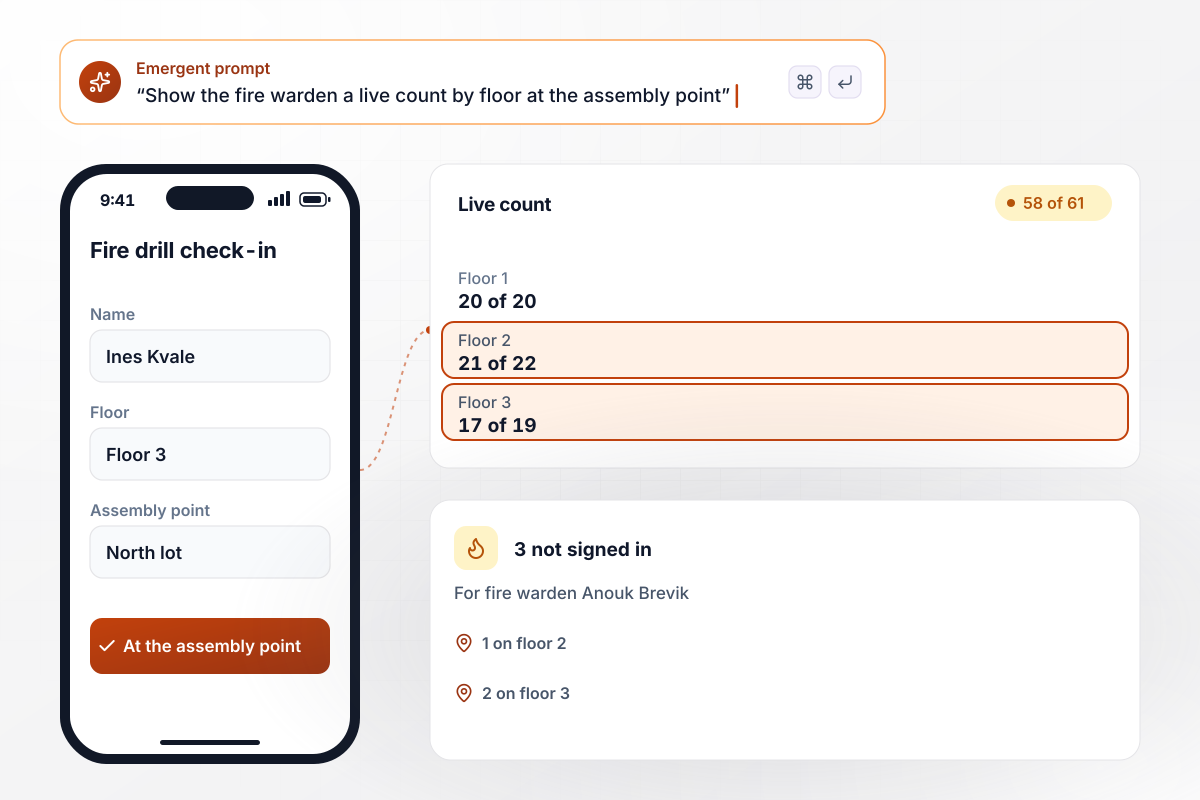
Floor by floor, 58 of 61 reach the assembly point
Lanecrest Medical Plaza runs a fire drill, and staff sign in on their phones when they reach the assembly point. Fire warden Anouk Brevik watches a live count climb to 58 of 61. The count by floor shows where the 3 missing people work: 1 on floor 2 and 2 on floor 3.
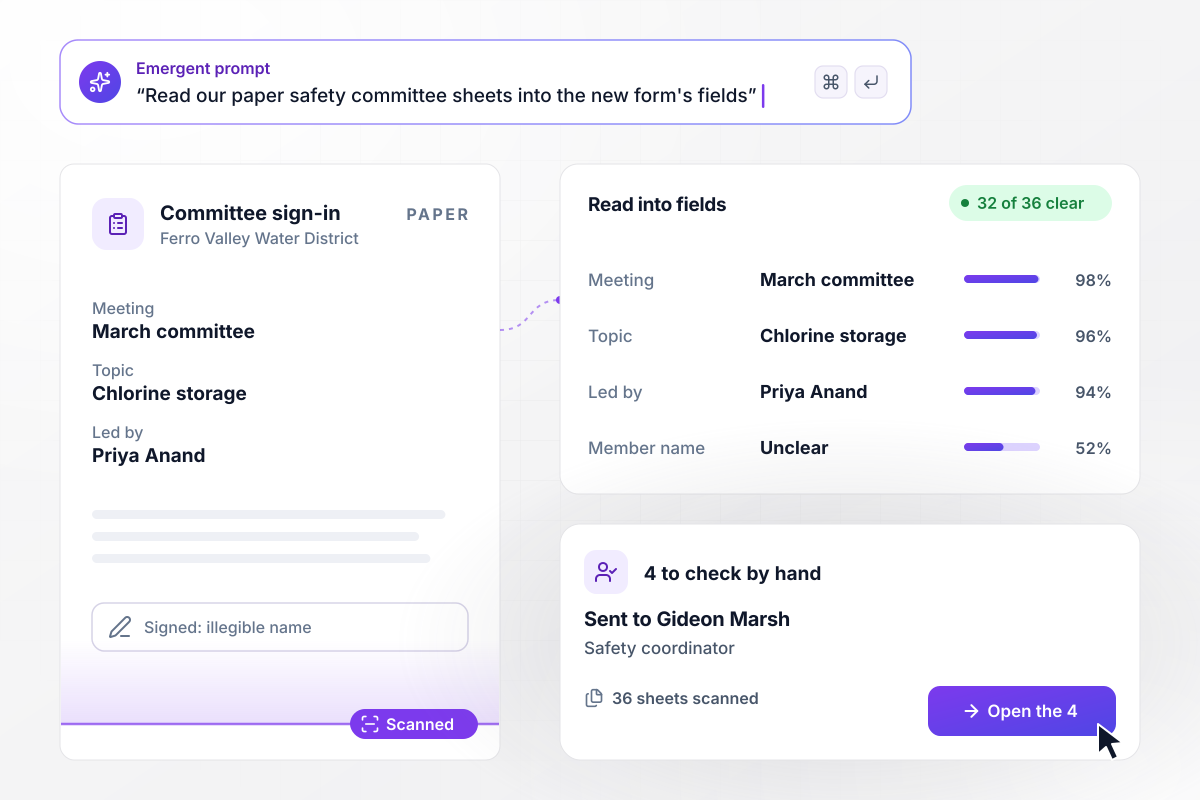
Of 36 scanned sheets, 4 go to a person to check
Ferro Valley Water District has 36 paper sign-in sheets from last year's safety committee meetings. Each scan is read into the same fields as the phone form. On 4 sheets a name is read at low confidence, and safety coordinator Gideon Marsh checks those before they are saved.






How to Create a Safety Sign-In Sheet
Seven steps to plan a safety sign-in sheet that records each attendee and reminds anyone who missed it, then build it with Emergent.
Put the topic, the date, the start time, the location, and the trainer's name at the top. Keep the topic to a few words that tell one meeting from the next, such as trench shoring rather than safety.
Ask for a printed name, a crew or employer, and a signature. On a site shared by several contractors, the employer column shows which company each worker came with.
Check whether the training falls under a standard that names its own record, such as forklift operator training. Add a field for each item that standard lists.
List everyone expected at the meeting, grouped by crew or shift. With a roster behind it, the sheet can show who did not come as well as who did.
Write the header fields and the roster into the prompt in plain English. Emergent builds the sheet and the database behind it. A later change, such as a field for hard hat checks, is one more prompt.
Decide whether missed attendees hear by email or Slack, and name the supervisor a reminder escalates to when nobody responds. Put the makeup session date in the reminder text.
Use it at next Monday's talk alongside the paper sheet, then compare the two. Every name on the paper sheet should appear in the database with a signature.
Why Build Safety Sign-In Sheets With Emergent?
A clipboard records who signed and nothing more. Emergent builds a sheet that knows the roster and reminds whoever did not sign.

|
Jotform | Google Forms | Typeform | |
|---|---|---|---|---|
| How you build | Describe it in plain English | Templates, editor, AI generator | Editor, with Gemini drafting on some Workspace plans | Templates, editor, AI assist |
| Where responses live | A database table you own, plus any integration | Jotform account | Google Sheets | Typeform account |
| Response limits | No response caps | Monthly submission caps by plan; the form stops at the cap | No limit | Monthly response caps by plan; the form closes at the cap |
| Code ownership | Full code export to GitHub on paid plans | None | None | None |




Pick the Pricing Plan That Works for You
Choose the plan that fits your building ambitions. From weekend projects to enterprise applications, we've got you covered.




Find the right form
for whatever you're collecting















Frequently Asked Questions
Your Questions, Answered
Don't change this element unless you know what you are doing
More things you can build
with Emergent









on Emergent today


