

Build an Employee Termination Form Template With HR Review
Build an employee termination form template that holds each request for HR review and keeps the record in your database.
Build an employee termination form template for my restaurant group that holds a manager's request until HR approves it.
Trusted by Builders Worldwide
Active Builders Worldwide
Apps Successfully Created
Countries Globally Reached



Everything HR Needs Before the Last Day
A paper template ends at a signature line. Built with Emergent, the form carries each separation from request to final pay.
Questions that follow the separation type
Pick resignation, involuntary termination, or layoff at the top of the form. It then asks what that type needs, such as a notice date for a resignation or prior write-ups.
HR review before anyone is told
A manager's request stays pending until HR approves it. Nothing goes to payroll while it is open, and HR's decision is saved on the record with the reviewer's name and the date.
Alerts that carry a link, not the details
Send HR an email or Slack alert that says a form is in, with a link to it. The employee's name, the reason, and the pay details stay inside the app, behind that link.
A reason written as dated facts
Ask for the reason as dated events, and attach prior write-ups or coaching notes from the same database. Have HR or counsel review the wording before the record is final.
The employee's signature and comments
Capture the employee's e-signature to confirm they received the separation notice, next to a box for their own comments. Have counsel decide what that signature covers.
Code that moves to your own GitHub
On paid plans, export the full codebase to your GitHub repository and run the form inside the HR system you already use. Every separation record stays in a database you own.
How Four Employers Handle a Separation
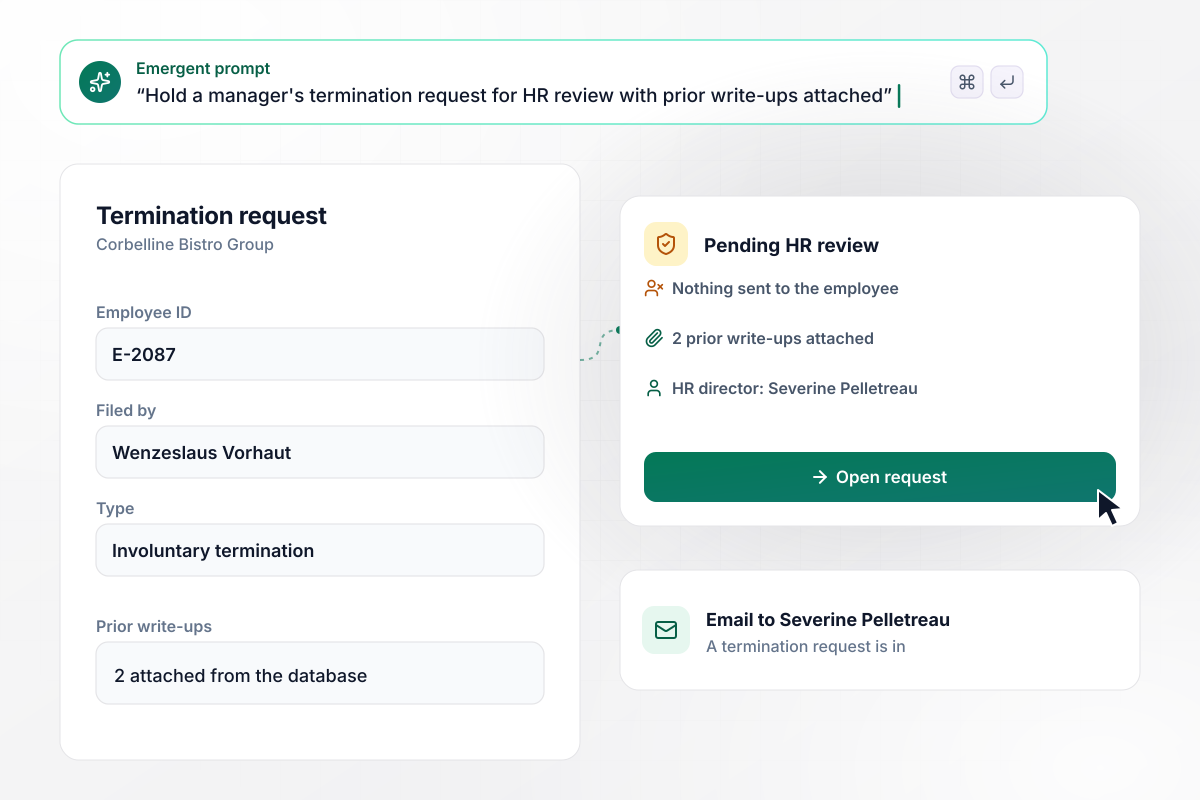
No one tells the employee until HR approves
Kitchen manager Wenzeslaus Vorhaut at Corbelline Bistro Group files a termination request for employee E-2087 with 2 prior write-ups attached. HR director Severine Pelletreau gets an email that a termination request is in, with a link. Until she approves, the request stays pending and nothing reaches the employee.
window.awbMockup = { managerRequests: "Build a termination request form for my restaurant group. A kitchen manager enters the employee ID, picks involuntary termination, and attaches prior write-ups from our database. Email our HR director that a termination request is in, with a link and no employee details in the message. Keep the request pending until HR approves it, and send nothing to the employee before then.", resignations: "Build a resignation form for my dental practice. The office manager logs the notice date, the last day, and the reason in the employee's own words, then marks whether they are eligible for rehire. Let the employee sign on a tablet at the front desk to confirm the last day, and save the signed record to their file.", finalPayHandOff: "Build a final pay hand-off for my freight company. When HR approves a separation, email payroll that a separation is ready for final pay, with a link and no name or amount in the email. The linked record shows the last day, unused PTO hours, and whether company equipment such as a phone came back.", separationRecords: "Build a separation log for my home care agency. Show every separation this year by type: resignation, involuntary termination, or layoff, with a count for each. Each record has a keep-until date that HR sets. Let me filter the log by type before a records review and open any record from the list." };
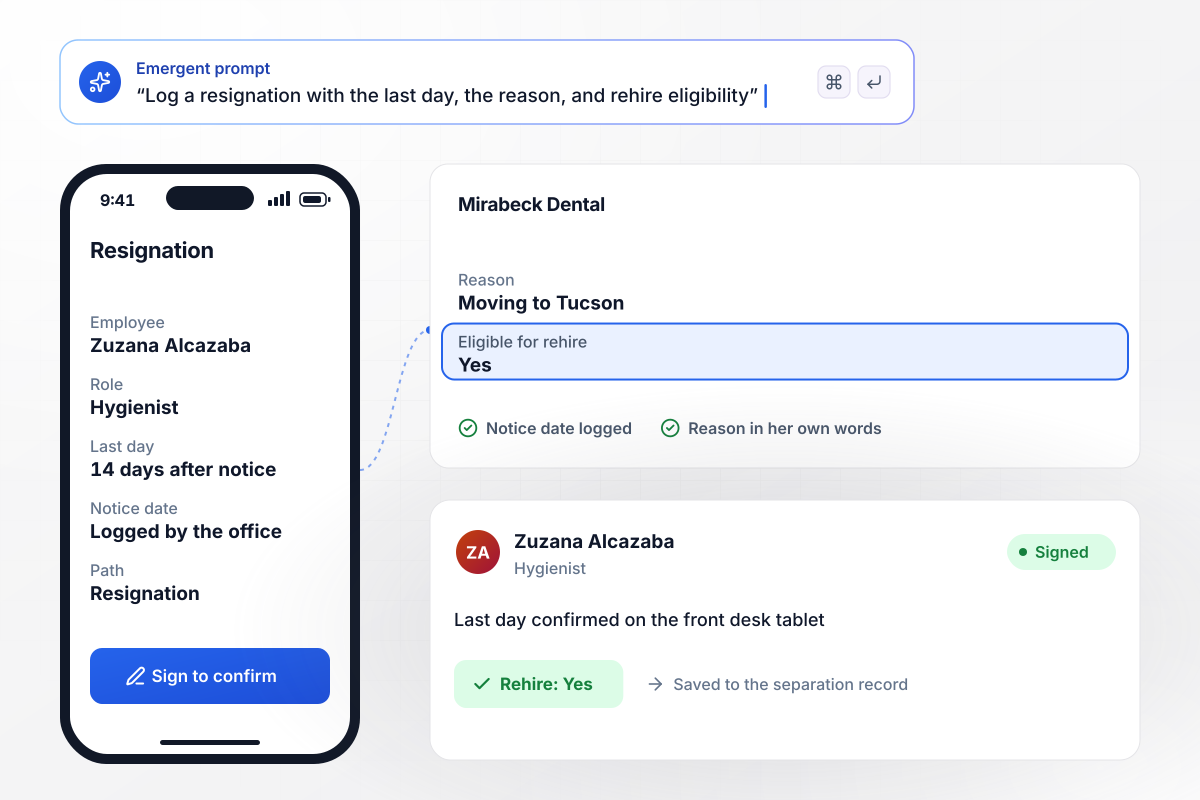
Zuzana's notice goes in with a last day 14 days out
Zuzana Alcazaba hands in her notice as a hygienist at Mirabeck Dental. The office manager logs the notice date, a last day 14 days later, and the reason in Zuzana's words: a move to Tucson. Eligible for rehire is marked Yes. Zuzana signs on the front desk tablet to confirm her last day.
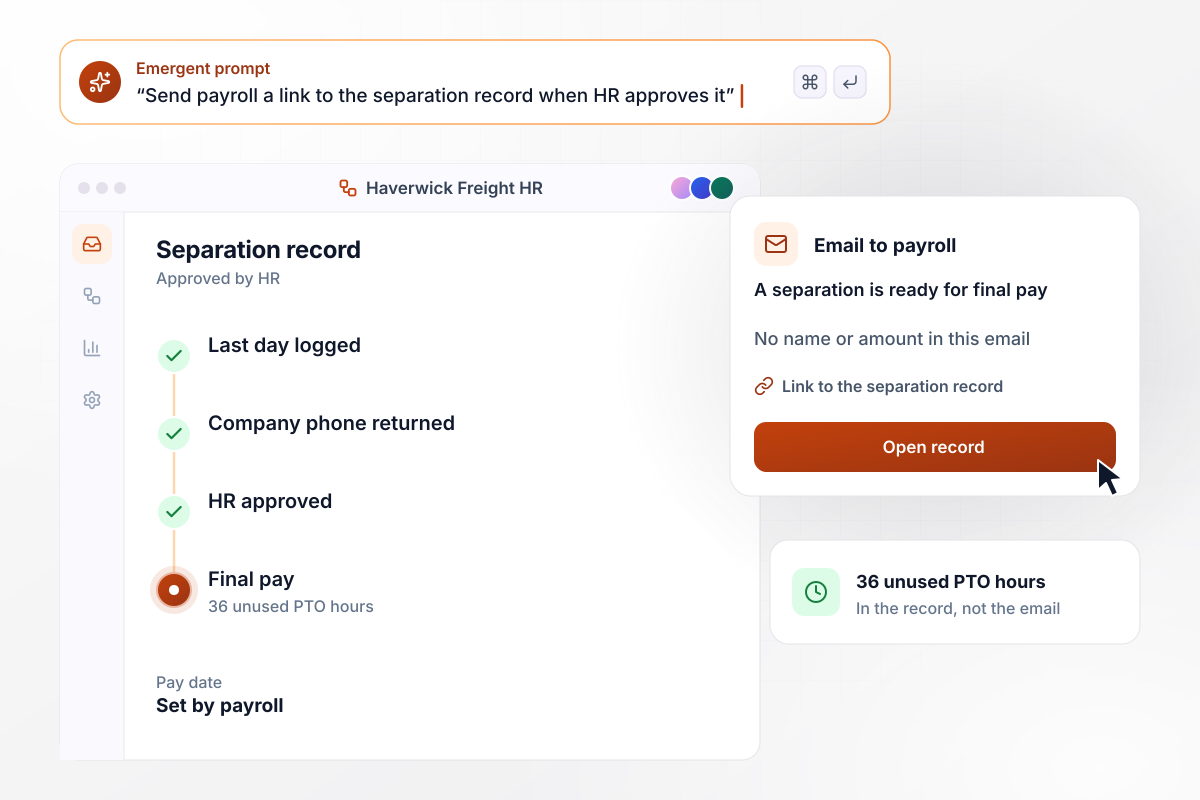
Payroll gets it all by link: the last day and 36 PTO hours
Approval at Haverwick Freight sends payroll one email saying a separation is ready for final pay, with a link. The email holds no name or amount. Behind the link, the record shows the last day, 36 unused PTO hours, and whether the employee returned the company phone. The payroll lead sets the final pay date from there.
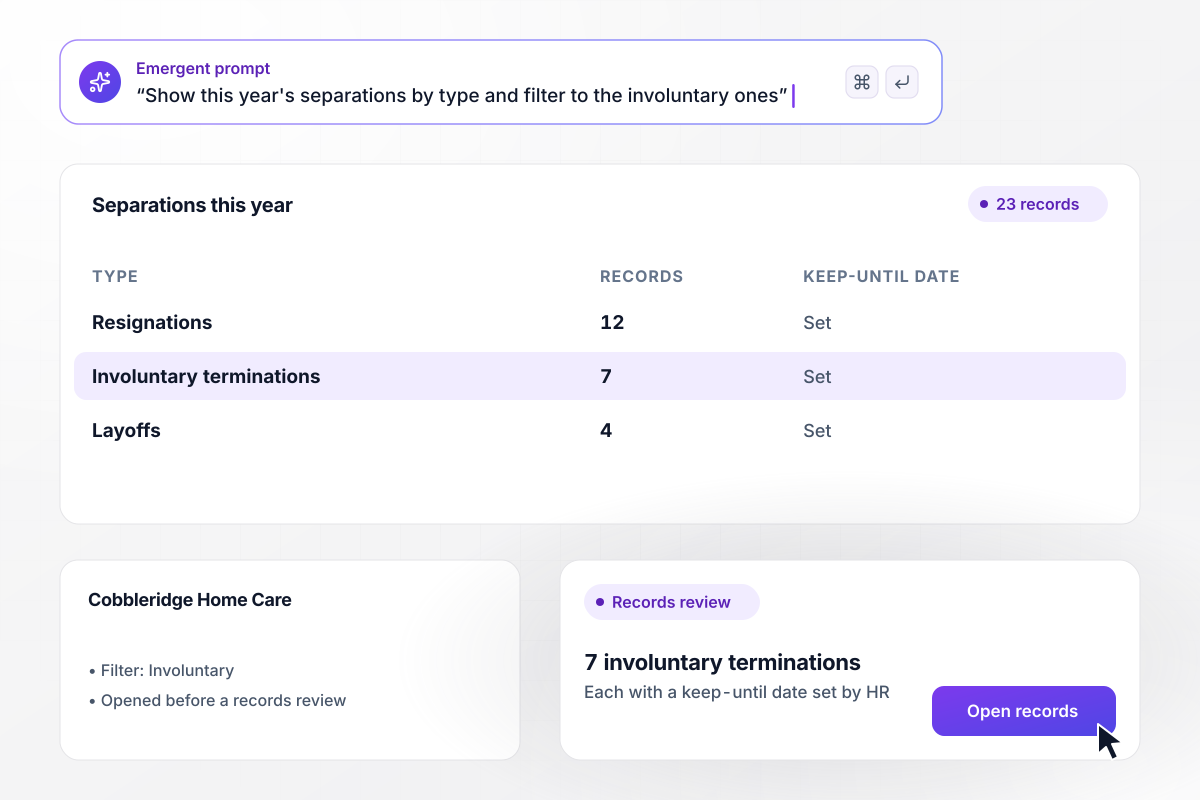
Rosmunda sees which of 23 separations were involuntary
Rosmunda Brascombe opens the separation log at Cobbleridge Home Care. This year it holds 23 records: 12 resignations, 7 involuntary terminations and 4 layoffs. Each record carries a keep-until date that HR set with counsel. Before a records review, she filters the log down to the 7 involuntary terminations.






How to Create an Employee Termination Form
Seven steps to create an employee termination form template that takes each separation through HR review and into one record.
List the separations you handle, such as resignations, involuntary terminations, and layoffs. Each one becomes a path on the form with its own questions. A resignation asks for the notice date, while a termination asks for prior write-ups.
Write the reason for someone who opens the record a year from now: what happened, on which dates, and which policy it relates to. Keep opinions about the person off the form, and let counsel check the final text.
Choose who approves each type before anything moves. A manager's termination request might wait for the HR director, while a resignation goes to the office manager. Nothing reaches payroll or the employee until the approver decides.
Give payroll the fields it needs on one record: the last day, unused PTO hours, and any equipment still out. Have HR or counsel confirm the final pay deadline for each state where you employ people.
Add an e-signature step where the employee confirms they received the separation notice, with a box for their comments. Have counsel decide what the signature confirms. Record a refusal to sign as its own answer instead of a blank.
Ask the approver whether the person is eligible for rehire, with a short note on why. The answer saves to the database, where a recruiter can find it months later when a former employee applies again.
Run 3 past separations through the form before you use it, one of each type. Check that each reached the right approver, that payroll's email held no names, and that the record showed every field HR needed.
Why Build Termination Forms With Emergent?
Describe your separation process, and Emergent builds the form, the HR review step, and its database. It is free to start.

|
Jotform | Google Forms | Typeform | |
|---|---|---|---|---|
| How you build | Describe it in plain English | Templates, editor, AI generator | Editor, with Gemini drafting on some Workspace plans | Templates, editor, AI assist |
| Where responses live | A database table you own, plus any integration | Jotform account | Google Sheets | Typeform account |
| Response limits | No response caps | Monthly submission caps by plan; the form stops at the cap | No limit | Monthly response caps by plan; the form closes at the cap |
| Code ownership | Full code export to GitHub on paid plans | None | None | None |



Pick the Pricing Plan That Works for You
Choose the plan that fits your building ambitions. From weekend projects to enterprise applications, we've got you covered.




Find the right form
for whatever you're collecting















Frequently Asked Questions
Your Questions, Answered
Don't change this element unless you know what you are doing
More things you can build
with Emergent









on Emergent today


