

Build an Employee Training Form With Sign-Offs and Due Dates
Build an employee training form that saves each course and its trainer sign-off to a database you own.
Build an employee training form for my warehouse that records each forklift operator's training date, evaluation date, and trainer.
Trusted by Builders Worldwide
Active Builders Worldwide
Apps Successfully Created
Countries Globally Reached



What Each Training Record Holds
A sign-in sheet proves someone was in the room. This form records what they learned and when it is due again.
Fields for the training you run
Describe your courses, such as forklift checks or a new point-of-sale system. Emergent builds a form that asks for the course, the date, the trainer, and the final result.
Trainer sign-off on the same screen
The trainer signs on a phone or tablet the moment the employee finishes. The app captures that signature with the trainer's name and the date, next to the course it covers.
Due dates worked out from the last session
Set how long each course stays current, such as 12 months for a ladder safety course. The app adds that period to the last session date and lists every record due next month.
Reminders before anyone falls behind
Email or Slack an employee when a course comes due in 30 days, and copy the manager once the date passes. Each reminder links back to the form for that exact course.
Every record in one table you own
Each submission lands in a database you own, one row per employee and course. Filter by person or course to see who finished the March portal session and who did not.
The code is yours to take
On paid plans, export the full app to your GitHub repository and host it on servers of your own. Keep building on it alongside the HR system you already run every day.
Four Records Behind a Trained Crew
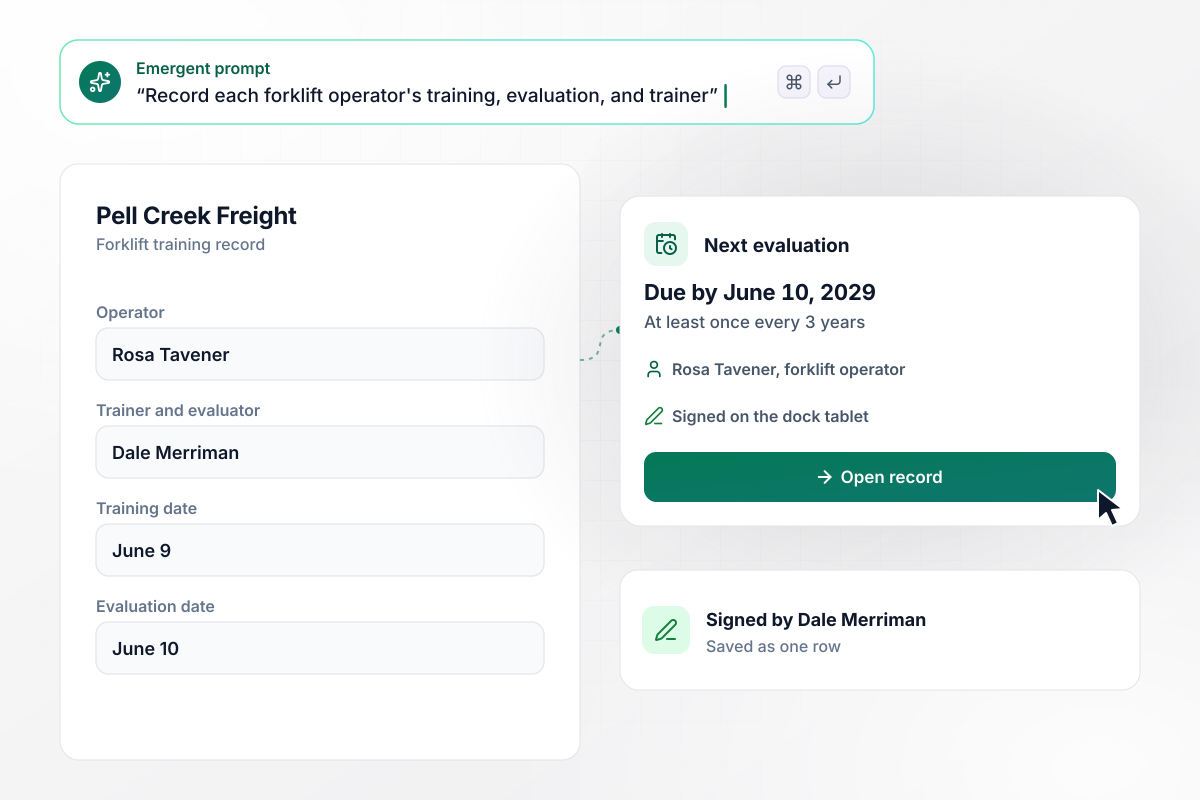
Rosa is due back for evaluation by June 10, 2029
Pell Creek Freight trains its forklift operators in pairs. Trainer Dale Merriman records Rosa Tavener's training on June 9 and her evaluation on June 10, then signs the form on the dock tablet. OSHA calls for an evaluation of each operator at least once every three years. Her record sets the next one for June 10, 2029.
window.awbMockup = { forkliftCertification: "Build a forklift training record for my warehouse. Ask for the operator's name, the training date, the evaluation date, and the trainer who ran both, then let the trainer sign on a tablet. Save each record as a row, and set the next evaluation date three years after the last evaluation.", newHireShopTasks: "Build a new-hire training record for the mechanics at my bike shop. List 5 tasks: brakes, wheels, drivetrains, suspension, and e-bike diagnostics. Let the shop lead sign each task on a tablet once the mechanic shows it, and mark the record complete only when all 5 carry a signature.", softwareRollouts: "Build a training form for my accounting firm's switch to a new client portal. Each of my 22 staff logs the 45-minute session when they finish it. The deadline is March 13. On March 10, email a reminder with a link to the session to everyone who has not logged it yet.", yearlyTrainingHours: "Build a training log for the electricians at my company. Each person logs a course with its name and hours, and the app keeps a yearly total against a goal of 16 hours. On October 1, email my ops manager a list of anyone under 8 hours, with the courses each of them has logged so far." };
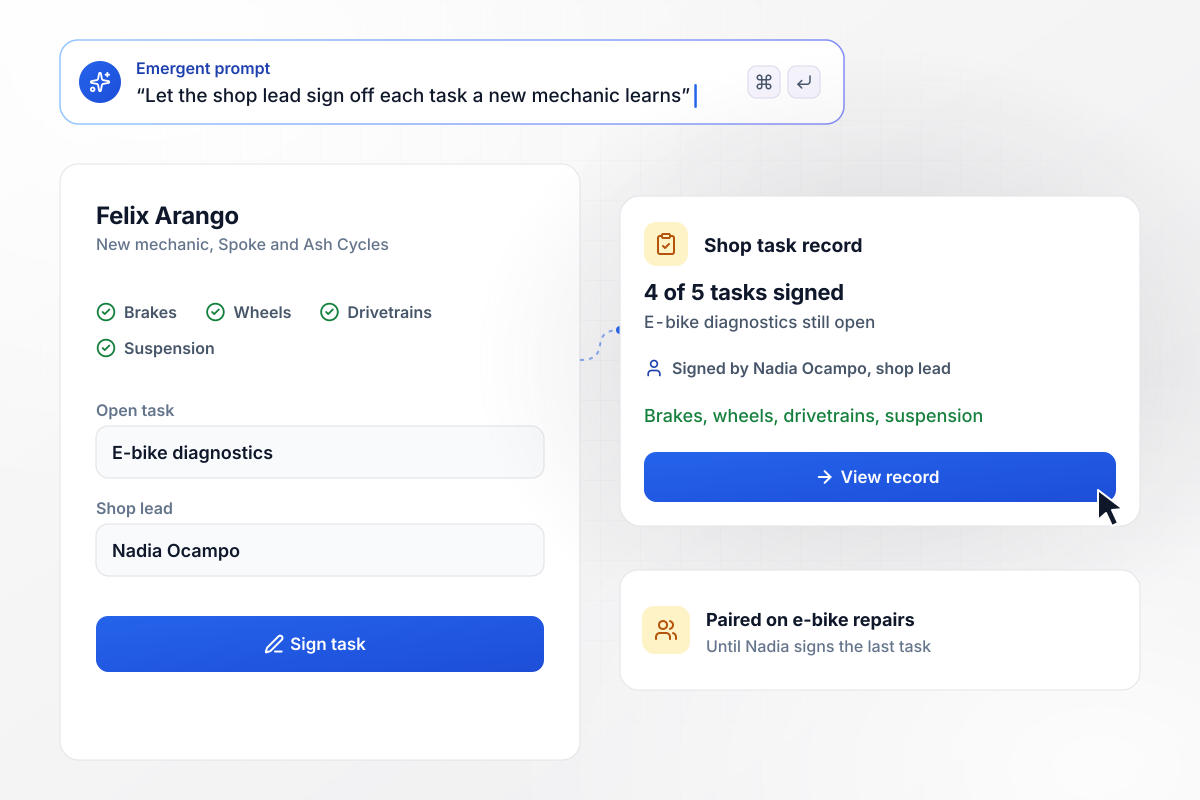
One shop task left before Felix works alone
Felix Arango started at Spoke and Ash Cycles in May. Shop lead Nadia Ocampo signs each of the 5 tasks on his record once he shows it. Four of the 5 carry her signature: brakes, wheels, drivetrains, and suspension. E-bike diagnostics is still open. Until it is signed, Felix stays paired on those repairs.
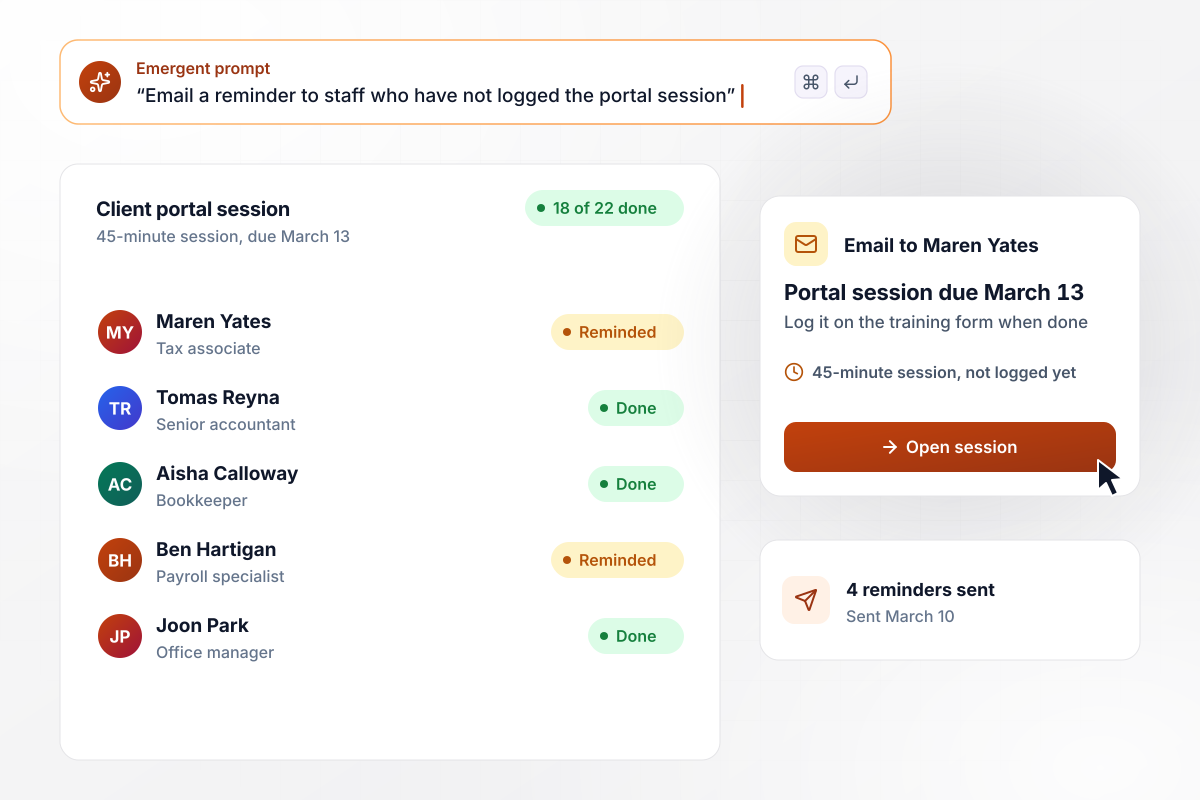
Reminders go to 4 staff who have not finished
Wexford Lane Accounting switched client portals in February. Staff have until March 13 to finish a 45-minute session on it and log it on the training form. By March 10, 18 of the 22 have. The app emails the other 4 a reminder with a link to the session, Maren Yates among them.
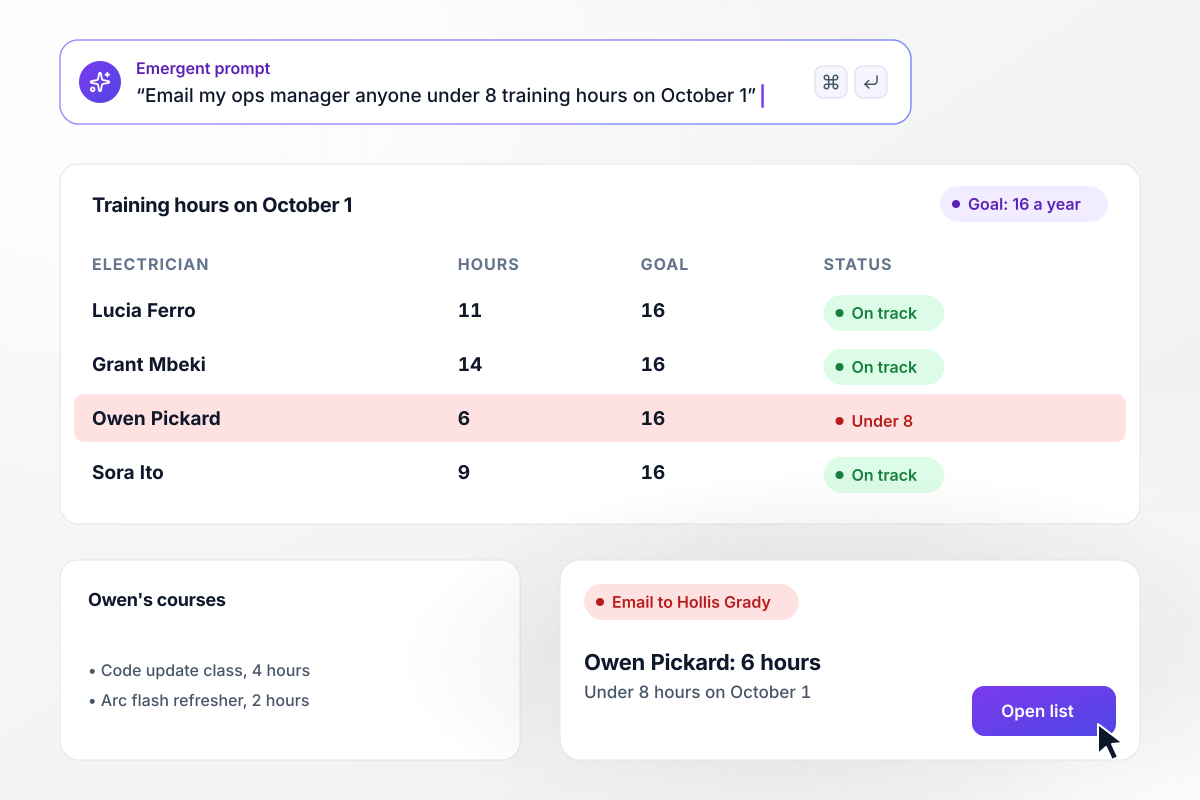
On October 1, Owen has 6 of his 16 hours
Bracken Hill Electric gives each electrician a yearly goal of 16 training hours. Each course logged on the form adds to that person's total. Anyone under 8 hours on October 1 goes on a list emailed to ops manager Hollis Grady. Owen Pickard has 6, from a 4-hour code update class and a 2-hour arc flash refresher.






How to Create an Employee Training Form
Seven steps to create an employee training form that records each signed session and shows what comes due.
List every course you run, such as forklift, ladder safety, or a new software rollout. Note who teaches each one and how long it stays current. That list becomes the course menu on the form and the start of every record.
Ask who was trained, on which course and date, who taught it, and whether they passed. Add a field for hours if you track a yearly goal. Leave job performance ratings off it, and let this form record training only.
Choose who signs each record: the trainer alone, or the trainer and the employee. A trainer's signature shows who vouched for the skill. For hands-on work, list each task on its own line, and the trainer signs them one at a time as the employee shows them.
Pick how long each course counts, such as 12 months or 3 years. The app adds it to the last completion date and sets the next due date. A course with no renewal, like a one-time orientation, stays complete once it is signed.
Put the course list, the fields, the sign-off rules, and the renewal periods into one prompt. Emergent builds the employee training form, the database behind it, and a table to filter by person or course. Change any of it later in plain English.
Remind employees 30 days before a course comes due, and email their manager when a date passes. Connect Slack if your crews read it more than email. Send a monthly list of upcoming renewals to the person who books the classes.
Record a session that already happened, with the real trainer signing on a tablet. Check that the row lands under the right course with the right next due date. Then move the date back a year and confirm the reminder goes out.
Why Build Training Forms With Emergent?
A binder of signed sheets shows who sat in a class. A table you own shows who is due back, and on what date.

|
Jotform | Google Forms | Typeform | |
|---|---|---|---|---|
| How you build | Describe it in plain English | Templates, editor, AI generator | Editor, with Gemini drafting on some Workspace plans | Templates, editor, AI assist |
| Where responses live | A database table you own, plus any integration | Jotform account | Google Sheets | Typeform account |
| Response limits | No response caps | Monthly submission caps by plan; the form stops at the cap | No limit | Monthly response caps by plan; the form closes at the cap |
| Code ownership | Full code export to GitHub on paid plans | None | None | None |


Pick the Pricing Plan That Works for You
Choose the plan that fits your building ambitions. From weekend projects to enterprise applications, we've got you covered.




Find the right form
for whatever you're collecting
Frequently Asked Questions
Your Questions, Answered
Don't change this element unless you know what you are doing
More things you can build
with Emergent









on Emergent today


