

Build a Case Study Form That Gets the Numbers First
Build a case study form that asks for each result with its starting number, then saves every story in a database you own.
Build a case study form for my bookkeeping software that asks customers what problem they had, what changed, and one number that shows it.
Trusted by Builders Worldwide
Active Builders Worldwide
Apps Successfully Created
Countries Globally Reached



What the Writer Needs Before the First Draft
A case study form collects what a writer needs to draft a customer story: the proof behind each result and what may be shown.
Questions in the order the story runs
The form asks about the problem first, then what the customer changed, then the result. Answers arrive in the order a draft is written, with the problem at the top of the record.
A starting number for every result
Each result question asks for the figure before and the figure now, with the month each was measured. A claim like faster invoicing arrives as 9 days down to 4, ready to quote.
Permission asked asset by asset
Customers answer yes or no for the logo, their name, a headshot, and revenue figures. A revenue figure marked private stays out of the record, and the draft is written without it.
Logo files and screenshots stay attached
Upload fields take logo files and product screenshots. Each file is saved in the same record as the answers it belongs to, next to the customer's permission for using it on the page.
A Slack post when a story comes in
Each submission posts to the marketing channel in Slack or emails the writer assigned to that account. A customer who stops halfway gets a reminder with the link a week later.
Your code, in your own repository
On paid plans, export the full codebase to your GitHub repository and host the form wherever the rest of the marketing site runs. Keep building on it in any code editor you like.
Who Sends the Form, and What Comes Back
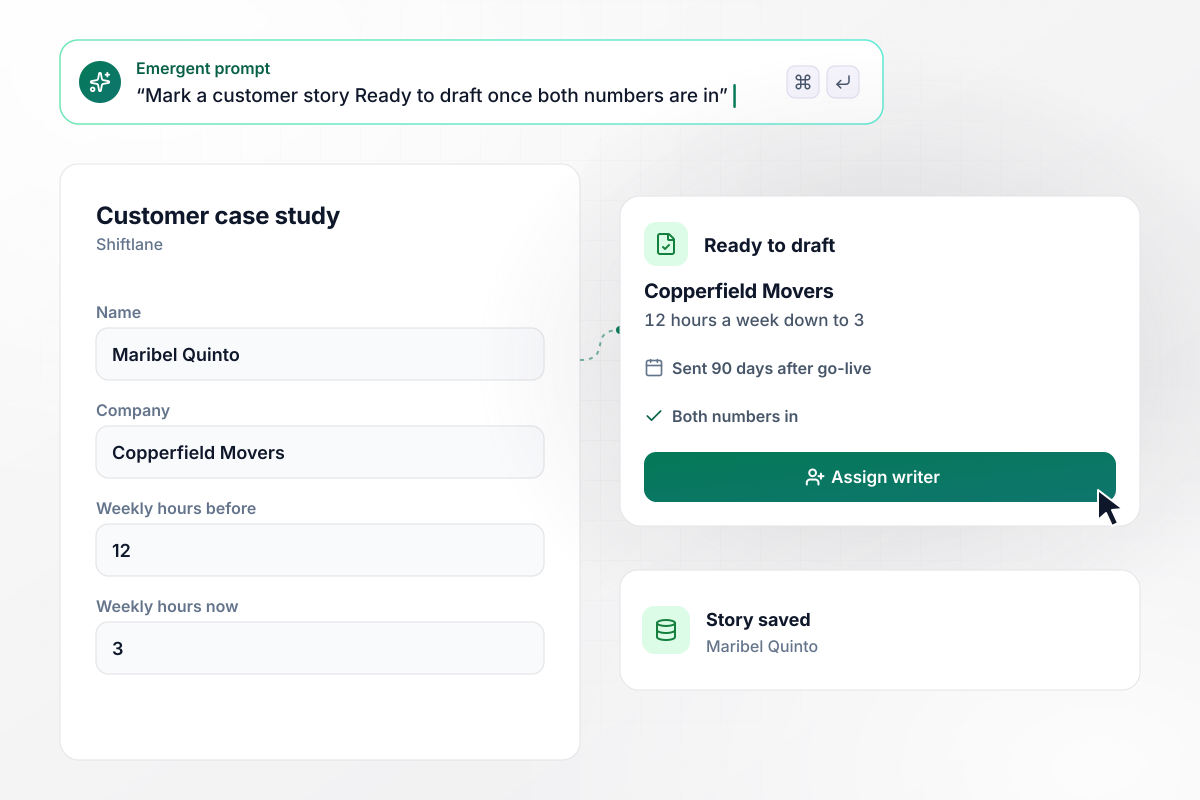
Both numbers in, or the story waits
Shiftlane, a staff scheduling app, sends its case study form 90 days after go-live. It asks for a name, a company, and the weekly hours the crew schedule took before and takes now. Maribel Quinto at Copperfield Movers enters 12 and 3, and her story turns Ready to draft once both are in.
window.awbMockup = { softwareCompanies: "Build a case study form my scheduling software sends customers 90 days after they go live. Ask for their name, their company, and how many hours a week the crew schedule took before and takes now. Mark the story Ready to draft once both numbers are in, and keep it waiting until then.", marketingAgencies: "Build a case study form my agency sends clients when a campaign wraps. Ask whether their logo and the owner's name may appear, and whether revenue figures may appear or stay private. When a client marks revenue private, save the result as an order count and store no revenue figure.", nonprofits: "Build a case study form the tutors in my literacy program fill in when a learner reaches the goal set at intake. Ask for the learner's first name, the program, and the goal reached. Give me a stories table I can filter by program, and let me add every Adult ESL story to a grant report.", customerSuccessTeams: "Build an internal case study form my customer success managers use to nominate accounts. Ask for the account, the result, and the percentage it moved. Post any nomination over 25% to the customer stories channel in Slack, and save every nomination in a table marketing can sort by change." };
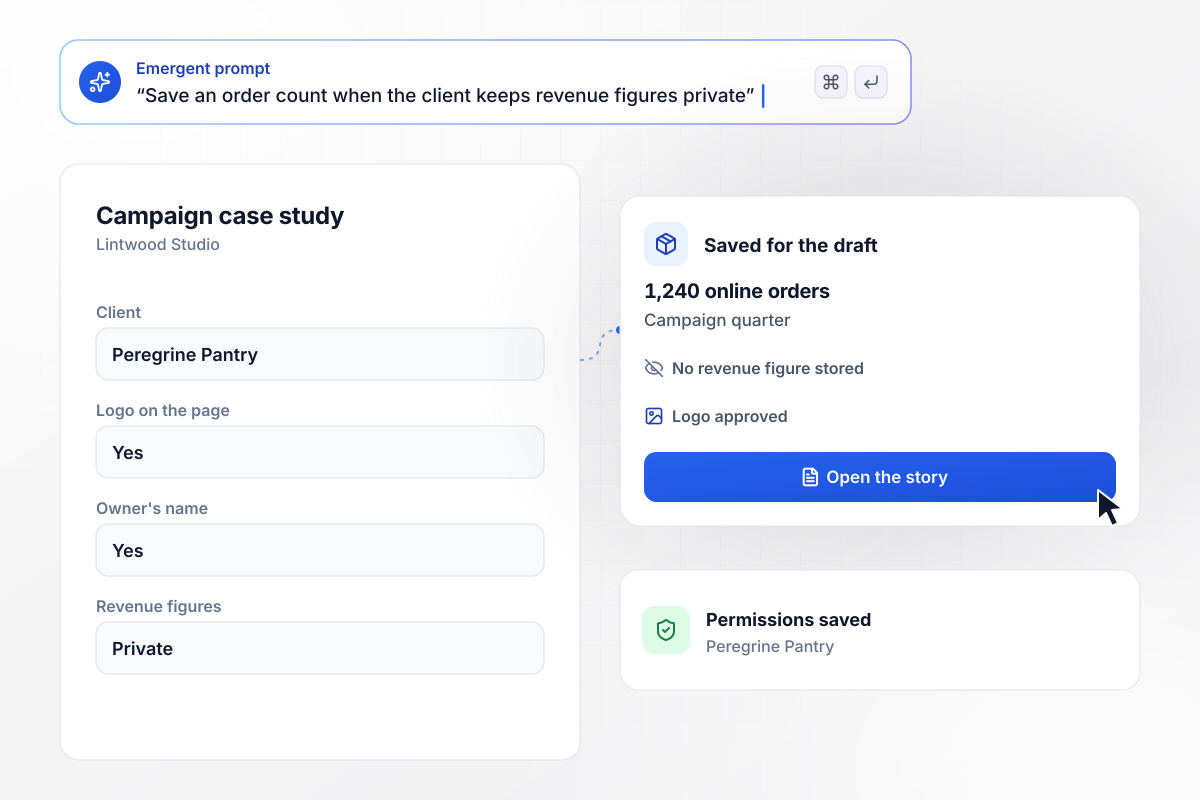
Its revenue stays private while order counts show
Lintwood Studio, a marketing agency, sends the form when a campaign wraps. Peregrine Pantry, a grocery delivery shop, says yes to its logo and the owner's name but marks revenue figures as private. The app saves the result as 1,240 online orders in the campaign quarter, with no revenue figure stored.
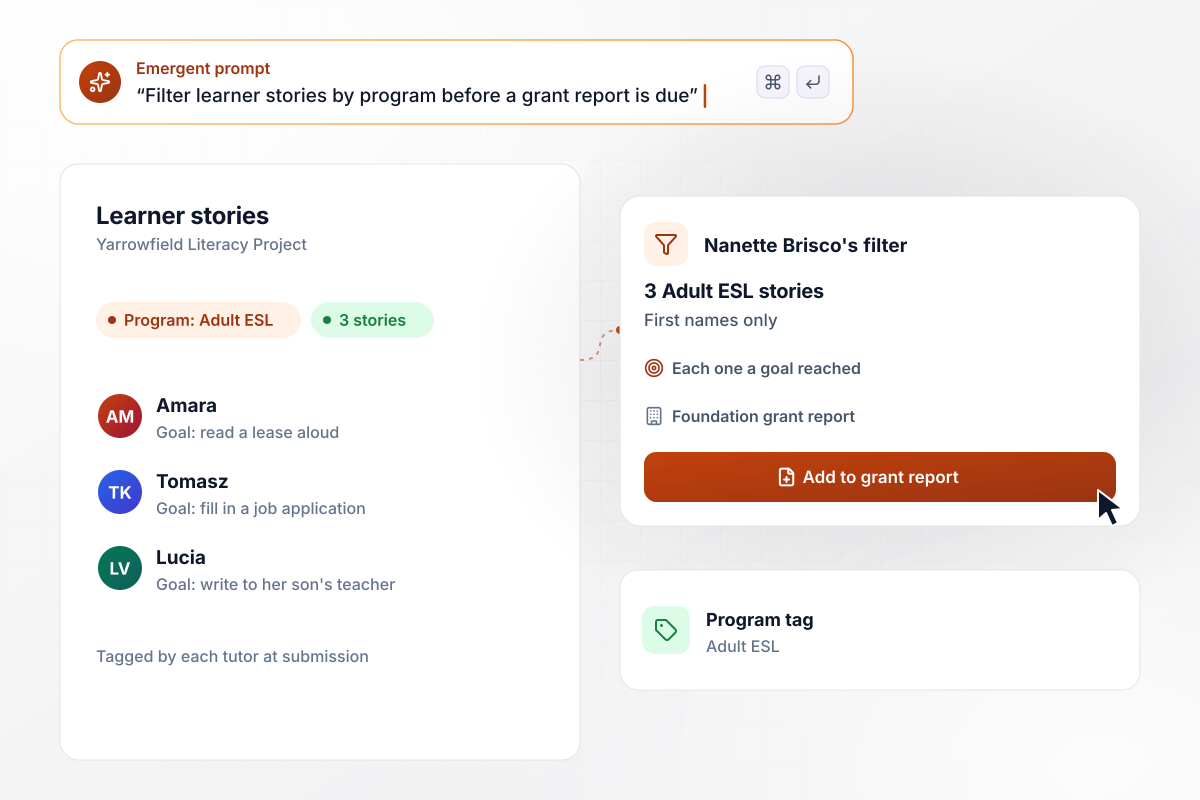
Three Adult ESL stories for one grant report
Tutors at the Yarrowfield Literacy Project fill in a case study form when a learner reaches the goal set at intake, giving the learner's first name, the program, and the goal reached. Nanette Brisco, the development director, filters for Adult ESL. She adds the 3 stories she finds to a grant report.
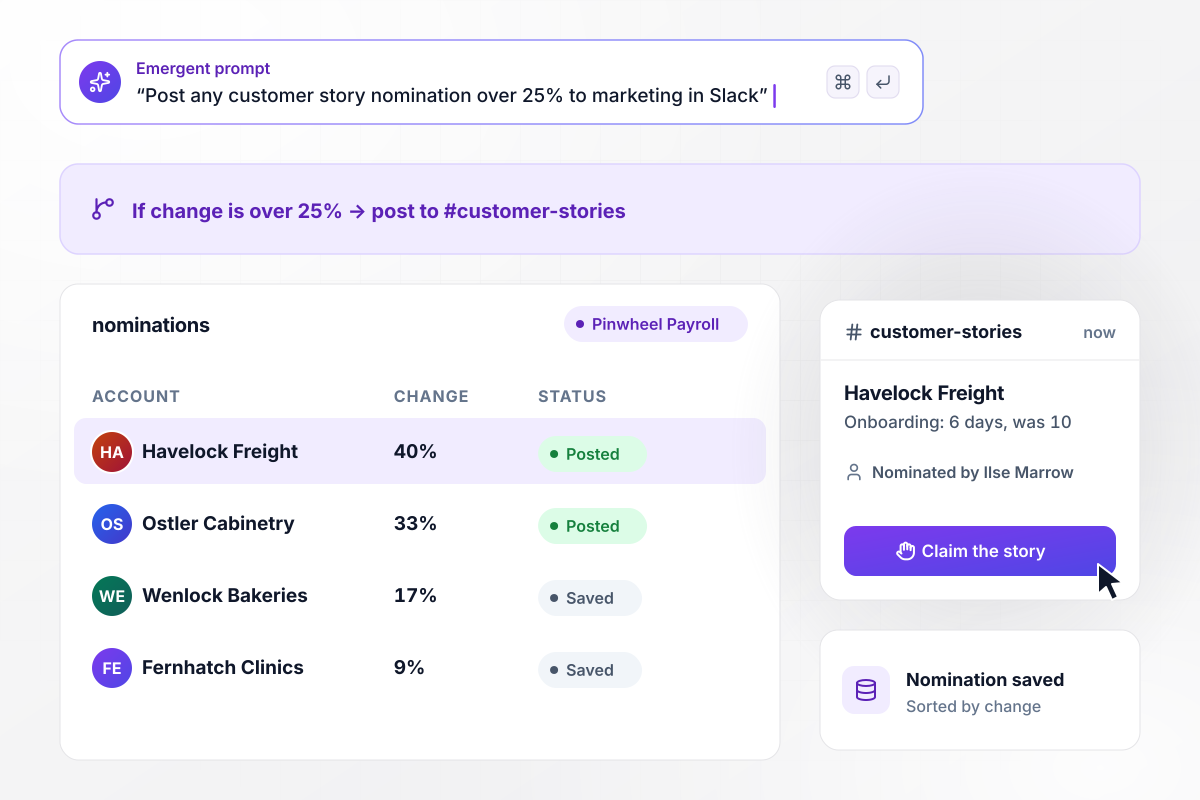
Any nomination over 25% posts to marketing
Customer success managers at Pinwheel Payroll nominate accounts on an internal form: the account, the result, and the percentage it moved. Any nomination over 25% posts to the customer stories channel in Slack. Ilse Marrow nominates Havelock Freight, where driver onboarding dropped to 6 days from 10.






How to Create a Case Study Form
Seven steps to plan the questions and permissions for a case study form, then build it with Emergent.
Name the reader of the finished case study, such as a buyer in the same industry or a grant officer. That reader decides which questions earn a place. For a software buyer, ask for the hours saved; for a grant officer, ask for the goal the learner reached.
Open with the problem, in the customer's own words: what took too long and what it cost them. Keep each question to one topic, and give the answer box room for a few sentences instead of a single line.
Ask what each number was before and what it is today, and name the unit in the question, such as hours a week or days to close the books. Without the starting point, the writer has to email the customer for it later, and the draft stalls.
List every asset the page could use, such as the logo, a headshot, or revenue figures. Ask about each one separately, and save each answer alongside the story it belongs to.
Put the questions and the permission list into one prompt. Emergent builds the case study form, the database behind it, and a table where each story waits for a writer. Change any question later by asking in plain English.
Send the link after the customer has had time to see a result, such as one full quarter after launch. Send one reminder a week later to anyone who has not finished, and route each finished story to whoever will write it up.
Test the form with a customer story you published last year. Enter its real numbers and permissions, then check that the record shows both figures and the revenue setting, with every uploaded file beside the right answer.
Why Build Your Case Study Form With Emergent?
A case study stalls when figures trickle in over weeks of email. One form gets the story and the permissions at once.

|
Jotform | Google Forms | Typeform | |
|---|---|---|---|---|
| How you build | Describe it in plain English | Templates, editor, AI generator | Editor, with Gemini drafting on some Workspace plans | Templates, editor, AI assist |
| Where responses live | A database table you own, plus any integration | Jotform account | Google Sheets | Typeform account |
| Response limits | No response caps | Monthly submission caps by plan; the form stops at the cap | No limit | Monthly response caps by plan; the form closes at the cap |
| Code ownership | Full code export to GitHub on paid plans | None | None | None |


Pick the Pricing Plan That Works for You
Choose the plan that fits your building ambitions. From weekend projects to enterprise applications, we've got you covered.




Find the right form
for whatever you're collecting
Frequently Asked Questions
Your Questions, Answered
Don't change this element unless you know what you are doing
More things you can build
with Emergent









on Emergent today


