

Build an Employee Feedback Form That Routes Every Comment
Create an employee feedback form that routes each comment to the person who can act on it and saves it to a database you own.
Build an employee feedback form for a food plant where packers pick a topic and leave a comment.
Trusted by Builders Worldwide
Active Builders Worldwide
Apps Successfully Created
Countries Globally Reached



Six Parts That Close the Loop on Staff Comments
A template stops at submit. These six pieces carry each comment to an owner and back to the employee who wrote it.
Each topic has a named owner
Equipment notes go to maintenance, pay questions to payroll, and schedule requests to the shift manager. The employee picks a topic and the comment lands with whoever owns it.
A name field people can skip
Ask for a name and leave it optional. Print on the form who reads each note, and an employee deciding whether to sign one knows exactly where it goes before pressing submit.
A status the employee can follow
Each comment moves from Received to Assigned to Done. An employee who leaves an email gets a message at each change and never has to chase HR to find out where it stands.
One question per screen on a phone
Staff who never sit at a desk open the form from a QR code and answer one question at a time. A packer on a 10-minute break can file a note before heading back to the line.
Every comment in a database you own
Responses are saved as rows you can sort by team, topic, and status. A dashboard counts the open comments for each owner, and each owner works from a list of their own.
The full code, in your GitHub
Export the whole codebase to your GitHub repository on paid plans when the form needs to sit inside an internal HR portal. Host it on your own servers and keep building.
Four Kinds of Comments, Four Owners
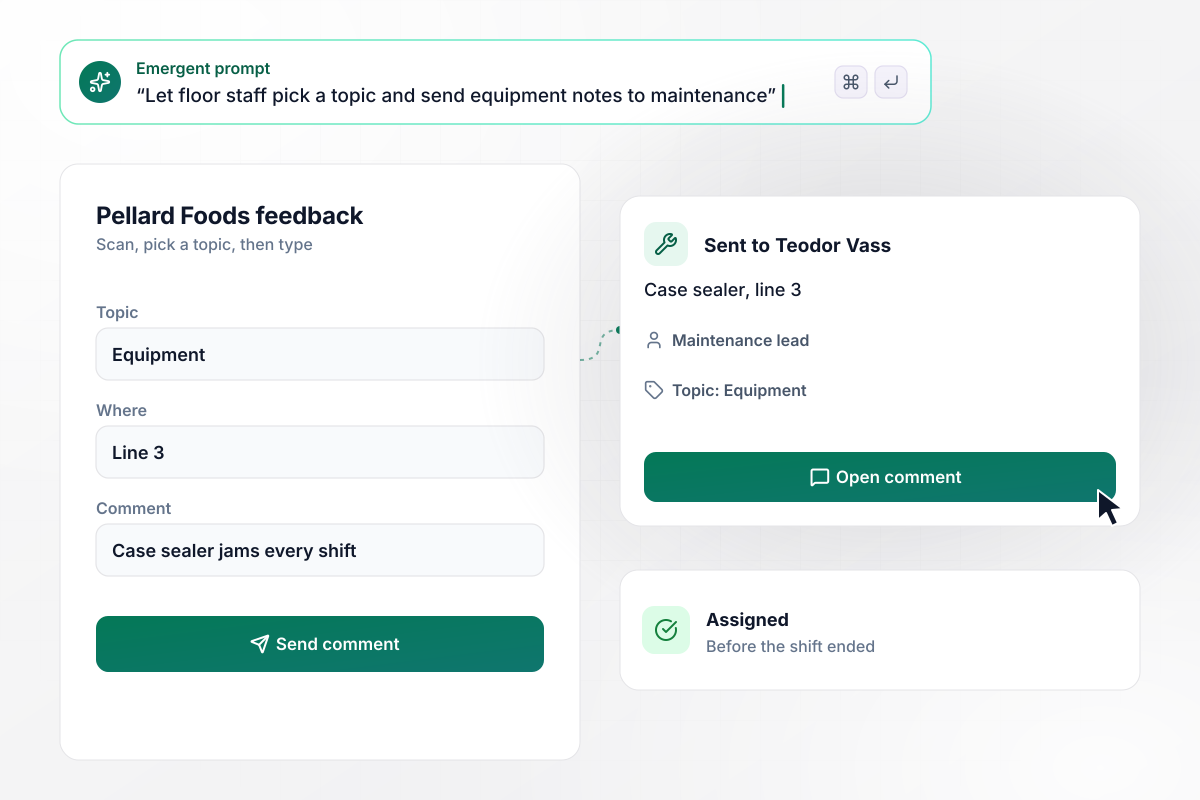
Every line 3 jam goes to maintenance
Packers at Pellard Foods have no company email, so they scan a QR code by the time clock and choose a topic before they type. One packer wrote that the case sealer on line 3 jams every shift. Equipment notes go to Teodor Vass, the maintenance lead, and this one was marked Assigned before the shift ended.
window.awbMockup = { floorStaff: "I run a food packing plant where line staff have no company email. Build an employee feedback form they open from a QR code by the time clock. Ask them to pick a topic first: equipment, schedules, pay, or something else. Send equipment notes to our maintenance lead and schedule notes to the shift manager, and mark each comment Received, Assigned, or Done.", oneOnOnePrep: "I manage a team of software engineers. Build a short form each engineer fills in on Wednesday before our Thursday one-on-one, with 3 questions: what went well, what is stuck, and what they need from me. Show me the answers before we meet, and bring any item marked Stuck back on the next week's form until I mark it Resolved.", draftPolicies: "I work in HR at a group of health clinics. Build a form where staff comment on a draft policy for 14 days, choosing the section each comment is about. Show me the comments grouped by section with a count for each, so I can see which section drew the most before the policy takes effect.", newToolRollouts: "I run dispatch for a freight company that just switched routing apps. Build a feedback form dispatchers fill in after their first 2 weeks on the new app: a rating from 1 to 5 and a box for what slows them down. Send any comment with a score of 2 or lower to our IT lead by email, and list every rating in a table I can sort." };
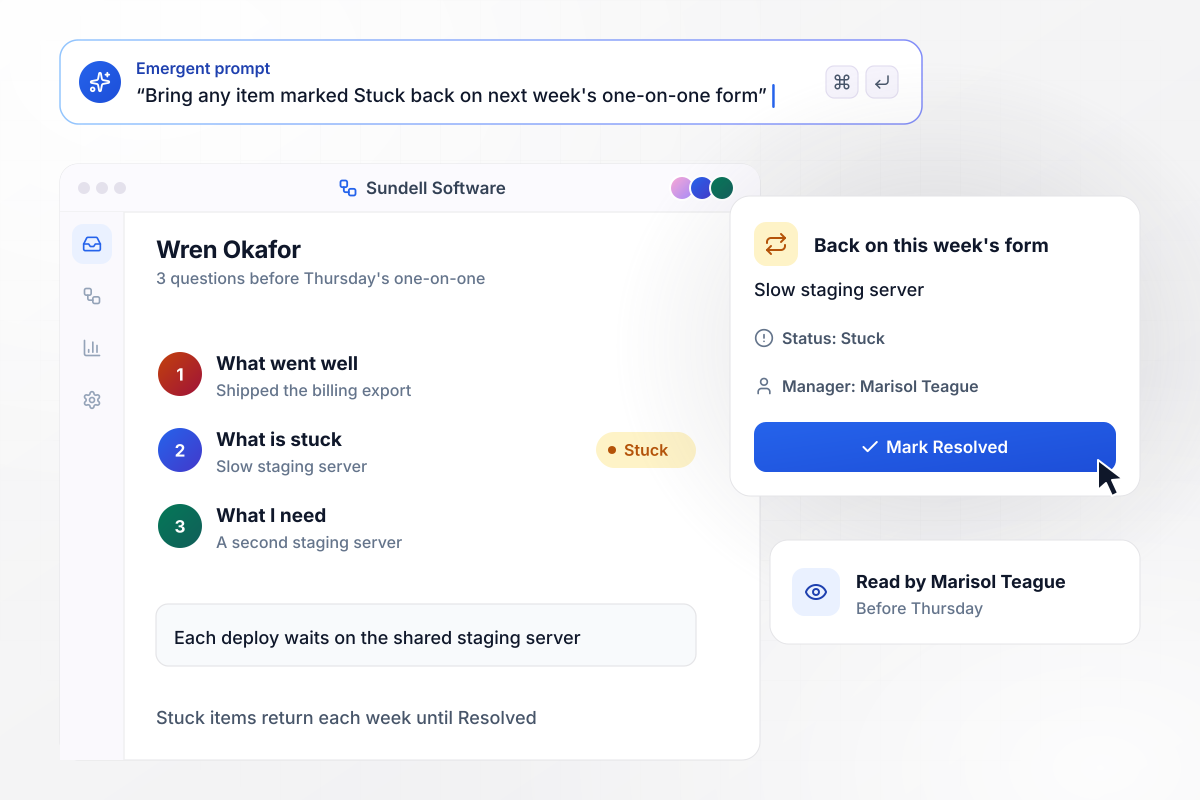
A Stuck blocker returns each week until resolved
Every Wednesday, engineers at Sundell Software answer 3 questions before their Thursday one-on-one: what went well, what is stuck, and what they need. Wren Okafor marked a slow staging server as Stuck. Marisol Teague, her manager, reads it first, and it returns on each week's form until she marks it Resolved.
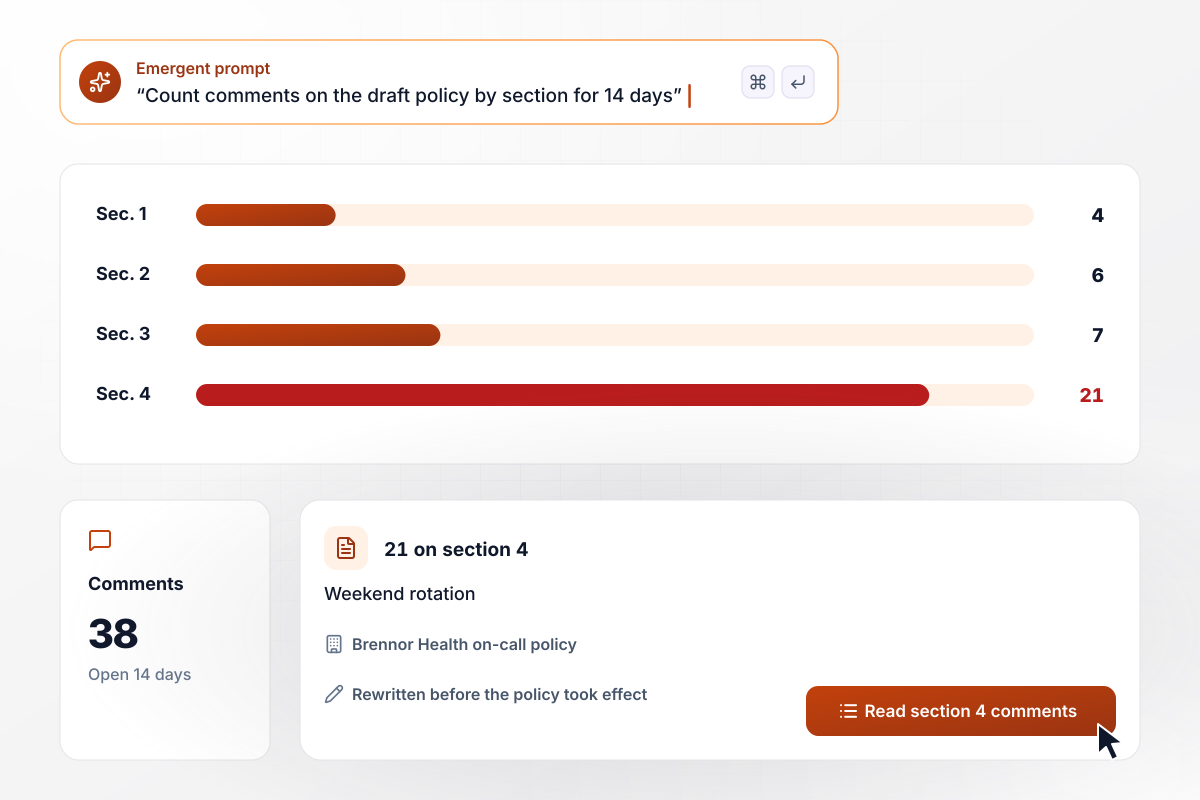
21 of 38 comments named the weekend rotation
Brennor Health drafts policy in the open. Its new on-call policy took comments for 14 days, and each comment named the section it was about. HR sorted the 38 that came in by section and found 21 on section 4, the weekend rotation. That section was rewritten before the policy took effect.
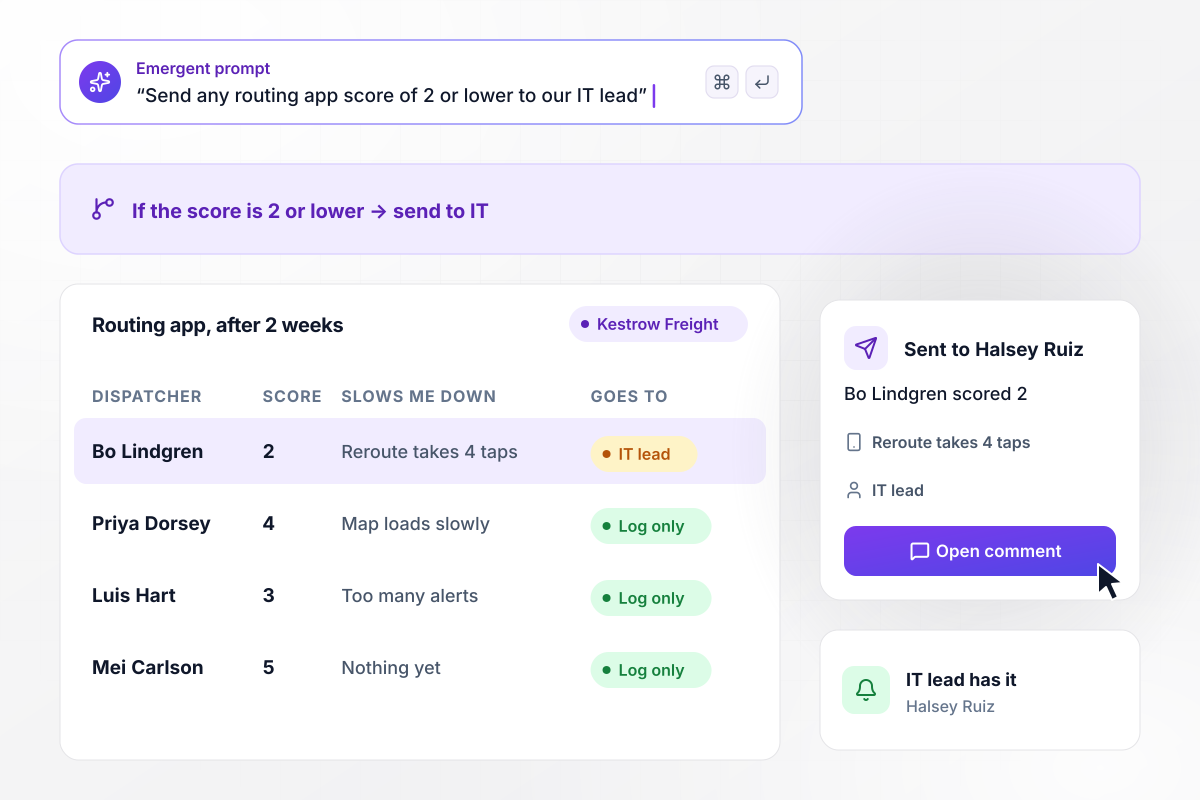
After 2 weeks, any score of 2 or lower goes to IT
Kestrow Freight moved its dispatchers to a new routing app. After its first 2 weeks, each one rated it on a 5-point scale and said what slows them down. A score of 2 or lower sends the comment to Halsey Ruiz, the IT lead. Bo Lindgren gave it a 2 because a reroute takes 4 taps.






How to Create an Employee Feedback Form
Seven steps to set up an employee feedback form where each comment reaches its owner and the employee learns what happened.
List the topics employees raise, such as equipment or pay, and name one person who owns each. Settle that before you write a single question, because a comment on a topic nobody owns sits unread.
Ask for the topic, the comment, and an optional name. Add a rating only where you plan to compare scores, as with a new tool. Someone filling it in on a phone should be done in under 2 minutes.
Describe the form to Emergent in plain English, or paste the questions from the template or paper form you use today. Emergent builds the fields, the topic routing, and the database, and you change any of it by prompting again.
Post a QR code where staff clock in for anyone without a desk, and send a link by email or Slack to office teams. Show one question per screen for phone users, and a single page for people on laptops.
Pick the statuses a comment moves through and decide who can read each topic. Keep each list of readers short. Pay questions might go to payroll alone, and equipment notes to maintenance and the shift manager.
Ask 5 employees from different teams to file a real comment. Check that each one reached the right owner, that a skipped name field stayed blank, and that every status email arrived before you post the QR code.
Post a short note each month on what came in and what changed, grouped by topic. Name the fixes, like a repaired case sealer or a rewritten policy section, and pull the counts from the dashboard.
Why Build Staff Feedback With Emergent?
A printed template asks the questions and stops. It cannot send a jammed sealer to maintenance or tell the packer the jam is fixed.

|
Jotform | SurveyMonkey | Google Forms | |
|---|---|---|---|---|
| How you build | Describe it in plain English | Templates, editor, AI generator | Survey builder with templates | Editor, with Gemini drafting on some Workspace plans |
| Where responses live | A database table you own, plus any integration | Jotform account | SurveyMonkey account, plus export | Google Sheets |
| Response limits | No response caps | Monthly submission caps by plan; the form stops at the cap | Response allowance per plan, overage billed on paid plans | No limit |
| Code ownership | Full code export to GitHub on paid plans | None | None | None |



Pick the Pricing Plan That Works for You
Choose the plan that fits your building ambitions. From weekend projects to enterprise applications, we've got you covered.




Find the right form
for whatever you're collecting















Frequently Asked Questions
Your Questions, Answered
Don't change this element unless you know what you are doing
More things you can build
with Emergent









on Emergent today


