

Build an Assessment Form That Totals the Score
Build an assessment form that scores each answer, totals the result, and saves every assessment to a database you own.
Build an assessment form that scores each criterion and totals the result.
Trusted by Builders Worldwide
Active Builders Worldwide
Apps Successfully Created
Countries Globally Reached



What a Working Assessment Form Needs
A blank sheet records ratings. These parts turn the ratings into a score someone can act on.
Rating scales with points behind them
Set a scale for each criterion, such as 1 to 4, and write what every level means. Assessors tap a rating, and the form stores the label and the points side by side on the record.
Weighted totals worked out on submit
Give each section a share of the total, say 40 of 100 points for security. The weighted score is calculated the moment the assessor submits, and nobody adds up columns afterward.
Cut-offs that decide the next step
Choose the total that calls for action and name who acts on it. A low total can open a review, book a coaching session, or message a manager in Slack with the record attached.
Notes and photos as evidence
Let assessors attach a photo or a short note to any rating. The evidence stays on that line of the record. A reviewer can see why a criterion got a 2 before signing off on the total.
Every assessment in one database
Each submission becomes a row you can filter by assessor, date, or site. Compare this month with last, export the rows to a spreadsheet, or connect them to the other tools you use.
Source code you can take with you
Export the full code of your assessment app to your GitHub repository on paid plans. A developer can host it on your own servers or wire it into the school or HR system you use.
Where Assessment Forms Do the Scoring
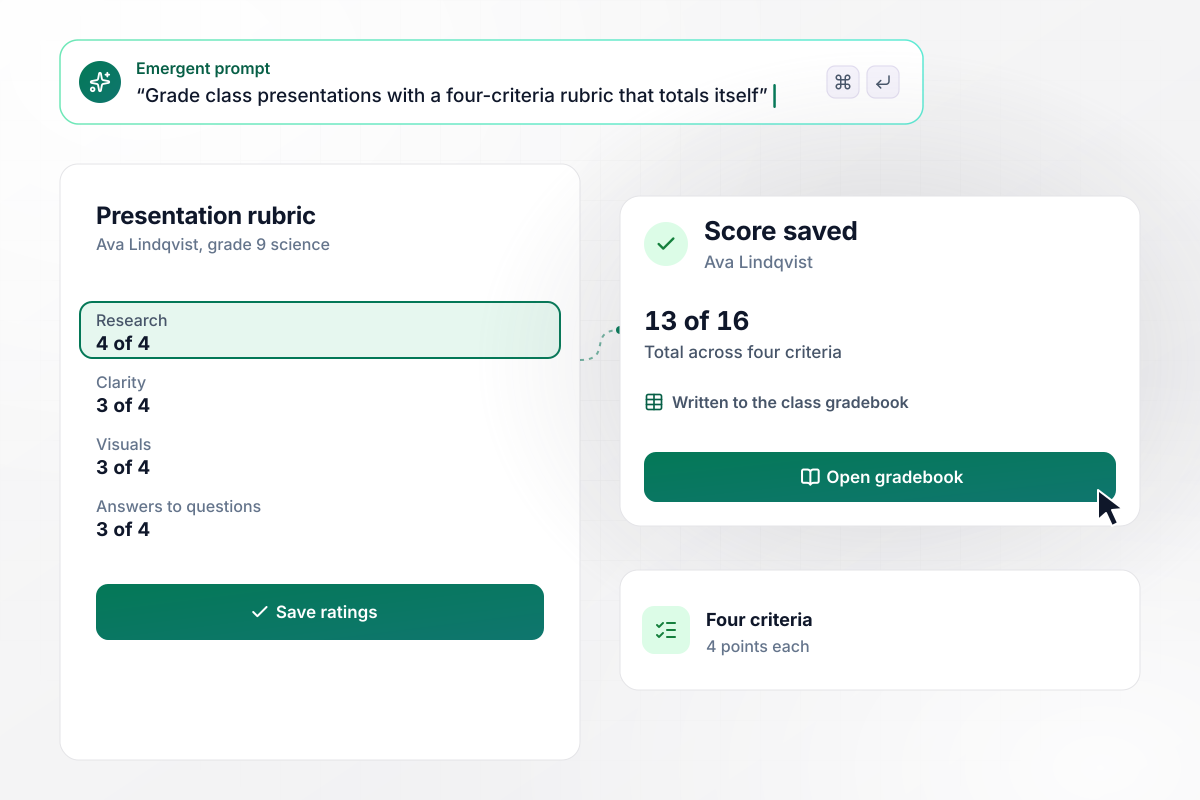
Each rating counts, and Ava finishes with 13 of 16
Ms. Harlow grades ninth-grade science presentations against four criteria worth 4 points each. While Ava Lindqvist presents, Ms. Harlow rates research, clarity, visuals, and answers to questions on her tablet. The form adds the ratings to 13 of 16 and writes the score into Ava's row of the class gradebook.
window.awbMockup = { classroomRubrics: "I teach ninth-grade science and grade student presentations with a rubric. Build an assessment form with four criteria: research, clarity, visuals, and answers to questions, each worth 4 points with a description for every level. Let me rate on a tablet while the student presents, total the score out of 16, and write it to that student's row in my class gradebook.", warehouseHazardWalks: "My supervisors walk our warehouse every night shift. Build a hazard form they fill in on a phone: each hazard gets a photo, a likelihood rating and a severity rating on a 1 to 5 scale, and the form multiplies them. When a hazard scores over 12, send our safety manager a Slack message with the photo and the score.", supplierScoring: "My procurement team assesses every new supplier before we sign. Build a supplier assessment with three sections scored out of 100: security is worth 40 points, delivery 35, and price 25. Add up the total on submit. Send any supplier under 70 to our IT lead for a security review and show me a table of all suppliers with their scores.", newHireSkillChecks: "My support team rates new hires 30 days after training. Build a skills assessment where the trainer rates each rep on six skills on a 1 to 4 scale. Reps who score 3 or higher on every skill move to live tickets. If a rep scores 2 or lower on any skill, book a coaching session with their team lead and tell the lead which skill." };
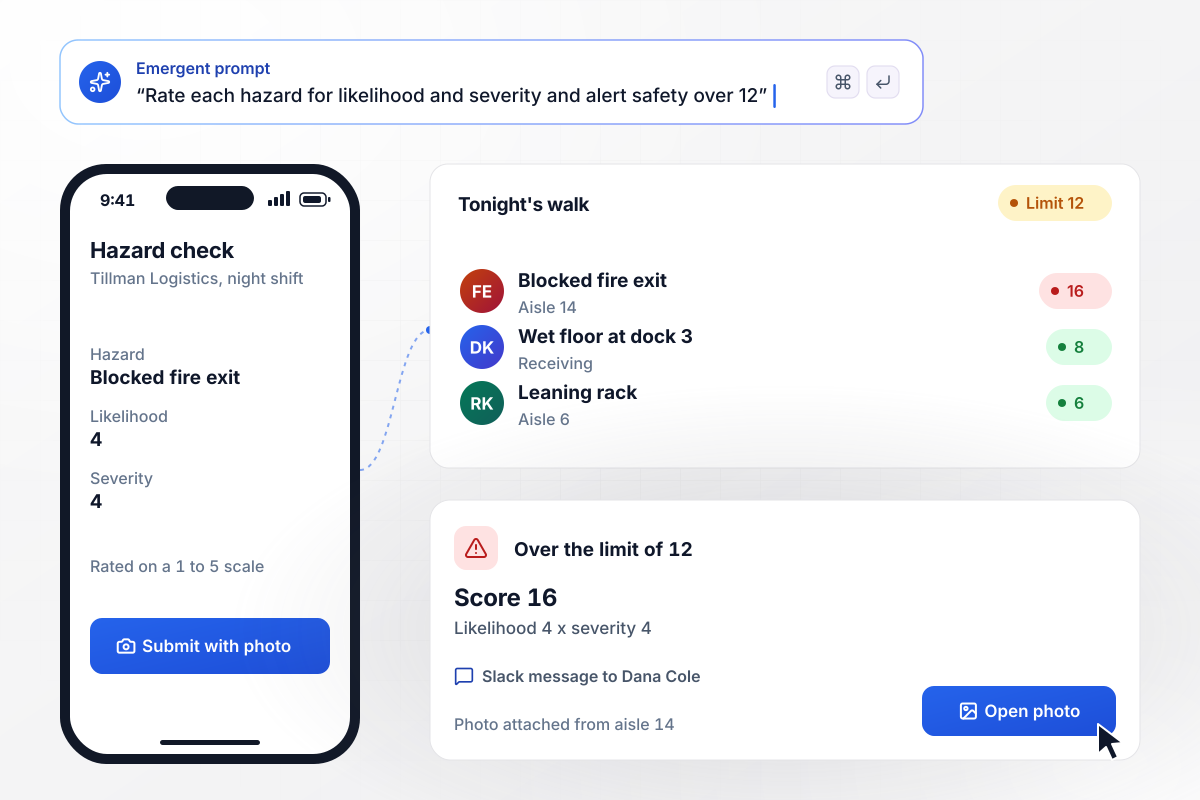
Likelihood and severity multiply into 16 for the blocked exit
The night supervisor at Tillman Logistics walks the warehouse with the hazard form on his phone. Each hazard gets a likelihood and a severity on a 1 to 5 scale, multiplied together. A blocked fire exit rated 4 and 4 scores 16, over the limit of 12. Dana Cole, the safety manager, gets a Slack message with the photo.
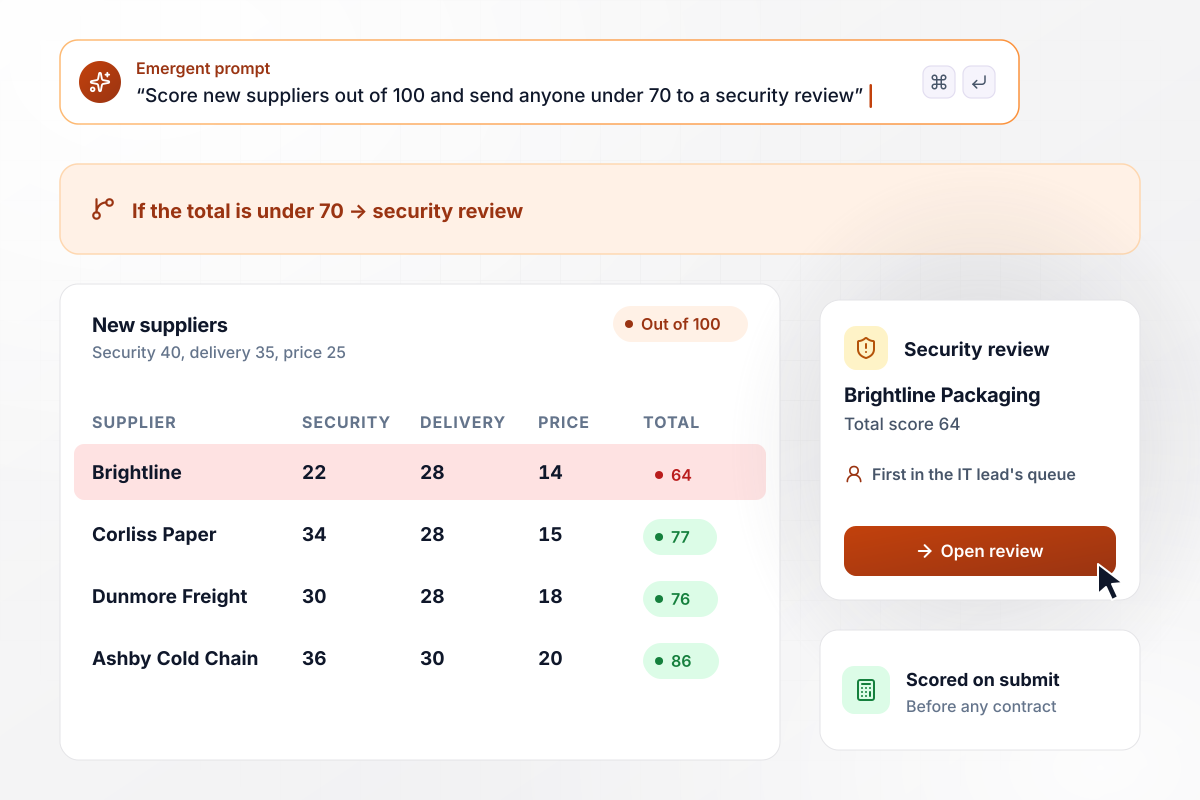
Brightline's weighted score of 64 sends it to IT
Procurement at Halvern Foods scores each new supplier out of 100: security is worth 40 points, delivery 35, and price 25. Brightline Packaging earns 22, 28, and 14, a total of 64. Any supplier under 70 goes to the IT lead for a security review before a contract is drafted, and Brightline now sits first in her queue.
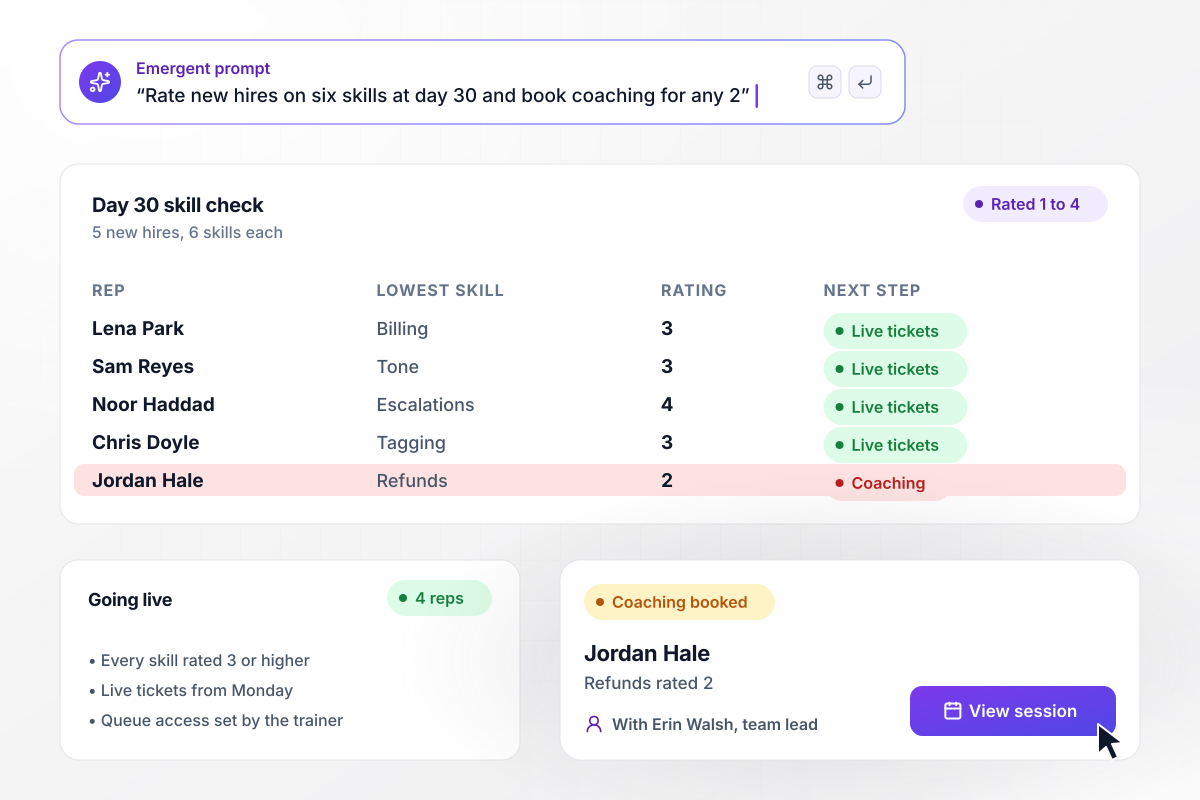
Day 30: four reps go live, one gets coaching
At day 30, the support trainer at Quayside rates five new hires on six skills, each on a 1 to 4 scale. Four reps clear every skill and start taking live tickets on Monday. Jordan Hale scores a 2 on refunds, and the form books a coaching session with his team lead, Erin Walsh.






How to Create an Assessment Form
Seven steps to create an assessment form that scores every criterion and flags results under your cut-off, then build it with Emergent.
Write down the decision the assessment feeds before drafting a question: a grade, a go-live date, a signed contract. That decision tells you which criteria matter and which score should send the result to someone for action.
List the criteria an assessor judges, usually four to eight. Each one should describe something observable, like "cites two sources" instead of "good research". Merge criteria that overlap, because an overlap scores the same strength or weakness twice.
Choose a scale, usually 1 to 4 or 1 to 5, and write one line for every level of every criterion. Two assessors reading that line should land on the same rating. Labels like "fair" and "good" are where their scores drift apart.
Give the criteria that matter most a larger share of the total. Then pick the score that triggers action and the person who acts. Try the cut-off on three past cases you already judged by hand and see whether it agrees.
Paste the criteria, level descriptions, weights, and cut-off into the prompt. Emergent builds the form and its scoring logic, along with the database behind it. Name who hears about a low score, and change any part later by prompting again.
Route each finished assessment to the place it is acted on, whether that is a gradebook, a Slack channel, or a supplier record. Email the person assessed a copy of their ratings when your process calls for it.
Fill the form as an assessor and give one criterion a deliberately low rating. Check the total, confirm the alert reaches the right person, and open the saved record. Then ask a second assessor to score the same case and compare the two.
Why Build Assessment Forms With Emergent?
A template gives you a sheet to fill in. Emergent builds the scoring, the cut-off, and the database behind it.

|
Jotform | Google Forms | Typeform | |
|---|---|---|---|---|
| How you build | Describe it in plain English | Templates, editor, AI generator | Editor, with Gemini drafting on some Workspace plans | Templates, editor, AI assist |
| Response limits | No response caps | Monthly submission caps by plan; the form stops at the cap | No limit | Monthly response caps by plan; the form closes at the cap |
| Where responses live | A database table you own, plus any integration | Jotform account | Google Sheets | Typeform account |
| Conditional logic | Written from your description, per field or page | Show or hide fields and skip pages by answer | Section jumps from multiple-choice or drop-down answers | Logic Jump between questions |
| Code ownership | Full code export to GitHub on paid plans | None | None | None |




Pick the Pricing Plan That Works for You
Choose the plan that fits your building ambitions. From weekend projects to enterprise applications, we've got you covered.




Find the right form
for whatever you're collecting













Frequently Asked Questions
Your Questions, Answered
Don't change this element unless you know what you are doing
More things you can build
with Emergent









on Emergent today


