

Build a Bounce House Waiver Form Signed Before the First Jump
Build a bounce house waiver form renters and parents sign on a phone, each copy saved to a database you own.
Build a bounce house waiver form for my party rental company that every renter signs online before delivery.
Trusted by Builders Worldwide
Active Builders Worldwide
Apps Successfully Created
Countries Globally Reached



What a Rental Crew Needs Signed Before Setup
Emergent builds the waiver and the lists your crew and volunteers check before anyone jumps.
A waiver link in every booking email
The confirmation a renter gets after booking carries the waiver link. They sign on a phone the same evening, and nobody hunts for a pen on a wet lawn while the blower runs.
One parent signs for each of their kids
A parent signs once and adds every child they brought, with an age for each. Hosts and carnival volunteers see one record per family instead of a stack of loose sheets.
Your house rules, initialed one at a time
List your rules, such as no shoes, no flips, and small kids jumping apart from big ones. The renter initials each rule, and the form will not submit until every rule has initials.
Reminders 48 hours before delivery
Any booking still unsigned 48 hours before its delivery time triggers an email to the renter with the waiver link. Your crew sees the status on the route list before loading.
Search by last name at the gate
Volunteers type a family name on a tablet at the bounce house line. Signed children show with their ages and the parent who signed, and anyone missing signs on the spot.
Code export to your GitHub repository
On paid plans, export the full code to your GitHub repository and run the waiver next to your booking system. Keep changing it by prompt, or hand it to a developer to extend.
Four Places the Waiver Gets Signed
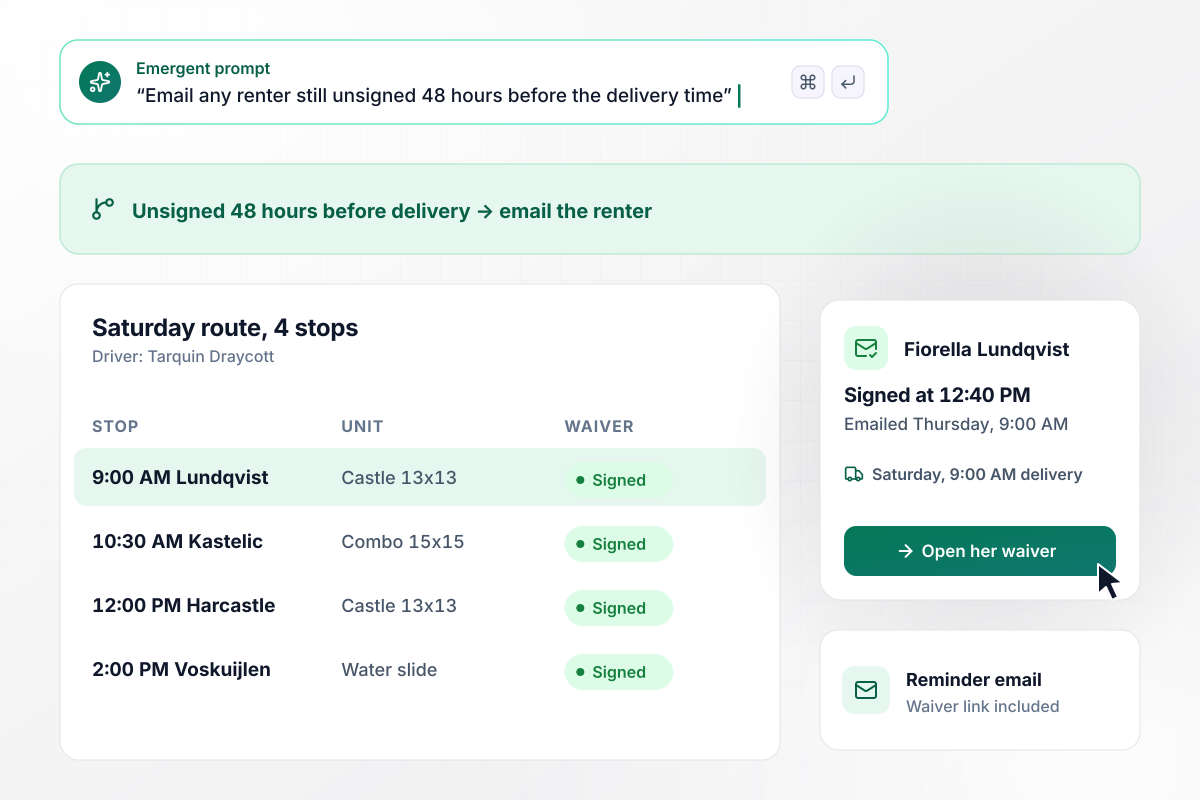
A reminder at 48 hours, and every stop signed by Saturday
Fiorella Lundqvist booked a Castle 13x13 from Skipwell Party Rentals for a Saturday 9:00 AM delivery. She still had not signed on Thursday at 9:00 AM, 48 hours out. The form emailed her the waiver link, and she signed at 12:40 PM. Driver Tarquin Draycott's Saturday route now shows all 4 stops as Signed.
window.awbMockup = { rentalBookings: "Build a bounce house waiver form for my party rental company. Put the waiver link in every booking confirmation email. If a renter has not signed 48 hours before the delivery time, email them a reminder with the link. Give my drivers a Saturday route list that shows each stop, the unit, and whether the waiver is Signed.", birthdayParties: "Make a bounce house waiver form for my son's birthday party that I can send with the invitations. Each parent signs once and adds every child they are bringing, with the child's age. Show me a list of families with Signed or Waiting next to each one, so I know who still has to sign before the party.", schoolCarnivals: "Create a bounce house waiver form for our PTA fall carnival. Families scan a QR code at the ticket table and sign on their phones, listing each child and age. Give volunteers a booth tablet where they type a last name and see every child on that signed record, so they can hand out green wristbands.", waterSlideRentals: "Build a water slide waiver form for my rental company. Show the 4 rules for our dry units plus 2 water rules, and make the renter initial each one before submitting. Ask them to name the adult who will watch the slide, and print that name on the setup checklist my driver reviews at delivery." };
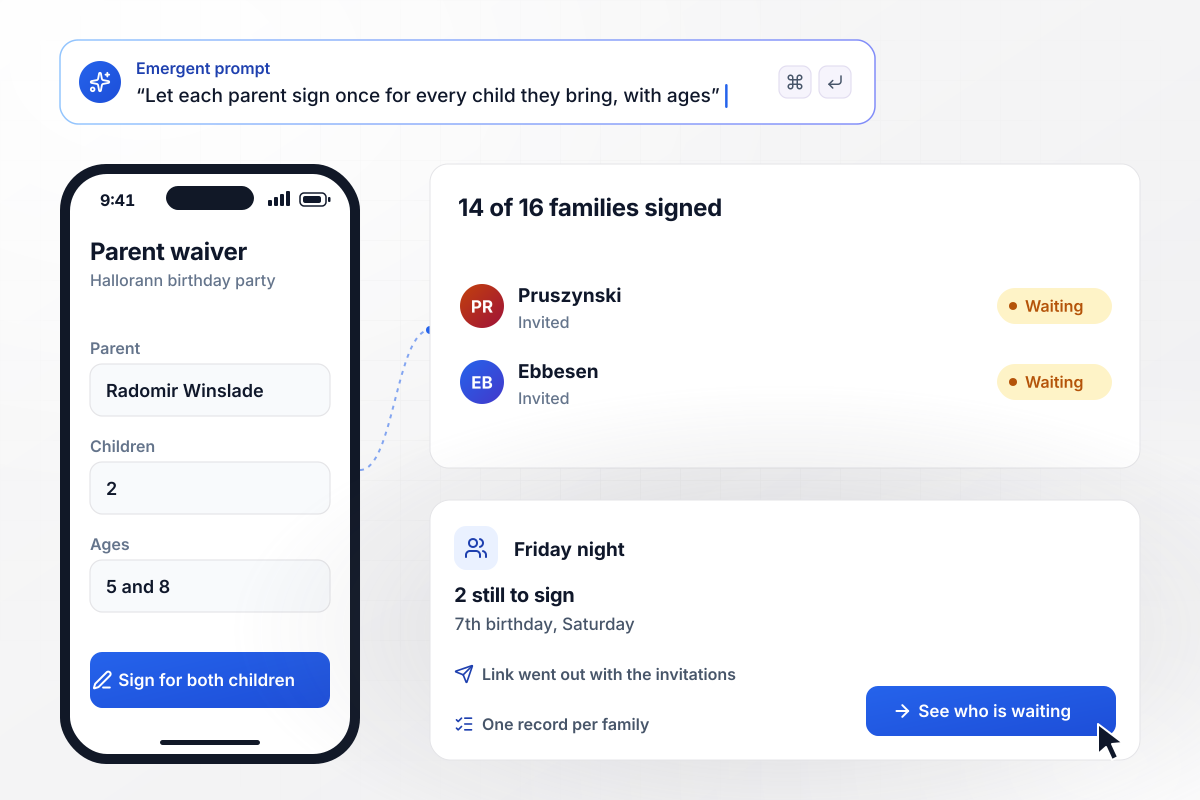
One signature per family, with each child's age on it
Anwuli Hallorann rented a bounce house for her son's 7th birthday and sent the waiver link with the invitations. Each parent signs once and lists the children coming along. Radomir Winslade signs for his two, ages 5 and 8. By Friday night, Anwuli's list shows 14 of 16 families signed and the 2 still to sign.
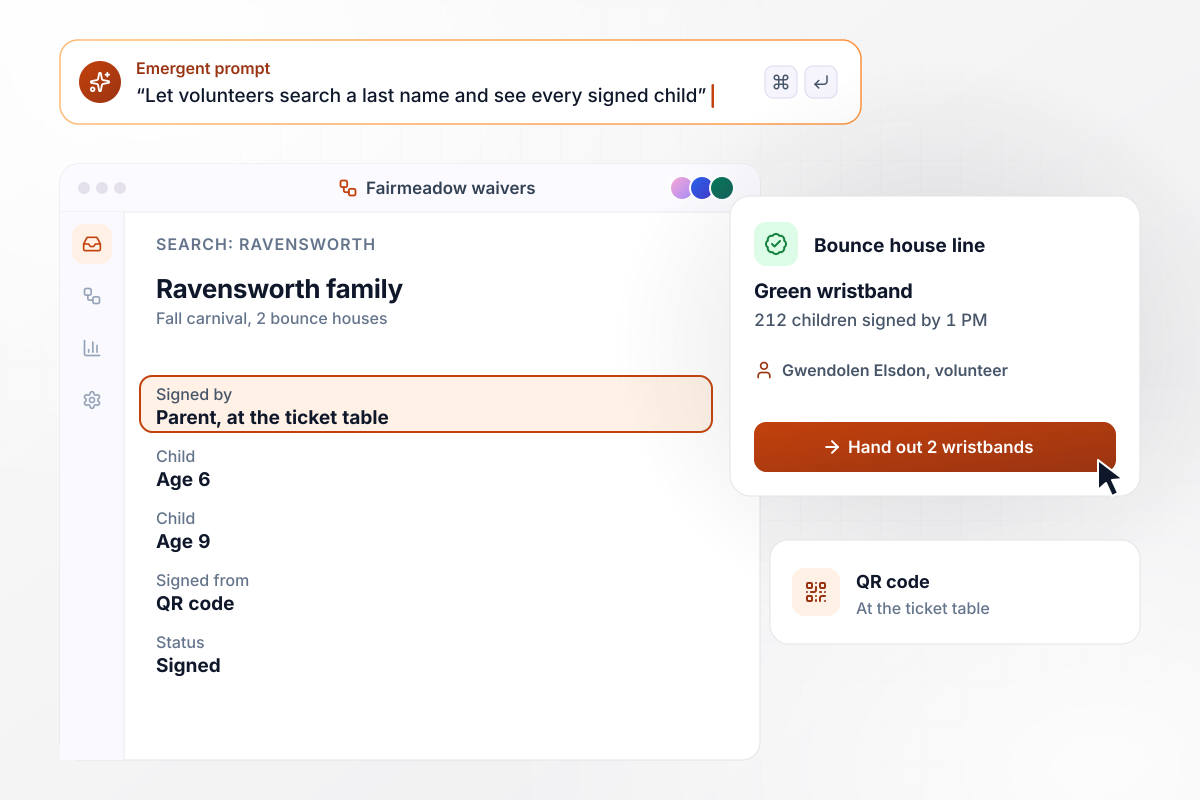
212 children signed by 1 PM, each in a green wristband
Fairmeadow Elementary's PTA runs a fall carnival with 2 bounce houses. Families sign from a QR code at the ticket table. At the bounce house line, volunteer Gwendolen Elsdon types a last name on the booth tablet. Every child on a signed record gets a green wristband before climbing in.
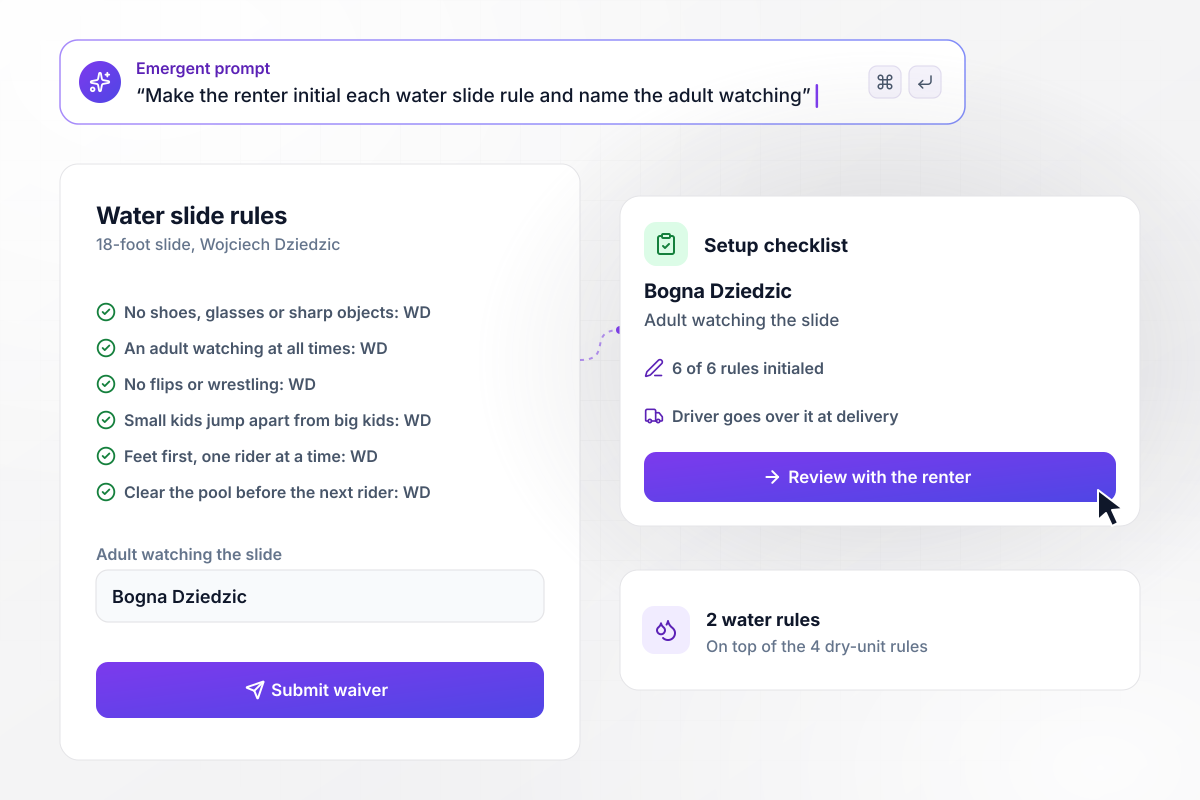
Wojciech initials the six slide rules one at a time
Water slides at Skipwell carry 2 rules on top of the 4 on its dry units. Wojciech Dziedzic rents the 18-foot slide for a block party and initials all 6. He names his sister, Bogna Dziedzic, as the adult who watches the slide. Her name prints on the setup checklist the driver goes over with him.






How to Create a Bounce House Waiver Form
Seven steps to create a bounce house waiver form, get the wording reviewed, and have it signed before every delivery.
Write down every rule your crew gives at setup, unit by unit: no shoes, no flips, small kids apart from big ones. Water slides and combos get their own extra rules. Each rule becomes a line the renter initials on the form.
Pick who signs for each kind of event. A rental booking needs the renter. A party or carnival needs a parent or guardian for each child, with every child's name and age. Set your own minimum age for each unit too.
Send the draft to an attorney licensed in your state before any renter signs it. Whether a release holds up depends on how it is written and the laws of your state, and some states limit waivers for minors. Ask about the parent section separately.
Describe your units, the rules, who signs, and the reminder in one prompt. Emergent builds the waiver, the database that stores every signed copy, and the route list your drivers check. Change any part later by prompting again.
Pick how long before delivery an unsigned booking triggers the email, such as 48 hours. Put the waiver link in the booking confirmation too. Renters who sign from it right away never get the reminder.
Have two crew members book fake rentals, one for a dry castle and one for a water slide. Let one skip signing to trigger the reminder. Check that the initials and the named adult show up on the route list.
When you change the wording, save it as a new version and keep old signatures tied to the version their signer saw. Ask your attorney or insurer how long to keep the records, and keep them searchable by renter name.
Why Build a Bounce House Waiver on Emergent?
Renters sign before the truck leaves, parents sign for each child by age, and every signed copy stays in your own database.

|
Jotform | Google Forms | Typeform | |
|---|---|---|---|---|
| How you build | Describe it in plain English | Templates, editor, AI generator | Editor, with Gemini drafting on some Workspace plans | Templates, editor, AI assist |
| Where responses live | A database table you own, plus any integration | Jotform account | Google Sheets | Typeform account |
| Response limits | No response caps | Monthly submission caps by plan; the form stops at the cap | No limit | Monthly response caps by plan; the form closes at the cap |
| Code ownership | Full code export to GitHub on paid plans | None | None | None |



Pick the Pricing Plan That Works for You
Choose the plan that fits your building ambitions. From weekend projects to enterprise applications, we've got you covered.




Find the right form
for whatever you're collecting















Frequently Asked Questions
Your Questions, Answered
Don't change this element unless you know what you are doing
More things you can build
with Emergent









on Emergent today


